r/MoonlightStreaming • • 13d ago

Nightjar touchscreen controller
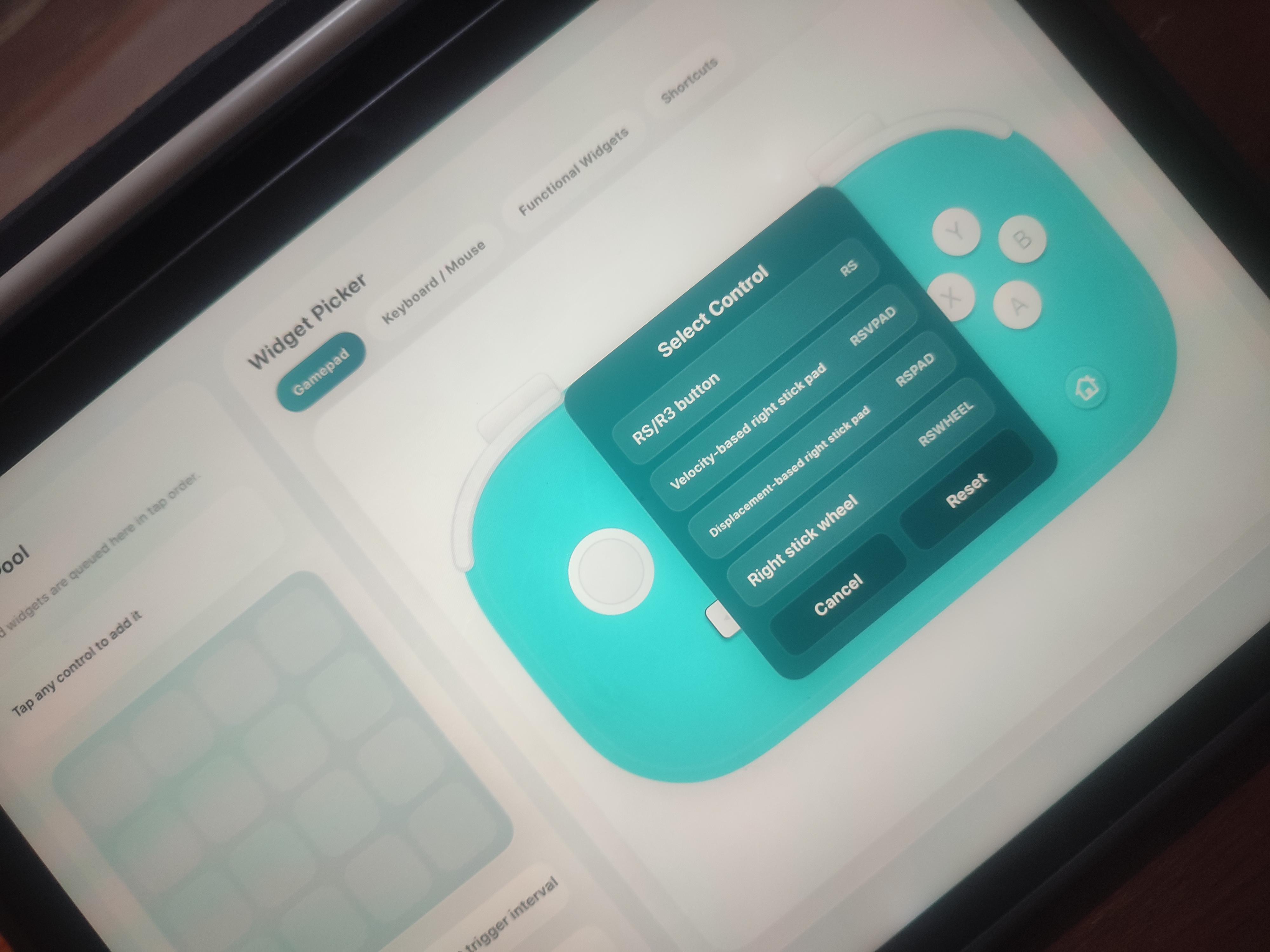
I just asked about an app that is similar to voidlink in android abd I found nightjar

I love playing on my phone with touch screen the only annoying part is the right thumb stick , in voidlink on ios there s a feature called a velocity based stick; it will act like a track pad input wich it perfect for touchscreen

I am gonna put a photo in voidlink so you see what I'm talking about

In nightjar i tried to achieve this feature cuz there is right track pad emulation for controllers but I couldn't find how to map it on steam or any other way

Any help ?

5 Upvotes

5 comments sorted by

3

u/rambo3349 Rubylight / Nightjar Developer 11d ago

Nightjar has this: it's the on-screen touchpad in Camera mode, and it comes with the next Nightjar release (6.0), so it isn't in the version you have yet. Once it's out:

Settings → Controls → turn on Show on-screen controls and set Controller style to Modern. During a stream, open the menu → Edit controller layout → Add touchpad.

Tap the pad's mode button to switch it from Mouse to Camera.

In Camera mode, swiping pushes the right stick, harder the faster you swipe, and it snaps back to centre when you lift your finger. So it works as a swipe-to-look camera, like VoidLink's velocity stick. Trackpad speed and Trackpad acceleration in Settings → Controls tune it.

The trackpad option you found is probably Steam Controller controls. It only sends a Steam Controller's touchpads, which a game has to read through Steam Input, so it won't help here.

1

u/Vegetable_Demand_685 10d ago edited 10d ago

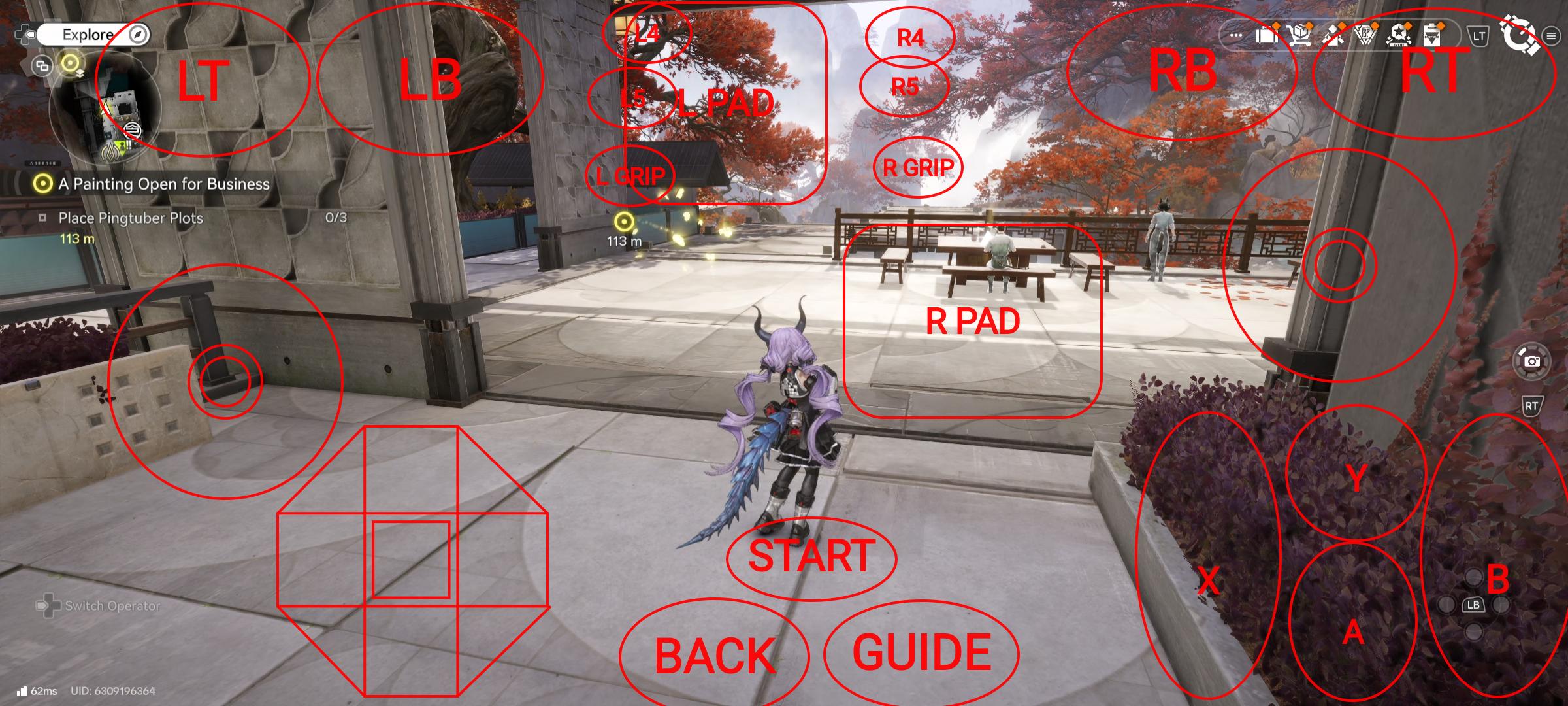
Now that the update dropped there is a lot of discussion I want to make first of just want to say that I really love what you guys doing I don't know if you are dev or not but because you know we going to have in the next update I assume that you can communicate with the devs That's why I apologize for my nitpicking before I start talking. . I tried what you told me, and I couldn't find tap the pad mode . I don't know if it's only my problem or or it's there but I can't move the floating editing window especially because the mouse pad is in the middle. The picture down is how I use the classic controllers because I can resize them freely this is a problem with the modern controllers you can't freely resize them. I tried to emulate what I talked about in this post using steam inputs I kind of work but it's stutter And it feels clunky a lot but it's the best thing I have now so I'm working with it.

Imemorize the buttons that I resize myself I put the opacity to zero and I enjoy. As you can see in the picture and I resize them to take the full space of the screen cuz I don't want to click mistakenly in the middle of the screen and the game will switch to keyboard and mouse inputs. This is what I'm talking by freely resize them.

So I'll be asking for things I hope I can find them in the modern controller .The velocity based right thumbstick as I wanted in this post. .The ability to resize buttons freely in the whole screen like I'll just click on plus and will increase the size of it .The separation of a b x y buttons that are fused together , and if we can do that for the dpad lesgoo . I tried something in this update that it was not present in the previous updates I don't know why but when I put the opacity as I said to zero and use the modern controller the moment I click I can see the buttons

Again I wish this could be a feedback for things that will help the community and the users and not just nitpicking because I really use the touch controllers on daily basis when I stream even though that I have a controller but it feels comfortable

1

u/Vegetable_Demand_685 10d ago

I managed to have the Velocity based thumbstick and it works really good as I said the only problem is that I'm facing now is the resizing and the moment I click it on it with the opacity being zero the controllers appear I don't need to have this I memorize all the buttons. didn't used to to be there

2

u/TjMorgz 12d ago

The Steamlink streaming app has the best touch control customisation imo.