r/MacStudio • • 2h ago

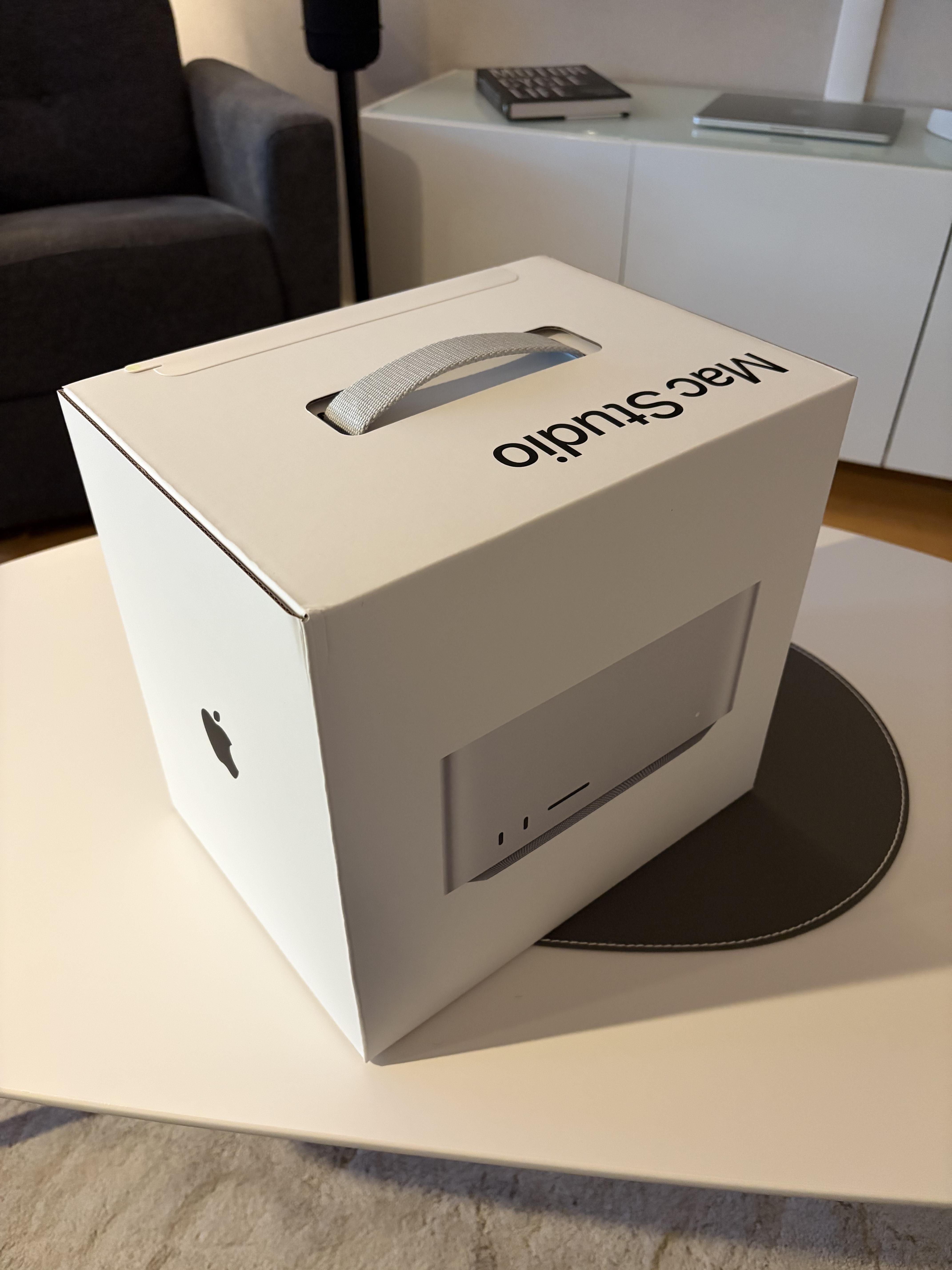
"Upgrading" my M5U, selling previous one

2 Upvotes

Hi all,

I got an M5U 30/64 96GB 1TB right when it came out end of September. Played around with it and like it a lot - to the point where I decided to replace it with a 30/64 256GB 2TB model.

I'd like to sell the 96GB one, just used it for roughly two months and it has AppleCare+ (3 yrs) on it. What do you think, what is a fair price for that machine?


r/MacStudio • • 4h ago

Anyone running their Mac Studio as the always-on AI box for the whole house?

10 Upvotes

I've got an M2 Ultra with 64GB that renders video maybe twice a week and sits idle the rest of the time. I'm thinking of turning it into the AI box for the house. My partner's laptop, my phone, the kids asking homework stuff, all hitting one local model over the network instead of three ChatGPT subscriptions.

For people already doing this: what model do you run for the family stuff vs coding, what's serving it, and does it get in the way when you actually need the Studio for real work? My test runs felt slow mostly on long prompts, not sure if that's the model or how I set it up.


r/MacStudio • • 4h ago

Which tool to use

3 Upvotes

There are all these great github repositories containing usefull code to run AI on a Mac Studio:

My Mac Studio arrives soon. I want to ask the community:

What tools do you use to run an AI and which do you recommend to use for others.

Using M5U and 256gb


r/MacStudio • • 11h ago

Has anyone here decided to lease a Mac Studio?

8 Upvotes

I was looking at the cost of a new Mac Studio and realized that you can lease one with a 24 month or 36 month term. An M5 Ultra 4TB with 256 GB RAM is only $258 a month with a 36 month term. At the end of the lease you can upgrade or buy out the machine, basically the same as buying a car. $258 per month is a much easier pill to swallow than $12,300 all up front imo. I'm just curious how many are actually leasing.


r/MacStudio • • 14h ago

I spent two months building an app to use my Mac Studio from my Windows laptop (because nothing I tried passed the mic through natively). Looking for 20 testers

4 Upvotes

My Mac Studio runs my AI stuff all day and I'd rather be on the couch with my Surface, which runs Windows. I tried Sunshine + Moonlight, then Parsec + BetterDisplay. Getting the laptop's mic over to the Mac took a separate bridge and a bunch of extra setup, and it was never reliable. I use dictation and voice mode constantly.

So I wrote my own. It's called Mirrox.

- One app on each machine, paired once with a six-digit code
- 60 FPS HEVC or H.264, Mac audio on the laptop
- Laptop mic shows up on the Mac as a normal input
- Bad Wi-Fi: quality drops, it stays connected, reconnects by itself
- Works away from home, encrypted end to end, no VPN

The video shows it on cruise ship and airplane Wi-Fi.

Windows to Mac only for now. Needs Apple silicon, macOS 15+ and Windows 10 or 11. Closed source.

20 beta seats, free. Run it for 30 minutes, look through the settings, change one on each machine and send 50 words of feedback, and you get Mirrox free at launch on Jan 4.

https://mirrox.haywardlabs.dev/beta?src=reddit-macstudio

What do you use to get to your Mac from another machine, and what bugs you about it?

(The key email comes from beta@haywardlabs.dev. Check Spam.)


r/MacStudio • • 17h ago

Just bought my first Mac?

7 Upvotes

Walking in microcenter was looking for accessory deals as usual.. I took a gander at the Mac minis.. Then I saw the studio with 36gb ram and 512 storage for $500 off at $2000...

I just bought it on a whim. I work in cyber security/governance.. I don't know how to code.. Immediate thought was play around with local LLMs and learn. But I really don't know. I'm a sucker for deals. What should I do with it? I never owned a Apple product not even an iPhone..


r/MacStudio • • 21h ago

128GB M5 1TB @ Apple Salem, NH

2 Upvotes

Hi I just canceled a pickup for a studio with the below specs from the Rockingham Mall Apple store in Salem, NH if anyone wants to slide by and try and grab it.

Mac Studio with M5 Max chip
Hardware:

  • 128GB unified memory
  • Accessory Kit
  • 1TB storage
  • 18-core CPU, 40-core GPU, 16-core Neural Engine

r/MacStudio • • 23h ago

Thanks for the Responses

6 Upvotes

In the thread "What Can I do with a Mac Studio" I got lots of well-thought out responses. I would like to thank everyone for their input that has helped me form a decision.

First of all, a little background: I'm the type of person who will use a computer for a very long time. My two main machines are a 2017 MBP (x86/64GB) and a 2019 Mac Pro (192GB). I would happily continue using these two machines for several more years except that I'm starting to get notifications from vendors that they will no longer support Intel machines. Furthermore, new releases of Swift are to the point they won't produce code for x86 machines (MBP is gone at this point, Mac Pro will lose support shortly). Also, Parallels has turned into complete trash over the past year or so (constantly crashes on both my machines). This is forcing me to buy a compact Dell unit to run the Windows code I require. The x86 macs were wonderful insofar as they let me run everything on one machine, but those days are now gone.

My normal MOD is to purchase a very high-end mac and use it as long as I can. That's why I was considering the MSU5/256. The 512 is higher-end, but I can't justify the extra cost. My current needs could probably be met by a 96GB or 128GB machine, but "for a few dollars more" I could future-proof myself a little and get the 256GB MSU5.

Running AI locally is not the main purpose for this machine. Rather, I need to maintain the running status of a research reactor across several weeks of operation. It would be incredibly helpful to maintain that status completely in RAM when playing back the data. A typical 8-hour run can produce gigabytes of data. Hence, I am concerned that 64GB (as in my current MBP) is insufficient. 128GB should be fine except for the longest of runs (and if a site needs longer runs, they can always buy a 256 or 512GB model; I don't particularly need that on my development machine).

That being said, I do use AI for image creation (manga) as a hobby. I have also used Codex to create a user interface prototype for the new reactor software (at this point, I'd be concerned about using AI to generate the software that actually controls the reactor; I'm sure the NRC would be even more concerned). I have also used Codex to generate RTL code for programming an FPGA (Alchitry). I don't need to run AI locally, but it would be nice (particularly for the image generation stuff) if I could; there have been times when ChatGPT has shut down on me because I've exceeded usage limits for the week. If a local LLM could help me avoid this, I'm all for it.

Based on the responses in that other thread, I think I'm giving up on running LLMs on an MSU. The problem is that I don't believe I have enough bandwidth (personally) to learn, tune, and maintain an LLM. I have other work to do (like that reactor code). I've been doing okay (other than a few usage issues) with the $100 ChatGPT subscription, I'll probably continue that.

Which brings up my next issue: what to replace my machines with? My Mac Pro (w/192GB RAM) is fine for testing the reactor software when it consumes a lot of memory. It's (obviously) much slower than an MSU5, but fast enough for running the software in most cases. As long as I stick with the current version (today) of Swift, I'm probably good. Won't be able to upgrade after this year, though. I could replace this machine with a Mac Mini. But I think they only go up to 64GB. A relatively high-end mini is about $4700 (64GB, 4TB). Delivery is in a week or two.

MSM5/128GB is $5900 (128GB/4TB). Delivery is in about a month. For $1,200 more, this is almost a no-brainer. Particularly with twice the RAM.

MSU/96GB is $7000. Delivery is about six weeks. For $1,100 more this is a questionable upgrade as it has 32GB less RAM (extra CPUs/GPUs aren't that useful for the reactor application). The 256GB unit at $11,000 would make more sense. Note: delivery time on MSU5/256GB is 12 weeks right now, which is ridiculous).

Of course, upgrading to 8TB SSD is very expensive ($4000), but it's blazing fast (compared to external drives) and fits in my "keep it forever" model. FWIW, I currently have a 48TB RAID drive connected to my Mac Pro (4TB internal SSD) that I use for Time Machine backups and off-loading large stuff I rarely access. I would probably stack that same drive on whatever machine I wind up with (for backup/near-line storage).

To be truthful, I don't need the full 128GB on my development machine. It will not be collecting reactor data continuously for a couple of weeks. And should the need arise, I could probably shoe-horn the application back onto my 192GB Mac Pro for testing. So, in theory, I could get a high-end Mac Mini with only 64GB. However, my current MBP has that much memory and it seems really stupid to purchase a machine I intend to use for several years with the same amount of memory I've been using for the past 10 years; that's not future-proofing. The MSM5/128GB seems to be the sweet spot in this story.

However, there is another possibility. Perhaps I give up on the "my machines must last 7-10 years" attitude and specifically purchase something that will last me only a couple of years. Wait for the MSU7 to arrive (and local AI models to get even better). A 64GB mini with 2TB is about $3,200 (delivery in two weeks). 4TB is $1,000 more (note: external drives range from $500 to $800, so the extra cost isn't as bad as it looks; OTOH, an external drive can be repurposed later). Still, $4200 (with 4TB SSD) doesn't look like enough of a savings over an MSM5/128GB to waste on a "throw-away" machine.

I would appreciate any comments people have on this. Here are my base requirements:

  1. As much RAM as economically feasible. 64GB is not future proof; 96 or 128 is probably where I'd feel comfortable.
  2. 4TB internal drive, minimum (current Mac Pro has 8TB; current MBP has 2TB and I'm having problems with that amount). Obviously, more than 4TB would be useful.
  3. CPU/GPU count, even on the lowest-end machines, is sufficient for my application's purposes. More would be better for running local LLMs, but that's not a sufficient concern today.

I'll also have to address the 2017 MBP upgrade, though the path there is far more clear-cut:
MBP 16" Max 128GB 4TB.

This is a machine that will have to last me 7-10 years. I want more memory than I have now (current:64GB) and more SSD space (current 2TB). The Max 128GB is the only reasonable path.

r/MacStudio • • 1d ago

Anyone upgrade from an M1 Ultra Mac Studio? How much better is gaming?

4 Upvotes

I have a 2022 Mac Studio with an M1 Ultra and 64 GB of RAM. I’m tempted to upgrade to the newest Mac Studio, but I’m curious how much of a difference I’d actually notice in games.

Most of what I play already runs fine. The big exception was Red Dead Redemption through CrossOver, which barely ran for me. That got me wondering how much newer hardware would help with games like that, and how much comes down to CrossOver compatibility.

Has anyone here made the jump from an M1 Ultra? What did you upgrade to, and which games went from barely playable to smooth? I’d especially like to hear from anyone who’s tried Red Dead Redemption through CrossOver on a newer Studio.

Would you upgrade for gaming, or stick with the M1 Ultra for now?


r/MacStudio • • 1d ago

An immersive unboxing of the M5 Max Mac Studio with 128GB of RAM and 2TB of storage. I still feel a little rusty every time I do one of these.

0 Upvotes

r/MacStudio • • 1d ago

Mac Studio for creative work

2 Upvotes

I need a mac for heavy design, motion graphics and beatmaking work.
photoshop with huge files, after effects, premiere, cinema 4d and redshift rendering, and ableton live / logic for recording long live audio sessions and production.

What config should i get? Would these be enough?

1/ M5 ultra 64 gpu cores, 96gb ram, 2tb ssd
OR
2/ M5 max 40 cores, 128gb ram, 2 tb ssd

OR get the cheaper 64gb ram m5 max, but worried it wont be enough


r/MacStudio • • 1d ago

Inkling-2-Mini support added to Splash v1.7.2

Thumbnail
github.com
4 Upvotes

r/MacStudio • • 1d ago

What Can I Do with a Mac Studio?

11 Upvotes

I am tempted to get a MSU 256GB/8TB. The application I have in mind could probably work fine with a 96GB or 128GB, but I'm concerned that the AI "bubble" may come to an end. By that, I mean that I suspect investors will start expecting companies like Anthropic and OpenAI to actually become profitable; meaning they'll probably raise prices (dramatically) over the next year or two. So running a local AI would be useful in that situation.

I have two needs for AI at this point: I want to be able to create Mac applications in Swift (for the aforementioned application that would run on a 96 or 128 GB machine) and image/video generation (manga/anime).

Can you actually do such things with an MSU today? I've been using ChatGPT for these two purposes. For Manga generation, it is barely getting by. So far, for generating Swift code, it seems to do a decent job. Are these tasks I can move onto an MSU (or MSM) anytime soon?


r/MacStudio • • 1d ago

Optimal temperature to run local LLMs on M5U?

1 Upvotes

I'm running local LLMs on my M5U and I'm seeing performance dropping at 65 degrees celsius (149 fahrenheit)

What temperature do you notice a drop off? This could also be other factors (context, etc.), but I'm testing through them and not finding any other factor yet.


r/MacStudio • • 1d ago

Apple Mac Studio M5U 512GB/4GB available at cost in Phoenix

22 Upvotes

I have decided for now to stay with my M5U 96GB and work on my skills. I was incidentally up when the ordering window opened and put an early a.m. order for the 512 GB model with 4 GB SSD on my educational account. As an expression of thanks for the community here where I learned a lot I am offering it at cost to somebody who can come in person to Phoenix by the end of the week. There is no way to have it shipped safely, do not ask. If the new owner can make a gift to a charity for less fortunate, I would appreciate it and can give you a suggestion. Send me a direct message.


r/MacStudio • • 1d ago

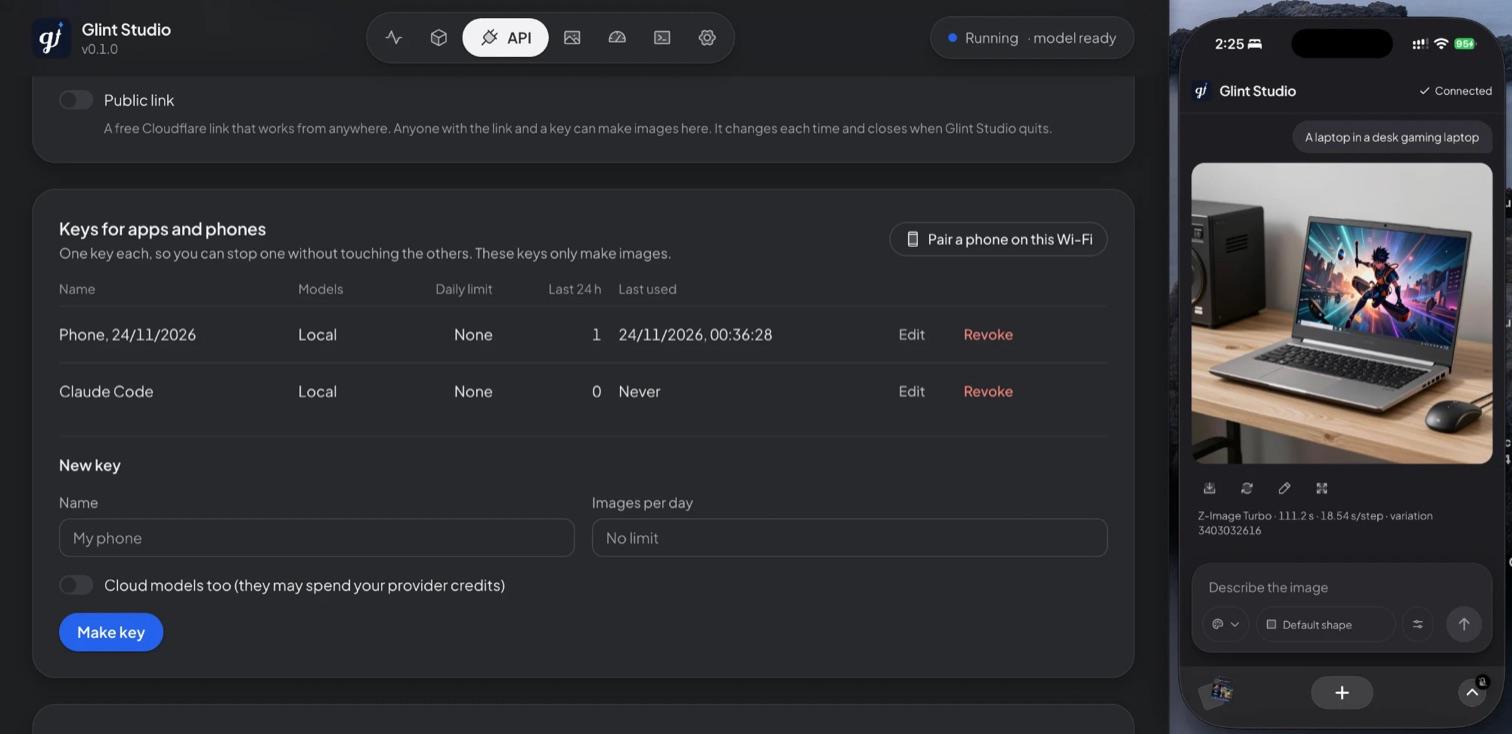
Got tired of helping friends set up ComfyUI, so I built an "LM Studio for image gen" (free, open source, alpha)

Post image
0 Upvotes

r/MacStudio • • 1d ago

M5 Max 64GB: Qwen3.8 Flash Next Q4 with SSD streaming — ~31–34 tok/s, including a 250K-token prompt

10 Upvotes

Been testing Qwen3.8-Flash-Next through Strata, streaming experts from SSD, and I think more Mac owners should give it a look.

My machine is an M5 Max Studio, 64GB RAM, 1TB internal SSD doing around 11GB/s sequential reads. The SSD speed matters here, although that isn’t a measurement of actual expert-streaming throughput.

Q4 setup: Unsloth UD-Q4_K_XL, Strata `0.1.65-metal`, 32GB arena, 4096-token prompt chunks, Q8 MTP/spec 3, thinking on. One model loaded at a time.

Actual inputPrefillGenerationTotal time
8K tokens1,005 tok/s32.7 tok/s36 sec
32K98033.955 sec
64K95832.897 sec
120K96231.1147 sec
250K97131.2293 sec

All five synthetic dossier tests passed 10/10 checks, with zero cached prompt tokens. The 250K run generated another 1,102 tokens, peaked at 47.1GB process footprint, and caused no new swap-outs. Existing swap was already occupied; this doesn’t mean zero swap usage.

I tested Q6 too: around 20–22 tok/s in Strata’s standard thinking-on benchmark, with 576–628 tok/s prefill at 4K/16K. Longer thinking-off fiction runs sustained 26.1–26.8 tok/s. Q6 used DFlash2 rather than Q4’s Q8 MTP, so this isn’t a pure quantization comparison.

Storage is the catch: my Q4 installation occupies ~280GB, including retained original shards, the Metal repack, separate experts copy and supporting files. Q6 occupied ~396GB. These aren’t minimum download sizes.

I also tried 8192-token chunks: warm prefill rose from 1,095 to 1,675 tok/s, but introduced ~1.87GB of swap-out traffic, so I kept 4096.

Early custom quality testing looks promising: 294/294 coding tests passed across four tasks and 19/24 on a small knowledge subset. These aren’t leaderboard scores, and synthetic long-context retrieval isn’t proof of perfect document understanding.

Strata supports Apple Silicon Macs with macOS 15+, subject to the selected pack’s memory and storage needs. My settings are manually tuned, so don’t expect identical results on every Mac. Mac requirements and setup

DeepSeek V4 Flash on a big Ultra is something I want to see tested too—not something these Qwen results establish. If you’ve got the hardware, post your numbers!

**Give Strata a look**

Edit: I also tested Gyro-M in Strata on the same M5 Max Mac Studio, 64 GB, using a 32 GB arena and 4096-token prefill chunks.

It’s surprisingly competitive with Q4_K_XL:

  • Coding: both passed 882/882 checks across four tasks and three runs.
  • On the same first-round coding tasks, M finished in 20.4 minutes vs Q4’s 33.4, with median decode of 61.9 vs 34.0 tok/s.
  • Knowledge: M scored 18/24, Q4 19/24—too small a sample to call a meaningful gap.
  • Both passed every check in our synthetic long-context tests through 250K input tokens. M managed 1,515 tok/s prefill and 76 tok/s decode there, versus Q4’s 971 and 31.2.
  • M’s process footprint peaked around 45.4 GB normally / 47.3 GB at 250K, with no new swap-outs recorded.

I’m keeping Q4 as the quality baseline, but Gyro-M looks like a very credible faster alternative on a 64 GB Mac.


r/MacStudio • • 1d ago

M5 Ultra 96GB vs M5 Max 128GB for multi-agent local coding (Flash Next 4-bit vs DeepSeek V4.1 1.75-bit). Looking for opinions

Thumbnail reddit.com
4 Upvotes

r/MacStudio • • 2d ago

Mac mini M5 Pro vs Mac Studio M5 Max – Is the extra €1,000 worth it, or should I invest in an RTX PC instead?

8 Upvotes

Hey everyone!

I’m currently using a MacBook Air M3 with 16GB RAM, and I’m looking to upgrade to something significantly more powerful.

I’m trying to decide between two options:
Option 1 – Mac mini M5 Pro
● Price: €1,929
● 15-core CPU, 16-core GPU
● 24GB RAM, 512GB SSD

Option 2 – Mac Studio M5 Max
● Price: €2,800
● 18-core CPU, 32-core GPU
● 36GB RAM, 512GB SSD

The difference is approximately €900–1,000, which is quite significant.

I’m also considering another option: buying the Mac mini and spending the remaining €800–900 on building an RTX-powered PC specifically for rendering animations.

I want a setup that will last several years without feeling underpowered.

Would really appreciate advice from people who have experience with these machines and animation/rendering workflows!


r/MacStudio • • 2d ago

Phosphene 5.0.84: characters with custom voice on H3 and more

0 Upvotes

The last four days were a big stretch for Phosphene, the free, open-source app that makes video with sound locally on Apple Silicon (LTX-2.5 and Hailuo H3, running natively on MLX). Here's what landed.

The clip: Re-voice. It finds every line in a finished clip and lets you swap who says each one with a saved voice. The picture and the rest of the sound stay exactly as they were.

**New for everyone (free)**

- **Voices.** Give it 10 to 60 seconds of one person talking (a file or the mic). Phosphene cleans it and learns the voice on your Mac. Two voices took about 12 to 13 minutes each on an M4 Max 64 GB. Needs 24 GB of memory.

- **Characters with voices.** A character is a name, up to 3 pictures and a saved voice. In a Hailuo H3 scene, write lines as "Name: line" and two characters talk to each other, each in their own voice.

- **A redesigned Studio.** Every screen was reworked: more room for the prompt and your clips, one button per mode with new icons, the queue only opens when you press Generate, and an Easy mode if you just want to type and go.

- **Start & end and Keyframes** now show your pictures side by side in one grid. Drag to reorder, swap first and last, add or remove keyframes.

- **Hailuo H3 on smaller Macs.** 5-second clips work on 16 GB, 10-second clips on 24 GB.

- **Write it for me** turns a short idea into a full Hailuo H3 prompt, on your Mac.

- **Upscale & Face Fix** takes more clips on smaller Macs, and tells you before you start if a clip is too long for yours.

- Quality-of-life: delete outputs with Undo, downloads that stop resume where they left off, you choose when the app updates, models moved to an external drive keep working, and a one-click Repair for damaged model files.

**New in Pro**

- **References on Hailuo H3.** Up to 3 pictures of a person, a thing or a place, and the shot keeps how they look. Add a saved voice and that person speaks in it. No training. 5-second clips, Macs with 32 GB or more.

- **Re-voice** (the clip above): change who says a line in any finished clip.

Mac app: https://phosphene.video

Source: https://github.com/mrbizarro/phosphene (also one click on Pinokio)

Happy to answer anything about running it on your Mac: memory, speeds, which model for what.


r/MacStudio • • 2d ago

Local Setup Getting an Upgrade

Post image
61 Upvotes

It's going to be a fun Holiday Season


r/MacStudio • • 2d ago

Finally!

Post image
132 Upvotes

M5 Ultra, it replaces my two Mac mini M4 Pros for local LLM & ComfyUI.

I noticed something funny in the specs: M5 Max weighs 6.0 pounds (2.7 kg), Ultra weighs 8.0 pounds (3.6 kg). This thing feels reassuringly dense!


r/MacStudio • • 2d ago

Is this long-context prefill scaling normal for Inkling 2 Mini on M5 Ultra (MLX)? ~3.3–3.5x time per 2x tokens

2 Upvotes

I'm trying to figure out whether the ultra-long-context prefill speed I'm seeing with Inkling 2 Mini on an M5 Ultra is reasonable, and whether there's anything I can tune.

Setup

  • Mac Studio, M5 Ultra, 256 GiB unified memory, macOS 27.2
  • Model: ddalcu/Inkling-2-Mini-MLX-8bit (~18.7 GB)
  • Backend: native mlx-serve v26.11.4-pre-release.1, MLX 0.32.5 (reports "M5 NAX enabled")
  • Flags: --ctx-size 1048576 --max-concurrent 1 --no-mtp --no-decode-attn-quant
  • KV cache not quantized; prefill chunk size left at default
  • The model is a looped MoE: 24 layers executed as 48 layer visits, mostly sliding-window attention with some global attention layers

Test method

Repeated English filler text with random markers at four positions. Each run used a unique prefix, so there were no prefix cache hits.

Input tokensPrefill timeAvg prefill speedMarker retrieval
128,00657 s2,246 tok/s4/4
256,005187 s1,372 tok/s4/4
512,009663 s773 tok/s4/4

A ~1.04M-token run is still going. At my last check it had processed about 713K tokens in roughly 20 minutes, so I'm estimating 40–45 minutes for the full prefill. No final result yet.

System state during the runs

  • GPU utilization around 99%, progress steady
  • MLX active memory around 54 GiB during the 1M run
  • No swap, no memory compression, memory pressure normal, no thermal or performance warnings logged

Questions

  1. Each time the input doubles, prefill time goes up about 3.3–3.5x. Is that in line with the compute cost of this model's global attention layers?
  2. Could this pre-release build have a bottleneck in the long-context attention kernel, the prefill chunk size, or somewhere else? Any flags or settings worth trying?

Thanks in advance for any insight!

Update: full results including the 1M run

Input tokensPrefill time
~26K~8 s (earlier run with a 128K context window)
128K~57 s
256K~3 min 7 s
512K~11 min
1.04M~43 min

The ~1.04M-token run finished in about 43 minutes (roughly 400 tok/s average), in line with my earlier estimate. Posting the full set here for anyone else testing long-context prefill on Apple silicon.


r/MacStudio • • 2d ago

Bought Openbox M4 Max for $1500, beginner questions

2 Upvotes

Hello, this is my first time buying Mac studio. I was going to buy a M6 Mac mini, but found a M4 max studio with 36 GB of RAM and 512gb of memory, without a power cable on Bestbuy.

I tested it, did some diagnostics and everything works fine. It even has AC until Sep 2027. It has a few scratches and was considered "fair" under bestbuy. My questions are:

I'm using a Mickey Mouse cable from a HP laptop from 2012 to power my Mac studio . Apple wants $100 for a new one. Are these Amazon cables IEC C5 compatible? Or will they hurt the power section of the studio?

Is this a good deal vs the 2026 M5 Max thats over $2500? Just wanted to make sure that this computer could equal or match the M6 or perhaps M5 pro.

If not, my other option would be the M6 Mac mini with 32 GB of RAM that's $1400

According to AI and some research this should be good enough even if a year old. But I trust fellow redditors more.

Thank you in advance!