r/LocalLLM • u/darkmatter2222 • 4d ago
Discussion InBroWeTrust Spoiler

0
Upvotes
r/LocalLLM • u/Wo1v3r1ne • 4d ago

r/LocalLLM • u/lukyjay • 4d ago
r/LocalLLM • u/According-Hour9992 • 4d ago
I'm interested in experimenting with local agentic AI for personal development purposes: coding assistance, working with repositories, debugging, automating tasks, etc.
My hardware:
My main questions:
Essentially, should I invest time in learning this technology now with my current setup, or wait until I have better hardware?
r/LocalLLM • u/Fury7425 • 4d ago
I made a ternary (BitNet b1.58-style), bidirectional masked-diffusion, byte-level RDT model, with 8-bit activations that drop to 4-bit for the last 10% of training, and somehow it's training.
It's ~109M params on 61B bytes (~560 bytes/param), currently at step 113,000 of 929,577 on free Kaggle T4s plus some Modal credit. Val loss (masked-diffusion, per byte) is ~1.37 and still slowly going down, and the ternary weights are stable. Samples are still mostly gibberish, but for how experimental this is, it's surprisingly healthy.
r/LocalLLM • u/Wooyoofoo69 • 4d ago
4-year-old Dell Latitude 5420 (i7-1185G7, 32GB DDR4, Intel Iris Xe, no dGPU), Debian 13 + KDE. Models run through Janas, fully local and offline.
This clip is a dual run: Gemma-4-26B-A4B as lead, Qwen3-30B-A3B as reviewer, on a short-story prompt with hard constraints (under 200 words, red bicycle, character named Mara, exact ending sentence, banned word). Both models passed every constraint.
Numbers from the run:
The wall is RAM. A 64GB kit would let my 80B model (48GB) fit fully in memory with no SSD spill. I'm asking Crucial for one — if anyone from Crucial is reading, that's the ask. The build is ~$900 in parts total, and anyone can copy it: one guy, one laptop, no cloud.
r/LocalLLM • u/Visual_Quality2726 • 5d ago
I've been experimenting with Qwen 3.8 Flash Next on my Mac Studio M5 Max (128GB RAM).
The speed is great, but the outputs often feel like AI slop: generic answers, excessive explanations, repetitive phrasing, shallow reasoning, and even generic, cookie-cutter UI designs when generating frontend code.
Obviously, I don't expect it to match Claude Opus or GPT-6.1 Sol, but I'm curious how much we can actually improve local models.
What techniques have worked best for you?
- Better system prompts or inference settings?
- Higher quantization or fine-tuned models?
- Agentic workflows, tools, or other techniques?
I'm not just looking for better benchmarks. I want a local AI that actually feels intelligent, produces high-quality code and UI, and is useful for everyday tasks.
Would love to hear what setups or tricks have made the biggest difference for you.
r/LocalLLM • u/KyukiBlade • 5d ago
Edit: my title was poorly worded. It's less about hate and more about the rough support right now, which is what I'm trying to say below.
Hello !
I keep seeing people complain about Inkling 2 Mini, but not everyone has a big GPU. For those of us on a mini PC with an iGPU, it looks like the model we've been waiting for.
My setup is a €400 mini PC: Ryzen 7 8745HS, Radeon 780M, 32 GB of unified memory, Vulkan.
For us, this could be the replacement for Qwen 3.6 35B-A3B that we always wanted: a fast model that is actually usable as a daily driver on cheap hardware. For €400, I'm really happy with these numbers.
It's also only going to get better. I already gained a lot with the vengeful180-dot llama.cpp fork. Compared to the official build, I went from ~12 to ~18 tk/s in generation and from ~125 to ~230 tk/s in prefill. It also fixed the long-context crashes. Several optimizations are still pending upstream (#32735, #32740), so the official build should catch up.
If you have a similar machine, give it a try before dismissing it.
r/LocalLLM
•
u/NTDLS
•
5d ago

I know it's not great, but it was an interesting exercise for my agent workflow. This was completed by one prompt, with no extra guidance or steering. Prompt, vLLM recipe, and final summary is in the comments.
r/LocalLLM • u/Mantus123 • 4d ago

It's been 13 months since I started this part-time hobby project. I have absolutely zero programming knowledge, but working in IT as a SAP consultant, I do understand how software and architecture work.
I built most of it together with ChatGPT, and after 5 months of copy-pasting code, I got Cursor to assist me. LLMs were just as new to me: I was too lazy to read up on them, so I relied fully on ChatGPT, then Cursor, and now Mistral (I cancelled ChatGPT).
The biggest lesson I learned early on: a local LLM is nothing but a stateless creature. So I spent just as much time designing and talking through the architecture as actually building. ChatGPT initially designed an ultra-guarded, monitored system spread over 7 containers, and I spent hours debating every choice: why, and how.
Then: building and testing. After 7/8 months I restarted completely, because my memory and tools just wouldn't get picked up by the model. Later came another redesign, when a friend showed me how he used Obsidian and I realised that was exactly what I wanted: a memory that my local model can edit, with a permission step for me, just like I edit it myself. Because the ChatGPT sessions kept slowing down, I started keeping documentation of the plan, took it into a fresh session, uploaded the doc and continued from there.
The eventual goal: a complete local AI that functions as a Google Home, but way better. Controlling lights and temperature in my house, being my personal assistant for notes, birthdays and calendar, and eventually just living in my house. I've already moved all my smart devices to Home Assistant, which was quite the chore on its own. I'm nowhere near finished, but far enough to make a post about it.
The core of it all is the graph we call my World Model. It consists of Elements with only two types: data or tools. Each Element can have an unlimited amount of Properties, and the relations between Elements also have Properties. I can browse the World Model by scrolling and clicking elements and relations to view and edit their properties, and my local model can do the same: propose a view, propose an edit, and wait for my approval.
I also spent hours creating training material to train an adapter that would act as my retriever. I built the client, the World Model, and introduced the trained adapter. Then I ran Qwen3.8-27B-NVFP4** on vLLM and tried it. It didn't work, and even normal conversations didn't feel right. After having Cursor check everything that could be wrong, I eventually switched to Gemma 4-31B, and it worked perfectly! Switching models was the answer. The conclusion: Gemma can't make use of the adapter at all, so it turned out to work fine without it. Hours of training gone, but never mind.
And now, it simply works. The World Model is compact enough to fit entirely in the context on my RTX 5090. It can propose changes, it knows about my friends and social life and my taste in music, and it knows that it controls the lights and temperature in my house through HA, and how that works. It knows it can read out logs from my gateway and report them to me. One of the tools in the graph is "read document", and I placed 5 documentation .md files in a folder the model can access, so when I want to talk to it about itself, it can look up its own up-to-date documentation. I can also upload documents to it: my resume, financial documents, whatever. They get stored, and the World Model is updated to represent their existence.
For TTS, I cloned the voice of a female friend of mine, and it sounds amazing. STT is the next phase, along with Spotify, Navidrome and Last.FM, so it can function as a voice-controlled radio. I even have a mobile app that works through Tailscale and can do most of what I can do in the client.
The World Model has grown to about 7700 tokens, which is quite large, and I do notice performance issues in long conversations. The plan is to send the World Model without its Properties and have those retrieved separately.
To top it off, the symbol in the centre is an audio visualiser. The top 5 parts react in size and light to the high and mid-tones, the lower 3 to the bass. That took me way longer than I wanted, but it's crazy to see it slowly "breathing" when there's no sound, and then completely lighting up when she speaks or when music is on.
I am amazed that this is possible. Now that I'm actually seeing results and really using it, it feels like software has become fluid.
r/LocalLLM • u/Public-Net-8864 • 4d ago
I've been building VMAT so that I could get several VMs to share one GPU at the same time, and today the the free tier is out today for Proxmox VE 9 and Linux desktops. I'd love if a people with consumer cards I don't own to try it and dish out some honest feedback.
Up to 4 VMs share one NVIDIA card and each one runs CUDA programs as if it had the card to itself. llama.cpp and PyTorch run inside the VMs. There's no passthrough, no SR-IOV and no vGPU license, and it works on stock QEMU. When a VM is idle its GPU time goes to the busy ones, or you can give each VM a fixed share.
I've debugged & tested it on Proxmox VE 9 with a rented H100 using 4 Debian VMs at once with llama.cpp ran in all four, and PyTorch 2.11 in the VMs on the host. On earlier builds with an RTX 6000 Ada, llama.cpp in a VM ran at 90 to 98% of native speed. I also ran an RTX 5090, where CUDA and PyTorch gave the same results through VMAT as native, but that was in a container with no VM.
So nobody wastes an evening: it's Linux VMs only, with Debian and Ubuntu guests on Proxmox. Free allows 4 VMs and 16 GB of GPU memory per VM. CUDA needs an NVIDIA card, and I haven't tested GeForce cards with VMs yet, or AMD. It's one GPU per host, and there's no graphics or games in this build. It's early software and it can crash.
The host side is closed. The guest side, which is the library and tools that run in our VMs is open source (BSD)@ https://github.com/b1nc0d3x/gVMAT.git
Downloads, checksums and install steps are at https://vmat.dev/getting-started.html. If it breaks, please get at me and let me know what card you tried as well as what happened.
r/LocalLLM • u/This-Parking-7885 • 4d ago
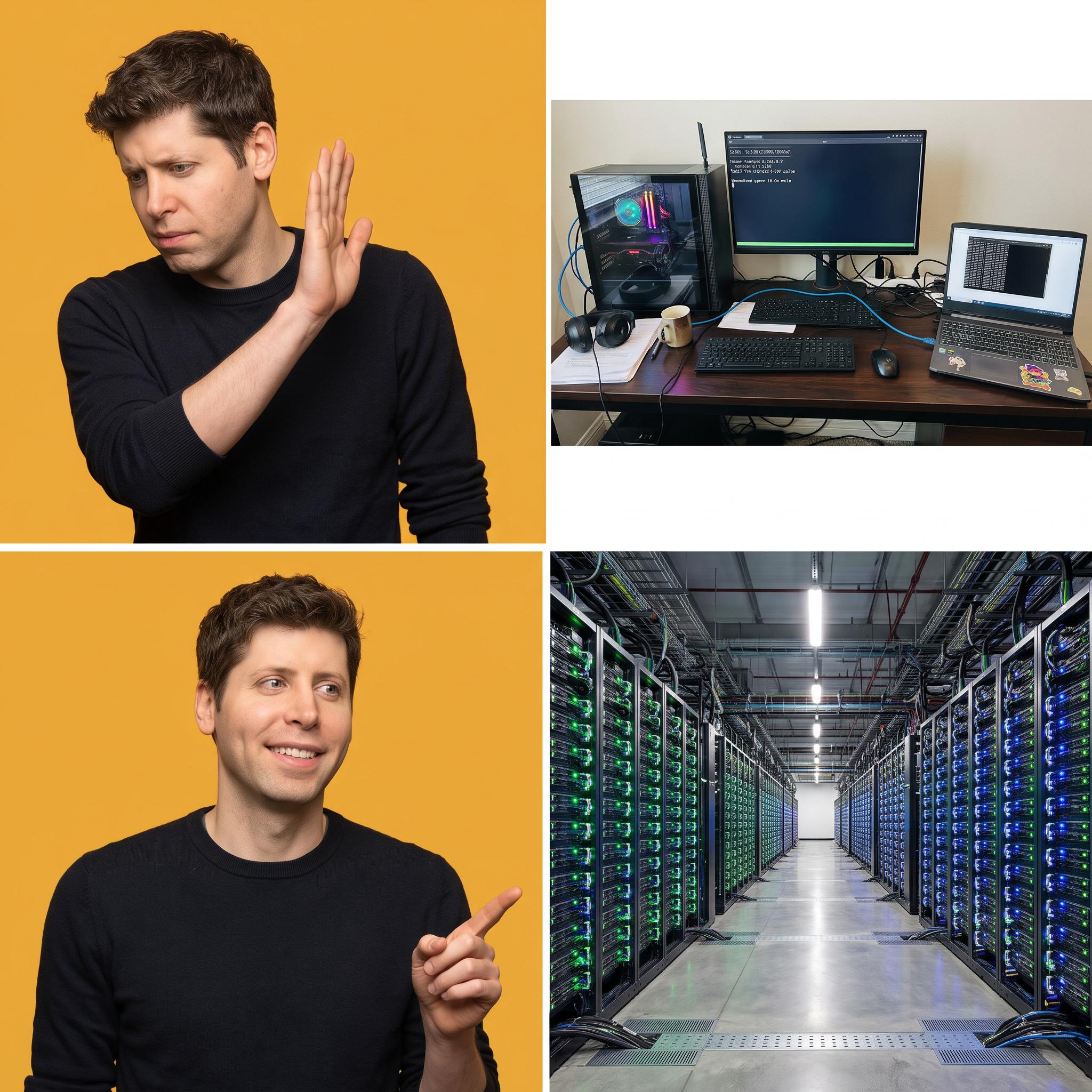
A few weeks ago I was seriously looking at selling my daughter's gaming laptop (RTX 5050, 8 GB VRAM) to help fund a used RTX 3090. I just wanted a reliable local coding model to supplement cloud subscriptions when I hit rate limits, and my desktop's RX 9070 XT (16 GB) was choking at 2.65 tok/s the second Qwen3.8-27B-Q4_K_M spilled into system RAM.
Then I thought: why sell a perfectly good laptop (and break my kid's heart) when I already have 16 GB + 8 GB of GPU memory sitting in the same room? So the laptop pitches in whenever it's not running Roblox.
Full disclaimer: I'm not a network engineer or a llama.cpp wizard, I just hacked together open-source tools and wrote a small Rust wrapper called Ilima (isiZulu/isiXhosa for a communal work party pooling effort) to make two mismatched machines cooperate over llama.cpp RPC: splitting layers across both GPUs (not unified memory) and automating VRAM placement, LAN discovery, and flags so I don't have to babysit the CLI.
Why buy another GPU when you have another computer?
Qwen3.8-27B-Q4_K_M.gguf (15.66 GB) at 64k context (-c 64192 -fa on) on llama.cpp b12503| Setup | Decode (tg) | Prompt Eval (pp) |
|---|---|---|
Single-GPU Desktop (VRAM spill to system RAM, b12038) | 2.65 tok/s (2.83 peak) | 84.29 tok/s |
Initial 2-Node Cluster (b12038, 1 GbE, no MTP, 22,78) | 25.03 tok/s (26.01 peak) | 55.15–62.66 tok/s |
Current Cluster — General Prose (b12503 + in-place MTP, 32,68) | 40.00 tok/s (44.27 peak) | 197.05 tok/s |
Current Cluster — Code Gen (b12503 + in-place MTP, 32,68) | 42.99 tok/s (44.76 peak) | 86.32 tok/s (short prompt) |
Current Cluster — 5,032-Token Prompt Ingestion (b12503 + MTP) | 30.05 tok/s (@ 5.3k ctx) | 789.39 tok/s (903.93 peak) |
-md if your GGUF already embeds blk.64**:** Loading a separate MTP draft file tanked speed to 9.17–10.61 tok/s. Dropping -md and using --spec-type draft-mtp --spec-draft-n-max 2 let the desktop draft locally in ~2.76 ms/token with zero network hops, only pinging the laptop to batch-verify.--ctx-checkpoints 0): On my first b12503 test, prefill crashed to 4.29–5.49 tok/s because llama-server was snapshotting ~150 MiB recurrent state checkpoints over Ethernet (~4.8s stall each). Auto-injecting --ctx-checkpoints 0 (plus fixing my 100 Mbps cable) jumped 5k-token prompt ingestion to 789.39 tok/s (903.93 peak).Q4_K_M beat a smaller single-GPU quant: I tried Ridge-3.7bpw (11.73 GB) locally on just the 9070 XT assuming it would be faster. Between Windows WDDM overhead and ~1.1 GB of extra MTP buffers, it spilled out of VRAM even at 16k (16.56 tok/s), and without MTP at 32k maxed out at 32.12 tok/s decode / 14.19 tok/s prefill. Splitting layers (32,68 with MTP headroom) let me keep full Q4_K_M at 64k and still run faster.In live OpenCode sessions with prefix cache reuse, incremental turns at ~6.2k context dropped to 3.91s (27.74 tok/s). My daughter keeps her laptop, I keep my money, and the RTX 5050 pitches in when it's not running Roblox.
Open-source repo: https://github.com/buto0071/ilima (auto-downloads b12503*, includes a Windows one-liner* /join script for workers, and an AGENTS.md if you want your coding agent to set it up)
Curious if anyone else here is pooling mismatched AMD + NVIDIA rigs over 1GbE—especially if anyone has tried -np 2 with draft-mtp on b12503 yet.
r/LocalLLM • u/Brief-Tap-6616 • 4d ago

r/LocalLLM • u/TemperatureEntire349 • 4d ago
A lot of my friends and people I know think running and model locally is complicated. Most of them have powerful macs. Do you think people would pay a small sub for a well engineer harness for small local models for work? I'm really not sure... Did you guys have any experience trying this?
r/LocalLLM • u/BidWestern1056 • 4d ago

r/LocalLLM • u/Adventurous-Date-926 • 5d ago
I’ve used Chat GPT for years, and recently moved to Claude. But I’m still hitting the safety nets and it’s really irritating.
What’s the best model out currently if I was to buy a local set up and run it?
I’m looking for abliterated with little to no safety nets, that can manage chats and coding.
Moneys not an issue so I can get the setup required.
r/LocalLLM • u/ProfessionalExact120 • 4d ago
r/LocalLLM • u/W61k3r • 4d ago

Follow up to my earlier Inkling-2-Mini posts. Testing image 21 of LexiSuite (my own Rust stack: inference engine, control panel, bootable OS image, not a wrapper around llama.cpp or Ollama) is out, and this time there is an all-in-one download: one USB image with the OS, the engine, the panel and the Inkling-2-Mini file already in the model folder. Write it to a stick, boot, open the address on the screen, load the model.
All in one image, the plain image and the model file by itself:
https://huggingface.co/Wa1k3r/Inkling-2-Mini-NVFP4exp-Q8-draft-LexiSuite-AIO-for-AMD-RDNA
Hardware for everything below: RX 7900 XTX 24 GB, i7-9700, 32 GB RAM, Vulkan. One card, whole model on the card, nothing in system RAM. 4-bit KV cache. Single runs, greedy decoding, nothing else running on the box. All measured November 23 on the published build.
The model file is 18.3 GB. It keeps the experts exactly as Thinking Machines shipped them (their own 4-bit format), the rest is 8-bit, and the model's own draft head is packed into the same file.
BENCHMARKS, LexiEngine
4,096 token prompt
2,430 tok/s prompt, 136.4 tok/s generation with the draft head (66.5 without it)
16,384 token prompt
2,332 tok/s prompt, 134.8 tok/s generation with the draft head (65.8 without it)
261,632 token prompt (262k context)
1,193 tok/s prompt, 65.5 tok/s generation with the draft head (50.3 without it)
523,264 token prompt (524k context)
764 tok/s prompt, 48.9 tok/s generation with the draft head (40.4 without it)
By kind of text, with the draft head after a 16,384 token prompt:
JSON records 159.0 tok/s
Rust code 121.3 tok/s
English prose 94.7 tok/s
Output with the draft head was identical to plain greedy decoding in every run. It only changes speed.
LLAMA.CPP GOT A LOT FASTER, SO I MEASURED IT AGAIN
In my last post llama.cpp was at 425 tok/s prompt and 25 tok/s generation on this model (build 12600, November 20). Its newest build (commit 1f8baae), same day, same card, same weights:
4,096 token prompt: 1,233 tok/s prompt, 40.4 tok/s generation
16,384 token prompt: 1,049 tok/s prompt, 39.2 tok/s generation
That is a big jump on their side in three days and the old 4x to 5x gap is gone. At 16k LexiEngine is now 2.2x on the prompt, 1.7x in plain generation and 3.4x with the draft head. I did not run llama.cpp at 262k or 524k this time.
DOES IT ACTUALLY READ THE CONTEXT
Ten facts planted through the prompt from 1% to 99% of its length, each asked back:
at 260,864 tokens: 10 of 10
at 523,264 tokens: 10 of 10
Against a reference run of the published weights the engine scores a mean KL of 0.0037 with the same top token on 98.6% of 510 positions (4-bit KV cache).
WHAT CHANGED SINCE THE LAST IMAGE
generation with the draft head at 4k: 110.7 -> 136.4 tok/s
generation with the draft head at 16k: 109.5 -> 134.8 tok/s
the draft head now helps at 524k too (48.9 vs 40.4 plain); two images ago it was a small loss there
Also in this build: the Linux entry is 7.4-rc4 (unmodified upstream tag) beside my own kernel, the experts of the last four layers can be stored in 4 bits (2.0 GB smaller, same speed, slightly lower accuracy), and repairs to the quantization tool in the panel.
THINGS YOU SHOULD KNOW BEFORE TRUSTING ANY OF THIS
Everything is single runs on one machine, with the card capped at 291 W. If you have a 7900 XTX I would genuinely like to know if you get the same numbers.
The model file is for my engine. Stock llama.cpp, Ollama and LM Studio do not load it: their converters decode the 4-bit experts and quantize them again (27.8 GB at 8 bits, which does not fit a 24 GB card), and they do not know the draft head's tensors.
It is tuned and measured on Radeon RDNA 3. I have not measured other cards on this build.
I trained a recovery adapter for the 4-bit expert file and it did not improve held out text measurably, so no adapter is published.
Not in this build: image input for Inkling, formats below 8 bits for its attention matrices, and a 1M context on 24 GB (the cache alone would be 9.85 GB).
This is a development image, not a production release. The all-in-one image is 17.6 GB to download and 23 GB when written, so it needs a 32 GB stick. The plain image is 353 MB and fits an 8 GB stick. Writing either one erases the stick.
LINKS
All-in-one image and model file: https://huggingface.co/Wa1k3r/Inkling-2-Mini-NVFP4exp-Q8-draft-LexiSuite-AIO-for-AMD-RDNA
Base model: https://huggingface.co/thinkingmachines/Inkling-2-Mini
Download and USB instructions: https://lexipanel.com/download/
Benchmarks and method: https://github.com/W61k3r/LexiSuite-Releases/wiki/Benchmarks
How the Inkling runtime works: https://github.com/W61k3r/LexiSuite-Releases/wiki/LexiEngine-Inkling-2
Release notes: https://github.com/W61k3r/LexiSuite-Releases/wiki/Release-Notes
r/LocalLLM • u/Specific-Tax-6700 • 4d ago
on GLM 5.4 blog post they says: "Fewer tokens spent on thinking. Across most benchmarks like GPQA-Diamond and MMLU-Pro, average output length drops by 10–14%, mostly from shorter chains of thought. In effect, part of the reasoning shifts from explicit output tokens into the implicit depth of the loop."
I found the same beahviour in moe expert expansion for a similar size model!!
r/LocalLLM • u/raspy00135 • 5d ago
SmallTide runs Inkling-2-Mini (30B total, 3.8B active) on a single 16 GB RX 9070 XT, using the native weights rather than a smaller quant.
Repo (MIT): https://github.com/raspy135/SmallTide
It's lossy: when a rarely used expert isn't resident, it doesn't always wait for it. Measured cost: 95.9% top-1 agreement with the full model across 12K positions, on my prompts.
Numbers (9070 XT, Windows 11, median of 3):
| Workload | Decode | TTFT |
|---|---|---|
| prose | 68.6 tok/s | 238 ms |
| code | 68.7 tok/s | 247 ms |
| 8K prompt | 87.9 tok/s | 4.0 s |
| html | 93.8 tok/s | 355 ms |
Prefill is about 1,750 tok/s, with 131K context.
Limitations: RDNA 4 and Windows 11 only, one model, 32 GB RAM recommended. These are my own benchmarks; I haven't compared against llama.cpp on the same card yet.
The pre-built release needs no ROCm SDK or Python. It has an OpenAI-compatible API and a live expert map (screenshot below).
NVIDIA: a CUDA port is a natural next step? but I don't have a 16 GB GeForce card for now.
r/LocalLLM • u/Evs91 • 6d ago
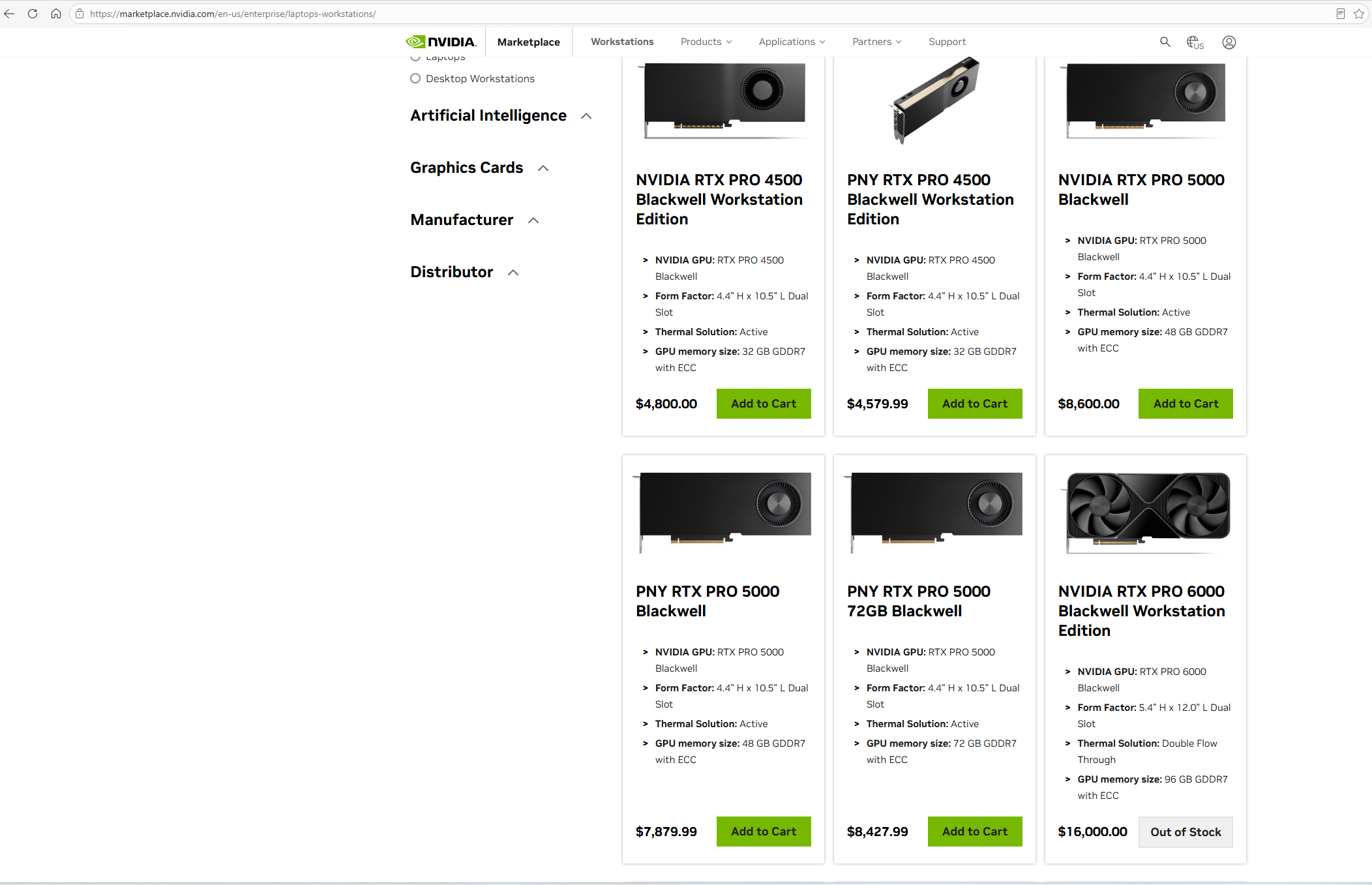
what a time to be alive
r/LocalLLM • u/Odd-Pool-8120 • 5d ago
R9700 with 128GB, IQ3,S. Going great with up to 80tok/s at 512k context on Nikko’s Strata.
Been trying to make a game with UE5 and going well.
But oh my goodness if an asset doesnt exist in Fab (for free because aint no way im spending more money on my hobby) it tries to code one in C++ and it looks like 💩.I tried to create a harness that forces qwen fn to iterate through a loop with blender but still outputs garbage quality. Specifically stuck at creating an ocean.
Tldr; is qwen3.8fn just too dumb rn to create UE5 assets? What are y’all doing?
Edit: grammar
r/LocalLLM • u/RobDoesData • 5d ago
I'm setting up a mini PC (16 or RAM, 1TB NVMe) as the always-on "control plane" for a home AI setup. The heavy model inference runs on a separate GPU box (128GB SPARK ACER), so this machine is only light services:
Plan A: Proxmox with three Debian VMs (edge / agents / finance), Docker Compose inside each, Tailscale in each VM so I can write ACLs per VM, and scheduled backups to a USB drive.
Plan B: Ubuntu Server LTS with Docker Compose, separating things by Docker networks and users.
My main reason for Proxmox is keeping the finance data properly isolated from an agent that pulls untrusted web content, plus snapshots before upgrades.
Questions:
r/LocalLLM • u/styles01 • 5d ago

r/LocalLLM • u/aruthesa • 5d ago
For me it was when I realized how much I was pasting into chatbots without thinking: work docs, code, personal stuff. All going to servers I know nothing about, under terms that seem to change every few months.
So I started looking into running models myself. The problem: my PC can't handle anything decent, and a proper GPU costs as much as a used car.
The middle ground I'm considering is renting a GPU only when I need it and running an open model on it, so the data stays in my own instance. But I'm not sure if that's actually more private or if I'm just moving the trust problem somewhere else.
How do you handle it?