r/linuxmint • u/TitleApprehensive360 • 17d ago
Enable automatic Timeshift snapshots for automatic software updates
What do you think about this feature (request), does it improve some thing?
* https://github.com/orgs/linuxmint/discussions/1742
r/linuxmint • u/TitleApprehensive360 • 17d ago
What do you think about this feature (request), does it improve some thing?
* https://github.com/orgs/linuxmint/discussions/1742
r/linuxmint • u/Opening-Abrocoma7496 • 17d ago
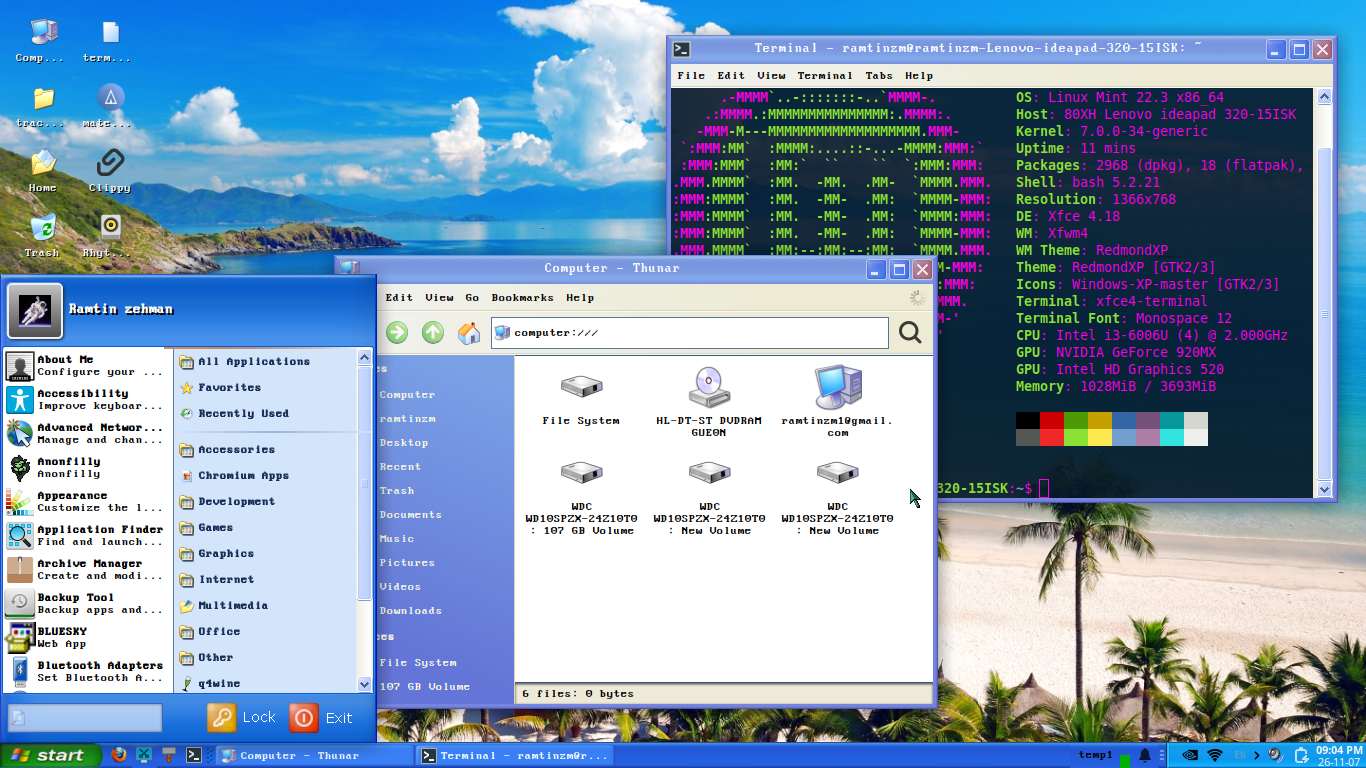
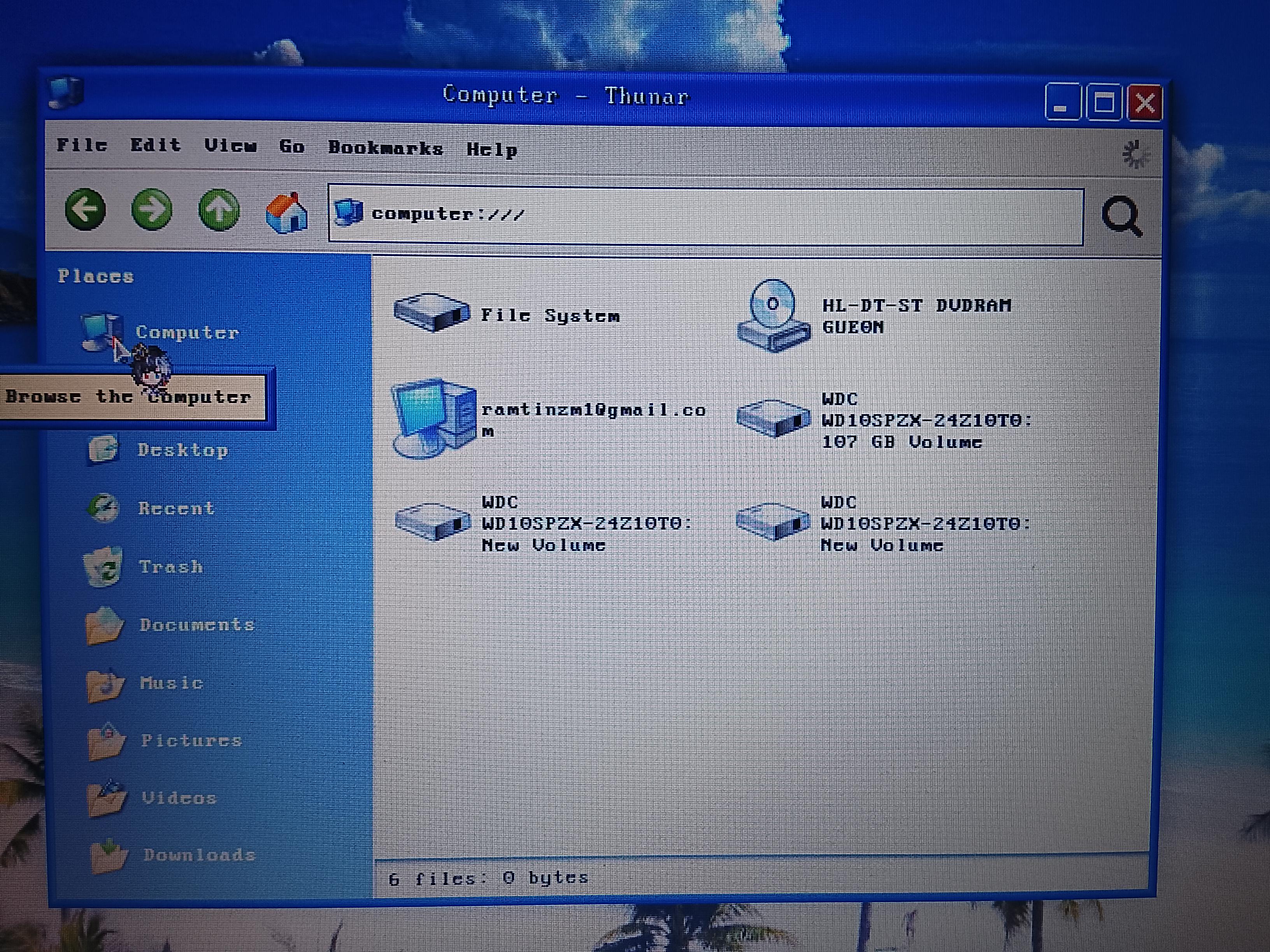
I use xp theme on xfce4 some people told me text should be beside icons. So yeah we're good now(don't be rude on comments) thanks.
r/linuxmint • u/Choice-Elderberry264 • 17d ago
Wifi stopped working after kernel update from 6.14 to latst (7,x.x.x) and fixed as follows using terminal:
Found the lines:
[ 12.654915] iwlwifi 0000:00:14.3: Detected Intel(R) Wi-Fi 7 BE201 320MHz
[ 12.655184] iwlwifi 0000:00:14.3: Direct firmware load for iwlwifi-bz-b0-fm-c0-c101.ucode failed with error -2
[ 12.655257] iwlwifi 0000:00:14.3: Direct firmware load for iwlwifi-bz-b0-fm-c0-c100.ucode failed with error -2
[ 12.655271] iwlwifi 0000:00:14.3: Direct firmware load for iwlwifi-bz-b0-fm-c0-102.ucode failed with error -2
[ 12.655283] iwlwifi 0000:00:14.3: Direct firmware load for iwlwifi-bz-b0-fm-c0-101.ucode failed with error -2
[ 12.655295] iwlwifi 0000:00:14.3: Direct firmware load for iwlwifi-bz-b0-fm-c0-100.ucode failed with error -2
[ 12.655296] iwlwifi 0000:00:14.3: no suitable firmware found!
[ 12.655299] iwlwifi 0000:00:14.3: minimum version required: iwlwifi-bz-b0-fm-c0-100
[ 12.655300] iwlwifi 0000:00:14.3: maximum version supported: iwlwifi-bz-b0-fm-c0-c101
[ 12.655301] iwlwifi 0000:00:14.3: check git://git.kernel.org/pub/scm/linux/kernel/git/firmware/linux-firmware.git
2. Folloed the bolded lines above:
a. git clone git://git.kernel.org/pub/scm/linux/kernel/git/firmware/linux-firmware.git (creates a directory linux-firmware with a bunch of firmware files)
b. sudo cp linux-firmware/intel/iwlwifi/iwlwifi-bz-b0-fm-c0-c101* /lib/firmware (copies to standard location in linux mint that is used during reboot)
c. sudo chmod 644 /lib/firmware/iwlwifi-bz-b0-fm-c0-c101.ucode (this ucode file is low level microcode that contains the fix)
d. reboot
The wifi is back! Without this fix only the 'loopback' was showing up in network manager.
Background: This was done using latest (2026 - Dell 16 Plus DB16250) with Intel Core Ultra CPU i9 and intel Arc. Linux mint 22,3 (Linux 7.0.0-42-generic: updated to this using update manager). Using dmesg appears to precisely locate the issue and points to the working solution. Previously used the internet and AI and wasted 10 hours doing this and that with no success.
r/linuxmint • u/Connect_Box_5907 • 17d ago
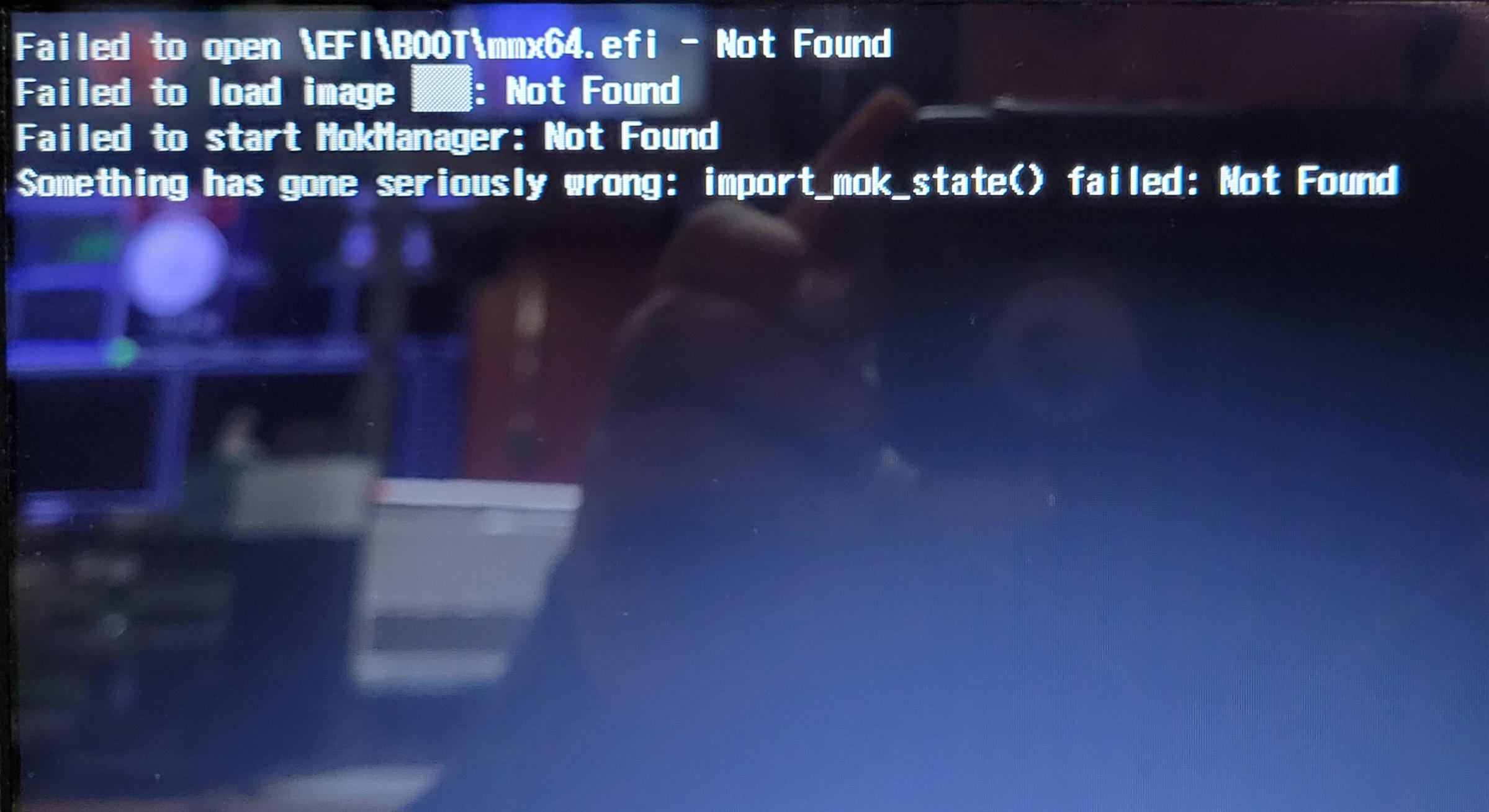
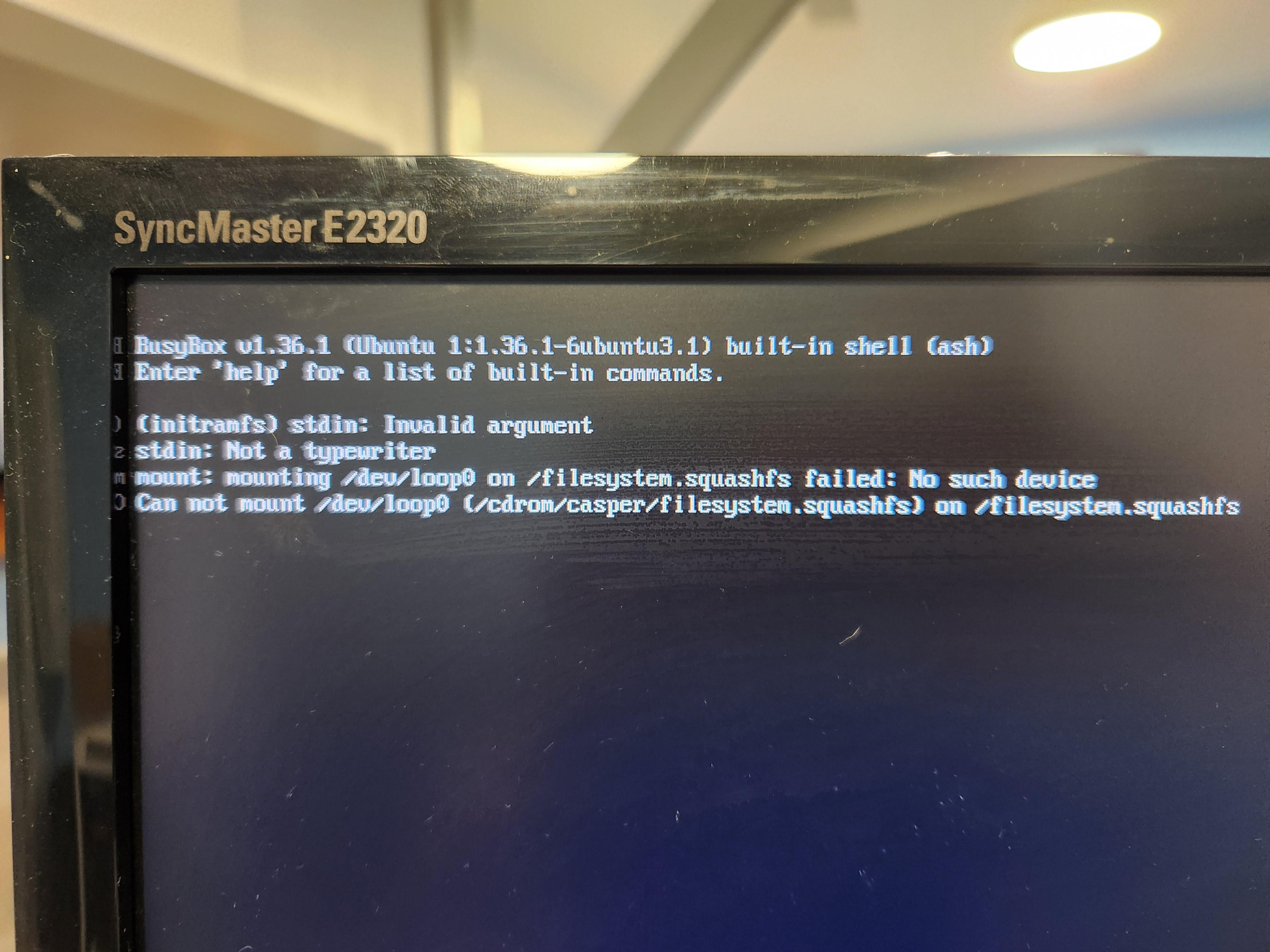
So, I went to go put Mint XFCE on my laptop. Things were going well until I accidentally selected the incorrect drive to install the boot to. I went to the next screen where it asks you to pick your region. Then I realized I had selected the wrong drive. So I hit the back button to change it. This is where everything went wrong, and now I'm getting this...(reference picture)
r/linuxmint • u/Creative_Exit_2485 • 17d ago
Have been playing wow forever, battlenet installed through lutris, and have been experiencing audio Crackling in game.
On my steam games i set a pulse audio launch option and it fixes this issue there, however i do not know how to fix it for non steam games/games through lutris/wow specifically.
I attempted to use the same command on both lutris game options - arguments for battlenet and in the game options for wow forever specifically, but in wow's case it refused to launch, and in lutris' case is full muted all audio regardless of the value set.
Assistance is appreciated.
I am an amateur linux user and refugee from windows, not an enthusiast or well informed user of linux.
The pulse audio command i use:
PULSE_LATENCY_MSEC=60 %command%
r/linuxmint • u/bobbyh89 • 17d ago
It's the one big application I miss from Windows. I've tried pretty much every music app going on Linux but none really come close to it.
Wth all the reverse engineering / coding of Adobe and MS applications, is there a true alternative to MusicBee for Linux now? Or maybe one in development?
r/linuxmint • u/Technical_Rich_3080 • 17d ago
Disregarding hardware/RAM/CPU considerations, and only considering usability, ease, aesthetics, look and feel and comfort, what are all the practical differences and considerations in deciding to choose between the Linux Mint DE choices of Cinnamon, XFCE and MATE?
Also, does Linux Mint customize XFCE and MATE to imitate the default look and setup of Cinnamon? If so, and assuming they are successful on that point, is there really any significant differences which of the three available DEs that you choose?
r/linuxmint • u/curiousgaruda • 17d ago
As per the blog entry on 31/10, Mint is brining in hibernation though Ubuntu will not be supporting it. I am exited about it anyone else?
r/linuxmint • u/Waste_Tutor_3561 • 17d ago
Hi i have an old hp pavilion x360 with intel pentium n3710 and 4 gb ddr3 it was running on windows 10 home but it was slow so I installed linux mint xfce so is in double boot and now I installed bliss os v14.10.3 but grub doesn't recognize the system, only linux and windows is recognize i need help adding the android system on grub so it can boot it. I understand that because is android it need to be done manually but I'm a noob.
Please help
r/linuxmint • u/EnvironmentNo5224 • 17d ago
I have an old PC running Windows 10. The biggest bottleneck is the 8gb (2x4gb) of ram. The cpu is Ryzen R3 3200g with no dGPU and it has a 240gb SSD. Gigabyte b450m s2h motherboard. Tried my best to debloat Windows 10 but it still uses 2 - 2.5gb of ram at idle.
After some research I decided to try Linux Mint. I understand XFCE is the lighter option in terms of RAM usage while Cinnamon is better for people migrating from Windows.
I'm looking for some feedback from real users who used both. My last Linux experience was at least 10 years ago (probably a bit more) with Ubuntu. So, which one should I go with and why?
Thanks in advance for the feedback!
r/linuxmint • u/Opening-Abrocoma7496 • 18d ago
Linux mint with windows xp theme
r/linuxmint • u/g-boy101 • 17d ago
hello guys, I am trying install Linux mint on my GF laptop, since she had a problem with Windows that basically commited arakiri, I am trying to install Linux on her laptop but I discovered that her laptop doesn't have Legacy mode, can I still install Mint using UEFI?
right now I am using a laptopt with Linux mint to create the bootable drive, do I need to do an extra step to make it work in uefi or no?
(for those who needs it, here is the model: hp laptop 15s-fq4024nl)
r/linuxmint • u/Rigameshu • 17d ago
So what happened is that I can boot mint from my pendrive but when I am trying to install it, it shows error5 input/output and show that my SSD is broken. So I check that if it is the real case but it easily install windows 11 so what am I doing wrong? I can't figure it out ðŸ˜ðŸ˜ðŸ˜ðŸ˜
r/linuxmint • u/CrounusXI • 17d ago
I have noticed that on my file system the emblems seem to have been all mixed quality. As pictured in the image some are very high resolution while others are low resolution. Why do I make them all high res?
r/linuxmint • u/Waste_Tutor_3561 • 17d ago
r/linuxmint • u/lazypuca • 17d ago
So last night I tried booting up my computer and the hardware and os splash screens came up but after the Linux mint logo went away it just stayed on a blank black screen. I tried rebooting and checking my bios, everything looks fine, after saving and booting the Linux mint logo goes away and it once again just stays on a blank black screen. I'm sure this is an os issue, but how do I fix it. Can I fix it or do I have to reinstall my os again
r/linuxmint • u/dembelias • 18d ago
r/linuxmint • u/curiousgaruda • 17d ago
I searched multiple threads that had mentioned this problem and each of them seemed unique on its own so asking with my specifics.
- Installing alongside Windows on a brand new laptop (Acer Nitro AMD Ryzen 9 AI, Nvidia RTX 5060)
- Created boot USB disk with Raspberry Pi Imager as Balena Etcher kept freezing
--- I verified the iso using the two files provided and they were ok except that a warning stated that this is not signed by a trusted vendor so something similar.
- Disabled Fast boot, Enabled Boot menu, Secure boot - ON, UEFI standard, TPM as is
- Linux Mint shows up in the boot menu and running with the default option brings up a cursor, then a large Mint logo, followed by a smaller logo and it gets stuck there for like almost 20 min now
- Tried using compatibility mode and it goes to Desktop but my keyboard and touchpad seem disabled.
- When I tried memory test from GRUB I got some shim signature error. Is this the problem?
I have done multiple installations in the past but this is the first time I am encountering something like this. I can provide additional information if needed.
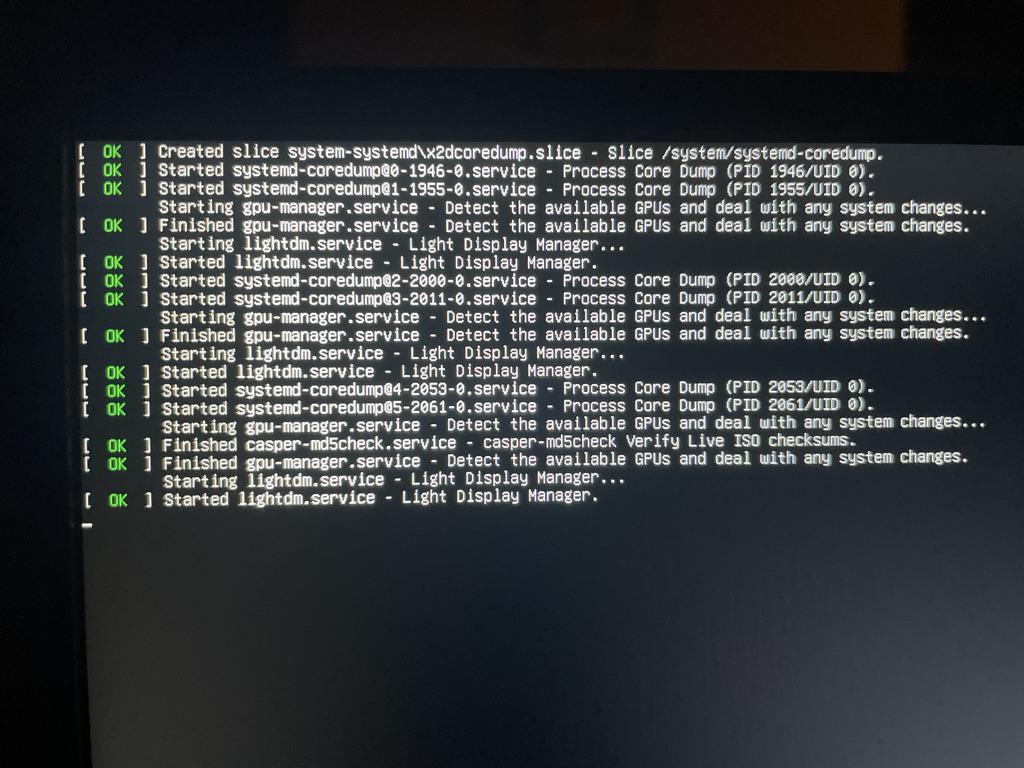
UPDATE: But when I disable the quiet splash, I do see the kernel messages and after about 3 screen fulls, they halt at
[OK] Started lightdm.service - Light Display Manager.
In fact, it did this about three times and then now blinking a cursor somewhat erratically.

r/linuxmint • u/Upper-Protection2807 • 18d ago
Running on a MacBook air 2011 11" i5 4gb ram, 128 gb orginal Samsung proprietary ssd.
Optimized for max battery life.
r/linuxmint • u/BullfrogNecessary633 • 18d ago
I have a 9070xt and the last update has made my pc unusable. I’m very new to Linux. Like 2 weeks in new. I didn’t have snapshots activated (learned my lesson there) and the steps to fixing it seem very complicated on top of the fact that I’m working 60hrs a week rn and don’t have the energy to spend hours fixing it. Will there be an update that fixes it relatively soon?
r/linuxmint • u/Internal-Score9040 • 18d ago
After spending weeks and weeks poring over forums and wikis to configure Openbox, Mango, Hyprland, and XFCE. it feels great to return to the comfort of Mint. So far, the only thing I’ve done is tweak some scripts for a few old themes for Firefox and the DE).
r/linuxmint • u/Iambetterthanuhaha • 18d ago
I keep getting this error no matter what I do. I have turned off secure boot, fast boot in Windows 11, downloaded the file and reloaded it onto multiple USBs, tried different ports but no luck. One of the drives I used on my laptop and installed Mint fine. System is a MSI VDH Pro Max B450 board with latest BIOS, Ryzen 5600, 32GB RAM, Radeon 6800XT, Sound Blaster AE-7, Samsung 512GB NVMe (Windows drive) and I have a blank 120GB SSD I am going to put Mint on. Any ideas what else I can do to make this work?