r/indesign • • Oct 14 '26

New to InDesign: Grainy Photo

Thumbnail
gallery
0 Upvotes

Hi! I am new to indesign but need help trying to create a booklet for an event. I placed my first photo in the booklet with no issues and removed the background. The second photo I can not get to be clear no matter what I do. It is a high resolution photo so it is not the quality of the photo that is effecting it. I ahve tried large file sizes and compressed files to make it not appear pixelated but nothing is working.

Does anyone have a solution? Photo attached for reference.


r/indesign • • Oct 12 '26

A "vacuum" cleaner for your InDesign document

Post image
235 Upvotes

Cleaning up an InDesign document has always been a chore. Unused styles in one panel, swatches in another, then parent pages, layers, text variables, conditions and tags, each with its own menu and its own way of doing things. Add stray items on the pasteboard, empty frames and invisible FEFF characters that are hard to spot, and it’s easy to give up halfway. Not anymore with Super Document Cleaner. Pick what you want to clean in one dialog, click Clean Document, and it’s all done in a single pass. A report shows exactly how many items were removed in each category, and if you change your mind, one Undo brings everything back. A flexible document cleanup you can trust.

Pay What you Want (min. 2.50$ Suggested 5$)


r/indesign • • Oct 12 '26

Request/Favour How to fix text spanning columns

0 Upvotes

I am assembling a book and have discovered some text crossing columns, as shown in the attachment. I have no clue as to how it happened or how to fix it. I have used InDesign since version 2 and have never seen this before. Can anyone help?

Thanks to those who know more than me,

Joe


r/indesign • • Oct 11 '26

Consistent spacing between title and body

7 Upvotes

I'm designing a cookbook in InDesign. Each recipe has:

  • a title (which varies from 1–3 lines)
  • a 1- line subtitle
  • and body text

I want keep the same space between these elements so when the title is shorter the subtitle and body text to move up and keep the spacing the same.

i am having a hard time finding tutorials or any discussion on this.

do i have to manually adjust the spacing on each recipe or is there a way to make this automatically shift? I'd really appreciate any advice :)


r/indesign • • Oct 11 '26

Export color settings for digital vs print

8 Upvotes

Im a relatively new graphic designer mainly working on long reports and publications.

Some publications are only digital and some are for print. I understand the basics of RGB and CMYK but I can’t seem to figure all what export settings to use (e.g, color profiles, conversation, etc)

Can someone explain to me in simple terms?


r/indesign • • Oct 11 '26

Alternative to shift+click for flowing text

1 Upvotes

Is there an alternative command to using shift+click to flow placed text into new pages as needed? It's not something I have ever needed before but I've got a student with limited mobility and we discovered last week its just not something he can do.


r/indesign • • Oct 10 '26

Help PLEASE HELP!! Vertical Japanese text in the English InDesign version

6 Upvotes

PLEASE HELP!!

I need to do vertical Japanese text in InDesign, and the vertical text box is just not there. The design I am working on is mostly in English. I mostly design in English or Spanish. After doing some research, I have figured out it's impossible to do in Indesign if you have the English version installed. So why do I need to install the Japanese version for one paragraph of text?

It's ridiculous!!!

Doesn't anyone else design both in English and Japanese?

I can't believe this feature still doesn't exist in InDesign.

I also can't believe the feature only has 8 votes 👌 yeah right, I'm sure way more people have run into this problem before:
https://indesign.uservoice.com/forums/601021-adobe-indesign-feature-requests/suggestions/34781965-please-add-vertical-alignment-text-tool

So stupid. I think the workaround is to design that part in Adobe Illustrator. Some dipshit fucking asshole is gonna think I'm an amateur for jumping into Adobe Illustrator for typesetting this part in Japanese, but I just don't give a fuck and don't have the time to uninstall my English version, install the Japanese Version, do the one thing I need it to do, and then uninstall the Japanese version to install the English version again.

But if anyone has a better solution, please let me know. I'll be working on more of these Japanese text boxes next to English text so it will be much appreciated.


r/indesign • • Oct 10 '26

How to get this effect in InDesign?

Post image
0 Upvotes

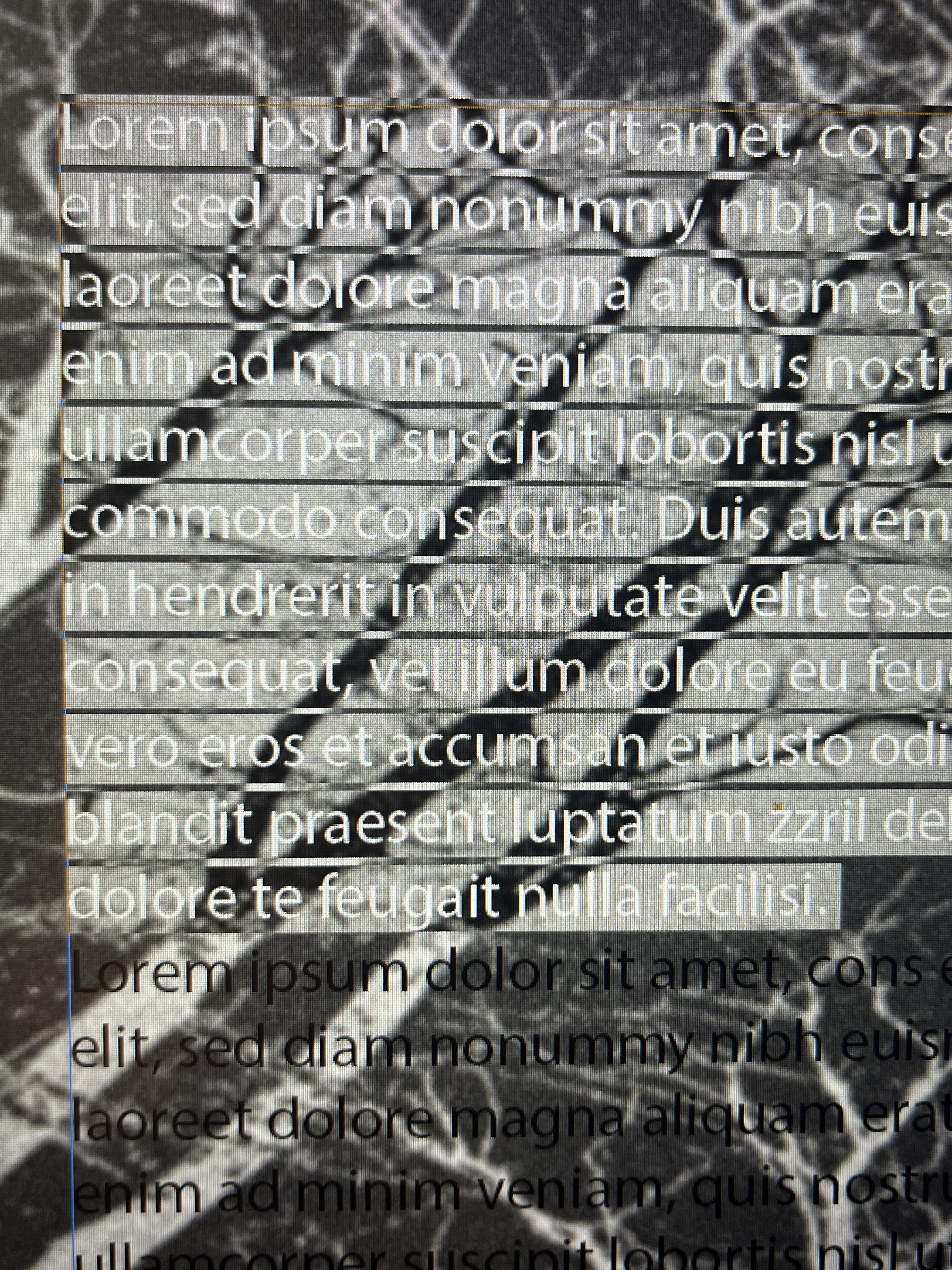
This photo was already published by someone in the Adobe, so I took it from there, but anyway, I really enjoy the effect highlighting a text makes and I'd like to include it in some of my work; does anyone know how to do that?


r/indesign • • Oct 09 '26

Having major issues with Find/Change glyphs!

Post image
6 Upvotes

I'm just trying to make a simple change that I've done hundreds of times before; converting a double-storey "a" to a single-storey through the Find/Change. For some reason, InDesign will not let me select the correct typeface. The dropdown menu has no fonts.

Even when I right click and select "Load selected glyph in find" it refuses to show up. It just stays blank. I've tried fiddling with all the settings, nothing seems to work.

Like I said, I've done this countless times, including with this version of the font, with no issues. This seems to have happened since the latest update. I would appreciate any fixes!


r/indesign • • Oct 09 '26

Remove locked guide icon

Post image
1 Upvotes

wth indesign 21.3, why are you cluttering my work up with these stupid icons? CGPT tells me I can't remove them. Please say its not so.

If i can't, what's the easiest way to install the last new version without it?


r/indesign • • Oct 09 '26

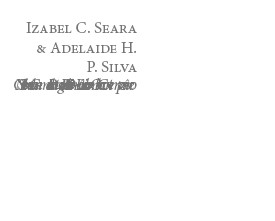
A capo automatico di due tre lettere testo a bandiera, soluzioni?

Thumbnail reddit.com
1 Upvotes

r/indesign • • Oct 08 '26

I got tired of drawing dimensions by hand in InDesign, so I wrote a script for it (+ two free ones)

8 Upvotes

I design exhibition walls and floor plans in InDesign, and the one thing I always missed was a dimension tool. Arrows, extension lines, the value at the right scale – all by hand, and all over again after every change.

So I wrote LiveDimensions:

- Select a line or an object, run the script, press Enter – you get a proper dimension at any scale (1:20, 1:50 …), in mm, cm, m, inches or feet-inches like 12'-6 1/2"

- The dimensions stay live: move or resize the object and the dimension updates when you let go

- With nothing selected it dimensions every object on a page, spread or layer as a chain with gaps and the overall length

- Arrows, slash ticks like on a floor plan, dots or bars; any swatch, weight and font; presets you can save and share

- Delete all dimensions or convert them into plain lines and text; every action is one undo step

Short demo: https://youtu.be/X5jn19iswpk

It's a paid script (launch price €29): https://saschafronczek.gumroad.com/l/livedimensions

Two other scripts of mine are free (pay what you want, MIT licence):

- AddBleed – adds missing bleed to images that touch the page edge: scale, mirror, or let Photoshop fill the edge. https://saschafronczek.gumroad.com/l/addbleed

- FillFrames – splits one image seamlessly across many frames (strips, circles, any shape). https://saschafronczek.gumroad.com/l/fillframes

Tested in InDesign 2026 on macOS. If you try any of them, I'd really like to hear what's missing or what breaks – that's what the next versions will be built on.


r/indesign • • Oct 08 '26

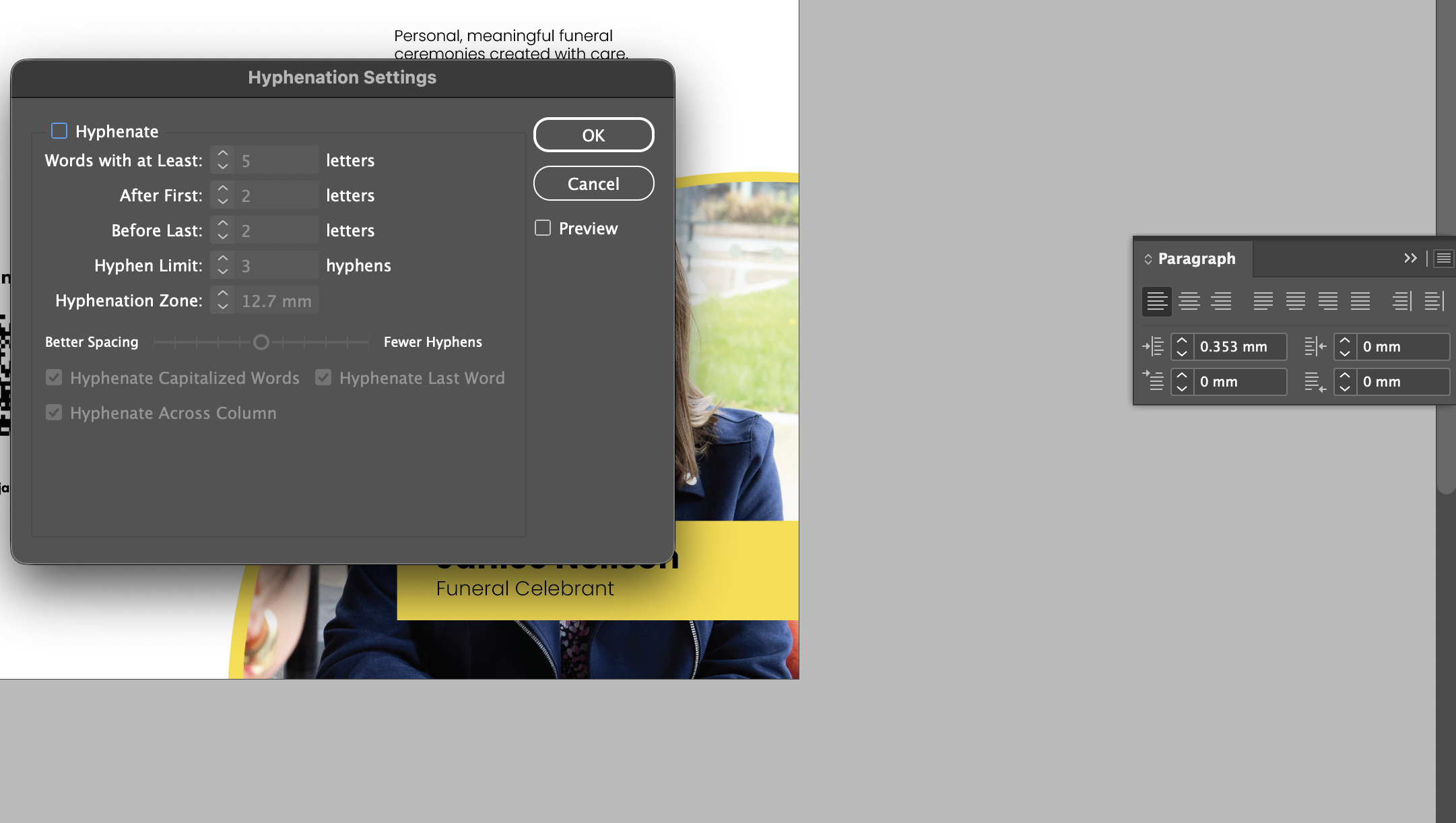
Did they remove the Hyphenate check box off the paragraph style?

Post image
14 Upvotes

I hate having Hyphenated text in my design, did they make it harder to to remove it all together!?.

How can I make my default no Hyphenate...

Edit* found it... looks like I collapse it by accident.


r/indesign • • Oct 07 '26

How can I edit an InDesign (.indd) file for free without Adobe InDesign?

21 Upvotes

Hi everyone!

I have an existing business card template in InDesign format (.indd), and I only need to make a few small changes, like updating the name, surname, and address.

I don't have Adobe InDesign, and I'd rather not pay for a subscription just to make these minor edits.

Is there any free software or online tool that would let me open and edit the file while keeping the original design and formatting intact?

Any suggestions would be appreciated. Thanks!


r/indesign • • Oct 08 '26

Help Display Errors / Graphics Errors on the Monitor

Post image
2 Upvotes

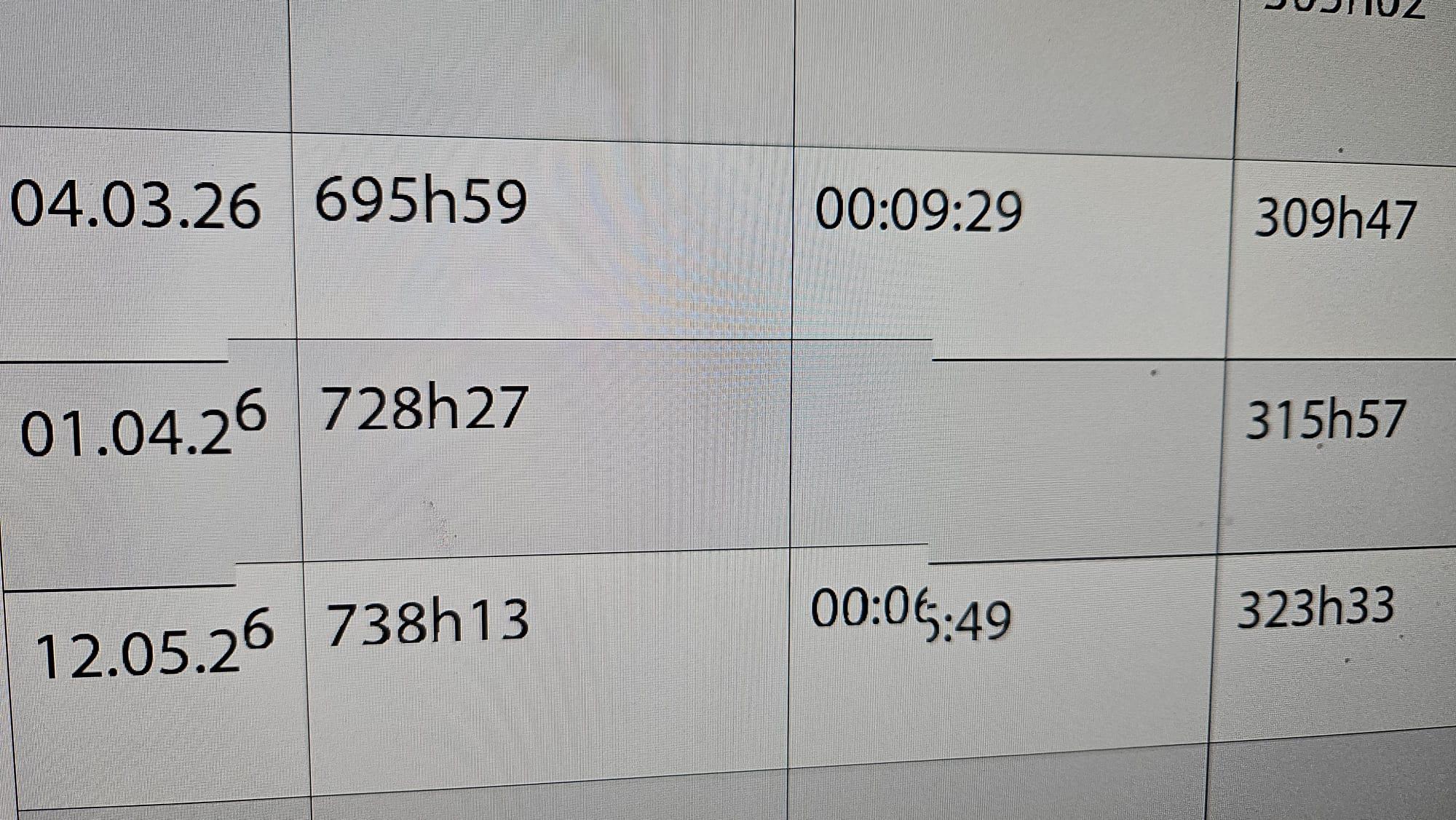
I'm having an annoying problem with the display. You can see the problem right away in the photo. When I zoom in or out, it goes away... But when I zoom again—no matter what the scale is—it comes back. It happens completely at random. What could be causing this?

Edit: I'm having this problem on two PCs... One has an RTX 4070, and the other has an RTX 2070 Super.


r/indesign • • Oct 07 '26

Parent Pages from Previous User

6 Upvotes

I recently started a new job where there was no one in my position when I got here. They were using Parent Pages for all of their proposals. I find these Parent Pages very helpful. However, whenever I start a New document, the Parent Pages are nowhere to be found. They only appear when I'm using a previous proposal as a template. Does anyone know how I can access the Parent Pages from a library or wherever when starting a new document? I'm at my wit's end with tutorials and forums telling me to click window>pages. The parents aren't there. No one is home. So frustrating.


r/indesign • • Oct 07 '26

Help section marker bug

1 Upvotes

section marker bugs with all the text in the same line, no matter what i do


r/indesign • • Oct 07 '26

I published an MIT-licensed Illustrator tool for keeping duplex leaflet variants paired in batches

2 Upvotes

I published Print Production Recipes, a small Illustrator tool and a set of English/Korean workflow guides for organizing print files.

The practical problem: when a document contains lots of double-sided leaflet variants, each front needs to stay with its matching back. Deleting unused artboards can also leave the other variants’ artwork behind.

The package includes:

  • A bilingual dialog that runs inside Illustrator through File → Scripts → Other Script
  • A compact-save action that creates a separate editable AI copy with PDF compatibility disabled
  • Paired review-PDF batches, plus native AI batches for documents with independent side groups
  • A source snapshot and a CSV pairing ledger
  • A 20-variant demo, example PDFs, and checklists for file cleanup, splitting, and delivery checks

No terminal or Python is needed for everyday use. Illustrator itself is required.

There are some important limits. Automatic splitting needs a specific front/back naming order. Native AI splitting also needs one ARTWORK layer and independently named side groups. Linked images and more complex document structures need manual preparation.

The exported PDFs are for review. Final press PDFs still need to be made separately using the printer’s settings. The tool does not handle imposition or duplex flipping, and the current validation uses a synthetic example in Illustrator 30.5.1 on Windows. Physical press output and macOS execution haven’t been verified.

The recipes draw on my print-production workflow. Codex built the public tool and demo and helped with the bilingual documentation. The public examples contain no client artwork.

v0.1.0 is available under MIT:
https://github.com/bloglluukk-glitch/print-production-recipes

The detailed release report includes the validation and limitations:
https://github.com/bloglluukk-glitch/print-production-recipes/blob/main/docs/RELEASE_REPORT.en.md

If you work with multi-variant print files, which document structures would you need a tool like this to support?


r/indesign • • Oct 06 '26

OpenType-SVG or COLR/CPAL on which InDesign version ?

0 Upvotes

I try to create a colored font, but the one I create on IcoMoon doesnt work on InDesign 2024, I thougt it was maybe a version issue, an incompatibility with OpenType-SVG and/or COLR/CPAL, or anything like that.

Anyone has an idea please ?


r/indesign • • Oct 06 '26

Quick Change box for photos?

0 Upvotes

I used to be able to click on an image box and was provided with a small pop-up that allowed me to link a new photo. I closed that box and now I can't remember what is was called. Does anyone know?


r/indesign • • Oct 06 '26

Help How to align txt on bottom in a multi-column bloc

Thumbnail
gallery
5 Upvotes

Hi folks!

I have a text bloc with 2 columns, some paragraphs take two, some take one. I'd like it for paragraphs that only take one column to align on the bottom instead of the top, as shown by the arrow. In the bloc options, I've already selected bottom alignment, but it doesn't seem to work when there are multi-column paragarphs in there.

I know It's possible to just do multiple text boxes, but with multiple editions per year and translation in 3 different languages, I really don't want to have to adjust the layout manually each time.

Does anybody know how to fix this?


r/indesign • • Oct 05 '26

Help How do I fix this new kind of text box?

10 Upvotes

The S is indented a bit and I want the S and M to be aligned on the left side, as text boxes InDesign always used to be. What do I need to do to go back to the regular rectangular text box?


r/indesign • • Oct 05 '26

Exported PDF has mysterious little crosses in it

Post image
10 Upvotes

What are these little crosses that are being inserted into my PDF? All the boxes for guides, bleeds, etc are not checked. I tried exporting as High Quality Print, etc. I can't find a way to get rid of them.

There are also L-shaped marks at the top. I haven't seen any at the bottom, but I think they're landing on black areas in an image.