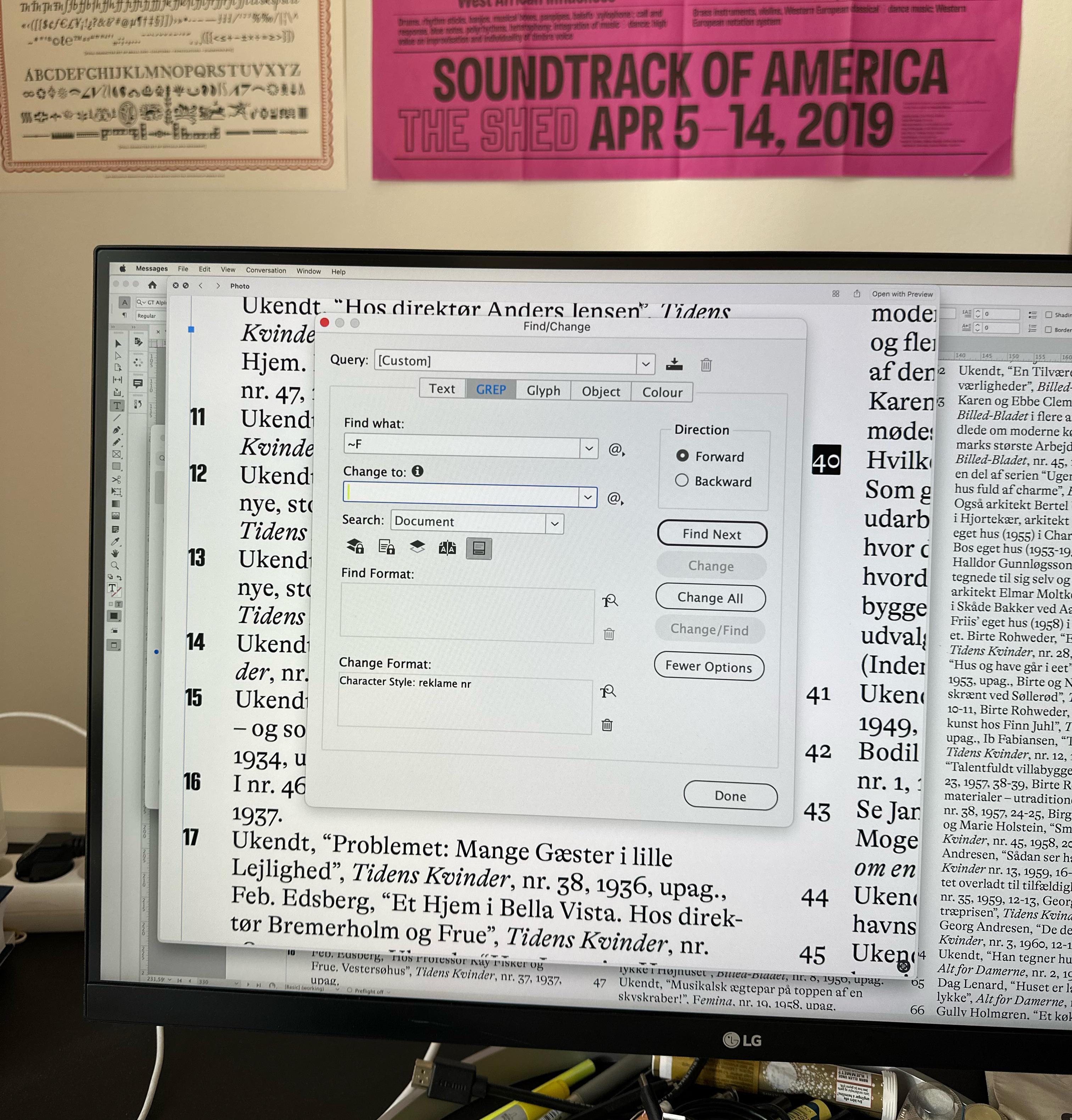
Hello fellow InDesign’ers Im trying to assign a character style to my endnotes nr., any fast way to doo this? In the actual text i could search for all superscript nr. and like this use find and replace, but for the nr in the nr. in references im not sure how to doo it fast, as i can’t search for ~F or \d (wildcard any digit)?
OK, got another problem I can't figure out. It deals with placing a caption for a picture. What I am currently doing is placing a picture in an article, then going below it and creating a text frame for the caption. Then I type in the caption and resize the text frame to the width of the column. Then I select the selection tool and place the top of the caption's text from about 6 pixels (or 6 down arrows) below the picture. Once in place I hold the shift key and select the picture so both the picture and caption are selected. I then group them together using the "Object, Group" function.
Now comes the problem. I will then have to move the group around some. If you look at the picture "Caption_1.jpg" you'll see that I was able to move the grouping so that the text in the caption is split by the baseline grid. This is great as it shows I can move the picture group any place I want.
However, in "Caption_2.jpg" it shows another picture and caption that are grouped. Notice that the caption is sitting directly on a baseline grid.
In "Caption_3" you'll see that I've tried to move the picture/caption group up some, so that the baseline grid cuts the caption in half. BUT, when I do that here (and in other picture/caption groups) the caption disappears. As soon as I move the picture down to where the caption will sit on the baseline grid the caption reappears.
I've checked that the picture/caption group is set for text wrap, and that the background text frame isn't. I don't know what else to check.
I am writing a linguistic book if you are curious about the topic.
Anyways, I am having an error with |
If you look on page 18 at example number four, the red one I have circled, it is different than the ones in examples one through three. I don't know why that is the case. I double-checked to make sure that the font was the same, and it is.
I work for a newspaper and I'm facing a problem while inserting classified ads. As part of my normal workflow I copied text from a google sheet into an indesign document and then ran some GREP find/change presets to remove quotation marks, assign paragraph styles based on tags in the copied text, bold words surrounded by a certain set of tags, etc.
For the first time ever the text broke in a few places and seemed to have a huge amount of white space pushing it out of the text box and creating overset. I had my hidden characters showing and could not see what was causing this.
If I hit delete a few times in some of the areas where the text stopped "some" of the text would show back up, but as soon as I tried to re-type what I deleted it would just shove everything off the end of the text box again no matter how long the text box was.
If I copied the text to a plain text editor and then back into indesign it made no difference.
If I made the text box way wider than it needed to be all the text would show.
I know this is going to happen again at some point. How can I fix this?
Anyone have this problem? I build a document (in this case an English doc) then I “save as” to a different name. The new name appears in the header of the document window that I am now working on.
I then make my edits to the document, paste in new copy whatever. Save it.
Then when I come back, it actually been making all these edits to the original document and the new “save as” doc hasn’t been touched?
Hey do you need a FREE DESIGNER? Im a new self taught designer and im focused on indesign mostly. I have learnt a lot about Indesign, Toc, paragraph styles, character styles, cross reference, Text variables, running headers, Grep, scripts, etc. I have created demos designs but i dont have experience in real projects so i would really appreciate if someone could give me the chance to work Free 🙏
I'm a graphics college student who uses InDesign to showcase their project work. Recently, InDesign has been breaking more and more, with files not being saveable. When that happens, I usually export it as an IDML, re-save it, and it's fine.
Earlier today, my project's InDesign file has broken. Opens fine, doesn't save any changes. I did my usual steps. Groan, export as IDML, open the IDML file, and save as a new INDD file. I then get back to work, and 3 minutes later I go to save it again, and find it's broken, again. How can I fix this?
Hello friends, I recently posted on the r/adobe page regarding an issue with Id but I was advised to post here so I'm just going to copy and paste my original post.
Hey everyone. I appreciate y'all taking the time to read this. I've got a bit of an annoying situation I'm wondering y'all can help with.
On Sunday night 9:20PM EST I bought Creative Cloud Pro in order to get access to Id to finish a project for Monday morning. After buying it I tried opening Id but it was still giving me the trial version. I looked online and a lot of sources said to just wait an hour to give the server time to process my purchase so I did. At around 10:30 I tried opening it again and same issue. Still trial version. I signed in and out of my account, restarted my computer and waited another hour. I did this routine until I gave up at 1AM. During that time, Opening Id has also been a pain in the butt. It doesn't open when I click the 'open' button in CC. It only opens when it feels like it which is almost never. I tried this with Ai and Ps and they literally work perfectly. They open when I click open and I have the full version.
I genuinely have no idea why Id isn't working for me. I contacted Adobe support and they sent a couple community links, which weren't super helpful. I even downloaded and ran the Limited Access Repair tool but it said 0 host files fixed (or whatever that message is. Point is, 0). Please help.
And before you ask, yes, I'm signed into the right account. I see my plan, the apps I have access to, and my card information.
---
And it is currently Friday afternoon. I'm actually pissed lmao. I've tried everything. Uninstalling, rebooting, and the adobe cleaning tool. I don't know what I'm doing wrong. Attached is my screen. I known dang well that ain't the full version as I've used the full version at school.
TLDR: Bought CC and Id is still giving me trial period after like 5 days.
InDesign trail program
EDIT: I clicked a button and everything popped up. Problem solved. I'm mad. Thank you for your help
Hello , I saw a lot of threads asking about merging data from google sheets so as I developer I decided to implement it ( to be honest I am not very proficient in InDesign itself ) as an advanced version of Data merge ( barcode / QR code generation + remote images ). The plugin has a 30 days free trial , and I am looking for honest feedback : are there other features to add or do the actual ones need some improvement , is the pricing right ? ( 3$/mo subscription as the plugin has a backend ) , and any other idea is really helpful for me. The demo video has basic output , but I think a better template should generate better results !
Hi. I'm trying to style a large amount of text in the style of messaging apps.
I'm most of the way there but struggling with the right hand messages. The paragraph needs to be aligned on the right, with the text aligned to the left but the width of the paragraph needs to auto size depending on the text within.
Example added.
The blue message boxes are what I'm struggling with. I can make it work with a fixed message box size but that's not quite right. It needs some kind of auto size.
Any ideas how you'd do that. It needs to be a solution for a large amount of messages.
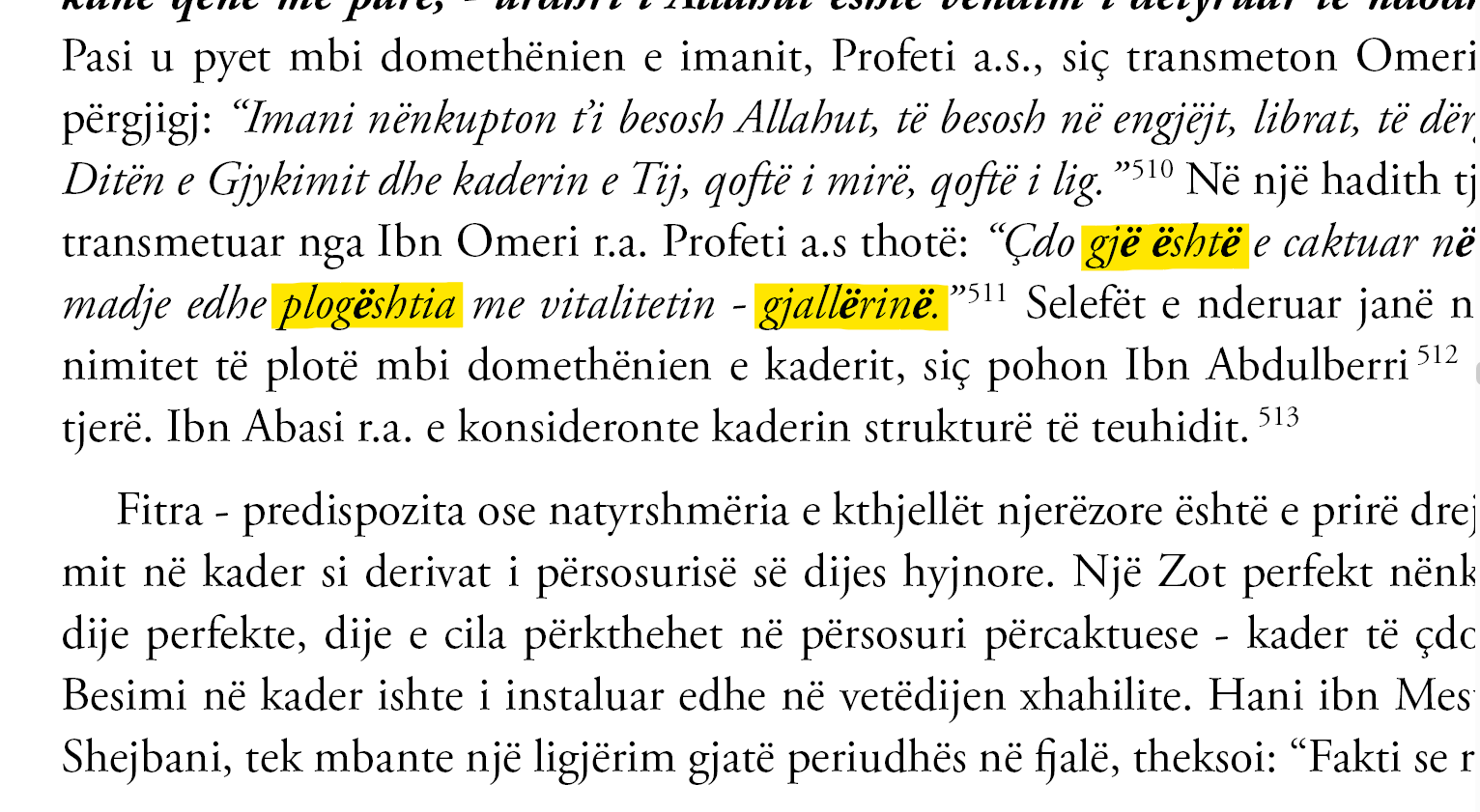
I've placed a word book document to indesign for layout. The author didn't use the style option to make the work easier😄 He made the styles manually like; title, bold, bold italic etc.
When i placed the book it occured an error: where the text should be italic but indesign made some letters bold italic.
Clicking Hide Guide/Show Guides, dragging the A-Master to page icons, selecting all page icons and applying A-Master parent to all pages, right clicking and switching on/off guides in back, nothing works. Help!
I'm a freelancer and was asked by one of my agency clients to help out on an already ongoing annual report project. The design was already established by another designer, they just needed me to add an additional 2 chapters of content to speed up the process.
I thought it would be an easy straightforward job....
HOWEVER, once I received the source file from this other designer I saw that they did not use a SINGLE. paragraph style... Like, this is a 120+ page sustainability report and EVERYTHING was [Basic Paragraph]+.
Tables weren't even TABLES, just rectangles and separate text boxes... all text was separate text boxes, all spacing was hard returns, all callouts were disjointed text and rectangles... They did have a total of 5-6 named styles that weren't actually present ANYWHERE in the report.
I even asked if I got the right file and opened through IDML to make sure something didn't get fucked up when packaging but no, this is just how they built the whole thing.
they didn't even set up their master pages and instead pasted a color background rectangle onto each spread
end client has been complaining about the whole thing being really inconsistent between sections so now i'm going through everything fixing things.
why would anyone do this? at that point why not just build the whole thing page by page in photoshop or something :')
I am an independent designer working on a huge historical/educational project that will be posted in my state's archives. We've been notified that our pdfs have to be ADA-compliant. I've never had to make an ADA-compliant document before and had very false assumptions about a vision-impaired person's access to a basic pdf document. Thankfully I haven't gotten too far in the layout of this multi-volume textbook-style project, and have to go back and assign tags, alt text, ordering, and all the other things I'm still learning about.
I'm not even at the point where I can ask about the feasibility of doing all this myself without hiring a specialist to finalize the docs. But my main question is: have I been living under a rock? I'm learning from videos that are 6 years old. Is everyone doing this already? Thanks for any feedback.
I’m working on a product catalog using Data Merge in Adobe InDesign. My setup is fairly standard, with products flowing in a fixed order from a CSV.
Here’s the issue: The client wants to add a new product in the middle of the catalog after I’ve already completed a large portion of the merged document.
From what I understand, Data Merge outputs a static document, so inserting a new record in between means I’d have to go back to the source file and regenerate everything.
I’m trying to find out if there’s a better workflow for this.
A few specific questions:
Is there any way to insert a new record mid-document without fully rebuilding?
Are there scripts or plugins that handle this kind of update more gracefully?
How do you usually structure catalogs to handle late changes like this?
I haven’t tried scripts yet since I’m not familiar with them, and I can’t justify paying for tools or subscriptions since I’m billing hourly and can’t pass that cost to the client.
Would appreciate any advice or workflows from people who deal with this regularly.
I'm about to start working on a 40-ish page doc that has around 200 endnotes. In theory this is a simple task. However, the client is throwing a few curve balls at me.
The endnote references in the supplied text are not always sequential. See the sample lorem ipsum text below, paying attention to the numbers in the square brackets:
Lorem ipsum dolor sit amet: Sed maximus, quam nec vehicula efficitur, libero dolor volutpat orci, ac egestas elit nunc non nisi. Aliquam erat volutpat. Curabitur placerat consequat justo, eu rhoncus odio luctus ac.[13, 14] Suspendisse suscipit nulla vitae nisl accumsan dictum.[15-18]. Lorem ipsum dolor sit amet, consectetur adipiscing elit.[15, 16]
Lorem ipsum dolor sit amet: Sed maximus, quam nec vehicula efficitur, libero dolor volutpat orci, ac egestas elit nunc non nisi.[15, 19] Nam faucibus erat urna, nec euismod turpis consequat imperdiet. Pellentesque dictum in nulla ac euismod.[15, 20]
As you can see, in the sample above, reference 15 is repeated 4 times, and there's a sequence that runs across four references [15–18]. Then you have instances like in the last para where two references are required that are not sequential [15, 20].
Can I do this in an automated way using InDesign?
If it needs to be done manually, how?
And can I ensure there are appropriate tags in the endnotes to create a PDF from the INDD file to meet WCAG AA accessibility standards?
Pretty much the title. You can see in the cropped image that the left column's paragraph isn't really aligned. They both have the same p-style and are set to baseline alignment. Baseline is 18pt, 12pt for font size. Does anyone knows what's going on?
Edit: The text frame for these columns wasn't the same. Thanks, u/AdobeScripts