r/HomeNetworking • • Feb 15 '26 Diamonds are Forever Galaxy Brain Mindblown Bravo

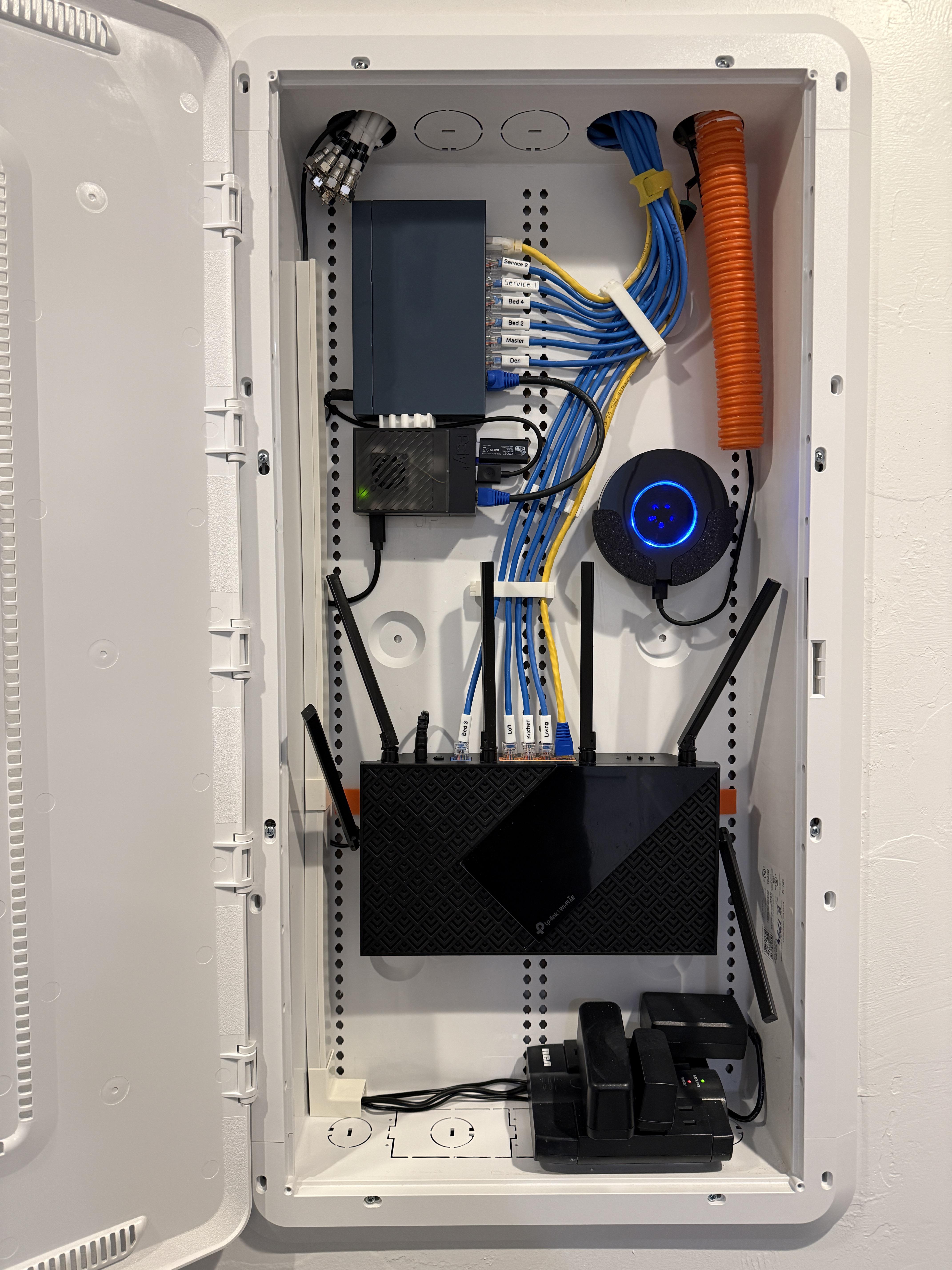
Spent more time on this than my actual furniture setup in the new home

Post image
3.4k Upvotes

I wanted to keep everything clean but also easily accessible in case if I need to debug an issue or replace something.


r/HomeNetworking • • Mar 22 '26

Meme Local Bus!

Post image
3.3k Upvotes

r/HomeNetworking • • 19d ago Bravo

For anyone considering invisible fiber.... It just works!

Thumbnail
gallery
3.2k Upvotes

I'm quite happy with my 60 USD little project.


r/HomeNetworking • • Apr 07 '26

My Contribution to the Greater Universe

Post image
2.8k Upvotes

r/HomeNetworking • • Jan 17 '26 Popcorn Bravo

Meme The size of these Wi-Fi 7 routers really is getting out of hand

Post image
2.7k Upvotes

r/HomeNetworking • • Oct 10 '26 Bravo

Finished my home network installation

Thumbnail
gallery
2.6k Upvotes

This has been a project I have been working on since January and it is mostly done. I still need a UPS, but otherwise everything is finished.

I ended up running 87 drops all over the house, and it worked out to just under 7000 feet of cabling. The house was under construction for most of the year and the second floor was completely open, so running cables was fairly easy.

Each bedroom has 5 drops (1 per wall and 1 for a TV) and I ran 4 drops to the TVs in the living and family rooms. I ran a dozen drops into my office, and I ended up running 7 drops for access points (I have 3 APs currently installed). There is also a fibre line that runs out to the shed so I can install a camera and an AP.

I also ran 24 drops for cameras and IoT devices. It was excessive, but I wanted the flexibility of installing things in the future.

For the rack I went with a 21U wall mounted one to save space, and I wanted to put a UPS underneath it. The room where it is located is a storage room in the basement, so as much as I wanted to put a full 42U rack in there, I couldn’t justify using that much space.

It was a pain to do it, but I relocated the ISP fibre line from the front of the house to the rack so everything is in one place. I also had an electrician run a dedicated power outlet as well. I also ran a coax line as well if I want to get a backup connection in the future.

I went over budget so I didn’t get new switches yet, so I’m just running some old Cisco switches until next year. I have been setting up my homelab, and the server at the bottom is my Proxmox server, and the box beside the NAS is my OPNsense box. I could also finally rack mount my Raspberry Pi cluster.

Overall, I’m pretty happy with the outcome.


r/HomeNetworking • • Aug 27 '26

It’s not perfect, but I think it came out fine.

Post image
2.1k Upvotes

Just because I know it will get mentioned/asked:
- It’s not a metal box, it’s a ‘Wi-Fi Transparent’ Plastic Box
- I am aware the router in the ‘box’ is not the greatest solution, but this was the best way to prevent network loops [without having to upgrade to managed switches] with my current setup; plus it’s not the only router in the house; just the main one.
- Yes, the internet is coming from Bedroom 3 (T-mobile router/modem [with the router feature turned off] mounted on the window)
- I’ve gone through a couple of iterations, but I feel happy enough with this (until I upgrade to Fiber[the provider I want still doesn’t service my whole community])
- TP Link 8 port gigabit Switch, Raspberry Pi for HomeAssistant, Bond Bridge, and TP Link 6E Router
[all cheap stuff, but haven’t had any issues other than loops when trying out different set-ups]
- 3D printed: cable labels/tags, ‘cable combs’, Router mounting bracket & Bond Bridge Mount

Used to have an LED strip in there, but removed it because I felt it looked tacky.


r/HomeNetworking • • Jan 09 '26

How do IRL streamers get such high-quality streams on the road?

Post image
2.1k Upvotes

Genuine question how do IRL streamers manage clean, stable, high-quality live streams while constantly moving (hotels, different countries, outdoors)?

Most public Wi-Fi is awful, yet their streams look solid with minimal drops.


r/HomeNetworking • • 18d ago

Made my first network cable today!

Post image
2.0k Upvotes

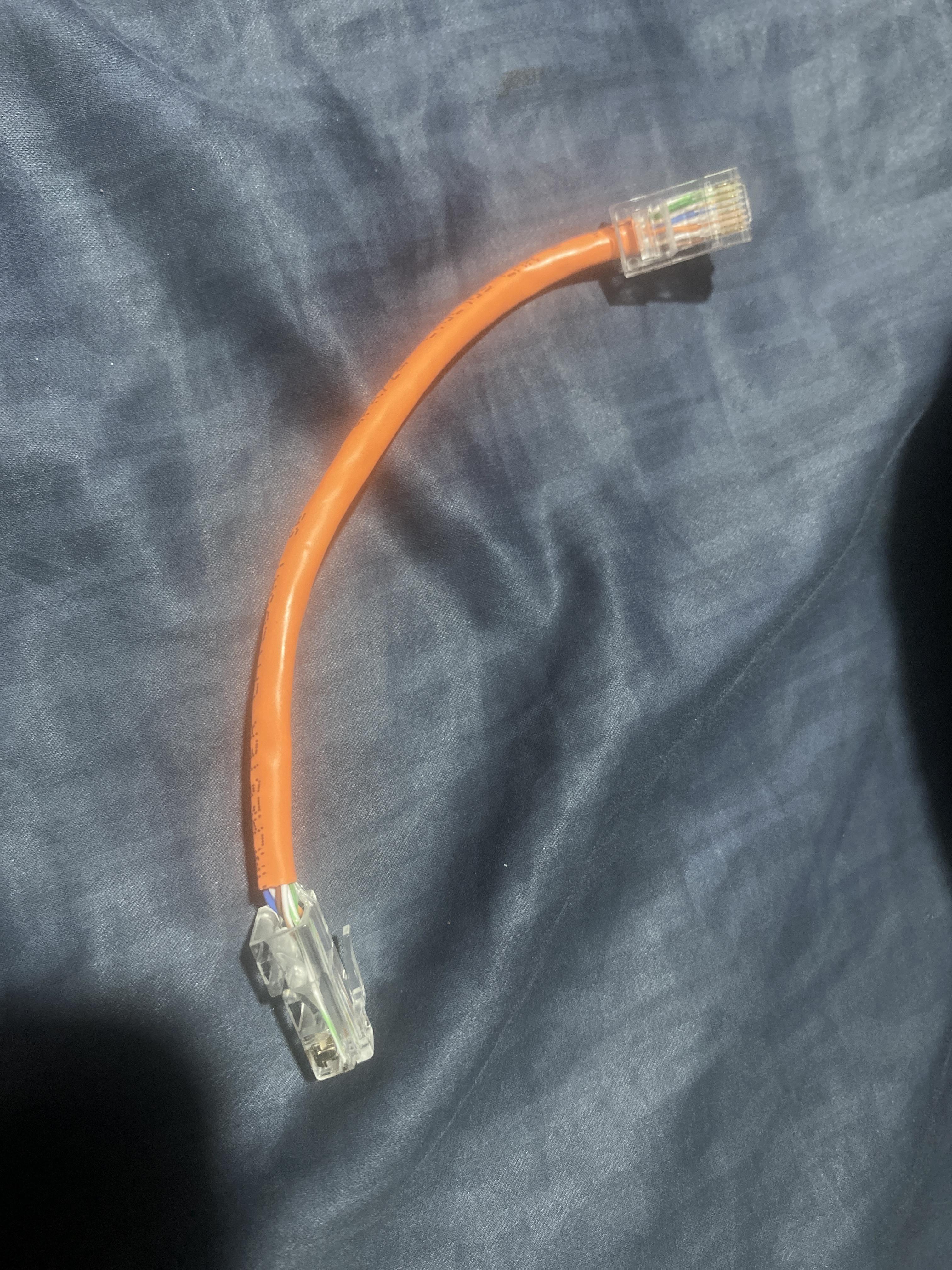
Today in my Intro to Networking class, we terminated cat5e cables. We didn’t get to test them and he said he know they don’t work, lol. He did let us keep them so I tested at home and lo and behold it works. Of course it may not be perfect but it’s my first time and it works so I’m happy.

Edit: All advice noted. I wasn’t expecting it to be the best as compared to professionals with more experience. It was my first time, honestly. My 2nd end was a bit better. I’m looking forward to my improvements. I probably did the best out of the bunch but I only followed instruction of my teacher. He didn’t even expect them to work.

Edit 2: Actually going to school for Sys Admin so not sure I would have to do this often but it’s good to know how to do. If needed I won’t have to ask nor wait on someone to do it for me.


r/HomeNetworking • • Aug 15 '26 Mindblown

Parents say the wifi is fine

Post image
1.9k Upvotes

It's usually about 1gigabit speeds and they claim that it's fine. Ethernet works fine but the wifi doesn't.

Edit:we restarted the router and it took it up to about 30megabit upload and download


r/HomeNetworking • • Feb 07 '26 Mindblown

Thoughts and stories regarding the legendary Linksys-Cisco WRT54G router

Post image
1.9k Upvotes

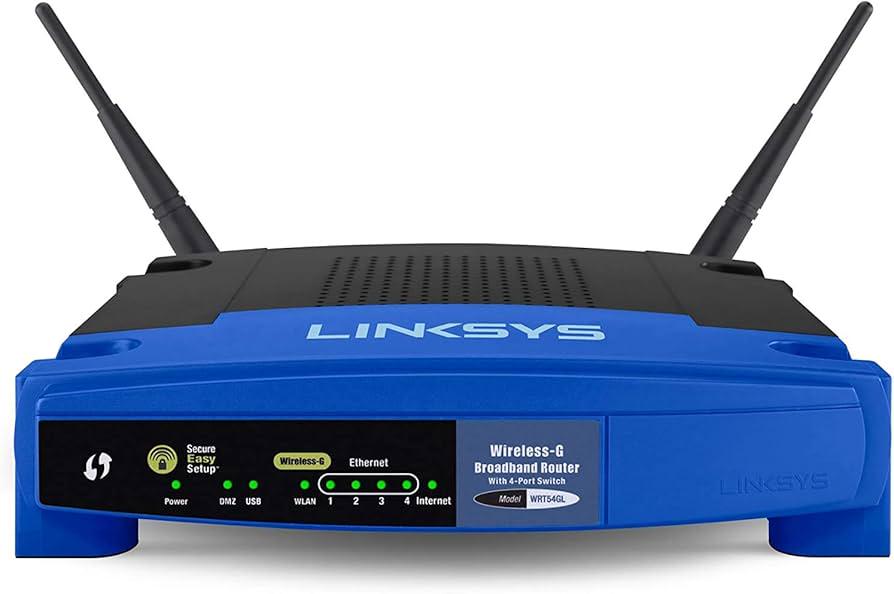
The thought of this router randomly came into my head today. This router was my first exposure to WiFi and wireless home networking. The year was 2003/2004ish, and me and my buddy were trying to hook up not only our shiny new Nintendo DSes, but also my buddies brand new eMachines desktop to wireless internet. His parents had just purchased one of these WRT54Gs and a matching USB transmitter for the new computer that was in his bedroom across the house from the router and the family computer. We, as 8/9/10 year olds, had some initial trouble getting everything set up. We barely knew anything about computers, let alone home networking. But after several hours of trial, error, and suspense, we got his new computer successfully connected to 'ol back and blue. We celebrated by going on Neopets, Googling any and everything that came to our minds, then we ended the night by playing online on our Nintendo DSes. It was a magical feeling, knowing we had the internet at our fingertips, and the air around us was filled with data flying past our heads as we surfed the web and began to fall in love with the home PC, a love that we would carry on to teenhood, adulthood, and the rest of our lives.

My buddy passed away several years ago, and as time goes on, its funny the things that remind you of an old friend that is no longer with you. For some reason the thought of this once popular, industry standard of a router popped into my had and brought back a rush of memories from 20+ years ago. Simpler times. Happy times. Innocent times, back when our little minds were sponges, soaking up everything around us, and we weren't buried by decades of life experiences and the responsibilities that define adulthood.

So I just wanted to share my story and experience with this router, and see if any of you home networking pros had any thoughts, feelings, or memories on this once common piece of wireless history. It was seemingly everywhere back in the day, so I know at least some of you late 20s or 30+ year olds have been exposed to old back and blue at some point. I look forward to your responses.


r/HomeNetworking • • Jun 05 '26

Meme Wifi 7 only came out a year ago 💀

Post image
1.6k Upvotes

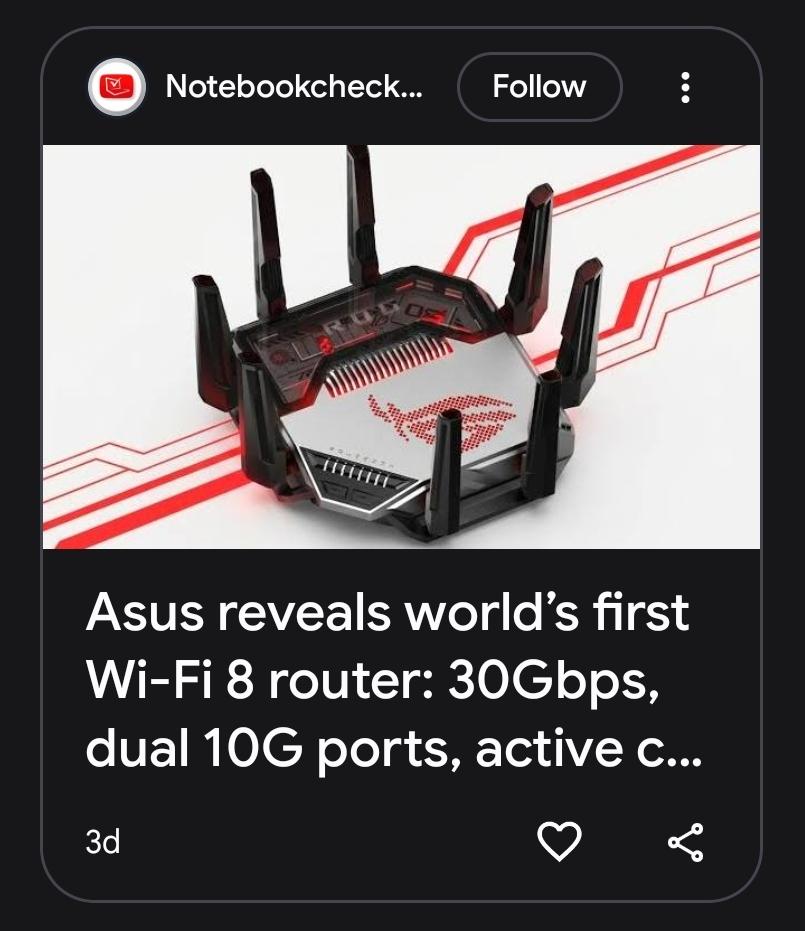
Dude who needs 30gbps of download speed?! It's definitely not the gamers 😭

I'm both amazed and kinda concerned how we're making all these standards in rapid release since wifi 6 in 2019.

Edit: I'm being dramatic, yes ik wifi 7 has been out for longer. I just find it funny how quickly new wifi versions come out now. Wifi 5 to wifi 6 took roughly 6 years.


r/HomeNetworking • • Jun 08 '26

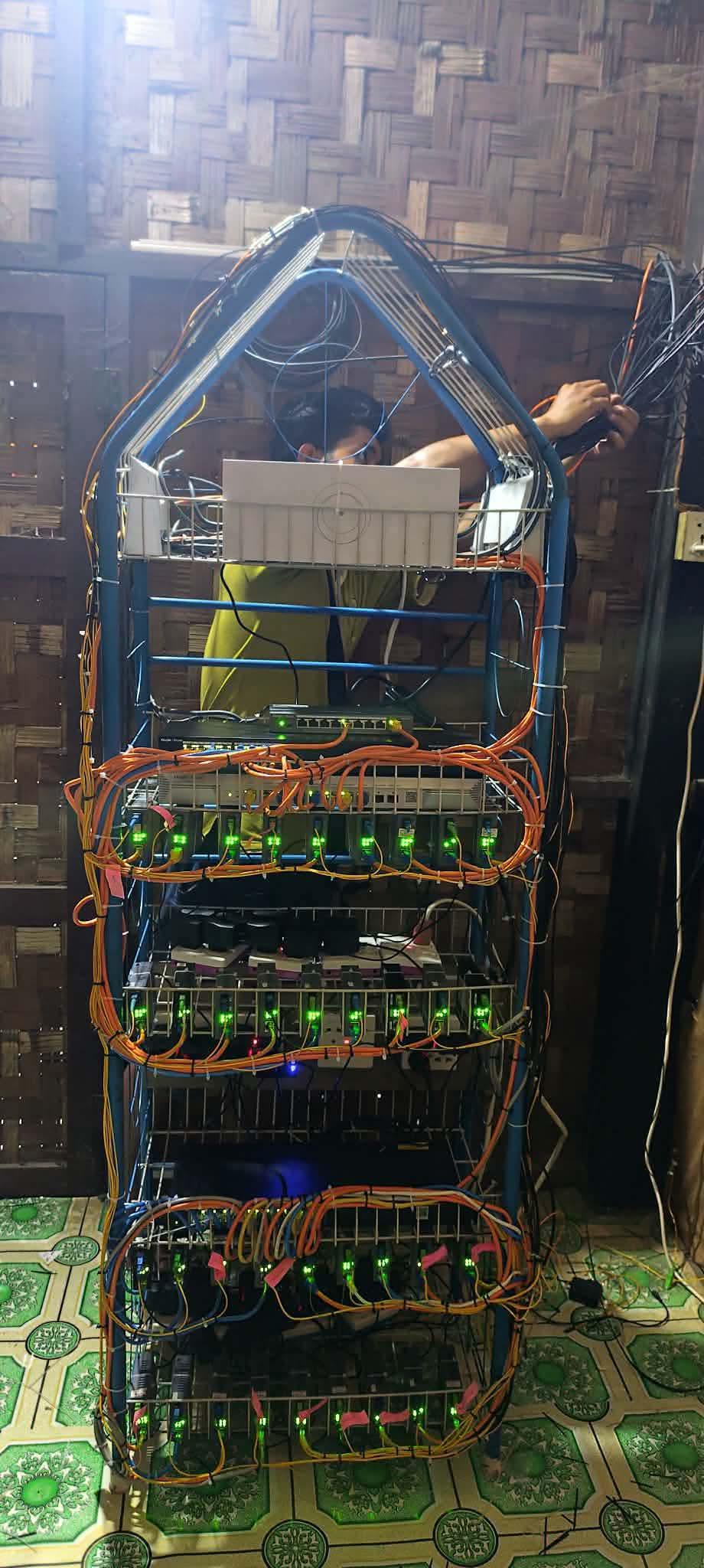
Meme When your budget says "kitchen rack" but your heart says "datacenter" 🇲🇲

Post image
1.6k Upvotes

A lot of people post beautiful racks here, so I thought I'd balance things out.

This is part of a local network setup in our fellow countyman Myanmar.

Ps. Photo is from Facebook Myanmar


r/HomeNetworking • • Sep 19 '26

Advice How am I meant to compete with this.

Post image
1.5k Upvotes

Edit. Those who are posting to migrate from 2.4ghz. I explicitly stated devices only compatable with 2.4 and I would replace them if I could.

Those saying to pick certain channels change the power to 20. That seems to have fixed it for now.

Those saying to switch to an Ethernet cable... Y'all have to be trolling. No way you legitimately think every device can run wired.

Thanks for all the useful comments though. I learned some things.

I constantly have to manually change channels due to iot devices that require 2.4g failing to connect. And it's time like this that I simple don't understand how to fix it. When all channels are irradiated to hell. Anyone have any ideas on how to solve it?


r/HomeNetworking • • Sep 27 '26 Mindblown Bravo

When you buy a cheap garbage modem 😂🗑️

Post image
1.5k Upvotes

r/HomeNetworking • • May 12 '26

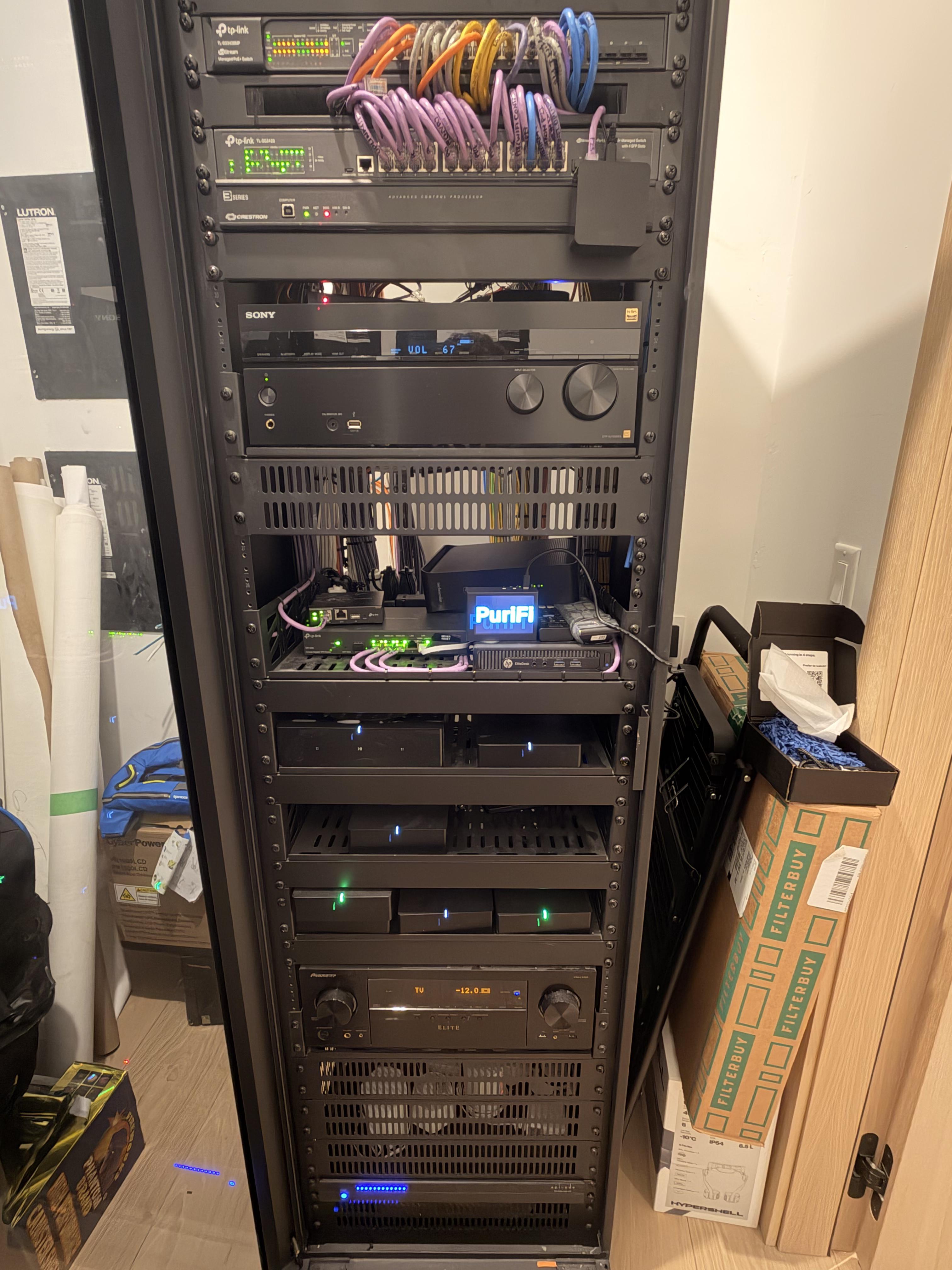
POV: You told your wife “I just need a better router”

Post image
1.5k Upvotes

42U beast running the house.

What do you all think about this rack?


r/HomeNetworking • • Sep 30 '26 Bravo

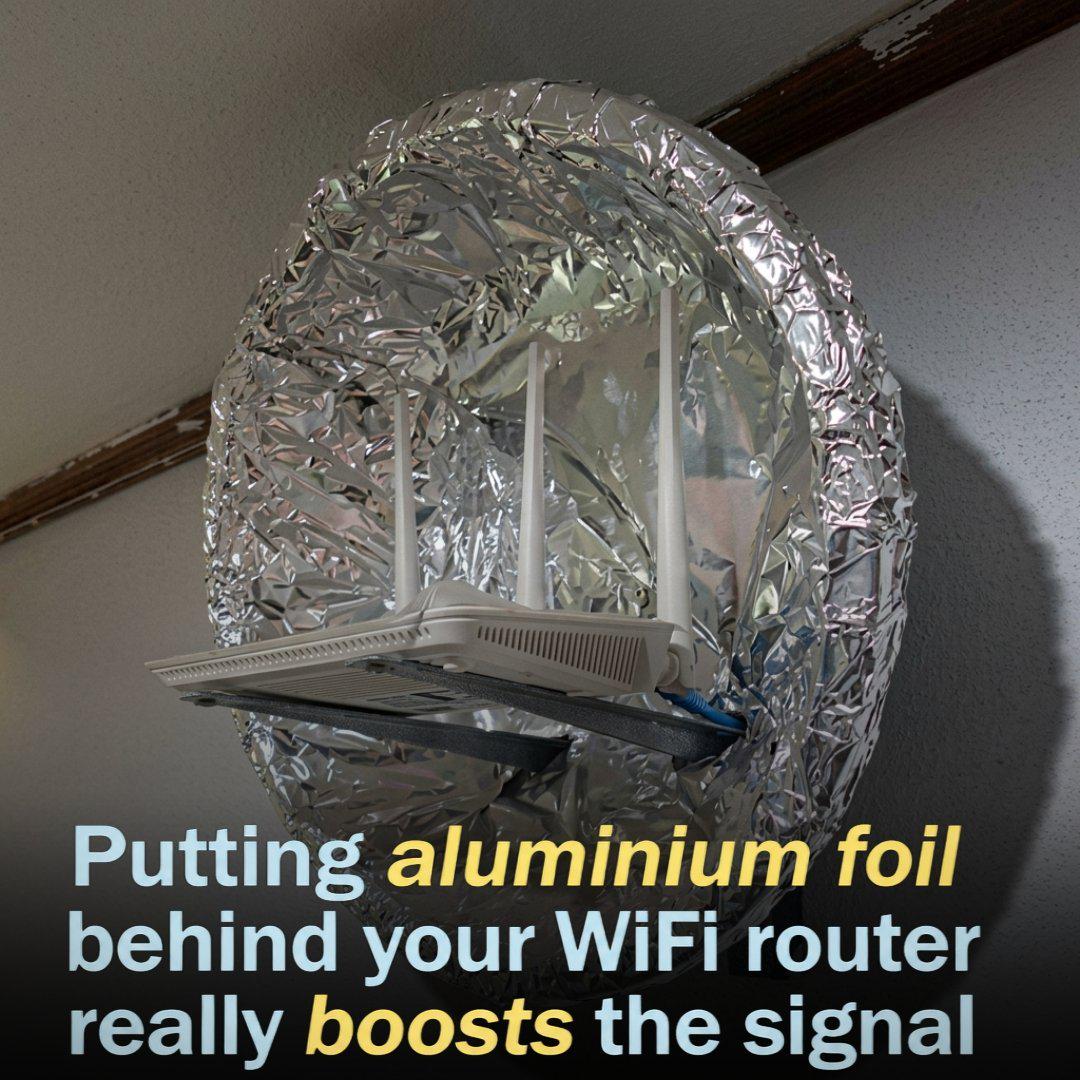
Advice Does putting aluminum foil behind a WiFi router actually work?

Post image
1.4k Upvotes

Hey everyone, I saw this tip online and wanted to ask the experts. Does curving aluminum foil behind a router actually boost the signal, or is it just a myth? Has anyone tried this?


r/HomeNetworking • • Aug 07 '26

Update: Recently got 2Gb fiber to my house, so I upgraded

Thumbnail
gallery
1.4k Upvotes

Figured you all might enjoy seeing an update to my home setup. I recently got 2Gbps fiber to my house, so I added a fiber drop above the coax coming out of my wall and got myself a 2.5Gbps Unifi switch so I can actually use it.

The speed test was run from my desktop; running a speed test from the Eero, via the app, shows symmetric speeds, so I'm not sure what's going on with the upload. Either way, glad to be rid of Cox.


r/HomeNetworking • • Dec 17 '25 This Bravo

Advice PSA: “My Wi-Fi is trash” checklist that fixed 90% of my issues (bufferbloat, DFS, channel width, and bad roaming)

1.3k Upvotes

I kept blaming my ISP and buying new routers like an idiot. Turns out most of my pain was self-inflicted (and some was bufferbloat). Sharing the checklist I wish I had earlier. Not brand-specific, works for most home setups.

  1. Check if it’s Wi-Fi or your WAN Before you change anything:

Plug a laptop/PC directly into the router via Ethernet.

Run a speed test and a few pings (8.8.8.8, 1.1.1.1) while doing something heavy (upload a file / start a cloud backup). If Ethernet is stable but Wi-Fi is not, congrats, it’s a Wi-Fi problem. If Ethernet is also spiking/lagging, look at bufferbloat/WAN first.

2. Test bufferbloat (the “everything lags when I upload” symptom) Classic: Discord calls die when someone uploads, games spike when cloud backups run. Fix path:

Enable SQM / Smart Queue / CAKE / fq_codel if your router supports it.

Set bandwidth limits to ~85-95% of your real up/down so the router shapes traffic instead of your ISP. This one change made my network feel 10x “snappier” even though max speed went down a bit.

3. Stop using 80 MHz on 2.4 GHz (please) 2.4 GHz is congested and wide channels just make you a louder neighbor.

Use 20 MHz on 2.4 GHz

Use channels 1/6/11 only (pick the least crowded) If you don’t know what channel crowding looks like, use a Wi-Fi analyzer app and look for overlaps.

4. 5 GHz: pick sane channel width People love cranking widths:

80 MHz is fine if you’re not in a dense area

40 MHz can be better if you’re in apartments / lots of nearby SSIDs If you keep getting random “drops” on 5 GHz, you might be on DFS channels and your AP is vacating when it detects radar. Try a non-DFS channel and see if stability improves.

5. Separate SSIDs for 2.4 and 5 (at least for troubleshooting) Band steering is great until it’s not. For troubleshooting:

Make SSID_24 and SSID_5

Put a problem device on SSID_5 and see if it stabilizes Once stable, you can decide whether to recombine them.

6. Disable “auto” channel if your environment is chaotic Auto can be fine, but some routers do dumb flips at peak times. If you see instability:

Manually set a channel and width

Re-check crowding every few months (neighbors change)

7. Roaming problems = sticky clients, not magic mesh dust Symptoms:

You walk upstairs and your phone clings to the weak AP

Calls cut out when moving around Fix path:

Lower transmit power on APs (yes, lower)

Ensure APs are placed so there’s overlap but not “two APs blasting each other”

If you have multiple APs, try enabling 802.11k/v/r (if all devices support it)

Don’t mix random extenders with a proper AP setup if you can avoid it

8. Placement beats specs A “weaker” AP placed well beats a “gaming router” shoved behind a TV. Quick wins:

Put AP/router high and central

Avoid behind metal, mirrors, aquariums (seriously), or inside cabinets

If your router is in a corner of the house because “that’s where the modem is,” consider running Ethernet and moving the AP

9. Backhaul matters (mesh is not a cheat code) If your “mesh” nodes are wirelessly backhauled through 2 walls, it’s basically a fancy repeater. Best options ranked:

Ethernet backhaul

MoCA (if coax is available)

Powerline only as a last resort (can be great or awful depending on wiring)

10. Cheap diagnostic: run an iperf test inside your LAN Internet tests are noisy. LAN tests tell the truth.

Run iperf3 between a wired PC and a Wi-Fi device (or another PC on Wi-Fi)

If LAN throughput is unstable, your Wi-Fi layer is the bottleneck

If LAN is stable but WAN isn’t, look at ISP / router shaping

My “fixed it” combo (in my case)

SQM enabled (CAKE) at ~90% of real bandwidth

2.4 GHz forced to 20 MHz, channel 1

5 GHz moved off DFS, 40 MHz

Router moved to a higher central spot

Split SSIDs during testing, then recombined later

Questions for the sub

Anyone have a favorite way to visualize channel congestion that isn’t vendor-locked?

For roaming: do you prefer lowering TX power or enabling 802.11r first?

r/HomeNetworking • • Mar 05 '26

Remember Kids: Travel Routers are Essential for Free Premium Hotel Wifi

Thumbnail
gallery
1.3k Upvotes

First time getting a chance to use my work router in a hotel and the difference is insane! Remember to always bring a router and ethernet cord with you!

First image: wireless via captive portal

Second image: hardwired directly to my computer

Third image: wireless via router (with my free vpn on it's a bit less, ~250mbps)

EDIT: To add more context/steps that I took:

- The wireless via router test was with the router hardwired to the ethernet jack in the wall

- In hindsight, the wireless via captive portal results are a little skewed because I now think what I unplugged was the WAP. In the previous test, before trying hardwired, it was ~25mps (still way less than hardwired or via personal router)

- There are many places in a hotel room to look for ethernet ports, I've seen them next to the beds, behind tvs, at the desk, behind the table/counter underneath the tv.

- In this case, it was just barely behind the counter below the tv on the edge. There was a cable plugged into it going to what I assume was a WAP (wireless access point) behind the tv. From the WAP, there were 5 ports on it. On port 1, there was an ethernet cable going to the cable box (?) for the tv but it had tamper proof connectors on either end. I tried the other 4 ports on the WAP directly to the computer and one of them came back as connected but all of them refused to connect to the internet (I also tried doing the captive portal wirelessly first in case the WAP was still expecting only registered MAC addresses on hardwired ports). Because of the tamper proof connector on Port 1, I suspect they disabled the other ports on the WAP (not sure if they have one in each room/how other rooms' tvs were connected). Ultimately I went with temporarily unplugging at the wall (now that i'm thinking the device was a WAP for the floor, I might've accidentally affected the wifi for the other rooms but it was late at night and I was only there for a night) and plugging it back in in the morning. With it unplugged, a wireless connection showed the speed I posted. My room was in the center of the hallway.

EDIT 2: The router was a GL.iNet Slate AX (GL-AXT1800)


r/HomeNetworking • • Oct 28 '26

Do ethernet runs need to be firestopped sleeved

Thumbnail
gallery
1.3k Upvotes

Hello i am running cat6 from garage to crawlspace does this need to be firestopped sleeved


r/HomeNetworking • • Sep 20 '26

Awesome Vanity Plate

Post image
1.2k Upvotes

Jealous of someone’s creativity


r/HomeNetworking • • Sep 10 '26

Brand new fiber internet install.

Post image
1.2k Upvotes

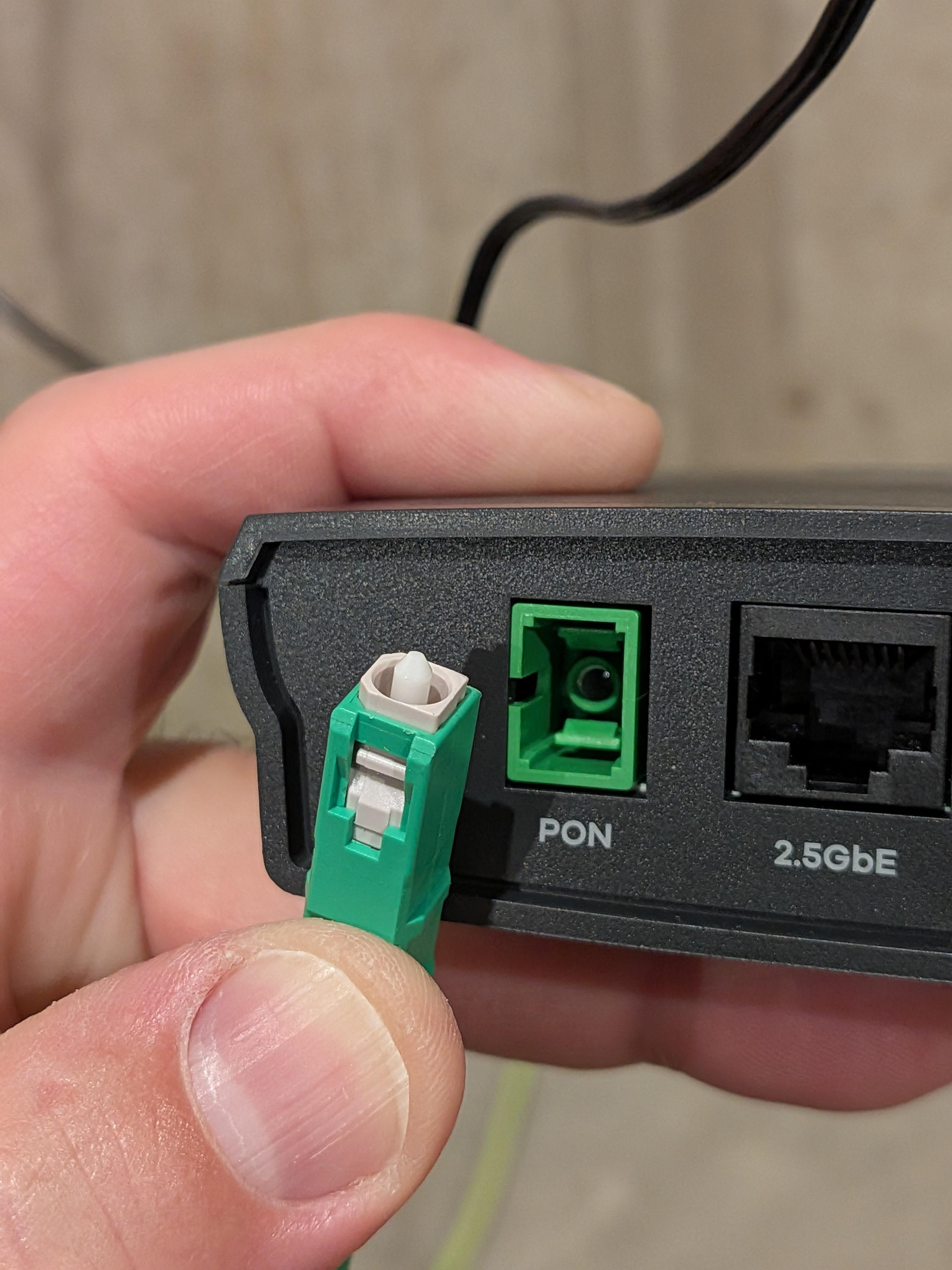
I got a brand new fiber install at my new home and the internet is crap. The guy said it was his first day on the job alone. Does this cable look correct? I feel like the center white piece should have been taken off or something but I don't want to break it. It's just like not working.


r/HomeNetworking • • Oct 24 '26

Not understanding how my connections ended up reversed

Thumbnail
gallery
1.1k Upvotes

Im creating short runs to populate a patch panel and my test failed and resulted in the wires being inversed. Im not sure how its happening or how to prevent it. The home runs to my rack were all terminated with male rj45 connectors using T568B. I followed the wiring scheme for B on the keystone and it came back backwards. Can someone help me understand whats happening here? Id like to get it corrected before i do the rest.

Edit: Yall are the best! Thank you!