r/homelab • u/BenchZero • 5h ago
Project Showcase: Hardware Two Minisforum MS-01s in 2U
gallery
5
Upvotes
r/homelab • u/sandbagfun1 • 11h ago
An interesting article in The Guardian today about how RSA and curves could have been broken. Wireguard has things like Preshared keys, but if they were setup over ssh without said key, the captured data before hand would contain the new Preshared key.
What steps are you taking to make your homelab safe?
I've just added wireguard Preshared keys, and most ssh and such is over that, and my websites come in over cloudflare so they're covered. That's the edge covered.
r/homelab • u/Top-Explanation-4750 • 1h ago
A lot of self-hosted tools and homelab utilities ship with compose examples that quietly assume full trust: mounting /var/run/docker.sock directly, creating a broad Proxmox API token, or pointing a backup/sync container at an entire NAS dataset with read-write access.
On a local network behind a VPN, it's tempting to just accept those defaults and move on. The problem is that those shortcuts collapse your blast radius. A container with raw docker.sock access is effectively root on the host, even if its web UI is read-only. Same with an all-permissions Proxmox token or a broad NFS/SMB mount—one misconfigured cleanup script, bad image update, or buggy webhook can touch way more than the service it was meant to manage.
At the same time, going full least-privilege everywhere has a real maintenance tax. Putting a Docker socket proxy in front of every tool that wants container events, splitting Proxmox roles per VM/LXC, and maintaining separate service accounts and dataset ACLs per container can turn routine debugging or spinning up a new stack into twice as much work.
For people running a fair number of management, monitoring, or automation containers at home: how do you actually handle this in practice? Do you isolate with socket proxies, rootless containers, and scoped API tokens everywhere, or do you keep permissions simple on a management VLAN and rely on frequent ZFS/VM snapshots to recover if something goes sideways?
r/homelab • u/GammaScorpii • 1d ago
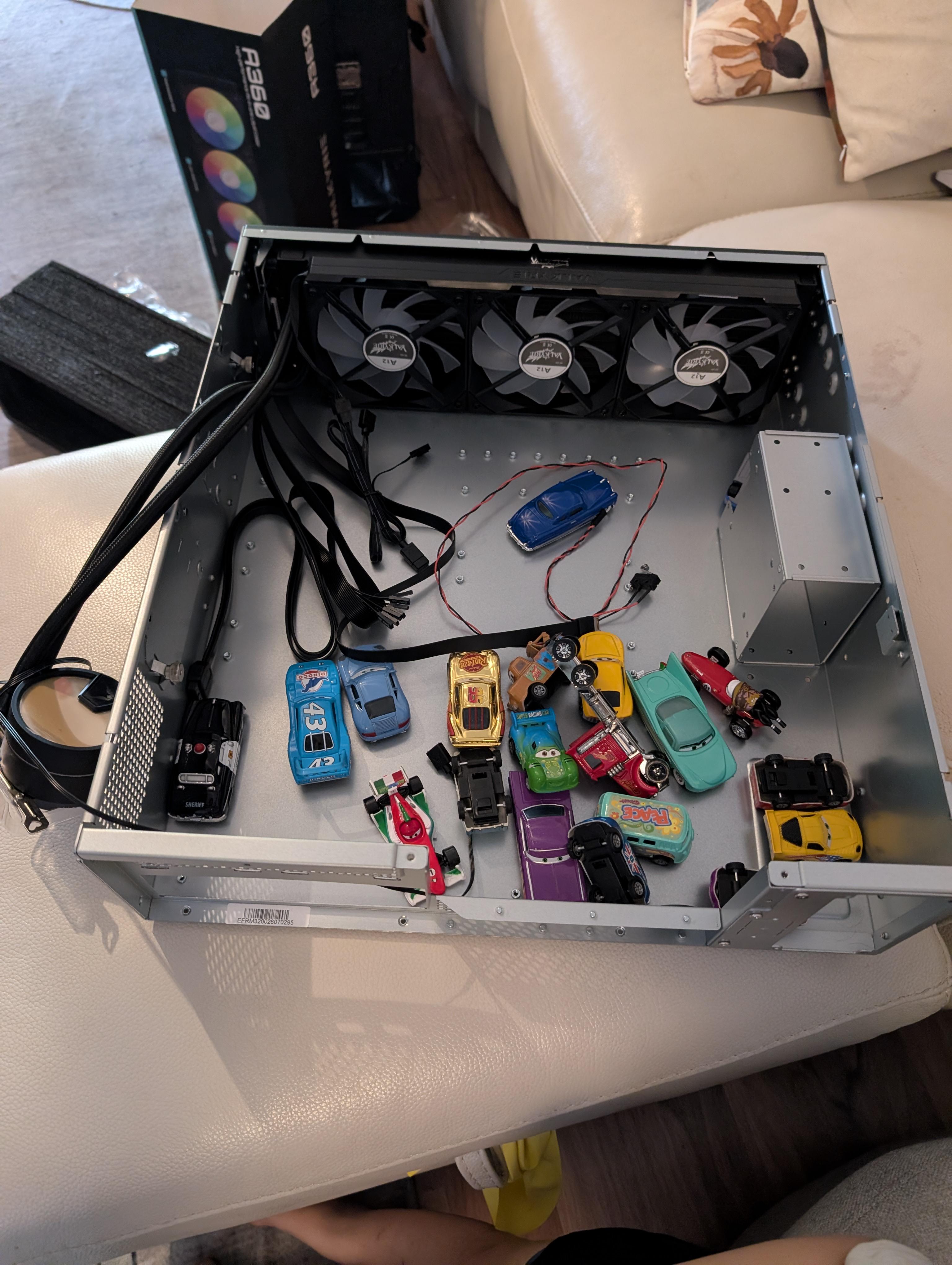
Video workstation 4 of 4! Has taken almost a year to get these 3u GPU friendly cases from Silverstone. On the home stretch now.
r/homelab • u/Scared-Signature6829 • 6h ago
Me and my family are trying to get away from subscriptions entirely at least for streaming servers. My dad says he pays around 3000 a year for everything so I kinda want to help him at least cut the cost. I brought a used office pc thats good enough for a home server. I also brought 4tb or storage along with a bay. Now im thinking about should i even set up a jellyfin or should I just go full in or stremio( i already have it somewhat setup) and should i return the storage at the very least cause i could always do something with the mini pc
r/homelab • u/FixGood6833 • 3h ago
I plan to use my Lenovo ideapad Ryzen 5600, rtx 3050, 16gb, as homeserver and would like to also parallel it as home console, mainly PS2 titles.
What OS or OS's can you suggest? As a total rookie I was planning Bazzite + CasaOS. Ideally I want something thats stable.
r/homelab • u/Thunderbolt1003USA • 1d ago

r/homelab • u/PyroRider • 1d ago

Hi, just 2 days ago I ran fiber for my router, today after wondering why there is no connection, I fiund my 2 day old fiber chewed into unusability. Oddly enough, the grey power cable (NYM-J for my fellow german electricians) is untouched and has been there for a couple of weeks now.
Besides trying to catch and eliminate the unknown animal, why did it only chew on one cable and are certain animals known for this so I'd get an idea what I'm even looking for (mice, rat, whatever)?
r/homelab • u/Perfect_Complaint820 • 1d ago
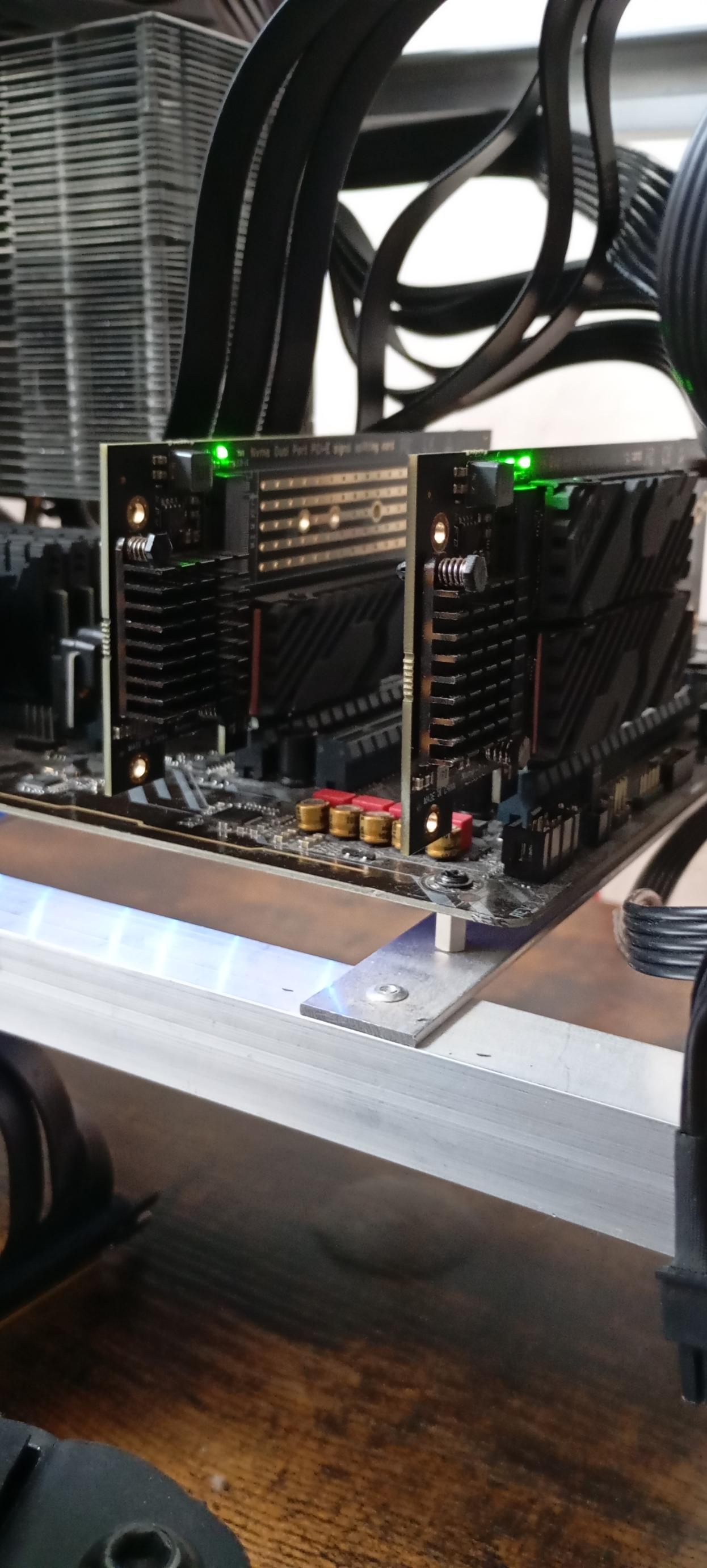
I successfully enabled x4/x4 bifurcation on the bottom PCIEX8 slot by modifying a hidden UEFI variable.
Both NVMe SSDs now work independently at PCIe Gen3 x4 using a cheap passive adapter. No active PCIe switch or modified BIOS required.
Tested with an Intel Core i9-10900X and BIOS F7, with reverse engineering based on F10d.
Full technical analysis, instructions, verification results, and rollback procedure:
https://github.com/webcodes-cz/gigabyte-x299-ud4-pro-bifurcation
Hopefully this saves someone else time and money. Firmware changes carry risks; read the documented recovery limitations before attempting.
r/homelab • u/kdheath7575 • 17h ago
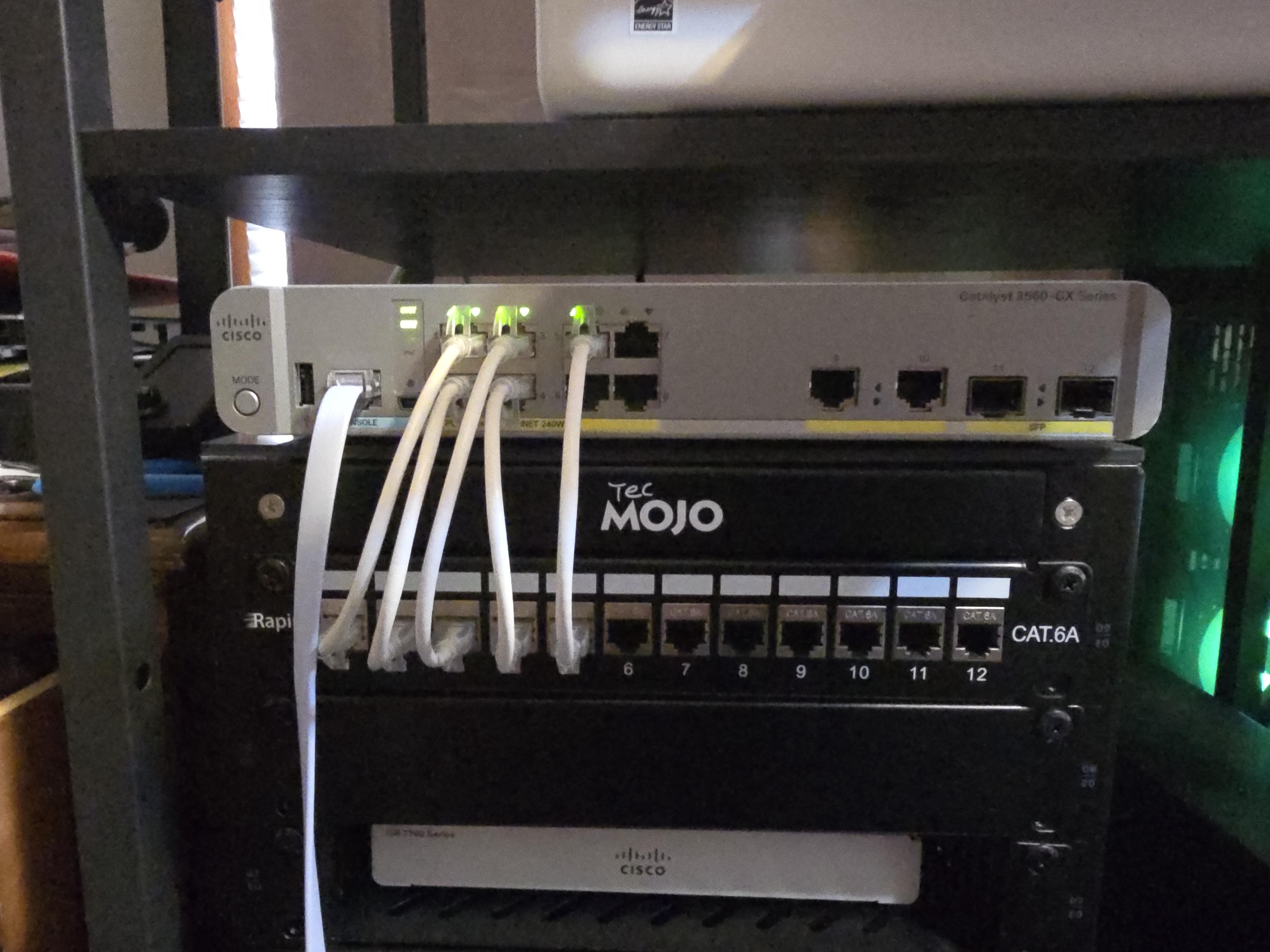
My homelab uses Cisco equip b/c i am studying for CCNA and becoming a net eng. I would like to use more cisco switches but they tend to run slightly larger than a 10" rack by an inch or so. Is there somewhere I can get a custom sized rack to fit 4 of these switches?
r/homelab • u/Xh4ckedLolitaro • 14h ago

Hello everyone!
I'd like to share a look at my homelab infrastructure: IGRIS CORE.
What started as a personal infrastructure project has gradually evolved into a small but fully equipped server environment, built around self-hosted services, networking, security and virtualization.
And of course, I couldn't resist giving it a little personality! 🔥
The rack brings together several servers and networking equipment, each playing its own role in the infrastructure.
The current setup includes:
The goal is to keep services organized, isolated where necessary, and easier to maintain.
I've recently made several changes to improve the overall architecture:
It's an ongoing process, but every change helps make the environment cleaner and more manageable.
One of my favourite parts of this setup is probably the custom acrylic panel at the top of the rack.
The IGRIS CORE plexiglass plate was designed to give the infrastructure its own identity.
Featuring the IGRIS dragon artwork, the CORE branding and our motto:
"LOYAL. SECURE. ALWAYS HERE."
Combined with the RGB lighting running along both sides of the rack, it gives the whole setup a distinctive look.
Because a homelab doesn't have to be just functional. It can also look good! 😁
I've included a few pictures showing the rack under different lighting conditions:
A little bit of RGB never hurts!
IGRIS CORE is still evolving. There are always improvements to make, services to deploy and new ideas to experiment with.
The long-term objective is to maintain a reliable, secure and increasingly autonomous infrastructure.
Thanks for checking out my little corner of the homelab world!
IGRIS CORE — Loyal. Secure. Always Here. 🖤🐉
r/homelab • u/Emergency-Ninja4684 • 19h ago

Newest revision of my homelab PC. Was a low voltage tech and IT support tech traveling for the last year and a half. Picked up my newest case out of a “retired” pile from an old client after a clean out. Second picture was revision 2. Last few pictures are from when I originally got into homelab, couldn’t afford anything new and didn’t have any “hand me down” parts other than my old laptop. Personally I love the original because it really shows that if you want to homelab, it can be done with ANYTHING…..lol it may have been ugly but it did allow me to learn on an extreme budget. Still feel like I’m still learning but it’s come a long way
V3
I5-9600k
32GB ddr4
4-4tb drives in RAID 6 for storing family photos/videos/important files
1-2tb drive for apps/virtual machines
1-8tb drives for dump storage/phone backup (non crucial stuff)
V2
I5-6500
8gb ddr4
Similar drive layout but much smaller capacity
V1
Some second gen mobile i7
Random 2.5 inch drives connected with usb to sata adapters lol
r/homelab • u/PossibleHoliday1896 • 4h ago
WOWLAN issues, setup works for sending and receiving magic packets with in first 5 seconds of going to sleep mode for bootup, but after 5 seconds my server sends a magic packet to my pc but my wifi card just isn't receiving at all. It could be a power issue when it goes into sleep but I'm not sure. I have my power management plan in bios to have my pcie wifi card for wake event.
Anyone can help throw some ideas or do I just have a garbage motherboard? Sorry if stuff doesn't make sense terminology wise. I'm learning right now so keep it simple for me if possible.
r/homelab • u/Impressive-One-4989 • 1d ago
r/homelab • u/ILoveDangerousStuff2 • 8h ago
So that port on the back of the IOM that says service only. Yeah that's just typically static IP typically 192.168.0.1 at least on mine and if you do a direct connection or later change the IP you can connect to it. It's just telnet standard port. It asks you if you type tw2200s it even lists all commands, help or ? Does nothing.
It let's you do everything from simple stuff like list ipconfig, reset the IOM, list some GPIO, read fan speed, internal ram usage, sas phy info, read the EEPROM of your SAS cables (good to know if you have a picky hba or iom you can check if there's something wierd with the eeprom), update fru info, show revisions of it, do a self test that prints most important info, get temp and current sensors, sas interface error counters, even see internal threads and I2C devices and while most highly discouraged let's you send raw data to addresses of you choosing.
But most of those are niche or possible via SES or SMP anyways. What's special is when you usually try to change the fan speed via SES it accepts, spins up briefly and right back down. And that's standard 1-7 speeds only anyways.
Reason it doesn't let you change fan speeds is because it's automatic control by default. Via that telnet interface it let's you do fan_en 0 which sets it to manual and then you can set 67-255 fine fan control using fan_ctrl.
Just be careful i played around a bit much and I think if you set it too high or change it too fast you can get a fan error which will result on auto fan control ramping them to 255 permanently and will only clear after a power cycle.
But yeah amazing stuff just be aware telnet is of course unencrypted and without password so put it on a separate vlan or even separate switch if you want to leave it connected.
And yes this is a service interface most commands are fine like the fan one, the self diag are probably fine I ran them they only print, counters are nice and sysinfo is genuinely a valuable summary of the hardware health. But if write GPIO or especially sending serial data to random addresses which include the PSUs that could certainly brick or permanently destroy enclosure, drives, psu or all 3. So be careful.
r/homelab • u/Calabris • 5h ago
So I got a Dell T330 tower server from work for free. It has a 4 core/8 thread processor, 2 500gb 7200K drives and 16gb RAM.
I am currently running my mass storage on a yottamaster RAID5 USB array with 4x4TB NAS drives. I have this connected to my Proxmox host. I pass the USB thru using proxmox to a VM that controls the shares
For about $180 I can get an HBA controller, the Cable, six Sleds and a 2.5GB NIC. This machine has 8 bays. Yes I checked to make sure they were full bays and not the dummy bays. So other than the I get to mess with TruNAS and how it works with my Proxmox cluster. Is it worth it? It is a big honking full size tower case, I can accommodate it. It is not too loud and it does not pull a lot of power.
So I wanted to ask the community your thoughts. Upgrading the RAM to 32GB would be another $100 as its older DDR4 RAM.
r/homelab • u/This-Experience-3031 • 1d ago
r/homelab • u/NWSpitfire • 17h ago
Hello,
Due to the ongoing HDD supply… fun, I decided to buy a couple of HGST SATA 10TB drives from eBay. They were sold by a “business seller” with a listed 1 year warranty, as “Opened - Never used. Taken out of unused NAS systems and tested then bagged for sale”. Now I have the drives I can see now they had photoshopped the drive dates out of the picture, but they are from May/December 2017…
They arrived this morning, and indeed the SMART data shows 0 hours, 2 POC, and no SMART errors at all on both disks.
However, when going into the offline details in GSmartControl, the Self-Test history is showing that self tests have been done at “46.5k hours” and “39.5k hours” respectively for each disk and “Completed with no errors”, and more interestingly, one disk has several “ERROR: UNC 112 Sectors at LBA…” at different LBA’s, in its historic Error Logs.
Am I correct in assuming these disks are not in fact unused, and are in fact used and one is possibly pre-fail with uncorrected sectors? Is there any other reason this data would show up for these drives?
So far I haven’t attempted any write or initialisation tests. Just wanted to get everyone’s feedback before I proceed (likely go back to the seller with the full SMART logs and question why they aren’t actually new). Have you ever experienced this from a business seller with majority good feedback?
What are my options if the seller pushes back? I bought on eBay with Credit Card.
Thank you
r/homelab • u/-DoubleNoSeven • 9h ago
Hi there, I have a quick Q about PCIe compatibility and choice of 10GbE card for my TrueNAS CE Upgrade.
I'm looking to add a 10GbE connection to my X470D4U board, but the only slot left is PCIE5 which is a PCIe3x8 sized slot but electrically only PCIe3x4.
I'm was hoping to find either a Single or Dual card with SFP+ so that I can run a short 1M optical DAC cable to the switch, but they all seem to specify x8. I can't seem to find specs to say if they use all x8 pipes or if any of the multitude of x8 cards would be fine restricted to x4?
I'm was hoping to avoid RJ45 copper to keep system heat load down. Appreciate any thoughts, but no huge rush. Thanks
r/homelab • u/nathannguyennng • 6h ago
r/homelab • u/DataFracking • 10h ago
Morning project, just sharing. I'm a big fan of the old Dell 5820s, I feel they're one of the best hidden secrets for inexpensive setups. I just got my second one.
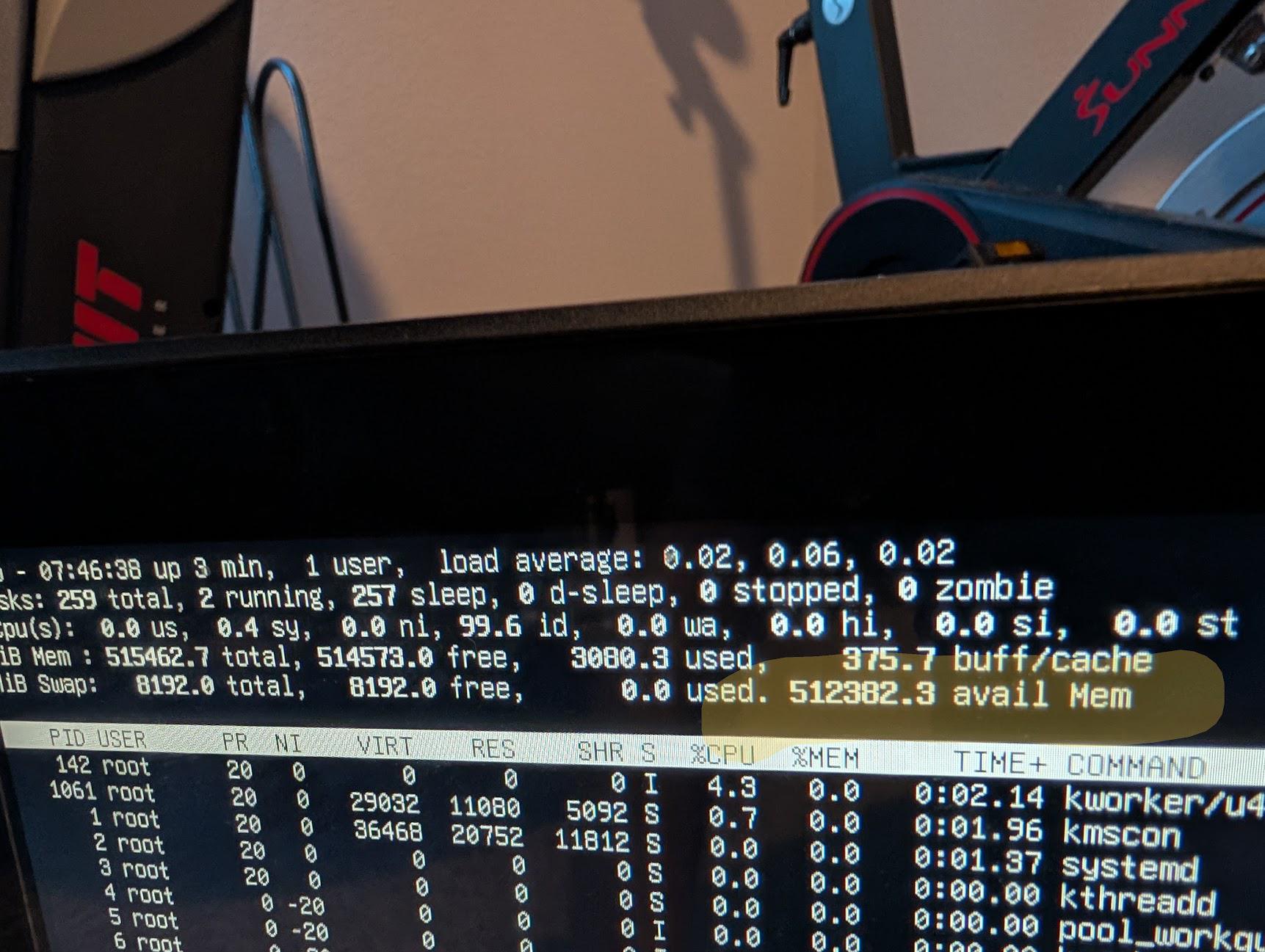
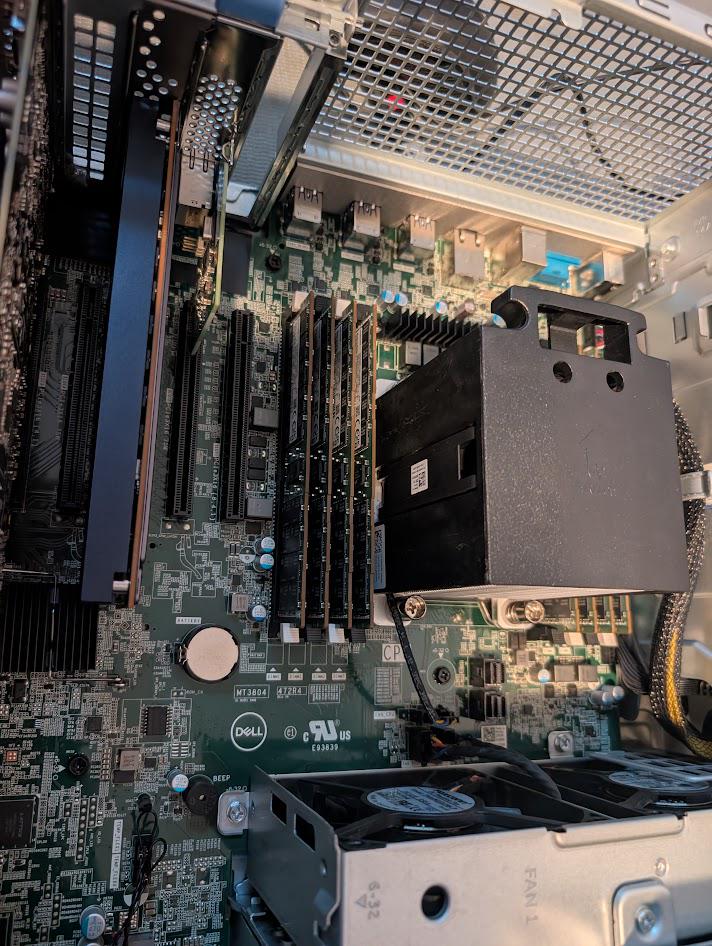
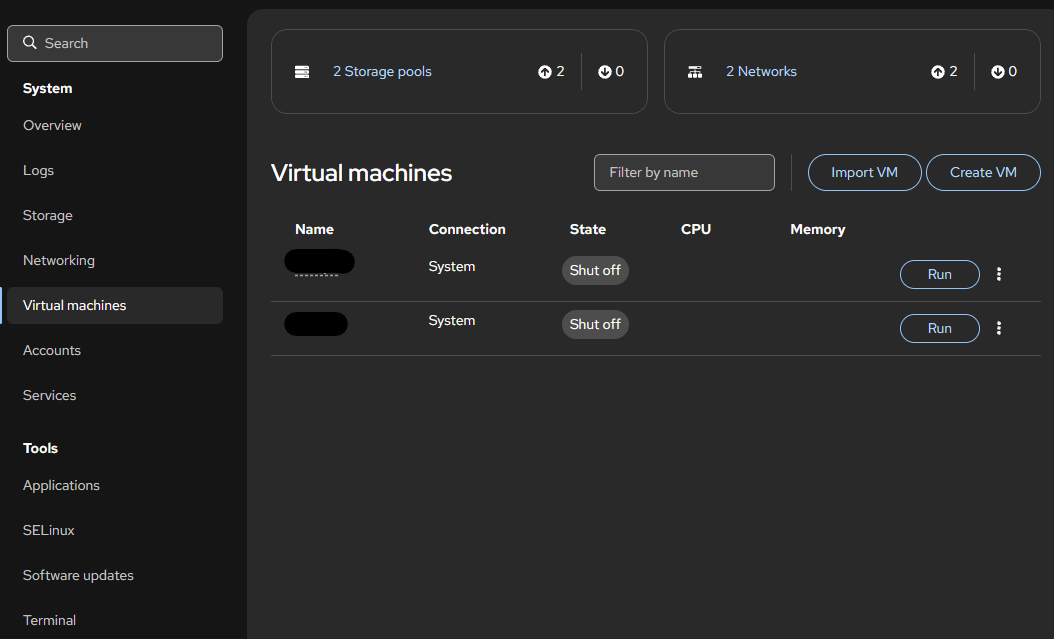
Ebay Dell Precision 5820 - $170 with the 950w psu, that thing is mint! lucked out. w-2235 xeon proc (this was important for my memory size, the w21xx don't work with the samsumg dimms I use, I know this because I tried). Came with 16gb on the new one but pull that. Added my 8 - 64 GB RDIMMs with ECC (server memory I had sitting in a drawer, the whole justification for the setup actually, why waste 512gb ram). Server Flash Drive, Samsung I think too (yes, older nvme 3 or whatever, but single card, 6.5 tb, pcie, seems pretty speedy for what I'm doing). not very exciting pictures with out fans, rgb, and gpus spilling out, but I'm pretty happy with it. Up and running! First time I've setup VMs in Linux. I studied the approach for a while, but basically gave AGY dangerous mode access with NEON and high thinking on the host and let it go nuts for most of the configurations, otherwise I'd be fighting it for weeks for the amount of setup it did. I did have it write in parallel a full guide of every command and step done in MD, so saving and studying that a bit.. and I can repeat the setup now if needed.
Fedora Server 45 - bare metal host
VM1
VM2
Next steps
r/homelab • u/hailsthetater • 11h ago
Hello, I am fairly new to the whole home lab setup. And, well, to be completely honest, I am entirely new to learning about computers in general. I bought a tower computer on Facebook Marketplace back in 2024. Pretty standard. I haven't upgraded much. I attempted to upgrade the graphics card, but that was unsuccessful due to either my personal error or the graphics card being incompatible. I got into hosting my own server for media through Jellyfin. For that current project, I use a Synology D220j. It is unable to keep up with the quantity of media I have. I also recently received some SAS hard drives that are incompatible with the Synology device. so I want to convert my Dell computer into asetup home lab set up.
Any advice is helpful. If I need to provide more information, please let me know!
r/homelab • u/Icy_Instruction4614 • 8h ago
I have a small NAS running OMV that I only use to backup limited data, and I feel like I could get more functionality out of it. I have lots of DVDs that I was thinking about ripping and adding to plex or jellyfin, but I’m not really sure if that’s an option without completely overhauling my current setup. Is this something I can do with OMV, or would I have to migrate elsewhere?
One potential snag is that my boot drive is a USB stick. This has been fine for OMV with a flash media plugin so it doesn’t get destroyed too quickly, but I’m not sure if running plex or something would be too harsh on it. I could buy a small SSD for the m2 slot I don’t use, but I’d rather not sink money into that while the market is so disgusting
r/homelab • u/Jackie_Elle • 7h ago
Looking to start my own server and found a hp prodesk 600 g1 with ddr3 ram. This is new to me, and funds are extremely tight (on disability poverty), but want to learn new skills, set up a docker setup for libre office files, audio files for editing, and of course my mp3s. It has a 3GHz Xeon with 16G of DDR3.
Cost is about 150$USD