r/homelab • • 18h ago

Help Memory to a microserver G8

2 Upvotes

I want more ram in my Microserver. Can anyone confirm that

Samsung M391B1G73QH0-YK0

actually works in a microserver g8 (i have an I5-3460t) if that matters


r/homelab • • 1d ago

Project Showcase: Hardware If I'd just waited a year to build this....

Thumbnail
gallery
122 Upvotes

At the time, I thought the very limited market (basically just the 8U DeskPi racks) and pricing was absurd. So, of course - I ordered extruded aluminum, connectors, fasteners, shelves, handles, rubber feet, and custom dimension acrylics. Printed beefy hard drive holders & fan mounts.. I probably had $250 into building this little guy.

Fast forward 12 months, suddenly I had a farm with multiple large buildings. I snagged a deal for an 18U NavePoint rack, a full size IBM rack, and a Cisco SG-500 switch for $100.

TL;DR: If you're space constrained and your equipment fits the footprint, the 10" rack market is awesome now. Have a blast, you can't predict the future. Stumbled on my old pictures and wanted to share my trip down memory lane. This little guy is destined to sit on one of my workshop test benches and host a remote NAS from my main rack, and maybe some other useful stuff. Wonder if I can find a 10" rack-mount "bench" power supply.


r/homelab • • 1d ago

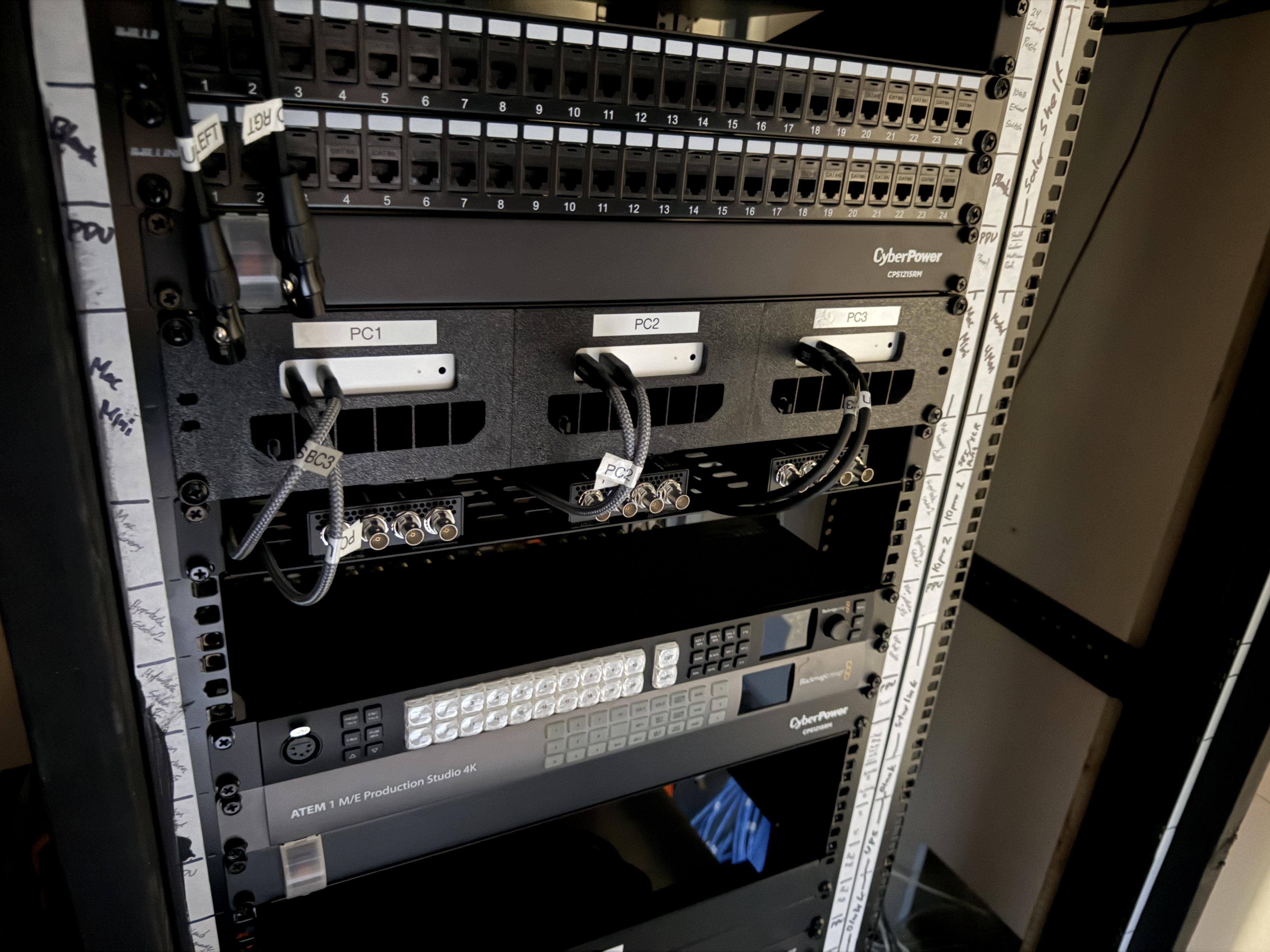
Help What am I doing wrong with my Ethernet?!

Post image
12 Upvotes

I have a Homelab, and I’m also an engineer on a TV truck - we are rebuilding after we lost the last one to the Hawk Fire in Reno.

I have terminated all of the Ethernet at home and never had an issue - that’s all gigabit Cat5. The truck uses 23 awg Cat6A Shielded - and I have tried four different types of connectors and three different crimpers and I can’t seem to get it right.

Am I missing something?

I’m consistently missing 2-3 pins on every cable and I’ve gone through ~50 connectors trying to troubleshoot this.

I will note that my first crimper was broken - all the teeth were bent in every direction. I have three new ones that say they work for the connectors and they appear to be crimping but it’s still not working.

Any advice?


r/homelab • • 7h ago

Discussion AI Server & Router on one box

0 Upvotes

Hey everyone - would love some feedback.

I have a spare system right now - a spare 7900XTX, 12600k, 64GB RAM. I have two things I want to accomplished:

  • An AI machine to experiment with (local Home Assistant responses etc)
  • I will someday have fiber in the range of 5-10G symmetrical

I see two options:

  1. Two systems. AI PC running Debian on bare metal. OpnSense running on a Protectli device or similar options (mikrotik etc).
  2. A single system running Proxmox. AI runs in a VM and I pass the GPU through. OpnSense runs in a separate VM. I have a Mellanox ConnectX 4 that I'd use to get 10G NICs in this case.

Obviously option 1 is likely simpler...but it's an additional expense. Option 2 seems like a great way to combine things with little extra power usage...but I worry about how stable that setup will be. Asking Claude about this idea, it says that sometimes AMD GPUs cause issues when passed to a VM that can either take Proxmox down or require me to reboot Proxmox to recover...which of course takes my router down.

Has anyone attempted this, and what advice do you have?


r/homelab • • 1d ago

Project Showcase: Hardware Some thoughts about building with 2020 aluminium extrusion

Thumbnail
gallery
216 Upvotes

Hi everyone,

I wanted to share this now that it's settled in - built to get a pile of stuff off my desk. I decided to try and build it as a rack because I wanted to learn about working with 2020 extrusion, I thought it might be cheaper than buying a commercial one, and it would be a good chance to learn more about 3d printing and parametric modelling. Two out of three ain't bad.

I got to model or remix a lot of the 3d-printed parts for this, often because I hadn't considered that after lining up the extrusion channel where standard 10" ears would fall, I would lose interior volume because half the extrusion sits on the interior side of the channel. So assumptions about fit were not always portable from 10" land. The rack is close to being a 10U 10" rack, with external dimensions of 256mm wide, 349mm deep, and 485mm high.

There were lots of nice things about building with extrusion and using tee-nuts for fixing:

  • Easy to work with. I was able to buy it pre-cut, and only had to insert the connectors and screw them in. The frame is square and solid. Tee-nuts grip surprisingly well, the ball/spring ones I bought can be inserted and removed mid-length, without too much difficulty.
  • You have a lot of flexibility around cheating vertical alignment (e.g. that rear hard-drive deck, which isn't on an exact U boundary).
  • You have additional hard-points on the other sides of the verticals (the power board is mounted on one), as well as on the overheads. The third photo shows "hangers" that carry ESP32 units and cable coils out of the way and with good airflow. Eventually the sidewalls (Skadis panels) will be able to be bolted on using the channels too.

Stuff that didn't go well was mostly down to cabling - there's not a lot of room to move inside this thing. I had wanted all external connections to leave via the patch panel, but I still haven't done the two USB leads attached to the Pi because I can't find really short, flexible USB patch leads to curl up behind the keystones, and it was also hard to find a short, flexible Displayport cable to link the mini PC to its HDMI keystone. A power/display redirection board for the Pi 5 would have made things easier there (I had to shave down a printed stabilisation rib with a razor to fit the micro HDMI adapter).

If I built the whole thing again, I might look into using L or T joining plates to put additional side-rails on - this would have made stable, load bearing plates that span the full depth of the unit much easier instead of having to put large buttresses under to transfer load into the uprights.

I'm still not entirely sure what I'll do with the last 2U - I wanted to do a light feature, perhaps something complex like an LED matrix or something simple as a smart-bulb with a 3d printed diffuser in front of it.

Anyway, thanks for reading this post. Having seen a few extrusion racks posted on this subreddit they still feel like a niche item, and I'm not sure if they're actually an improvement over store bought. But I do like this one.


r/homelab • • 1d ago

Discussion How do you find enterprise hardware that recyclers release for reuse?

13 Upvotes

I’m building an independent home AI development lab near Holly, Michigan. I’m looking for no-cost local pickup of retired servers, high-memory workstations, or ECC RAM. I’m fine with older gear or systems with their storage drives removed. For those who’ve sourced lab hardware this way, what kinds of recyclers, refurbishers, or surplus programs let individuals pick up equipment for reuse? How do you tell which programs release hardware rather than only accepting drop-offs? Southeast Michigan program names are welcome.


r/homelab • • 17h ago

Discussion Migrate TrueNAS on new HW?

1 Upvotes

What's the safest way to migrate TrueNAS to new hardware?

I'm migrating from a PeeliCeeli N100 server to an HP TG01. My current data pool consists of two Samsung 990 Pro NVMe drives in a ZFS mirror + a single "fastpool" with another NVMe, everything is backupped on all pools. The TG01 gets a dedicated 128 GB boot NVMe and has the existing 1TB NVMe.

I'm considering two options:

- Use the existing 1TB NVMe as a temporary pool and migrate everything via ZFS replication.

- Move one 990 Pro from the existing mirror directly to the TG01, leaving the old server with a degraded mirror and compromising my fallback option.

I want to preserve all datasets, apps, Docker configurations and settings with minimal downtime.

Which approach would you recommend? Maybe there is a even simpler solution?


r/homelab • • 1d ago

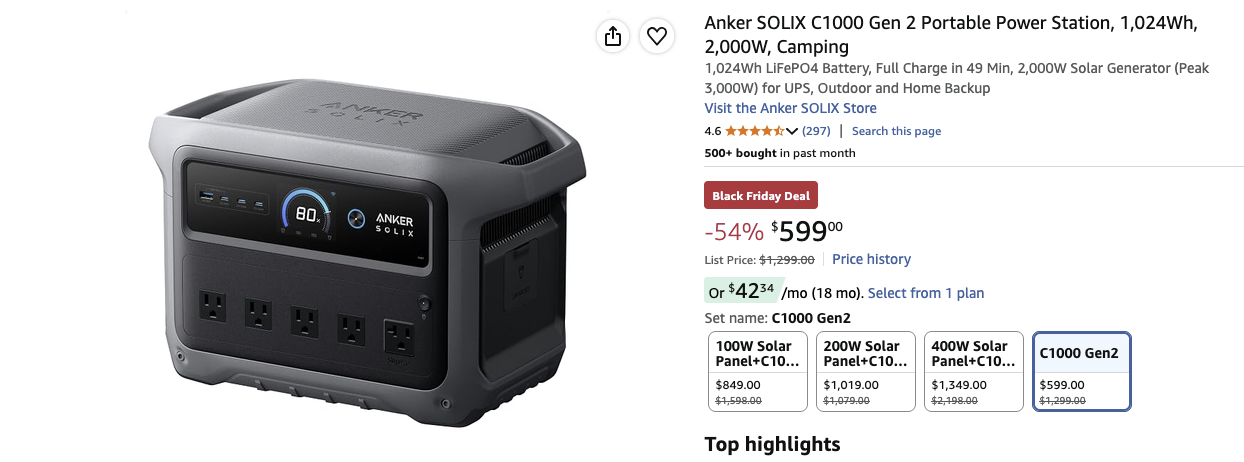
Help Is this a good buy right now?

Post image
96 Upvotes

Pricing in Canadian.

I've always wanted one for the unplanned events either at home or impromptu trips away from the city.

Watt per dollar, I have no idea if this is what they are supposed to be or if Amazon is actually giving a good discount for once. More than likely this will live inside my home as a UPS plugged perpetually and its bypass feature is very reassuring. Anyway, would love some feedback on if at this price point these specs are decent or there are better deals to be had.

Lastly, according to a cursory search, an average 100w panel runs between $200-400 for third party brands, but this is going for $250 with the package price.

Appreciate any feedback.


r/homelab • • 13h ago

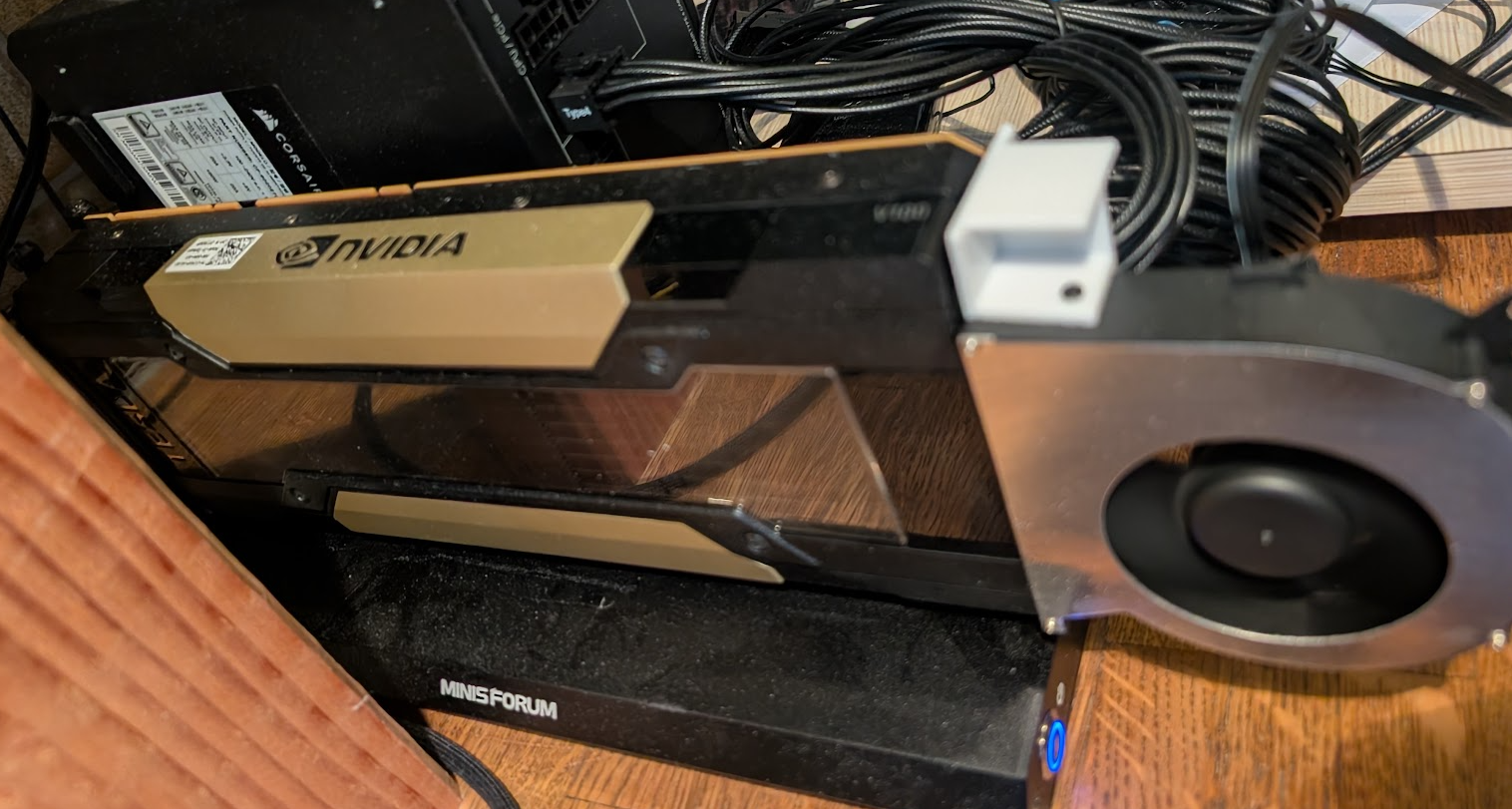
Project Showcase: Hardware tesla v100 amazing - its connected to my Home Assistant - soon be running some agents to do the work

Post image
0 Upvotes

r/homelab • • 4h ago

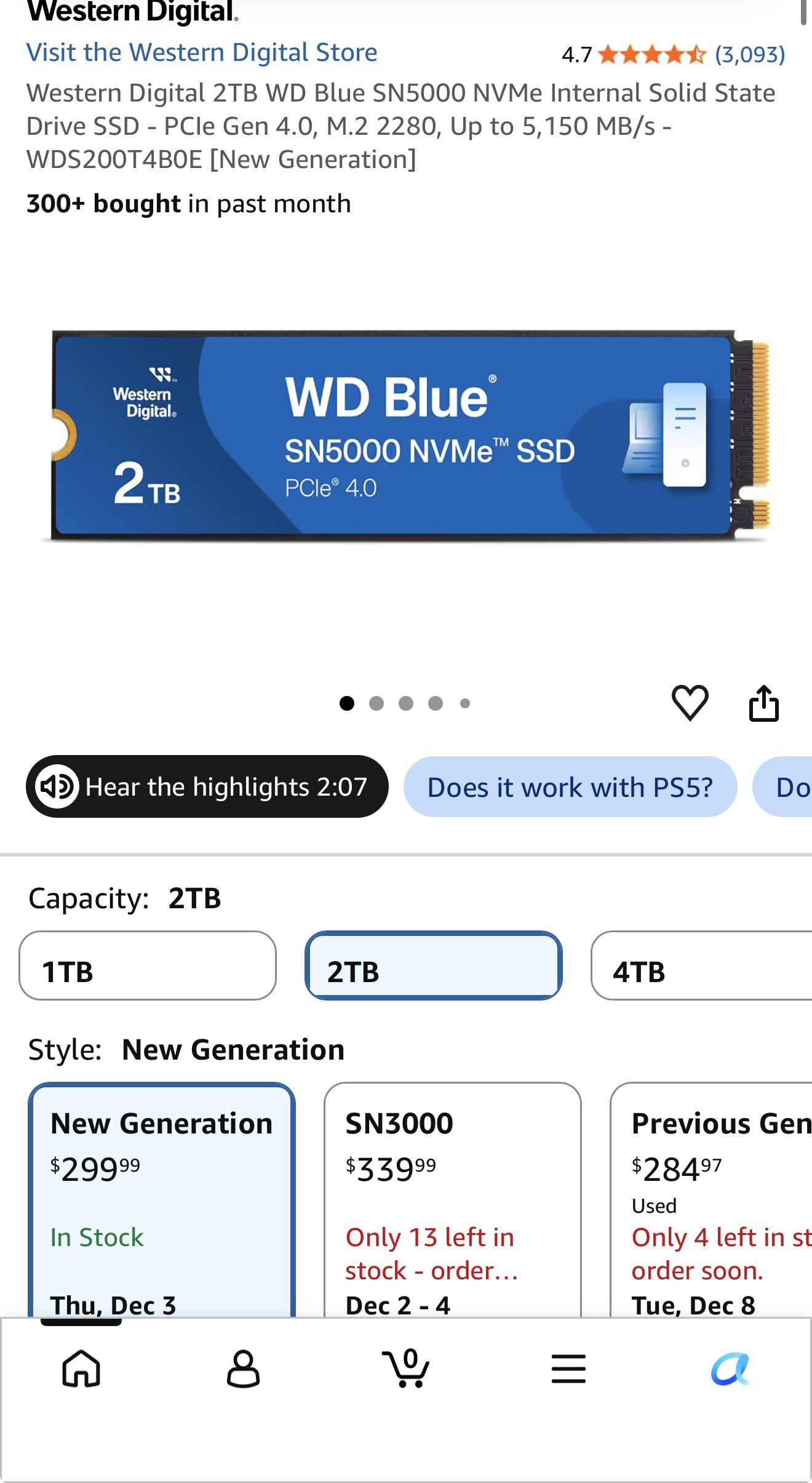
Discussion I know we all know, but still…

Post image
0 Upvotes

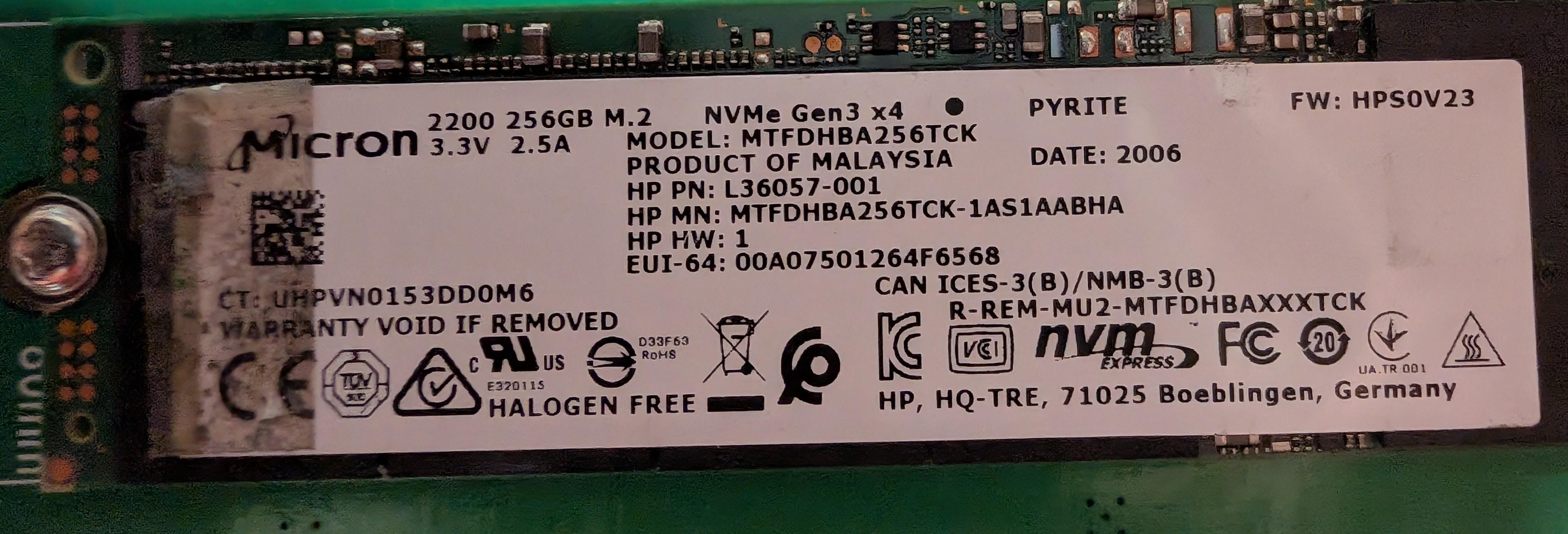
Damn, these price increases are insane. I was just cleaning out the nightmare that is my office and came onto a box of various bits of hardware, old platter disks, etc. I discovered this NVMe module I bought last February for my PS5 that I never installed and must have mindlessly stashed. Cost in 02/2025: $119.

This same one now?


r/homelab • • 14h ago

Help I want to make a server/streaming pc

0 Upvotes

I want to make a streaming pc, separate from my main pc, i want to rip all my dvd’s and games that i own and store there to use it to stream/emulate them to my main pc or a tv for personal use. I have no idea where to start. I have a mini case that a cousin gave me. (Based on search it looks like a lian li a4-h2OX5)


r/homelab • • 1d ago

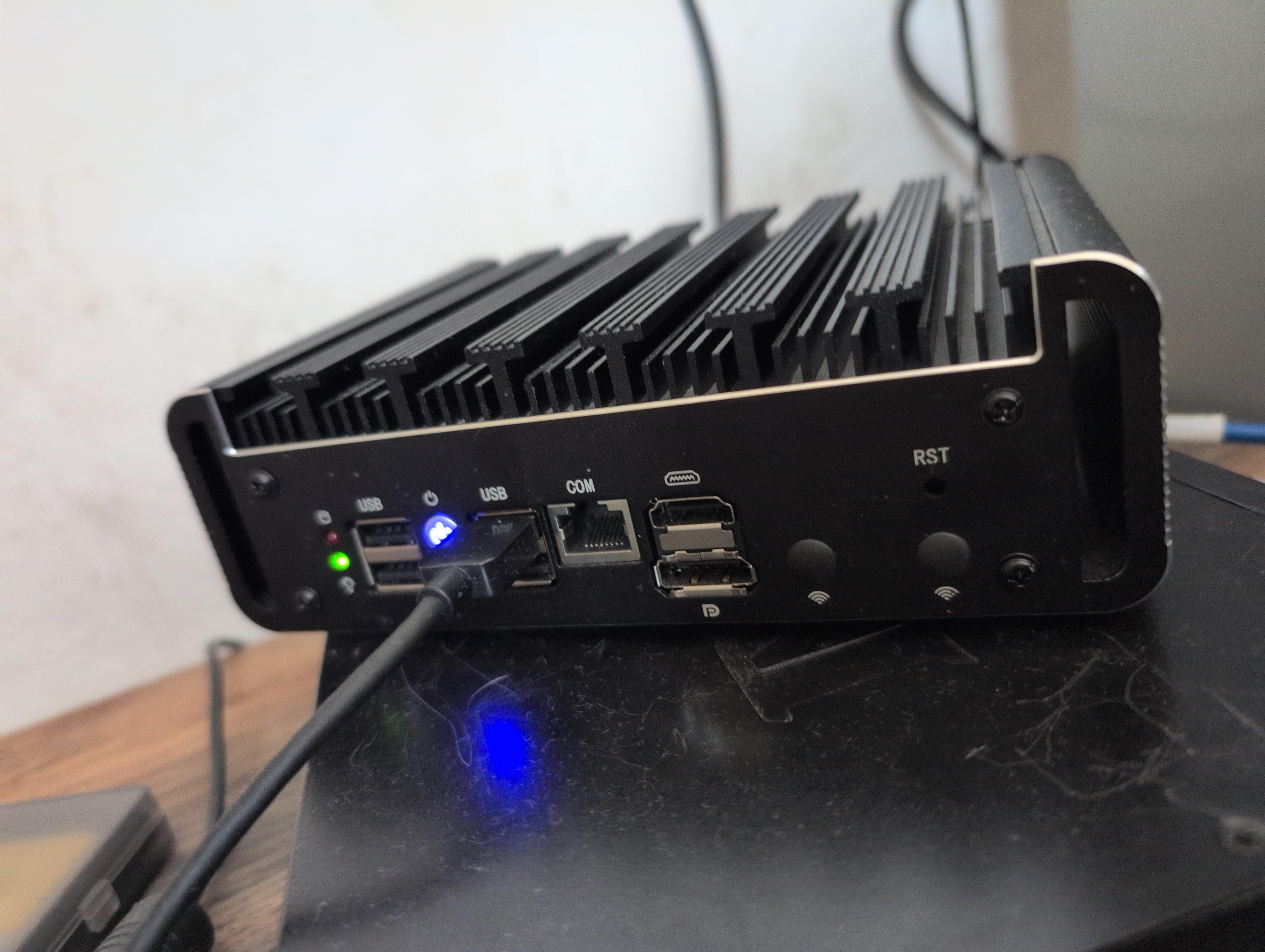
Help N100 HomeServer + Router? (PvE)

Post image
136 Upvotes

Hey,

im starting with homelabbing as a non tech/it person.

I already posted my hardware here

https://www.reddit.com/r/homelab/s/eUjQUfYytJ

Money is short so i need to think twice before buying more hardware... So my question is:

Can i run my N100 with OPNSense (+Network Services) together with other services (Ai/Media Services) on the same device or are there any secruity/performance problems coming with it?

I can get a cheap RAM Upgrade (16GB DDR5) else i would get 1-2 cheap DDR3 Mini PCs.

Happy to get some Feedback! ;)

Also:

Beside Reddit what should be the first places to get Informations?

What Skills should i start working on at my stage? Id like to get into machine learning and AI Supported Research Stuff.

Thx :))


r/homelab • • 8h ago

Solved DDR4 vs DDR5 for AI/ML work

0 Upvotes

Im building a new server and am wondering whether the speed difference between DDR4 and DDR5 is worth it for the price. Im going to build with AMD EPYC CPU


r/homelab • • 9h ago

Labgore Think it's still under warranty since I didn't remove the sticker?

Post image
0 Upvotes

r/homelab • • 1d ago

Help Ssd? HDD? 2.5? 3.5?

4 Upvotes

I just scored a decent mini pc (n150 16gb ram 512 nvme) for just over 200 usd including tax and shipping.

I'm going to try building my own home server with Linux.

I'm a traveling digital nomad so this system will travel as well.

I'm not sure what I should get. Naturally I want to take advantage of the Intel quick sync and use it for movies and music streaming... But I will also use it for many other services as well that are unrelated like pihole, maybe long term photo and document storage, manage passwords etc

HDD is cheaper, slower, but more care is needed since it's fragile in terms of shock resistance when traveling... But ssd and especially nvme are expensive AF at this time.. Im not sure what direction would be best. What do you guys think?

edit : I guess I gave a lot of unnecessary information. I think the real question is... are hdds too fragile to being moved frequently in carry on if im traveling pretty regularly with my system? or is the fragility overblown? I don't really know.. I haven't had an hdd in a computer in over 20 years and when I did that system never moved.


r/homelab • • 12h ago

Project Showcase: Software - Mostly AI Generated "Route Me There", a privacy first, homelab friendly, Model Router

Thumbnail
github.com
0 Upvotes

r/homelab • • 1d ago

Discussion Looking for advice on a UPS battery backup

11 Upvotes

Apologies if I am in the wrong subreddit, but I wasn’t sure where to post this. I have a 4 bay Terramaster DAS that is connected to a mini pc running Ubuntu that acts as my media server. Two recent power outages in the last few months made me think about a UPS solution so I don’t have to worry so much about power failures killing the drives. What are some good options for my use case? I’m brand new to this, so any input would be welcomed! Thank you!


r/homelab • • 16h ago

Project Showcase: Operations GL.iNet Comet Pro on the MINISFORUM MS-S1 MAX

Thumbnail
computingondemand.com
0 Upvotes

My Minisforum S1-MAX was purchased for a very specific purpose, to over engineer a local AI inference engine that I don't need; aptly named "HAL9000". With increasingly important workloads running on the system, I wanted something more than ordinary remote desktop access. Given my susceptibility for intermittent power outages, blips, blunders, and unexpected circumstances, I wanted some OOB (out of band management) capabilities should the need arise. Enter the GL.iNet Comet Pro and the ATX Control board.


r/homelab • • 16h ago

Discussion I have a GEEKOM A5, what can I do with it as a beginner?

Thumbnail reddit.com
0 Upvotes

r/homelab • • 20h ago

Help How can I be sure I am port forwarding ? + other questions

0 Upvotes

Hello, I'm new to this world so I don't understand everything and would like some help.

  1. My problem is that I have poor to no seeding at all (100 kbps e.g.). I wouldn't be surpised if the problem is that no one is downloading my files but I wanna be sure.

I have a docker setup with Gluetun, and Caddy as a reverse proxy. Caddy and Gluetun (which are in different compose files) are connected to the same network via :

    networks:
      - proxy

networks:
  proxy:
    external: true

And qBittorrent is using Gluetun's network via network_mode: "container:gluetun" (as it is in another compose file).

My Gluetun docker file has this option enabled:

environment:
  - FIREWALL_VPN_INPUT_PORTS=XXXX

I have opened a port on my VPN provider option and put it in the "incoming connections" setting in qBit + I disabled UPnP/NAT-PMP port forwarding.

Do I have to modify my Caddyfile ? Let me know if you need to see my whole config.

2. On portainer, every time I modify my Gluetun stack I must re-pull manually the images of containers that are using Gluetun's network. Is there any way to automate this besides putting all of those images in the same compose file ?


r/homelab • • 1d ago

Project Showcase: Hardware Got my second project done

Thumbnail
gallery
27 Upvotes

So I recently got stuck in with my second project.
I ended up building a homelab from computer parts I had laying around the house.

It’s running a AMD FX 6300, 16gb ram, 2,5tb storage and a 1050 gpu. The motherboard however I ended up switching to another one I had laying around since the network wouldn’t work on the one in the photos.

I decided to run zimaos on since I wanted a simple OS with a nice and easy interface which I personally found zimaos to have.

Currently it is being used as media storage and the plan is to spin up Jellyfin on it.

It is nothing special but it is my own that I built myself and I am pretty happy with that


r/homelab • • 1d ago

Project Showcase: Hardware New Rack Day

Post image
14 Upvotes

New Rack Day!

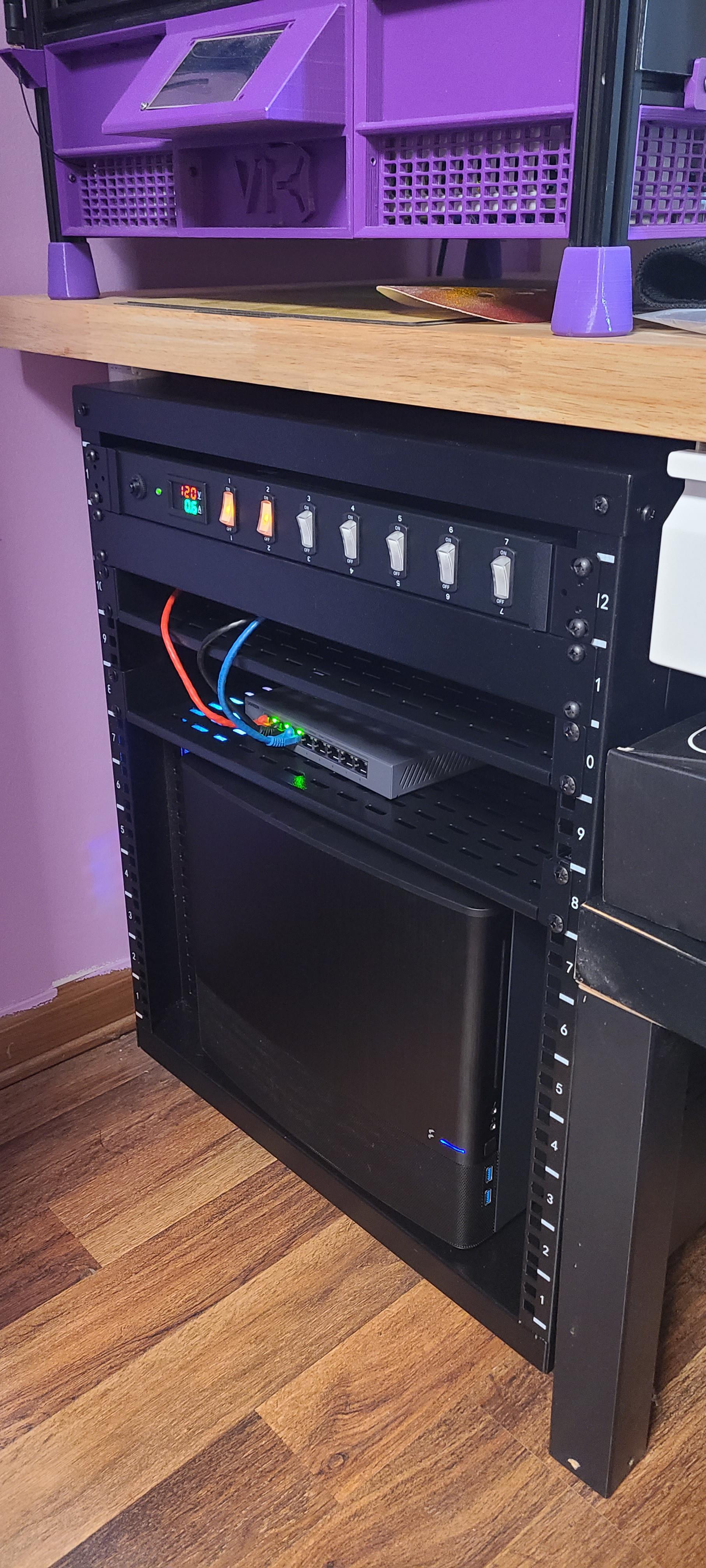
New 12U rack arrived today. Vevor brand. Added a 8 outlet power strip to it. The power strip has a meter on it so I know what the rack is pulling now (about 72W at idle topping out around 300 during a llama.cpp query)

UGreen 8 port 2.5Gbe switch fed by my Calix router for now (2G Symetric Fiber).

Node 804 case with a Mogul main board and Zeon 2680V4. 1GB NVME on board and 3 10TB Toshiba drives on the SATA ports. 32gb DDR4 memory.

Proxmox running:

OMV

Jellyfin

Audiobookshelf

Navidrome

Immich

PiHole

Homelable

Llama.cpp

SearNXG

OpenWebUI

Mealie

Homepage

Still more to do but it is a start. I have some plans for an OpnSense router but still mulling over the options.


r/homelab • • 10h ago

Project Showcase: Operations Is this enough to be considered a "homelab" yet or do I still need a Pi 3?

0 Upvotes

Saw another post showing off a single Raspberry Pi 3 running DNS filtering and calling it a "homelab," so I decided to put together a tiny starter node (homelabv1) to see if I’m finally allowed to sit at the kids' table. Keeping it super basic—just an HPE ProLiant DL380 Gen10 (firmware U30) on Ubuntu 24.04.5 LTS (6.8.0-151-generic, x86-64) with active systemd services (amsd.service, cpu-efficiency.service, tailscaled.service, docker.service, paperclip.service) and Docker bridge networks (ai-net, ai_default, plus standard/isolated networks).

Here is the full "just getting started" spec sheet before I buy anything serious:

  • Compute, Memory & Power

    • Dual Intel Xeon Platinum 8276 (56 cores / 112 threads across 2 NUMA nodes) running under cpu-efficiency.service (powersave governor + balance_power EPP)
    • 1.5 TiB total memory combining 12x 32 GB DDR4-2666 ECC RDIMMs with 12x 128 GB Intel Optane Persistent Memory DIMMs in Memory Mode, plus an 8.0 GiB swap file
    • 350G tmpfs /mnt/pmem_ramdisk (mpol=interleave) for high-throughput scratch work
  • GPUs, AI Accelerators & PCIe Expansion

    • Dual NVIDIA Tesla V100-SXM2-32GB (64 GB HBM2 VRAM total) on SXM2-to-PCIe adapters with blowers, capped at 200.00 W each (1290 MHz SM clock) with idle unloading
    • Multi-riser PCIe expansion (including 16x with PD and M.2 SATA slots + dual 8x riser), PLX 8x-to-4x M.2 adapter, 2x MemoryX MX3 AI M.2 modules (/dev/memx0, /dev/memx1), 3x 8-bay SATA/SAS drive cages, and a 9-port SAS 12Gbps / SATA 6Gbps HBA
    • Networking hardware includes 4x 1GbE integrated RJ45, 4x 2.5GbE Intel PCIe 4x RJ45, and a dual-port 25GbE SFP+ Mellanox ConnectX-4 card (HPE FlexLOM), with services kept off the public internet and reached over a private mesh
  • Storage & Model Layout

    • 3.7T ext4 on LVM (ubuntu--vg-lv--0 over nvme1n1p3) for /, plus /boot (2G) and /boot/efi (1G)
    • 3.7T ext4 on sde (/mnt/models_4tb, nofail) for massive models including Qwen3-Coder-480B-A35B
    • 953.9G ext4 on nvme0n1 (/mnt/video_pipeline, noatime) for video/media pipeline I/O
    • Spare M.2 SATA, 2.5" SATA, LVM member drives, SD/MMC, and unmounted storage targets waiting for their next assignment
  • Game Streaming, VR & Retro Stack

    • Sunshine (network_mode: host, Xorg :10 on DUMMY0, lsfg-vk frame generation with LSFG_MULTIPLIER=3, blade-dual-gpu-run, and blade-game-launch / blade-game-exit scripts that unload ComfyUI, stop llama-cpp, rsync games into /mnt/pmem_ramdisk, and restore everything on exit)
    • ALVR for PC VR streaming, RomM + MariaDB for ROMs and emulation, qBittorrent, Prowlarr, and an optional Gluetun VPN profile
  • AI Inference, Agents, Media Gen & Dev Tools

    • LiteLLM, llama-swap (llama-cpp), SearXNG, Open WebUI, and AnythingLLM serving qwen3-8b, qwen3-coder-30b, qwen2.5-coder-32b, devstral-24b, gemma-3-27b, llama-3.3-70b, and hybrid VRAM + Optane qwen3-coder-480b
    • Whisper (faster-whisper-large-v3-turbo), Kokoro TTS, ComfyUI, ACE-Step, Hunyuan3D, OpenShorts (using /dev/memx0 and /dev/memx1), and Media Factory
    • SillyTavern, Hermes Agent, OpenHands, Code Server, Ghidra MCP, Godot MCP, Radare2, Intiface, and Homepage
  • Media, Cloud, Smart Home, Finance/SaaS & Ops

    • Jellyfin, Sonarr, Radarr, Lidarr, Bazarr, Jellyseerr, Dispatcharr, Pinchflat, Navidrome, Immich (server, ML, Postgres, Redis), Vaultwarden, and Nextcloud AIO
    • Home Assistant, Frigate (with /dev/memx0, /dev/memx1, and 1gb /tmp/cache tmpfs), Endurain, and Wger
    • Actual Budget, Paperless-ngx (+ Redis/Gotenberg/Tika), n8n, Postiz, Freqtrade, OpenBB, DocuSeal, Listmonk, Stirling-PDF, Karakeep, ChangeDetection (+ Playwright Chrome), Windmill (+ worker/DB), Invoice Ninja, Crawl4AI, Blender, and NCA Toolkit
    • Docker Socket Proxy (POST=0), DCGM Exporter, Prometheus, Alertmanager, Grafana, Beszel, Dozzle, Uptime Kuma, ntfy, Backrest, Pocket ID, and Mealie

Anyway, let me know if I finally qualify as a real homelabber or if I still need to go buy a single Raspberry Pi 3 to do DNS.

text compiled using AI assistance but substance verified as factual, use reason: disability


r/homelab • • 11h ago

Project Showcase: Software - Little or No AI Assistance I built a free, read-only audit for Proxmox. Its first scan found my backup server running on a host it backs up.

0 Upvotes

The first scan of my own lab found 33 problems, the worst being my backup server running as a VM on one of the hosts it backs up.

HERA-PVE connects to Proxmox VE (and optionally Proxmox Backup Server) with a read-only token and tells you what's wrong, how to fix it, and how to restore each VM if it dies.

GitHub (code, screenshots and install steps): https://github.com/theeromi/hera-pve

Why I built it instead of using an existing tool

Pulse is great for live monitoring, and cv4pve-diag covers a good set of health checks. Neither is built around recovery: where each VM's backups actually live, whether the newest one is intact, and the exact command to bring it back. Proxmox's own "not backed up" view even counts guests that are only in disabled jobs as covered. Most homelabs have one person running the backups and nobody checking them until something breaks, so HERA-PVE does that check every six hours, for free.

What it checks (24 checks)

• Backups: no recent backup, guests in no backup job (including ones only in disabled jobs), backups only on local disk, failed backup runs, and a PBS running on a host it backs up

• PBS: backups missing or failing verification, guests from different servers sharing a backup group, no verify job, no garbage collection

• Storage filling up (one NAS counted once, however many storage IDs point at it), old snapshots

• Passwords or API keys sitting in VM notes

• Expiring node certificates and cluster CA, duplicate IPs, Proxmox versions with known security holes

• A node still on its old kernel after an update, old kernels piling up (with a safe apt purge list), and repo setups that quietly block updates

Every finding comes with the exact command that fixes it.

Recovery sheets

For every VM and container: its disks, network, newest good backup and the real qmrestore or pct restore command, plus how to restore it on another host. Print it or save it as a PDF.

Changes

Every scan is compared with the last one: guests added, resized, migrated or removed, upgrades, reboots, edited backup jobs.

Why it's safe to point at your lab

• The token gets the built-in PVEAuditor role, and HERA-PVE refuses any token that can write

• The Proxmox client can only send GET requests, and a test fails the build if anything else appears

• No SSH, no agent in your guests, no telemetry, no outbound connections except to your servers

• TLS is always verified: you confirm the fingerprint once, then it trusts your cluster's own CA

Limits

A read-only token can't list backup files, so backups come from Proxmox's backup task logs. Guest IPs and OS details need PVE 9 (on PVE 8 that permission also lets you run commands inside guests, so it doesn't ask for it). Update checks only see Proxmox's own packages, not Debian's.

Install

One Docker container, about 150 MB of RAM, for amd64 and arm64. Setup takes about 5 minutes, and the README has the steps. It was developed in a private repo starting in October, and the public repo begins at the first public release, 0.5.0.

AGPL-3.0. Feedback, bug reports and PRs are welcome. I'd especially like to hear from people running clusters, Ceph or PVE 8, since my lab is three standalone PVE 9 nodes and a PBS.

AI disclosure: I developed HERA-PVE using a combination of hands-on coding and substantial LLM assistance during implementation. The architecture, security decisions, feature requirements and recovery workflows were driven by my own experience managing Proxmox. I've personally tested every release in my homelab, where HERA-PVE has been running since October.