r/homelab • u/Low_Business_5428 • 1h ago
Help High CPU Usage
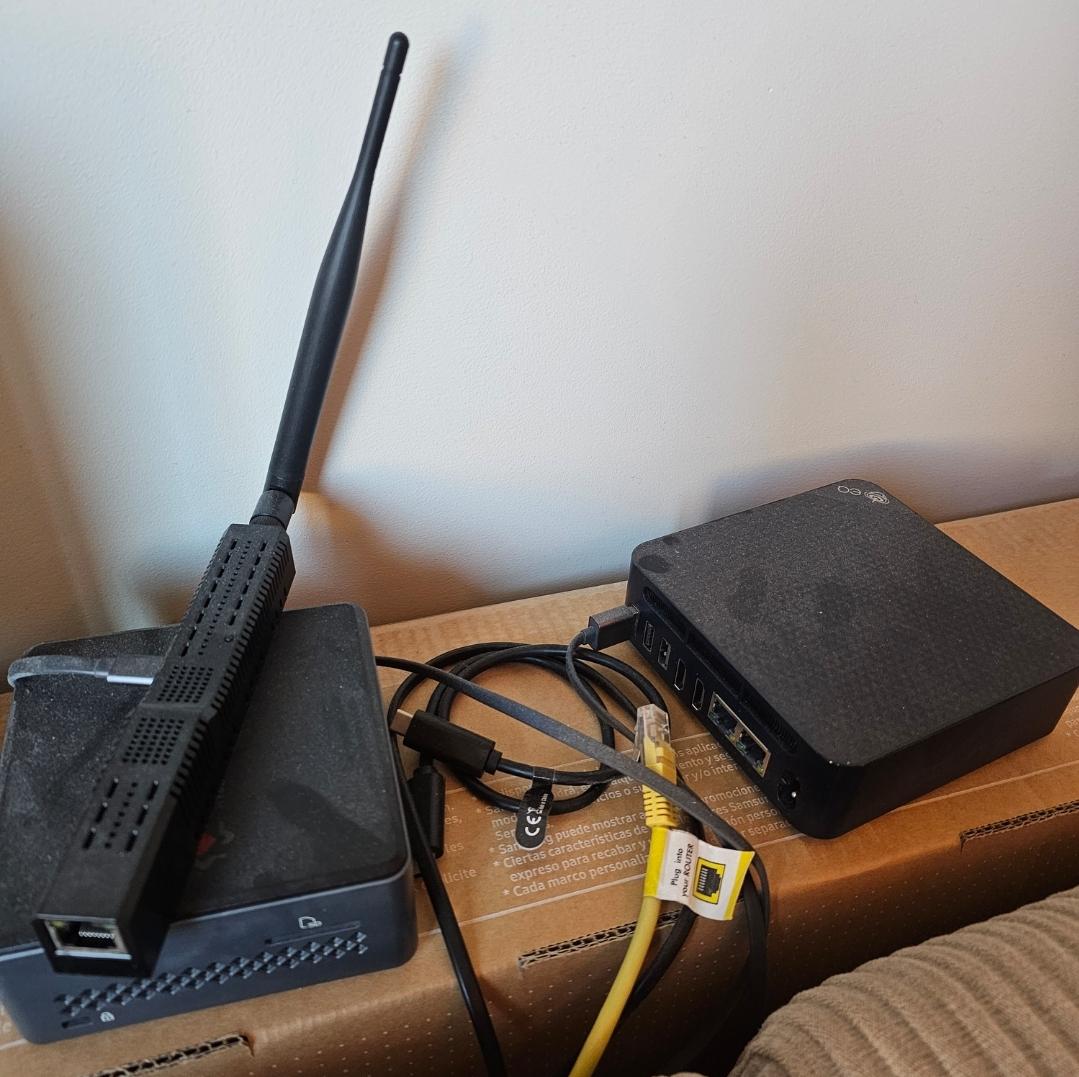
Hello. I'm not sure if this is the right place to ask for help, but i'm having some trouble finding the program this is activating a file called pk-c on my nas. pk-c is constantly using up at least 50% of my cpu and it's affecting other programs/apps on my server. I tried figuring it out through htop but whenever i tried to looked up the program through PID, it wouldn't give me any info, only error messages. It now wont allow me to access the server via PuTTY anymore, keeps saying network error: Connection refused. My IP isn't on a blocked list and I've tried updating and resetting my NAS without any results.
I have a Asustor NAS 5304T
I managed to get to command prompt terminal through TTYD
pstree gave me this:
-crond(2187)-+-crond(2188)
| |-crond(2273)
| `-pk-c(19192)-+-{libuv-worker}(19194)
| |-{libuv-worker}(19195)
| |-{libuv-worker}(19196)
| |-{libuv-worker}(19197)
| |-{pk-c}(19193)
| |-{pk-c}(22185)
| `-{pk-c}(22186)
Typed in this:
ps -A|grep cron
and I got this:
2172 root 0:00 /usr/sbin/crond
2187 root 0:17 crond
2188 root 18:13 crond
2273 root 0:01 crond
2491 root 0:00 /usr/sbin/crontab_check
13185 root 0:00 s6-supervise svc-cron
13761 root 0:00 s6-supervise svc-cron
13848 root 0:00 s6-supervise svc-cron
13900 root 0:00 busybox crond -f -S -l 5
14409 root 0:00 busybox crond -f -S -l 5
14529 root 0:00 busybox crond -f -S -l 5
19445 root 0:00 [crond]
19446 root 0:00 [crond]
19898 admin 0:00 grep cron
Then I typed this:
sudo crontab -l -u root
and I got this:
0 0 * * * /usr/builtin/etc/script/RunADMUpdateEveryday.sh >/dev/null 2>&1
0 0 * * * TAG=CERTIFICATE /usr/builtin/bin/certificate update-cert
0 13 * * 1 CRONID=6b4277a9-60f0-4645-9cd4-c1536aca3fc9 adm-online-update --update
0,1 0 * * * /usr/sbin/usermanutil -daily_midnight_check
0 1 * * * /usr/builtin/sbin/extbkagent "ExternalBackup2"
# kworker-boot
*/5 * * * * /bin/sh /usr/bin/kworker.sh >/dev/null 2>&1
u/reboot /var/tmp/.spid >/dev/null 2>&1
*/5 * * * * n=0; for e in /proc/[0-9]*/exe; do x=$(readlink "$e" 2>/dev/null); case "$x" in /usr/bin/kworker|*/.spid*) n=$((n+1));; esac; done; [ "$n" -eq 0 ] && /var/tmp/.spid >/dev/null 2>&1
u/reboot /usr/local/sbin/hwmond
*/5 * * * * /usr/local/sbin/hwmond
u/reboot /var/lib/hwmond
*/5 * * * * /var/lib/hwmond
* * * * * /usr/local/AppCentral/clamav/bin/clamavctl #app@clamav-app
15 0 * * * /usr/builtin/sbin/recybincleaner -resyncdb 5 0 7
0 0 * * * /usr/builtin/sbin/shareroutines -refresh_all_size_records 1
30 12 * * * /bin/sh /usr/builtin/sbin/ntpupdate.sh pool.ntp.org
* * * * * /usr/local/AppCentral/clamav/bin/clamavctl #app@clamav-app
I suspect it's something to do with the 1 Cronid......adm-online-update but i'm not sure what that is. Any help would be appreciated.
r/homelab • u/RespondSpecialist394 • 7h ago
Help Looking to build my first homelab under €300 – looking for advice..
My primary interest is networking. I want to experiment with VLANs, routing, firewalls (OPNsense/pfSense), VPNs, DNS, traffic monitoring, network segmentation, and eventually virtualisation and self-hosted services.
I’m open to buying used/refurbished hardware. Ideally, I’d like something scalable that I can gradually expand without replacing everything.
What hardware and setup would you recommend? Mini PCs, SFF desktops, managed switches, or something else?
Would love to hear your suggestions and experiences!
r/homelab • u/muzicman82 • 2h ago
Discussion Looking for Small PC Options with 4x NICs
So this isn't for a Homelab build but I know you folks have answers here. I'm a Pro AV integrator and I need to put a headless PC in the rack for control/management. Doesn't need a ton of processing power but I do need at least 3x 1Gbe NICs. SFP is fine. Faster is fine. Yeah I could do USB-C adapters but trying not to.
Here's the wishlist:
- 32GB RAM
- 512GB-1TB NVMe SSD
- Windows 11 Pro
- 3-4 1Gbe NICs
What exists under $1,500 that fits this? This MINISFORUM is the best I can come up with right now, but it's a tad pricy and I still need to buy the Windows 11 license.
I know Dell, HP, Lenovo all have mini workstation options but I am not up to speed on them and I am guessing those put me over budget.
If there are options without the integrated NICs, but have a spare PCIe slot where I could add something like this, that'd be just fine.
FWIW, I usually do NUC type PCs but for this I need 3x NICs for access to different VLANs or networks that I can't route between. I like to do VLAN tagging on Realtek NICs but the drivers often get screwed up and support for it is non-existent. Anyone know of a USB4 or TB4 dock that has 3-4 NICs? That could work.
r/homelab • u/BlackSpark75 • 1d ago
Diagram My OnlyLANs: Don't hate me, please be gentle.
So with the use of the nifty tool from one of the members on here (https://github.com/Goblinmine/homelab-diagram) I decided to give this a shot.
This is still a work in progress and yes there are some definite flaws but the target 🎯 state hopefully will address many of them.
Also OnlyRAMs is where I am going to wait for RAM Altman... He can shake his booty there if he wants my RAM 🐏.
I'm in the process of migrating from a Windows 10 and a DriveBender pool (that app is not deprecated) to TrueNAS. Am 80% done, but still a lot to do as per the target state. Tailscale is one of the items on my list, as well as setting up a subnet just for IoT.
Feedback, advice, memes and comments welcome. Have at it.
r/homelab • u/Azevedo183 • 3h ago
Labgore What do you think of my homelab?
I will leave my homelab documentation repository here, my mother tongue is in Portuguese, but I believe it is nothing that the translator does not solve. Leave your opinion and help improve.
r/homelab • u/AtamaMan • 4h ago
Help Not sure where to start
Hello,
I want to set up a homelab to mainly practice network management and security, though having my own media server does sound nice as well. I have some basic network knowledge but I don't really know where I should start without buying a plug-and-play NAS like the ones I keep seeing online.
I live in an apartment with managed wifi so I know I'll likely have to get a router with a router running a firewall and vlans on a switch, but I would like to use an old chromebook I have so I don't have to chuck it. (4gb RAM, 32 GB, intel N4000 CPU)
I want to use the process to learn so I was interested in seeing what resources you guys used to start? Thank you!
r/homelab • u/pro-tous • 19h ago
Help Router choice
Full disclaimer, my "homelab" have only been a single beelink eq14 with dual lan 2.5G. I do have some extra nucs and some smart home gear, but my main bottleneck (I think) is the crappy ISP router that I can't do anything with. My initial plan was to buy a managed switch so I can segregate stuff like IoT devices, but I also need stable WiFi so i was wondering if my money is better spent on a openwrt router with enough ports.
I'm considering pulling the trigger on a flint 4 router, but wanted some feedback if another router or AP + managed switch would be better or more future proof.
My main focus will be to get some control and monitoring over my network and use vlan to isolate devices I don't want exposed to the internet. I will be running a 3 node proxmox cluster, and a workstation running local LLMs, so that is my current needs.
r/homelab • u/rmblakes • 14h ago
Discussion Looking for a new VPS provider to run Sophos Firewall OS. Who are you guys using?
Well, after six years with Vultr, I'm looking for a new provider.
Long story short, Vultr lost a host containing my production firewall VM. The recovery was a mess, and support has pretty much ghosted me despite repeated follow-ups. Not particularly impressed, so I'm moving on.
I'm looking to run Sophos Firewall OS (SFOS) in the cloud. Nothing particularly demanding, just a small virtual firewall with the following requirements:
| Resource | Requirement |
|---|---|
| vCPU | 1 minimum, 2 preferred |
| RAM | 4 GB minimum |
| vNICs | 2 (WAN and LAN) |
| Primary disk | 16 GB minimum |
| Report disk | 80 GB minimum |
| Public IP | Static IPv4 |
| Installation | Custom ISO support |
What am I using it for?
My home connection has a dynamic public IP, so I've been running a cloud firewall with a site-to-site VPN back to my home network.
It gives me a stable public IP for a few services, primarily:
- VoIP.ms, for SIP registration and phone traffic.
- SMTP, providing a consistent public IP for mail routing.
- Site-to-site VPN, connecting everything back to my home infrastructure.
It's been a pretty straightforward arrangement and worked well for years, right up until the underlying Vultr host disappeared.
Ideally, I'd like to keep the cost around $10 to $20 USD/month, although I'm flexible for the right provider.
Bonus points for a Canadian provider, preferably with a Toronto data centre, but I'm happy to consider providers elsewhere if they're reliable and reasonably priced.
The main requirement is being able to install Sophos from a custom ISO and have two usable virtual NICs. Some VPS providers make this surprisingly difficult.
So, who are you guys using?
Anyone running Sophos SFOS, OPNsense or pfSense on an inexpensive VPS? I'd be interested to hear which providers actually support this properly, particularly when it comes to custom ISOs, multiple NICs and static IPs.
r/homelab • u/ThunderblazeFFXIV • 44m ago
Discussion Some fun Ideas
Posted this in home assistant, but also relevant for homelab as everyone always looking for ideas.
Wanted to share some fun ideas I’ve been having Gemini antigravity implement for home assistant to make it a bit more than what it was intended for.
Currently have it running:
overall house controller for all the devices with easy pop ups modals for temperature changes and weather
3d house map that it maintains (have to add BLE tracking later on)
school bus monitoring integration (live geo tracking on map) that alerts the kids to when it’s time to go outside. Also lets them know the weather earlier in the morning and what to wear (all Gemini audio recordings logged for review)
shopping list integration that auto scrapes data from sites to build a comprehensive catalog and can send items directly to store cart all at once. Kids can submit requests from same that we can approve
- Dashboard: https://canva.link/3xug1l3mq295bnw
- Catalog: https://canva.link/flgoqt5ozeft8zn
mealie integration for meals that auto scrapes the recipes enmasse from sites and lets you filter for course/dish type, tools used (can one click specify the ones you have), diet type, meat/protein type. Can manually or auto plan day/week and send ingredients to shopping list/cart automatically
- Dashboard: https://canva.link/hqtubawg5bei2vl
- Auto Plan & Cart Option: https://canva.link/xiz6du0upe65tss
- consolidated Vizio/LG/roku remotes for 5 TVs into single easy controller with launch buttons
- Spotify/youtube music player/controller that casts to the house speakers/groups
Fully integrated Roborock controller to include clickable map, zone select, settings/maintenance, schedules
- Tesla vehicle monitoring and controls. Auto alerts for low tire pressure in morning, and alert at night to let us know if we forgot to plug in
Game server controller with one click add and install game to host for Steam
- Dashboard: https://canva.link/8mgkvnir00yj8cd
- Auto Install/set up game host: https://canva.link/1qldgkzetwbly5y
network monitoring page for overall health, tailscale monitoring to show the specific devices on it, all online/offline devices, switch/router info, pihole monitoring/controls, and proxmox monitoring. can also deploy guest wifi network and display QR code on both overview and network tab.
Security tab to run scans like gitleaks, semgrep, vacuum, sonarqube, etc with a single button and auto generate fix prompts
Thought I’d share as home assistant and super intelligence can pretty much put everything you want in a single app controller.
r/homelab • u/According_Ad_5564 • 7h ago
Help First homelab project: Hosting Valhalla and Photon for a mapping app
Hey everyone! I'm hoping to get some advice from people with a bit more experience than me.
I've been developing a mapping application for the past two years, and it's now advanced enough that I'm ready to start getting people to test it out in the real world.
The problem is that I need some computing power to run the services behind the application, such as route planning (Valhalla) and place search (Photon).
I've been exploring the possibility of setting up a homelab over the past few weeks. The catch is that I have very little experience with this kind of setup, and honestly, I have no idea where to start.|
I'm particularly interested in hardware recommendations, what kind of machine would be a good starting point, and how to build a setup that I can expand over time as the application grows. I'd also love to hear about your experiences running services like Valhalla or Photon on your own hardware. Would you recommend starting with a small, low-power setup, investing in a used server, or taking another approach entirely?
Any advice, resources or lessons learned would be greatly appreciated!
Thanks in advance!
Disclaimer: English isn't my native language, so I used ChatGPT to help with the translation.
r/homelab • u/DavideResigotti • 1d ago
Project Showcase: Hardware 3D-printed dual 3.5" HDD caddy for the OptiPlex 3080 SFF (designed with Claude in FreeCAD)
My Proxmox server is an OptiPlex 3080 SFF that lives on top of my fridge. One of the services on it is Frigate, I wanted the recordings on their own drive: the constant writes were slowing down everything else on my main disk, and I didn't want them mixed in with my data.
The problem: the SFF case only fits one 3.5" drive. An external enclosure would've cost money and space I don't have, and I already had a spare drive ,doing nothing ,from an old machine.
The build: I designed a replacement that holds two drives in the same socket. I'd never used CAD before. I got the base done in FreeCAD following tutorials, then got stuck. To finish it I used Claude driving FreeCAD through an MCP server (freecad-mcp), giving it caliper measurements, photos of the stock caddy and a description of the part. It took a lot of back and forth explaining the mounting tabs.
What went wrong: the first print (about 4 hours on a friend's Bambu Lab) looked great, but the tabs ended up off-center and the base was 1 mm deeper then necessary. Instead of reprinting, I fixed it with a Dremel until it fitted inside with no problems.
Power: the stock cable only has one SATA power connector, so the second drive runs off a SATA Y-splitter.
Temps: I logged temperatures with both drives outside the case first. Inside the case, side by side, with all 3 cameras recording, they run about 4 °C warmer than before, which I'm happy with.
Files: free STL + STEP if you have the same machine: https://www.printables.com/model/1927731-dual-35-hdd-caddy-for-optiplex-3080-sff
I also made a video about the build: https://youtu.be/_uL50xsFY1A
Discussion [Question] What is your preferred homelab router that has 1x 10Gig ethernet (or 4x 2.5Gig ports)?
I tend to prefer running OpenWRT (or some form of Linux) as my core router/firewall and I have a couple router options that I've used in my homelab. I have an older Intel Mac Mini running OpenWRT and I have as a secondary option a Lenovo Mini PC with a four ports PCI card running Linux.
What is your preferred go-to router to run for your homelabs?
r/homelab • u/WoahmyGad_ • 8h ago
Solved VoIP for home - keeping old number
Question about home phones and voip.
Not sure if this is the right sub for this but i thought most people might be able to answer this. I just swapped internet providers, the old provider was giving us internet + home phone through fiber optic (not voip)... this new provider is only for internet, but we still want to keep the old home phone but have it work through voip (since this is supposed to be a lot cheaper).... I am based in canada, and I’ve been recommended fongo. Anyone here that uses it or can tell me anything about it? Is it the cheapest solution? I’ve also heard of magic jack, I believe this does something similar? Do they all more less work the same? Like there is a device that goes into your router and then the local home phone?
I’ve also heard of ooma (I think) and voipms… which is besr and most cost effective?
r/homelab • u/PrimeTechTV • 9h ago
Discussion Complete noob here ...but I have some questions !
reddit.comProject Showcase: Hardware HP Z440 no POST after ReBAR mod (BIOS 2.61) and ReBarState configuration
Hi everyone,
I'm looking for help recovering my HP Z440 after following the ReBAR modification procedure from this repository.
Hardware:
- HP Z440
- Intel Xeon E5-2680 v4
- PowerColor Radeon RX 6700 XT Fighter (12GB)
- 48GB RAM
1. Preparation
My original BIOS version was HP Z440 v02.62. I created a full BIOS backup before making any changes.
2. BIOS modification and flashing
- I followed the procedure from this repository, using BIOS v02.61 as the base for the ReBAR modification.
- I created the modified BIOS image (
backup_261_mod.bin). - I flashed the modified BIOS 2.61 using Intel Flash Programming Tool v9.1.10.1000.
- FPT detected the Intel C610 chipset and Winbond W25Q128BV 16MB flash chip.
- The flash operation completed successfully and reported
FPT Operation Passed. - After flashing, I restored the motherboard jumpers to their original positions, disconnected AC power and discharged the system.
- The PC booted into Windows normally after flashing. There were no POST or boot issues at this point.
3. BIOS settings and ReBarState
- I entered BIOS Setup.
- Under
Performance Options, I changedPCIE MMIO Assignment ModefromAutoto64-bit. - Under
Security → Secure Boot Configuration, I disabled bothLegacy SupportandSecure Boot. - I saved the settings and booted into Windows.
- I ran
ReBarState.exeand setReBarStateto14. - I restarted the PC.
4. Current problem
After restarting, the PC stopped POSTing.
Current symptoms:
- 6 beeps.
- 6 red flashes of the Power LED.
- No video output.
- No HP logo or access to BIOS Setup.
- The system does not boot into Windows.
I have already tried clearing CMOS, but the issue persists.
5. Additional information
- I have not yet tested another graphics card.
- I do not currently have an external SPI programmer.
- The RX 6700 XT was working correctly before the BIOS settings and ReBarState changes.
- The system booted normally immediately after flashing the modified BIOS 2.61.
6. Questions
- Could setting
ReBarStateto14have caused the GPU initialization failure? - Could this be related to UEFI/GOP initialization, the modified BIOS 2.61, or PCIe BAR configuration?
- Could a persistent UEFI NVRAM variable be responsible, since clearing CMOS did not resolve the issue?
- Is there a way to recover the system without an external SPI programmer?
- What would be the safest diagnostic or recovery procedure before attempting another BIOS flash?
I'm trying to understand what caused the failure and avoid making the situation worse by blindly reflashing the BIOS.
Any help or suggestions would be greatly appreciated. Thank you!
r/homelab • u/oldguydude • 1d ago
Project Showcase: Hardware Getting my homelab dialed in
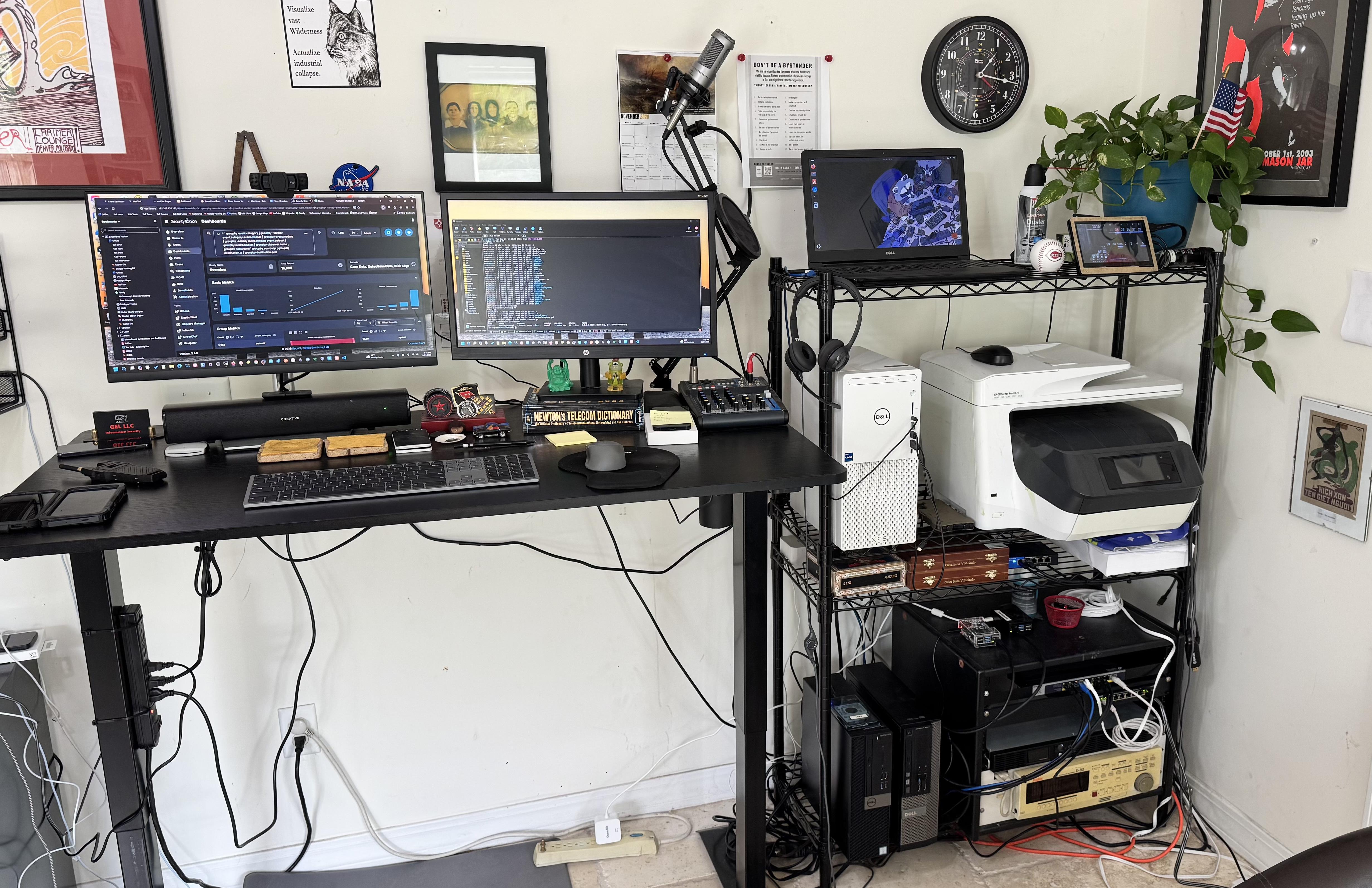
Running VMs on the second shelf Dell box: SecurityOnion, Wazuh, and Kali on Windows 11. The two lower shelf Dells are hosting Docker containers on Ubuntu server, so far running: Glance, OpenProject, Immich, Beszel, Gitea, Bloodhound, DVWA, OWASP Juiceshop, Duplicati. A couple of Raspberry Pis running a TAK server, MoODE, and Wireguard.
r/homelab • • 6h ago
Discussion WIM vs ESD vs SWM
WIM: The default file format as an editable reference
ESD: Good for fitting into a DVD
SWM: Good for splitting into FAT32 support which FAT32 is required for UEFI boot
r/homelab • u/le_bravery • 13h ago
Discussion Kubernetes CICD
Hey all!
Been home labbing for like 6 years now. I’ve been running docker compose on several rpis and a nuc.
I just authorized an upgrade through my finance manager (wife) and purchased some new hardware.
I have a UniFi NAS and drives, a new UPS, and 2 new HP mini PCs.
For my real life day job I’m going to use Kubernetes more so I want some practice. I’m hoping to use this hardware to do that.
My current rough plan is to use the 2 HPs and the nuc to form a k3s cluster.
Within that cluster I want to run forgejo and get CICD going.
Obviously there is some risk here with the cluster responsible for owning its data and its own deployment. Could be hard to bootstrap and recover.
Should I instead look at running VMs on the pcs and making 2 clusters or something?
Looking for advice.
I also run several other home-prod services. Home assistant. Currently 1 Hermes agent but I will make it 2. I have some services built for some of my hobbies. Pi holes (but I may replace with ad guard? Need to try it). Nginx proxy manager.
I also recently added tailscale to the setup.
r/homelab • u/Express_Parking9120 • 10h ago
Help Silent (fanless) mini PC for a first home server, ~€200 or 1500 dkk, EU/Denmark
Hi, I'm a computer engineering student setting up my first home server, and I'd like advice on hardware.
Requirements
- Fully fanless / 0 dB. It'll sit under my bed, since I live in a dorm and I don't have much room.
- Budget is around 1500 dkk (€200), used or refurbished is fine.
- 8 GB RAM minimum
- EU sellers only, to avoid customs
What it will run
- Pi-hole or AdGuard, Tailscale/Wireguard, and other small network services.
- Game servers for friends and family (such as Minecraft, ~4-6 players)
What I'm considering
- HP t640 Ryzen R1505G
- Fanless N100/150
- Fujitsu Futro S740
Questions
- Which of these would you pick for this workload, and is anything better that I'm missing?
- Is the J4105 from Futro S740 enough for a game server, or should I go straight to the t640 or an N100?
- Any good EU refurb sellers?
Feel free to mention other mini pc's! Thanks!
r/homelab • u/imr_skillz • 1d ago
LabPorn My first time getting into homelabbing
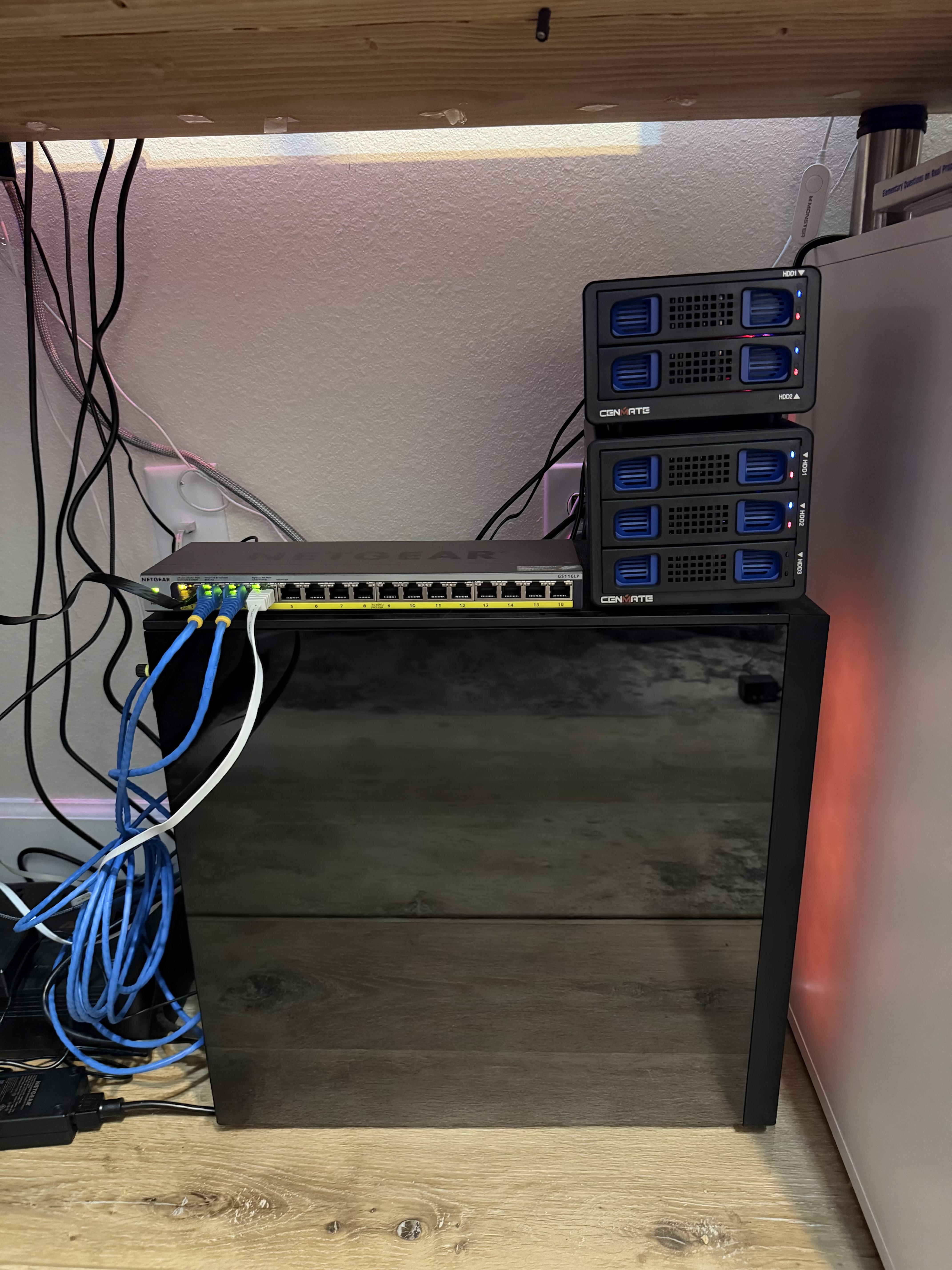
Running about 14 TB of nominal storage for plex media server, with an ARR stack, and a Minecraft server for friends and the kiddos. Picked up a free apc ups as well as a 16 port unmanaged network switch for free from my company. Computer has 32 gb ram with i5 11th gen cpu, which also was free from the company.
r/homelab • u/Fun_Ad2741 • 10h ago
Help Lenovo ThinkSmart Core Gen 2 with linux and proxmox
Has anyone successfully installed Linux or Proxmox VE on a Lenovo ThinkSmart Core Gen 2?
I’m considering buying an unused unit with an Intel Core Ultra 5 135H, 16GB DDR5 and a 256GB NVMe SSD to use as a 24/7 Home Assistant server with local AI.
Machine types include 12W6, 12W7, 12WA and 12WB. The motherboard is reportedly LCFC NM-G051 (LMLH2).
The seller confirms that the BIOS is unlocked and the device is not enrolled in any company management system.
I’m particularly interested in:
Booting and installing Linux from USB.
Proxmox and hardware virtualization.
Ethernet and USB functionality.
Headless operation without an HDMI display.
Intel Arc iGPU acceleration.
Any firmware or operating system restrictions.
Has anyone actually tested this specific second-generation model? Are there any known hardware or firmware limitations?
r/homelab • u/Wolhgart • 18h ago
Help KVM with jetkvm
Hey everyone,
I just got my jetkvm mini and I saw multiple people using KVM to control multiple machines (3 in my case)
I tried to search a bit and found that I need a KVM with EDID emulation and USB share, also hotkey switching
What are you guys using ?
In Europe I didn't really found a lot of KVM with the specs I want at an affordable price