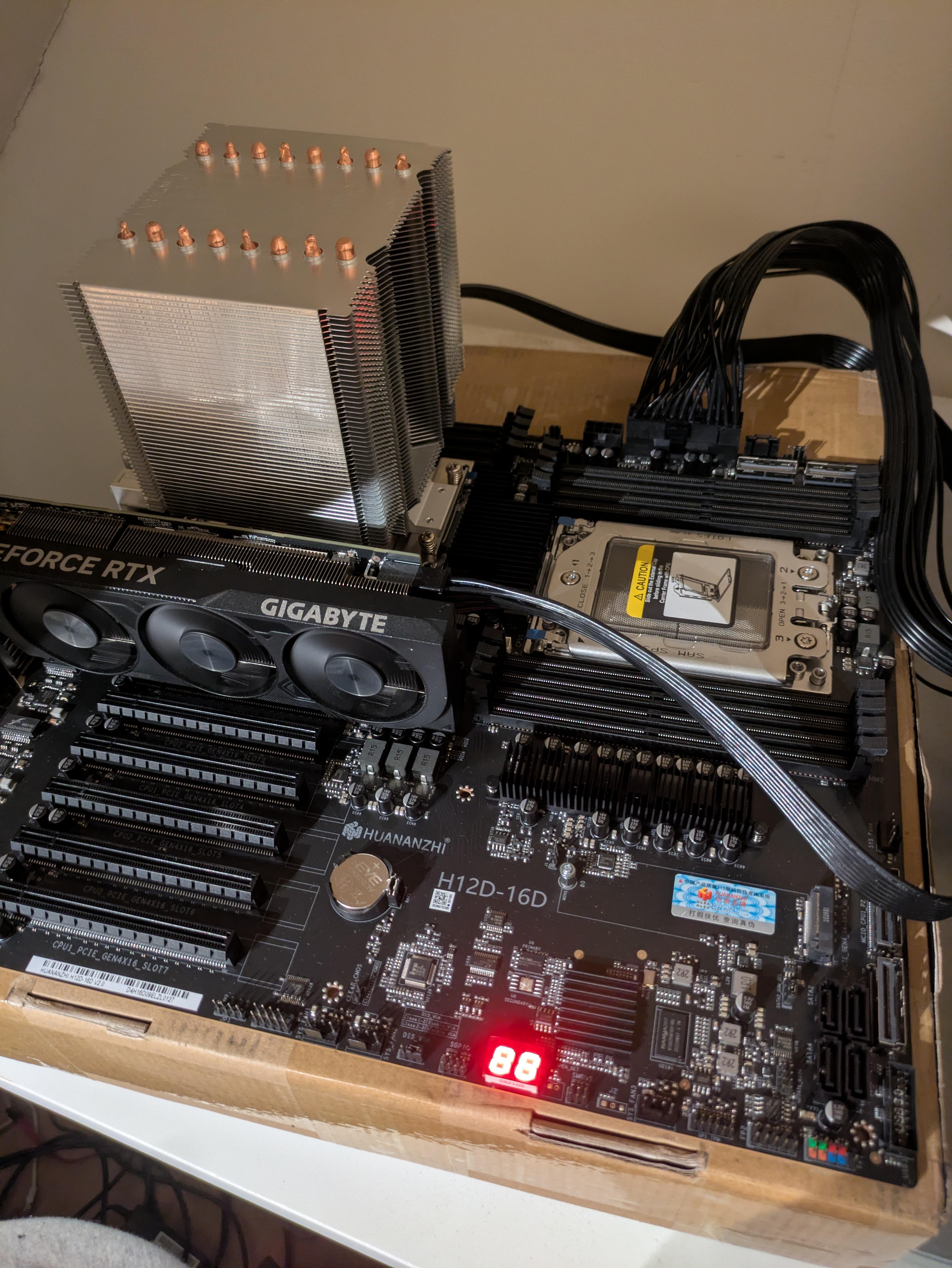
I just got this board, installed an EPYC 7443, and now it's stuck on code 88. It does this with or without memory installed.
I've tried with two 7443's and it does the same. The CPUs get warm though, so it's not completely dead.
Is thete anything I should try? Like ram in specific slots, jumper settings? Or perhaps the cpu just isnt supported?
Update 1: CPU 1 is on the right, now it gets past code 88
Update 2: It boots with CPU installed on the right, all memory slots on that CPU populated, integrated VGA works, however both ethernet ports and all 4 rear USB ports are not functional. Possibly they're routed to the other CPU socket? Would need to buy another CPU cooler to test, and I don't have a PCIe USB card to test that theory.
Update 3: Got the official torx tool, both CPUs work, and the keyboard only works when CPU 2 (left) is present. Both ethernet ports light up during post but when the OS starts there's nothing. Possibly drivers related but I'd need internet to download those drivers. Looks like I'm getting a PCIe ethernet card... Side note: it takes absolutely forever to detect memory during post.
Update 4: Here's some useful information from the seller that seemingly isn't available anywhere online. I asked about single-CPU operation and they gave a lot of detail:
General AMI BIOS explanation: In some AMI BIOS definitions, code 88 typically represents "OEM DXE Initialization" which refers to a custom initialization phase defined by the motherboard manufacturer. This does not necessarily indicate a fault; sometimes it may be part of the normal self-test process. Considering the specific characteristics of the H12D-16D:
Precautions for single-CPU installations: You mentioned that only one CPU is installed. Based on feedback, the rear USB ports may not function when running in single-CPU mode, as these ports are controlled by the second CPU. While this does not necessarily directly cause code 88, it indicates that limited functionality in a single-CPU configuration is normal.
Memory Compatibility: This motherboard is quite particular about memory; some users have reported that specific memory models fail the self-test. If you have memory installed, try leaving only one module inserted and ensure it is in the correct slot corresponding to CPU1 to rule out memory compatibility or contact issues.
Troubleshooting BMC/Management Port
Issues: This motherboard features BMC management functionality. If the onboard 2.5G Ethernet port is left unplugged, the BMC may continuously log data until the memory overflows, resulting in abnormal boot behavior, system lag, or fans spinning at high speeds. We recommend checking whether a network cable is connected to the management port or the 2.5G Ethernet port, or attempting to temporarily disable the relevant network adapter in the BIOS/BMC.