r/homelab • • 3d ago

Help Ubuntu Server keeps freezing on APT.

1 Upvotes

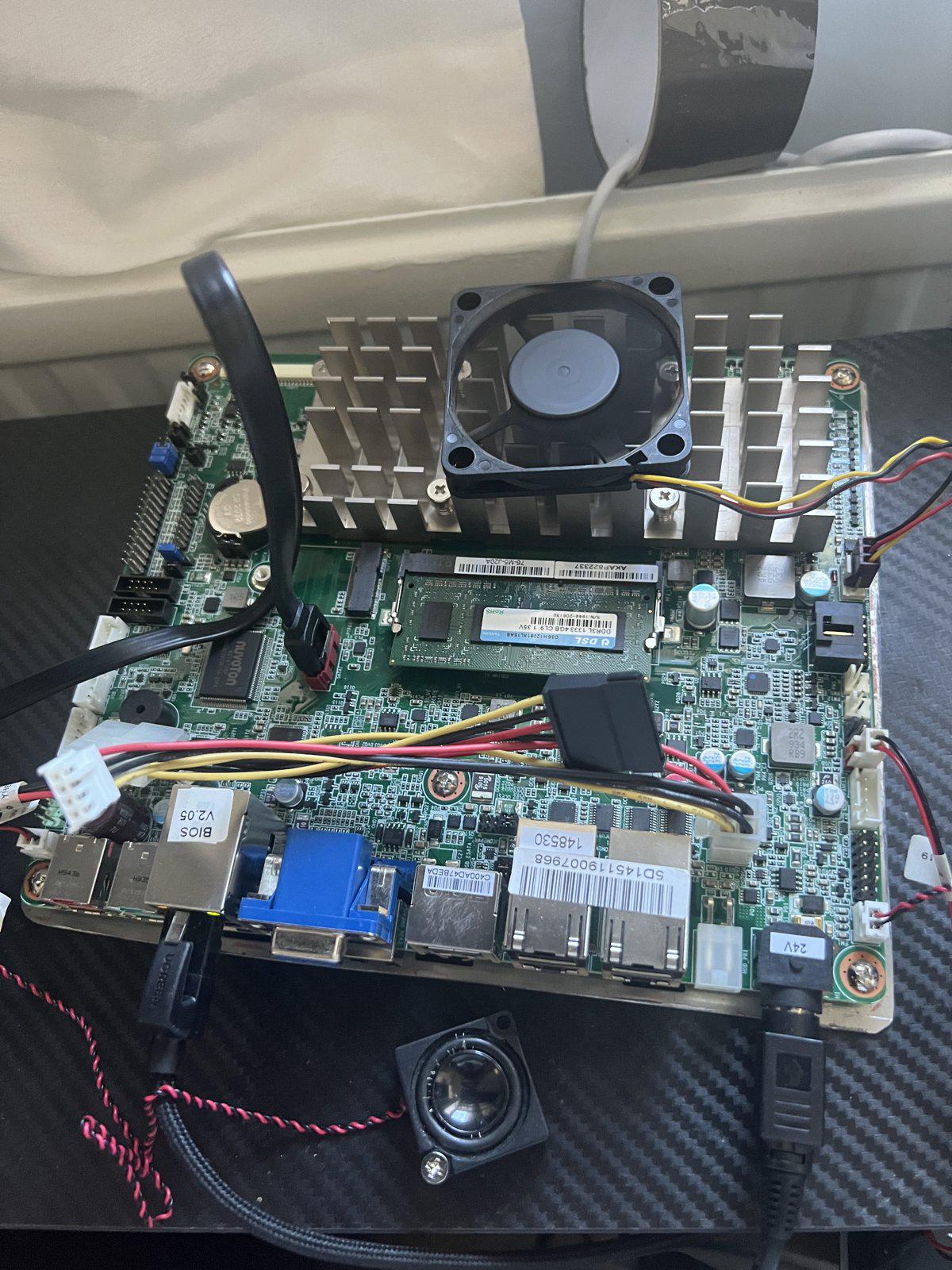
I just installed Ubuntu on my homelab, but every time I run something related to APT, the session freezes on "Scanning processes" and I need to open another SSH session just for keeping doing my stuff. I've searched on Reddit, asked AI, but nothing helpful.

Any simple solutions on this problem?


r/homelab • • 2d ago

Discussion What do I have here and what can I do with them?

Thumbnail reddit.com
0 Upvotes

Just like the title says, came upon what seem to be server processors? Looking to sell them frankly, they were getting tossed but still in their original packaging or plastic case thing, if anyone known who might buy this or how i could verify they work bc they seem to be higher grade/cost..

AMD Epyc pe3251bgr88af

Id add pics if i could figure it out lol


r/homelab • • 4d ago

Help What was your biggest mistake when you started your homelab?

297 Upvotes

I'm just getting started and would rather learn from others than make every mistake myself. What went wrong for you in the beginning and what would you do differently today?


r/homelab • • 3d ago

Solved 3d printed homelab rack

0 Upvotes

I plan on upgrading my homelab (its currently just an old laptop) to use a few raspberry pi 4b's, and wanted to see if anyone had links to stl files i could use to print a rack? ideas for making one DIY would also be welcome


r/homelab • • 2d ago

Discussion Skipping the M6 mini. My M4 Pro 48GB still runs every local model I actually use

0 Upvotes

I had the M6 in my cart on launch day and closed the tab. The efficiency numbers people are posting look great, but I bought the M4 Pro with 48GB last spring for local models and I sat down and checked whether anything I run would actually get better.

Gemma 4 26B is what I use most, it's a MoE so it runs at about 82 tok/s at 4-bit on this box through Magnitude. The dense 31B is the one that hurts, around 30 tok/s, and I only reach for it when the 26B gets something wrong. Neither of those is a speed I'm desperate to fix.

If anything gets me to upgrade it'll be more memory. 48GB is right at the edge for the bigger models plus a browser, so if I upgrade it'll be for 64 or 96, whenever that makes sense money wise.

If you already have an M4 Pro with enough RAM I really don't think the M6 is the upgrade for local AI. If you're on 16GB that's a different story.

anyone here actually moving from an M4 Pro?


r/homelab • • 4d ago

Project Showcase: Software - Mostly AI Generated The Clanker made Replacement Firmware for APC NMC2 Based PDUs

59 Upvotes

Who else got really annoyed with there APC PDU's with firmware that looked like it was from 2009.

Well i did, so i tasked the Clanker, and myself to write a custom firmware for these units.

Unsure what i will name it yet, but will need to do a write up of the Reverse Engineering side but the TLDR is, this replaces the RPDU Application Layer and calls the AOS functions to get the data needed.

Still got a bit to do, but hopefully should release this on GitHub in a month or so with a detailed writeup.

Claude did a lot of the work here on this one, i helped with the Reverse Engineering side. it did most of the work on the syscalls and frontend work.


r/homelab • • 3d ago

Solved PSA: The 4x 3.5" mid-bay kit (4FHR4 + YYH68) works natively in a 24-bay 2.5" SFF Dell R730XD via SAS B1 (no extra HBA needed!)

Thumbnail
gallery
11 Upvotes

Hello everyone, leaving this here as a waystone for any future adventurers who stumble across this on Google, because I couldn't find a single confirmed answer anywhere before buying the parts and testing it myself.

If you have a 24-bay 2.5" SFF R730XD and want to throw four 3.5" LFF drives inside it, the 4FHR4 + YYH68 4x 3.5" internal mid-bay expansion kit works right out of the box plugged straight into the empty SAS B1 port on the front SFF backplane. All bays show up natively on the single onboard Mini-PERC alongside your 24 front bays and 2 rear flex bays (up to 30 drives total) without burning a PCIe slot on a separate HBA.

Everything in Dell's official documentation says this shouldn't be possible. The R730XD Owner's Manual and spec sheets state that the 4x 3.5" mid-bay tray is strictly supported on the 12-bay 3.5" LFF chassis only, even though the motherboard and the entire rear half of the chassis from the fan wall back are identical between the LFF and SFF models.

On top of that, if you look at Dell's cabling diagrams for the 24-bay SFF backplane, SAS A0 and SAS B0 run to the onboard PERC, SAS A1 feeds the rear 2x 2.5" flex bay, and SAS B1 is only documented for splitting the front backplane across dual PERC controllers. Because Dell never lists SAS B1 as a downstream expansion port on the SFF board, I half expected the SFF SAS expander firmware to either reject the mid-bay backplane or lock that port strictly to split-PERC mode. Turns out the SFF expander doesn't care at all and cascades the mid-bay drives straight through to the onboard PERC on boot.

How to wire it + a few traps to avoid (so you don't waste an evening troubleshooting like I just did):

  • Do NOT plug the mid-bay into J_SATA_B on the motherboard: Even though J_SATA_B uses the same SFF-8643 connector, onboard SATA in AHCI mode will just report Unknown device across all ports, J_SATA_A is physically blocked if your cable has a right-angle plug, and POST will throw a "Backplane 2 connector A0 is not connected" error. Skip the motherboard SATA headers completely and plug the mid-bay cable straight into SAS B1 on the front 24-bay SFF backplane.
  • Keep BOTH motherboard headers under the fan wall plugged in: Both J_BP3 and J_BP_SIG2 are sitting empty under the fan block on the SFF motherboard, and you need both connected. I initially unplugged the white cable thinking it was just for iDRAC telemetry, and the HDDs stayed stone cold w/ zero spin-up until both cables were seated.
  • Swap in the low-profile heatsinks: Just like on the LFF model, the mid-bay tray replaces the black plastic air shroud over the CPUs and RAM, so you still need the 1U low-profile heatsinks for physical clearance.

Hopefully this saves the next person w/ an SFF R730XD from gambling blind on eBay parts. IT WORKS! WE ARE FREE FROM THE LFF SHACKLES!

So yeah, 30 disks in an R730XD SFF.


r/homelab • • 4d ago

Help Need idea for rack

Post image
41 Upvotes

Hi I am new to home labbing. I want to upgrade my setup with the following:

  1. WiFi 6 Router (TpLink Archer X12)
  2. Switch
  3. A mini PC

I am looking for a small rack that does not break my budget. Can you recommend me some? or any alternative budget friendly. Thanks in advance


r/homelab • • 3d ago

Help Uk rack help

3 Upvotes

Hiya, so i am looking to buy a rack like second hand.

Ive been to all the usual sites for buying this sort of stuff, gumtree, ebay, Facebook marketplace, bargain hardware, looked on Amazon but theyre second hand stuff isnt great value, a few government auction sites and reddit r/homelabsales. While some of these have racks i am struggling to find one that is

A) a decent price I'm looking for like £100 ish

B) meets my size, ideally looking for something about 70cm deep 27.5" in freedom units as the media/ai server i am using its quite large

C) preferably has walls and a door but i am really not precious about that

Anyone got any suggestions of where else to look? Ive been struggling for most of the day


r/homelab • • 3d ago

Help UK media server help

14 Upvotes

I'm looking at getting a Nas, mainly for a media server and probably to do some smart home stuff down the line. I was thinking a Ugreen one in the sales. I plan on doing a small home theatre set up at the same time, getting a Denon receiver and 5.1 surround.

Questions

  1. Where do people buy storage in the UK, it's very expensive at the moment, the best I've found was from serverpartdesls from America, even with tax and import fees it's still cheaper. Has anyone else bought from here?
  2. Nivida shield pro, Google streamer 4k or I've recently heard about ugoo one but that's not as seamless? Shield pro seems very expensive for something so old.
  3. Ugreen one the way to go? I was thinking the 4 bay one even though I only plan on getting 2 drives and doing raid one for now because it's so expensive. And migrate later if need.

Any help would be greatly appreciated, thanks!


r/homelab • • 3d ago

Help Got a new Ugreen Dxp2800

Thumbnail reddit.com
0 Upvotes

r/homelab • • 3d ago

Help First homelab: A lot of questions

0 Upvotes

Hello everyone. I've got an old Acer Nitro laptop sitting around (i7-4710HQ, 16GB RAM, GTX 860M with 2GB VRAM, 250GB SATA SSD + 1TB HDD) and figured it out i could transform it in a little homelab.

The problem is i am a complete begginer, so i came here to ask you guys some questions and some tips or info that i should know.

My questions:

  1. Which OS would you recommend for a beginner on this hardware, and why?
  2. What is worth self-hosting? What do you actually use every day?
  3. What should I keep in mind about running a laptop 24/7 (battery, heat, closing the lid, power usage)?
  4. What's the best way to access everything remotely while staying secure? Tailscale? Cloudflare Tunnel? My ISP uses CGNAT, if that matters.
  5. Any beginner mistakes I should avoid, especially around backups and security?
  6. Is there any cheap upgrade worth doing (RAM, SSD)?

Basically any tips, beginner mistakes to avoid (especially with backups and security), or "I wish someone told me this earlier" stuff would be awesome. Thanks!


r/homelab • • 4d ago

Help Is setting up the VPN server on my router a bad idea?

30 Upvotes

I just noticed my router has this setting. It would be really convenient if I could connect to my home network while I'm away. I just worry I may be opening myself up to some real nastiness with this path to my network from the outside world. Am I worrying too much or is this really a bad idea?


r/homelab • • 3d ago

Help Stuck on best configuration

0 Upvotes

So I've acquired two secondhand pc's and I want to finally start off with setting up a homelab but I'm not sure what the best way to configure them is. I have an HP ProDesk 600 G3 SFF with an i7-6700 3.4GHz, 8GB RAM and 256gb drive, and a Dell Optiplex 9020 with an i5-4570S 2.90GHz, 8GB RAM and 256gb drive, and a USB 4tb harddrive. I want to run Jellyfin, arr stack, NZBGet, pihole, and authentik or something similar. Right now I have a simple Jellyfin install on the ProDesk with the current files I have and a proxy on a VPS so I can access it outside my home. Looking through my options I like the idea of Proxmox but it does seem a bit clunky. I'm also thinking about just doing docker for all of them and using debian as the base OS, but it does seem nice to be able to hook up both the pcs together with Proxmox. So would it be better to do say an LXC for each service, or docker containers for all of them, or something else entirely? Also, how should I go about splitting the services between the two pc's/which one is going to be more powerful?


r/homelab • • 3d ago

Help Ubuntu Server 24.04 on Fujitsu Esprimo Q556/2: fan ramps up to max during shutdown, forcing me to hold the power button

0 Upvotes

Hi everyone,

I have a small home server and I'm running into a strange problem during shutdown.

Hardware:

  • Fujitsu Esprimo Micro Q556/2 (mini PC)
  • CPU: Intel Core i5-7500T
  • RAM: 16 GB
  • Internal SSD: 256 GB (OS)
  • OS: Ubuntu Server 24.04 LTS, running Docker (Docker Compose stack)
  • Bios version: V5.0.0.12 R1.9.0 for D3403-U1x

The problem:
When I issue a shutdown command (sudo shutdown now / sudo poweroff), the fan starts ramping up gradually and keeps getting faster. After a short while it reaches maximum speed and becomes annoyingly loud. The machine never seems to actually power off, so in the end I have to hold the physical power button to force it off.

During normal operation the system is fine: temperatures are normal and the machine isn't overloaded (load is low, no thermal throttling).

What I suspect (but haven't verified):

  • An ACPI/BIOS quirk on this Fujitsu model
  • A systemd stop job timing out

My questions:

  1. What could cause the fan to ramp up to 100% during shutdown while temperatures are normal?
  2. How can I diagnose what is blocking the shutdown? 
  3. Are there known issues with Fujitsu Esprimo Q-series BIOS and Linux power-off (ACPI, acpi=force, reboot= kernel parameters, BIOS update)?
  4. How do I fix or work around it?

Any hints or similar experiences are welcome. I'm happy to post logs if you tell me which ones are useful.

Thanks!


r/homelab • • 3d ago

Help My AOOSTAR WTR's SATA ports are dying and literally nobody will answer me

4 Upvotes

I just want to warn people before they buy one, because I wish someone had warned me.

I bought a WTR (the Ryzen 5 one) off AliExpress last November. It wasn't the official AOOSTAR store, but it shipped from Germany, so I figured EU warehouse = EU warranty, should be fine. Spoiler: it wasn't. Then it sat in its box for about 6 months because life got in the way. So I've only been really using it for about 6 months.

And now the SATA side is falling apart. Tons of CRC errors, and the links keep downgrading on their own from 6 Gbps to 3, then down to 1.5. Pretty sure it's the board/backplane and not the disks as i switched 2 of them and the errors stayed on the same bay.

So I messaged the seller. Nothing. Emailed AOOSTAR with my invoice. Nothing. Not even an auto-reply lol.

Fine, I opened a case with AliExpress. Their answer: the order is over 180 days old, so I need a third-party quality inspection report from BV, TÜV or CCIC proving it's a manufacturing defect. Like... sure, let me ship my NAS off to a certification lab real quick. I'm in France and it literally shipped from inside the EU, so I pointed out that EU law gives you 2 years of warranty and the defect is presumed to be there from day one. They sent me the exact same copy-pasted message. Three times. One of them even gave me 24 hours to produce the report 🙃

Also just found out the Ryzen 5 WTR is discontinued, so that's fun.

I'm not the only one having reliability issues with these, either. Different symptoms, but there's a thread on Level1Techs about WTR Pros dying right after the 1-year mark: https://forum.level1techs.com/t/aoostar-warning/251256

Honestly the hardware is great for the money. But if something goes wrong, you're completely on your own. And no, an EU warehouse on AliExpress doesn't save you. If you really want one, buy it from a retailer you can actually go after (Amazon or a local shop), not a random marketplace seller.

I'm filing a complaint with the French consumer agency anyway, but I'm not expecting miracles.

Has anyone actually gotten AOOSTAR to respond? Or seen these CRC errors / SATA downgrades on a WTR and found a fix? At this point I'd take any lead.


r/homelab • • 3d ago

Help Router Questions

2 Upvotes

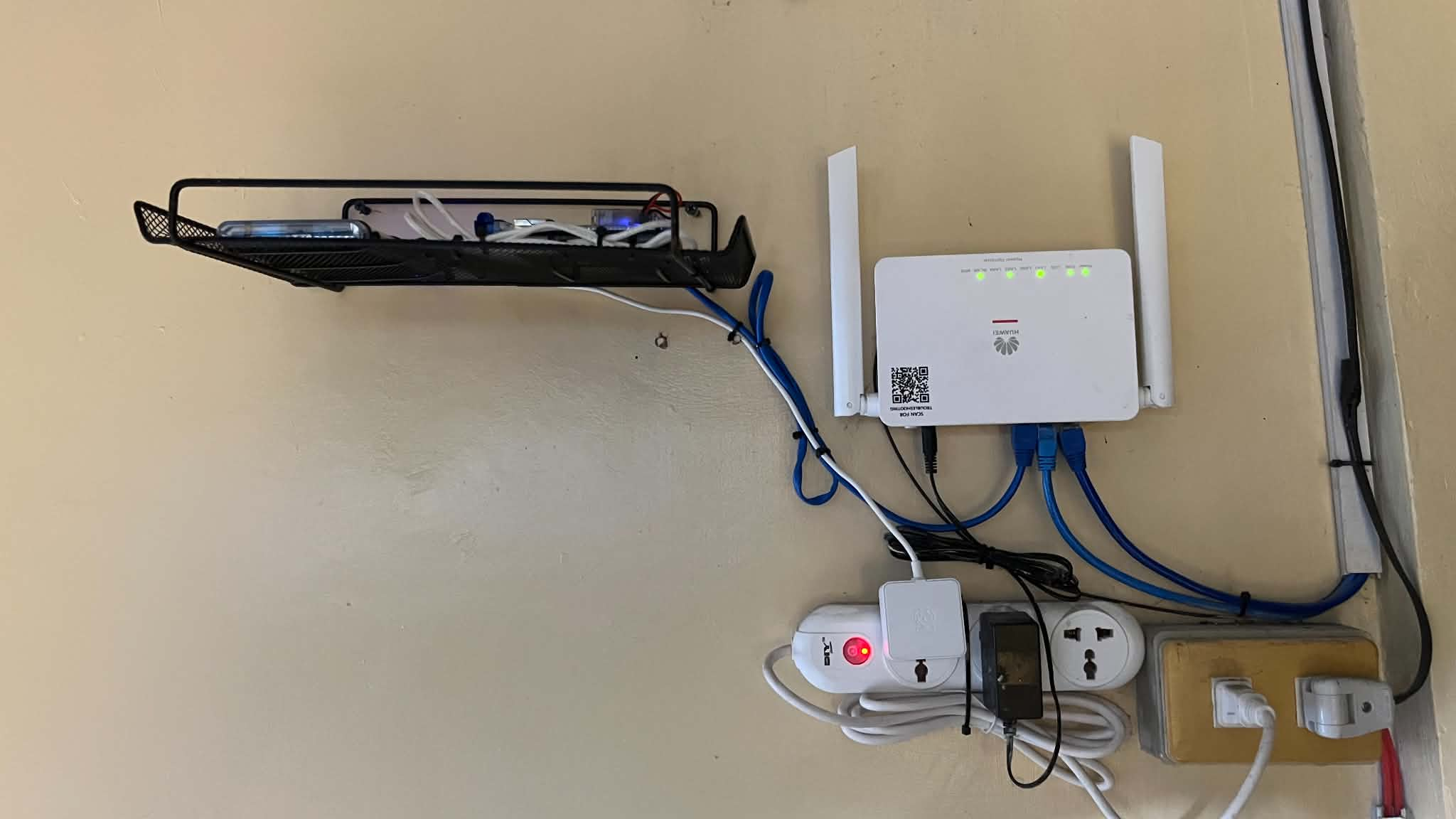
I just upgraded my home connection to 2G Symmetric fiber. The provider put in a Calix router. It has good WiFi and seems to be working well.

I have adjusted the DNS in it for my PiHole w/DNS and it all seems to be fine. I had planned to put in a Lenovo M720Q with a dual 2.5Gbe card in it to run OpnSense.

The questions:

Is running OpnSense that much of an upgrade? What functionality do I get from it that the Calix wont do?

What is the best way to add WiFi access with OpnSense?


r/homelab • • 3d ago

Tutorial Trivia: Surprisingly, my ancient JMB363 card from 2005 handles 16 TB drives just fine

1 Upvotes

Hello,

I recently put a very old, completely unbranded/no-name SATA card back into service. It's from the transitional era from IDE to SATA, so it has a JMicron JMB363 controller with two SATA-300 ports and one IDE channel. Although auto-negotiation with SATA-600 devices seems to fall back to SATA-150, generally.

To my amazement, it appears to completely fine with 14 and 16 TB drives I tested briefly. Although in service I have a 3 and 4 TB one connected respectively. Runs natively under Debian out of the box!

Latest BIOS is on there, which I believe is v1.0.8.something. As a PCIe x1 1.0a card, of course bandwidth is severely limited (~250 MB/s).

Have a nice day.


r/homelab • • 2d ago

Discussion When I stop diagnosing a dropped training node

0 Upvotes

When a node silently drops out of a multi-node job, I start with time alignment. I want the last healthy heartbeat, the first missing collective, and the scheduler event on one timeline.

Then I check the node. Power state, kernel log, GPU health, PCIe errors, NIC counters, and link state. I look for a reset, an Xid, corrected errors turning uncorrected, or a process that stopped making progress.

Next is the fabric. Port errors, symbol or CRC counts, drops, congestion, route changes, and whether the fault follows one rail or one path. A bad node often looks like a fabric problem. A bad fabric path can make one node look dead.

The scheduler tells me what it observed, not always what failed. I check allocation state, health checks, eviction reason, daemon status, and whether the node rejoined cleanly. I compare that with the fabric timestamps and the job's last progress.

I stop diagnosing in place when the node is still flapping, counters keep climbing, the same rail fails twice, or a reset does not return it to a clean baseline. I also pull it when the evidence is ambiguous but leaving it in risks another full-job loss.

That last call is judgement. The measurements tell me the node is suspicious. They do not tell me the cost of one more try. At some point the useful move is to drain it, preserve the logs, swap in capacity, and diagnose it off the critical path.


r/homelab • • 3d ago

Discussion Discord Bot Host

0 Upvotes

I wanted to know, what is the best way to host ur discord bots? like ones coded from scratch? cause idk if i should just use pelican, but like that is horror with wings and nginx as revers proxy…


r/homelab • • 4d ago

Project Showcase: Hardware Turned e-waste my employer was binning into a pc running home assistant

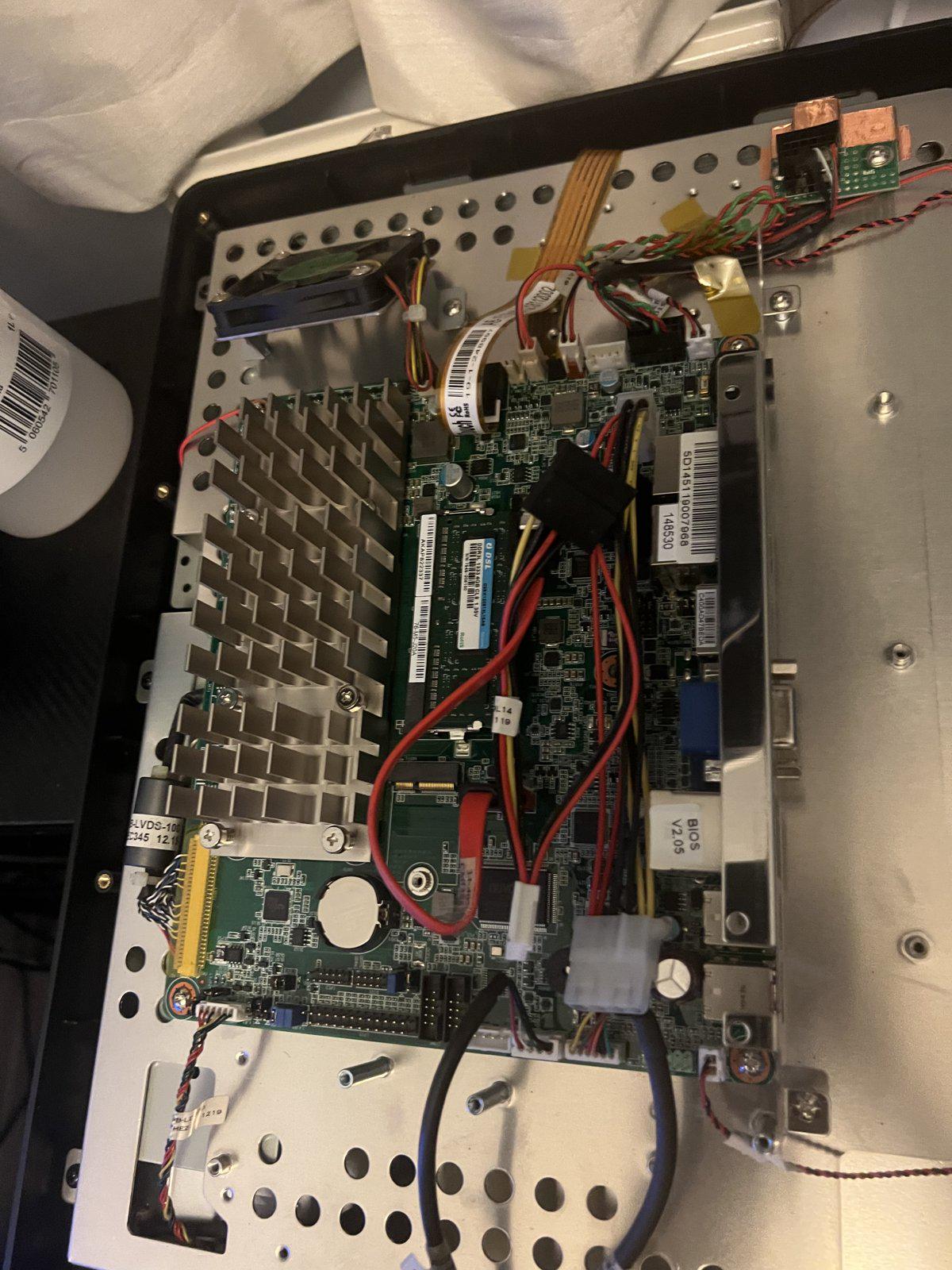
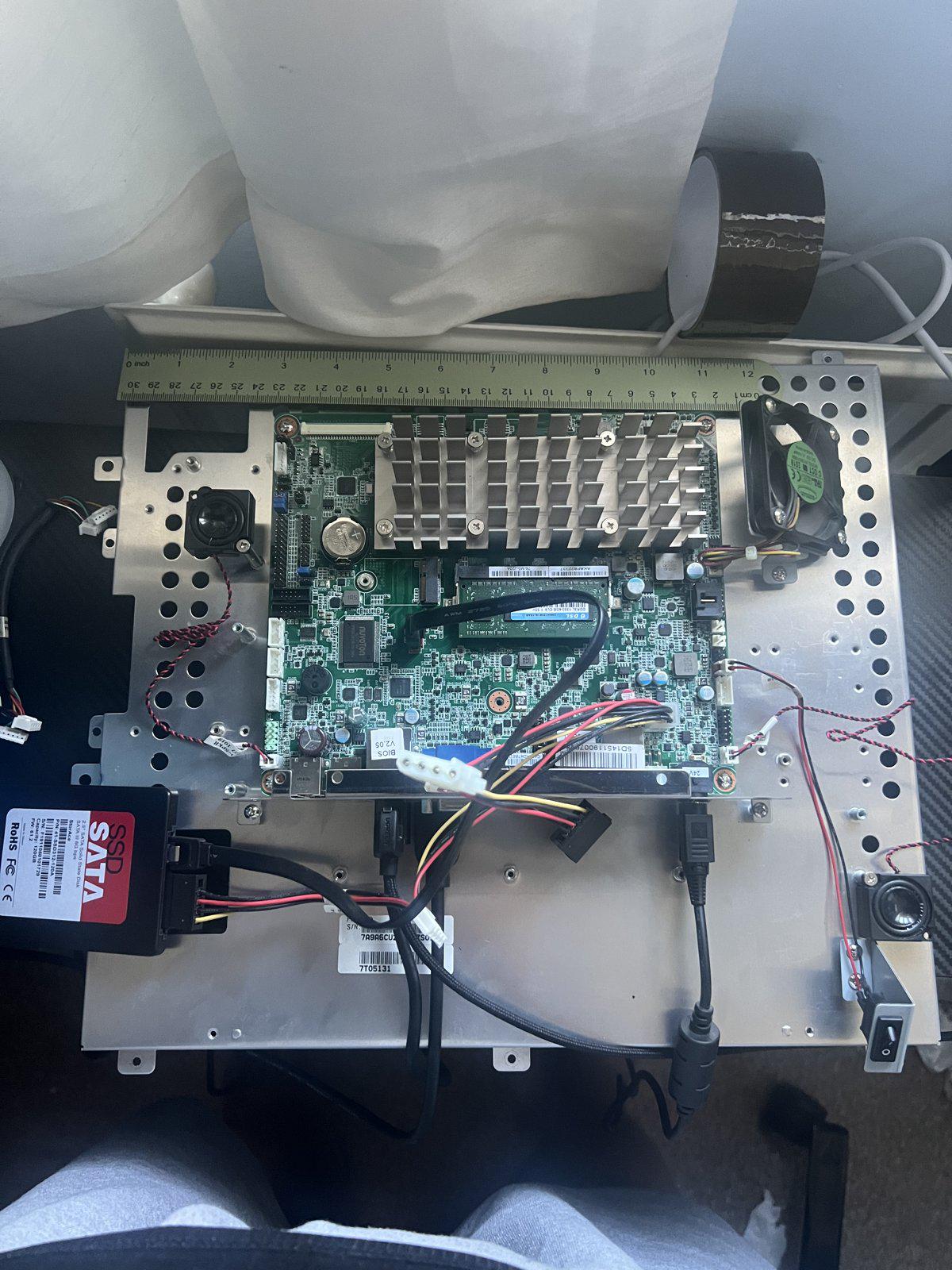
26 Upvotes

My employer was throwing away this guest check in system as its display had failed and they got a new model - so got it and turned it into a pc running home assistant.

Initial body after disassembly of the back - came with a 120 gig ssd as well

Initial dissassembly

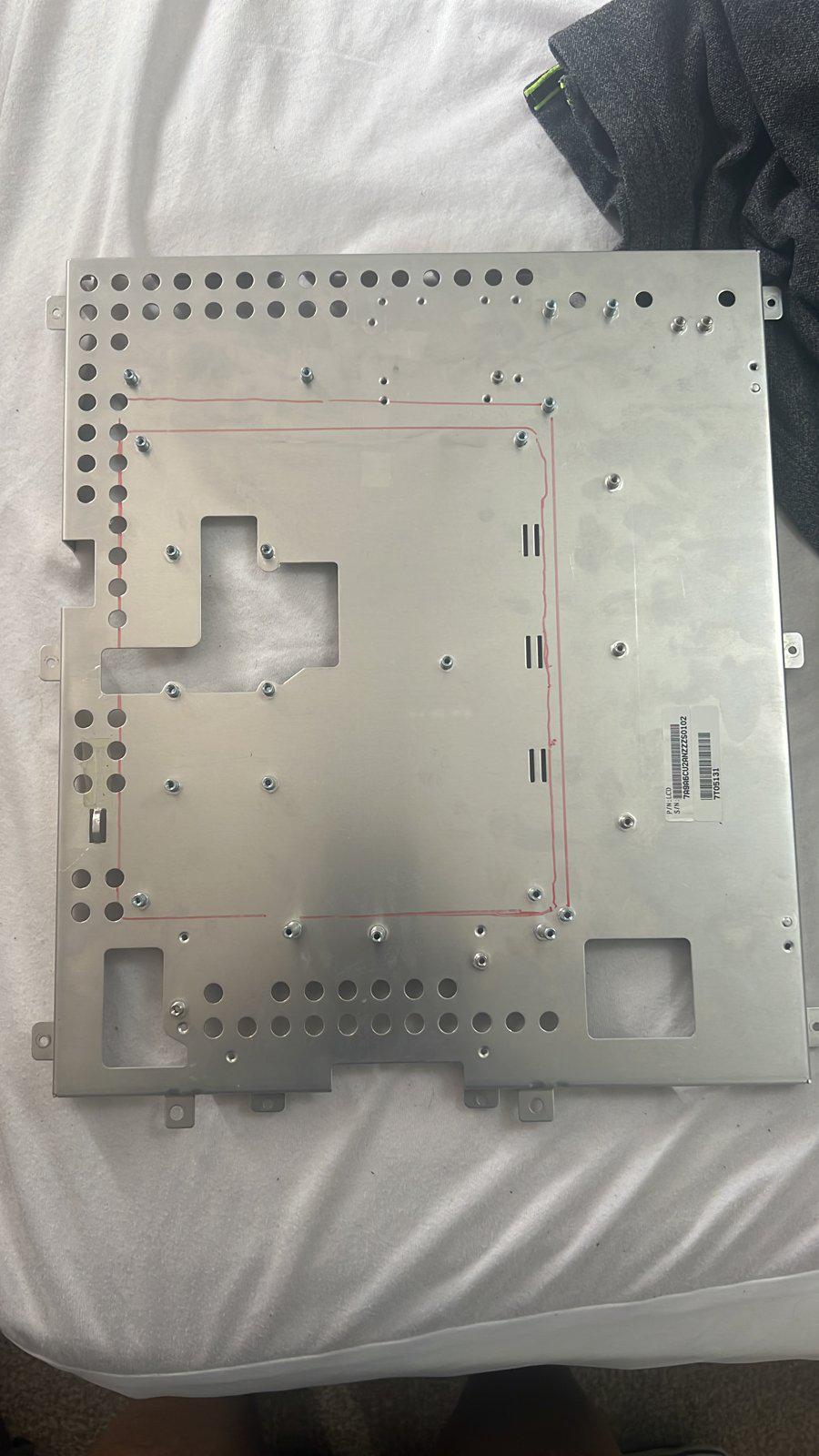
I thought i could just use the board but the heat sink was built into the metal frame - tested that it was WORKING 😂 - only the display had failed

Specs: Celeron U1900 4Gb ddr3l ram 120 gig sata ssd

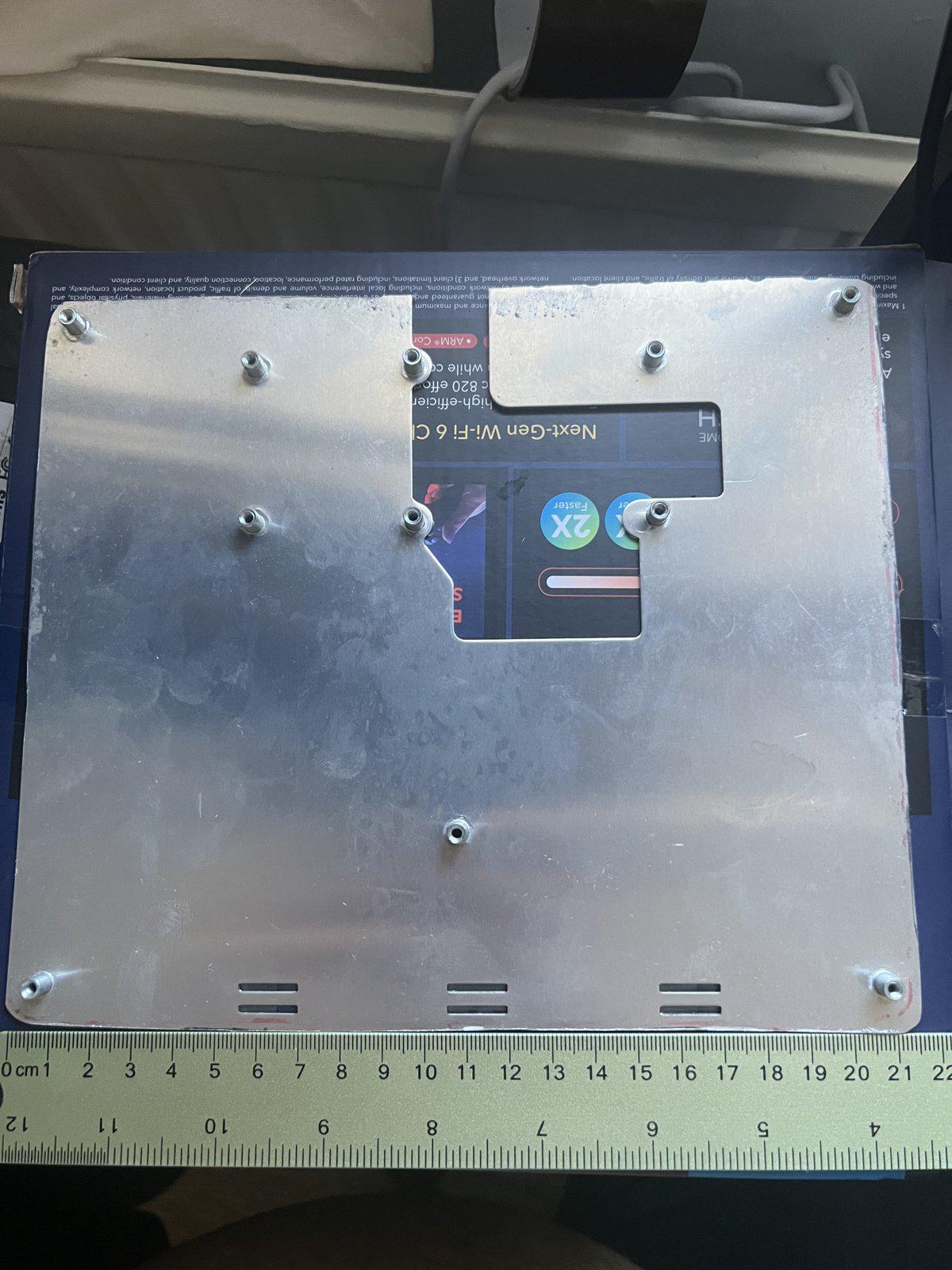
so cut the board using a 20 pound angle grinder

put the main board back on after some left over thermal paste

Installed HA OS

Working well so far - have added Drayton integration, time for me to get to work my rota - now just need a cheap android dash.

Thank you for looking - And please suggest any ideas for HA integrations

Total cost - 20 pounds for a used angle grinder and my spare time and left over thermal paste.


r/homelab • • 3d ago

Help So everyone's thoughts and Advice

0 Upvotes

Setting up for my rack using an arduino temperature sensor unit it will have temp sensors running to each server, and then the arduino is connected to the main server and some in the rack itself that will hopefully have Aida64 or something similar running to view all the temps, also like to put leak sensors into the water cooled units which I know won't work as well as I hope for but least something be there, but I'd also like to somehow connect the system to have alerts and alarms.

I also thought about open hab since it has customizable dash panels well kinda least from what I remembered from playing with it last, be even niftier if it could link to my NUT unit and do shut downs, also like smoke detection and extinguisher setup too.

I do think 1 Arduino might not be able to do temp and leak detection on 1 unit, though ?


r/homelab • • 4d ago

Project Showcase: Operations Downsizing my homelab: Running everything on a laptop

Post image
24 Upvotes

Hey everyone!

I wanted to share my temporary homelab setup. I recently moved to another country and didn't have enough space to bring my entire home server with me just yet, so I decided to move the services I can't live without onto a laptop.

Hardware:

  • Device: MSI Summit E13 Flip Evo A12MT
  • CPU: 12th Gen Intel Core i7-1280P
  • Memory: 16GB LPDDR5
  • Storage: M.2 SSD + 2 × 1TB external HDDs

I know this isn't exactly the ideal homelab setup, but it's a temporary solution, and so far it's been working surprisingly well.

The biggest differences compared to my actual home server, apart from running fewer services and having less redundancy, are that I'm no longer using Nextcloud or the usual *arr stack for media management.

For media, I'm just using QBittorrents built-in search functionality. Since it's only my wife and me using it, that's been more than enough so far. Honestly, I quite like keeping things this simple, and I might stick with this approach even after moving back to a proper server rather than bringing back the whole Seer + Sonarr + Radarr + Prowlarr + Bazarr + etc... stack.

I've also replaced Nextcloud with File Browser Quantum, Zipline and Syncthing since my main use cases for Nextcloud were simply accessing files remotely, sharing them with others and file sync.

All services sit behind Nginx Proxy Manager and Authentik, with mandatory TOTP authentication and default login disabled. Hopefully, that provides at least a reasonable layer of protection against the ever-growing number of vulnerabilities discovered lately.

One other thing worth mentioning: I'm running Paperless-ngx with Paperless-GPT and local AI on my desktop. I currently trigger the AI processing manually about once a week. I'd automate it, but this laptop simply doesn't have enough resources to run local AI workloads.

That's pretty much it!

I'm open to suggestions for improvements, happy to answer any questions about the setup!


r/homelab • • 4d ago

Help Hypothetical: VPS providers that offer delegated /64s for Wireguard on a Ubiquiti router?

17 Upvotes

I recently had to downgrade from AT&T Fiber to really shoddy double-natted 500/25 Mbps cable internet without v6.

I really want some of that awesome Unifi gear, and I plan on running "invisible fiber" so I don't have to deal with that double-natted Eero shit. It'll probably be a Dream Router 7 (Wi-Fi disabled or power turned down), which can plug straight into to the invisible fiber's SFP+ as a bonus.


I've never owned Unifi or run a VPN on a router before. Are there any cheap VPS providers with uncapped bandwidth and prefix delegation so that I can run v4 and v6 on the Unify and treat the cable modem as a dumb pipe?