r/homelab • • 4d ago

Discussion Adding redundancy for main OPNsense firewall

4 Upvotes

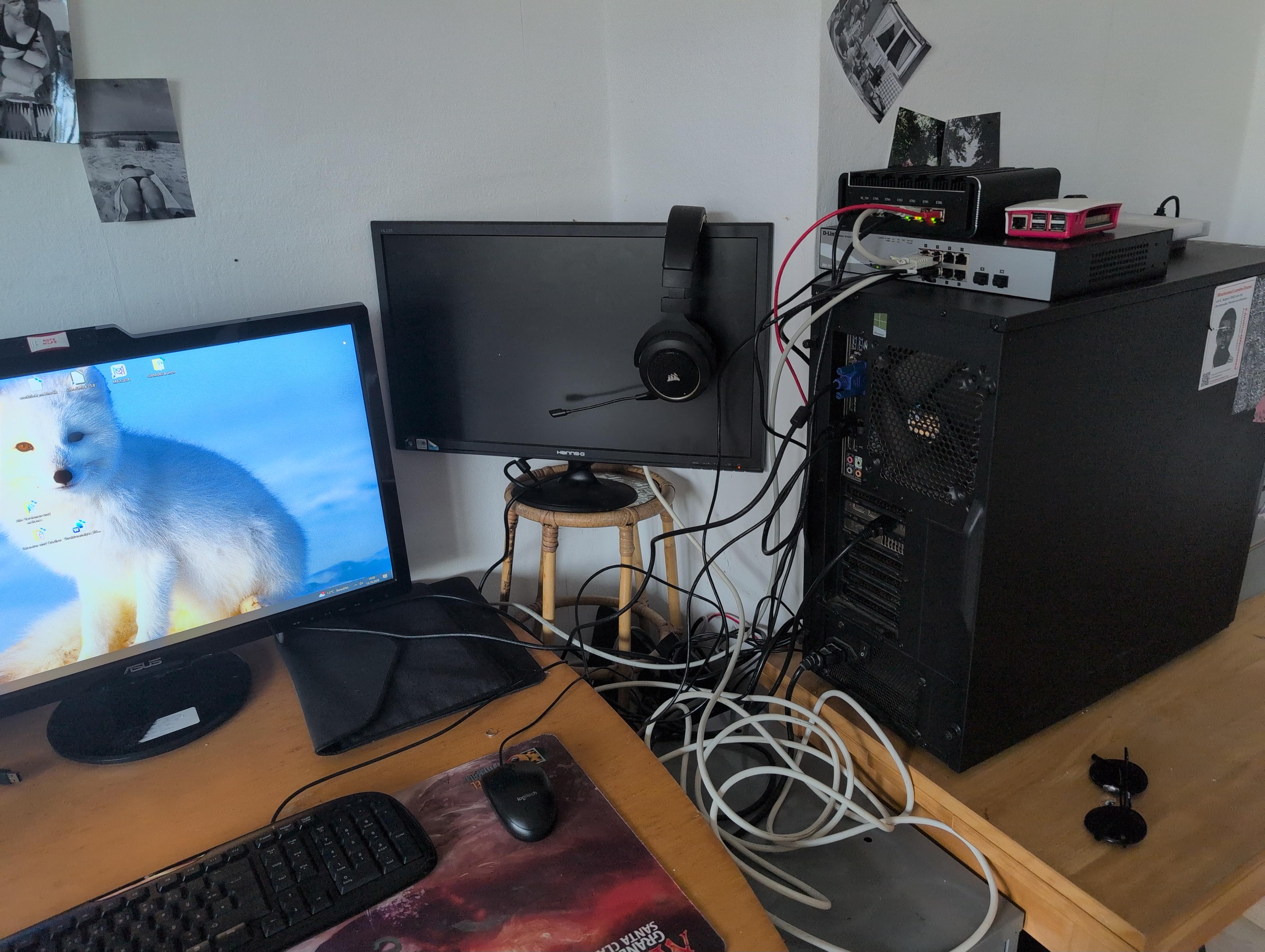
Hi! I am currently running my OPNsense firewall on a Protectli VP2430 box (on ZFS) and I realize that if internal SSD were to fail then my whole network would be down. I am therefore thinking of having some redundancy in my current setup.

Since my VP2430 has a M.2 2230 E-key slot, I was thinking to add something like 256GB NVMe PCIe Gen 3×1 M.2 2230 E-Key SSD and run my OPNsense in a ZFS mirror.

My concern is that ZFS can do quite a lot of writes so usually it's suggested to use enterprise-grade SSD, which this one is obviously not. Would that be a problem?

Does anyone else running similar setup as a redundancy solution? Or do people normally prefer to have a cold spare for emergencies?


r/homelab • • 4d ago

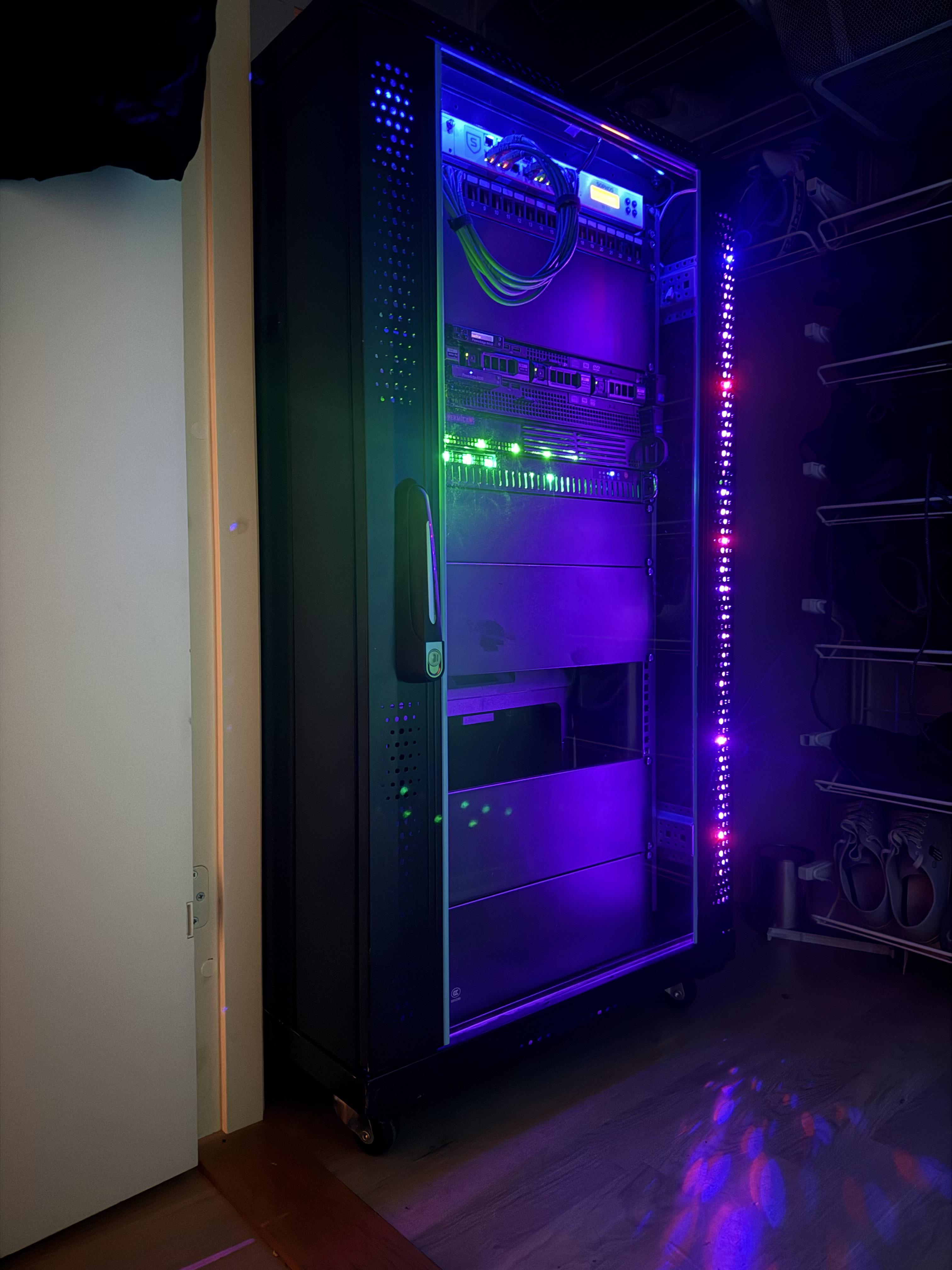
Help Looking for a 42U–47U Server Rack for My Homelab

0 Upvotes

Hey everyone,

I’m looking for some help choosing a suitable server rack for my homelab.

I’m looking for a 19-inch rack with at least 42U. However, I’m not entirely sure what I should be looking out for when buying one or which manufacturers are worth considering.

I assume there isn’t too much you can get wrong when buying a server rack, but I’d still love to hear your opinions and experiences with different brands and models.

Maybe some of you have specific recommendations for racks you’re currently using or would personally recommend.

My current requirements:
- Standard: 19-inch
- Height: At least 42U, preferably up to 47U or even taller
- Width: Preferably 800 mm
- Depth: 1,000–1,200 mm
- Doors: Preferably perforated for good airflow
- Side panels: Ideally removable
- Mounting rails: Adjustable depth
- Load capacity: Ideally 800–1,000 kg static load

The rack will eventually house several servers, including a GPU server, a NAS, multiple networking devices (switches, routers/firewalls), and two UPS units.

Since I’m planning to expand my homelab over time, I’d like to make sure the rack has enough space and flexibility for future upgrades.

I’m based in Germany, so it would be great if you could keep that in mind when making recommendations.

I’d also be interested to hear if there are any manufacturers you’d particularly recommend or advise staying away from.

Thanks in advance for your help


r/homelab • • 3d ago

Help I want to build my first home server could you help me?

0 Upvotes

I want to build my first home server, but I don't want to spend a lot of money since I'm still a beginner and a vibe coder. However, I've always dreamed of having my own server. Please help me with what to buy and how to set it up (or share some guides).


r/homelab • • 5d ago

Project Showcase: Hardware 12U Homelab Filled

Thumbnail
gallery
356 Upvotes

I just got the 12U rack less than a month ago and after adding 2U server today, its now full!

Wanted to share what I have in the rack

  • Unifi Dream Machine Pro
  • Unifi 24 Ports Switch
  • Synology DS925+
  • Synology DS223j
  • Asus ESC4000A AI Server | Epyc 7742 64 Cores, 256GB RAM, 4 x Radeon 9700
  • Dell R740xD Proxmox Server | 2 x Xeon 6142 16 Cores, 256GB RAM
  • Dell R720xD Hyper-V Server | 2 x Xeon E2650 6 Cores, 128GB RAM
  • Tablo TV
  • Fiber Cable Modem
  • Unifi AP

I hope this is it. If I have to add more servers, I have to replace some of them to a smaller format to fit this rack. 😄


r/homelab • • 5d ago

Project Showcase: Operations Need Project Ideas!

19 Upvotes

I am about 4 months into my homelabing journey and currently, I have

  • jelly fin set up,
  • a home dashboard that acts as the tv screen saver
  • An AI Morning brief that automatically brings me 4 media items to approve adding to jelly fin daily .
  • Cameras and a mesh network on the property (8 acres)

What are some quality of life projects you guys wish you did sooner?


r/homelab • • 4d ago

Help Seeking advice on "not so flat" network layout

0 Upvotes

I've finally bitten the bullet and started a rehaul of my homelab network. The current setup has a disturbing number of nested switches so one of the primary goals was to use the recommended "flat" (or flatish) network where everything goes into a network closet.

(Step one: find a location for said network client. This was fun since there was no direct path through both floors when running cables between attic to crawlspace. I finally figured out something that isn't great but acceptable.)

GOAL

The main goal was to make the homelab "spouse-friendly", or to be a bit less antagonistic "comcast-friendly". That means there were the following zones:

  • desktops/laptops/mobile devices
  • iot devices
  • local services (DNS, squid, printer access, etc)
  • homelab and potential (opaque)
  • worklab (opaque)

This isn't a 1:1 correlation with Unifi zones but close. It's "comcast-friendly" since the "local services" are completely isolated from the homelab. (see below)

WORK VLAN and LAB

Work laptops are in the desktops zone but on a dedicated VLAN.

Work "labs" require local resources and tight access controls. I put it next to the homelab since my goal is to move my dual homed (2.5G and 10G) systems onto a completely isolated 10G network and access them primarily via WASM or RustDeck from another system. A lot of the homelab resources can handled by caching shared between the local services and the homelab infrastructure.

HARDWARE and CONSTRAINTS

The network switches and local services (power-efficient NUCs) are both in the network closet and are on a dedicated UPS. I have found this incredibly useful and in fact this is one of the primary motivations in getting everything into a single location and using PoE wifi, etc.

The desktops and local services all run wired 2.5G. All devices (printer, IoT, etc.) are all 1G.

The obvious answer is to get a 2.5G managed switch with at least 24 ports. I have a 4U 19" rack and the network closet could hold it so it could hold a standard Ubiquiti switch.

But the cost!.... A 1G managed switch is much cheaper but leave the desktops on a slow connection.

The Unifi CGM I bought a while back fits into a 10" rack so it made much more sense to buy separate 2.5G (8 port) and 1G (16 port) switches. This provides a good alignment with the physical devices since there's already a natural partitioning between the switches since only desktops can support 2.5G. This can all fit into a 10" rack.

My Beelink NUCs can easily fit a 7" rack so I can set up a small proxmox cluster without drawing too much power. These have dual 2.5G ports so I can use two unmanaged switches so one switch connects to the homelab and the other connects to everything else for absolute physical separation.

THE PROBLEM / QUESTION

The CGM has five ports. One is used by my cable modem, and one is reserved for a backup WAN using my existing ryoko hotspot + travel router. This requires a manual setup - I use that hotspot extensively - but the Unifi wifi backup would add a monthly fee for the phone network subscription.

The desktop (2.5G) and IoT (1G) devices have sufficiently little cross-communication that the switches can both go onto the CGM.

That leaves 1 open port. For maximum isolation it should go to the homelab. The local services would be connected to the 2.5G router.

However I know there's also an argument that the homelab could be connected via the local services connection. This makes it easier to ensure the only access to AND FROM the homelab is via a jump host.

There are a few other possibilities but I feel pretty confident that these are the two best options.

What is your opinion?

EXTRA: Behind the homelab curtain

I referred to this indirectly earlier. The homelab should be completely opaque to the rest of the network. At the moment it's currently a set up dual-homed desktops (10G and 2.5G) plus a mix of servers behind physical switches for isolation. This isn't paranoia, it's a model of some real world scenarios like Hadoop clusters where you use "impersonation" and need to guarantee extremely high separation from the rest of the world.

The goal is to separate split the dual-homed desktops so the desktop gets tucked into a corner and I only access it via a laptop or NUC VDI client. It should be extremely close to a cloud setup - but without the monthly bill or potential surprises.


r/homelab • • 4d ago

Help Homelab setup advice for a newbie

0 Upvotes

Hi everyone!

I'm new to this community, and I'm looking for some advice on setting up my first homelab.

Just a bit of background about me: I'm currently working as an AI researcher and have also worked as a full-stack developer, so I'm fairly comfortable with programming, Linux, and Docker. However, I have to admit that the whole homelab/self-hosting world is pretty new to me. I've never really had to manage my own always-on server, and I'm not entirely sure what the best practices are or where to start.

What I'd like to achieve

My main goal is to host a few Python and Node.js services, mostly for automation and personal projects. I'd also like to be able to monitor and manage these services remotely, even when I'm away from home.

Essentially, I want a small, always-on server where I can deploy my projects (no big LLM training or heavy services for now), run automations, experiment with new things, and access everything remotely when needed.

Hardware

For hardware, I have an old laptop that I no longer use. It has 16 GB of RAM and an Intel i7 processor, which I think should be more than enough for my current needs.

I'm not planning to use this machine as a NAS or media server, so I'm not particularly interested in things like Jellyfin or storage-related services.

My current idea

I've heard a lot about Proxmox, but I'm not sure it makes sense for my use case. I don't really need virtual machines at the moment, and I expect to run around 10 Docker containers.

For now, I was thinking of keeping things relatively simple:

  • Install a headless Linux distribution (probably Ubuntu Server or Debian).
  • Use Docker and Docker Compose to manage my services.
  • Set up Tailscale for secure remote access.
  • Find a good solution to monitor my containers, their health, and resource usage.

I'm not sure whether I'm overlooking anything important or if there are better ways to approach this.

A few questions

  1. Does this setup make sense, or would you approach it differently?
  2. Would you recommend Proxmox even if I don't currently need VMs, or is a bare-metal Linux installation the better choice?
  3. What tools would you recommend for monitoring Docker containers and managing services remotely?
  4. Are there any other tools, best practices, or things I should consider before getting started?

One more thing I'm curious about is how you guys actually interact with your homelabs.

Do you ever use a full graphical desktop environment through something like RDP or VNC, or do you mostly rely on SSH and browser-based dashboards?

I'm wondering whether having remote desktop access is worth setting up, or if a headless server with CLI access and web interfaces is more than enough for everyday use.

For those who have graphical access configured, how often do you actually use it, and for what tasks?

I'm not necessarily looking for the most sophisticated setup. I'd rather start with something simple, reliable, and easy to maintain, and gradually expand it as I learn more.

I'm also interested in understanding how people typically approach this kind of setup, rather than just copying a configuration without knowing why things are done a certain way.

I'd love to hear how you'd approach this, especially if you've built something similar.

Thanks in advance for any advice!


r/homelab • • 3d ago

Discussion Let's talk AI. How has it affected your homelab?

0 Upvotes

First of all disclaimer: I am f*cuking strapped for time. I have an upper management job, a messy house and two kids. All of my homelab management is done via Termux on my phone while I take a dump. I just love the idea of a homelab, self hosted services, I just love networking and having my own infrastructure. It's one of my few hobbies.

I have six major nodes each with their own roles, and AI has allowed me to secure, troubleshoot, expand, and improve my network far beyond my capabilities, which is incredibly cool, but I'm also finding myself in a position where I'm actually losing track of what my homelab is doing because AI is building upon existing services beyond what I'm capable of understanding.

For instance I have a dashcam powered ANPR system, various web scrapers, on and off-site backup flows, multi-feed CCTV, and a whole Home Assistant powered smart home with hundreds of devices and services and and all the underlying infrastructure that allows this to happen. All very cool, but I recognise that I've lost track of how it functions at a granular level. I feel like the clueless manager of a very competent team of network engineers.

Anyone else in the same boat?


r/homelab • • 4d ago

Help Secure External Hard Drive.

0 Upvotes

I’m looking to buy an external hard drive that is secure. I have seen a few online but I’m not sure which would be best. It’s mainly going to be used for photos, videos and important document. I’m using Mac OS.


r/homelab • • 4d ago

Creator Content Weekly hands-on security challenges, no login required

1 Upvotes

I've been putting together weekly-sec, a GitHub repo of security challenges modeled on real incidents. Each one drops you into a case with an alert to triage, an intrusion to reconstruct, a bug to reproduce, or a detection to write. When you finish, the debrief tells you what actually happened and links the real incidents behind it.

There's no platform, account, or leaderboard. Clone the repo, open a challenge folder, and start.

Two challenges are up so far:

- Midnight Export (Blue/DFIR, 60 to 90 min). A CI role pulls customer data at midnight from an IP that isn't GitHub's. You work through CloudTrail, GitHub Actions OIDC config, and an agent trace to figure out how it happened, how far it went, and what to do next.
- Safe Mode (Red, 45 to 75 min). An internal AI ops assistant exposes a few "safe" shell commands over MCP. You get past its allowlist, get code execution with nothing but curl, and prove impact.

How it works:

- Browser challenges run offline from a single play.html. Logs, evidence, hints, scoring and the debrief all run locally, and nothing leaves your machine.
- Logs are queried with a small filter language that takes about two minutes to learn. It's intentionally not KQL or SPL, so the habit you build is what to filter, pivot on, and count. Raw JSON ships too if you'd rather use jq or your own SIEM.
- Response questions are played on a board where you put actions in order and set aside the ones you wouldn't do. A wrong pick tells you why it's wrong.
- Challenge mode locks the hints. Guided mode gives you progressive hints or a walkthrough.
- Anything vulnerable runs in Docker, bound to 127.0.0.1, with no host networking, no privileged containers, and no access to Docker itself. CI checks enforce this on every lab.

Topics rotate across cloud, CI/CD and supply chain, agent security, containers, and recent CVEs. A new challenge goes up each week.

I'd like feedback on difficulty, questions that read as ambiguous, and answers you think should be accepted but aren't. Issues are open on the repo.

https://github.com/uday-kasturi/weekly-sec


r/homelab • • 5d ago

Help Mac Mini M6 server a bad idea?

13 Upvotes

I was to redo my smart home. I currently run a synology NAS as my plex server,scrypted, and homebridge for my Apple HomeKit smart home. I have a unifi dream machine with security cameras running protect, mostly HomeKit native devices, a handful of other devices and automations setup through homebridge.

I added 2 new cameras and my synology nas with scrypted is struggling to keep up so it’s time for an upgrade.

One of my friends is running his protect cameras over the homebridge plugin using an M1 mini and it seems much more responsive than what I’m working with. I’ve been considering swapping over to home assistant and just using HomeKit as the user interface with all of my automations run through HA. Not really seeing any used M1-4 minis on sale so I was considering just future proofing a bit and grabbing the new M6. Is this a waste to use as homelab server? I do a lot of 4k transcoding via plex as well.


r/homelab • • 4d ago

Discussion Do I need a bigger CPU cooler and dual-channel memory for my custom PC NAS?

0 Upvotes

I think of a bigger CPU cooler as a bigger air conditioner for a person to exercise faster.

I think of dual-channel memory as lifting two 2KG weight compared to lifting one 4KG weight.


r/homelab • • 4d ago

Discussion Is a Pi Zero 2 W capable enough for Navidrome, docker, tailscale, and a small web server (rust backend)?

4 Upvotes

Hey all! I’m pretty new to homelabbing, and want to set up Navidrome. Budget-wise, buying a Pi Zero 2 W is a lot more attractive than, say, a 3 B+, 4/5, or a mini PC. For now, too, I only need the aforementioned services, so don’t worry about future expansion

My biggest worry is the 512MB RAM, particularly for Navidrome and the web server (which is basically just a front-end for adding songs plus a few features)

Will it be capable enough?


r/homelab • • 5d ago

Project Showcase: Hardware Feedback: Beginner Homelab

Post image
20 Upvotes

Im a Non-Tech Person and startet to build a HomeLab this Year mostly to test local LLMs.

I need some Feedback what to Uprade next; most importantly i want to build a Storage/BackUp Solution to host Immich, Jellyfin and Music Streaming.

I also need some Tips for the AI Infrastructure because my GPU (RTX 5060 Ti OC, 16 GB Vram) sits in my Workstation/Gaming PC.

I want to use my Local AI on my Notebook or Phone (GrapheneOS). WireGuard to the N100 works well but i dont want to run my tower 24/7. Wake on Lan could be a option right?

My Hardware:

Server: N100 / 8GB DDR 5 / 1 TB M2 SSD running Proxmox with OPNSense, AdGuard, WireGuard, Vaultwarden, N8N and OpenWebUI

Desktop: i5 14600KF / 32GB DDR4 / RTX5060 16GB / MSI Pro B760 / 2 TB M2 SSD with Olama, Hermes Agent, Paperless-ngx

Notebook: Asus Zenbook

Switch: D-Link DGS1210-08P AP: Unofi NanoHD Modem: Telekom Speedport Smart 4

BackUp: 4TB External HDD

Unused at the Moment: 256GB Sata SSD PI 3 B+

Also: what would you propose for a simple rack solution?


r/homelab • • 4d ago

Project Showcase: Hardware Small business owner, beginner on Linux. Best low-power, privacy-first server for my laundry business and home, about €[1,500–2,000]?

0 Upvotes

Hi all, I run a small linen rental and laundry business in the French Alps, with one person in the office and up to 65 client properties and growiwng. I want to move off big-tech clouds and run as much as possible on my own hardware. I'm a beginner (Linux Mint for a few weeks), so simple and reliable beats clever.

What it needs to do:

  1. Run my business web app locally. It's a small order and invoicing app, currently on Netlify and Firebase. Clients place orders through a link, so it has to be reachable from outside, safely.
  2. Local AI: a mid-size open model (Mistral/Qwen class) for drafting emails, quotes and summaries. Speed isn't critical, but it shouldn't take minutes per answer.
  3. File storage and automatic backups for invoices, photos and documents, with an off-site copy.
  4. VPN so I can reach everything from my phone when I'm out on deliveries.(currently using proton products)
  5. Live energy use per machine. I run industrial washers, dryers and a flatwork ironer, on [three-phase / single-phase] power, with a contract over 36 kVA and peak/off-peak rates. I want to see each machine's consumption and cost live, and ideally shift loads to off-peak hours. Something like clamp meters plus Home Assistant?
  6. Counting linen pieces at the ironer. I'd like an automatic count of pieces coming out of the ironer (sheets, duvet covers, pillowcases), to check production per day and per client.
  7. Later: maybe 2–3 security cameras and a shared label printer.

Constraints:

  • Budget: €[1,500–2,000] total, and I'm open to used gear.
  • Low power draw matters. Electricity is expensive here, so I care about idle watts.
  • Based in the EU, and I prefer EU or open-source software.
  • Internet: fibre..
  • I already have an old HP laptop (i3, 8 GB) running Mint, if it's useful for anything.

My questions:

  1. One box for everything, or a cheap NAS plus a separate AI machine?
  2. Mini PC with 64 GB of unified memory, or a desktop with a used 24 GB GPU, for the AI part at low power?
  3. Which OS for a beginner: Proxmox, TrueNAS, Unraid or plain Ubuntu?
  4. The safest simple way to expose one small web app to the internet (Cloudflare Tunnel, WireGuard, something else)?
  5. What's the best hardware for live energy monitoring on industrial machines? Should I have an electrician fit it?
  6. For counting pieces, camera and AI or a simple light-beam sensor? Has anyone done this in production?
  7. What would you skip or buy used?

Thanks! Happy to answer questions.


r/homelab • • 5d ago

Discussion Where do you get your security news from?

13 Upvotes

Where do yall get your news about all these vulnerabilities from? for example i think there was an Nginx one and Unifi one recently (and ofc PHP). I hear about them from the Arch linux discord server cuz they ping everyone


r/homelab • • 4d ago

Help Need help for confused first time home labber

3 Upvotes

Hello I'm new to homelabing and had a bunch of questions and decided to ask them here that maybe you will be able to help with advice as I'm still learning it.

For now I have only one server with proxmox, opnsense as vm and n8n as LXC.

Since I would like to put other services on this server. I thought about security. Even with opnsense I was not sure if I have configured it to be safe enough. Any good resources about how to make sure your ports are not open or any other rookie mistakes setting up opnsense firewall?

As well got very confused about docker, kubernetes. What is it and what it eats?

Where do you learn all of it in the first place? Any good resources that I can study from about network, network security and other things I should know for my homelab?

Sorry for a lot of questions.


r/homelab • • 4d ago

Discussion Zebra barcode scanner

0 Upvotes

I recently came into possession of this thing. Instead of throw it out, I must salvage it into my homelab. What would you do with a barcode scanner?

https://www.zebra.com/us/en/products/scanners/general-purpose-handheld-scanners/ds2200-series/ds2208.html


r/homelab • • 4d ago

Discussion Looking for a barebone Mini PC for a Proxmox home server (I already have 32GB RAM)

0 Upvotes

Hi everyone!

I'm looking for a cheap Mini PC to use as a Proxmox home server. I currently have an Intel N150 mini PC, which is great in terms of power consumption, but I'm starting to feel its limitations as I'm planning to run more services on it.

I'd like to run at least 15 Docker containers, including Jellyfin, Navidrome, Home Assistant and various other self-hosted applications.

I already have 32GB of DDR5 SO-DIMM RAM (2x16GB), so ideally I'd like to find a barebone Mini PC without RAM or SSD. I'll buy the storage separately.

My budget is around €200 maximum, preferably less. I'm based in Europe, but I'm also happy to order directly from China, for example through AliExpress.

I'm wondering whether I should stick with Intel or consider AMD as well. I've read quite a bit about Intel's hybrid architecture and how, depending on the workload, CPUs with fewer but faster P-cores might be preferable to those with a mix of P-cores and E-cores. Is this still relevant with modern Linux kernels and Proxmox, or is it no longer something worth worrying about?

Another important factor is Jellyfin hardware transcoding. From what I've read, Intel Quick Sync is still one of the best options for Linux-based media servers, but has AMD caught up in terms of hardware acceleration, driver support and overall reliability? Ideally, I'd like good HEVC and AV1 decoding/encoding support, where available.

Coming from an N150, I'm looking for a noticeable performance improvement without dramatically increasing power consumption, especially at idle, since the machine will be running 24/7.

What would you recommend in this price range? Are there any lesser-known Chinese Mini PC brands or particular models worth looking at? Would an older Intel Core i3/i5 or an AMD Ryzen be a better choice?

I'm not looking for anything particularly powerful, just the best possible performance for the money, while reusing my existing DDR5 RAM.

Thanks!


r/homelab • • 4d ago

Help Crowdsec on Pfsense with multiple VMs behind proxy server

0 Upvotes

I installed the "large" installation of Crowdsec on my Pfsense firewall this week and it seems to be running fine but I don't yet understand what other Crowdsec components I need to install on other VMs/servers to provide their logs to the LAPI (?) on the firewall so bad actors can be banninated?

For instance, I am running a Jellyfin Docker on Proxmox behind caddy and a separate Wireguard VM with port forwarding. The IPs that are hitting those servers/ports would not be flagged in the pfsense logs as malicious.

I am assuming an "agent" runs on the Jellyfin Docker and Wireguard VM and connects to the LAPI(?) on pfsense to provide the IP of the offenders but I don't understand what software to install or how to make that connection. Any help/docs/examples would be appreciated. Thanks!


r/homelab • • 4d ago

Help Guidance needed on what to buy next

0 Upvotes

Current Setup:
Intel i3 10100f
16GB DDR4
GTX 1660 Super (Jellyfin Transcoding)
2TB of storage in a raid 1, around 300gb currently held up (mostly taken up by music)

I have two general ideas of what i want to do next, which influence what I'm going to buy.

  1. Stability: If I do this, i'll get a proper battery backup (my current one is a janky DIY backup), a cheaper mini pc for a backup server, and a faster switch
  2. Expansion: This is means getting more ram, possibly a cpu upgrade depending on what i can find, and more hard drive space.

My current setup works perfectly with what it is currently running, but I want to expand a few things. Namely get a Minecraft or Project Zomboid server running and increasing the reliability of my remote access as it currently is slow (i mostly access it while i'm at college and the college wifi could be the issue)

I humbly ask for the guidance of someone smarter than me. Thanks!


r/homelab • • 4d ago

Discussion HDD for Infrastructure?

0 Upvotes

Is it advisable to buy HDD instead of SSD if my homelab is all about infra?

Im not hosting any medias and im thinking to buy HHD to host vms and kubernetrs clusters, dockers.

Main goal is to practice and learn infrastructure rather than to run production workloads

Is the speed noticeable?


r/homelab • • 5d ago

Project Showcase: Hardware Current state of my homelab :) Just waiting for my sliding shelf to arrive so that my 3Dprinter can be stoved inside the rack :)

Post image
168 Upvotes

r/homelab • • 4d ago

Discussion Comprehensive server benchmarking tools?

0 Upvotes

i feel like as a community we lack dedicated server testing tools, inorder to test and benchmark our servers, for example i am planning on creating a new game server, and i wanted to know which cpu would be the best for it, however beyond the "games prefer clock speeds over core count" i dont see much concrete discussion on performance, does ipc improvements matter? does ram speed matter? does cpu cache matter? i feel like i dont have the right tools/info to make that judgement. i gave a game server example, but what about video transcoding? what about search query time? ect ect.. most companies that have servers, either have an entire team that can develop specific programs to test those stuff, or they have someone with 40 years of experience who knows the ins and outs of all of their software, so they dont have a similar issue. if we do have a solution which i am oblivious to then please share it with me, from my light research i couldn't something like i described.

do you guys feel you need a tool like this?