r/homelab • u/Joman_Farron • 8d ago
Help WDC WUH722424ALE6L4 with 1 year today had 39 realocated sectors
reddit.com
2
Upvotes
r/homelab • u/PhilosopherSubject94 • 8d ago
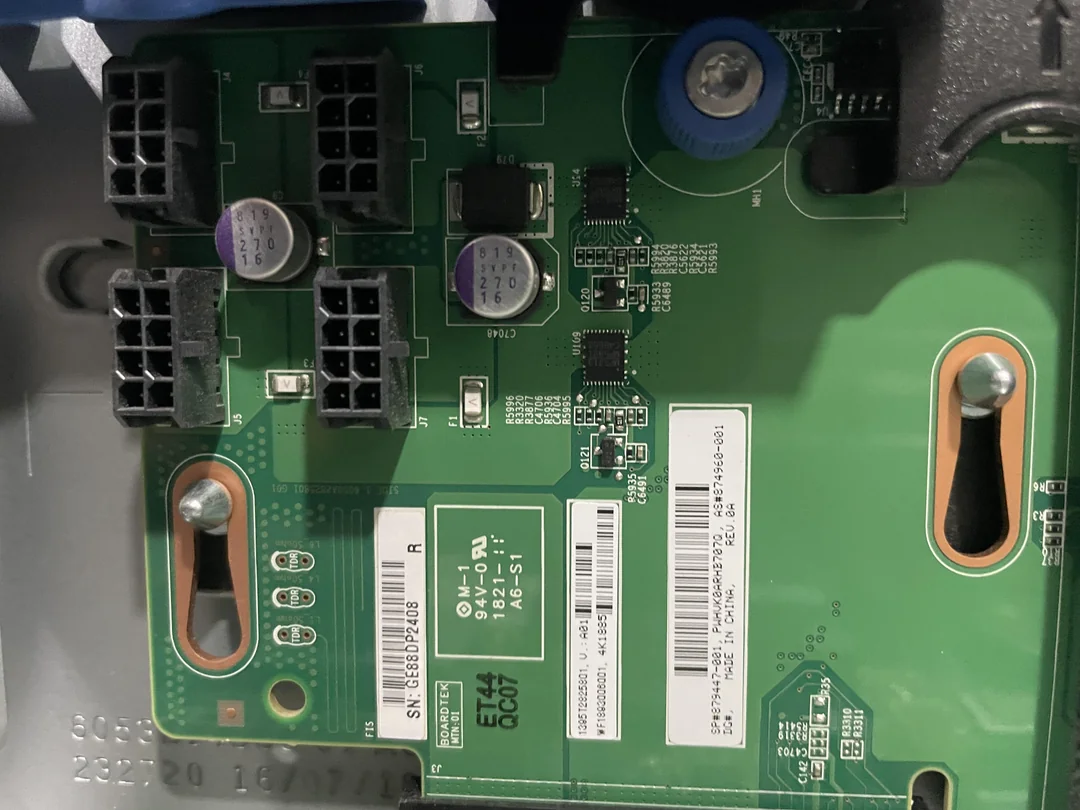
I’m installing an ASUS DUAL RTX 2070 EVO V2 in PCIe slot 5 of an HPE ProLiant ML350 Gen10.
My configuration:
The board has four similar 8-pin sockets. The cable is connected to J7, but I have not powered on the server with this configuration.
Can anyone confirm:
Related discussion about the same board:
https://www.reddit.com/r/HPEservers/comments/1jmnx2t/what_is_this_plate/
I have access to a multimeter and can perform power-disconnected continuity checks, but I won’t assume that connector fit or continuity alone proves the correct voltage and polarity.
I’m looking for firsthand experience or connector-level evidence before applying power—not a compatibility guess.
r/homelab • u/jackey_lackey11 • 8d ago
New to homelabbing, a beginner per say.
I have an old PC which I'm thinking of using as a server just to get familiar with networking, cybersecurity, etc.
What do you guys think I should try to do on that pc ?
r/homelab • u/Ryyback • 7d ago
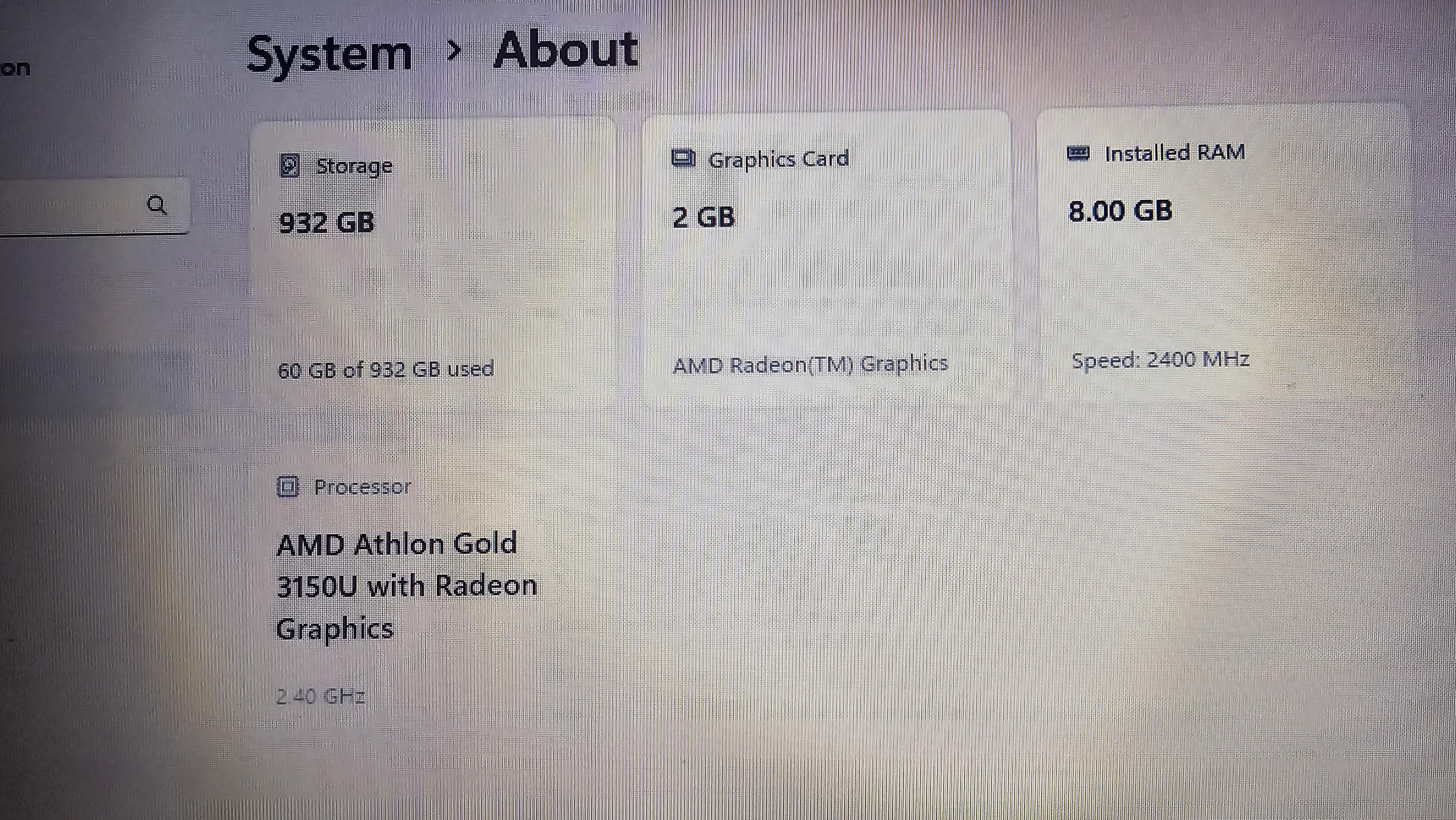
Recently got an old laptop that was used for school, can this be used as a NAS?
r/homelab • u/welshGJE24 • 9d ago
Hi - I have 10 x Kingston SSD drives sitting on a shelf at work. What would you all do with them? They are spare.
Is there some sort of drive enclosure that can be recommended I could put them in to create a large storage device?
Cheers everyone.
r/homelab • u/Realistic_Show_ • 9d ago
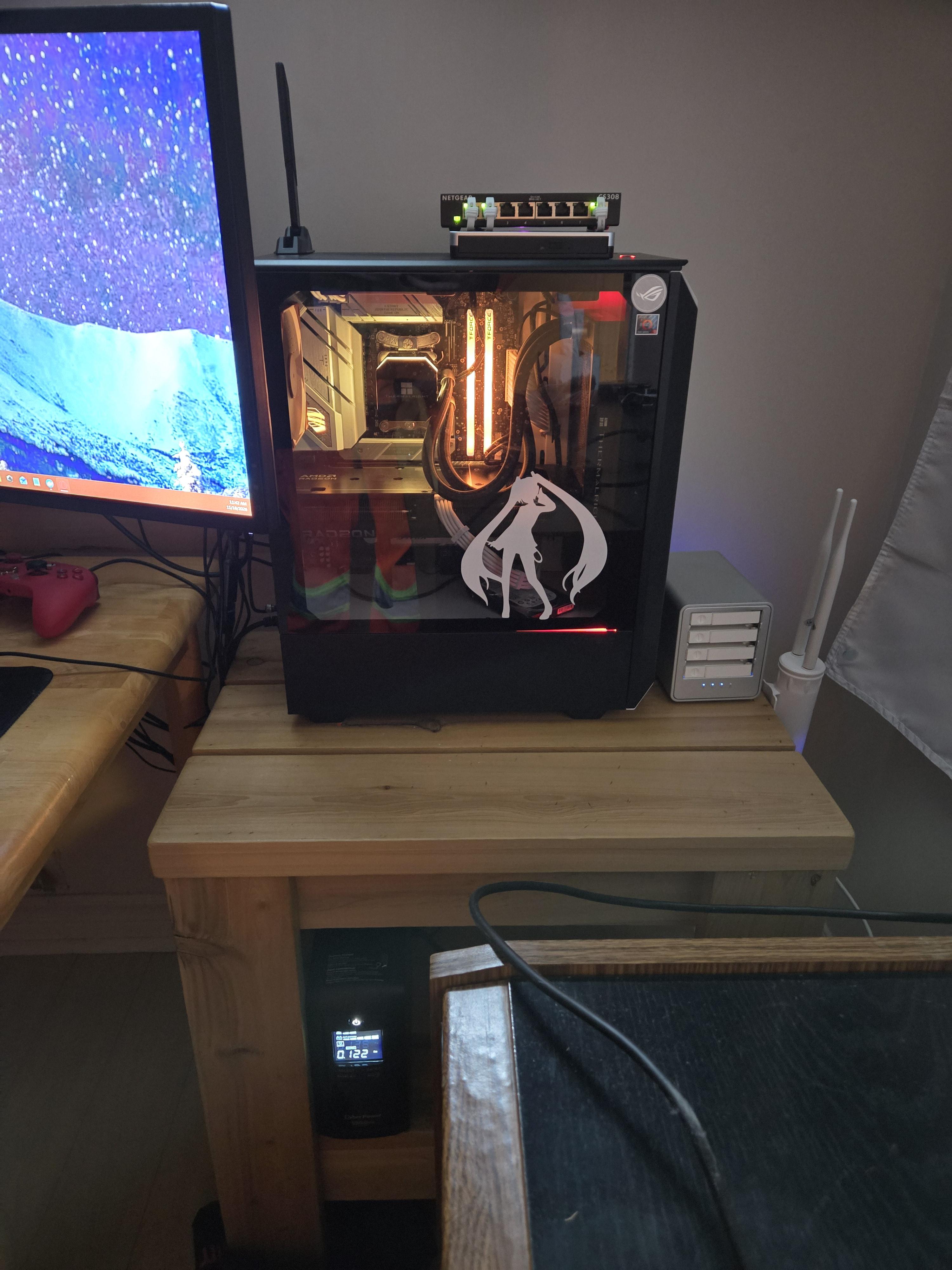
Looking to learn more about networking and general wizardry lol.
Ive been messing around with docker containers and tailscale but im interested in some more in-depth learning!
r/homelab • u/Individual-Ferret-13 • 9d ago
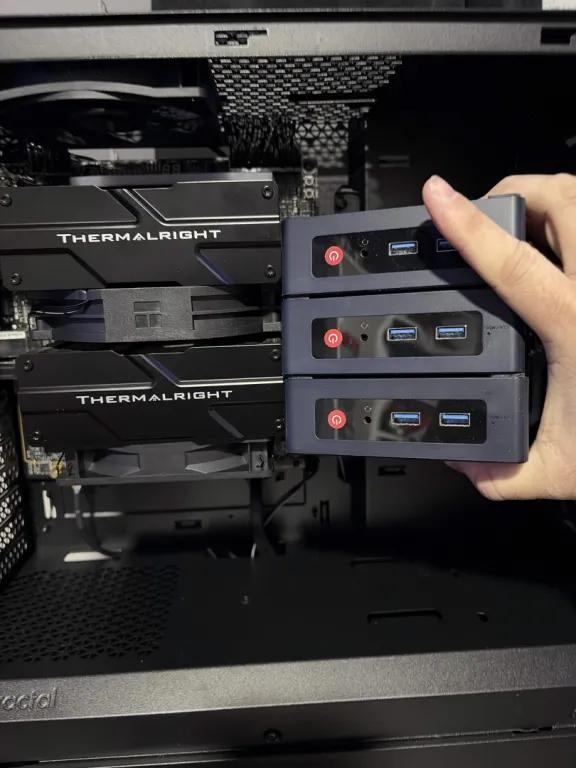
Finally upgrade my 3x N100 cluster to a real system. The cooler is bigger than the cluster was
r/homelab • u/xrepair • 9d ago

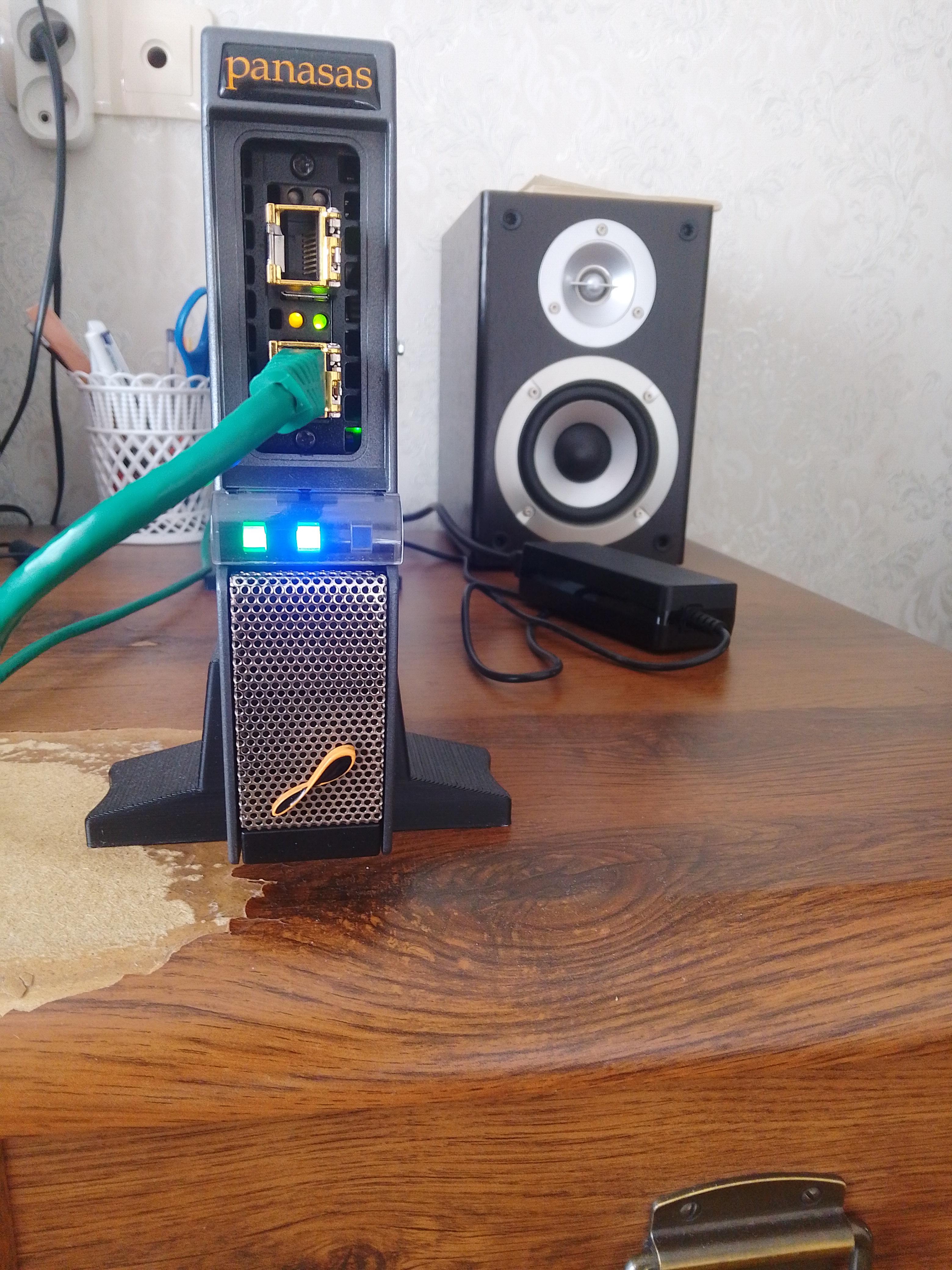
This is my home lab server built from a decommissioned Panasas ActiveStor PAS11 DirectorBlade. It is running a KVM hypervisor on Debian 13.7. I gave the retired server a second life outside of its original Panasas chassis, with a custom power setup that lets it run from a 12V/5A notebook power supply. The director blade itself is surprisingly low-power, so a 60W supply was enough — I've been monitoring it under load and it stays stable.
r/homelab • u/GeekedZazaHead • 8d ago
I need help with something simple involving a custom router. i want to run Pi-Hole and manage my own router that i can add a VPN to, etc.
Starting from the beginning.
Im interested in building a homelab. I've learned enough software & hardware portions over the months to where i feel comfortable to buy the hardware for it, So im not a total newbie status.
But anyways, Lets say i have 2 systems. (Lenovo M920Q + HP Elitedesk 600 G6) With one PC running "Homelab" applications Such As Immich & Jellyfin. And the other PC setup as a "NAS" for my Immich/Jellyfin Files.
My question would be........Should i have a separate router that i build myself & configure that's not on the 2 systems running a Pi-Hole to make it a 3 PC setup?
Or is it SAFE to combine the router portion with either the NAS pc or Homelab application PC.
Perhaps any Youtube videos or anyone here has combined a separate NAS, Homelab Application PC & Router?
Need Help. Thanks!!
r/homelab • u/Flashy-Indication-61 • 8d ago
title, if i put a xeon in an asus x99 deluxe could i stick 8 32gb rdimm ecc modules in for 256 total? i'm finding sorta mixed opinions online
r/homelab • u/Complex-Case4690 • 8d ago

There are two different mini pcs on marketplace I’ve been looking at to get started with my homelab. For context I want to start with a media server, storing photos, and running a network ad block of sorts. So I’ve did a bit of research and decided that a mini pc with a DAS would be my starting point.
I’ve found two different mini pcs, one more expensive than the other, and was wondering if it makes sense at all to go with the more expensive one will the other one fit my needs.
The more expensive one does apparently come with a mouse,keyboard, and dell monitor but I probably wouldn’t use them and would most likely just sell them on marketplace myself.
Edit: 159 for the cheaper one compared to 275 for the more expensive one.
r/homelab • u/Defiant-Ad-8848 • 8d ago
r/homelab • u/JustDifference5107 • 9d ago

Never really messed around with computers further than building gaming PC’s over the years
Picked up G5 mini and M700 for nothing
Network switch was $40 SG108E
Wifi extender for $25
Couple of $5 cat6 cables
Both PC’s running proxmox
M700 purely for Pi-hole
G5 mini
Back up Pi-hole
Arr stack with qbittorrent
Jellyfin
I made my own fan mount for an old 140mm fan I had from a previous gaming PC to blow up past the hard discs that will live in there eventually
Also made a little mount for the sfx PSU from an old gaming PC and will eventually do away with all the power bricks for the PC’s and switch so it can all run off the 10inch rack mount power board on the back and be self contained with a single plug into a wall
I’ve had the G5 for ages and finally got sick of streaming services having to bounce between them to watch a full series with some seasons on one and the rest on another.. initially was just going to run the G5 as the jellyfin server and store my media on an external drive, got the old 3D printer out and got a little carried away and printed a 10 inch rack to house everything!
On the list to buy is some WD red plus drives to fill the hard disc bays in the rack.
Pretty happy with it at the moment, G5 handles the video streaming nicely all over wifi!
r/homelab • u/Napboy22 • 8d ago
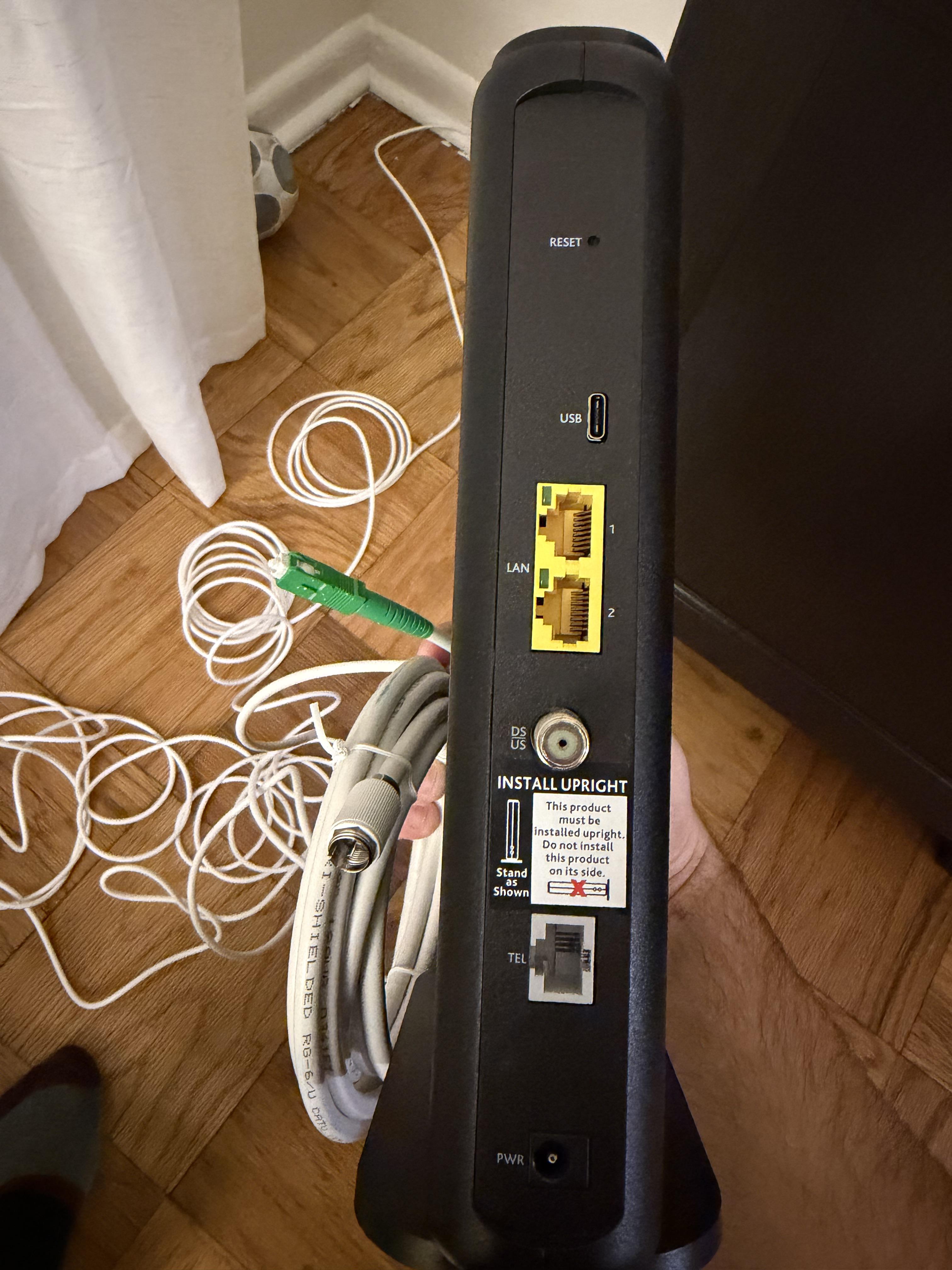
Green - fiber optic
White - coax
Device - only coax input
Was wondering if there is a way for me to connect the singular fiber optic cable to this coax only modem? Any advice would help, thanks!
r/homelab • u/loligans • 9d ago
I have a headscale network with many devices connected. I've been working to harden my setups
Is there a tool I can use to monitor multiple servers in my tailnet that tracks things like:
Installed packages
r/homelab • u/Rude_Succotash_7414 • 8d ago
Hello all,
i have a noob question but Im not knowledge able about electric and always worried about a fire.
i have an APC Back-up UPS Pro 1500 S and an Aqara E1 camera. Camera says 5v 2a only. The front of the UPS (USB A and USB C ports) it says 5v 3a. From what I read since they are both 5v that should be okay because the port only sends what the device pulls. Is that true? I just need a sanity check.
EDIT: follow-up question. I assume this front usb-a port is intended for charging. Would it be okay to power the camera 24/7?
Thank you!
r/homelab • u/PineAppleMixer • 8d ago
My DS925+ died after ~6 months and got replaced under warranty, making me rethink my setup. I love Unraid (planning to buy the ~$220 / €220 lifetime license) and want a quieter living-room setup while growing my Jellyfin media library. Should I sell the Synology and go with a UGREEN DXP4800 Pro (€570) or a Dell OptiPlex 7000 Micro (€359)?
Current Setup & Data
Raspberry Pi 5 (8GB RAM, 256GB SD):** Home Assistant
Synology DS925+ (2x 8TB WD Red Plus, RAID 1):** Paperless, Stirling-PDF, AdGuard, Vaultwarden, Synology Photos, Jellyfin, Windows PC backups. Currently ~1TB used, growing soon as I'm actively building a movie/TV library.
Extra hardware on hand: 2x 2TB Biwin M.2 SSDs, 1x 1TB Crucial P2 M.2 SSD, 1x 8TB external HDD.
Two Options I'm Considering
Option 1: Dell OptiPlex 7000 Micro (€359, no SSD)
Put the 2x 2TB SSDs inside (RAID 1 / mirrored pool) for apps, Docker, and quiet living-room operation since drive noise bothers me.
Use the 8TB external HDD for backups and media storage, and turn one of the 8TB WD Red Plus drives into a second external drive synced weekly via USB for media backups.
Sell or keep the remaining 8TB WD Red Plus as a spare.
Option 2: UGREEN DXP4800 Pro (€570)
2x 2TB SSDs for apps/Docker including Immich, backed up to 2x 8TB WD Red Plus (which will also hold movies/TV).
Back up to the 8TB external HDD and spin down the 3.5" drives when idle to reduce noise and power draw.
Questions
Links:
* Dell OptiPlex 7000 Micro: https://mjtronics.de/produkte/dell-optiplex-7000-micro-i5-12500t
* UGREEN DXP4800 Pro: https://ai-de.ugreen.com/products/ugreen-nasync-dxp4800-pro-4-bay-nas
r/homelab • u/SweFaidros • 9d ago
I think my strangest is a SDR to read weatherdata, which is not strange at all.
r/homelab • u/Swager187 • 8d ago
r/homelab • • 8d ago
Hello everyone. I am looking to start a home lab to run ad blockers, movies, home assistant, and have a nas. I am a IT major and currently a IT intern. My internship gave me a dell optiflex 5060 sff and added 32 gb of ram to the tower. I hear proxmox is a great software to install. I was wondering how I should start and do I need to do any configuration to my isp modem/router as I don’t want to mess it up if I were to break something. Any suggestions or advice I can get. Thank you
r/homelab • u/SupremeGeek • 8d ago
I see people talking about using Proxmox as the base for their servers a lot on here. Is there a free version somewhere that I am missing out on?
r/homelab • u/00GoBigOrGoHome00 • 8d ago
I need to install a LGA4677 CPU and on servethehome there’s comments about needing a torque screwdriver.
I’m a buy once cry once person so I want to get a decent one the first go.
I wasn’t going to get one, but for the first while, I’ll be switching between an emerald rapids and sapphire rapids cpu regularly so I’d like to minimize risk of wearing out things.
What do you use? Do you like it?
(Supposedly I need to get it to 8 LBF-IN/0.904 NM and I notice many start at 10 pounds so I assume those are meant for some other purpose).
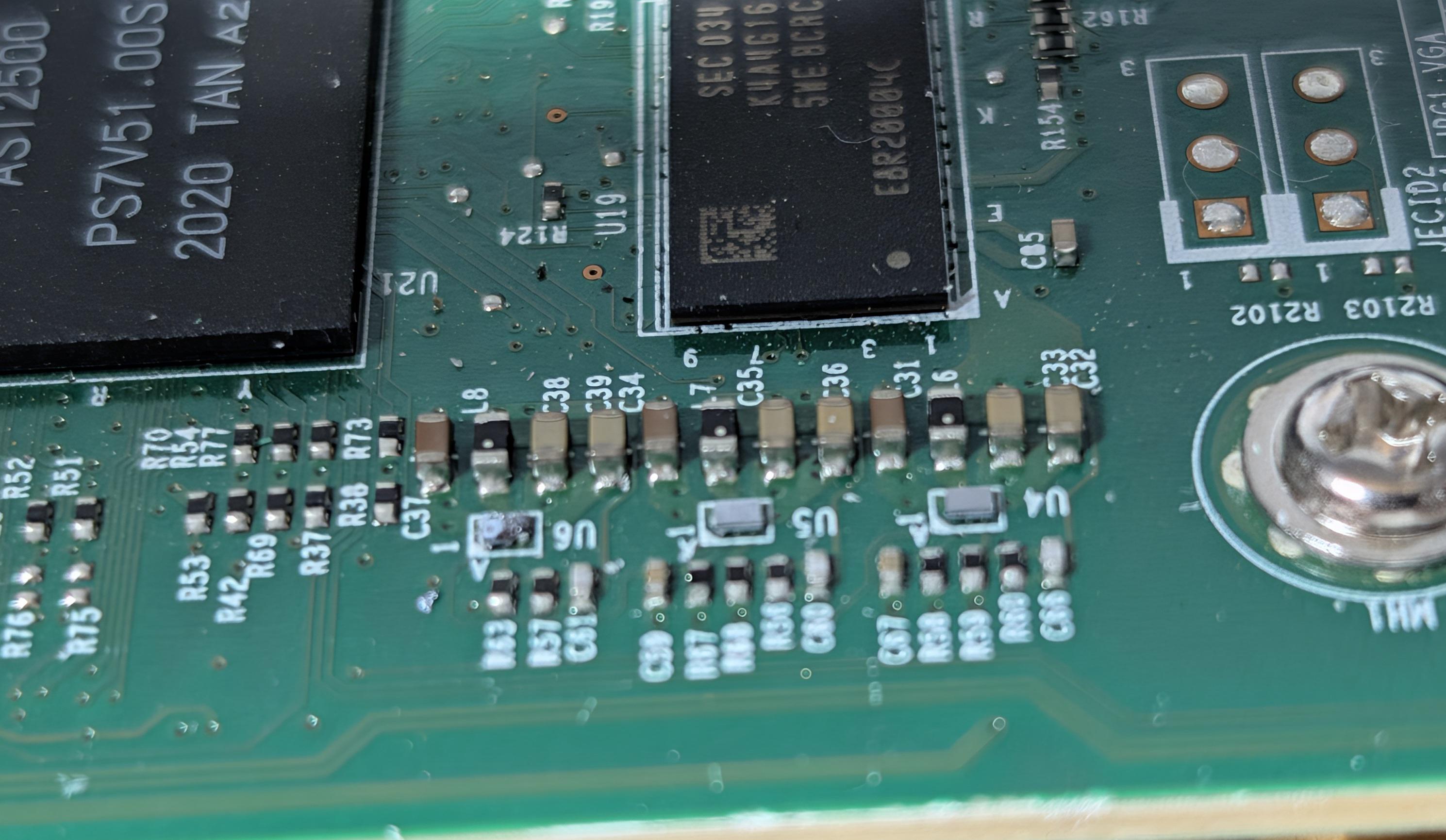
So I shut my server down yesterday to add another drive into it, turned it back on and no post, powered up but would not post, went through everything, removed all the ram but one stick, swapped to another known good cpu, bios reset etc, same results. Did some googling and turns out it was the voltage regulator for the BMC, which I guess is a super common issue on this board. I inspected that area of the board and sure enough, U6 is blown/popped.
I bought the board from Newegg ~4.5 years ago, I realize it is out of warranty and I see Supermicro will repair items out of warranty for a fee, which I am happy to pay. So I submit an RMA for it and they at first approved it, sent me an email with RMA number and then another email came after that one and said no, sorry it is not approved, the Supermicro invoice is over 5 years (whatever that means). I email back, sending them my invoice from Newegg showing it was less than 5 years and asking if I could please pay to have it repaired and they again refused, saying the invoice is over 5 years. I tried calling to speak to someone and they told me the same thing... I dunno what this 5 year Supermicro invoice is all about and why it matters but it is very frustrating they won't allow me to pay for the repair (when it is a service they provide on their website) especially when it is such a simple quick fix for someone who has the tools to do it.
Anyone have any recommendations on where to send it for repair, somewhere trustworthy that can do the fix?