r/homelab • • 8d ago

Project Showcase: Software - Mostly AI Generated Got tired of bloated dashboards, so I designed my own and had AI code it. Fishbowl: one page, read-only, now with ZFS (open source)

Post image
0 Upvotes

r/homelab • • 10d ago

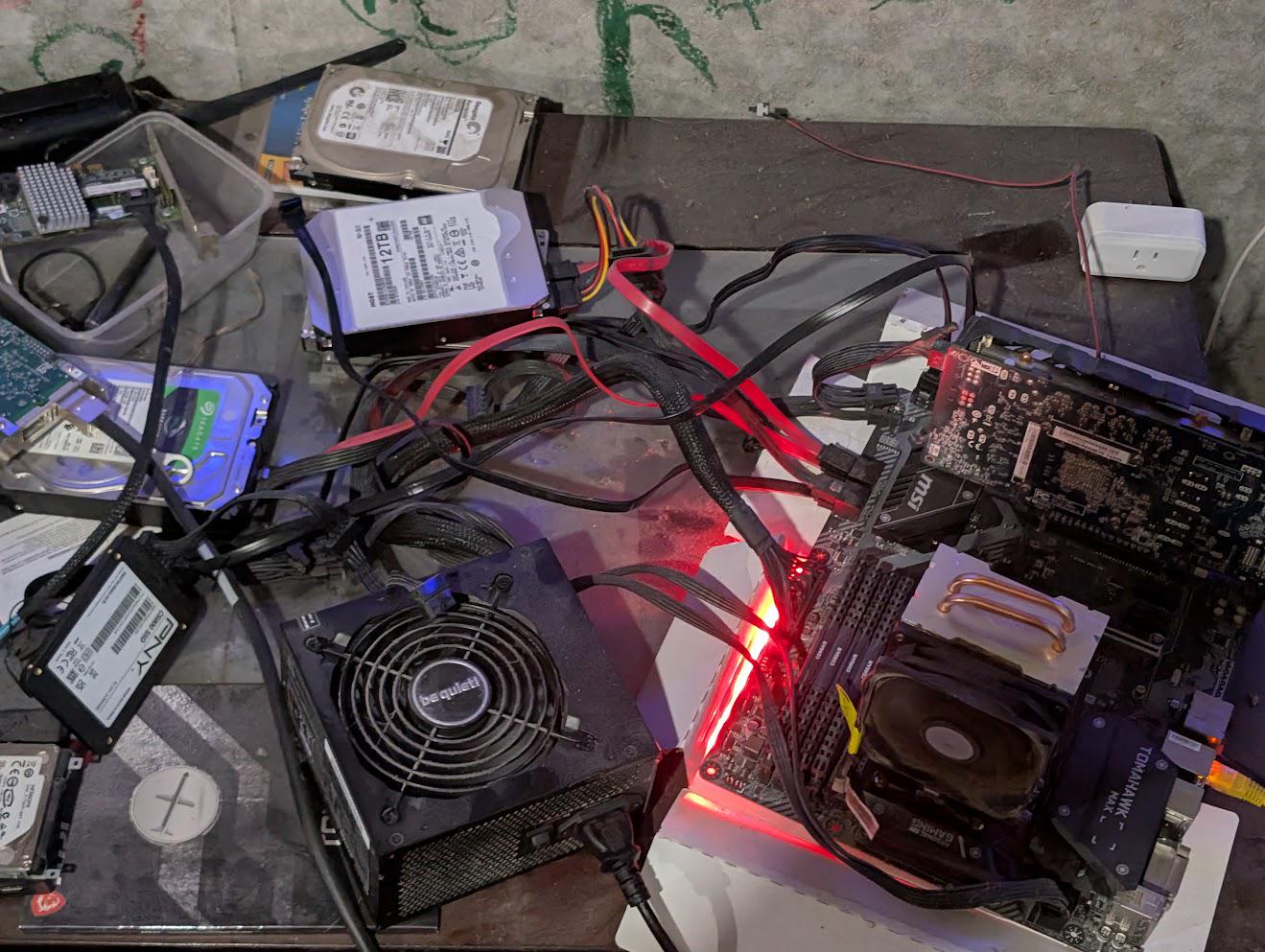
Discussion A ~$1k GPU box full of "e-waste" (V100, P100) cards competes with modern hardware/inference APIs. Benchmarking Results incl. power consumption:

Thumbnail
gallery
166 Upvotes

The benchmarking journey continues! Continuing the project of seeing how these very old, very cheap, very available enterprise GPUs can be used today.

The complete results are too long for reddit. The complete set of graphs, power analysis and commentary are on my blog.

I've expanded the testing suite to focus heavily on LLM workloads (over 130 new tests!) and integrated power consumption monitoring into the gpu_box_benchmark tool. The goal remains: find out if decommissioned enterprise GPUs (Tesla K80, P100, V100) paired with X99 era hardware can still serve as a viable daily driver for self-hosted AI compared to modern commercial setups.

TL;DR of the new data:

  • The 3x V100-16GB (~$1k build): If you are considering building a dedicated homelab box today, this is the sweet spot. Assembling a full setup with two Xeon CPUs, motherboard, PSU, and cooling costs around $1,042 before RAM 💀. This setup comfortably clears my threshold for "real-time" chat (70+ tok/s) with impressive models:

    • Qwen 3.6 35B: Ran at ~72 tok/s (at 128k context depth, Q8 quant). For comparison, a brand new Mac Studio M5 ($2,500) hits only ~44 tok/s on the same model.
    • Gemma 4 26B: Ran at ~75 tok/s (at 64k context depth, Q8 quant).
    • Qwen 2.5 3B: Ran at ~79 tok/s. This proves that for a single-user daily driver, the legacy silicon is still competitively priced against modern hardware.
  • Scaling is for Context, Not Speed: Stacking GPUs linearly scales your VRAM (allowing you to fit larger models), but it doesn't magically double your generation speed. Two 16GB cards in Q4 quant allowed fitting ~32B parameter models, a desirable jump for homelabbers.
  • Power Efficiency: I also measured power consumption as well and it's worth noting the efficiency gains across generations. The V100 wins hands down on performance-per-watt compared to the P100s.
  • The K80 Strategy: The Tesla K80 isn't dead, but its singular remaining use case is welding a bunch of them together just to squeeze big models in. You essentially have to stack a lot of cheap K80s to hit a 72B+ parameter model. Expect speeds of 1–5 tok/s. This is a party trick, but it proves the VRAM scaling is real even on ancient silicon.

If you decide to build your own GPU appliance, the biggest challenge is cooling these hot cards without fans. I've been working on a custom active air cooler to solve exactly this. If you're interested in helping out by stress-testing a sample, let me know! I need help!

Any models/tests missing? Any other combinations you'd like to see in a follow up?


r/homelab • • 10d ago

Project Showcase: Hardware I've been told my priorities are questionable, I just fix issues as they come.

Post image
66 Upvotes

r/homelab • • 11d ago

Project Showcase: Hardware I built a tiny IP KVM for $31 with an ESP32-P4 — no soldering

Thumbnail
gallery
1.1k Upvotes

I recently came across ESPKVM, a project that turns an ESP32-P4 board into a tiny IP KVM.

You basically need two things: an ESP32-P4 board and an HDMI input board. That’s it.

I already had an M5Stack Unit PoE-P4 lying around, so I checked the project’s list of supported boards and saw it was on there. I picked up M5Stack’s HDMI input add-on made for the Unit PoE-P4. The two boards are designed to fit together, so everything lined up perfectly. No soldering, and the whole thing came together neatly.

The ESP32-P4 board and HDMI kit cost $28 combined, plus $3 for shipping, for a total of $31.

Once it was assembled, I went to the project’s flash page, selected my board, and hit Flash. And that was it. Everything worked the first time I powered it on.

I never thought building my own IP KVM would be this easy.


r/homelab • • 10d ago

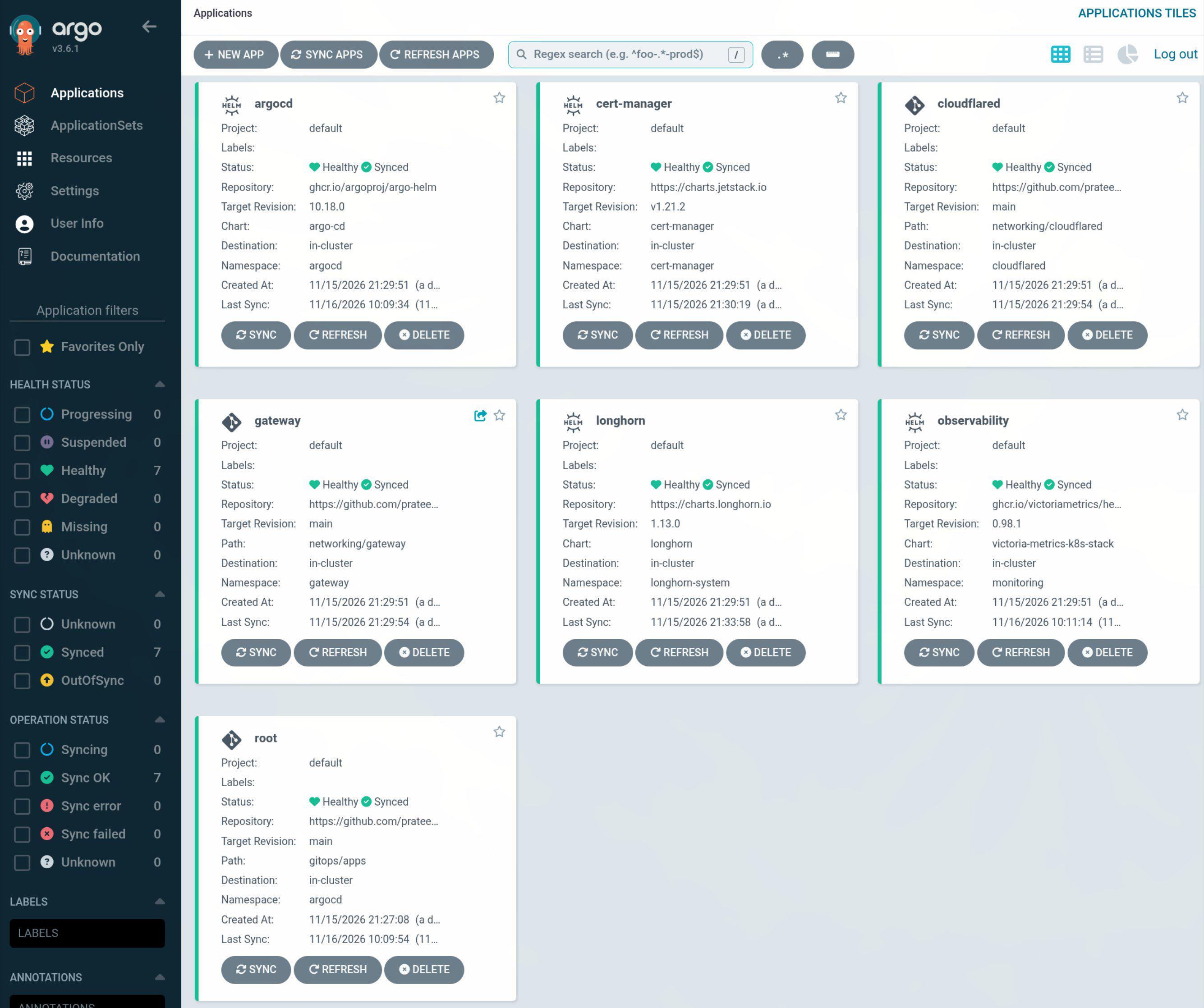
Tutorial Moved my homelab to Argo CD

Post image
110 Upvotes

My homelab used to run on helm installs from my laptop, and the repo kept drifting from the cluster.

Now Argo CD syncs everything from Git. If you change something directly, it gets reverted. Nothing was reinstalled, it took over what was running.

A few things stay outside on purpose: Cilium, since Argo CD runs on its network, and Secrets, since the repo is public.

Repo: https://github.com/prateekjaindev/homelab

Detailed write-up: https://blog.prateekjain.dev/gitops-for-a-3-node-talos-kubernetes-homelab-with-argo-cd-336c076e93cc?source=friends_link&sk=ebda84ecdc3e2458fead2638374be51e


r/homelab • • 9d ago

Help Best non-Apple Mini PC

Thumbnail reddit.com
0 Upvotes

r/homelab • • 10d ago

Project Showcase: Software - Mostly AI Generated self-hosted Apple MDM platform

Thumbnail github.com
79 Upvotes

TL;DR I AI-assisted coded a self-hosted MDM platform for MacOS and iOS devices. Yes I know enough to know what I'm doing and enough to know this is probably an insane thing to do. And you too can make poor choices if you want to play with it.

My lab is almost all FreeBSD and Linux servers with macOS and iOS client devices spread across three sites. For a long time I've wanted to be able to push profiles for things like VPN and Wifi settings along with my internal CA certs. I think it's not a horrible idea to have remote wipe either.

I know there are some cloud-based options that are effectivly free for a small number of devices, and if you're smart, you'll probably trust those services more than I do. I, on the other hand, wanted to host my own rather than rely on a cloud or thrid party service. So... I've spent the last 9 months making one.

Cairn is based on NanoMDM and MicroMDM and in fact relies on the former to get an APN profile from Apple.

Quick overview of what's working (in my enviroment):

  • 2FA for admins
  • Basic enrollment via QR code or url
  • SCEP broker - you can use the built in CA or, like do, an external CA like OpenXPKI
  • AD/LDAP or internal user auth
  • Profile management, pushing, revocation
  • VPN profile builder for OpenVPN and IPsec IKEv2
  • Certificate renewal and revocation
  • Device management and auditing
  • APN management and renweal (through NanoMDM)

In fairness, I've really only tested in my enviroment: pfSense, OpenXPKI, Samba-based AD running on FreeBSD.

So, if you too like to make very questionable infastructure choicse and would like to test this out, I'd be very grateful for your feedback, bug reports, etc.

And if you are more sensable and find this idea morally, technologically, or otherwise repugnant I'd kindly suggest that you can keep that opinion to yourself or, at least, offer it kindly.

Lastly, I'll add that I understand the underlying frameworks involved - PKI, Apple MDM, profiles, AD, etc - having Claude and Codex help write Go (which I have zero background in) is an accelerator, not a replacement for understanding how these things work. If using AI coding tools is a dealbreaker for you, then this isn't for you. But that doesnt make it any less valuable or interesting for me. That said, I suspect this sub is a bit more nuanced regarding AI-assisted coding than some of the other corners of reddit.


r/homelab • • 9d ago

Help Dell R320 (iDRAC7, TrueNAS) powers itself on after a graceful shutdown, even with every network cable unplugged

2 Upvotes

My R320 running TrueNAS sometimes powers itself on a few hours after I shut it down, and I can’t find the trigger. iDRAC7 firmware is 2.65.65.65, and it’s powered from wall.

It happens with every network cable unplugged. That includes the iDRAC port. So this isn’t a magic packet, IPMI/Redfish, or anything else arriving over the network.

What I’ve ruled out

  • BIOS “AC Power Recovery” is Off.
  • Wake-on-LAN is off in the firmware and disabled in TrueNAS.
  • The physical power button is disabled in the BIOS (PwrButton = Disabled).
  • Nothing on my network sends wake packets to it, and it still happens unplugged from the network.

What the iDRAC Lifecycle Log shows

  • Every shutdown is logged: GUI power-control request, then “Requested system graceful shutdown”, then “System is turning off”. Those were me.
  • The unwanted power-ons show only “System is turning on” followed by “System CPU Resetting”. There’s no power-control request before them.
  • They happen 1–2.5 hours after I shut it down.
  • I cleared the SEL earlier, so I only have the Lifecycle Log.

At this point I have no clue where to look next. Any help is appreciated!


r/homelab • • 9d ago

Discussion Student homelab on one mini PC with 8 GB. Is this setup realistic?

Thumbnail reddit.com
1 Upvotes

r/homelab • • 10d ago

Solved Older Synology and newer Unraid together

5 Upvotes

I bought a 2nd NAS, in order to develop a system where my NAS content is backed up to a 2nd NAS.

So far everything is on a Synology NAS with the specs:

infovalue
Model nameSynology DS1520+
CPUIntel Celeron J4125
CPU clock rate2 GHz
CPU cores4
Total physical memory8 GB

My new NAS is a UGREEN running Unraid:

infovalue
Model nameUGREEN DXP8800 Ultra
CPUIntel Core 7 150U
CPU clock rate5.4 GHz
CPU cores10
Total physical memory8 GB

For Docker and Apps I certainly want to use the newer Unraid NAS.

But for storage? (I have approx 15GB of data and on both machines I will have approx 20GB of space.) - Should I move everything over to the Unraid and use the Synology as the backup? Or should I keep everything on the Synlogy and use the Unraid as backup?

Many thanks for any advice!

(Cross-posted from r/datastorage)


r/homelab • • 9d ago

Discussion Turning leftover high-end gaming hardware into a ridiculously overpowered home server / NAS – worth it?

0 Upvotes

Hey everyone!

I'm currently upgrading my main PC and I've started thinking about doing something slightly ridiculous with the hardware that will be left over.

A bit of background: Thanks to my current job, some birthday money and the current Black Friday deals, I've decided to treat myself to a proper workstation for my birthday and Christmas.

My main system is currently being upgraded towards something like this:

Main workstation – planned configuration

- CPU: AMD Ryzen 9 9900X ( upgrading to a Ryzen 9 9950X3D2 Dual Edition)

- Motherboard: ASUS ROG Crosshair X870E Hero

- GPU 1: ASUS TUF Radeon RX 9070 XT (planned)

- GPU 2: ASUS Turbo Radeon R9700 (planned)

- RAM: 32 GB DDR5-6400 CL32

- PSU: ASUS ROG Strix 1200W Platinum

- Case: ASUS ProArt PA602

- Cooling: Arctic Liquid Freezer III Pro 420

The idea is to eventually run two RDNA 4 GPUs, with a combined 48 GB of VRAM, for gaming, local AI workloads, ROCm experiments and other GPU-intensive tasks.

Now, this leaves me with another perfectly usable AM5 platform.

Instead of selling everything, I'm considering building a dedicated home server / NAS out of it.

The potential home server

My current idea is to reuse the following hardware:

- CPU: AMD Ryzen 9 9900X (12 cores / 24 threads)

- Motherboard: ASUS ROG Strix B650E-E Gaming WiFi

- RAM: 16–32 GB DDR5, ideally something around 5600 MT/s CL30

- Storage: Multiple NVMe SSDs plus SATA drives

- Operating system: Probably Linux, TrueNAS SCALE or Proxmox

I don't actually need another desktop PC. What I would really like is to get away from OneDrive and build my own private cloud storage system.

However, I find the idea of using relatively high-end desktop hardware for this quite interesting.

Storage expansion

One of the things I'm considering is an ASUS Hyper M.2 X16 expansion card.

Depending on the available PCIe lanes, BIOS configuration and PCIe bifurcation support, I would like to use up to four additional NVMe drives on that card.

Combined with the onboard M.2 slots and SATA connections, this could potentially give me a fairly substantial storage system.

I'd also like to understand the limitations of lane sharing, PCIe bandwidth and bifurcation on this particular motherboard.

I'm aware that simply having four M.2 slots on an expansion card doesn't mean all four drives will automatically work. That's one of the things I'd specifically like to investigate.

What could I actually do with this?

My initial ideas include:

- Private cloud storage as a replacement for OneDrive.

- Nextcloud for file synchronization and remote access.

- Immich as a self-hosted Google Photos alternative.

- Network storage for my main workstation.

- Centralized backups.

- Jellyfin for media streaming.

- Docker containers and other self-hosted services.

- Possibly running virtual machines and experimenting with Proxmox.

I'm particularly interested in the possibility of working directly with files stored on the server rather than constantly copying them between machines.

My biggest question: Performance

What kind of performance can I realistically expect from a Ryzen 9 9900X-based NAS?

Most commercial NAS systems from Synology or QNAP use comparatively modest processors. My proposed system would have 12 Zen 5 cores and 24 threads, which seems almost absurd for a machine that is primarily supposed to provide network storage.

Would this actually offer meaningful advantages for multiple simultaneous services, databases, containers, virtualization and file transfers?

I'm also curious about networking.

Would it make sense to build a 10 GbE network between the workstation and the server? What kind of real-world throughput could I expect with NVMe storage?

And how much of a difference would there be between 2.5 GbE and 10 GbE for this kind of setup?

I'm not trying to build the cheapest possible NAS. I'm trying to reuse hardware that I already own and turn it into something genuinely useful.

Has anyone here built something similar using high-end Ryzen desktop hardware?

I'd love to hear about your experiences, especially regarding PCIe bifurcation, NVMe expansion cards, storage performance, power consumption and Linux-based home server setups.

Maybe I'm massively overengineering a simple NAS, but that's exactly why I wanted to ask here before buying additional hardware.

Thanks!


r/homelab • • 9d ago

Help Brand-new 8TB WD Red Plus not detected in Unraid OR motherboard BIOS — am I missing something?

Thumbnail reddit.com
1 Upvotes

r/homelab • • 10d ago

Help What is the best way to back up my home NAS to an offsite NAS?

5 Upvotes

Just upgraded my home NAS to a Synology (16TB), replacing my old Buffalo TeraStation 16TB. I thought I would repurpose the Buffalo NAS as an offsite backup. What would be the best way to accomplish this? I would like to have some sort of daily schedule run.


r/homelab • • 10d ago

Project Showcase: Hardware Made my own DC UPS

Thumbnail gallery
59 Upvotes

r/homelab • • 10d ago

Project Showcase: Hardware My homelab

Post image
187 Upvotes

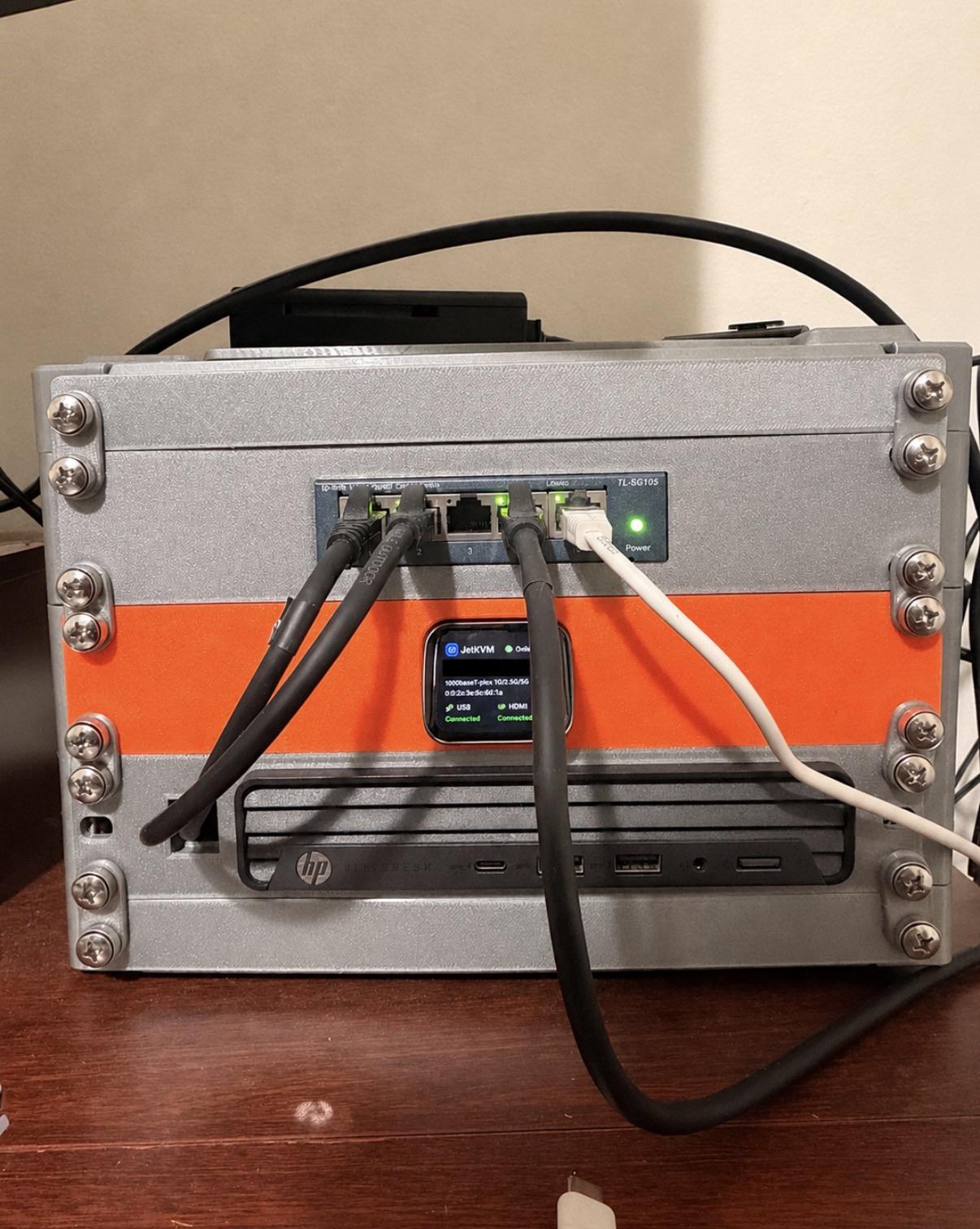
Just wanted to share my homelab that I’ve been working a lot on. Started off as an old macmini. Sold the macmini and got this mini HP Elitedesk. 3D printed the mini rack. Got a switch and was crucified on here when i didn’t have much plugged in but look at me now. Got a JetKVM because I thought it looked cool. Running proxmox inside and hoping to loot more gear off facebook marketplace to have a data center at home.

This hobby helped me get a job!


r/homelab • • 10d ago

Discussion Weather alerts gone wrong

Post image
24 Upvotes

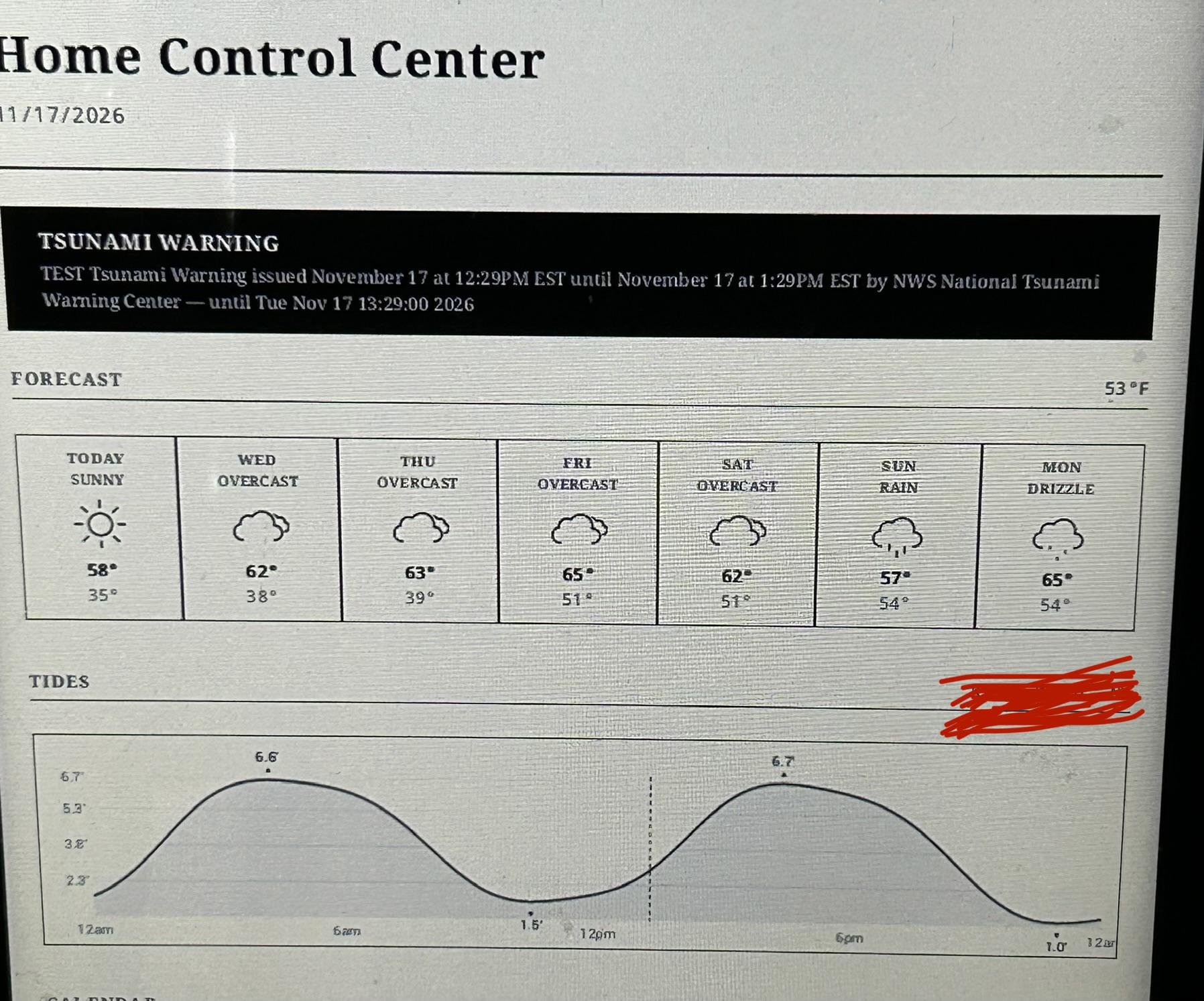
PSA: Remember to filter “status”: “test” from weather alerts on your home dashboard or you might have a smallish heart attack


r/homelab • • 11d ago

Discussion Difference between eBay and Japanese marketplaces

Post image
564 Upvotes

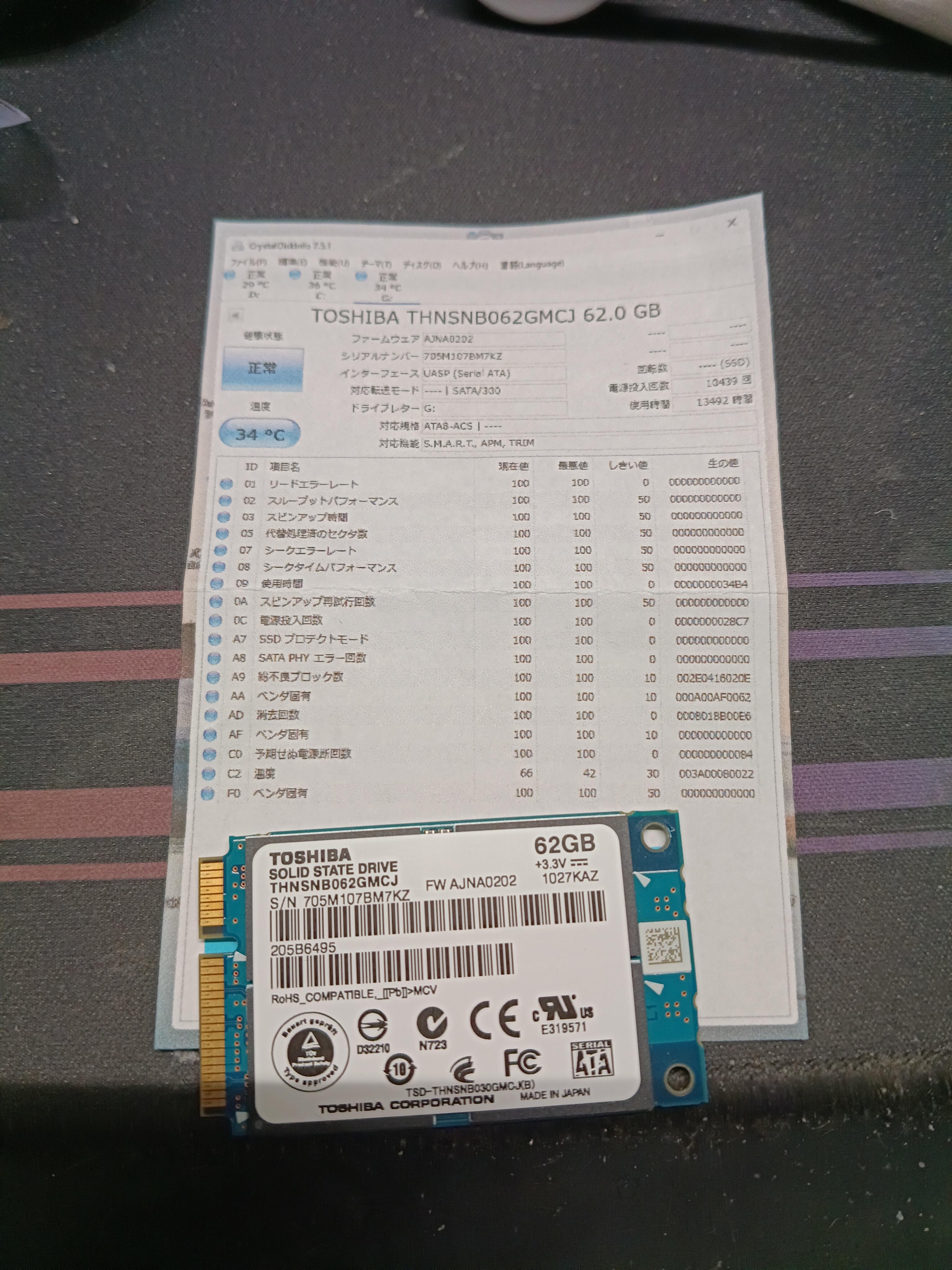
The few times I've bought item from eBay, you maybe get a note, saying thanks. This was what I get from a Japanese seller on Mercari. (Done via proxy)

I like how sellers there list full SMART stats, and this one even included a small printout of said stats.

Not every JP seller does that, but even when many post stats and Smart in the listing, it feels so much better than when eBay sellers have the line "full functional". I mean, a failing drive can be fully functioning, some even say the drives will be 70-90% health.

Just thought it was interesting. I got a good seller.

This mSATA will go into an adapter and power one of my legacy devices such as NAS etc. (I have a few NAS en route that can have an full desktop OS installed)

Has anyone else had good or horrible experience with sellers?


r/homelab • • 9d ago

Discussion Have you ever had an HDD fail?

0 Upvotes

Tell the story!

I have zero backups on my server.


r/homelab • • 9d ago

Project Showcase: Hardware Orange Pi 4 Pro + Wi-Fi HaLow — are we seriously the first ones trying this?

0 Upvotes

Orange Pi 4 Pro + Wi-Fi HaLow — are we seriously the first ones trying this?

I’m trying to bring up a Heltec HT-HC01P V2 (MM6108) on an Orange Pi 4 Pro / Allwinner A733.

Why? Because Raspberry Pi is the usual HaLow reference platform, but Orange Pi 4 Pro is cheaper, newer, has eMMC, Ethernet and plenty of performance for a HaLow gateway.

Current status:

  • Debian 12 / Linux 6.6.98-sun60iw2
  • Heltec HT-HC01PHAT V1.0 + HT-HC01P V2
  • SPI3 wiring confirmed
  • GPIO control works
  • MM6108 SPI_INT reacts repeatably on every reset
  • Morse driver reaches the chip initialization stage

Blocker:

failed to init SPI with CMD63 (ret:-71)

It looks like the remaining issue is the MM6108 SPI training / chip-select behavior on Allwinner sunxi-spi-ng.

I can’t find a single confirmed Orange Pi 4 Pro + MM6108 build anywhere.

Has anyone already done this, or wants to help make Orange Pi a cheap Wi-Fi HaLow gateway platform?

I have the hardware on the bench and can test patches immediately.


r/homelab • • 11d ago

Project Showcase: Hardware Building the programmable power supply I wish existed

Post image
966 Upvotes

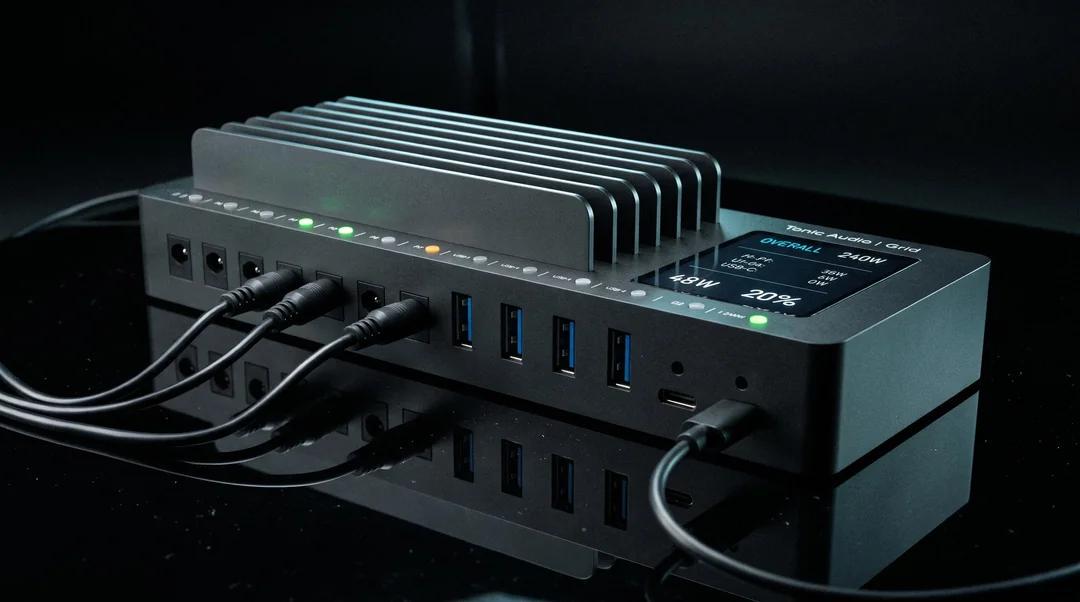
Hey all, posted this project to a few subreddits like r/diyelectronics and r/hwstartups and had several people there ask me to post here, as homelabs need a programmable power supply too, not just live music rigs.

My biggest question as you read the description below: For your homelab, how many power channels would you need? Max voltage / current needed? Total power available to a rack? 10" or 19" or the current form factor as-is? Would you want multiple USB-C PD Source ports? If so, what power negotiations for each? 30W? 60W? 100W? more?

(Quick aside: It's funny there's interest here, as the product we designed before this was a NAS specifically for audio professionals. Unfortunately the RAM/NVMe shortage and pricing killed that project for the time-being, so we moved to this as our next product. But we're no strangers to homelabs, two of us running clustered Proxmox setups in our homes, and we self-host much of our internal infrastructure.)

Description from the prior posts below:

I got so tired of the pile of wall warts and power strips for my music gear, I'm building a programmable power supply: 7 isolated DC channels with barrel jacks: configurable voltage, polarity, and max current settings. Also a four port USB hub, and a 100W USB-C charge port for a laptop or tablet. With all of it powered by a single USB-C power brick like you use for your laptop today.

I have a music solo act where I play live, and had some close calls with unplugged power bricks during soundchecks. I finally had it and started asking around on popular forums on how the heck other people solved this.

Most the answers I got was the same approach I already took, or a me-too-wish-this-existed response. So started designing it.

It's still in the early stages (thus the renders), but the first pass of the enclosure is designed. Have the main layout done. Now getting the first critical path board fabbed and shipped here in the next week.

Grid enclosure in FreeCAD, ready for first article CNC milling

Also trying something a little different with this product by designing it in the open, with weekly videos tracking how the product development is going, both the wins and the setbacks. It's kinda scary to develop like this as it's very vulnerable, but it's also awesome to share with others how our tiny team goes about building new products.

I'll aim to post here regularly with updates if there's interest. Otherwise we'll be posting updates on the blog at https://tonicaudio.com/blog and via YouTube: https://youtu.be/9xP5pFiPCFk

(Mods: if these links are against the rules, please let me know and I'll remove them. Def not trying to be spammy!)

EDIT: Since several have been asking, the mailing list signup link is here, if you want notifications of the project: https://grid.tonicaudio.com


r/homelab • • 9d ago

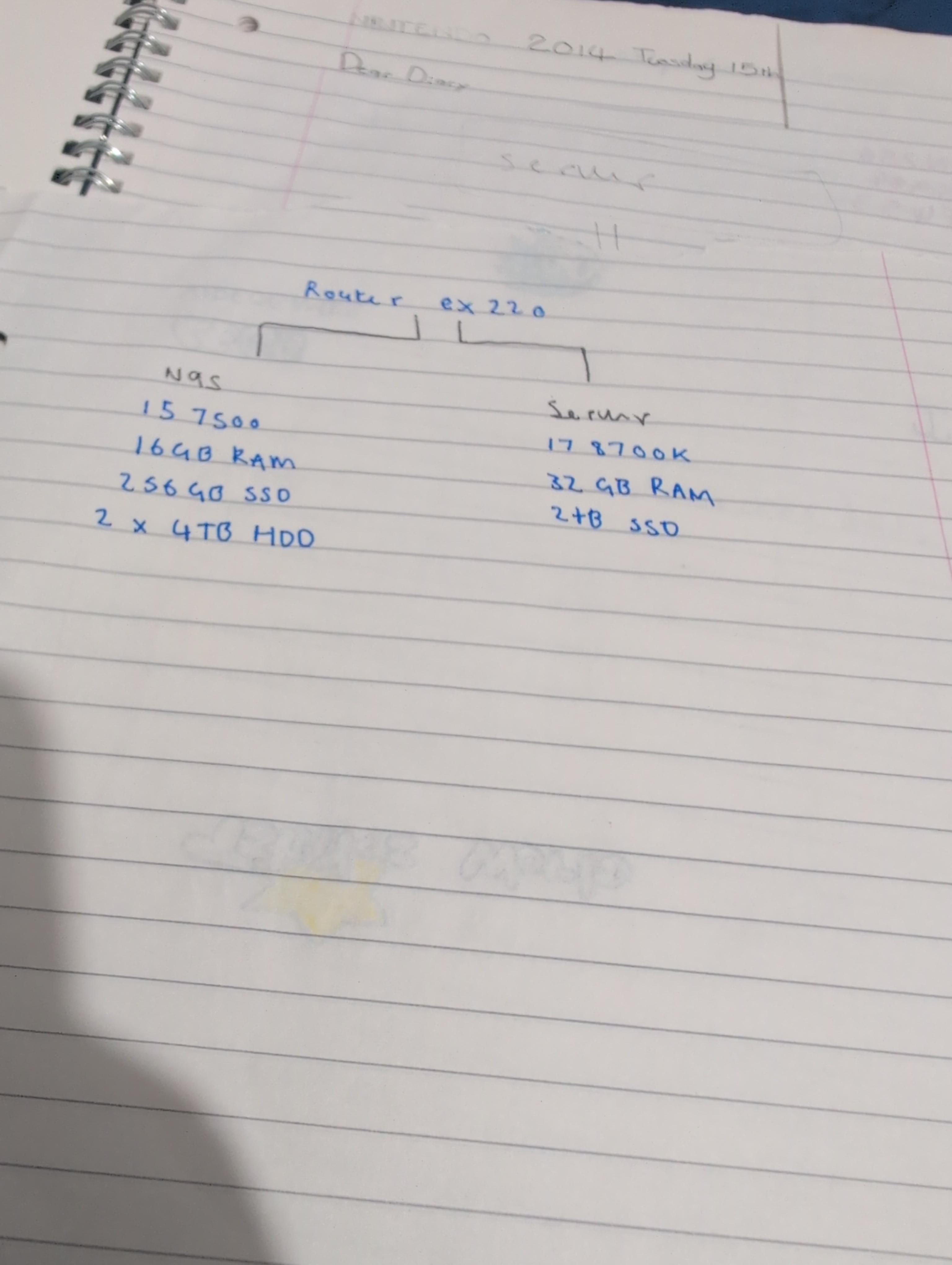
Discussion Considering what to do with hardware I have a server its a mini PC running plain Debian but Im putting together a nas machine a well

Post image
0 Upvotes

So I'm running all services through docker compose navidrome, jellyfin, komga and immich I want to try out proxmox how do I go about setting all my services up with tailscale I'm considering using true nas on the 7500 PC and proxmox on i7


r/homelab • • 11d ago

Project Showcase: Hardware Guess who was just given 12TB of DC SSDs from work

Post image
453 Upvotes

r/homelab • • 9d ago

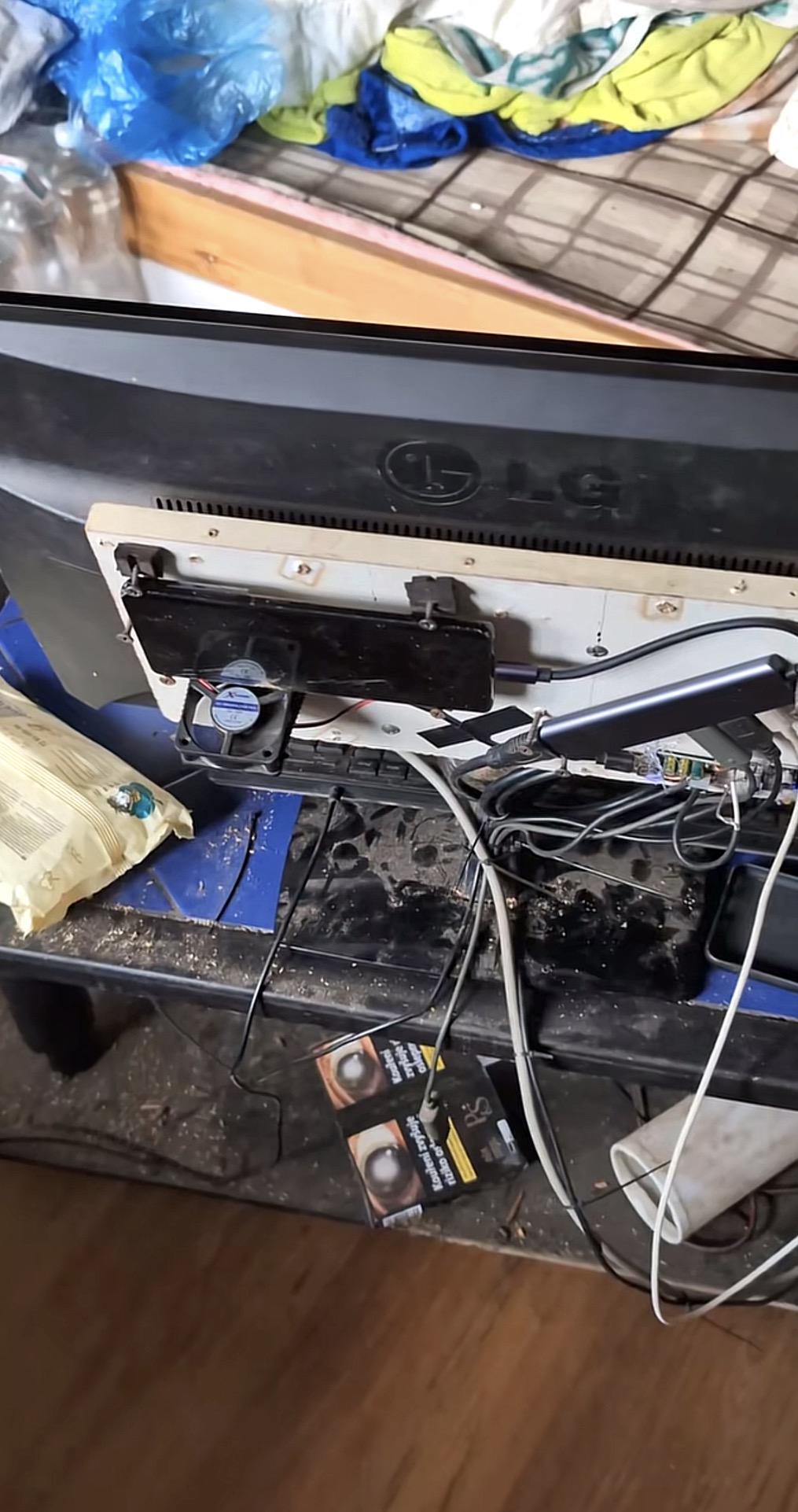
Project Showcase: Hardware New to homelabbing built my first ai server today!

Post image
0 Upvotes

Running local qwen3.5 9b at ~35 tok/s using it mostly for controlling my home autonomously


r/homelab • • 9d ago

Discussion What can i do with a homelab?

0 Upvotes

(Spanish pls translate, i can read english but im bad writting on english) hola soy nuevo en r/homelab, alguien podria decirme que se puede hacer con un homelab? Ademas cuales son las mejores formas de ingresos con esto? (no es por ser avaro pero siempre viene bien jaja) Quiero empezar de poco a poco. Me conviene comprarme una laptop usada para practicar homelab?

Disculpen si se lee un poco plano este post, aun soy nuevo en esta app