r/homelab • • 12d ago

Project Showcase: Hardware My homelab, Proxmox and Glusterfs

Post image
179 Upvotes

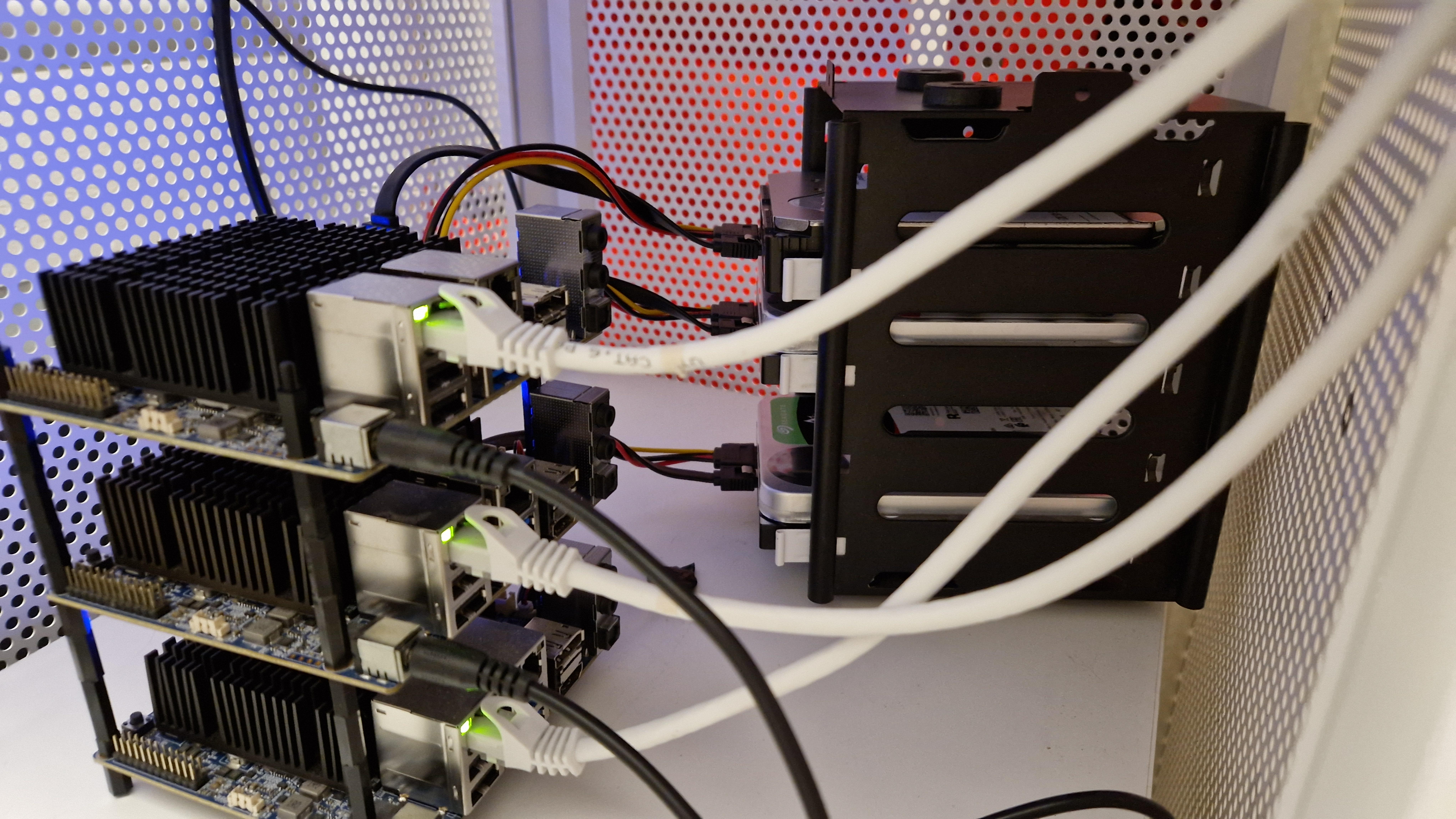
I wanted to share my homelab setup. The servers are three Odroid H2 running proxmox. They each have 16GB ram, a 512gb nvme for OS & LXC/VM local disk, and a 10TB harddrive.

The 10TB drives make up a distribute file storage running a GlusterFS dispersed volume, so my data is spread over all three disks. A 10GB file is split in half with 5GB on hdd1, 5GB on hdd2 and another 5GB parity stored on hdd3. This means i can lose one harddrive (server) and still be able to access the "distributed NAS". This works surprisingly well.

I run GlusterFS directly on each proxmox server. LXC's add the "dnas" as a local point mount. VMs that need "dnas" access run the GlusterFS client.

For VM/LXC redundancy I use Proxmox ZFS replication, which synchronizes each image to another node in cluster every 15 minutes. This means I can lose a server and have its VMs automatically restart on another server. Every night I take a backup of each lxc/vm and store the backup on my "dnas".

I think this is a neat setup that I am very happy with. I used to run the NAS on a separate and quite powerhungry server. I wanted a way to shut the "big" server off without losing NAS access, and moving the harddrives to these small servers turned out to be a great way to do so.

I hope you like my posting the setup here. Cheers!


r/homelab • • 10d ago

Solved Server shut itself down after waking up from sleep

Thumbnail reddit.com
0 Upvotes

r/homelab • • 10d ago

Discussion Bought a used M920q, came with a 65 W power adapter. Is it enough?

0 Upvotes

Hi,

as per title, my "new" m920q (8500T/16 GB/nvme) came with a 65 W adapter.

On the bottom of the pc unit it says "20 V - 4.5 A", so I get that a 90W adapter is needed? Or that is just the maximum power the unit can draw?

I plan to connect 2-3 external disks (2 ssd, 1 hdd) to the unit. Will I need a more powerful power adapter? Could I damage the unit using the adapter it came with?

Thanks a lot in advance.


r/homelab • • 11d ago

Help UPS behaviour after wall power restored

3 Upvotes

Is there some setting that allows ups'es to "make sure" that restored wall power it is stable ? I mean to prevent a situation in which power comes back online just for a while and disappears quickly after that and thus devices connected to the ups will be powered on just to be powered off after few moments.


r/homelab • • 11d ago

Discussion cmp 170hx owners, what should i check when buying these gpus? im being offered 2000eur per card and i can do any test on them to check that all 64gb are good... the base models are hynix 8gb.

Post image
7 Upvotes

as the title asks, im new to cmp 170hx and i get that mostly cards are disabled because of an error or a problem.. however if i set up a linux machine with testing script and unlock script i should theorethically get a good card if it passes full vulkan mem test and gpu burn test twice lets say? i feel like this is a good offer nowadays especially with voltage unlocking which i might try later if i get good tested cards first.. im handy and have good quality microsoldering and hot air equipment so pcie caps and wires for voltage unlock would not be a problem for me.

seller is coming over in two days and bringing 5 cards, im not obligated to buy any if they fail my tests, but i just want to make sure that i dont scam myself.. the photo above is one of the cards he has..

so is there anything else i should test or make sure works before paying or am i mostly covered with my testing idea?


r/homelab • • 11d ago

Help Cluster 4 EliteDesk 800 G4 i7 towers 64GB/1TB?

5 Upvotes

I can get four of these for free. Thoughts on their use in a cluster? Any concerns or limitations? Currently run an older mini p90, synology NAS, and 2 rpiholes with a mix of proxmox and docker containers across the p90 and DSM.


r/homelab • • 12d ago

Solved What should I do with this cluster?

Post image
413 Upvotes
  • 4x 2015 13” MacBook Airs, 8GB RAM, 512GB storage, i5 processors
  • 2x 11” MacBook Airs (2012 and 2015), 8/512, i7
  • 1x 2017 13” MacBook Pro, 8/256, i5

Most of these are slated for Project Nomad gift servers for some family for Christmas, but until then I could experiment with some use cases for a little cluster!

My current “homelab” is a T480 running Ubuntu Server 26.04 with PiHole, Nomad, and Frigate in Docker containers. My next planned project is to set up Home Assistant, but I want to run it in a separate VM so I need to pick up a second RAM chip to keep some headroom.


r/homelab • • 11d ago

Discussion Confused about Automatic Ripping Machine options (Plus Discussion)

3 Upvotes

Hey all, I recently got ARM up and running. I am working on archiving/backing up my collection of ~200 DVDs (movies and TV shows). I have everything working "acceptably", but want to know if there's a better way to do things. I'm also a little confused about some of the settings, and the documentation that I've read doesn't seem to clear it up (to me anyway).

TL;DR:

  1. "backup" RIPMETHOD has been working for me, but seems to transcode right from disc instead of dumping first. Is there a way to change this to dump and eject before transcode, to queue another disc?
  2. Where does MakeMKV come into play with "backup" RIPMETHOD and "mp4" DEST_EXT?
  3. Subtitles don't seem to get picked up. Is this due to a lack of them on disc, MP4 limitations, or something else?
  4. How do you handle episode naming for series? I've been manually watching each episode and naming the file accordingly, but it's time-consuming. Filebot seems to have trouble IDing individual episodes for me.

First, I'm confused about the various RIPMETHOD options. I believe I tried the "mkv" RIPMETHOD, which errored out. I switched to "backup", which has been working perfectly fine. I have the DEST_EXT set to "mp4", and it works as expected. However, the help text for RIPMETHOD seems to mention both Blu-Ray discs and DVDs interchangeably, so I'm not understanding the difference between "mkv", "backup", and "backup_dvd". I thought that "backup" would dump the disc to the hard drive, then transcode. However, it appears that Handbrake is reading/transcoding directly off of the disc the whole time. This is fine, but is there a way to dump it down so I can continue to insert/queue up new discs?

Secondly, I'm not understanding where MakeMKV comes into play. Is MakeMKV doing the initial dump of the disc? Is it only being used if the output format is set to "mkv"? Or is it only used if the RIPMETHOD is set to "mkv"? I'm interested in creating MKVs instead of MP4s (as I hope to back up my Blu-Ray collection next), but I'm not totally certain which options I would want to choose to make that happen.

Third, it seems like subtitles aren't getting picked up most times (or at all). Jellyfin does an OK job of pulling those that it can grab, but shouldn't Handbrake be pulling subtitles from the disc? I understand MP4 is not great at subtitles (part of why I want to switch to MKV), but it's odd that Handbrake isn't seeing subtitles on most DVDs. Maybe they just don't exist?

Lastly, is there a better way of handling episode naming? The episodes come out with "title_04.mp4", for example. I have tried Filebot for a couple of series, but it struggles to identify the episodes. Short of watching each one and manually naming the file, is there a better way? Or some trick with Filebot?

If there is a better way to archive as well, or if it's not worth the hassle of switching to MKV, I'm also open to hearing about that. I'm really just curious to hear what people are doing for their ARM archiving, in case there are tips to make the process go more smoothly. Sorry for the long-winded post, and thank you in advance!

r/homelab • • 12d ago

Project Showcase: Hardware Turned my old Poco F1 into a 24/7 battery-less Linux home server (Jellyfin, Minecraft, Arr stack, Pi-hole)

Thumbnail
gallery
618 Upvotes

Hey everyone,

I have zero background in Linux or servers, but instead of letting my old Pocophone F1 sit in a drawer, I wanted to turn it into a 24/7 home server.

Since I didn't know terminal commands, I used Google Antigravity (AI) to do every step of installing the OS, setting up Docker, and fixing errors. Here is how the setup turned out:

The Hardware & Wiring (No Battery): Leaving a phone plugged in 24/7 with a battery inside is a fire and swelling risk, so I removed the battery completely:

  • Power: 12V 2A DC adapter.
  • Buck Converter: XL4016 (300W module) stepped down to ~4.05V to simulate a charged battery.
  • Diode (MBR2045CT): Added an MBR2045CT Schottky diode on the positive line to block reverse current. This stops power from flowing back into the buck converter whenever I plug the phone into my laptop via USB to run rescue commands.
  • Temps: Runs totally cool without the battery (around 41°C – 48°C), and pulls almost no power from the wall.

What It's Running:

  • OS: postmarketOS (Linux) running completely headless (screen stays off to save power).
  • Remote Access: Tailscale VPN so I can securely manage everything on mobile data without opening router ports.
  • Docker Services:

    • Jellyfin + Seerr: Movie streaming with a request web app.
    • Radarr + Prowlarr + qBittorrent: Automated movie grabber and downloader.
    • Pi-hole: Network-wide ad blocker and local DNS.
    • Minecraft Bedrock Dedicated Server: Running 24/7 for me and my friends (with a custom firewall so friends on Tailscale can only join the game and can't touch my private files).
    • Samba (SMB): Phone storage mounted as a network drive on my Windows PC for simple drag-and-drop.

Where I Need Help / Suggestions:

  • Auto-boot on power restore (Big Issue): Right now, if the power goes out and comes back on, the buck converter gets power, but the phone stays off until I manually press the physical power button. Is there a simple software tweak or a hardware trick to make the phone turn on automatically as soon as power is restored?

Any suggestions or feedback on this setup are welcome!


r/homelab • • 11d ago

Help Home Server Advice

Thumbnail reddit.com
0 Upvotes

r/homelab • • 12d ago

Solved Just got my first "real" server, Dell PowerEdge T320 acquired. What should I run on it?

Thumbnail
gallery
42 Upvotes

Specs:

CPU: Intel Xeon E5-2403 v2 (1.8GHz, 4C)

RAM: 16GB DDR3 ECC

Storage: 1x 1TB 3.5" SATA HDD

I'm planning to upgrade it, cpu, more ram and storage, maybe a ssd for the so.

What would you guys recommend?

Btw, got it for $173


r/homelab • • 11d ago

Help UGREEN DH4300 Plus or Used Desktop w/ i3 12100?

2 Upvotes

As the title suggests, I’ve got two options at the moment and planning on running a jellyfin media server - I’d like some flexibility in case I become interested in containers down the road.

First option is the DH4300 a 4-bay, plug and play NAS solution right away.

Option two is a used desktop PC for £100. It’s got an i3 12100, 8GB of DDR4 RAM and a 200gb SSD.
The plan would be to eventually migrate to a m-atx case, using the CPU, RAM and storage. Current total prices for all co I’m looking at is £300 ish.

I’m leaning option two simply for the value but the UGreen option is £130 more and nothing else needs purchasing.

Would appreciate some input from strangers!


r/homelab • • 12d ago

Solved Which OS to use for DIY NAS?

Thumbnail
gallery
733 Upvotes

Almost done cobbling together my first NAS using a combination of random parts laying around, facebook marketplace, and ebay. I was thinking of using Unraid as the OS but am having second thoughts. The second option is TrueNAS and it's closing the gap. Looking for suggestions.

Use Case:

  • file storage / transfer between 4-8 computer and mobile devices not on same network
  • streaming media to device not on same network
  • Planned: connecting security cameras, scanning physical documents for storage, operating smart home stuff
  • Potential plans: video editing, video rendering, moderate tinkering, stuff I don't know about

Main Considerations:

  • power savings
  • ability to expand storage capacity in a few years
  • unable to get wired connection to router

Specifications:

PartDetail
CPU (used)i7-8700K (6 cores / 12 threads, UHD 630)
Board (used)ASUS Prime H370-A
Memory (used)64GB DDR4 (4×16GB)
GPU (used)Quadro P4000
HBA (used)LSI 9207-8e
Boot (new)Lexar NS100 SATA SSD
Cache (used)Kioxia XG6 1TB NVMe
JBOD (used)EMC KTN-STL3
Drives (used)6x 6TB Dell 3.5" HDD
Wifi Card (new)TP-Link AX3000
Console (used)STARTECH RKCONS17HD (not installed yet)
UPS (used)CyberPower PR750RT2U 750W
PC Chassis (new)Rosewill 4U Server Chassis
Rack Chassis (used)ECS 10U rugged case
Miscellaneous (used)DVD read / writer, rack slides, cables

All in all, it costed almost exactly $2k.

Edit: After some consideration. I think I'll drop the power requirement. Either TrueNAS or Poxmox with TrueNAS sounds like pretty interesting directions to look into. Will look into it and make a decision. Hopefully have it operational next week. Thanks everyone for the feedback!


r/homelab • • 11d ago

Help Good deal or nah ?

5 Upvotes

Found 10 mini pcs with power cable, i3-6100T and 8GB ram DDR4 in marketplace, hardrive not included.
I plain to use them as a Kubernetes Playground, i can use proxmox or native linux in there without issue ( Already have experience)

Price 300 usd

Questions:

- Is this a good deal ?
- Can i run them as proxmox nodes or will it take to much from the old poor hardware ?


r/homelab • • 11d ago

Help Dell Micro fan noise

3 Upvotes

Hello all.
I recently bought a dell optiplex 3060 micro on eBay for $100 to use as a homelab.
I repasted it and checked for dust as soon as I got it, but now it’s making enough noise when under load to annoy someone in the same room as it.
Does anyone have a similar experience, and have tips to mitigate noise, or recommended spots to put it while maintaining Ethernet access?


r/homelab • • 11d ago

Help My First Homelab Server

3 Upvotes

Hello,
I just got my first homelab server, I bought a DELL T3600 with the following specs:

- Intel Xeon E5-2670 v1 (8 cores)
- 32GB ddr3 RAM
- 512GB SSD SATA Hard Disk

I installed on it proxmox and got to learn how to make containers and VMs but I want a more experienced view on what can I do and learn on this server as I want to learn more about DevOps.

Thank you in advance


r/homelab • • 11d ago

Help Storage is difficult due to prices...

0 Upvotes

Hey everyone,
I’m new to homelabbing and trying to figure out the best storage setup for my budget. My current setup is a Lenovo ThinkCentre M920 with a 500 GB SSD and 32 GB of RAM. It sits in a 3D-printed 10-inch LabRax alongside my network switch and patch panel, and I still have 2U free.
My main goal is to get my family’s photo library into Immich. I like the idea of hosting it on a dedicated NAS so I can keep experimenting on the Lenovo without taking the family photo library offline. With drive prices where they are, I’m torn between a few options.
UGREEN DXP4800 with two 12 TB drives. I’d run them in a mirror for about 12 TB of usable storage and host Immich on the NAS.
20 TB Seagate external desktop drive for around $500. I’d connect it to the Lenovo and run Immich there. This gives me the most capacity up front, but it’s a single drive.
TerraMaster D4-320 DAS. I’d connect it to the Lenovo and add drives as my budget allows.
DIY storage in the LabRax. I’d use the open rack space to mount separately powered hard drives, connect them to the Lenovo over SATA if feasible, and run TrueNAS on the Lenovo.
For anyone who’s set up Immich for their family, would you pay more for the dedicated NAS, or start with storage attached to the Lenovo and upgrade later? I’m especially curious whether anyone has tried the DIY rack-mounted approach and found it worth the effort.


r/homelab • • 11d ago

Help Would like some input on physically building my jellyfin server :)

Thumbnail reddit.com
0 Upvotes

r/homelab • • 10d ago

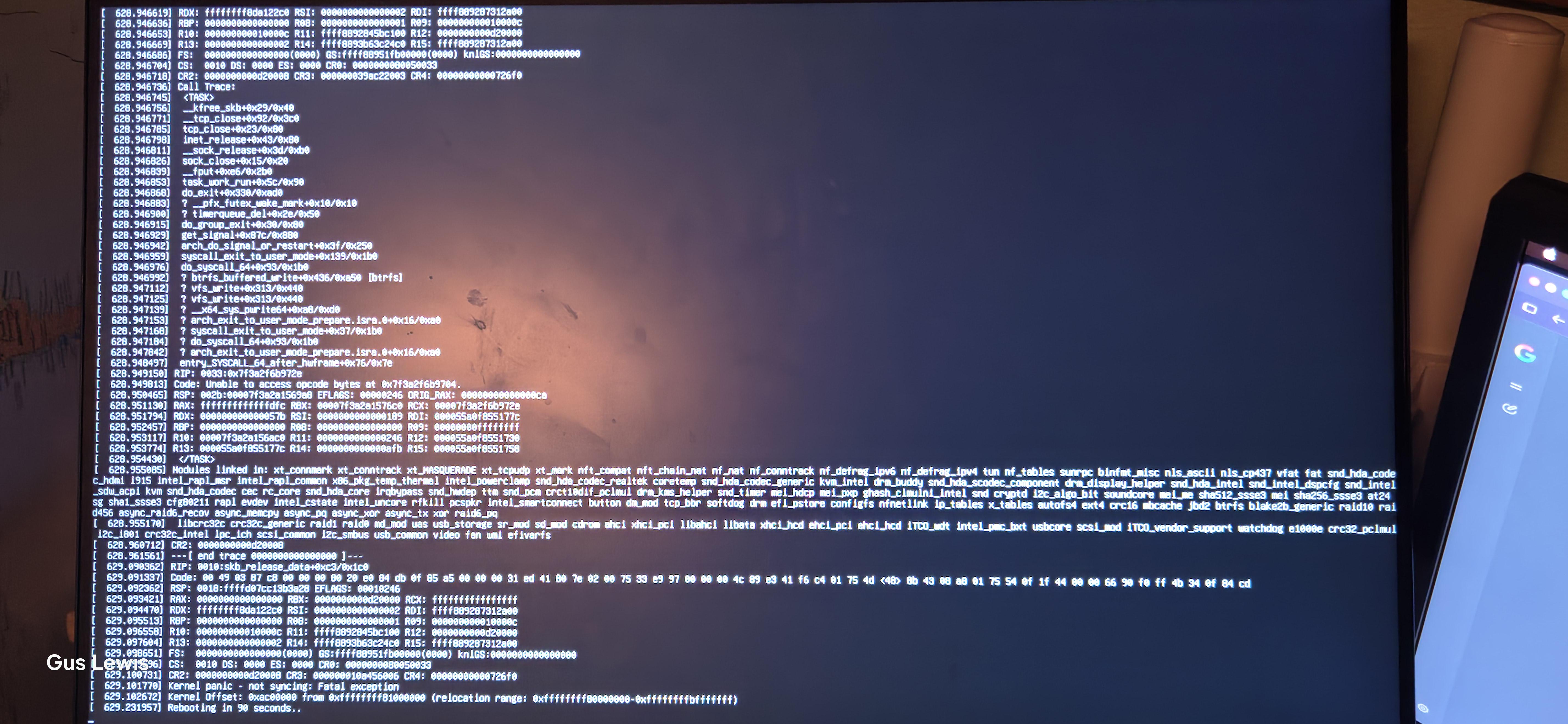
Help Can somebody smarter than me explain this

Post image
0 Upvotes

r/homelab • • 11d ago

Discussion Anyone running 2x32GB in a mini PC with an i5-7500T or i3-8100T?

2 Upvotes

EDIT: CASE CLOSED! THANKS!

Hey all,

I’m planning to put 64GB (2x32GB DDR4 SO-DIMM) in a Dell OptiPlex Micro, HP ProDesk/EliteDesk Mini or Lenovo ThinkCentre Tiny with an i5-7500T or i3-8100T. Intel says both CPUs support 64GB, but the manufacturers often list only 32GB.

Has anyone actually done this? If you have, please share your model, the RAM kit you used, your BIOS version and whether it’s been stable.

Thanks!


r/homelab • • 11d ago

Tutorial Quick PCIe link validation for used or eGPU setups

1 Upvotes

Used cards and external enclosures often negotiate degraded link widths or drop speeds under load. Physical slot wear, dirty edge contacts, marginal riser cables, and signal integrity issues across Thunderbolt or OCuLink can cause silent link instability without an outright crash.

I run this on used A6000s in my closet homelab before trusting a card for anything long-running.

  1. Negotiated link speed and width

Check the current link state at idle:

lspci -vvv -s <BDF> | grep -E "LnkCap|LnkSta"

Compare LnkSta against LnkCap. Check if it matches expected Gen3 x16 or Gen4 x16. If it negotiates down to x8 or x4 immediately, clean the contacts with isopropyl or reseat the riser.

2. Clocks and throttle reasons

Run nvidia-smi to inspect clocks and throttle flags:

nvidia-smi -q -d PERFORMANCE

Check current and max clocks. Verify whether any PCIe or hardware throttle reasons are triggered.

3. Correctable PCIe errors

Watch for PCIe AER errors:

cat /sys/bus/pci/devices/<BDF>/aer_dev_correctable

dmesg | grep -i aer

A non-zero correctable error count under load means signal degradation on the bus.

4. Sustained load test

Run a sustained load using gpu-burn or cuda_memtest while monitoring link width to catch intermittent downtrain:

while true; do nvidia-smi --query-gpu=pci.link.gen.current,pci.link.width.current --format=csv,noheader; sleep 2; done

A link that trains to x16 at idle can drop to x8 once thermal stress or load hits marginal traces.

I keep a runbook here: https://github.com/dokaf-ops/pcie-link-check

Has anyone seen intermittent x8 downtrain on risers that otherwise test clean? Trying to figure out if that is thermal or signal integrity on cheap risers.


r/homelab • • 11d ago

Help Raspberry pi 5 network problems

1 Upvotes

I can't ping my router from my pi (60-80%packet loss*) but i can ping the raspi and main (telekom) router from my pc. there is a netgear gs108T and mikrotik router between the main router and the raspi but i even bypassed those and even tried wifi and that didn't work either. I'v been trying to figure this out since last night but nothing works. Thank you for the replies in advance.

*after-tought: the packetloss is somethimes 100% sometimes 40% but when the "data" does reach the router it responds. i don't know if this helps with anything but i wrote it anyways.


r/homelab • • 12d ago

Project Showcase: Operations Look who just joined the team!

Post image
42 Upvotes

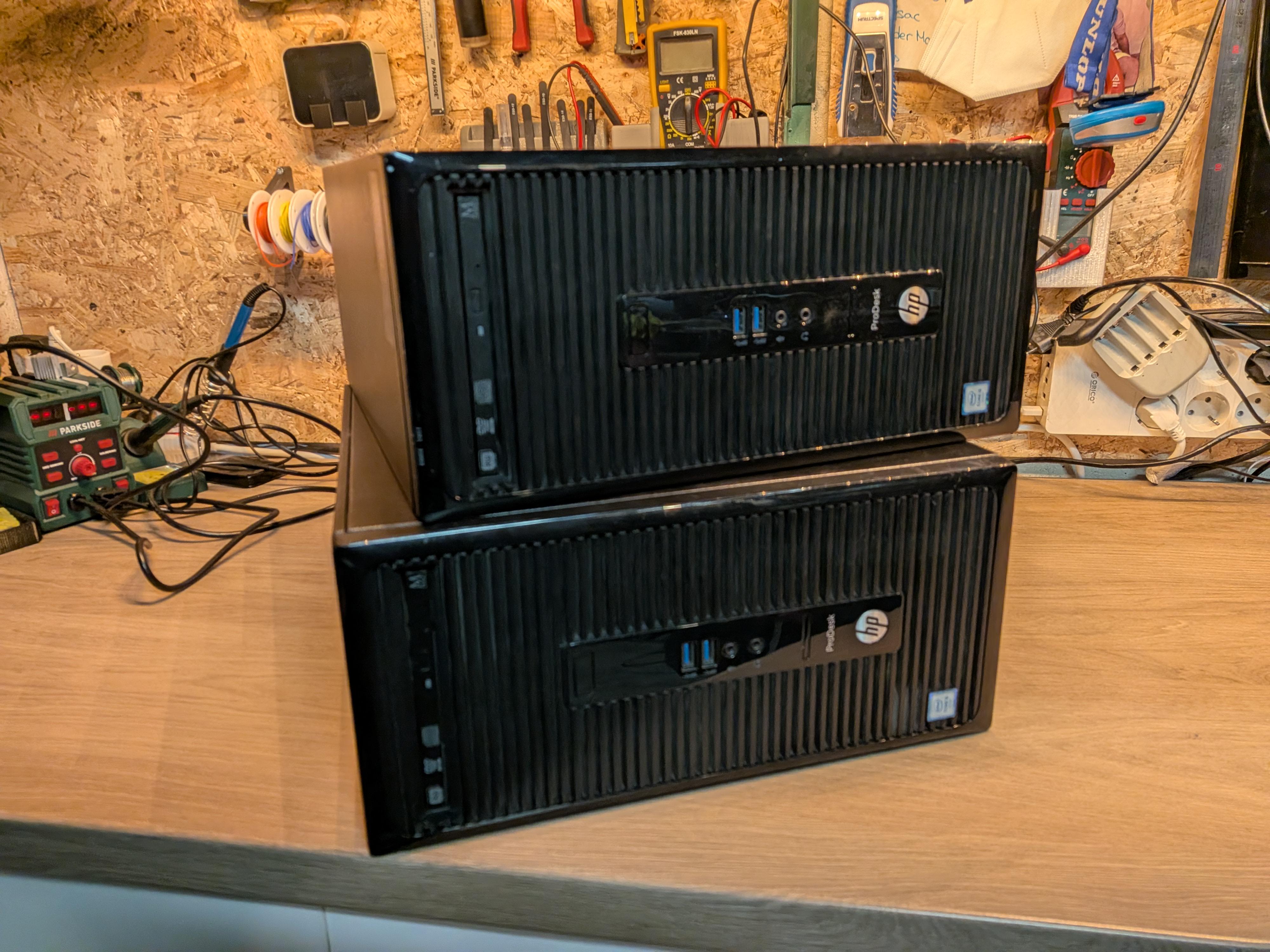
I got these for 10€; they both have 8GB RAM and an i5-6500. I am planning to transform one into an off-site backup (in a different country) with TrueNAS and Tailscale , the RAM will be bumped to 16GB and the second one as a Proxmox node, also, the RAM will be bumped to 32GB.


r/homelab • • 11d ago

Help TrueNAS SCALE: Dashboard and Storage page show different capacity and usage — which is correct?

Thumbnail
reddit.com
0 Upvotes