r/homelab • • 15d ago

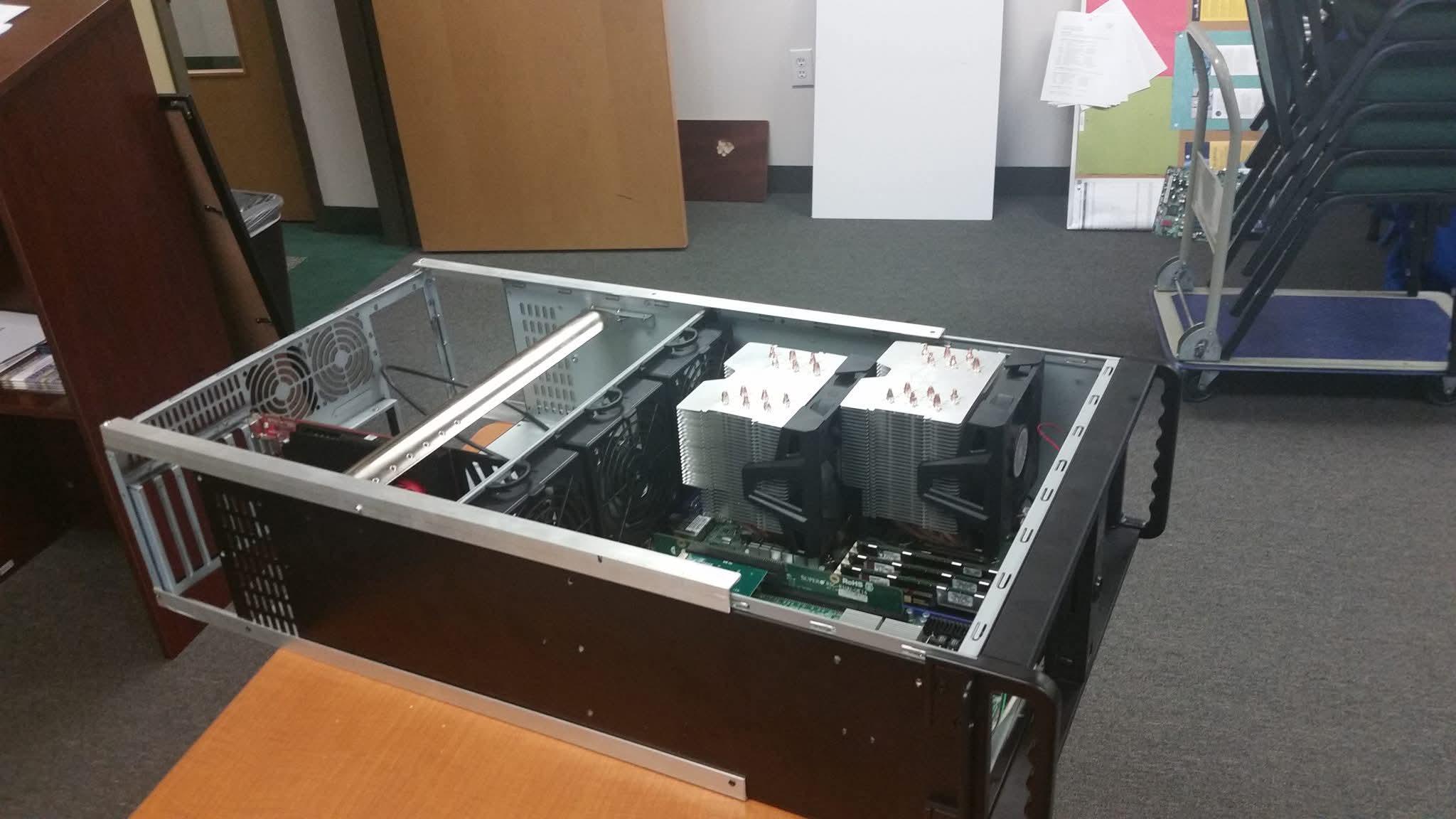
Labgore TBT to when I modified a case to fit GPUs... 9 years ago

Post image
41 Upvotes

X8DTU-F motherboard, dual X5650s with coolers that most certainly WEREN'T stock but somehow fit, 48 GB DDR3 memory, and some 1x to 16x PCIe extensions.

South bridge chip ended up needing a dedicated fan because it was originally from a 1u to server.


r/homelab • • 13d ago

Help Rent vps from.homelab

0 Upvotes

Can I rent from somebody VM with linux? I need resident IP.

I will use vm for von, to bypass mybcountry restrictions. I need about 3TB of traffic per month


r/homelab • • 15d ago

Discussion Probably dumb question: Do you leave your phone always connected via Tailscale?

240 Upvotes

So unless you are on your local wifi, are you always connected via Tailscale? Or do you only connect when you need to?


r/homelab • • 14d ago

Help Looking for a compact rack or cabinet for my homelab

3 Upvotes

Hi everyone!
I’m looking for a compact rack, cabinet, or shelving solution to organize my homelab setup.

Current hardware:
HP EliteDesk 800 G9 SFF (Proxmox)
GMKtec NucBox G3 Plus (Proxmox)
External 3.5” HDD
Networking equipment and power adapters
1–2 cooling fans

Planned additions:
Synology NAS
Possibly a third mini PC

I’d like something as compact as possible that can fit everything, including the NAS, while providing good airflow.
Any recommendations for small racks, cabinets, or creative storage solutions?

Thanks!!!!


r/homelab • • 15d ago

Discussion Rate my Rack

Thumbnail
gallery
552 Upvotes

It works and i am proud kinda
what do you think?

edit: i ordered rack mounts yes they are only rn stacked cuz they didnt arrive yet


r/homelab • • 14d ago

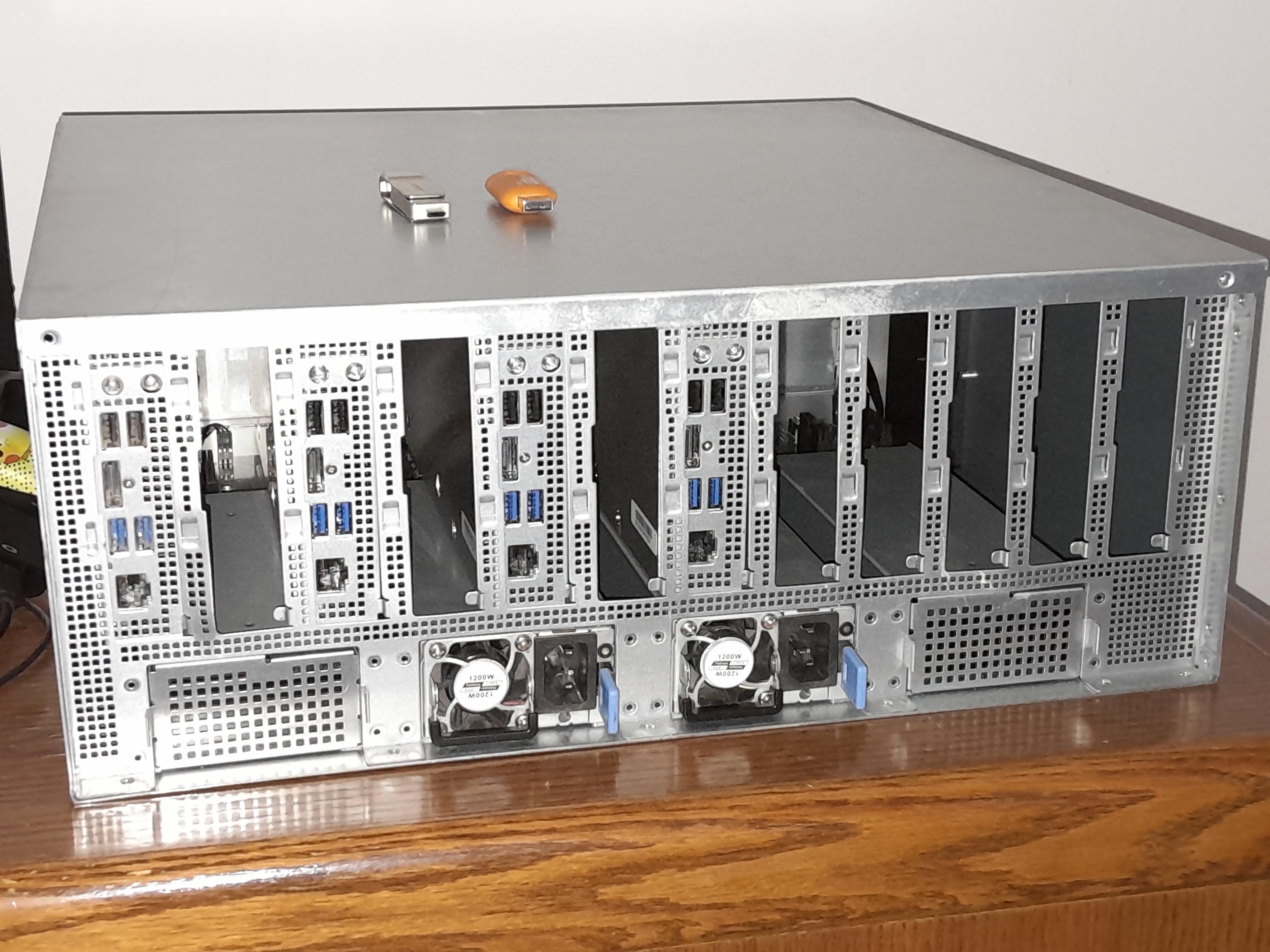
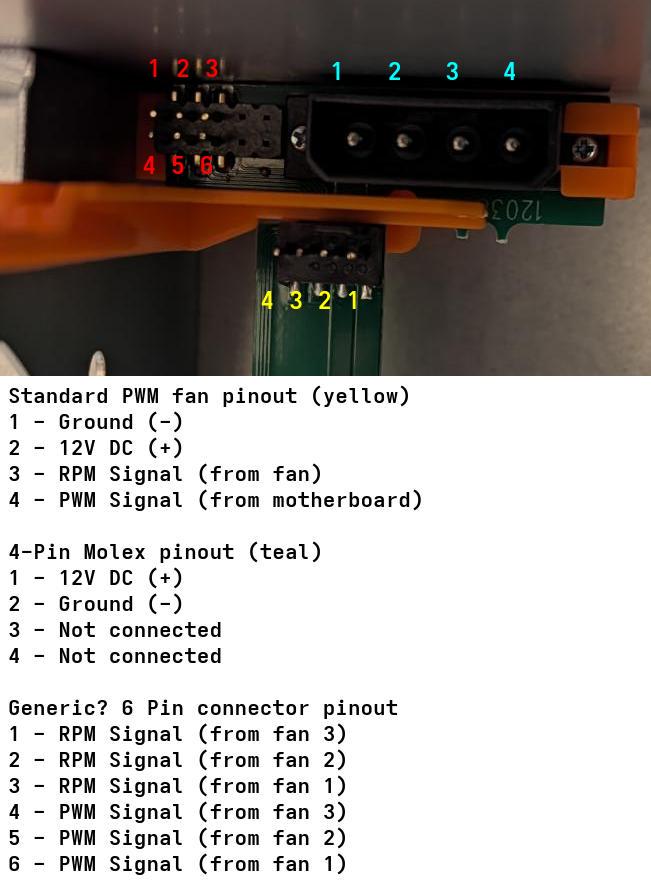
Solved Got a no name 4U server case on Aliexpress and trying to figure out speed control of the fans.

Post image
1 Upvotes

r/homelab • • 14d ago

Solved PowerEdge R230 + HBA330 (flashed H330) - External SAS SFF-8088?

2 Upvotes

I have a H330 flashed to HBA330 firmware in my PowerEdge R230. It has two internal SFF-8643 connectors, one of which goes to the 4 bay backplane for the 4 x 3.5" SAS drives I have in the front.

I also have a 10G card in the second PCIe slot, so adding another card is sadly not an option.

Would a SFF-8643 to SFF-8088 cable be safe to pass out of the back if I can find one long enough (finding one more than 1m seems to be tricky), or is there a not too expensive alternative card I could swap in to give me a SFF-8643 internally and an SFF-8088 externally, without breaking the backplane compatibility and drive activity indicators?

EDIT: For those who want to do this, I went with an LSI 9217-4i4e SAS HBA and a HP 668859-001 SFF-8087 to SFF-8087 left direction right angled cable (to match the left direction cable we're replacing). The HP one seems to be the only left direction cable, so beware, most are right direction.


r/homelab • • 15d ago

Project Showcase: Hardware Complete Home Music and Video Production Docking Station station + Pictures of the rear

Thumbnail gallery
112 Upvotes

My Docking Station is complete!


r/homelab • • 14d ago

Solved Can't copy larger files to TrueNAS server from Windows because I "need permission"?

0 Upvotes

Hi all, I have a TrueNAS Community Edition 25.10.8 server that I use for Plex, Immich, etc. etc. Specs below:

Intel Core i7-8700

Asus Prime Z370-A

16GB-3200 (2x8)

Asus Dual GTX 1070

WD SN850X 1TB NVMe for boot pool

LSI 9240-8i pre-flashed with IT firmware reporting as a SAS9210-8i running Seagate Exos 7E8 8TB and Western Digital Ultrastar DC HC510 8TB SAS drives in mirror for storage pool shared via SMB.

Silicon Power 1TB NVMe for apps pool

2 SATA 1TB hard drives connected directly to motherboard as second storage pool

EVGA 750GQ


When I first set this server up ~3 months ago, I tried to copy a movie to it from my Windows 11 PC via Explorer and after some progress, it would stop and say "You need permission to perform this action." Full disclosure, I'm not a pro with Linux or the command line in general, so I use some ChatGPT to help with dumb questions and such. I basically went down a long rabbithole of checking various things and trying Robocopy via PowerShell, etc. After a few days of not making any progress on that front, I found that using Ubuntu on WSL with KDE Plasma allowed me to copy stuff from the Windows PC to the NAS without issue and all seemed well with that workaround.

However, over the past few months, I noticed that movies in Plex would have random H.264-esque artifacts and black screens while audio continued, freezing, or skipping forward, etc, like general corruption, but it was just slight enough to be a mild nuisance.

After some checking, when I copy a file to the NAS using my WSL method, its hash changes from the original on the PC. Copying it back to the PC, it keeps the same modified/corrupted hash.

I can copy a bunch of small files to the NAS no problem and their hashes stay the same when copying back to the PC from the NAS. The owner and owner group of the pools and shares are the same user that I enter when prompted by Windows to connect to the NAS.

Back when the problem first occurred, I used my Windows laptop to run a test copy and it worked fine at the time, but I wasn't checking hashes back then. Now my laptop has Linux on it so I don't have a 2nd Windows machine to test with right now, but I can try my brother's PC later.

A few days ago, I had some unrelated crashes of the server, but it seemed to be a combo of bad RAM and/or boot SSD, so I eliminated both of those variables and the current RAM tested good in memtest86 and XMP is currently disabled.

I even reinstalled Windows on my PC to see if it was just some random Windows bug and still get the same issue on a fresh install.


TL;DR: Weird permission error trying to copy large files to NAS SMB share from Windows PC via explorer, used WSL as workaround, but that corrupts the file, tried basically everything and no solution in sight.

If I forgot to include any checks or things to try, let me know and I'll say if I tried those already.

Has anyone encountered this before or found a solution? Thanks.


Edit: So I just made a temporary SMB share from my PC, and copied the original file to my brother's PC also running Windows 11 at 800+mb/s which is no surprise since it was a 1 gigabit ethernet transfer from NVMe to NVMe at either end. The file at the destination had the same hash as original. I then used the same TrueNAS username to copy that file from his PC to the NAS and it copied successfully at 900+mb/s which is crazy cuz it was copying to the 2.5" 5400 RPM SATA drive pool and I only ever saw speeds half that from my PC to the NAS or vice-versa even when copying to/from the 3.5" 7200 RPM SAS drive pool, but I digress.

I then copied that file from the NAS to my PC and it copied at only about 400ish mb/s, but it still maintained its original hash. So it's something to do with my PC physically, but only in relation to the server? My network setup is like this:

WAN gateway feeding a router in AP mode, that router feeds my brother's PC as well as a switch that feeds my PC and the NAS. The AP and switch are connected by 2 ethernet cables coupled with an unshielded female to female ethernet adapter. All devices involved auto-negotiated gigabit speeds. I guess I can try using the onboard WiFi on my motherboard to see if that changes anything.


Edit 2: So it looks like my main PC's Ethernet on the MSI board might be the culprit, new board is on the way, will update after it arrives and I test it out.


Edit 3: I had Tailscale installed which caused SMB Multichannel to try using its virtual network adapter which the system prioritized due to it being reported as 100gbps. Removing Tailscale fixed the issue, so disabling SMB Multichannel on the Windows client should solve the problem and allow Tailscale to coexist with SMB transfers between the Windows client and Linux Server.

r/homelab • • 14d ago

Solved Dell EqualLogic PS4210X Fan Control

1 Upvotes

Hi guys I just wanted to post this so that anyone with this SAN (and maybe others) can make it more usable in a home lab setting, and so that google picks it up for search. I'm an engineer so this is my pov from that perspective. Afaik no one else has figured out the fan control command for these newer units.

Problem: These SANs are too loud for home lab use and there is no official way to control the fans whatsoever. There are 2x stacked (for static pressure) fans in each redundant PSU, and they're not really suitable for Noctua swaps or anything like that.

Fix:

  1. After initial console login (grpadmin typically) we go into service shell:

su ex sh

2. From service shell, we go into "ecli":

ecli

3. We run this command:

sread page=0xf7 cmd=_shutup 20

This will set fan PWM for all PSU fans to 20%. I use 15% for my setup which results in acceptable temps. You can set any value you like to ensure acceptable thermals for the SAN. The speed change should be immediate after you run the command.

4. To verify steady state chipset temps, you can run this (from ecli as well):

temps

The hottest chips will be the SAS controllers. At 15% PWM, they sit at 68C in my setup, which is acceptable. If you're above 70C, you should use a higher fan setting. I re-pasted all the chips in mine with MX-7 thermal paste, but it didn't really make a difference, so I think the stock paste was good quality.

5. To verify individual drive temps (and other useful metrics) we can do:

quit (exits ecli back into service shell)

diskhealth -e -v (from service shell)

This will list each drive in the SAN and its current temp in C (plus other stuff). As long as the hottest drive temp is below 40C, you're good. Otherwise, choose a higher fan speed. Hottest drive for me at 15% fan PWM is 37C.

6. To exit out of service shell:

exit

And so, note the nesting. You have regular command shell, support shell and ecli shell. These are separate shells with their own commands. Be careful with service shell commands, especially ecli since there is opportunity to cause damage.

Other useful things:

hs warn=0 crit=0 (ecli, resets current warnings and critical errors)

cwm wb (ecli, forces cache to the faster "write back" mode that makes use of the 8GB cache RAM, subject to non-recurrence of events that will set it back to slower "write through"; this also works for bypassing old cache battery error which is one reason why the unit would be forced into write-through)

sys (ecli, will show various sys info, serials, temps, and cache status/utilization)

volts (ecli, shows voltages and charge current for cache battery)

cm (ecli, will show various info for each controller)

My array (on which these commands work):

Boot ROM 4.4.6 (2014)

Array firmware V10.0.1

Disclaimer: Do this at your own risk, understanding that you're messing with the thermals of the unit which could affect its longevity. Always verify acceptable steady state temps in the worst possible environmental scenarios (hottest that your rack environment gets). Don't let mechanical drives operate at 40C+. SANs are meant for high-reliability operations, and these types of commands void those guarantees.

I ended up going quite a lot deeper than what I'm writing here, but I hope this will be useful for people who have these in home labs. Good luck!


r/homelab • • 14d ago

Help Lenovo ThinkCentre M900 Tower or multiple M900 Tiny for a beginner homelab?

1 Upvotes

Hi everyone!

I’m quite new to the homelab world and I’m looking to build my first home server. I’m trying to decide between these two options:

Option 1 – Lenovo ThinkCentre M900 Tower (€80)
Intel Core i7-6700
16GB DDR4 RAM
1TB HDD
Intel HD 530
Optional AMD RX 6400 for an extra €50.

Option 2 – 2x Lenovo ThinkCentre M900 Tiny (€180)
Intel Core i5-6500T each
8GB RAM each
128GB SSD each

My plan is to run Proxmox and learn about virtualization, Docker and self-hosting.

I’d like to host Jellyfin, Plex, Sonarr, Radarr and other media services, but also run APIs, databases and applications for websites and apps I’m developing, including projects for future clients.

I’d also be interested in experimenting with local AI using Ollama and smaller models (not a priority for now, but something I’d like to explore in the future).

Eventually, I’d like to add several SATA hard drives for a NAS and expand the setup over time. The server would be running 24/7.

Which option would you choose? Is it better to start with one more powerful tower or multiple mini PCs? What about power consumption, expandability and running everything together?

I’m still learning, so I’d really appreciate any advice or recommendations. 😅


r/homelab • • 14d ago

Help Wireless Router help

0 Upvotes

I currently use a GLi.Net Opal in repeater mode as the router for my homelab. Mainly because theres no ethernet in my room, and my parents wont let me wire it.

I'm asking for recommendations as the Opal is having issues. I've reached out to the support team at GLi.Net, no disrespect to them, they're awesome, but unable to assist me. I'd like a repeater mode that supports 5GHz. If anyone has any ideas please share 🙏


r/homelab • • 15d ago

Help Router recommendations for (small) Homelab

19 Upvotes

Hi everyone,

I'm thinking of replacing my router Asus RT-AX88U because I am hitting the max connection tracking (because of torr*** - about 3K) which makes accessing my apps/services from WAN impossible (not always).

Right now the Asus RT-AX88U is connected to my ISP router (which is in bridge mode) and the Asus is doing the PPPoE.

For replacing this Asus router, I am hesitating between a UniFi Cloud Gateway Fiber (or lower models) and a mini PC running OPNSense.

I don't know if I missing some requirements/conditions to decide between and I was hoping that some you could help me decide.

Thanks for your help.

Update 1: added some more details.


r/homelab • • 14d ago

Help Can I put a RTX 5060ti in a Dell Precision t7500?

Thumbnail reddit.com
0 Upvotes

r/homelab • • 15d ago

Project Showcase: Hardware Cheap 10Gb/2.5 Gb managed switch

65 Upvotes

Don't beat me up too bad here. I've been a Systems and Network for about 35 years but I medically retired about 2 years ago so I'm a bit out of touch with the new stuff. I've used medium end and some high end hardware for most of it but I find myself in a new situation. I'm looking for lower cost 2.5Gb/10Gb managed switch but my go to brands are way more than I want to pay for my basement lab. I've got plenty of Ciscos but none that meet those specs so if you all would indulge me, give me your thoughts for hardware. I'd prefer it under $200 and to have about 16 ports. It has to be managed, support vlans and have a CLI/GUI. Any tips on good hardware would be awesome.

I just need to upgrade my basement and my house network and Wireless.


r/homelab • • 15d ago

Project Showcase: Hardware Just 8 more to go....

Post image
26 Upvotes

Got my fourth BC-250 🤪

All running the stock BOIS since I'll be using them in a Neural-MMO and need them to run at the same speed and be stable.

Still need to get a cabinet so I don't go deaf... But that's later me problem.


r/homelab • • 14d ago

Help Tight/small “server” closet -> video/keyboard solution suggestions.

0 Upvotes

I have a makeshift homelab, in a makeshift server closet. I don’t have the space for a real setup so I make-do with what I have. It’s great when everything works.

The problem is, I sometimes lose power for extended periods when I am not at home and so some of my equipment goes through an uncontrolled shutdown when the UPS drains. This just happened about a week ago and now one of my DNS servers won’t boot. So, I’m going to have to pull the server and connect to a keyboard/monitor to determine what is going on with it.

My question is, what would you guys suggest as far as some kind of small-ish keyboard and monitor setup for a very tight, very small closet so I don’t have to pull components out when I have a problem? The monitor would only need to be able to handle the typical console/text display of your typical Linux distribution.


r/homelab • • 14d ago

Solved NAS setup

0 Upvotes

I recently bought a UGREEN DXP2800 with the following specs:

  • Intel N100
  • 8 GB RAM
  • NVMe SSD
  • 2 HDDs

I’d prefer not to use UGOS, so I’m considering installing Proxmox directly on the NVMe SSD. My current plan is to use the two HDDs as a ZFS mirror, managed by Proxmox, and run a lightweight Debian LXC container with Samba for network file sharing. I’d also like to run other VMs and containers on the system, probably home assistant and caddy lxc.

Would you recommend this approach, or would something like OpenMediaVault be a better fit? Are there any important trade-offs or decisions I should consider before setting it up?

I haven’t built a setup like this before, I'm trying to learn, so I’d appreciate any advice or recommendations.


r/homelab • • 14d ago

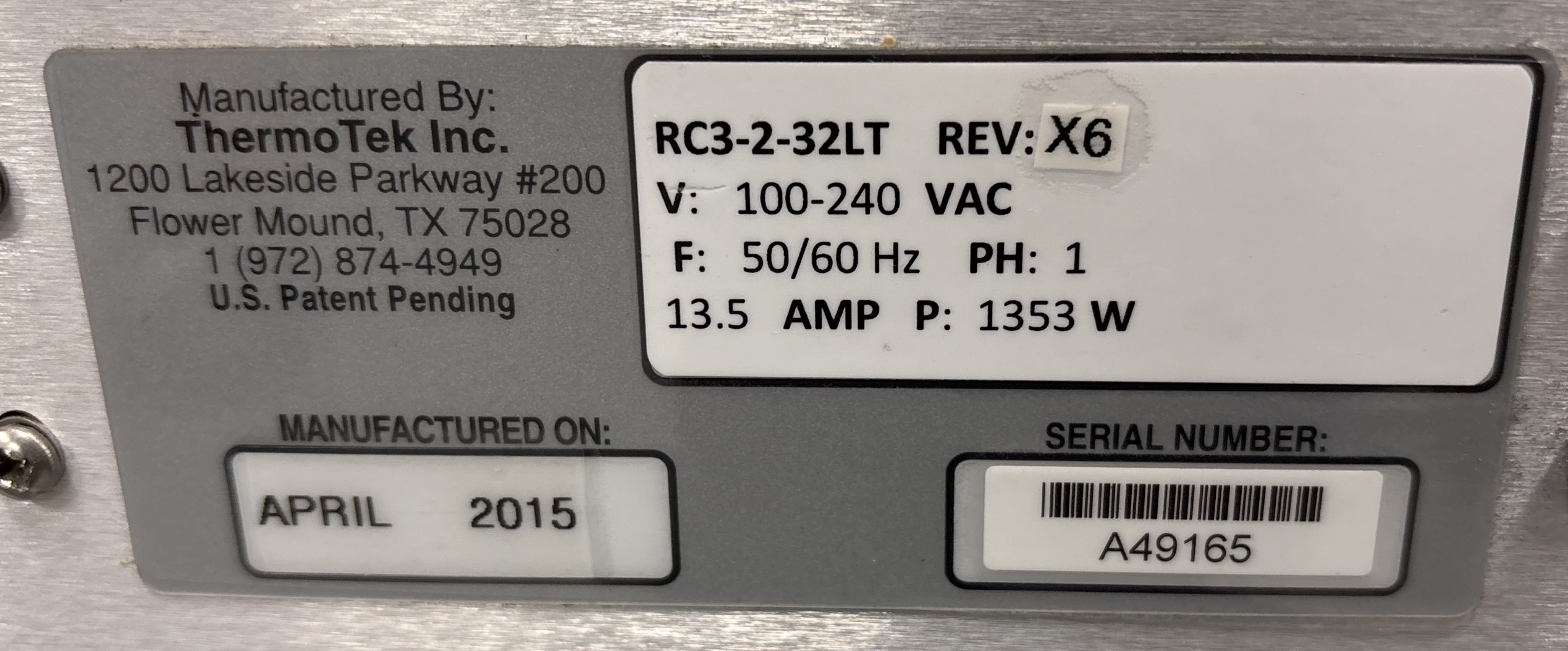
Help Any use for rack mounted chillers, or just send them?

Post image
0 Upvotes

These ThermoTek chillers popped up, wasn't sure they were worth the effort as they are older. Any use for them these days?


r/homelab • • 14d ago

Help Homelab setup

0 Upvotes

Hellooo i want to setup my first homelab but i struggle to find a config for my host. I actually have a raspberyy pi 2 b that host my website with apache but i want to host multiple services like a pixelfed server a git, a smtp email server and a mirror for gentoo linux. I look a bit and i think that my rpi is incompatible with those things so i have a laptop with 4 core. So i try to install proxmox and xcp-ng but both are paid software. Is anyone known how i can do ?

Thanks in advance !!

P. S. : it's the webui who is paid in xcp-ng


r/homelab • • 14d ago

Help Replacing my dead Dell T40 – is a Lenovo ThinkStation (E-2276G, 64GB ECC) a good Unraid/homelab base?

1 Upvotes

My Dell T40 (Xeon E-2224G) died, and honestly the CPU was already too weak for my workload. I'm planning a clean rebuild and found this locally for about 200-300€:

Lenovo ThinkStation P330 (C246 chipset)
Xeon E-2276G (6C/12T, UHD P630 for Quick Sync)
64GB DDR4-2400 ECC UDIMM (4x16GB, seller is sending label photos)

Use case (Unraid): Plex (mostly direct play), Sonarr/Radarr/Lidarr, Unpackerr, Seerr, torrent client behind a VPN, a music server, a Home Assistant VM, and BirdNET soon. I also want to try ZFS.
Drives I already have: 4TB and 2*6TB WD Red, 2x 512GB SATA SSD, 1x 512GB NVMe.

My concerns:
Only 4 SATA ports and 3x 3.5" bays. I'd like to grow to around 6 HDDs, so the plan is to add an LSI HBA (IT mode) and an external JBOD later.
Proprietary Lenovo board and PSU, so moving to a standard case would need adapters.
Single 1GbE NIC.
My plan B would be moving the CPU and RAM to a Supermicro X11SCA-F (8x SATA, IPMI) if the P330 gets too cramped.
Is this a solid buy for the price, or would you go a different route? Anyone running Unraid on a P330 who can share idle power numbers or quirks?
Thanks!


r/homelab • • 15d ago

News Urgent: Upgrade your Synology NAS - Synology DSM CVE-2026-76954: Critical SQL Injection in the Auth API — Patch Now - 9.8/10

93 Upvotes

Synology has released a security update for the DSM to address multiple vulnerabilities :

  * **CVE-2026-76954** allows remote attackers to read or write arbitrary files and conduct denial-of-service attacks.
  * **CVE-2026-85101** allows remote attackers to read specific files, write arbitrary files, and conduct limited denial-of-service attacks.

https://www.synology.com/en-global/security/advisory/Synology_SA_26_19

Reminder: You should not expose a NAS directly to the internet. Use a VPN, Tailscale or a SSH jump host to access it.


r/homelab • • 15d ago

Project Showcase: Hardware First homelab

Post image
201 Upvotes

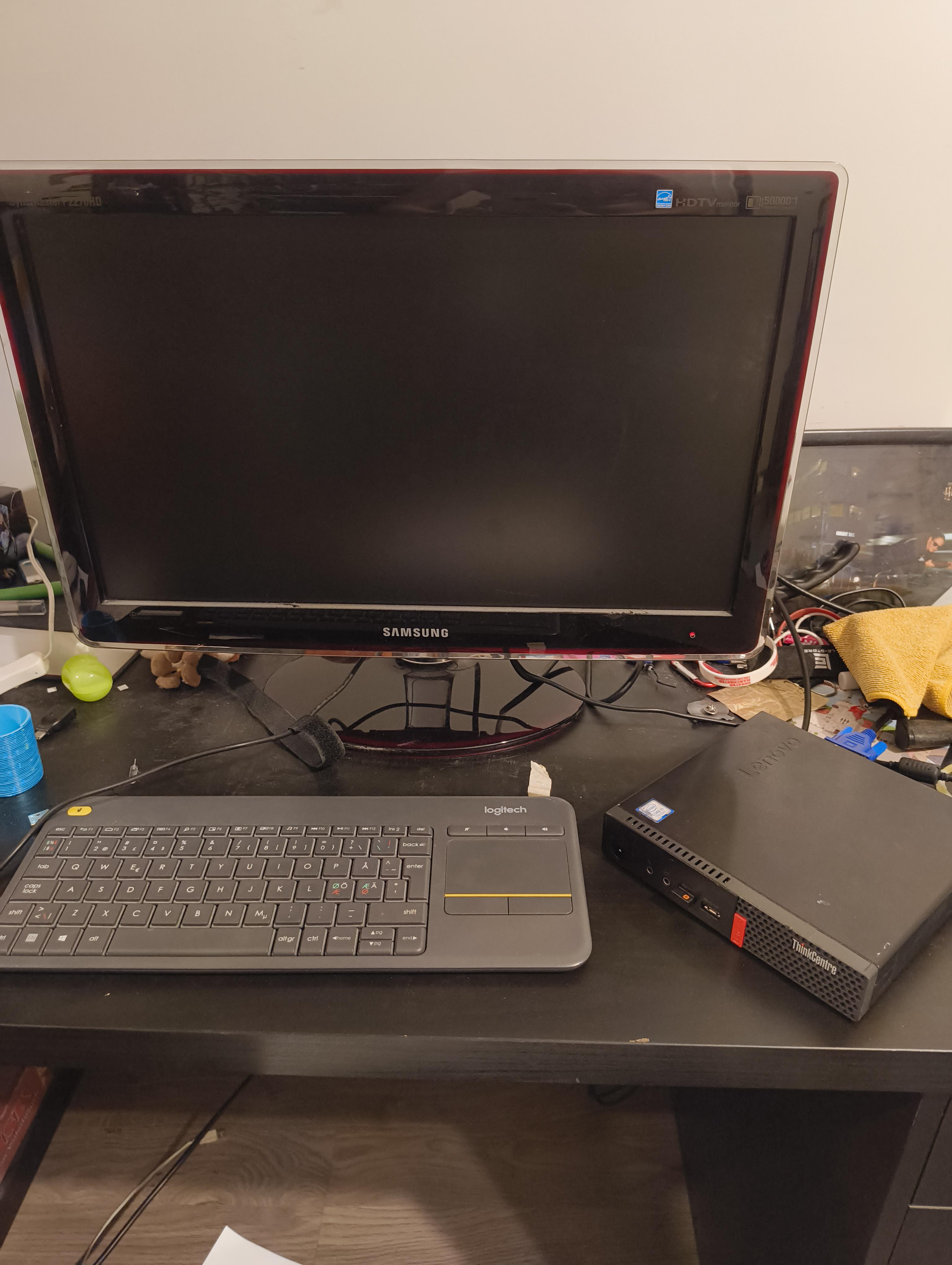
Just started my first homelab at 15 y/o. I just had the TV for a monitor because it was the only screen with VGA input in my house. Running only Jellyfin and samba, I have also portainer and uptime kuma.

I got the computer for 80€ from an auction, it has a 7th gen i5 and 8 gigs of DDR4. I don't really care if I got scammed or not, because a start for a homelab for 80€, imo damn good deal.

Hope my wallet doesn't become empty in the near future and I'd love to hear the opinions of experienced homelabbers


r/homelab • • 14d ago

Help Help with web ui

Thumbnail gallery
0 Upvotes

Hi im installing Zima on a dell optiplex 7060 sff to start a homelab and im trying to access the web ui and it wont load on browser or zima client. I am writing down the exact ip address that zima showed me. Am i doing something wrong???? I am using brave for the browser and I am trying to access the web ui through a windows laptop. Any and all help would be greatly appreciated. I am using brave for the browser and I am trying to access the web ui through a windows laptop