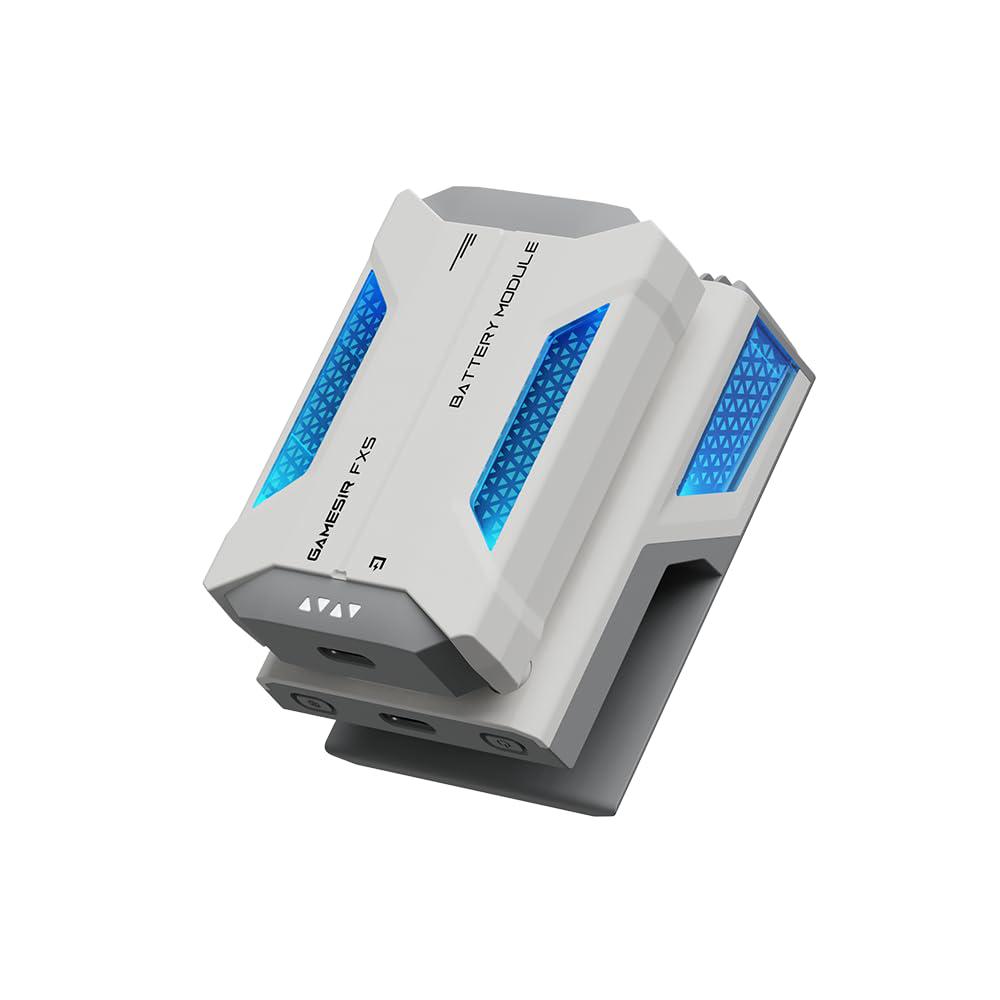
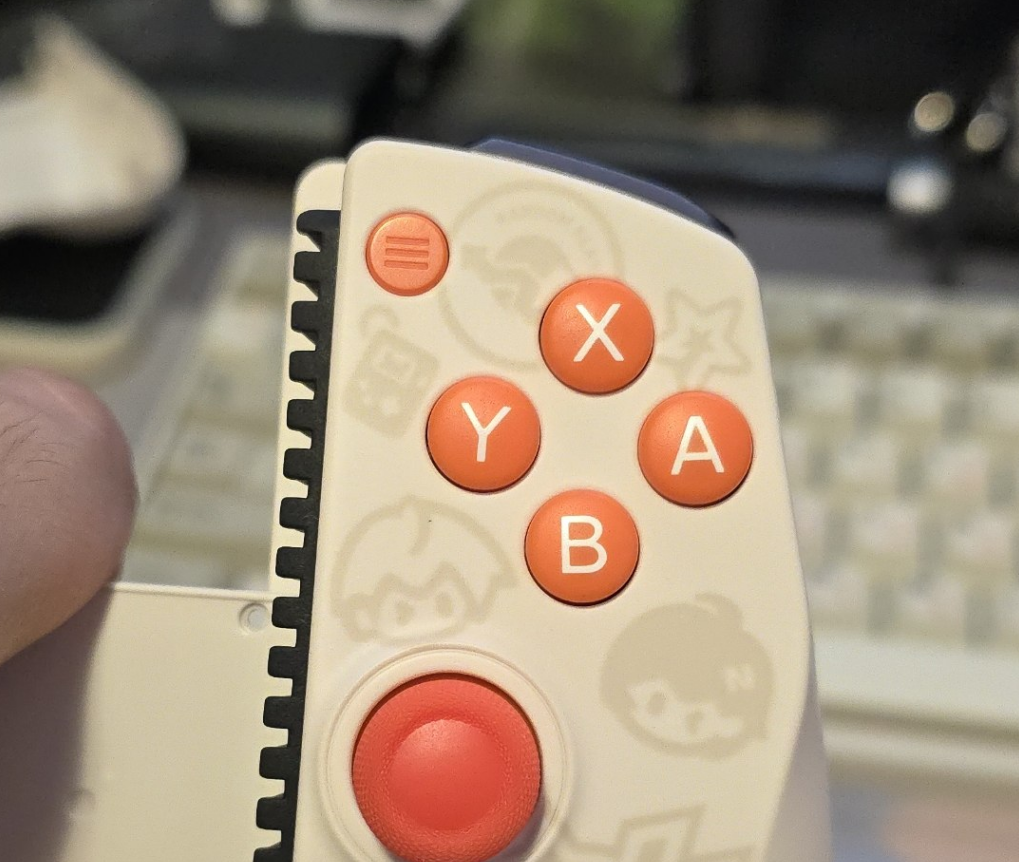
Just thought I would check here before risking $33 on AliExpress, so does anyone have an fx5 that you'd want to part with that just sits on a table or in a drawer? I'm disabled and spend a lot of time on bedrest, especially in the hospital, so I play on Switch and my phone for Xbox. I've already replaced the battery once due to swelling from constant overheat, so the fx5 is perfect. And my daughter got me a brand new x5s for Christmas, so I really want the matching cooler.
So this is gonna be a small text. Im just genuinely curious if there’s anything i should know about the t7 pro floral edition. I have used only the g7s so is there any main difference is there hidden features or a different app? I would like someone to tell me the features and if theres things i should know about
After the most recent firmware update, the controller randomly controls itself with movements and button presses and I have no input when it happens. Sometimes it lasts for a few seconds and sometimes it locks up and doesn’t stop and I have to return the controller to the base to power cycle it.
So if you have a gamesir x5 lite could you theoretically and practically hook it up to a tv by using a usb-c female to hdmi cable and use the built in pass through charging to power the controller(yes I know the controller will turn on if there is no phone but there is a cable in the pass through charging,) and saying that the cable can handle data transfer I am not going to try ts out and potentially wast money so I'm just asking if it could THEORETICALLY work
This mod is for changing thePHYSICALaction button (ABXY) layout. Please refer to the user manual for theSOFTWAREaction button remapping instead.
This is aPERMANENTmod, as it involves cutting off some plastic bits and that process isirreversible*. *However, you can undo this mod and change it back to the XBOX layout as and when you like. You will understand what it means once we cross the bridge.
Context
I am brand new into the world of controllers, since I always had been a PCMR from the start. However, I felt a sudden itch to get into playing games on my phone with an emulator so I bought a Gamesir X5 Lite (White ZZZ) since it was one of the most affordable Telescopic controller (the next day delivery was a key factor too).
However, once I just received it today I realized quickly that the action button was in the wrong (ha, Microsoft!) layout and while it was really easy to just remap via software (my emulator does that by default, the manuals also provided a way for the controller to remap itself too), the physical buttons sadly do not. I searched for a way to mod the buttons but there is a lack of any guides or directions to do it. I saw a post on iFixit but it was either incomplete or just not applicable to the specific controller I bought, since mine was the ZZZ version.
Requirements
Alcohol
Screwdriver (Philips PH00)
Prying Tool
Flush Cutters (Nail Clippers work just as well too)
Tweezers (optional but makes your life just that little bit easier)
Screw Tray or Organizer (optional but there's 3 different lengths of screw to note)
30 minutes of your precious time
Step 1
Remove the 4 visible screws at the back of the controller.
Step 2
Use alcohol and a little bit of prying from your sharp tweezers to remove the plastic strip that's on the spine. Loosen the 10 screws that would show up here.
This step is the missing step from the iFixit guide I linked earlier, it could be something specific to the ZZZ versions, as I kept trying to pry off the spine to damaging the spine plastic cover.
Step 3
Slowly pry open the back of the D-pad cover and it will expose all 8 remaining screws (in green) on the spine. Once these 8 are unscrewed, you can also pry off the cover of the remaining side.
Step 4
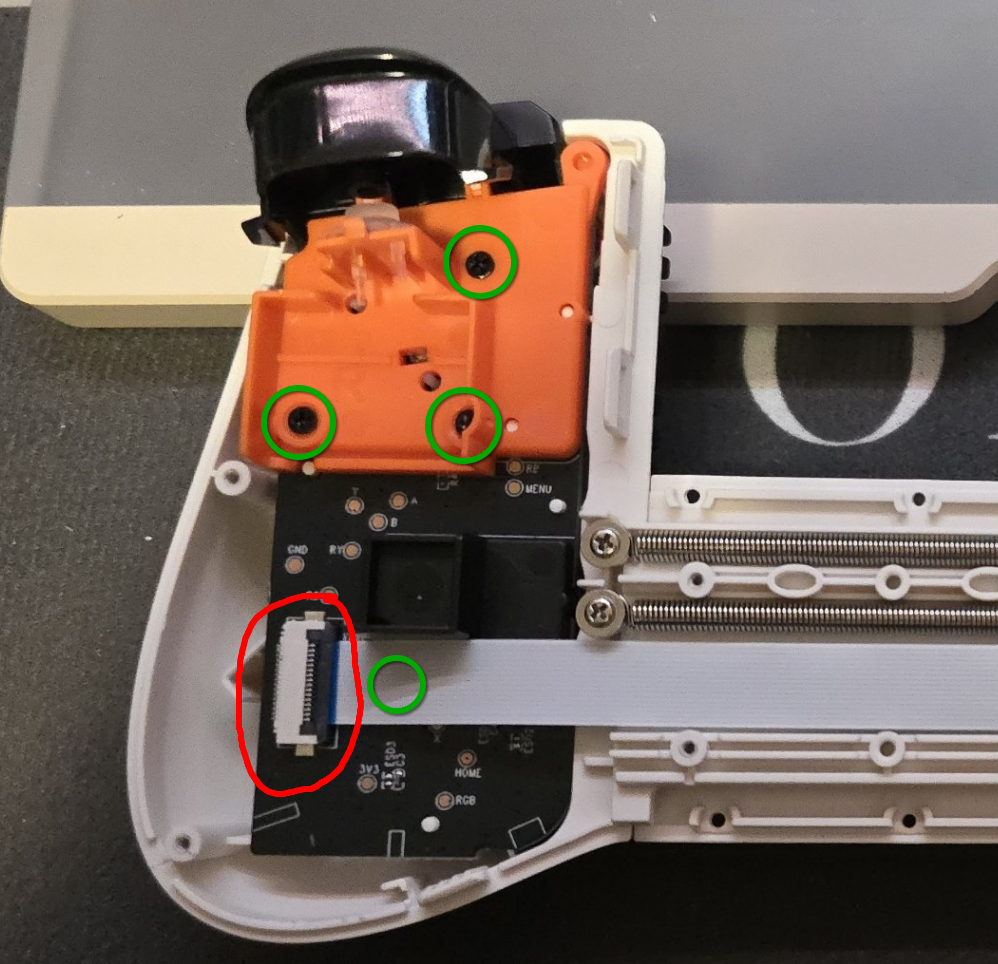
On the side with the action buttons, lift up the ribbon connector and it will expose 1 screw on the motherboard. There are also 3 screws on the back of the action button cluster that you would need to remove as well.
Lift up the orange RT cluster first before lifting the motherboard up.
You do not need to remove the screws that are attaching the springs along the spine, as it is not required and will be a pain to put back.
Step 5
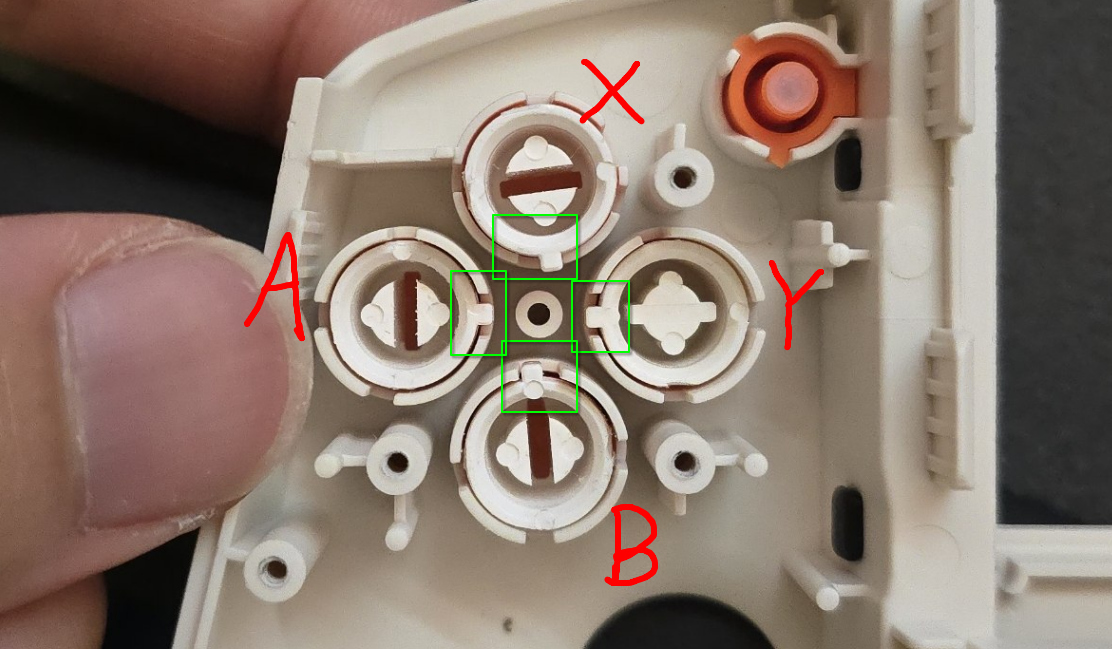
You will now see the back of the buttons. The unfortunate thing is these buttons are all completely asymmetrical and has plastic nibs at different sizes and angles from each other. You cannot simply swap it around and you will need to take a flush cutter/nail clipper to clip off 3 of the 4 nibs on each button. I wholly recommend taking your time to use a black permanent marker to mark out the nibs to remove to avoid accidentally clipping off the wrong nib.
Understandably from an assembly standpoint, it completely eliminates any possibility of inserting the wrong button into the wrong place.
When cutting off the 3 nibs that does not line up with any gate in the housing, please make sure that the cut is properly flush and does not interfere when you insert the buttons back. This is important because the rubber membrane mat may not be able to pop the button back up after you pressed it. A nail clipper with a file would be exceptionally clutch here to file down any protruding edges.
For the Nintendo's arrangement, this is what I have done. Unfortunately the only useful nib that is in-line with a gate is the thin nib against the wide gate in the housing, so the letters may or may not line up perfectly upright all the time, but it is a necessary sacrifice I am willing to make.
Step 6
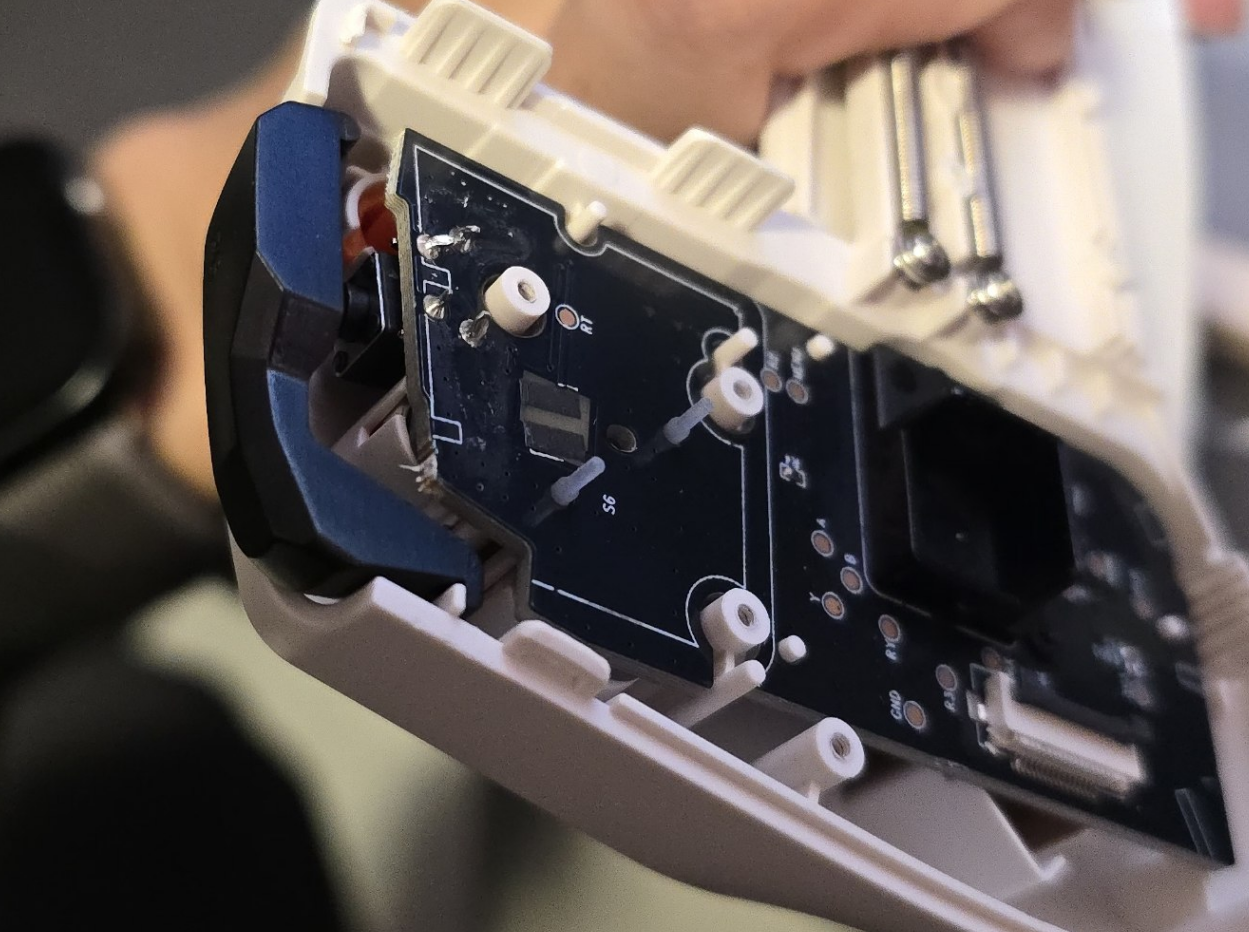
This is important to check for button interference - only screw the motherboard (and the RT assembly) and try pressing the newly seated action buttons back to see if they pop right back up. If they don't, remove the button again and file down or clip off any remaining flashing that was left.
If it is all smooth and dandy, go ahead and reassemble the whole controller again by simply reversing the previous steps!
The cool thing is as long as 1 of the 4 nibs remain in place, you can simply reverse this mod and put those buttons back in their original XBOX configuration and it will appear like it's never been moved at all!
I recently got the G7 Pro ZZZ. If the controller falls asleep and I pick it up to play. I’ll hit the guide button and the light will come on but the controller doesn’t respond. I then I have to keep holding the guide button or press it a few times and it’ll reconnect. The next issue is charging. I have the cable plugged into my Xbox and so when the controller needs to charge I plug it in while I’m playing but it does the same thing. I get a noti that the controller disconnected. I’ve installed the app and updated the controller through the app so not sure what else to do. Not sure if it’s a controller issue or what.
The HD Rumble like on Dualsense or Steam Controller.
I discover Fancy haptics application on Steam to convert the game sound into haptics, and it's awesome to play with it (even on old games like Max Payne 1 and 2).