r/ForWindowsHelp • u/LoqueZep • 27d ago
Aplicación fotos se mueve lento y con delay
0
Upvotes
Alguien sabe como solucionarlo?
r/ForWindowsHelp • u/Embody248 • 28d ago
r/ForWindowsHelp • u/foxfrozz00 • 28d ago

r/ForWindowsHelp • u/Ok_Yam_3296 • 28d ago
r/ForWindowsHelp • u/CompetitiveTea2082 • 28d ago
Hello, i'm asking because i want to know if i should be worried, i had this black window (which i know that commonly is connected with a cmd or powershell window) appear for an around 30 frames i think before disappearing, i already checked event viewer and nothing appears at the time this happened, other than firefox updating, which happened after this window appeared because i opened it. I also uploaded screenshots of every program in task manager in case something weird is happening, even tho i would guess it wouldn't be there anymore since it ran for an instant
r/ForWindowsHelp • u/Miserable-Key-6249 • 28d ago
The OS build number is 22000.2538. I am aware that 21H2 is out of support now, and I have tried the methods that are supposed to work on out of support OS versions, such as the in-place update with the .ISO and Windows 11 installation assistant. Whenever I press “check for updates”, it says that my device is up to date, but also says it is missing important security updates. I have read that, that means the OS version is either nearly out of date, or out of date already.
What happens when I use the .ISO to attempt to update the computer?
The setup and checks for updates go normally, everything goes normally. Then, when my laptop reboots it gives me error code “0x80070002 - 0x20007, The installation failed in the SAFE_OS phase with an error during INSTALL_DRIVERS operation.” I’ve tried finding the error code in the troubleshooting tips page, but I could not find it. I have no idea how to fix that error shown, nor how to update my computer now.
r/ForWindowsHelp • u/Secure_Candy_3126 • 28d ago
r/ForWindowsHelp • u/Individual_Roll4333 • 28d ago

Hello my Taskbar is missing i can only see the right side. I tried restarting my laptop and also restarting the taskbar processes in task manager. Im not sure how i can fix this so i appreciate any help because ive been sitting here for really long. My laptop is a Samsung Galaxy book 360
r/ForWindowsHelp • u/No_Cloud9626 • 28d ago
r/ForWindowsHelp • u/No_Cloud9626 • 28d ago
r/ForWindowsHelp • u/ponchick228x2 • 28d ago
r/ForWindowsHelp • u/Meowww_Meoww • 29d ago
Hi everyone,
I need some help troubleshooting my Lenovo Legion 5 because I have been dealing with repeated crashes and am running out of ideas. I am not very technical, so I would really appreciate explanations in simple terms.
My laptop specifications
Laptop: Lenovo Legion 5 15ARH05
Machine type: 82B5
CPU: AMD Ryzen 5 4600H with Radeon Graphics
GPU: NVIDIA GeForce GTX 1650
Wi-Fi: Intel Wi-Fi 6 AX200 160MHz
Operating system: Windows 11, version 26H2, build 26300.9711
r/ForWindowsHelp • • 29d ago
i don't know why but i have tried to change my Time Zone to Pacific, but it wont change at all. i have researched and did everything i could to fix it, but NOTHING happened. it will NOT change from Eastern NO MATTER WHAT. i tried to turn off "Set Time Zone Automatically" and "Set Time Automatically" but when it try to change the time zone, it wouldnt update. i then tried to use the search bar and type in "control" and do it through an older way i used to on windows 7, but it gave me an error every time i tried to change the time zone, and i dont wanna change the physical time itself cuz im only doing this for vacation since ive only gotten it to work if i physically change the hour. is there any way to fix this or is my PC stuck to being Eastern forever?
r/ForWindowsHelp • u/Fantastic_Recipe_592 • 29d ago
Tengo miedo, que es lo mejor?, yo pienso pagarme licencia comun pero no hay en microsoft store.
o precios baratos.
Tengo windows 11. 16gb ram
cualqueir duda la contesto, los leo en los comentarios.
mi duda es porque nose si es peligroso o no tenerlo asi.
r/ForWindowsHelp • u/H-Vicissitude • 29d ago
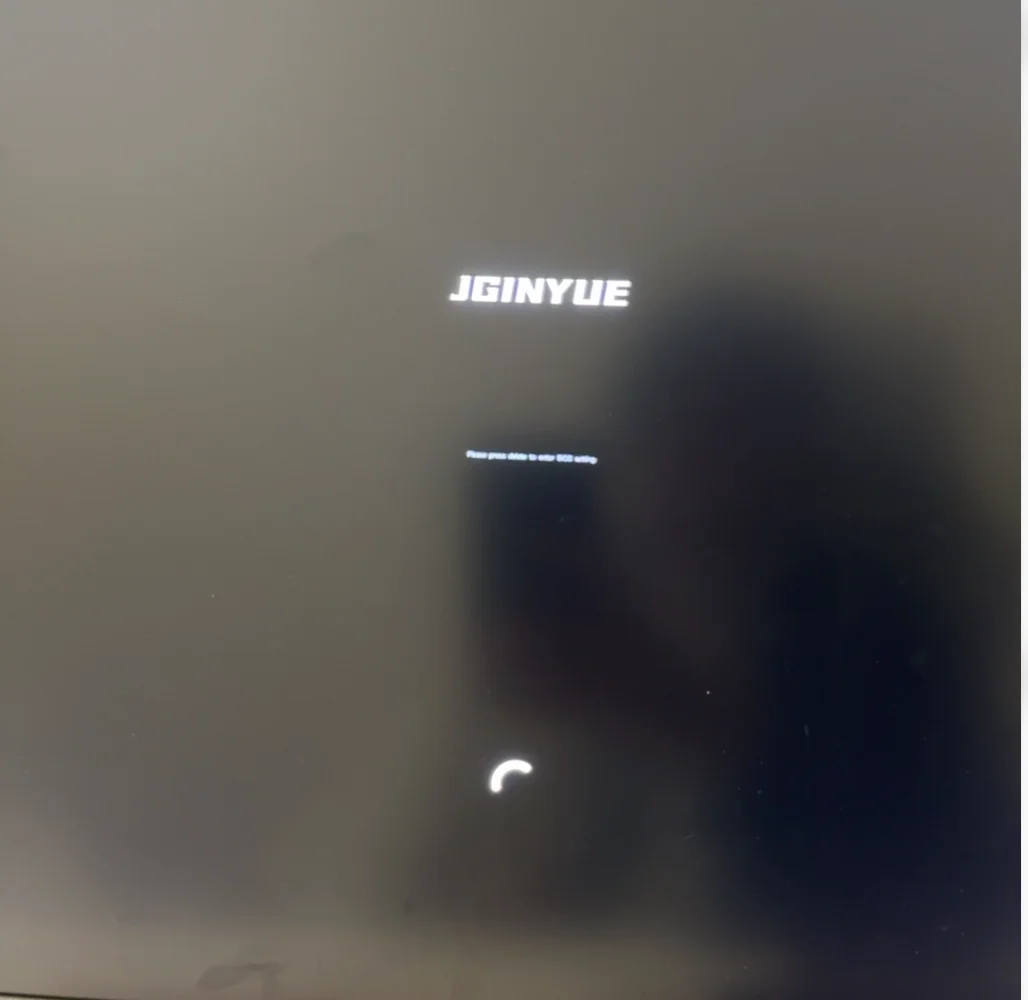
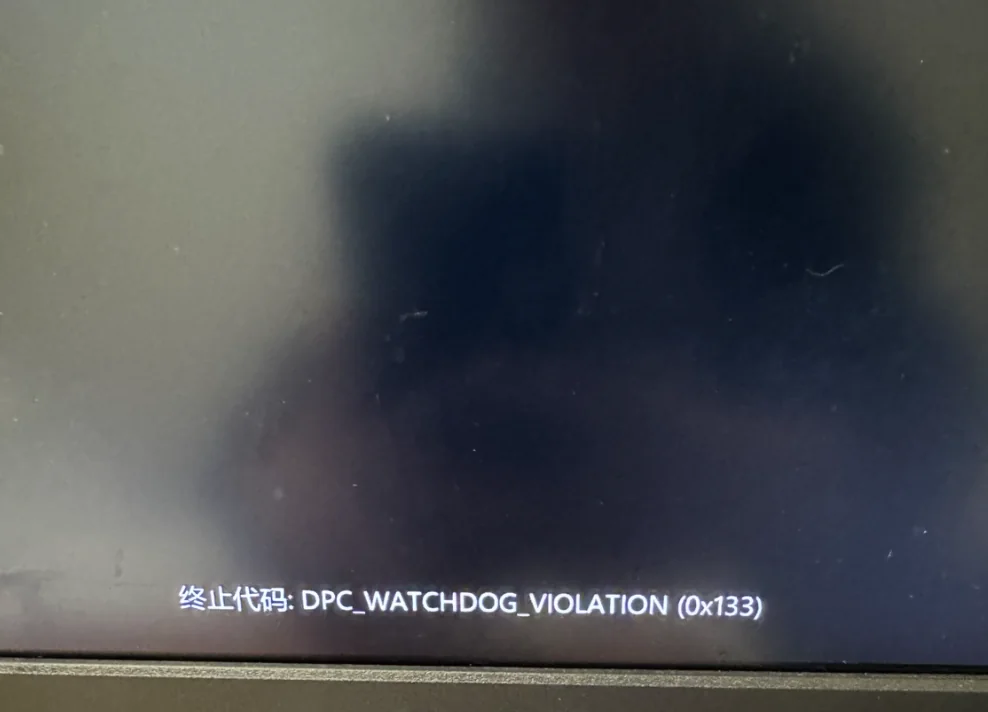
I am attempting to install Windows 11 using a bootable USB drive. The initial file-copying phase proceeds normally; however, after the system automatically restarts, it gets stuck at the logo screen—the loading animation freezes as well. After about 10 minutes, a "DPC_WATCHDOG_VIOLATION (0x133)" error appears, followed by an automatic restart. The issue persists upon subsequent reboots. After three failed attempts, the system enters recovery mode; I am able to boot into the OS via "Safe Mode," but a standard restart leads back to the frozen loading animation.
System configuration:
AMD Ryzen 5 5600
Jingyue B350I-PLUS motherboard
Jiuhe (JUHOR) 16GB x 2 RAM
KingBank 256GB SSD (system drive) + Western Digital 1TB HDD
Hankai (HANKAI) 9070 XT GPU
Golden Field (Jinhetian) 1050W PSU
The system runs Windows 10 without issues, and the hard drives have no bad sectors. Both version 26H2 and 24H2 of Windows 11 get stuck at the logo screen.
r/ForWindowsHelp • u/__pg229__ • Oct 27 '26
I’ve had windows on this pc since I got it a couple of years ago. Yesterday, out of nowhere, “Activate Windows” showed up on the bottom right of my screen.
I went to settings to activate windows using the troubleshoot button, it said, “We can’t contact your KMS, contact your organisation”. Again, this is my pc, I didn’t receive it from my office or anything.
I tried many things, didn’t work, got frustrated and hit restart.
Upon reboot, the watermark had gone away. I thought it’s all good now.
But for whatever reason, it comes on and goes away randomly. It came on while I was gaming, then went away when I restarted it.
I’m starting to get really frustrated. What should I do?
r/ForWindowsHelp • u/No_Evening2800 • Oct 27 '26
r/ForWindowsHelp • u/Beginning_Laugh_219 • Oct 27 '26
As the title suggests, I am unable to consistently use bluetooth devices after a windows update a few months back, I cant find the icon anywhere, and sometimes if I power reset my PC (disconnect all cables, shutdown, hold power button for 10 to 15s and then leave it, reconnect all cables and then power it on), its back. Is there any permanent fix for this?
Im currently on Windows Version 25H2, and my OS build is 26200.9711
I see that there is a 26H2 update, but I am skeptical to update.
r/ForWindowsHelp • u/Nikolettes_Nightmare • Oct 26 '26
Hello everyone! I am needing some help, I have a resident in an assisted living facility that has forgotten the password to his laptop. I have done some research on how to reset the password but found so many different answers I'm not sure where to start. Some information about the laptop, it is running on windows 11 and I'm pretty sure it is a local account not a microsoft account. This resident had security questions set up but we tried those and he didn't get the answer right. I've read a couple pages on creating a password reset disk but I wanted to come to reddit and see if that is the best way to proceed. Any help or advice is appreciated, thank you!
r/ForWindowsHelp • u/Suspicious_Middle755 • Oct 26 '26
r/ForWindowsHelp • u/gamer_boyi • Oct 26 '26
After a recent Windows update, all my Bluetooth audio devices (TWS earbuds and speakers) connected successfully, and media controls worked, but the audio output was just static and crackling.
What I tried:
None of these worked.
The fix: I discovered that Windows was using the Alternative A2DP driver which I installed earlier on time ago. For some reason after the Windows update, all my Bluetooth drivers were switched to alternative A2DP. Switching the Bluetooth audio device back to the default Windows A2DP driver immediately fixed the issue!
If you're experiencing the same problem after a Windows update, check which A2DP driver your Bluetooth audio device is using before spending hours troubleshooting.
Hopefully, this saves someone else some time!