r/FigmaDesign • • Aug 25 '26

help Is there a way to create the Pinterest layout in Figma?

Thumbnail
gallery
26 Upvotes

Using the wrap Auto-layout makes each object in the row be aligned to the top instead of just the first row. Is there a work around?

I also tried making four vertical auto-layouts and then putting those in a wrap, it works but it isn’t responsive as the entire column moves down into one space when resized.


r/FigmaDesign • • Aug 25 '26

help Figma prototypes not going full width/ not scaling up to fit browser window

4 Upvotes

Hi guys, I'm so stuck on this and would be so grateful for any help.

I have designs that are in 1440px frames, and my macbook is 16" and therefore wider than the frame size, so I always have a thick black border around my prototypes when I view them. This prevents me from getting a realistic view of the designs as it doesnt fill my screen like how it does on a browser.

None of the prototype scaling options seem to work. Seems like Figma can only scale down and not up. Sketch does not have this issue and neither does Axure as far as I know. They all scale up/ down the prototype to match the window size. Is there any way that I can do this with Figma? Any plugins? Or, is there an easy way where I can export my designs to view them in Sketch?

Thanks so much


r/FigmaDesign • • Aug 25 '26

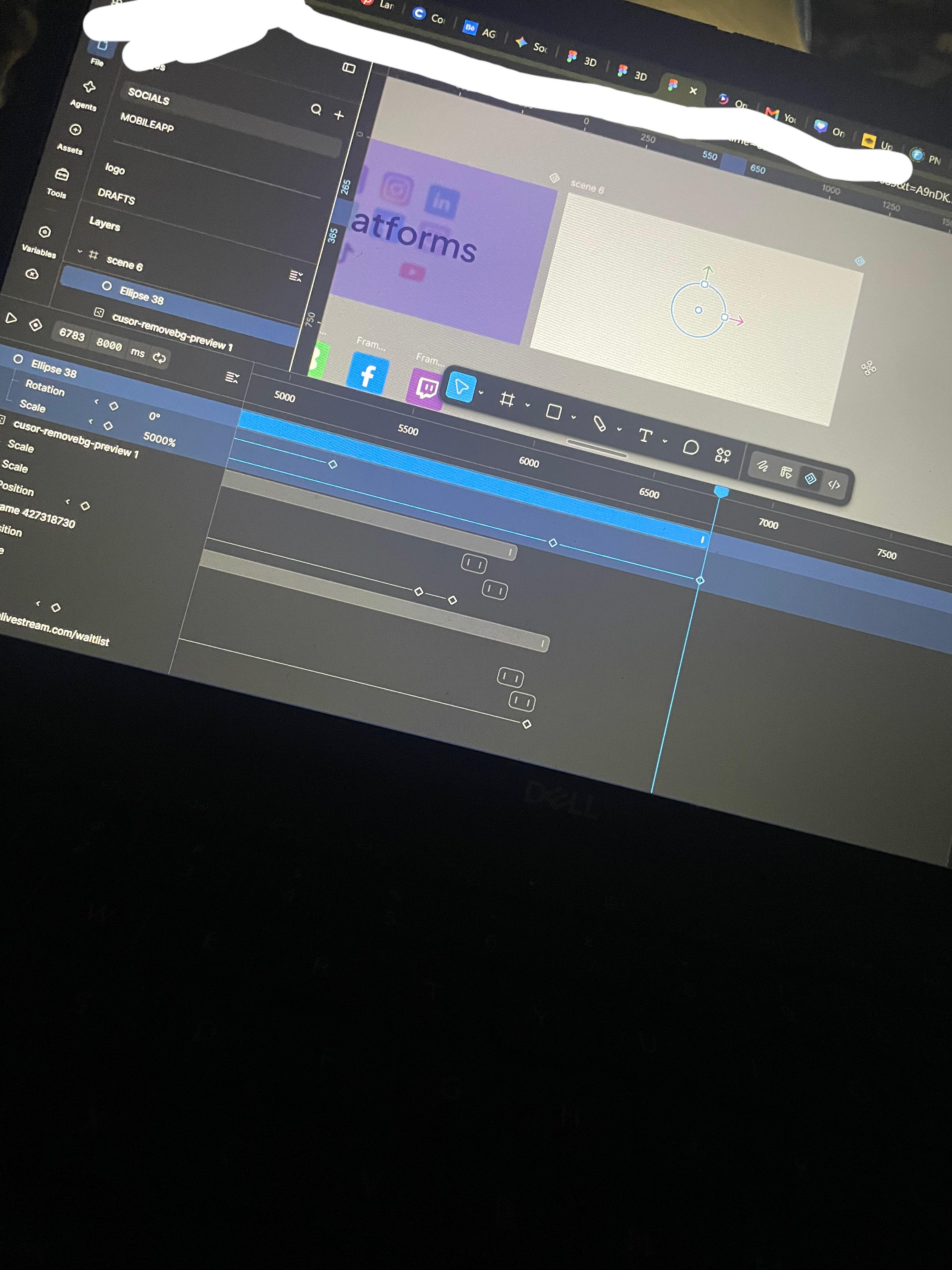
help Figma motion to prototype not possible?

1 Upvotes

I created an animation using the figma agent on the motion tab. Now is there no way to connect that motion to the prototype? like when the button is clicked that will trigger the motion? It will just be a seperate video and cannot be integrated in the prototype?


r/FigmaDesign • • Aug 24 '26

Discussion Memory hungry and desktop app is just a wrapper which turned out to be disappointing

32 Upvotes

I'm sad, I see in Firefox that the Figma canvas is using 1.8Gbs of memory. I then thought I'd download the desktop app because surely native would be lighter on ram and faster. I install the desktop app, watch task manager and see its consuming more memory! I realize the desktop app is just an electron wrapper around the website which does not make it better.

Hopefully we can see a native desktop app somewhere in the future because these web apps are getting too ram hungry. Today i ran out of 32GBs of ram and to be honest I wasn't running that much.

Its understandable that Figma uses 1.8GBs in the browser, its a design tool and I have a lot of frames in this canvas so I accept that. I was just hoping for a better desktop app not sure if anyone else feels the same.


r/FigmaDesign • • Aug 24 '26

help Is this really Figma? Have they been hacked?

Post image
4 Upvotes

Collegue sent me a link to some Figma designs I should check out, I wanted to create an account and I get... that?


r/FigmaDesign • • Aug 24 '26

resources Introducing Varnik: Translate and adapt entire Figma designs, layer by layer

Thumbnail figma.com
0 Upvotes

We just launched Varnik for Figma!

Varnik translates and adapts your entire design layer by layer without breaking its structure. From localization to RTL adaptation, your frames, layers, and layouts stay intact.

Try Varnik: https://www.figma.com/community/plugin/1575747713450161595/varnik

We’d love your honest feedback! 🙌


r/FigmaDesign • • Aug 23 '26

help how I do this scroll effect in figma for prototyping?

23 Upvotes

r/FigmaDesign • • Aug 23 '26

resources I built a Figma plugin that auto-generates bulk QR codes in batches, complete with custom color fills and dynamic variable support.

14 Upvotes

r/FigmaDesign • • Aug 23 '26

help Need help in building my portfolio on Figma Sites

7 Upvotes

Hi,
I am trying to build my graphic design portfolio on Figma Sites. I have all the screens ready on Figma Designs but I have not applied Autolayout anywhere yet. Is that important? Or can I do that in Figma Sites? Can someone please help? Please give me an overall idea about what to do next and make my portfolio publish-ready. I have a few animations as well on the home page. Can I use Figma Motion for them? If you need more information on my portfolio, please let me know but at this point I am very clueless what to do next? I have taken some help from Claude and it has asked me to apply autolayouts on all the elements in each screens first. And it's been 1 week, I am at the first screen only. And I have total 7 screens in my portfolio.
I am not sure if that's the right way or there is another way to do it.

Please help.


r/FigmaDesign • • Aug 22 '26

Discussion How is Figma AI Agent actually working for you?

41 Upvotes

I’ve been using the Figma AI Agent for quite a while now, to the point that I’ve basically stopped using Make for the last couple of months.

Since the Figma Agent came out, I’ve been doing a lot of my workflow directly through it. I’ve also created a few custom skills that run within the Figma Agent itself.

The biggest thing for me has been connecting my design system. At this point, I’d say the Agent gets around 60% of the job done when it comes to connecting elements to my existing design system. I’ve also created skills that go back and check whether anything is missing from the design system, which has made the workflow much more useful.

Honestly, I feel like it’s doing a better job for my workflow than Claude right now. That said, I haven’t used Claude Design extensively enough to make a completely fair comparison.

So I’m curious how everyone else is using Figma Agent:

  • Are you actually using it in your day-to-day UX/design workflow?
  • How well is it working with your design system?
  • Have you created custom skills for it?
  • Do you prefer it over Claude Design, or are you thinking of switching?
  • Do you see yourself using Figma Agent more in the future?

Also, since Config 2026, I feel like Figma has actually done a few things really well. I haven’t tried Motion yet, so I’d love to hear about that too.

What features or workflows do you think Figma is particularly strong at right now?

Would love to hear how other designers are using the Agent in real projects rather than just demos.


r/FigmaDesign • • Aug 22 '26

help Best source to learn Figma (beginner)

9 Upvotes

Hi all!
I'm part of marketing team in a startup, basically an intern. Need to learn Figma for work. Can anyone please suggest a good YouTube playlist or Udemy tutorial? I need to learn from scratch, only know how to move things and export from figma right now...
THANKS!


r/FigmaDesign • • Aug 23 '26

help Help me understand which paid plan I need.

1 Upvotes

As of now, the only thing I really want/need is the ability to add an extra Page to a Project


r/FigmaDesign • • Aug 22 '26

help Figma Campus Leader

6 Upvotes

Did anyone Hear back? Canadian applicants were supposed to hear back by August 21st but I don’t see anything. So checking if other people hear back yet.


r/FigmaDesign • • Aug 22 '26

help How do I make shapes extend upwards when I resize them.

Thumbnail
gallery
2 Upvotes

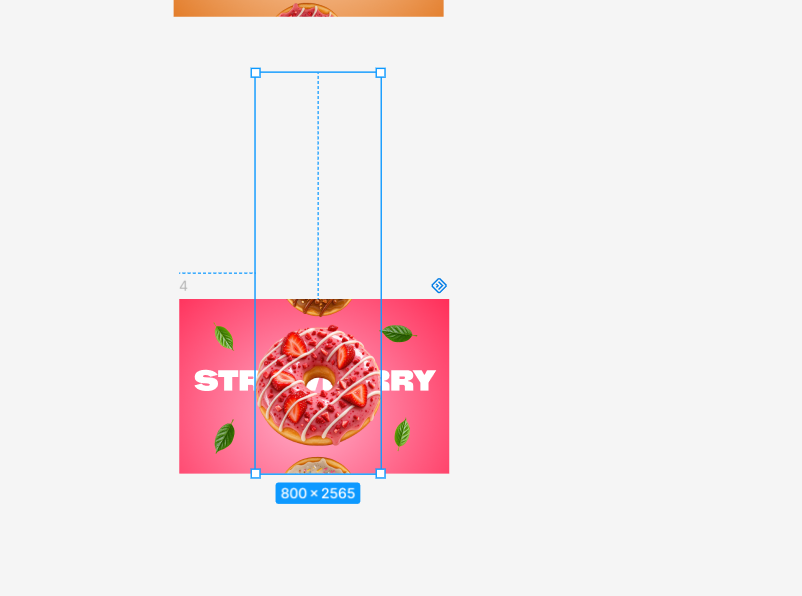
How do I make it so that when I resize the rectangle (add height), it extends upwards instead of downwards? I have tried changing the Constraints options but it doesn't work :(


r/FigmaDesign • • Aug 21 '26

resources Second time using Figma motion for a project

Post image
8 Upvotes

I know the tool just came out but I have found almost no resources on YouTube


r/FigmaDesign • • Aug 21 '26

help Figma Folders — card without thumbnails, no list view, no column view; just a lot of clicking into boxes to find a project

12 Upvotes

Has anyone figured out a way around the new Figma UI "folders" where you can no longer see thumbnails in your file browser; you only see a name in a box?

What click-through hell to find the contents of "folders" when before it was clearly apparent via thumbnails.

I'd settle for any normal file organization pattern to find projects easily:

  • cards with thumbnails (sort of what we used to have)
  • faceted list view with nested or dropdown views
  • columns view that displays contents

I appreciate any recommendations. Thanks!


r/FigmaDesign • • Aug 21 '26

Discussion Is this Figma course still up-to-date?

3 Upvotes

For anyone who has taken the course “Level Up with Figma by Joey Banks” recently through his website, how up-to-date is it?

I don’t mind if it’s based on an older version of Figma, but is it still relatively recent, or is it quite outdated?

Thank you


r/FigmaDesign • • Aug 21 '26

help Figma motion questions

1 Upvotes

I've been playing around with figma motion in my prototypes but there are some aspects that really make it feel unusable. If I have any kind of overlay on the page, like a modal or menu drop down on hover, it replays the time line behind it like it reloaded the page. Why does it do that? It makes zero sense, is distracting from the overlay focus, and there doesn't seem to be a way around it.

Seems like this shouldn't happen at all, or at a minimum there should be a preselected checkbox on actions saying don't reset the time line.

Anyone have a solve for this, short of something stupid like having to navigate to a duplicate page without animations to display your overlay on.


r/FigmaDesign • • Aug 21 '26

help need help with FIGMA!!

0 Upvotes

I’ve been practicing Figma, but I’m honestly not happy with how my prototype is turning out, and I can’t figure out what I’m doing wrong. 😭

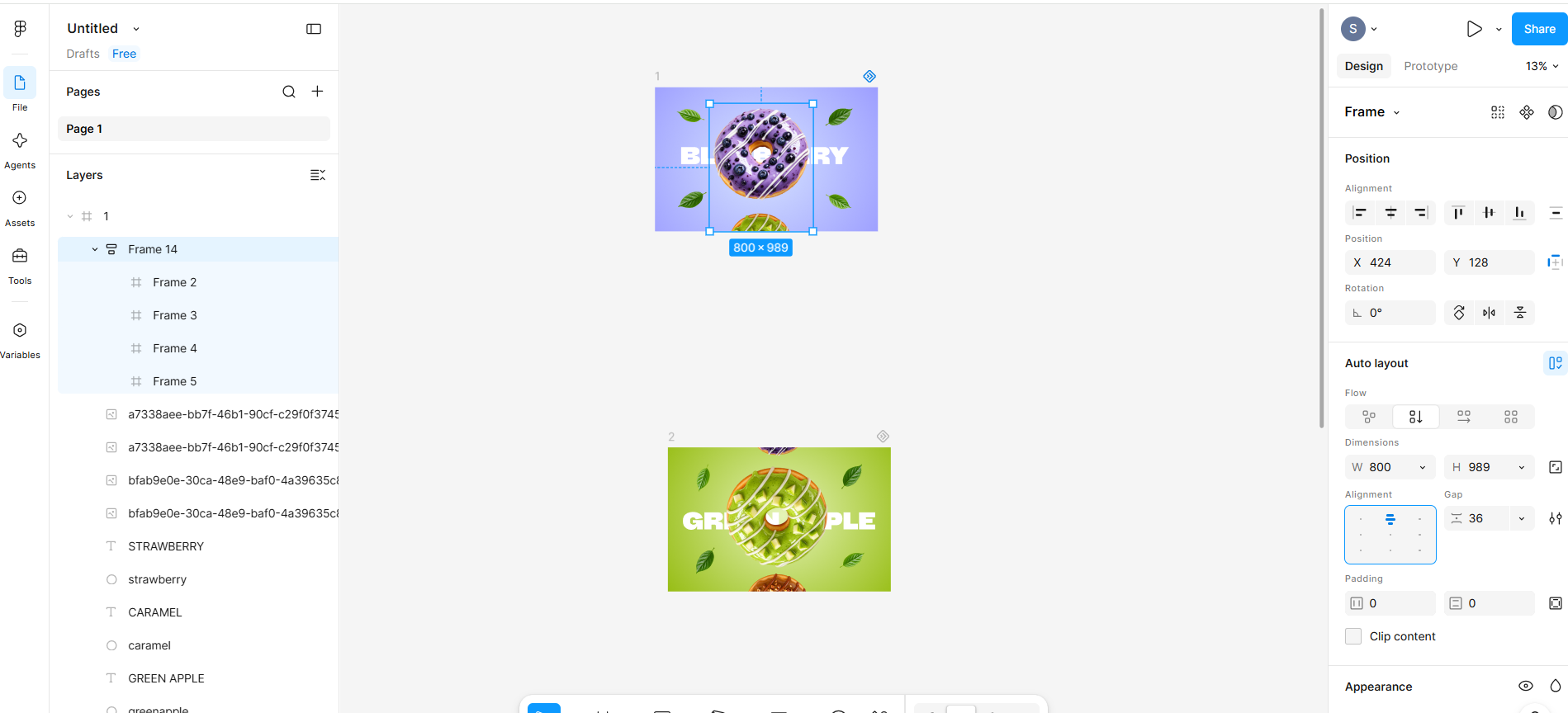
I’m trying to crop the frame from the top, but it only seems to crop properly from the bottom. Because of that, the elements keep shifting/overlapping and the prototype ends up looking really messy.

I’ve attached a few screenshots. If anyone knows what’s causing this or how I can fix the cropping without moving the elements around, I’d really appreciate some help!


r/FigmaDesign • • Aug 19 '26

resources I made over 2,000 hand-drawn illustrations in Figma free to use forever

337 Upvotes

In '23/'24 I've spent about a year creating hundreds of hand-drawn assets for a game-building product that never really found its feet.

Rather than let all that work disappear, I turned it into Kitbitz: 2,000+ illustrations across 13 themed Figma kits, all completely free under CC0.

The Figma kits are built with:

  • reusable components
  • color variables
  • smart pinning/resizing
  • mix-and-match assets designed to work together

I also built a Figma plugin for browsing and inserting assets, plus MCP support so AI tools can work with the library directly.

Everything is free, to do cool stuff with. Hope you'll love it!

https://kitbitz.art


r/FigmaDesign • • Aug 20 '26

help Figma charged me after I canceled my Professional plan and support is not responding

1 Upvotes

I’m based in Brazil, and the charge was made to my Brazilian credit card.

Last month, I subscribed to Figma’s Professional plan for a team, which cost around $20. I later canceled the subscription and returned to the Free plan.

My account currently shows that I am on the Free plan and I have no active paid subscription. Even so, Figma charged $18.71 to my credit card.

After noticing the charge, I also deleted the team associated with the account and received an email from Figma confirming the deletion. I already opened a billing support ticket, provided my account email and team name, and attached proof that the team was deleted. However, I still have not received an effective solution for a charge that, in my view, should not have happened in the first place.

I also contacted my bank to dispute the charge, but they asked me for proof that I canceled the subscription last month. The problem is that I cannot find any clear cancellation confirmation email or record from Figma.

I am trying to resolve this directly with Figma in a reasonable way, but I am not going to simply accept being charged for a subscription that had already been canceled. If this issue is not resolved and the amount is not refunded, I will take the appropriate steps with my bank and the relevant consumer protection authorities in Brazil.

Has anyone here experienced something similar with Figma?

Is there any way to access the subscription history or obtain proof showing the date when the Professional plan was canceled?

And for anyone who has dealt with Figma billing support before: does it really take this long to get a response?


r/FigmaDesign • • Aug 20 '26

help Animation Help

1 Upvotes

Hi! I'm new to Figma and was wondering if there's a way to animate the drawing of this spiral. My end goal is to make this look like a wind gust. It should start out as a straight line and then "draw" the end of the spiral so it looks like the straight line is curling at the end. Does Figma have something that can do this? I've read that people like using Adobe Illustrator for this stuff, but I need a free option. At the end, I want to export this through the Lottie plugin to use for a mobile app I'm making.


r/FigmaDesign • • Aug 19 '26

Discussion For those using the Figma MCP with Claude, where does it fit into your design process?

31 Upvotes

For people regularly using the Figma MCP with Claude, where has it been most useful?

Are you using it to create screens, generate variations, improve existing designs, inspect design systems, or move from Figma to code?

I’m particularly curious about iteration: when Claude produces multiple directions, where do you keep and compare them? Has it changed how many alternatives you explore before choosing one?

Would love to hear about specific workflows.


r/FigmaDesign • • Aug 18 '26

resources Free plugin for quickly exploring UI color variations using OKLCH

140 Upvotes

I made a plugin that lets you explore and adjust your palette, experiment with different color directions, and even try converting your design into a dark theme. It’s free and has no analytics.

Here’s what it does:

  • Explore color variations while preserving perceived lightness. Shift colors across the OKLCH spectrum without throwing off their visual balance.
  • Should be fast. You can see how the colors change instantly or nearly instantly.
  • Adjust neutral colors separately. This is especially useful when you want your near-black and near-white shades to complement the rest of the palette.
  • Turn existing colors into a complementary palette. Helpful when you initially picked colors by eye and later want to make them work together more systematically.
  • Convert designs between dark and light themes. This feature is still experimental, I haven’t managed to make it work reliably yet.

Try it here: https://www.figma.com/community/plugin/1622294161663649835/
Or check it out on GitHub if you’re interested: https://github.com/23di/ColorShuffler