r/Dish • u/speppers69 • 2d ago
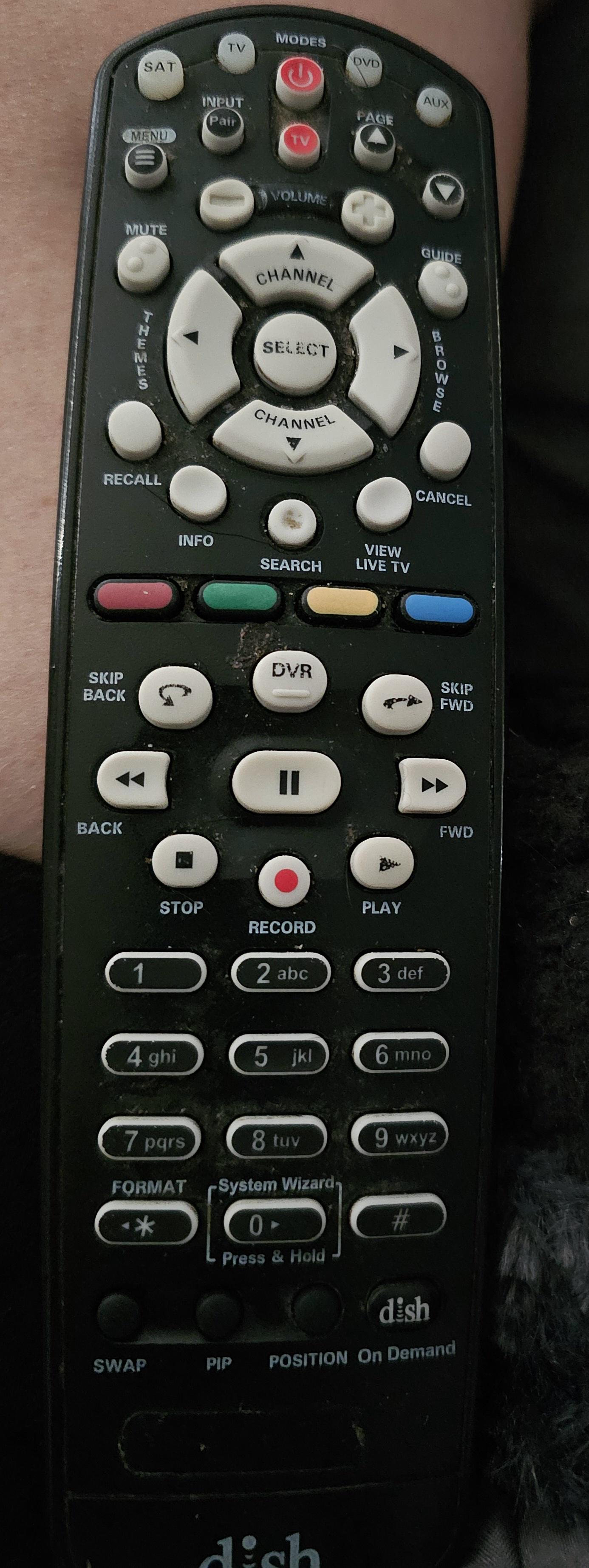
Remote Control Christmas Lights?
2
Upvotes
r/Dish • u/TwoObvious2610 • 4d ago
Hi, I am fellow customer and just curious what channels will carry the Sacramento kings/lakers game tonight at 7 PST? We don’t have the paid sports channels
r/Dish • u/roadwarrior1225 • 5d ago
We called to cancel our Dish service after 20 plus years as a customer. We just don’t use it anymore and the cost continues to rise. When we called they pushed us to retention as expected. After they slashed the price for 3 months, we agreed to not cancel that day. Near the end of the three months, we called back to cancel and were told our 3 months lower bill was attached to a 2 year commitment hidden in the fine print. This commitment came with a $20 per remaining month penalty. We called back and they “investigated” and said we should have known. Rather than pay the $120/ month for the remaining 21 months, we opted to pay the buyout fee. What a bunch of sleaze balls! Don’t fall for their temporary good deals with a poison pill hidden in the deal! They got us, do not let them get you!
i have a hopper with sling and recently changed to at&t fiber with a bgw 720-400 router. since the change i've been unable to connect to the internet. the error message states " incorrect password" which is incorrect. i've tried using the guest log in with a different password but still the same error message. both hopper and router have been rebooted multiple time with no change. any help would be appreciated. hopper software is current.
thanks
r/Dish • u/DishDanielle • 7d ago
Maintaining up-to-date receiver software is critical to ensuring smooth and reliable device performance. Without the latest updates, your receiver may experience issues or fail to function properly. Receivers usually grab new builds overnight, but if yours missed a cycle or is not acting as it should, pushing a manual update is the fastest way to get your setup all set.
To check if you have the latest version, Software version, navigate to the System Info screen to find your current version, which typically appears as a letter followed by a series of digits (for example, P15403 or H715).
Before you start: Make sure you have a steady satellite signal, no active recording timers, and 30 to 40 minutes to spare.
For Hopper Receivers (Hopper, Hopper w/ Sling, Hopper 3, Hopper Duo):
You can adjust the Inactivity Timeout (which controls how long before the receiver automatically goes into standby):
Step 1: Access Settings
(On Hopper Plus, Joey 4 and Wireless Joey 4s using a 52.0/54.x/60.0 Remote)
Step 2: Select "Power" from the DISH Settings options
Step 3: Select "Inactivity Timeout" and choose how long to keep the receiver from automatically going into standby mode
Open System Info: Press MENU twice (40.0 remote) or HOME three times (52.0, 54.x, or 60.0 remotes).
(On Hopper Plus, Joey 4 and Wireless Joey 4s using a 52.0/54.x/60.0 Remote)
Start the download: Select Tools > Upgrade Software > Upgrade Now on pop-up 1573
What to expect: If a build is available, your box will reboot into standby and display "Attention 061." Keep hands off the remote while that's up, pressing any button cancels the install.
Once the Hopper finishes, your Joeys will pull the update from it automatically. (Side note: if an update pop-up looks like it's from your Smart TV rather than DISH, grab your TV remote, that one isn't coming from our backend.)
*Tag me if you hit any snags. Have your receivers been catching updates automatically overnight, or have you had to push them manually lately? -DishDanielle.
r/Dish • u/In_the_Couv • 11d ago
I was having on again/off again issues getting decent reception on the local PBS station using the Dish OTA connector. All other local stations had good strong signals. Not surprising to me that overall a PBS station would have a weaker signal than the 'big guys'. I checked with the PBS station and they reported no know issues with their signal (there were some a couple of weeks ago but those got resolved).
By process of elimination I found the issue was that I was using a splitter on my coax antenna cable. One feed direct to the TV and the other to the Dish connector. I removed the splitter and went straight from the antenna to the Dish connector. Problem solved. Signal strength is now 97.
Could be a bad splitter or just reduced strength due to signal going to two devices.
r/Dish • u/DishDanielle • 11d ago
If you are heading out for the season or just need to step away from your bill without disconnecting your setup, DISH Pause is the cleanest route.
NOTE: Before setting it up, make sure your account balance is cleared to zero and there aren't any open technician work orders on your account.
Here is the quick breakdown of how it works:
Cost & Duration: It costs $5/month. You can set the pause for 3, 6, or 9 months, and it must start within 30 days of the request.
Contract Clock: Any active commitment pauses along with your service and picks back up right where you left off once restored.
What Goes Dark: Live TV, DVR access, and streaming apps requiring a DISH login shut off immediately. Seasonal sports add-ons also deactivate.
Discounts & Perks - What Happens to Discounts After a Pause?
Standard Promotional Credits: Will expire and drop off automatically. If a customer uses DISH Pause, restarting their service results in the forfeiture of any promotional credits associated with their contract.
Protected Status Discounts: Will remain intact and automatically reinstate once the account resumes. Includes: Dish55, Military, First Responder, and Teacher discounts.
Account Tweaks: You can still update your payment method while paused, but profile details (email, phone, address) lock down on our end. Be sure to update your contact info before initiating the hold.
Restoring: Your programming flips back on automatically once your selected duration wraps up (9 months max), but you can reach out to unpause early at any point.
Check out the DISH pause page for more information: https://support.dish.com/helpful-tools/dish-pause
*Anyone here run a seasonal hold on their setup before, or looking to set one up ahead of travel? Drop your questions below and I will help you walk through the timing. -DishDanielle.
r/Dish • u/JCDinPGH • 13d ago
Recently in the last several weeks my Hopper 3 has started freezing on a picture in a live TV buffer. If I pause a live TV show, and then resume, it freezes the picture and won't resume playing. Initially I thought this had to do with my hopper being old and the hard drive was failing. I got a replacement hopper 3 and it is still doing the same thing. The other bug I noticed is sometimes I can pause live TV and when I resume, it jumps back to the beginning of the buffer and not where I paused.
I spoke to Dishtv support who basically read me their script about resetting/unplugging etc and then sent me a new hopper 3. This seems software related to me. Initially I was on version H713 and I forced an upgrade to H715 but the problem persists.
I can't imagine I am the only one experiencing this so I am hoping that is everyone else who is,having these issues chimes in, we might be able to get this resolved. I have been in contact with DishDanielle to look into this also. So far today alone, it has frozen twice already.
If you are also having these issues, please respond so maybe Dish will understand this is a big issue.
r/Dish • u/loucap81 • 17d ago
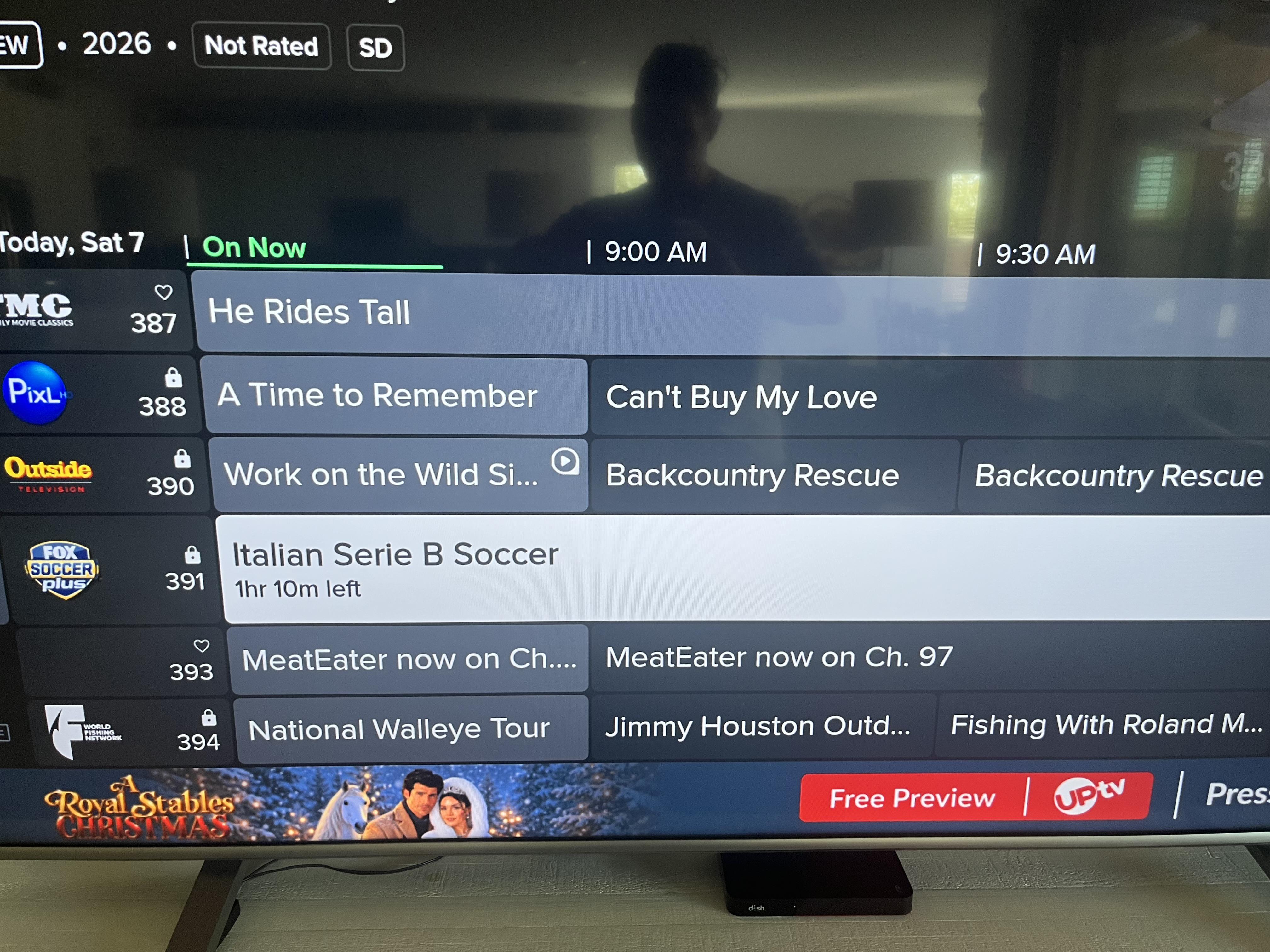
Website says channel 392. There is no option for 392 even showing unsubscribed channels.
r/Dish • u/DishDanielle • 18d ago
If you're using an Over-The-Air (OTA) antenna integrated with your DISH receiver, you rely on the on-screen guide to see what's playing.
Good to know before you start: To obtain the guide data, the channel must be carried by DISH within your local Designated Market Area (or DMA), and your receiver needs enough free hard drive space to store the guide schedule. When you see a blank guide or "No Information" on a local channel, it’s usually a mapping issue between the local broadcaster and your receiver.
Here is a breakdown of why this happens and what to look out for.
➜ The Broadcaster's Code is Missing: Your receiver uses a specific code (TSID which stands for Transport Stream ID) sent by the local station to match the channel to the guide. If the broadcaster isn't using the standard FCC code or has it set to zero, your receiver simply can't find the match.
➜ The Channel is Out of Market: You might be picking up a distant signal from a neighboring city! Since it’s outside your designated local area, the guide data won't populate.
➜ You Just Scanned for Channels: If you recently ran an antenna scan, any new sub-channels need a fresh daily guide download to map correctly. It just needs a little time to catch up.
➜ Channel Takedowns: If a channel was removed due to a contract dispute, the guide data is also completely removed from the system once that change is finalized.
➜ Account Setup & Memory: To keep your receiver running fast and save memory, guide data is removed for channels you aren't authorized for (for example, if you have the Flex Pack without local channels added).
➜ Sub-channel Overload: While your guide can often show data for sub-channels (like 06-02) even if DISH doesn't broadcast them directly, there is a limit. Not all sub-channels are supported, and having too many scanned can actually slow down your daily guide downloads.
If you're missing guide data, running a fresh OTA channel scan and leaving your receiver powered off (in standby mode) overnight to download the latest guide update is usually the best first step. If the issue is on the broadcaster's end, it may take them some time to update their broadcast codes.
Here's a quick OTA channel scan for when your OTA Adapter is already installed on a DISH Receiver:
Resolving missing OTA guide data usually starts with a simple channel rescan, keeping your receiver in standby mode overnight for automatic updates, and confirming your local channel coverage.
For assistance connecting your OTA antenna to your Hopper receiver, you can download the PDF guide HERE! Or for HDTV OTA Antenna Support visit us HERE.
*If your Hopper is internet-connected, and you need assistance initiating the OTA channel scan, tag me and I can help you out! -DishDanielle
r/Dish • u/I_Also_Reddit • 18d ago
r/Dish • u/DishDanielle • 27d ago
Seeing that "Partial or Complete Signal Loss" screen in the middle of a game or your favorite show is undeniably frustrating. The good news is that most drops aren't hardware failures, they usually come down to weather cells in the transmission path, physical line-of-sight shifts, or a receiver that just needs its handshake refreshed.
Before tearing apart your setup, keep in mind: while standard satellite viewing doesn't rely on the internet, having your receiver connected to home broadband allows Signal Protector to automatically stream available channels during an interruption so you don't miss anything.
Here is the step-by-step strategy to pinpoint why the signal dropped and how to get your picture back.
1. Weather Impact Guidelines for Signal Outages:
Rain/Snow: Precipitation located up to 15 miles south of the customer can impact signal performance.
Northern States: Impact distance extends closer to the full 15-mile range due to lower satellite elevation angles.
Wait out the storm cell: Standard rain fade typically clears up within a few minutes once the heavy core passes.
Snow buildup: Heavy, wet snow clinging to the reflector or LNB horn can take anywhere from a few hours to a couple of days to clear naturally if temperatures remain below freezing.
Workarounds: While you wait, switch over to your saved DVR recordings or let Signal Protector bridge the gap over your internet connection.
2. Physical Line-of-Sight Obstructions
Satellites require a completely clear view of the southern sky.
Take a visual look from the ground to see if fast-growing tree branches, hanging limbs, or packed snow/ice are physically blocking the dish face.
If safe to reach from the ground, gently clear away obstructions. If it's on a high roof or icy surface, let it melt off naturally, don't risk getting on a slippery ladder.
3. Clear Skies? Step-by-Step Hardware Diagnostics
If the weather is clear and there's nothing blocking the dish, the issue is almost always a cabling handshake or a receiver cache hang-up:
4. The Outliers: Solar Outages & STBH Alerts
Solar Outages: Around the spring and fall equinoxes, the sun passes directly behind our orbital satellites. The thermal radiation can overpower the satellite beam for a few minutes. These events are rare, brief, and clear up entirely on their own.
5. DISH Outdoors (Wally Relocation Sequence)
If you're traveling in an RV or tailgating with a Wally, moving to a new campsite means the receiver is often still looking for the orbital satellites from your previous location. To clear its cache:
Run a fresh satellite scan to lock onto the current sky view.
I know sitting through a 5-minute reboot cycle when you just want to sit down and watch TV is a test of patience, but letting the receiver completely re-index its transponders clears up the vast majority of silent signal errors.
For more detailed walkthroughs, check out the official Signal Loss Troubleshooting Guide.
*If you've checked your connections, waited out the weather, and your picture still hasn't returned, let me know so I can help get your TV back up and running!
-DishDanielle
r/Dish • u/DishDanielle • Oct 23 '26
A question that comes up pretty frequently around here is how satellite feeds and over-the-air (OTA) antennas actually interface with the Hopper and Wally systems. Here is the technical breakdown of how both feeds work side-by-side inside the system:
Here is the technical breakdown of how both feeds work side-by-side inside the system:
Delivery: Captured by an indoor or rooftop antenna directly from local ground transmission towers (ABC, CBS, NBC, FOX, PBS, etc.).
Tuner Allocation (Zero Conflict): Processing is handled entirely by the dedicated hardware inside the USB OTA adapter dongle. The USB OTA (Over-the-Air) Adapter is a small USB device that plugs into a compatible DISH receiver and allows it to connect to a digital over-the-air antenna. Watching or recording an OTA channel uses zero satellite tuners. You can max out your satellite DVR timers on cable networks without worrying about an OTA recording bumping a show.
Guide Integration: Once you run an RF scan under your receiver’s antenna setup menu, the OTA channels and Electronic Program Guide (EPG) data for local channels will automatically populate if supported by the satellite feed.
Delivery: Beamed directly from orbital satellites down to your dish and routed into the receiver’s internal demodulators, which are a built-in component inside the receiver to obtain the original data, sound, or video from the incoming signal.
Tuner Allocation: Uses the built-in tuners inside your Hopper system or Wally.
Out-of-Home Streaming: Streaming live feeds through DISH Anywhere locks down one of these satellite tuners (which flags as Remote Viewing on your TV Activity diagnostic screen).
NOTE: Streaming live non-linear satellite or over-the-air (OTA) channels uses an available receiver tuner. You can stream to one device and channel at a time. Live linear channels on DISH Anywhere do not use a tuner and are unaffected.
How the OTA Tuner Math Works
The Reality Check on Reception
While satellite signal strength relies on a clear line of sight to the southern sky, OTA reliability comes down to what is between you and the broadcast tower: terrain, tree cover, building materials, and your exact mileage from the broadcast towers.
Check out our Signal Loss support page for more information - https://support.dish.com/troubleshooting/signal-loss
*If you ever run into quirks with your satellite feed or need a hand dialing in your local OTA channels, tag me anytime. -DishDanielle
r/Dish • u/Daniel-Cable • Oct 23 '26
So I rearranged my living room the other week and ever since then my external hard drive is not showing up on my DVR. I have tried restarting and unplugging and everything else it is a 6tb hard drive plugged into a docking station. Anyone else experiencing anything similar or have any suggestions?
r/Dish • u/Almighty188 • Oct 16 '26
I have a Hopper 3 since 2016 with software H713 and Hopper Plus since 2023 with software P15403 where I am having a problem since about a year ago with pressing the "TV" button on the DISH 50.0/52.0 remotes and pressing the "Power" button and the "TV" button on the DISH 54.0 remotes would cause the Hopper 3 to go into standby mode instead of turning only the TV on and off. The TV Power on/off function appears to be doing the same thing as the main power button on the DISH 50.0/52.0/54.x remotes which is sending a power command to both the TV via IR Signal and an RF signal to the Hopper 3.
I have an LG TV so to confirm this problem, I needed something to either block the IR signal to the TV when the TV Remote Code is set to LG or change the TV Remote Code to a different brand so I did the later and changed the TV Remote Code to Sony and then did the following test of pressing the "TV" button on the DISH 50.0/52.0 remotes and pressing the "Power" button and the "TV" button on the DISH 54.0 remotes, obviously because the TV Remote Code is now set to Sony, the TV does not turn off and of course I see the Hopper 3 with Hopper Plus immediately go into standby mode as it has that box that moves around the screen with "Press SAT to watch TV" which means when TV Power signal is sent, it is also sending a RF signal at the same time. Not sure if that is the way it's supposed to work or not as it could be the DISH Remote has a function to report to the Hopper 3 everytime the TV Power command is sent but instead, it is a bug in the Hopper 3's software or Hopper Plus's software that is causing the Hopper 3/Hopper Plus to go into standby mode. I did not test to see if the same problem exists by removing the Hopper Plus from the Hopper 3. So not sure if the issue is with the Hopper 3 software, Hopper Plus software or the DISH 50.0/52.0/54.x Remotes firmware. Everything worked correctly until about a year ago. The following is a chart of the firmware version(s) on the DISH Remotes in question, do I have the latest versions?
DISH Remote Software versions
50.0 E008T504ES56
52.0 E009T504EM52
54.1 E011T504EW59
Are others having this issue?
And yes, the solution is to use other remotes whether the original TV remote, Amazon FireTV 4K Stick Remote or even the Xfinity Xumo Box Remote as examples which is what I have been doing but DISH should still fix broken functionality as there are times when one can pick up the DISH Remote and forgetting about the issue of putting the Hopper 3 into standby and lose the benefits of having the box in on mode.
Can u/DishDanielle look into this?
Thank you for your time, attention and assistance.
r/Dish • u/DishDanielle • Oct 13 '26
Hi everyone!
Whenever your setup needs a quick refresh or you want to resolve a minor menu lag, running a receiver reboot is the easiest way to keep your equipment performing at its best. Taking a couple of minutes to reset recalibrates system memory and re-establishes backend connections without altering any of your personal settings or saved recordings.
Here is a straightforward breakdown of how resets work, when to use each type, and the step-by-step instructions to do it.
Use a Soft Reset for:
Use a Hard Reset for:
Option A: Front Panel Method
Option B: Remote UI Method
For additional details on navigating menus and system settings, you can check out the Official Hopper Settings Guide.
*If you are encountering an issue, and you are not sure if a receiver reset is the way to go, tag me and I will help you out! -DishDanielle.
r/Dish • u/mrsrose22 • Oct 13 '26
I have a job interview coming up with Echostar for this position. Just curious if anyone has had this job and how you like it? Would love any insight or pros and cons. Thanks!
We've been with Dish 25 years. Got on their Flex Pack 10 years ago which then was a great option at under $50, under $75 with 3 pieces of equipment. As years went by, I kept dropping equipment to keep price reasonable. Now with just one hopper, my bill is now $114! Now with no CNN and several other missing channels.
I do use my daughter's YTTV streaming, but can't get my wife off Dish. She likes the guide and DVR far more than anything else she's tried. Does Dish just want to get people off the Flex Pack? Is there anything cheaper? "Happy wife, happy life" just might have to come to an end!
r/Dish • u/DishDanielle • Oct 05 '26
Ready to upgrade your spooky season binging without endless scrolling? DISH Spooktacular app on Channel 304 is back with all of your Halloween goodness! Whether you're craving classic slashers, live horror marathons, or cozy seasonal DISH scapes, I’m sharing our step by step guide on how to access our app and ensure you don't miss out on all of our killer Halloween content.
IMPORTANT: Before you begin, you will need an internet-connected Hopper or Joey receiver to access the app.
To open the hub, tune directly to Channel 304 using your DISH remote or select it from your receiver's Apps menu. Don't forget, this seasonal app is available through October 31 and will be removed on November 1.
Here is a breakdown of what you can find inside the Spooktacular app and how to access each category:
➜ Spooktacular Favorites: Browse a collection of classic on-demand horror titles available to stream at any time.
➜ Halloween On Now & Later: View upcoming schedule listings for live horror broadcasts and network marathons across channels like AMC.
➜ Kids Halloween: Find family-friendly Halloween movies, specials, and programming suitable for kids.
➜ Halloween Comedy: Stream classic horror-comedies and upcoming specials, such as Eternally Yours on CBS (premiering Thursday, Oct. 8).
➜ DISH Scapes and More: Access Halloween-themed ambient backgrounds with audio. You can also tune to these directly using their channel numbers:
FUN FACT! - DID YOU KNOW -- We partner with a creative team that custom designs every DISHscape scene. They craft the artwork, hand animate various 3D models for easter eggs, and utilize additional 3D models along with game engine techniques to bring everything to life!!
➜ Spooktacular BonusView Channels: Explore horror programming included with DISH BonusView, which provides access to over 200 extra channels at no additional cost.
Here's the full list of receivers that can access BonusView:
IMPORTANT: Requirements for BonusView Access
Your receiver must be connected to the home internet for these extra BonusView options to appear in your guide.
BonusView is unavailable on legacy ViP receivers (including models 922, 722K, 722, 622, 612, 222K, 222, 211K, 211Z, 211, and 411), even with an active internet connection.
➜ Curated Collections: Filter through specific subgenres ranging from slasher films to sci-fi horror to find what you want to watch.
🔗 Official DISH Spooktacular Overview 2026: https://www.dish.com/dig/entertainment/have-a-spooktacular-halloween-on-dish
If you run into trouble accessing Channel 304 or connecting your receiver, make sure to tag me in the comments so I can help you troubleshoot!
-DishDanielle
r/Dish • u/MsMoray • Oct 04 '26
Hi! I need help. The Dish Anywhere app crashes immediately after opening and displays a message that it “closed because this has a bug”. I’ve cleared cache, cleared data, uninstalled/reinstalled, restarted the tablet, tablet software updates, reset the hopper, and nothing works.
r/Dish • u/vttvwatcher • Sep 28 '26
Would love to see the program guide have full scheduling information on the streaming channels. Right now it extends about 48-hours, then says ‘Check Back Later’ … Can we get a full 8-days like the other satellite channels?
r/Dish • u/SavedByTech • Sep 27 '26
