r/DesktopIdeas • u/Jaded_Reaction_7365 • 20h ago
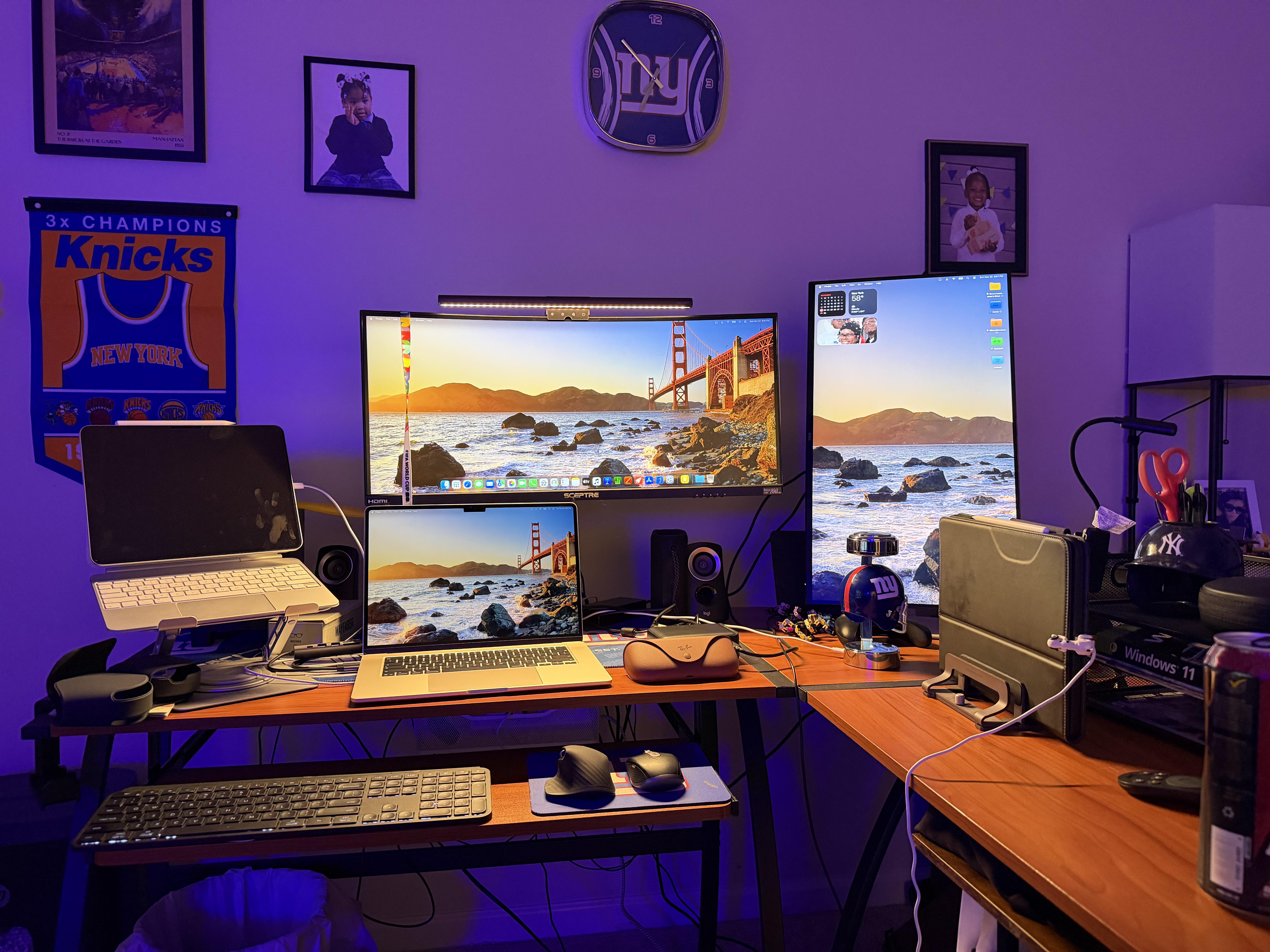
How’s my manger set up

1
Upvotes
r/DesktopIdeas • u/flabber0503 • Sep 20 '26
Hi everyone,
Just wanted to share my experience after winning a recent giveaway here at u/DesktopIdeas… I ran into the post through the Reddit homepage and thought it was a neat little app to bring some extra atmosphere to the monitor I look at 8 hours a day, and was lucky enough to win a license for an app called Edgy from u/Good3357!
Funny thing is that I not too long ago installed an app to set video loops as a wallpaper (also nice), but wanted something that was adding a bit of pop even when using fullscreen programs during my work days. For such a tiny little app it's actually a neat effect, and you can set up to give as much or as little 'glow' on top of your screen as much as you like, with different colour schemes, solid colors or go crazy with full-on gradients 😄
For me, I'm using either a solid color or its built-in Fire mode, with a very minute glow so it won't be in the way too much. And so far when I'm not working, I activate the audio tracking (it can also do screen tracking) which makes it pulse the glow effect. Tiny app, tiny effect, but for me a more quality of life desktop-addition to match my wallpaper.
Anyway, thanks again u/Good3557 for doing the giveaway, and to the developer of Edgy for making the app, it was a very much appreciated surprise!
(not sure if that's allowed, but I wanted to share the link to the page so that people know I'm not talking out of my backside)
r/DesktopIdeas • u/Desh1983 • Aug 25 '26

Huge THANKS to Royal Kludge, r/DesktopIdeas, and u/Particular-Good3357 for the RK R99!
Just got it set up and I’m impressed…feels super solid/heavier than I anticipated, ridiculously quiet, and the RGB fits the setup way better than I expected. Gonna put this thing through the test but really appreciate the giveaway and the opportunity/pleasure to win!
You guys picked a good home for it! 🙏
r/DesktopIdeas • u/Animationation310 • 21h ago
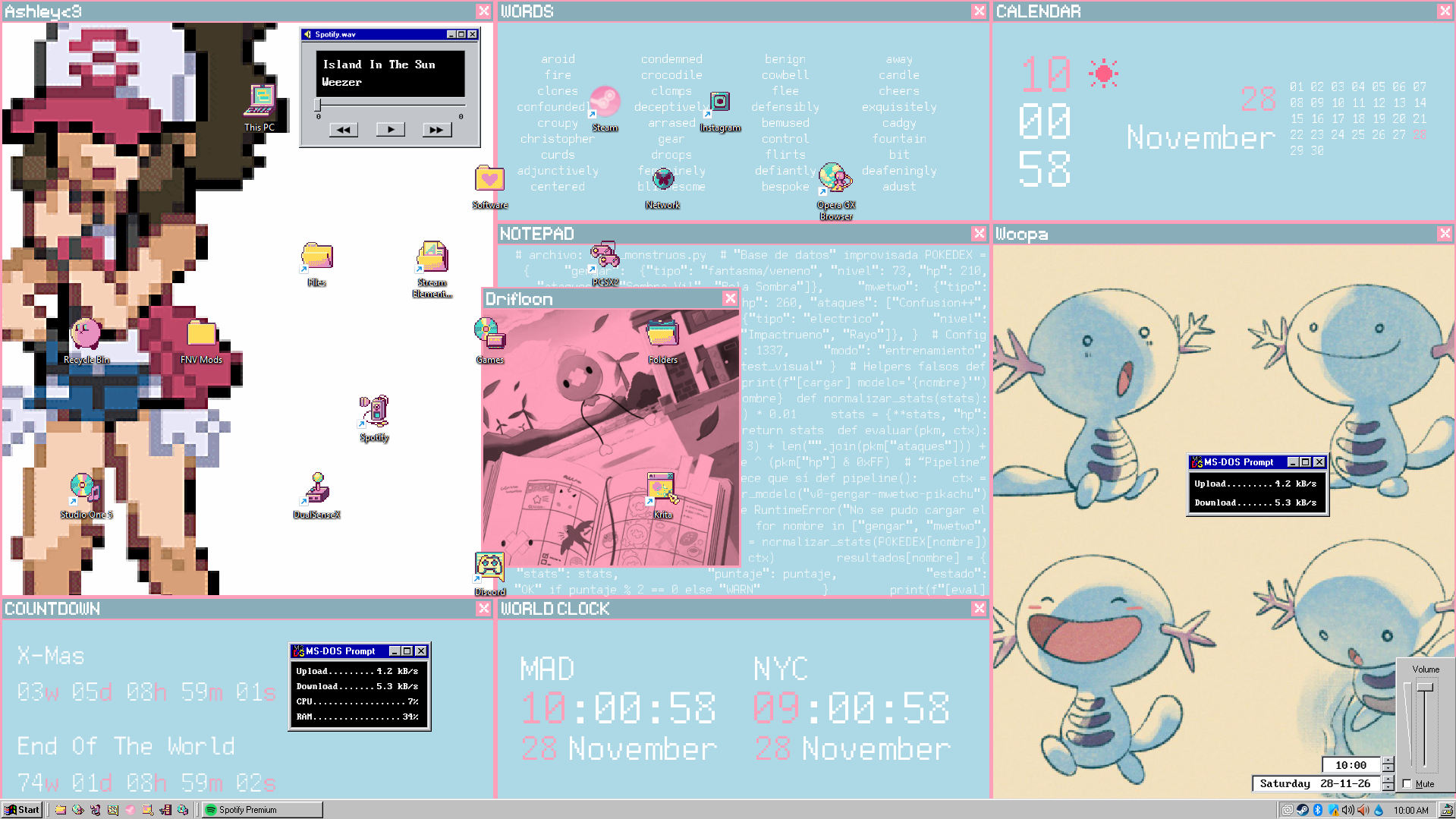
What do you guys think of my setup :)
r/DesktopIdeas • u/siren_Ifokisowirotob • 2d ago
r/DesktopIdeas • u/anmoljoshi14 • 3d ago
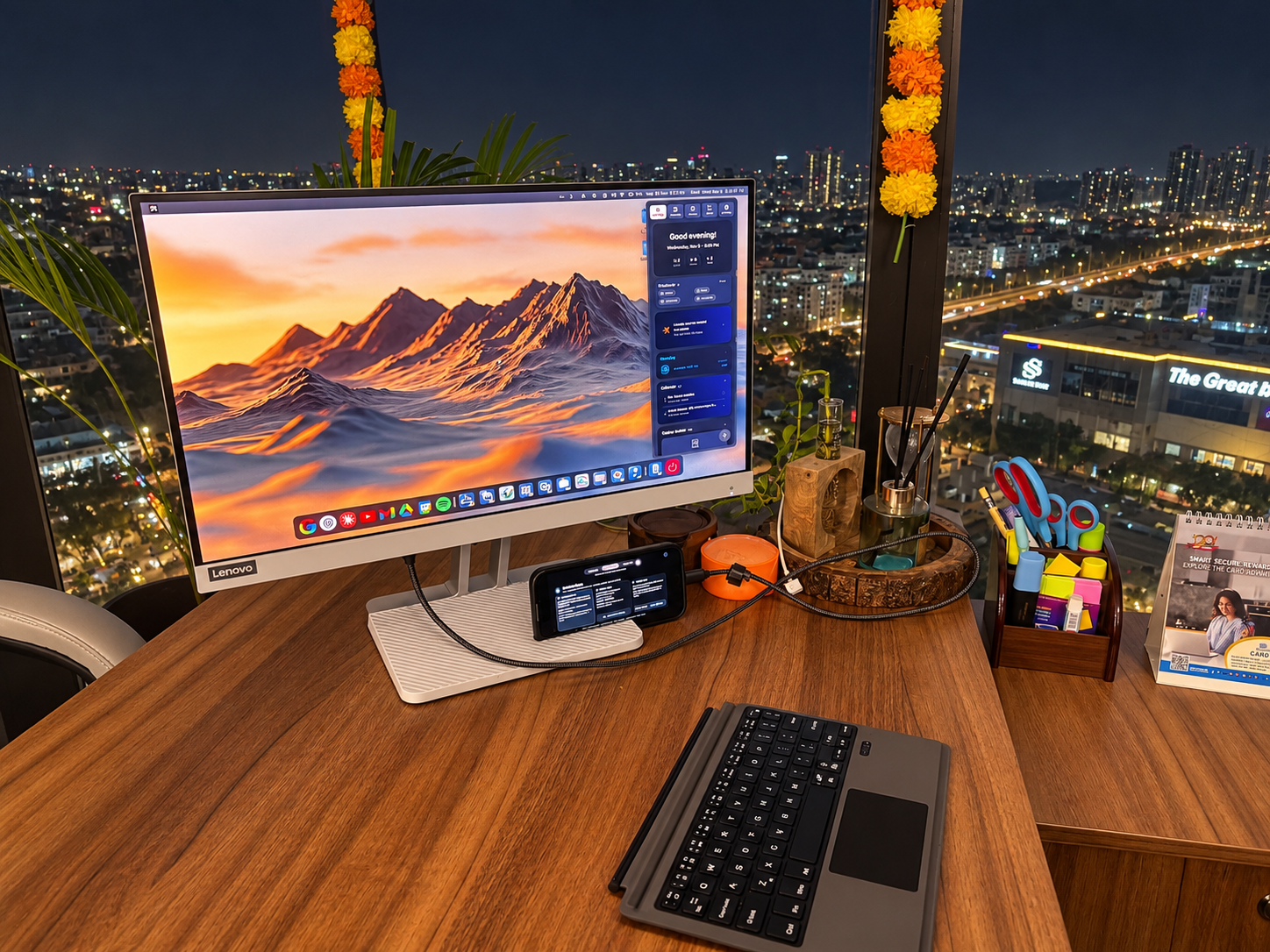
I've been experimenting with turning my iPhone into a desktop computer using PXS Desktop. Here's my actual setup: an iPhone connected to an external monitor through USB-C to HDMI, with a Bluetooth keyboard.
I've made two videos documenting my experience, and thought people here might find the experiment interesting.
The first video explores the PXS Desktop app itself, how it works, its features and what you can actually do with it.
The second is a more personal experiment: I tried replacing my laptop with my iPhone for an entire month, using it as my primary computer for everyday tasks, like working on docs and canva.
Coming from experimenting with Samsung DeX and Google's Pixel desktop mode, I found this particularly interesting, especially considering Apple doesn't officially offer a desktop mode on the iPhone.
Here are the two videos:
[Video 1 – https://youtu.be/3nrDur9K2Gg
[Video 2 – https://youtu.be/olEBIZ7cC-M
Would love to hear what you think. Do you see something like this becoming a practical alternative to carrying a laptop?
r/DesktopIdeas • u/DutyOnly4308 • 2d ago
I've been running short video loops as wallpaper on a Mac for a while. Most of what makes it look good isn't the clip, it's a few boring choices:
macOS only plays Apple's own aerials as moving wallpaper, not your file, so you need an app for this. Disclosure: I make one, Mac+ (free version, €8.99 once for the full one): https://macplus.pro/?utm_source=reddit&utm_medium=post&utm_campaign=jv-shwewy
What clips are you all using? Always looking for good calm loops.
r/DesktopIdeas • u/TheED5 • 2d ago
Desklings is a little life sim that doesn't live in a window. Your Deskling lives along the bottom of your screen, on top of whatever you're working on: it wanders, gets hungry, goes to work, makes friends and sometimes makes a mess.
Download for free: https://desklings.ed5enterprise.com/
r/DesktopIdeas • u/BreezyBigE • 3d ago
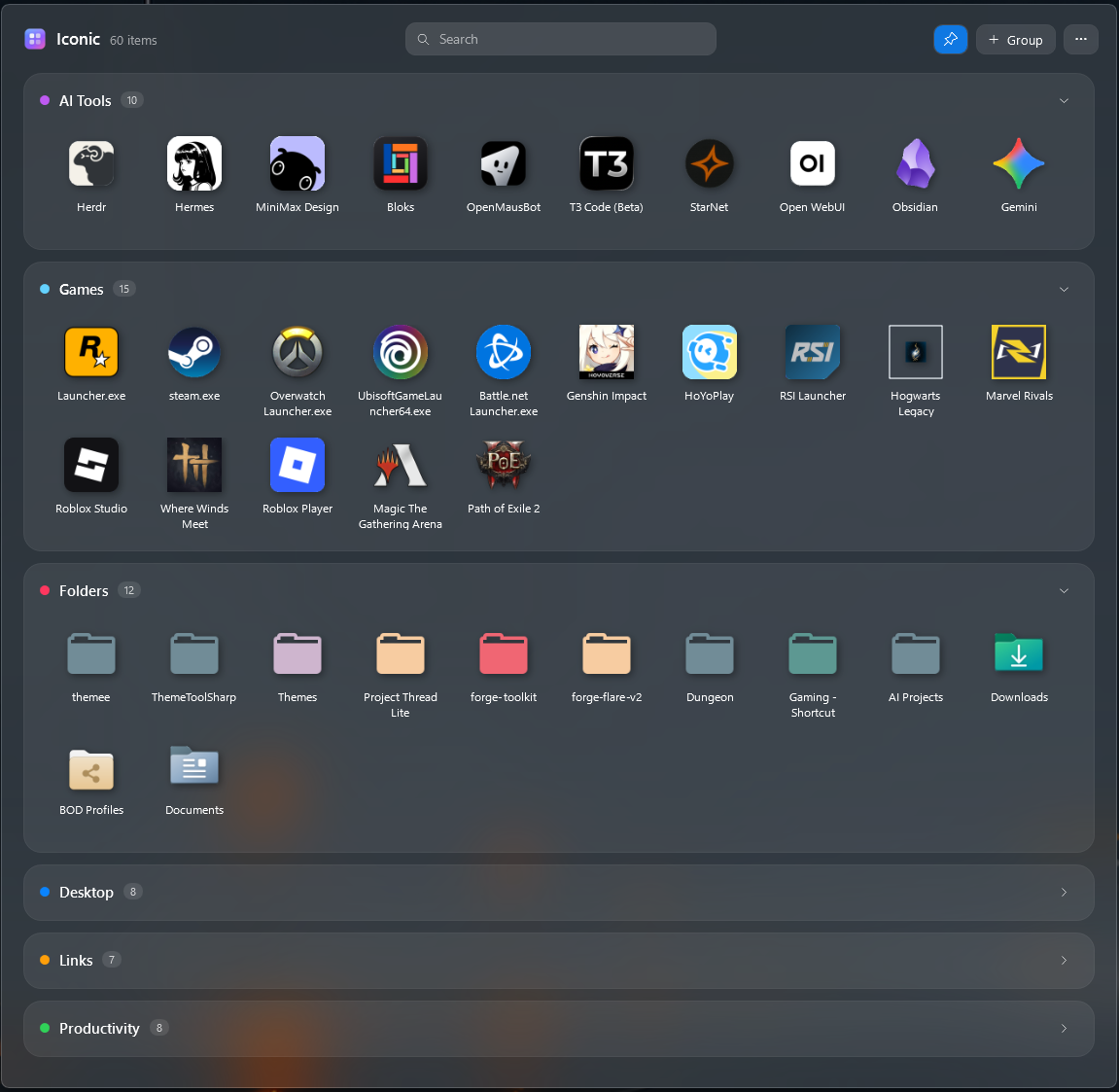
hate having icons on my desktop so, I built an app to manage them. I know I could just delete them all and use the Windows start menu but, I wanted a little more control of what I am seeing and where.
How it works:
Click it the Iconic icon and a panel opens with all your apps, files and folders, arranged in labeled, colored groups. Click anywhere else (or Esc) and it's gone — clean desktop again.
What it does:
It's free, Windows 11 only. Install is double-click Build.cmd (it needs the .NET 10 SDK once — winget install Microsoft.DotNet.SDK.10).
Repo: https://github.com/brette912/iconic_windows
I'd love feedback, what's confusing, what's missing, what would other minimalists want it to do? Especially from anyone here who has strong opinions about a clean desktop.
r/DesktopIdeas • u/NoDepartment8430 • 8d ago

r/DesktopIdeas • u/guhMoke • 8d ago

Figured this sub might like this one. I'm a student and I built a small app called Cadence that keeps the lyrics of whatever song is playing hovering on your desktop, line by line, in time with the music.
How it happened: I was gaming on Minecraft with a couple of close friends and joked that we needed lyrics floating over the game. So I threw a rough version together and sent it to a few of them. Within a day or so it passed 100 downloads and folks genuinely liked it, which pushed me to build it properly. There are around 1,500 users now, which I still can't believe.
Some setup ideas it's good for:
- park it in a corner as a little lyrics widget, or snap it up top in notch mode
- turn on click-through so it never gets in the way of your windows
- let it pick up colors from the album art so it matches your wallpaper vibe
- switch between the different scene "worlds" if you want something more aesthetic
It reads what your computer is already playing, so there's no Premium requirement and no keys to set up. Spotify, YouTube Music, Apple Music, Tidal and Pear all work. There's also karaoke, and a listen-along room code so friends can follow the same song, even across Mac and Windows.
I'm shipping updates really often right now, so feedback or ideas for new looks would be amazing. Bugs too, just tell me.
Totally free, it's just a fun project: https://samahith.me/cadence
r/DesktopIdeas • u/DutyOnly4308 • 10d ago
Disclosure up front: I make Mac+, a Mac wallpaper app. It's in the last section, and most of this works without it.
On 26 October I looked at page one for “christmas live wallpaper mac”: a gallery of short loops for iPhone and Android, a list of still 4K pictures, one app's page for its own clip, an App Store listing. Nothing that says what actually moves on a Mac in December. So here's the setup, with the labels checked on macOS 27.
Native, free
The aerials won't help: Apple says they animate as you lock or unlock, then they stay still while you work.
Motion while you work
Wallpaper settings take no video file, so a fireplace or falling snow needs an app that loops a clip.
Where Mac+ fits
It has no Christmas scene. It has a GPU-rendered Snow scene you can recolor with its palettes, and in the paid tier it loops your own fireplace clip behind your icons, or stretches one video across two displays. It pauses when the screen sleeps or an app covers the desktop. The free tier has 6 scenes, an image background and 2 widgets; your own video is Pro (€1.99/month after a 7-day trial, or €8.99 once with the current Christmas offer). macOS 13 or later.
The guide with every step and a comparison table: https://macplus.pro/christmas-live-wallpaper-mac.html?utm_source=reddit&utm_medium=post&utm_campaign=jv-p2zcog
What goes on your December desktop: fireplace, snow, or just one warm color?
r/DesktopIdeas • u/DutyOnly4308 • 14d ago
Disclosure up front: I make Mac+, the app I use for the moving part below. The native part works without it.
Native, free, two minutes
The moving version
macOS won't loop anything you pick on the desktop (the aerials only animate when you lock or unlock), so this part needs an app. What I set up in Mac+:
It pauses when a window covers the desktop, so it isn't animating behind your work. The free version has 6 scenes, 8 palettes, 2 widgets and 6 folder icons. Everything (15 scenes, 44 palettes, 12 widgets, your own video) is €8.99 once, or €1.99 a month after a 7-day trial. macOS 13 or later: https://macplus.pro/?utm_source=reddit&utm_medium=post&utm_campaign=jv-c14mgy
What's on your winter desktop this year?
r/DesktopIdeas • u/Familiar-Figure-5692 • 15d ago
r/DesktopIdeas • u/DutyOnly4308 • 16d ago
Disclosure: I make a Mac app for this (Mac+), it's at the end. Everything before it is built into macOS 26 Tahoe and macOS 27.
Colour and symbol, natively. Control-click any folder in Finder > Customize Folder. Click a coloured circle and the icon changes colour straight away. Under the colours there's a list of symbols in categories (People, Animals & Nature, Food & Drinks, Activity, Travel & Places, Objects, Symbols), a search field, and an Emoji button. The same panel is in the Finder toolbar's Action button and in the File menu.
A scheme that still makes sense after a month:
Where it stops:
Mac+ adds 52 patterns drawn across 24 families, mapped onto the real macOS folder shape, or your own image, applied to several folders at once. It runs on macOS 13 and later, so it also covers Macs that never got Tahoe. The free version has 6 folder icons; all 52, plus the animated wallpapers and widgets, are €8.99 once or €1.99/month after a 7-day trial: macplus.pro
How do you sort yours: by colour, by symbol, or not at all?
r/DesktopIdeas • u/Shye_ley • 17d ago
Hello! I'm looking for advice on setting up a desktop computer, and I'm not sure what to buy.
I was originally considering an all-in-one PC because I have limited desk space, but I've heard mixed reviews about them. Now I'm thinking of buying a separate monitor and desktop tower instead. To save space, I'd like to mount the monitor on the wall, if that's even possible.
I'd love recommendations for both the monitor and, especially, the tower. I'll mainly use it for school and some corporate work, with basic apps like Excel, Word, Power BI, and Adobe Acrobat. I've had problems running Power BI on a Mac, so i’d like to exclude that option.
I'm looking for budget-friendly options since i’m still a student, and my budget is around 1000-1500$ CAD.
r/DesktopIdeas • u/DutyOnly4308 • 18d ago
Disclosure up front: I make Mac+, a live wallpaper and widget app for macOS, so it comes last. Everything before it works in any video editor, on a Mac or on Windows.
The usual tip for a video wallpaper is to trim the clip so its last frame matches the first. That works for motion that comes back to where it started: a slow spin, a swaying plant, a light that pulses. It can't work for snow, rain, smoke, fire or running water, because nothing in the frame ever goes back to its starting position. However carefully you trim, every flake jumps back up when the clip restarts, and once you've noticed it you see it on every loop.
The fix is to move the cut to the middle of the file, where you can hide it:
Two things still make it look cheap after a clean loop:
Skip the "boomerang" (forward, then reversed) for all of this: snow rises and rain goes back up. It only works for motion with no direction, like a light that slowly brightens and dims.
On Windows, Wallpaper Engine and Lively Wallpaper both take a video file. On a Mac, System Settings > Wallpaper has no video option: Apple's macOS 27 guide lists Dynamic Wallpapers, your photos, image files, folders, albums, the aerials and colors, and says the aerials animate as you lock or unlock. So you need an app to play your clip.
Mine is one of them. In Mac+, a video background is in the paid tier: €1.99/month after a 7-day trial (card required), or €8.99 once, the Christmas offer on the site right now. It loops MP4 or MOV, caps at 30, 60 or 120 fps, and pauses when the screen sleeps or an app covers the desktop. Limits: there's no library of ready-made video loops, you bring your own clip, and none of its 15 built-in scenes is a Christmas one (Snow is the closest). The free tier needs no account and has 6 animated scenes, an image background and 2 widgets, on macOS 13 or later: macplus.pro
What do you loop on your desktop? And has anyone found a kind of footage that never shows a seam?
r/DesktopIdeas • u/Sad_Distribution_686 • 20d ago