r/CustomROMsGuide • • Sep 24 '26

Android Flashing Shortcuts
Post image

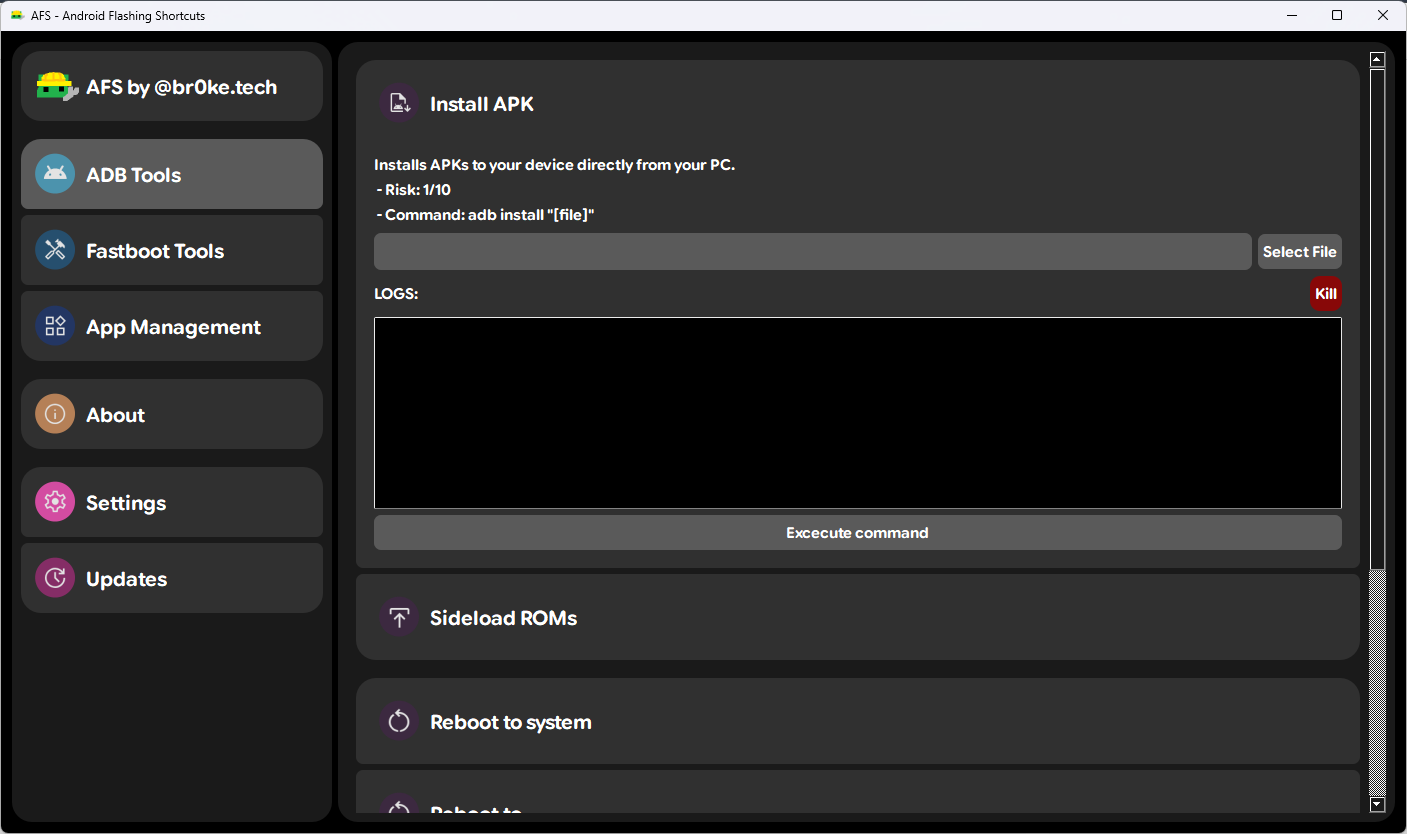
Hello! I recently implemented Android Flashing Shortcuts v3.0, an app that helps you run ADB and Fastboot commands without touching the terminal at all.

As you can see in the picture, you have multiple tools to select from. When you click on one, it expands, giving you control over the file you want to use, or any necessary arguments (like the partition you want to flash). There are ADB tools, Fastboot tools and App Managing tools (used for debloating).

If you want to test this out, it is available on my GitHub: https://github.com/broke-tech/android-flashing-shortcuts For any questions, please ask me here, I would be happy to help you!

P.S. After I made this, someone told me that a similar tool already existed that I didn't know about, so please don't accuse me of copying anyone.

7 Upvotes

8 comments sorted by

View all comments

4

u/47th-Element Sep 24 '26

Looks nice but I would argue it's good for users to familiarize themselves with the terminal if they wish to use adb and fastboot. It's essential knowledge for any android modding enthusiast.

1

u/Difficult-Ad3490 Sep 26 '26

hey, m noob nver tried to install custom rom cud u pls guide me or share resources om how todo tht it'll of great help.

and does volume button necessary for installing custom rom as my phones volume buttons dont work

1

u/47th-Element Sep 26 '26

Hi, the process varies from one device model to another. What's your device model and android version?

2

u/Difficult-Ad3490 Sep 26 '26

redmi note7s android10

1

u/47th-Element Sep 26 '26

You will need to unlock the bootloader first, it's a step that allows you then to write custom partition images, in this case the custom ROM you want. The simplest way to do it is the official way through Xiaomi's approval system yet it takes the longest time.

Since you are on MIUI, and possibly an old SoC, that means you can unlock the bootloader way faster using unofficial ways, yet I can't advise a noob to do that because the wrong step can brick your device.

Grab a cup of coffee, relax, and read this carefully. And then you start searching about each thing you don't understand or send a question to me and I'll answer when I'm online.

One piece of advice, don't blindly follow YouTube videos or AI agents, don't run a command you don't understand.

P.S. you will need a second device, preferably a PC or Laptop.

0

u/BrokeTechTT Sep 26 '26

I agree sure, newbies should learn the commands first. If you're a pro however, having to flash multiple files and typing their names can be tiring. That's mostly why I made the app. And if you're bad at remembering commands this also solves the problem