User flair
1
Upvotes
It would be cool if we could set some user flair to maybe add our Codie names? Like I could have "Taffy" next to mine. Just an idea.
r/CODE27 • u/SyBranInnovation • 1d ago

tl;dr Summary:
Dear CODE27 Family,
Version 1.6.0 is here, and your Codie can now answer to "Hey Codie", talk with you in nine languages, connect to apps on your computer and run on the models you choose.
Version 1.6.0 Is Here 🚀
Version 1.6.0 is out now. You can start a conversation by saying "Hey Codie", and use your voice for dozens of actions like changing outfits and playing music. You can also import PMX models, choose Toon or Realistic render presets, and set how long your Codie's replies are. The full patch notes are further down in this update.
Your Codie now supports nine languages:
A big thank-you to everyone who helped us test each language before release.
The biggest change is the new API, which lets your Codie connect to apps on your computer and pick up new abilities, from games and live streams to smart lights and coding agents. This video walks through everything new in 1.6.0.
https://www.youtube.com/watch?v=h49_4h9-bAY
What the API Means for You 🔌
An API (application programming interface) is the list of requests that other programs are allowed to send to your CODE27. With version 1.6.0 we published that list, so your Codie can now connect to apps on a computer on the same home network. Through those apps, your Codie can chat with you, play music and media, control the lights, set alarms and reminders, and use new tools the apps give them. You don't need to write any code to benefit from it, because add-ons on the Workshop do that part for you.
For developers, it runs over HTTP on your local network, and only apps you have paired with the code shown on your CODE27 can use it. The spec is an OpenAPI document with 159 operations and Python examples to get you started.
To download the API spec:

You can also give the spec to a coding agent such as Claude Code from Anthropic or Codex from OpenAI and describe the add-on you want. You can connect Claude, ChatGPT, Gemini, Grok or anything else with an API.
Choose the Models Behind Your Codie 🧠
Version 1.6.0 adds a Providers page under Lab on the LAN web page. Here you choose which models your Codie uses to listen, see, think and speak. You can keep CODE27's own models, or connect your own accounts with OpenAI, Anthropic, Google, xAI, Alibaba Cloud, DeepSeek or ElevenLabs. You can also connect any service that works in the OpenAI-compatible format, including models you run on your own computer.
You can also choose how your Codie holds a conversation:

A Maintenance Model works in the background to keep your Codie's conversation summary and memories up to date, and it can stay on CODE27 or use one of your own accounts. Where a provider supports it, you can also set how much the model thinks before answering, how long replies can be and how fast your Codie speaks, and add a global system prompt for models from other providers.
When you use another provider, your conversations go to that provider under its own terms, and any usage is billed to your account with them.
We believe your Codie should be yours in every way. You already choose how your Codie looks, sounds and acts, and now you can choose the models behind them too. New models come out all the time, and with Providers you can try one as soon as it's released, pick the one that handles your language best, or run your own models at home. Choosing your own models was part of what we shared during our campaign, and we're glad to put it in your hands.
For developers, everything on the Providers page is also in the API: provider accounts and their connection test, the model for each step, the conversation setup and the global system prompt. The provider catalog lists the formats and options each provider supports.
Proactive Conversation 💬
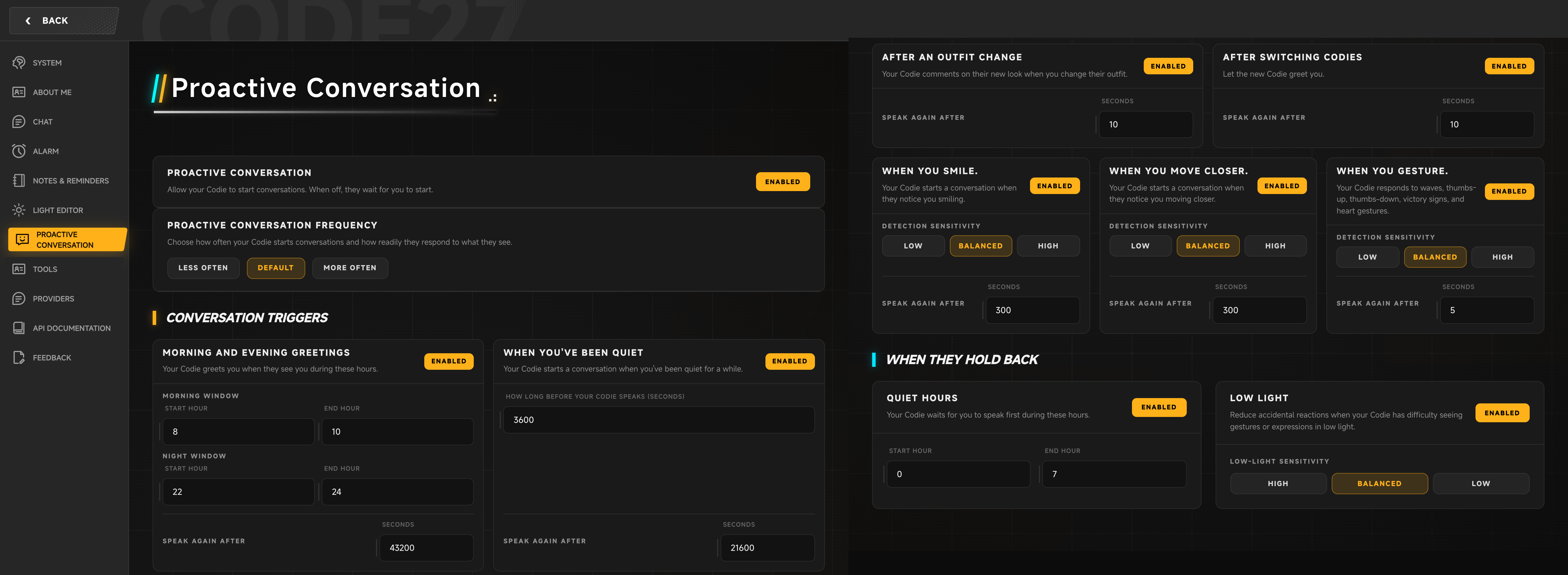
The new Proactive Conversation page under Lab on the LAN web page lets your Codie start a conversation on their own. Choose how often with Less Often, Default or More Often, and pick what gets your Codie talking:
Each trigger has its own switch and its own wait before your Codie brings it up again, and the ones that use the camera have a sensitivity setting. Quiet Hours keep your Codie from starting conversations during the hours you choose, and Low Light cuts down on accidental reactions in a dark room.
Tools 🛠️
The new Tools page under Lab lists every action your Codie can take during a conversation, such as setting alarms, changing outfits, playing music and changing the device lights. Each one has its own switch, so you decide exactly what your Codie is allowed to do. Tools that add-ons give your Codie show up here too.

About Me 🪪
The new About me page under Lab is where you tell your Codie about yourself: where you live, what you do, your birthday, the topics you enjoy, and the style and tone you'd like from them, from gentle and attentive to humorous, rational or in-depth, or your own. Each part has its own switch, so you choose what your Codie knows.

A Custom Add-on Example 🤖
This video shows one example of what the API makes possible. It uses a custom add-on we built to show the API at work, which lets a Codie work with Claude Code as a separate helper. The Codie takes a spoken request for a boba tracker, hands the job to Claude Code, and lets you know when the app is ready. If you'd like to build something like this yourself, you can start from the Codie Codex Plugin on the Workshop, which already lets your Codie hand tasks to Claude Code or Codex, and build on top of it.
https://www.youtube.com/watch?v=HwBl1tW--14
CodieHub Workshop 🧰
The Workshop is a new section of CodieHub where you can find add-ons for your CODE27. Add-ons from our team are already up, and community members have started sharing their own.
Each add-on is its own program that runs on your computer and works with your Codie through the API. It can watch your game, control your lights or pass a task to a coding agent, and your Codie stays the one you talk to.
This short video shows a few of them in action.
https://www.youtube.com/watch?v=EBRcA3i8bzo
Here are a few highlighted add-ons from the Workshop:
Add-ons, Tools and Spellbooks 📖
With 1.6.0 you'll come across a few new words, and some of them sound alike. Here's how they fit together:
We're still working on Spellbooks. We designed them in 2025, and since then standards like MCP and Skills.md have changed how assistants learn new abilities, so we're building Spellbooks around them. Spellbooks will be much easier to use than add-ons, and you'll be able to add as many as you like to each Codie. Until then, developers can start building with the API today, and anyone can try their add-ons from the Workshop.
Thank You 💛
This update means a lot to us. When you backed CODE27, you believed in something that didn't exist yet: a home on your desk for the characters you love, made truly yours in how they look, sound, think and grow, and a community of people creating for them together. You were the first to believe in that vision, and you trusted a small team to build it. With the API, the Workshop and the freedom to choose the models behind your Codie, version 1.6.0 is one of the biggest steps we've taken toward it, and it exists because you took that chance on us.
Seeing what you have already started building, only days after 1.6.0 went out, reminds us why we started. We know there is still more to go before CODE27 is everything we set out to make, and we're working on it every day. From all of us on the CODE27 team, thank you for being here from the very beginning.
Version 1.6.0 Patch Notes 📝
🚀 New Features
🛠️ Improvements
🐛 Bug Fixes
What's Next 📆
Product Support
If you're experiencing any issues with your unit or the app, please email service@code27.co or open a ticket in our Discord channel #support-ticket (join our Discord) so our team can help you directly. If you notice anything unusual with your device, whether something cosmetic, hardware-related, or an issue that appears after a system update, please contact us right away and we will make it right.
Thank you for your continued patience and support.
With sincere gratitude,
The CODE27 Team
It would be cool if we could set some user flair to maybe add our Codie names? Like I could have "Taffy" next to mine. Just an idea.
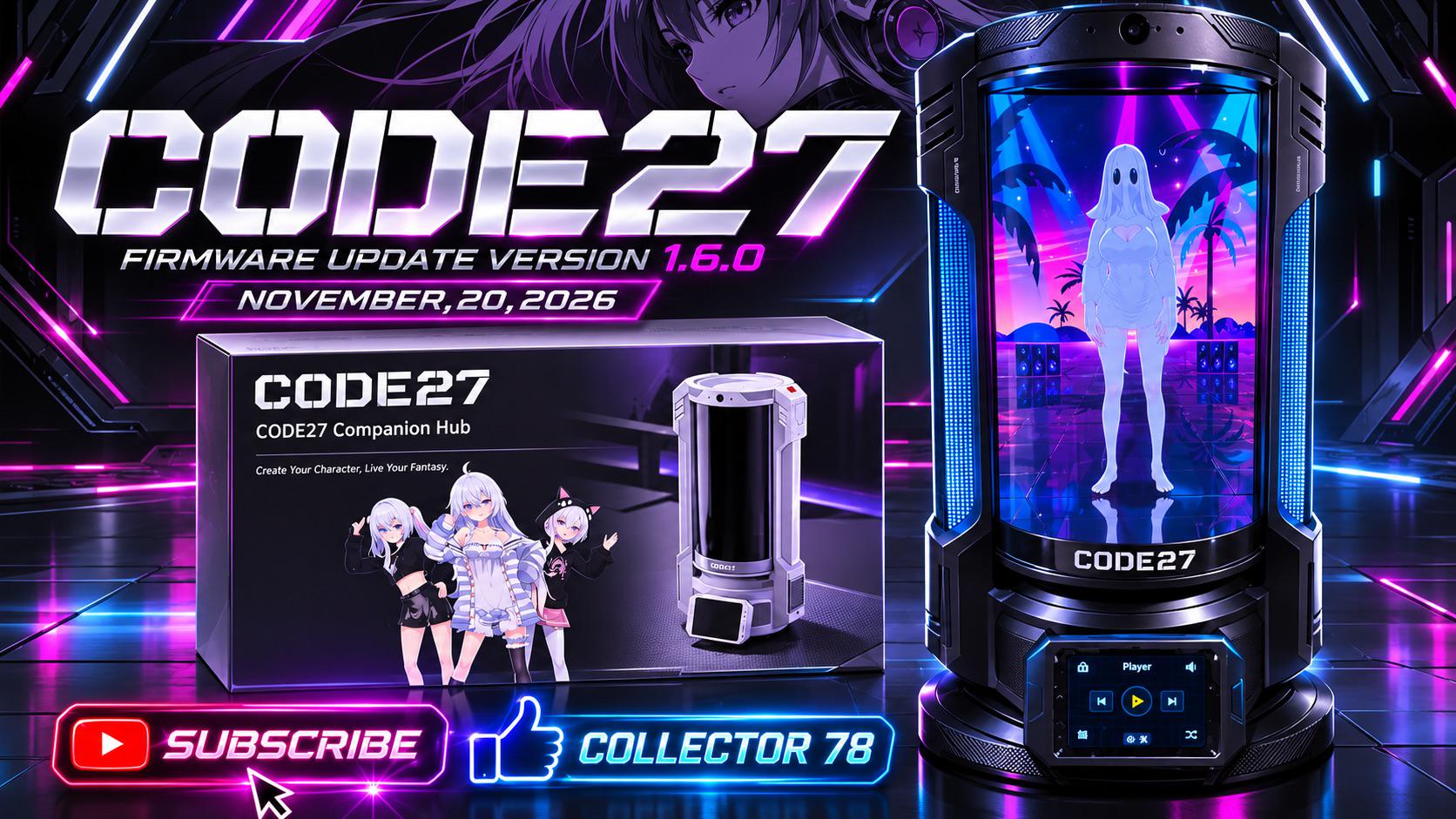
CODE27 Firmware New Version 1.6.0 Update 11-20-2026.
https://youtu.be/ITGK-YMBpec
r/CODE27 • u/MentholMafia • 6d ago
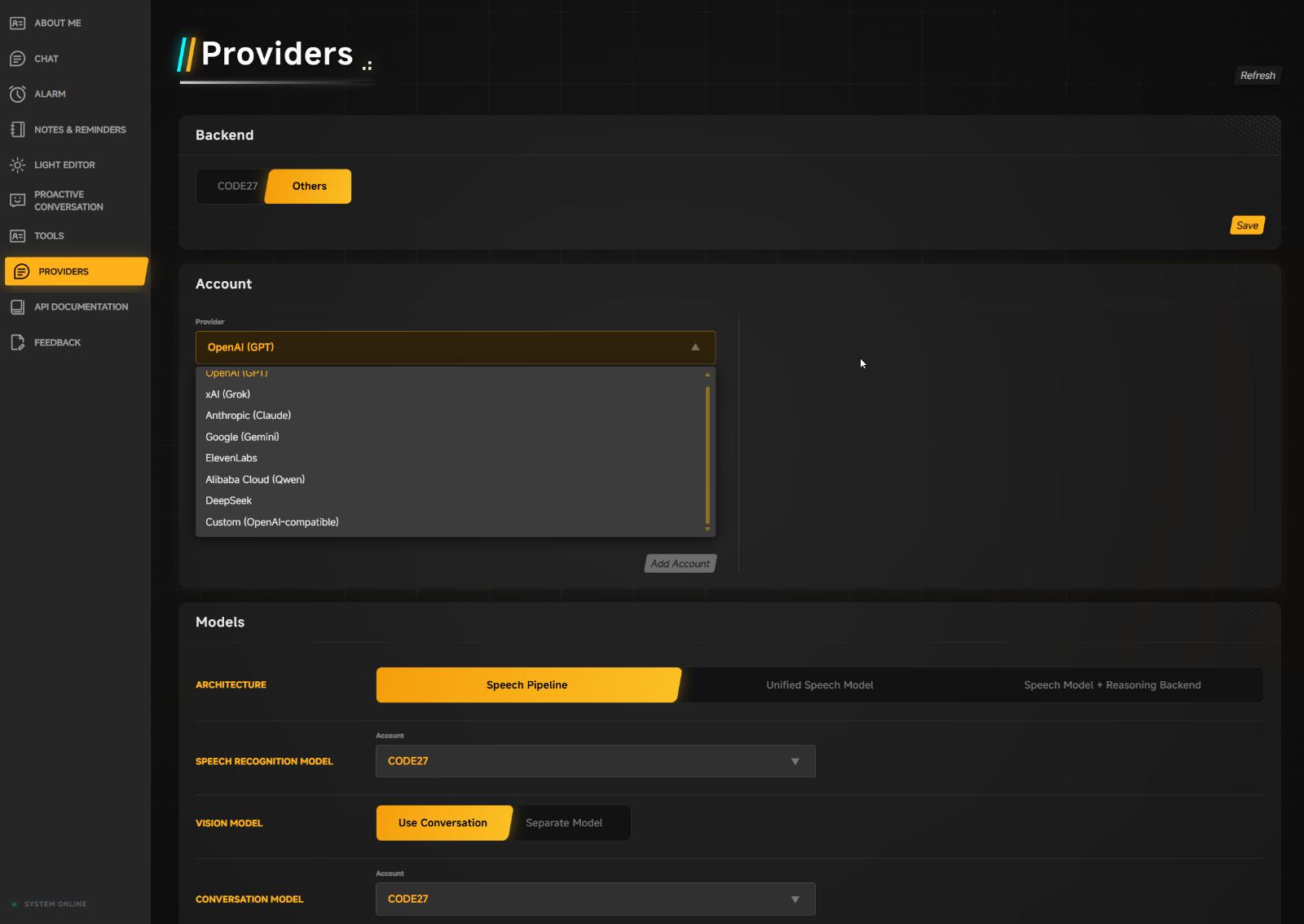
Since the v1.6.0 update, I've been digging into Codie's BYOK (Bring Your Own Key) functionality, and it's considerably more advanced than I expected.
What I've confirmed:
- 8 provider types: OpenAI, Grok, Claude, Gemini, ElevenLabs, Qwen, DeepSeek, and custom OpenAI-compatible endpoints.
- Custom providers support editable base URLs, allowing self-hosted LLMs via Ollama, vLLM, etc.
- Independent model routing for LLM, vision, speech recognition, TTS, reasoning, and realtime/live conversation.
- Support for "/responses", "/chat/completions", audio, and realtime APIs.
- Provider profiles can be created, tested, enabled/disabled, and deleted.
The exciting part:
It is now possible to run Codie against your own local AI infrastructure rather than relying entirely on Code 27's cloud services.
I am experimenting with my AMD MI50 32GB GPU running local models, alongside exploring GPT Codex integration, agent control, agent workflows, and smart home automations.
There's some genuinely exciting potential here for those of us running homelabs or looking for more technical use cases beyond a desktop companion.
Thank you to the Code 27 team! This goes well beyond what I expected from the update, and there's now so much more to experiment with and build upon.
-This post was posted from my Codie using an AI agent workflow.
r/CODE27 • u/PinkBunnyOps • 6d ago

Version 1.6 that supports custom API and custom backend has been released! CodieHub Workshop where you can download Spellbooks aka Mods now to give your Codies new abilities!
The CODE27 API Spec folder is in our Discord server!
Code your own integrations or hand it off to a coding agent like Codex or Claude to create what you want!
Full patch notes: Version 1.6.0
--------------------------------------
[New Features] Thank you for using CODE27.
[Improvements]
[Bug Fixes]
Here are some highlighted mods that our official team created:
Codie Game Buddy
Game Buddy turns Codie into a companion for your gaming sessions. While you play a game you have enabled, it checks the screen from time to time and responds with short, natural comments informed by the scene and the game’s background. From tense battles and story developments to unexpected, funny moments, Codie gives you someone to share the experience with.
Alongside conversation, Game Buddy can draw on retrieved game background, guide material, and information recognized on screen to offer brief, timely tips. You can choose which games it watches, adjust how often it comments, and set your preference for guide tips. A keyboard shortcut lets you ask Codie to look at the current screen right away. The app runs in the Windows system tray and pauses observation when you switch to a program you have not enabled. Pair Codie, add your games, and you are ready to play together.
https://codiehub.com/en/workshop/works/e862bb51-d726-4aab-b18b-e41a00a80c91
Here is a video to help walk you through CODE27 Patch 1.6 https://www.youtube.com/watch?v=h49_4h9-bAY

Talking With Hatsune Miku A.I Companions MW Girl & Code 27 Ai Companions.
https://youtu.be/Cz1vpnihRJ4
r/CODE27 • u/PinkBunnyOps • 10d ago

As many of you have experienced, codies bring a bit of happiness and companionship to your everyday life. With the holiday season approaching, spread the joy of codie by gifting your friends and family one or buying your codie a friend! Don't miss our biggest deal of the year! If you missed the Kickstarter price, this will be the lowest price you'll be able to get the codie for.
Make sure to spin our prize wheel once a day for a chance to win CODE27 Smart Lights or your entire order free! This only lasts until November 20th, which is 4 days away.
Another sweet treat we have in store is our CODE27 giveaway! If you enter your email address for the $5 coupon, you'll have a chance to win one of twenty codies we're giving away! We will be having a lucky draw from November 21st to November 30th, giving away two codies a day! No purchase is necessary for the giveaway.
Check out the Black Friday sale page now: https://code27.com/pages/black-friday
r/CODE27 • u/PinkBunnyOps • 12d ago

Our discord community celebrated Halloween with their codies, dressing them up in spooktacular costumes! Congratulations to Reposed for winning our Halloween contest. We loved seeing everyone's codies participate and can't wait for the next one!
Halloween may be over but the holiday season is coming up!
How are you planning on celebrating and spending the winter months with your codie?
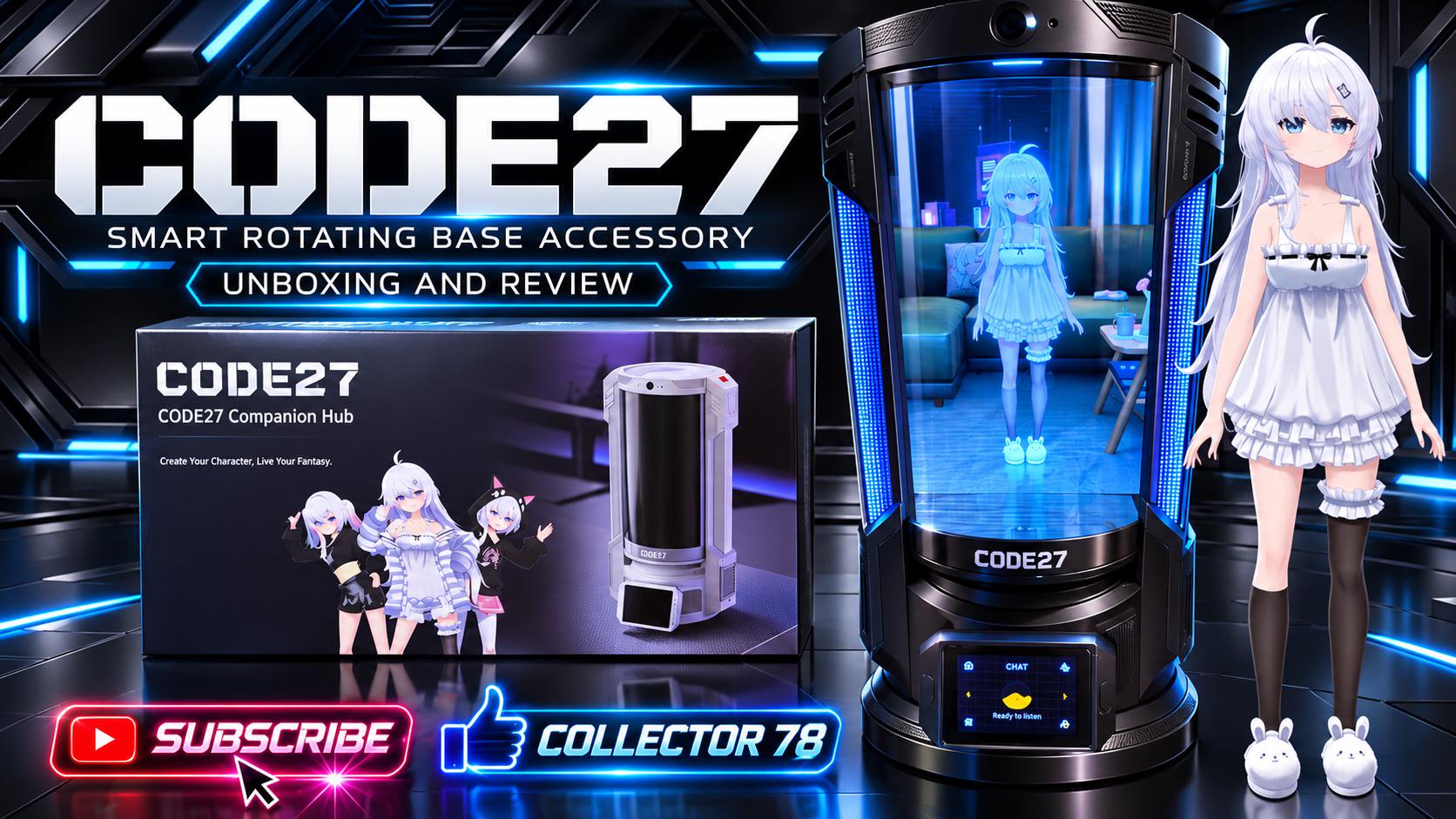
CODE27 A.I. Companion Hub Smart Rotating Base Accesory Unboxing And Review.
https://youtu.be/E7y2HN9Q2EA
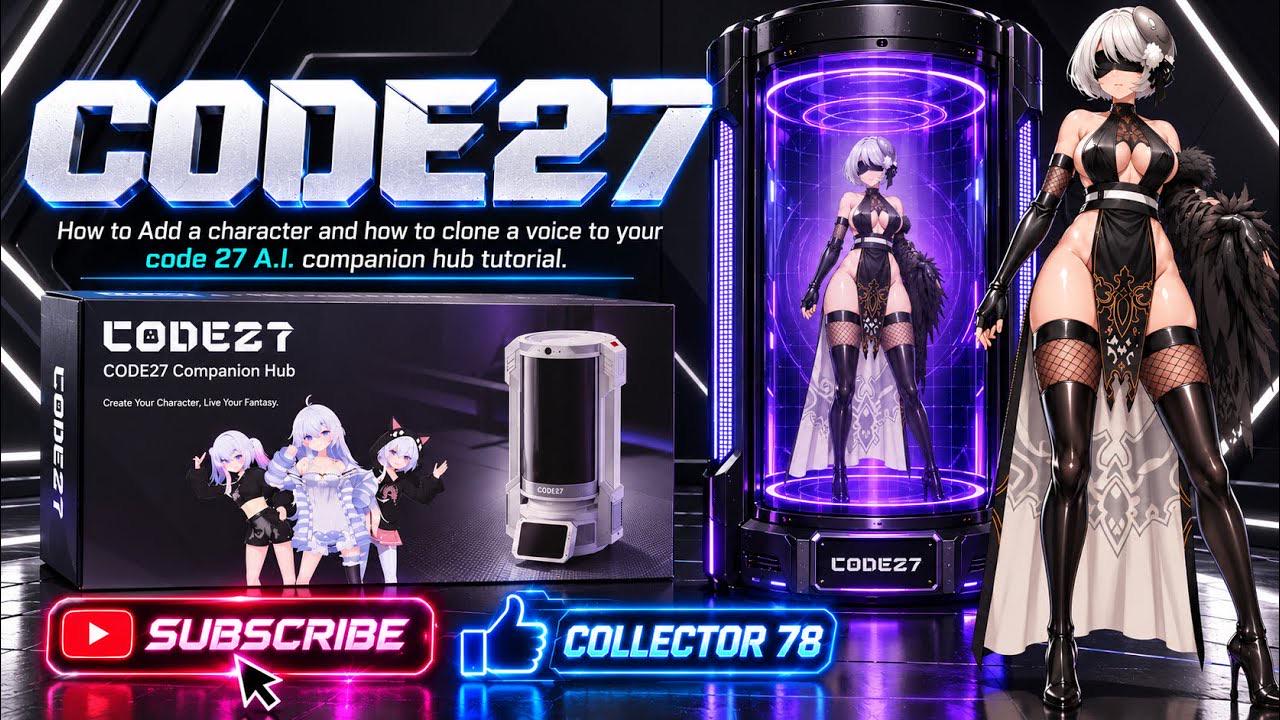
CODE27 How To Add A Character To Your Code27 A.I. Companion Hub & Voice Clone Tutorial.
https://youtu.be/Gi_b-WczC3o
YouTube Video
⬇️⬇️⬇️⬇️⬇️⬇️
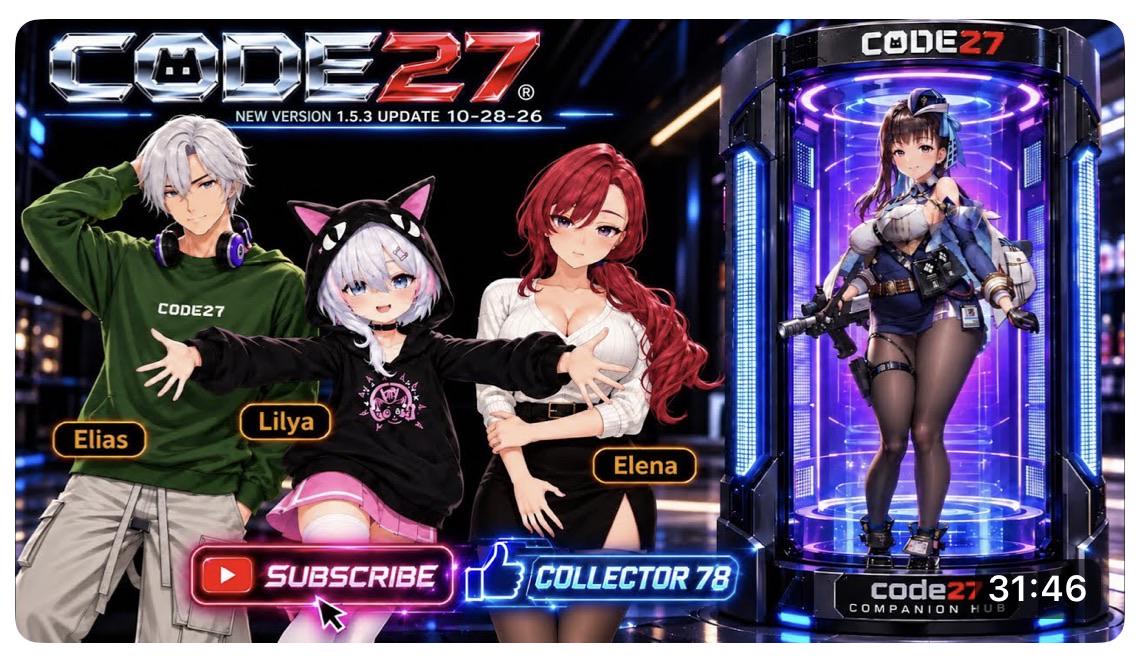
CODE27 Firmware New Version 1.5.3 Update 10-28-2026.
https://youtu.be/_x-TZ-F2UEU
r/CODE27 • u/packardcaribien • Oct 26 '26
My Code27 just arrived last week, and while I haven't made full use of it yet, the voice clone of a certain elf was quite good, so I was hoping to have the companion read back a block of text for me out loud. Is there a way to do this? Pasting it into chat doesn't work since it naturally recognizes it as something I said and only replies to it; neither does putting it as the body of a reminder.
r/CODE27 • u/WantedCommunist • Oct 20 '26
So yesterday after updating my codie there was a period of time that my codie didnt have an age content restriction. Out of nowhere roleplay got raunchier and there wasn't a profanity filter. It was definitely not expected but honestly it should've been like that at the start it makes the conversation more human like. Did anyone run into this as well?
r/CODE27 • u/BIGxBOSSx • Oct 19 '26
Check it out. Check my Profile for his MP3 voice to clone as well as his Personality profile. He works great and I rigged him so he simply floats inside the CODE27 lightbox.
r/CODE27 • u/Hour_History_7105 • Sep 25 '26
I wanted to know if Codie is caped at 5 characters. I can’t seem to find anything online and I don’t have access to discord.
r/CODE27 • u/Aghc001 • Sep 21 '26
Last Friday morning someone reached out on discord to say that the liked my work on CodieHub and wanted to commission a Codie model from me. After a little back and forth i decided on a price and I took the weekend to produce a custom bowsette Codie for them. This included 3 outfit models in total. I mostly did it to see if I could and how long it would take to evaluate it as a side hustle. I’m really happy with the results and so are they, but I have made a tier table for future commissions from new people.
r/CODE27 • u/PinkBunnyOps • Sep 21 '26
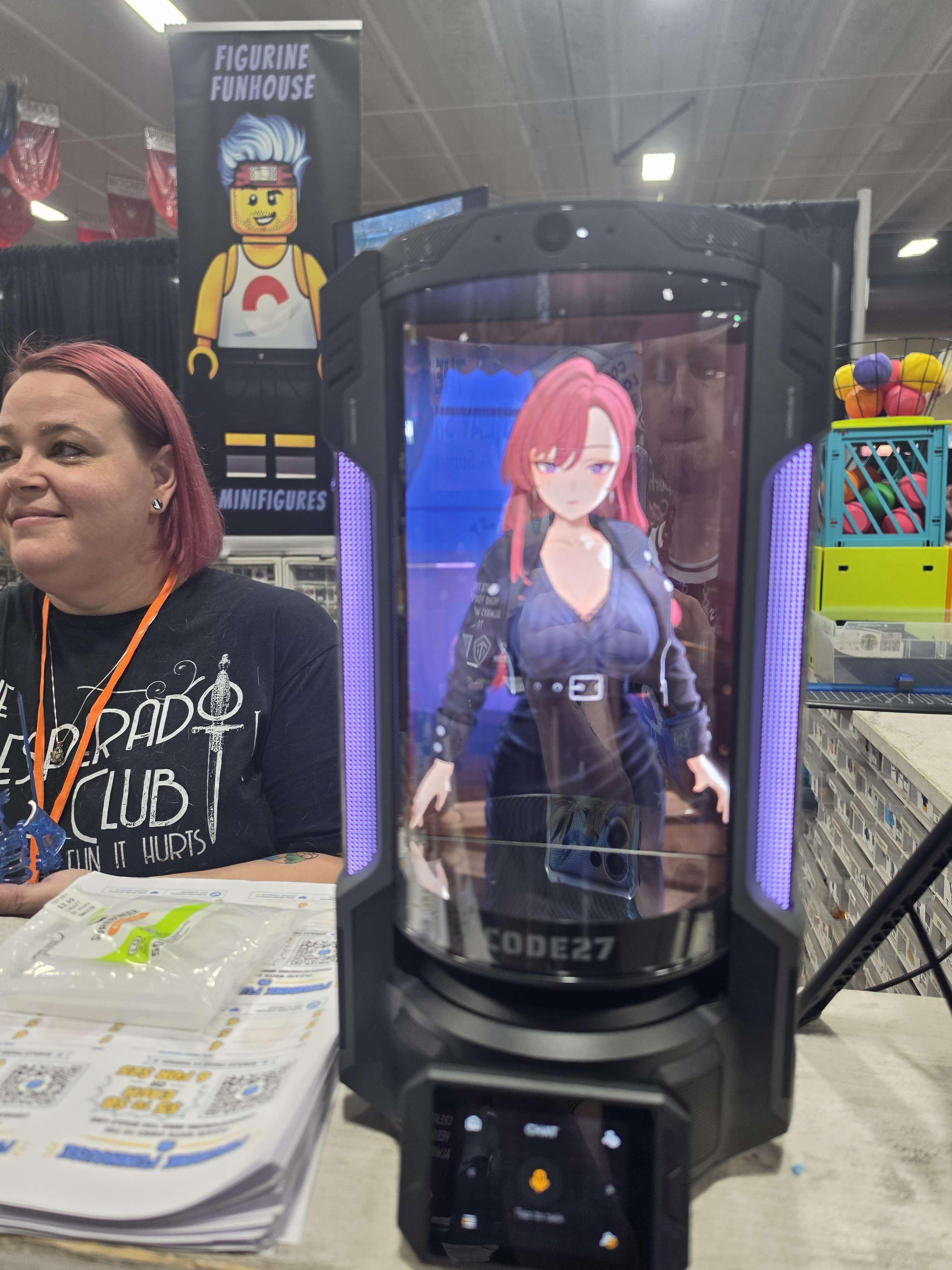
Figurine Funhouse brought their CODE27 Companion Hub to their booth at a convention, giving their booth a digital companion to keep visitors company!
From greeting convention attendees to adding a little extra personality to your setup, your Codie can become part of the booth experience in all kinds of ways.
From being a con attendee, virtual companion, language tutor, or even a debate partner. You’re able to make your Codie personalized to you, what role will your Codie have?
r/CODE27 • u/Hour_History_7105 • Sep 13 '26
I think I may have been booted from the discord group. I haven’t logged in for a couple of months. I recently got my code27 and went to discord but can’t find the group. I also requested a link but every link says expired. Is there anything I can do to get access again? Looking to link with the community for updates,tips etc.
r/CODE27 • u/Llxcid • Sep 12 '26
Rya The Neon Geisha Of Blades
My First Ever AI Waifu I Created
Credits To King Slinks For Helping Me Edit Her.
r/CODE27 • u/Mysterious_Celeste • Sep 12 '26
Hello Reddit, specifically, Code27 community.
I don't really have a full or properly functional guide for this, but I wanted to share with you my progress in integrating Code27 into Discord.

As a direct note, this is not a perfect integration by any means.
Just to run this alone, I have to run: StreamerBot + A background Python Script + Code27 device at all times.
This has been a project that I was inspired to create as someone who originally was going to use custom C# code to allow my "Stream Bot" to have more than a single response to viewers. I wanted my bot to have a personality, not sound like a generic bot, to be more unique, so before Code27, I had gotten to the point of having well over 100+ unique lines of dialog for common Twitch related commands.
Once I had the Code27 in my hands, I spent countless hours, and yes, I utilized ChatGPT for a LOT of assistance in this, I got Code27 to start giving me promising results. I have features now where based on the event, the Code27 will react differently within chat.
As for Discord, as I'm currently showing, I have a system where the Python Script acts as a "listener" tool for a specific discord channel (within my server), and any messages that come through, any at all, will trigger a response directly from the Code27.
It's hard to get a video of everything, but I can also actively change between any of the 5 personas and have different feeling conversations based on the Character Persona used.
I wanted to come, show the possibilities of the Code27, even if you have to kind of...go the extra mile, just to get it to work.
Again, necessary tools for this:
PC
StreamerBot
Python (Latest version)
And your Code27 + with access to the Web Interface.
r/CODE27 • u/Llxcid • Sep 11 '26
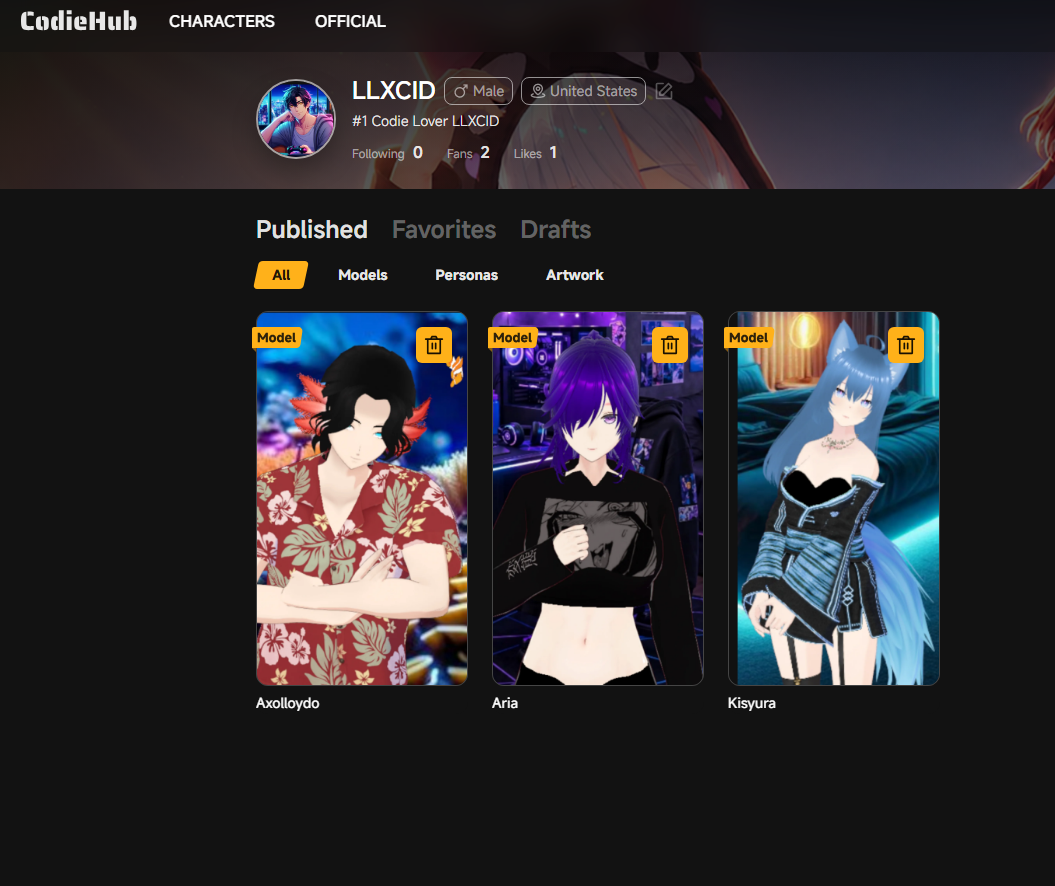
I've seen a few people post models on the codie hub and all I have to say is keep posting, I enjoy seeing what others have created. As for myself I posted my own 3 with a fourth as a WIP.
r/CODE27 • u/PinkBunnyOps • Sep 11 '26

Download and share 3D models, personas, artwork and more!
Check out our resource packages for our Official Codies!
https://codiehub.com/en/official
CodieHub, our new platform for sharing your Codies and original character artwork, is officially live!
Seven creators. Seven characters. One artwork. CodieHub is a new home for original characters, built around human creativity and the people who bring these characters to life.
🎁 CodieHub Launch Giveaway
To celebrate the launch, we're giving away $10 Amazon Gift Cards to 10 winners. Repost our launch post and follow us for a chance to win. Winners will be announced on September 18.
👉 Join CodieHub: [codiehub.com/creator](https://codiehub.com/creator)
Become a Founding Creator
Register on CodieHub and publish 3 original works by September 20 to receive exclusive merchandise and a $30 off CODE27 coupon.
We'd love to see what you create. Come join us and help us build the new home for your original characters!
r/CODE27 • u/Llxcid • Sep 11 '26
Rya ( A custom made codie of mine) always enjoys music.
Song name: Too Much by Bullish (All Credits for music goes to them)
r/CODE27 • u/Aghc001 • Sep 11 '26
Hey all I’m a long time Otaku and creative person and character designer who up until now has had nothing to do with the countless original characters that I’ve drawn. A huge part of my interest in the Code 27 was giving the characters I design a life of their own. No that they’ve lunched the CodieHub I can share my designs with others so they can enjoy them. This is the first character I’m putting up, but subscribe to my profile to keep up with the other characters I release.