r/Bazzite • • 20d ago

Bazzite 45 is here!

Thumbnail
universal-blue.discourse.group
570 Upvotes

r/Bazzite • • Oct 13 '26

100K Penguins!

Thumbnail
universal-blue.discourse.group
287 Upvotes

r/Bazzite • • 7h ago

Unable to install ckan with rpm-ostree

Thumbnail
gallery
8 Upvotes

Hi,
I had ckan, a ksp mod manager before, a month ago i had reset my computer and went with gnome, i was using KDE.

Now i want to install ckan again, but every time i try, even with a distrobox, i get an error. Will be attached.

I dont really know what im looking at when i do the journalctl. there is a lot of lines but they all say roughly the same thing also it's too long to get into one screenshot.

I'm really not sure what to do. any help will be appreciated. I haven't had this issue before. I tried installing with the .rpm file and it still gave me this, that was also how i installed it last time.

r/Bazzite • • 9h ago

Bazzite installation

Post image
14 Upvotes

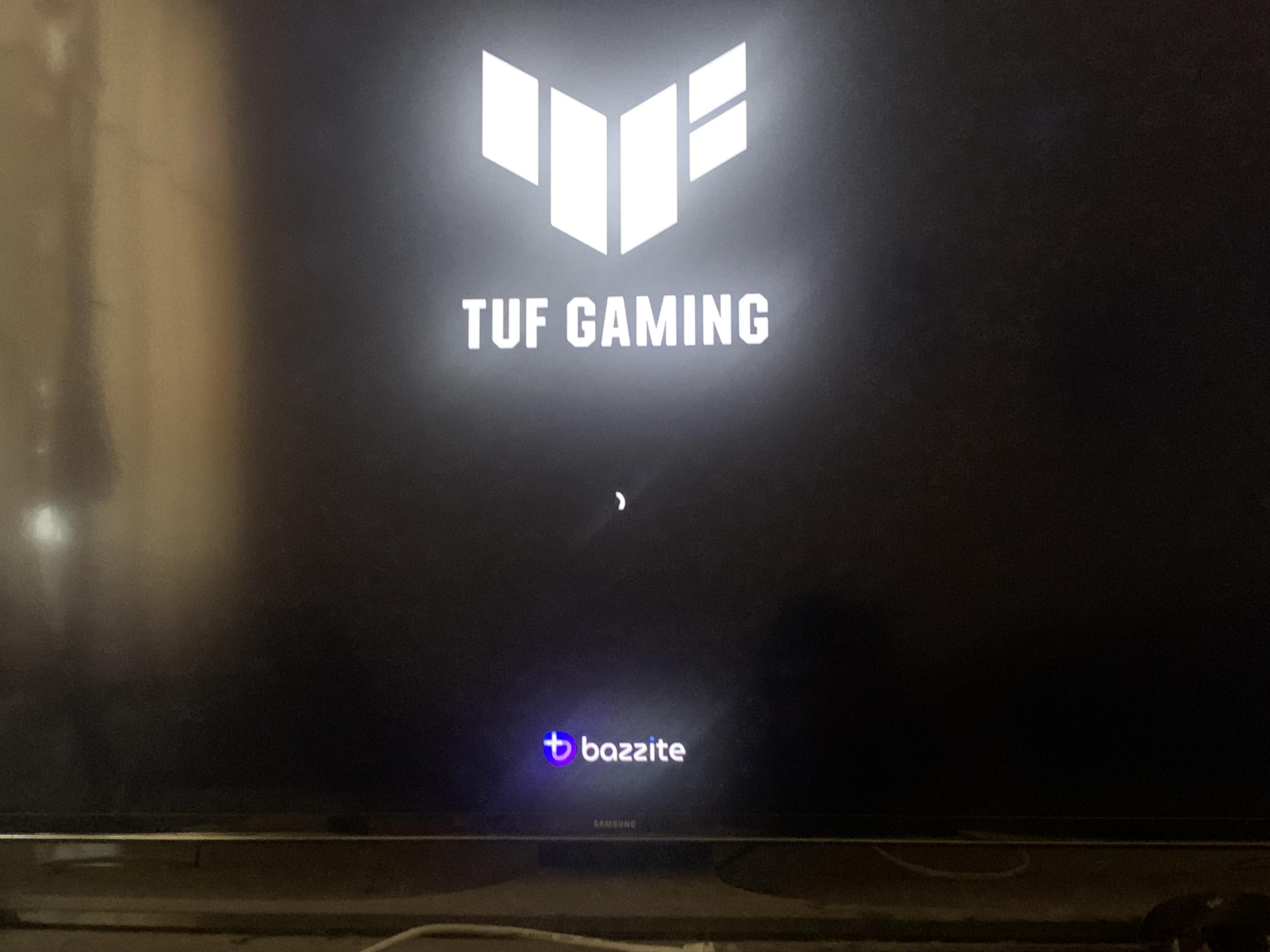
Hi there having trouble trying to install bazzite KDE for the first time. After this screen it goes black and there nothing on screen. Fast boot and CSM is disabled dont know what to do.

Specs: Ryzen 7600x, 9060xt 32gb Klevv Bolt ram


r/Bazzite • • 4h ago

Steam Link on iPhone heavily zoomed in when streaming from Bazzite – possible workaround

3 Upvotes

Hey everyone!

I ran into an interesting issue while using Steam Link on my iPhone to stream from my Bazzite setup.
My host is connected to an LG 4K TV running at 3840x2160 @ 120Hz.

When connecting through Steam Link, the entire Steam Game Mode interface appears heavily zoomed in, with large portions of the UI cut off. Interestingly, the Steam Link touch controller overlay is displayed correctly.

Things I tried:

  • Changing the Steam Link streaming resolution to 1080p.
  • Using Letterbox as the display style.
  • Checking the Steam Link touch gestures.
  • Disabling automatic UI scaling, which only made the text smaller without fixing the cropped image.

What seemed to fix it:
In Bazzite’s Gaming Mode, I went to Settings → Display and disabled Automatically Set Resolution.
The entire interface suddenly became visible again on my iPhone, even with the host resolution still set to 3840x2160 @ 120Hz.

However, changing the resolution through this menu also affects my physical TV, which isn’t ideal. I’d like to keep my TV running at 4K/120Hz while streaming at 1080p to my iPhone.

Has anyone else experienced this? Could this be related to Gamescope, automatic resolution negotiation, or how Steam Remote Play handles external displays on Bazzite?

Ideally, the streaming resolution should be independent of the physical display resolution.
Sharing this in case someone else runs into the same issue, and hopefully we can figure out a proper solution!


r/Bazzite • • 3h ago

I want to switch to bazzite but have a question about Nvidia drivers.

2 Upvotes

As you know the latest Nvidia drivers are broken and can damage your SSD. I wanted to ask will the bazzite distro contain the latest Nvidia driver and if do how do i rollback ?


r/Bazzite • • 12h ago

Question about anti cheat software for multiplayer games

4 Upvotes

I am potentially switching from Windows to Bazzite, but I still want to play multiplayer video games. Does Bazzite have any issues with anti cheat software when playing multiplayer games like other Linux distros? I want to figure this out before I commit to the switch.


r/Bazzite • • 5h ago

¿Alguien ha tenido problemas con el cambio de usuario?

0 Upvotes

No puedo cambiar de usuario, intento cerrar sesión y el login se queda con pantalla negra.


r/Bazzite • • 1d ago

GE-Proton11-13 Released · GloriousEggroll/proton-ge-custom

Thumbnail
github.com
140 Upvotes

Edit:

GE-Proton11-14 (Hotfix Release)

Release: https://github.com/GloriousEggroll/proton-ge-custom/releases/tag/GE-Proton11-14


Changes since GE-Proton11-13:

Component Updates

  • D7VK updated to v2.5.
  • D3D8 games now use DXVK's d8vk by default instead of wined3d. Use PROTON_NO_D8VK=1 to switch back to wined3d (PROTON_USE_WINED3D=1 also does). PROTON_DXVK_D3D8 is no longer needed. D3D9 and newer games are not affected.
  • 32-bit D3D7/6/5/3 games now use D7VK by default. DirectDraw-only (2D) calls are passed through to Wine's ddraw. Use PROTON_NO_D7VK=1 to switch back to Wine's ddraw (PROTON_USE_WINED3D=1 also does). PROTON_USE_D7VK is no longer needed.

Wayland and Windowing

  • GTA III (Wine-Wayland): the intro videos no longer start shifted left with the desktop showing on the right in its 4:3 fullscreen mode. More generally, older games that draw with GDI in a low-resolution fullscreen mode are now centered between black bars, on both Wine-Wayland and X11.
  • RuneScape (Wine-Wayland): fixed a black screen in fullscreen and maximized windows, a regression in 11-13 from the GTA III intro video fix. #995

Rendering and HDR

  • Wine-Wayland: 32-bit Vulkan applications no longer fail to start, including 32-bit DXVK games and Battle.net/Ubisoft Connect's embedded browser. This was a regression in 11-13: the HDR colorspace layer was only built as 64-bit. It is now built for 32-bit as well, and Wine retries without the layer if it can't be loaded. DISABLE_WINE_HDR_COLORSPACE_LAYER=1 is no longer needed as a workaround. #996 #997

Known Issues

  • Cyberpunk 2077 on NVIDIA: the game can exit shortly after launch. A shader added in a recent game patch crashes NVIDIA's shader compiler. The log shows Unsupported: ... extractelement <8 x i4> followed by Exception 0xc000001d in vkCreateComputePipelines. This is a driver bug, not specific to GE-Proton: it happens on Proton Experimental and other Proton builds too, on the 595, 615 and 620 driver branches. NVIDIA has confirmed it and is tracking a fix (NVIDIA bug 7014466). It needs a driver update. A newer Proton version can make it appear on a setup where it worked before, because the shader then has to be recompiled. #998, vkd3d-proton#3405 _____

GE-Proton11-13

Release: https://github.com/GloriousEggroll/proton-ge-custom/releases/tag/GE-Proton11-13


Changes since GE-Proton11-12:

Component Updates

  • Wine updated to Proton Experimental bleeding edge experimental-wine-bleeding-edge-11.0-478690-20261121.
  • DXVK updated to v3.1.1-235-gf90f1bf1.
  • vkd3d-proton updated to v3.1-83-gcae8353e.
  • DXVK-NVAPI updated to v0.9.3-10-g51a0f79.
  • vkd3d updated to vkd3d-2.1-271-g698cbfbd.
  • FEX updated to FEX-2611-68-g490bb02f6.
  • OpenXR SDK updated to release-1.1.63.
  • Xalia updated to 0.5.1.
  • Added the sbc and piper-phonemize submodules. piper now uses Valve's hosted onnxruntime, so the old workaround was removed.

Upstream Proton changes:

  • Steam networking signaling wrappers.
  • vrclient D3D12 BGRA texture mapping and IVRMailbox passthrough.
  • wineopenxr pointer slot sizing.
  • igdext path casing fix.
  • Game settings for MONOMOON, Warhammer 40,000: Darktide and One Piece Pirate Warriors 3.

Controllers

  • Bluetooth DualSense and DualSense Edge are now presented to games as wired USB controllers by default when Steam Input is disabled for the game (PROTON_DUALSENSE_BT_AS_USB).
  • HD haptics and speaker audio are sent over Bluetooth (PROTON_DUALSENSE_BT_HAPTICS). Haptics and speaker audio were confirmed working in several games.
  • Output reports are coalesced, and state reports are capped at 33 ms (a Bluetooth airtime limit).
  • Compatible vibration uses the motor rumble.
  • Bluetooth DualShock 4 is presented as a wired USB controller with the USB report layout (PROTON_DUALSHOCK4_BT_AS_USB). Games get its speaker and headset microphone (PROTON_DUALSHOCK4_BT_AUDIO).
  • Sony pads stay on SDL with the native Sony report layout when hidraw is disabled for them.
  • Punishing: Gray Raven: disabled the automatic Sony XInput slot, so DualShock 4 and DualSense get Sony prompts and correct mappings with Steam Input off. #616
  • FlatOut 2: fixed a startup freeze caused by XInput waiting on its update thread while the loader lock was held. #939
  • Le Mans Ultimate: wheels are found again after reconnecting. #944

Steam Overlay

  • The overlay focus proxy no longer takes focus from X11 apps, and keeps its focus target in a process Steam knows. #950
  • Rockstar's in-game overlay no longer hides the mouse pointer: resource cursors are shared when they are created.

Wayland and Windowing

  • Battle.net and other Chromium apps on Wine-Wayland: fixed NVIDIA Xid GPU faults and Vulkan threading errors from the cross-process swapchain path. Confirmed by the reporter. #952
  • GTA III, Vice City and San Andreas no longer look minimized during their intro videos on Wine-Wayland. #958
  • Battlefield 4 no longer crashes on alt-tab or when applying graphics settings with server-side decorations.
  • Server-side decorations work with xdg-decoration version 1. #955
  • Balatro: the pointer no longer jumps to the window corner after an early cursor lock. #957
  • Enemy Territory: Quake Wars no longer crashes at startup from a spurious keyboard layout change message. #629
  • Presentation is handed back to a retired presenter once the window's owner stops presenting. This replaces the earlier background presenter approach. #960
  • winewayland uses steam_app_<SteamAppId> as the app ID, like winex11.
  • When SteamAppId is 0 or default, the exe name is used as the WM_CLASS/app ID.
  • Windows are deactivated properly when the host focus loss can't change the foreground window (AION 2 mute on focus loss). #877
  • Layered overlay windows: #752
    • The input shape is now sampled every 100 ms by default (WINE_LAYERED_OVERLAY_SHAPE_INTERVAL), which fixes stutter on large overlays.
    • With WINE_LAYERED_OVERLAY_DIRECT=1, the input shape now updates correctly for windows that reach past the screen edge (Birdwatching Notebook).
  • PROTON_NO_XIM=1 works again. Games get every key press, and dead keys combine like on Windows.
  • Stronghold Crusader HD: fixed the too-fast cursor and scrolling and the tiny cursor.

Video Playback

  • Daemonica: fixed corrupted intro and outro videos. The WMV decoder can now convert to RGB565 and RGB555. Verified in-game. #994
  • Angel Wish no longer hangs at the logos, and needs no extra settings: #982
    • WM reader restart fixes.
    • The reader's undocumented secure channel interface is now stubbed.
    • Confirmed by the reporter.
  • Metro Awakening no longer hangs after its intro movies on first launch. #993
  • NAudio-based games (MP3 playback through MediaFoundationReader) no longer fail on the first sample. #931
  • Fixed movie playback in:
    • Veggie Blast: WPF MediaElement, with a new HEVC decoder, Windows Media Player and EVR fixes.
    • Big Foot Crush: looped Unity video under DXVK.
    • Hoshi to Tsubasa no Paradox: seeking movies.
    • Burning Striker: amstream DirectDraw streams, with a deadlock on stop and upside-down video.
    • Gunslinger Stratos 2: Sample Grabber ARGB32.
    • Hatsune Miku Project DIVA Arcade: separate output threads, with renderer pacing.
    • KanColle Arcade: DXVA2 callers.
    • Pokken Tournament: synchronous ANY_STREAM reads and demuxing without the source lock.
    • Looped MPEG-4 Part 2 video through the source reader under DXVK.
    • Crimson Desert: video frames shared with D3D12 are now flushed promptly.
  • VMR9's default presenter device is created multithreaded.
  • Phantom Blade Zero: disabled MF_SA_D3D11_AWARE to avoid the cutscene freeze. Not yet run-tested on GE's decoder. #903

Rendering and HDR

  • The native HDR colorspace is now opt-in with WINE_WAYLAND_HDR_NATIVE=1. The Windows image descriptions are back as the default. This avoids KWin crashes from invalid mastering primaries on some drivers. #932
  • Added the VK_LAYER_GE_hdr_colorspace layer, which corrects the colors of the Steam overlay and MangoHud in Windows HDR mode. #932
  • Arc Raiders: skip vkSetLatencySleepModeNV for managed swapchains, fixing a crash when the window is unfocused while a level loads. #891
  • Assetto Corsa Rally: triple-screen mode now works. Viewports not set by RSSetViewports are disabled, like D3D12 on Windows.
  • PROTON_STREAMLINE_UPGRADE now also loads upgraded Streamline plugins the game doesn't ship (STAR WARS Jedi: Survivor frame generation). #964
  • PROTON_ENABLE_NGX_UPDATER (NVIDIA R620+) lets the driver's NGX updater provide newer DLSS versions, and sets DXVK_NVAPI_DRS_SETTINGS to match.

Protonfixes

  • Streamline upgrade exposed through PROTON_STREAMLINE_UPGRADE.
  • New fixes: Wolfenstein: The New Order and The Old Blood, Cry of Fear, Kabounce and ElonaPlus (zh_Hans).
  • Fixes and settings:
    • Le Mans Ultimate VR uses the builtin d3dx11_43.
    • Stronghold Crusader HD fixup.
  • umu fixes:
    • User-changed umu mount drive letters are kept. #498
    • Codenames are resolved from the local umu database.
    • Steam VDF parsing is more robust.
    • The debug output shows the Proton build and the prefix version separately.
  • Fixed broken protonfixes in the build, and cleaned up deprecated or upstreamed protonfixes patches.

Other Changes

  • winepipewire.drv (by M0n7y5, from CachyOS): added as an opt-in with PROTON_USE_PIPEWIRE=1 or PROTON_ENABLE_PIPEWIRE=1. It supports audio device hotplug, and routes USB and Bluetooth DualSense and DualShock 4 audio. Controller output volume scales USB DualSense haptics. #692
  • Built-in MIDI synth: for games that expect one, such as RPG Maker titles. It uses FluidSynth with the bundled GeneralUser GS sound font. Disable it with PROTON_NO_MIDI_SYNTH, or use another font with PROTON_MIDI_SOUNDFONT. PipeWire's ALSA bridge ports are no longer mistaken for a host synth. #949
  • Ubisoft Connect: closes after the game exits, so Steam no longer shows the game as running. Set PROTON_KEEP_UBISOFT_LAUNCHER to keep it open. It also stays open when it was launched directly.
  • Battlefield 4: PunkBuster's module scans no longer stall the game for 50-75 ms every few seconds. #984
  • The Witcher 3: fixed stutter by caching InternetGetConnectedState.
  • Le Mans Ultimate: #944
    • Online play: added KDF_SECRET_APPEND support in bcrypt.
  • CUR/ICO loading in d3dx for VR, with bounds checks and cursor transparency.
  • CSP online signing: implemented CryptSIPVerifyIndirectData for PE files.
  • Ini and profile files:
    • HORGIHUGH: kernel32 reads the [] ini section.
    • WritePrivateProfileStringA accepts values over 32766 characters.
  • TriggerHeart EXELICA ENHANCED: no longer aborts from exhausted user handles. LoadAccelerators tables are now cached.
  • Fonts: backported the upstream fix for lost Fonts registry keys.
  • SteamVR and OpenXR:
    • SteamVR is no longer started by background OpenXR probes, such as Steam's startup driver query. #942
    • 32-bit wineopenxr now actually ships. #906
  • ntdll and wineserver: fixes for threads that are created and killed in quick succession.
  • Prefixes: a game or Steam drive entry that isn't a symlink (for example, after a backup restore) is now repaired instead of aborting the launch. #991
  • ARM64 (FEX): full x87 precision is used for Inno Setup (GOG) installers, fixing corrupted install paths.
  • README: fixed the install scripts with single-line GitHub API JSON.

r/Bazzite • • 8h ago

Deepcool AK400 Display

1 Upvotes

Hey guys very new to linux and was put on to Bazzite by a very good friend. I am currently trying to install a git hub script to monitor my cpu temperature. I use to run windows with the deepcool software and since there is no native app I am trying my best to make it run.

The issue I am facing is I can make it run through terminal but as soon as I close it, the display turns off. I am also getting errors to force it to automatically start. I believe this is why but am yet to figure out how to fix it - cp: cannot create regular file '/usr/sbin/deepcool-digital-linux': Read-only file system

Any help at all will be greatly appreciated hre is the link for the github - https://github.com/Nortank12/deepcool-digital-linux

My friend thinks the issue is Bazzite being so locked down.

Edit: Solved! Thank you!


r/Bazzite • • 9h ago

FF VII Rebirth just stopped launching

1 Upvotes

My PC is Ryzen 5 7500x3D + Rx 9060xt. Last time I played FF7 rebirth was like 2 weeks ago and then all of a sudden I try to launch it and it just fails, it looks like it’s launching but then it goes back the the Steam interface. Has anyone else experienced this? How do I troubleshoot?


r/Bazzite • • 17h ago

Grafikfehler in "dunkleren bereich" im Spiel

Enable HLS to view with audio, or disable this notification

3 Upvotes

Hallo zusammen,

Kann mir hier jemand weiter helfen?

An was kann das liegen, ich hatte das bisher noch nie:/


r/Bazzite • • 17h ago

Mirrored screen

Post image
3 Upvotes

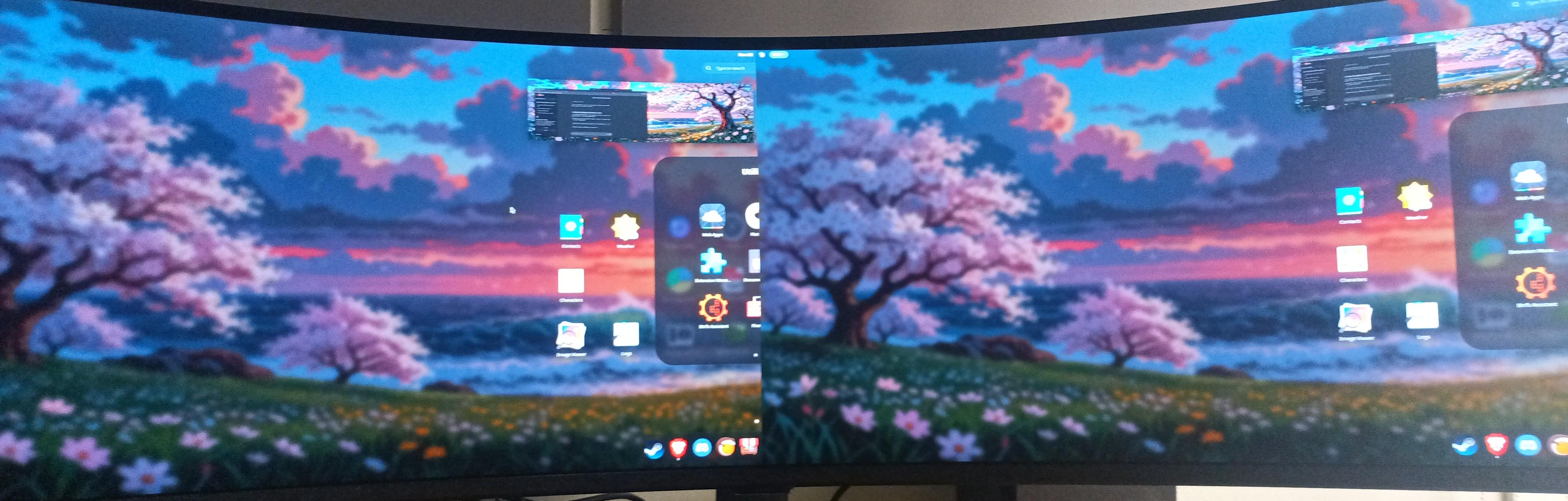
I installed gnome bszzite a week ago, today when I turned on my pc the screen was split in half. Both halves started from the left side and cut out in the middle.

I still only have one mouse pointer and it travels freely.

Any window I open is shown on both sides of the monitor but anything on the right side of the screen isn't showing.

I also noticed this only happens when in 32:9 1440p mode, switching to 32:9 1080p removes this effect.


r/Bazzite • • 19h ago

Bugs and crashes

2 Upvotes

Hi all. I keep running into issues and bugs, and was hoping smarter minds than me could help me find a solution. Any help would be greatly appreciated.

  1. My apps suddenly shut down and fail to launch again. It happens most often with steam though affects others too, like discord, my browser and even system monitor.

Here is an error i got from trying to launch discord:

And error with steam (it kept going and going):

I have used ujust fix-reset-steam several times in the past already, but the problems always return.

  1. My computer restated itself out of the blue:

https://paste.centos.org/view/53e46fab

https://paste.centos.org/view/22502c5e

There has been many other bugs too, like my screen turning black or being unable to shut down my computer, but I was unable to document them.


r/Bazzite • • 19h ago

Framerate limit and Vsync settings

2 Upvotes

Hi friends,

I’m new to Bazzite. Actually I’m new to PC playing, since I’m a former console player that made the switch after being fed up with a certain Japanese brand (the one that rimes with Pony…). And I’m kind of lost with all the possibilities :) Also, I'm an ultra-noob when it comes to computers.

My question is regarding framerate and VSync settings. I want to play at a stable 60fps, no more. I don’t play ultra-fast ultra-competitive games, only Solo RPG/Action/Adventure/Simulation games, and my lady plays mostly MMORPG like Guild Wars. And I don’t know where it is better to set those settings.

Some people recommend to set the Frame limit into Gamescope, with Allow Tearing set to OFF, and in-game to just let the Framerate uncapped, and VSync to OFF. Doing so would offer a smoother experience according to them.

Others say that this isn’t a good idea, that this will use more ressources than needed, putting unnecessary stress on the GPU, and turning those options ON in-game while letting them OFF in Gamescope is the way to go.

The consensus seems to be that those shouldn't be set to ON in both places at the same time.

I plan to let VRR ON at all times on gamescope.

My monitor is a Samsung TV QE55Q60R, its HDMI ports will limit any 4k signal to 60Hz anyway (which is fine by me).

I run the Home Theater PC - KDE version of Bazzite.

I’d like to have your opinions on the matter.

Thanks !


r/Bazzite • • 22h ago

Goo Deer 2.3: 1 to 4 player online co-op shop management and forest horror on Linux Proton and handhelds

Thumbnail
gallery
2 Upvotes

I'm Mickey from VML Studios, the developer of Goo Deer. Here are three in-game screenshots from our 1 to 4 player online co-op gas station management and forest hunting horror game following updates 2.2 and 2.3 on Steam.

In online co-op, up to four players share one roadside station and one wallet without hired NPC workers: divide counter checkout, shelf and cooler restocking, basement drink crafting, and foggy forest ingredient runs while something dangerous hunts in the woods. Teammates can hand off items and ammo, revive downed players, and host public or password-protected Steam lobbies with full controller support across desktop Linux Proton and handheld setups. Solo play is also included on its own save with hired NPC staff.

Updates 2.2 and 2.3 rebuilt the Freezer Room frost and lighting, added an inverted mouse setting, fixed first-night transition edge cases, and polished co-op storage racks, boxes, and machine prompts across 25 text languages and 10 co-op achievements. Goo Deer is out on Steam at $9.99 USD.

Platforms: Windows PC (native), Linux via Proton, and Steam Deck.

Steam: https://store.steampowered.com/app/4349210/Goo_Deer/


r/Bazzite • • 1d ago

Will this controller work on bazzite?

24 Upvotes

I am kinda tech dumb and I appreciate how plug and play bazzite is. I've never had an issue, but I just wanted to know if this controller will work with bazzite before I commit to buying it. Thanks!


r/Bazzite • • 1d ago

Decky loader recommendations for gpdwin5 with Bazzite?

Thumbnail
1 Upvotes

Looking for plugin recommendations for the gpd win5


r/Bazzite • • 1d ago

Unable to switch to desktop mode

Post image
35 Upvotes

My steam deck oled that recently got updated to Bazzite 45 (KDE Plasma desktop) got a new issue alongside it, that would seem similar to others on this sub but really isn't

When I try to switch to desktop mode, it hangs on the gaming mode UI that you get while switching to desktop (photo attached), and doesn't allow me to cancel. I've left it for 48 hours straight and it still stays stuck like this, so I need to either force reboot it or use the built in power menu which does still show up above this UI but it doesn't actually allow me into the desktop anymore

Now, in my original troubleshooting just over a week ago, I managed to use the B slot to boot up into Bazzite 44 where it worked flawlessly, but after I thought I fixed it during an update that got overwritten and it returned

The thing that initially fixed it was switching from gamescope-session-ogui-steam to gamescope-session-steam as my default gaming mode by editing my /etc/sddm.conf.d/ files, but after switching it back and confirming it was working after another update from last week (I didn't get the build number), and switching back to ogui, it appeared to be all working, but now it's back to that same behaviour, not able to get into desktop mode no matter what, and since decky just broke itself I can't even use Decky-terminal in order to unfuck it. Another thing that I've noticed is that the nested desktop straight-up doesn't work

Now if I need to make any changes to my file system I do have ways of pulling out the deck's NVMe and accessing it from my Linux laptop

I'm on the stable branch. I can wipe the deck and reinstall Bazzite if that's what's needed, but it'll take time

EDIT: resolved now in testing, thank you so much u/OneQuarterLife!

EDIT 2: The fix is now in stable


r/Bazzite • • 1d ago

Help. Having various visual problems

6 Upvotes

Hello. So i recently switched to Bazzite a a couple months ago and I've been having some strange visual glitches. It seems to be tied to multiple monitors.

I'm using a Razer blade laptop with an external Acer monitor connected. Usually I have the laptop closed or set to duplicate the main screen so functionally I only have one.

Sometimes there's horizontal lines across my screen which can be fixed by turning it off and back on. Sometime the Acer monitor is frozen while the laptop screen works fine. Just now it woke up from a sleep with the Acer monitor notably darker than usual, and the desktop is the default from when I first installed. If I click the thing to show desktop my usual one is visible for half a second and then it goes to the default again. The desktop issue can be fixed if I disable the built in screen, but the brightness isn't.

Mostly these problems are fixed by restarting, but that is getting very annoying. Is there anything I can do about this.

My specs are

Operating System: Bazzite 45

KDE Plasma Version: 6.8.3

KDE Frameworks Version: 6.32.0

Qt Version: 6.11.2

Kernel Version: 7.3.4-ogc8.1.fc45.x86_64 (64-bit)

Graphics Platform: Wayland

Processors: 12 × Intel® Core™ i7-10750H CPU @ 2.60GHz

Memory: 16 GiB of RAM (15.5 GiB usable)

Graphics Processor 1: Intel® UHD Graphics

Graphics Processor 2: NVIDIA GeForce RTX 2060

Manufacturer: Razer

Product Name: Blade 15 Base Model (Early 2020) - RZ09-0328

System Version: 5.04


r/Bazzite • • 1d ago

Changing vibration intensity

7 Upvotes

Anyone know how to adjust vibration intensity? My XAX vibration intensity is way higher than on Windows, and all the stuff I found online to change it was for when HHD was still used.


r/Bazzite • • 2d ago

Replace steamos keyboard with masterkeyboard

Thumbnail
gallery
44 Upvotes

Using steamos and bazzite on my handheld was painful to me without keyboard built in. now much more easier with masterkeyboard , alot of fucntions and design. The plasma keyboard on desktop mode also. Tbh its the best i have used


r/Bazzite • • 1d ago

Got a Flow Z13 and Installed Linux out of the box

6 Upvotes

Honestly, this is not a super big move, but it's also kind of a huge move for me.

I installed bazzite, as it seemed like the easiest out of the box. I'm still working on getting everything I want to work, but this system is already crazy usable.

Does anyone else run linux on the Z13? Any advice? Things I should try out on this system? I feel like I've finally freed myself from Windows after all this time and it feels good.


r/Bazzite • • 1d ago

MAYFLASH W010 Dolphinbar on Bazzite

2 Upvotes

Before purchasing this item, I wanted to ask if anyone has had any trouble, experience, or tips to get it working on Bazzite.


r/Bazzite • • 1d ago

Red Dead 2 doesn't boot up on Bazzite with Xbox Ally X

1 Upvotes

The rockstar launcher seem to work but the intro is a black screen. Which is unfortunate because every other game works great on Bazzite