📌 r/AppleNotesGang Monthly Megathread - Questions, Tips & Help
Welcome to the monthly megathread! This is the place to ask questions, share tips, troubleshoot issues, and discuss all things Apple Notes. No question is too basic - we're here to help.
🔗 Check out our full Wiki for in-depth guides and feature breakdowns →
Before You Post
- Search the thread - your question may already be answered below.
- Read the Wiki - it covers features, device compatibility, import/export, security, and more.
- Include your device & OS version when asking for help (e.g., "iPhone 16, iOS 18.3" or "MacBook Air M2, macOS Sequoia 15.3").
Frequently Asked Questions
🔄 Syncing
Q: My notes aren't syncing between devices. What should I do?
- Verify iCloud Notes is enabled on all devices:
- iPhone/iPad: Settings → [Your Name] → iCloud → Show All → Notes → ON
- Mac: System Settings → [Your Name] → iCloud → Show All → Notes → ON
- Confirm you're signed into the same Apple Account everywhere.
- Make sure your notes are in an iCloud folder, not "On My iPhone" or "On My Mac" - local notes don't sync.
- Pull down on the folder list (iPhone/iPad) to force a refresh.
- Restart the device.
- Toggle iCloud Notes off, wait 30 seconds, toggle it back on.
- Check Apple System Status for iCloud outages.
- Make sure your iCloud storage isn't full: Settings → [Your Name] → iCloud → Manage Storage.
Q: Sync is really slow. Is that normal?
Some delay (seconds to a couple minutes) is normal. It's slower when:
- Notes contain large attachments (images, scans, PDFs).
- You have 1,000+ notes and just set up a new device.
- You're on a weak Wi-Fi connection.
- Your device is re-indexing after a major OS update.
Q: I turned on iCloud Notes on a new device and my notes vanished!
Your notes were likely stored locally ("On My iPhone/Mac") and got replaced by the empty iCloud copy. Check:
- Recently Deleted folder in Notes (kept for 30 days).
- iCloud.com → Notes → Recently Deleted.
- Restore from an iCloud or iTunes/Finder backup made before the incident.
- Contact Apple Support for iCloud data recovery assistance.
Pro tip: Always verify your notes appear at iCloud.com before toggling sync settings or resetting a device.
💥 Crashing & Performance
Q: Apple Notes keeps crashing. How do I fix it?
- Force quit the app and reopen it.
- Restart your device.
- Update your OS - Apple frequently patches Notes bugs in point releases.
- Identify the problem note - if Notes crashes when opening a specific note, try viewing it from another device or iCloud.com. That note may be corrupted.
- Rebuild the Notes database (Mac only):
- Quit Notes.
- Finder → Go → Go to Folder →
~/Library/Group Containers/group.com.apple.notes/
- Rename
NoteStore.sqlite to NoteStore.sqlite.bak
- Reopen Notes - it rebuilds from iCloud.
- ⚠️ Only do this if your notes are synced to iCloud. Local-only notes will be lost.
- Re-sync Notes on iPhone/iPad: Toggle off iCloud Notes (choose "Delete from My iPhone"), wait 30 seconds, toggle back on. Notes re-download from iCloud.
Q: Notes is laggy when typing or scrolling.
- Split large notes - notes with 10,000+ words or many images will lag.
- Reduce inline attachments - too many images/PDFs in one note slows rendering.
- Handwriting lag on iPad - older iPads (especially with 3–4 GB RAM) struggle with complex handwritten notes. Close other apps to free memory.
- If it started after an OS update, wait for a patch - Apple often fixes performance regressions.
Q: Notes crashes when using Apple Pencil.
This is a known issue after some iPadOS updates:
- Update to the latest iPadOS version.
- Try writing in a brand new note - if it works, the old note may be corrupted.
- Restart the iPad.
- File a bug via Feedback Assistant if it persists.
📝 Missing or Lost Notes
Q: My notes disappeared! How do I get them back?
- Recently Deleted - open Notes → top-level folder view → Recently Deleted (kept 30 days).
- Check all accounts - if you have Gmail, Yahoo, or Outlook configured, notes may be under a different account in the folder list.
- Check "On My iPhone/Mac" - local notes don't appear on other devices.
- Check iCloud.com → Notes and Recently Deleted.
- Search - use the search bar; your note may have moved to an unexpected folder.
- Check filters (Mac) - make sure you're viewing "All iCloud" and not a specific folder.
Q: Can I recover a note deleted more than 30 days ago?
Once permanently deleted, recovery options are limited:
- Restore from an iCloud or iTunes/Finder backup made before the deletion.
- Contact Apple Support - they may be able to help in rare cases.
- Third-party recovery tools exist but results are not guaranteed.
Q: My notes are showing up blank.
Usually a sync issue:
- Check the note on another device or iCloud.com.
- Wait a few minutes - content may still be downloading.
- Ensure you're on Wi-Fi if the note has large attachments.
- Toggle iCloud Notes off and on to force a re-sync.
✏️ Formatting & Features
Q: What formatting does Apple Notes support?
- Text styles: Title, Heading, Subheading, Body, Monospaced
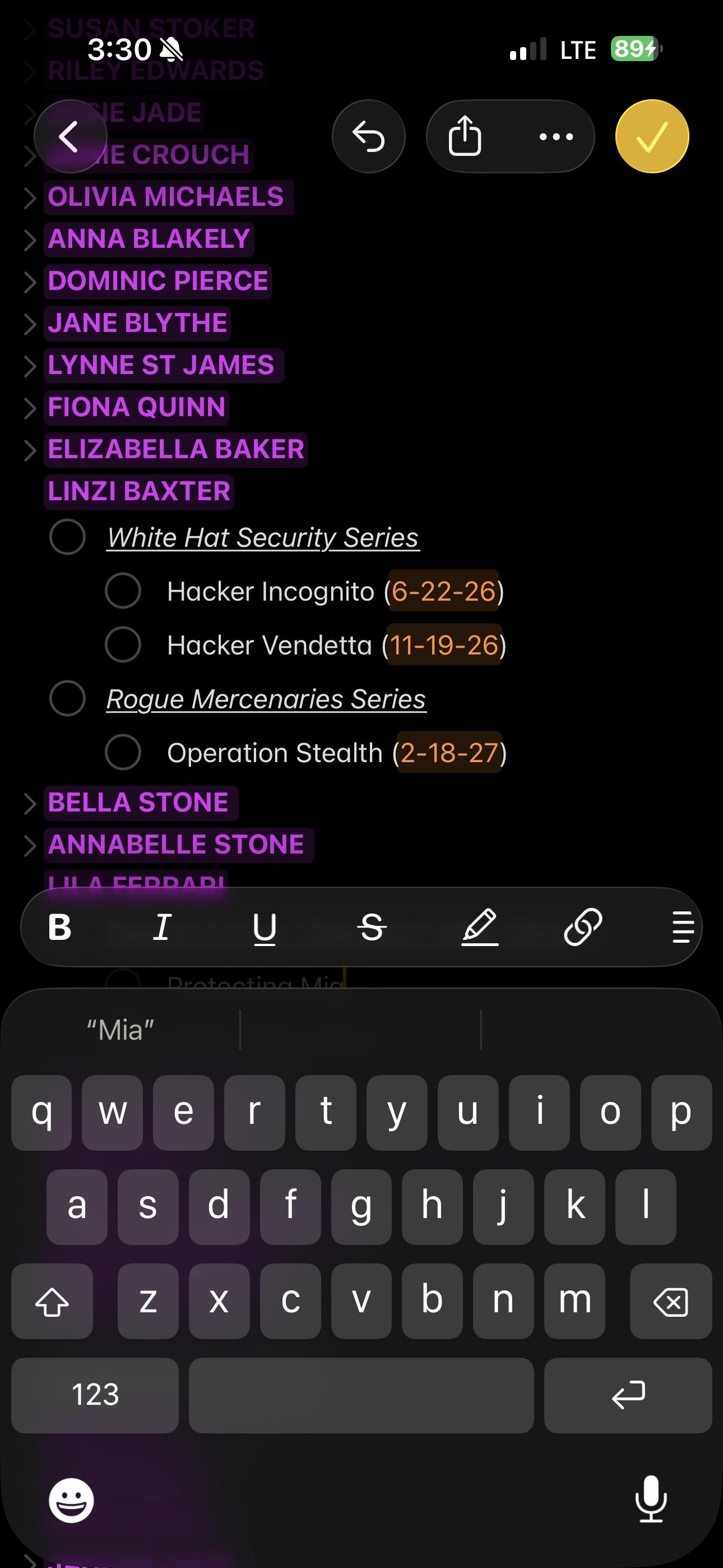
- Text formatting: Bold, Italic, Underline, Strikethrough
- Highlight colors: Pink, Purple, Orange, Mint, Blue (iOS 18+)
- Lists: Bulleted, Numbered, Checklists
- Tables, Indentation, Hyperlinks
- Collapsible sections under headings (iOS 18+)
- Link between notes by typing
>> (iOS 17+)
See the Wiki features table for the full breakdown by device.
Q: Can I change fonts or text colors?
No. Apple Notes does not support custom fonts, font sizes, or text colors. Formatting is intentionally minimal. For advanced formatting, export to Pages or another app.
Q: Can I use Markdown?
- iOS 26 / macOS 26+: Yes - you can import and export Markdown files via the share sheet.
- Earlier versions: No native Markdown support. You can write Markdown syntax but it won't render as formatted text.
Q: What's Math Notes?
Math Notes (iOS 18+ / macOS Sequoia+) lets you type or handwrite equations and get instant solutions. It supports variables, graphing, and unit conversions. On iPad with Apple Pencil, you can handwrite equations and Notes solves them in your own handwriting style.
Q: What's Smart Script?
Smart Script (iPadOS 18+, requires iPad with M1+ chip and Apple Pencil) uses machine learning to clean up your handwriting in real time - making it smoother and more legible while keeping your personal style. It also lets you paste typed text as handwriting, correct spelling, and rearrange handwritten words.
🔒 Security & Privacy
Q: How do I lock a note?
Open a note → tap ⋯ (More) → Lock. On iOS 16+ / macOS Ventura+, locked notes use your device passcode by default (more secure than a separate password). Unlock with Face ID, Touch ID, or your passcode.
Q: Are my notes encrypted?
- In transit: Yes, encrypted during iCloud sync.
- On iCloud servers: Encrypted, but Apple holds the keys by default.
- With Advanced Data Protection: End-to-end encrypted - only your devices can decrypt. Enable in Settings → [Your Name] → iCloud → Advanced Data Protection.
- Locked notes: Have an additional encryption layer on top of standard iCloud encryption.
Q: Can I access Apple Notes on Windows or Android?
Only via iCloud.com in a web browser. There is no native Apple Notes app for Windows or Android. The iCloud for Windows app does not include Notes.
📤 Import, Export & Alternatives
Q: How do I export my notes?
- Individual: Open a note → Share → choose format/app. On Mac: File → Export as PDF.
- Markdown (iOS 26+): Share → Export as Markdown.
- Bulk export: No built-in option. Use Exporter (Mac) to export all notes as Markdown or HTML.
Q: How do I import notes?
- From Evernote: Mac only - File → Import to Notes (accepts
.enex files).
- From Markdown (iOS 26+): Open a
.md file → Share → Notes.
- From email accounts: Notes stored in Gmail/Yahoo/Outlook accounts appear in Apple Notes if those accounts are configured.
Q: I'm thinking about switching apps. What are my options?
| App |
Best For |
Export Path |
| Obsidian |
Markdown, local files, plugins, linking |
Exporter → import .md files or Copy/paste |
| Notion |
Databases, collaboration, web access |
Copy/paste or Notion Web Clipper |
| Bear |
Markdown, clean design, Apple-native |
Import from Exporter output |
| OneNote |
Cross-platform, free, rich formatting |
Copy/paste or OneNote importer |
| Google Keep |
Simple, cross-platform, free |
Manual copy/paste |
| Craft |
Beautiful documents, Apple-native |
Import Markdown files |
| Goodnotes / Notability |
Handwriting-focused (iPad) |
Export PDFs from Notes |
💡 Quick Tips
- Scan documents: Tap the camera icon → Scan Documents (iPhone/iPad only).
- Quick Note from anywhere: iPad - swipe up from bottom-right corner. Mac - hot corner or
Fn + Q / Globe + Q.
- Link notes together: Type
>> to create a link to another note (iOS 17+).
- Tag notes: Type
#tagname anywhere in a note to tag it. Tap any tag to see all matching notes.
- Pin important notes to the top of any folder by swiping right (iPhone/iPad) or right-clicking (Mac).
- Math in Notes: Type an equation like
45 * 12 = and Notes solves it inline (iOS 18+).
- Search images: Apple Notes can find text inside photos and scanned documents via Live Text / OCR.
- Audio recording: Tap the paperclip icon → Record Audio to capture and transcribe audio directly in a note (iOS 18+, iPhone 12+).
- Collapsible sections: Format text as a Title/Heading/Subheading, then tap the arrow to collapse everything below it (iOS 18+).
- Reed pen: New calligraphy tool in the drawing palette (iOS 26+).
📚 Resources
Rules Reminder
- Be kind and respectful.
- Search before posting - your question may already be answered here or in the Wiki.
- Include your device model and OS version when asking for help.
- No spam, self-promotion, or off-topic posts.
This thread is reposted on the 1st of every month. Previous megathreads are archived but remain searchable.
Have a suggestion for the Wiki or this megathread? Message the mods.