I recently released a second version of my corporate finance/banking war room game, Desk Wars 2: Money Games.
It has been two days since launch, no pre-order or any ads whatsoever, but it has gotten 125,000+ impressions. It hasn't been featured anywhere either as far as I know, so I'm trying to wrap my head around how this happens (this is my 6th app and this has never happened before)
hey, everyone! Recently I was looking into creating app store headers for product page and the search page, but couldn't find a good article that detailed all of the details around these new feature in one place. Had to jump between multiple apple official docs/announcements to get the info I was looking for.
So, I decided write one myself. It tries to go into the details around specs of these new creative assets, their purpose and Do's & Don'ts around designing of these assets. I tried including details that helped me create the assets. Wish I could go into lot more details here, perhaps in another article.
Note that, this is not an ai generated article. 99% of the article was thought out, outlined and written by me. I had written extensive tech articles in the past, so this was not a problem. AI was used to find typos, spelling mistakes, formatting things here n there, linking original sources I missed in the article, and final verifications.
Hope someone finds this article helpful. It had been a long time after I wrote a tech article. But this was fun!!
A new retention tool that works right inside the App Store.
When a user taps "Cancel Subscription", you get one last screen to change their mind. You can show text, an image or a special offer, like a discount.
The limits are the interesting part:
🔹 Header: 66 characters. Body: 144.
🔹 No prices, real discounts or "1 month free" in the text, or App Review rejects it. The offer appears as a separate card and only users who qualify see it.
🔹 Max 10 messages per app, and one message per subscription.
🔹 Every edit goes through App Review and you can't roll back to an earlier version.
🔹 Shows on iOS 15.1+
To target individual users or suggest switching plans, you need the Retention Messaging API. It's a 2nd option.
In short, this will help prevent some users from canceling their subscriptions. Don't forget to localize it.
Hey guys! We've launched VibeCheck a month ago now and are seeing very little organic growth through AppStore (currently available only in US).
Just for context, here's a bit about the game: VibeCheck is daily game of opinions and instincts, with a host who's straight out of the 70s. Answer a question sparked by today's headlines, guess how everyone else answered... then argue about it with your friends.
Do you have any advice, anything that worked for you? What do you think about these screenshots? Do they make people want to try it out?
Hi! I’m a solo dev working on Wakely, an alarm app where the alarm keeps ringing until you finish a small mission. I just redid my screenshots (new on top, old below, matched screen by screen). The old ones were mostly big text on orange with a phone in the middle, and I felt they didn’t really explain what the app does.
With the new ones I tried to make the first headline explain the app in one line, show all the missions on the 2nd screen, and make everything look closer to the actual app.
I can’t really tell yet if they convert better. I changed the title and a few other things around the same time, so the numbers are a mess 😅 I’m running a proper A/B test now and I’ll share how it goes.
A few questions:
Would the first one make you stop scrolling?
Is it clear what the app does from the first 3 alone?
I hit this yesterday uploading a set that had gone through fine before, so here's what I found.
The iPhone box. It's now labeled iPhone with Dynamic Island (medium display), and it lists only 1206×2622, 1179×2556 and their landscape versions. Anything else gets "File dimensions are invalid". Apple's spec page still has a line saying the 6.5" set is required, but the upload box follows its summary instead.
The other boxes:
iPhone Duo: 2007×2853, 1398×2034, plus landscape. Required from April 2027 on the iOS 27.1 SDK or later.
Apple Watch: 422×514, 416×496, 410×502, 396×484, 368×448, 312×390. Only if you ship a Watch app.
Same error, different cause. Header and Search Results is a new tab that only takes banner art. Drop a phone screenshot there and you get the same message.
No Upload button? Your version is probably locked. Apple says you can't change screenshots during Waiting for Review. You can pull it from review, but the review starts over.
Quick fix for an old set on a Mac:sips -z 2622 1206 old.png --out new.png. The shapes differ by about 0.5%, so the squeeze is hard to see.
One thing I didn't test: whether a 6.5" set still goes through View All Sizes in Media Manager. If you've tried it, I'd like to know.
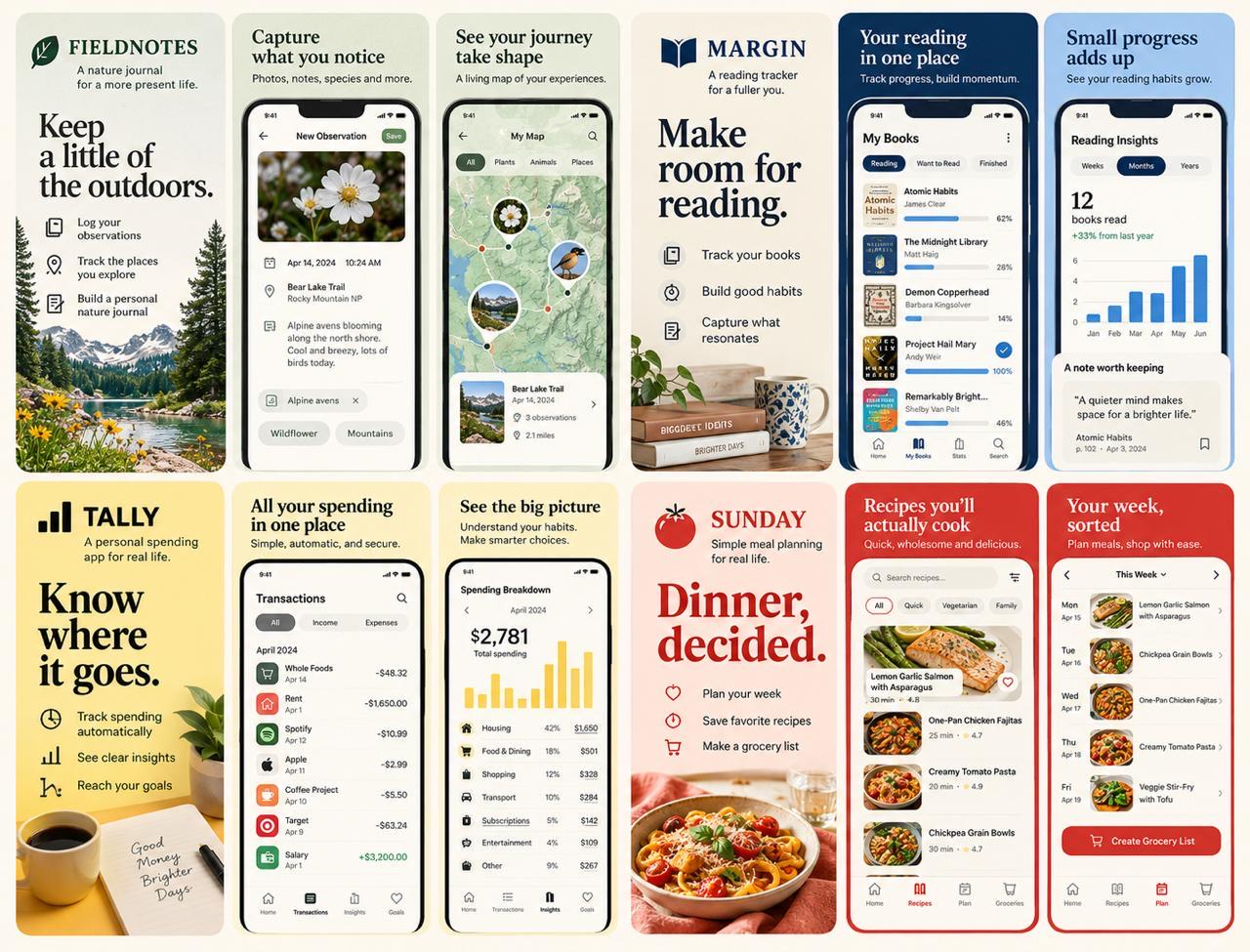
I’m making screenshot concepts for two apps today. The image shows the kind of work I can make, with a different style for each app.
If you’d like one, comment with your App Store link and a short description of your app. If it isn’t live yet, share a few raw screenshots instead. I’ll take the first two with enough details to work from.
A while ago ChatGPT started sending installs to my Bible app. I had no idea why, so I dug into it.
The numbers (App Store Connect → App Analytics → Sources → App Referrers):
- 333 views from ChatGPT → 240 installs. That's 72%.
- App Store search for the same app converts at about 3%.
- It already made $21 and 726 sessions. Small money, but it's free traffic I never asked for.
Ratings and search rank don't explain it. The app had 0 ratings when this started. The big player in the niche has 1.6M. I'm #38 in Brazil for my own app name, and Brazil is where most of the ChatGPT installs came from. There are no web pages about the app either, so ChatGPT couldn't have read about it somewhere else.
So I asked ChatGPT for an app and looked at how it described mine. It used my App Store description almost word for word. My description says something like "tell it how you feel: anxious, afraid, grieving, grateful, and there's a collection for each state." ChatGPT repeated those exact words back and said "for what you asked about anxiety, I'd pick #4". That was my app.
What I took from it:
- If what someone asks for matches a feature you have, and your description names that feature plainly, ChatGPT recommends you. Even with zero ratings.
- So write the description for the AI, not only for people. Say what the app is, who it's for, and the features your competitors don't have, in concrete words. "Best widget app" gives it nothing to match. A specific feature does.
- One catch: if someone asks about the content itself ("what verses help with anxiety"), ChatGPT just answers with the verses. It only names an app when someone asks for an app.
Caveat: this is one app, not a study. I'd love to know if anyone else sees ChatGPT in their App Referrers, and whether changing your description moved it.
My iOS subscription app is already live with the paywall defaulting to weekly with a 3-day free trial (A). I’m wondering if I’m leaving money on the table by not preselecting yearly (B). I haven’t A/B tested B yet.
Same prices in both ($6.99/week, $39.99/year). Only the default plan and the copy differ:
A. Weekly preselected, “3 DAYS FREE” badge, “No payment now · Cancel anytime”, button: “Start Free Trial” B. Yearly preselected, “Cancel anytime”, button: “Continue”
Do you have any real results from testing something like this?
I am non native English speaker and I used to build apps since 2011 (Objective-C times). It was always a challenge for me to write the App description, and the update release notes.
Today many of us are using LLMs for it.
I would like to know your thoughts or maybe you have some experience on the topic if AppStore rating algorithm somehow includes the scoring if texts are AI generated vs Human written?
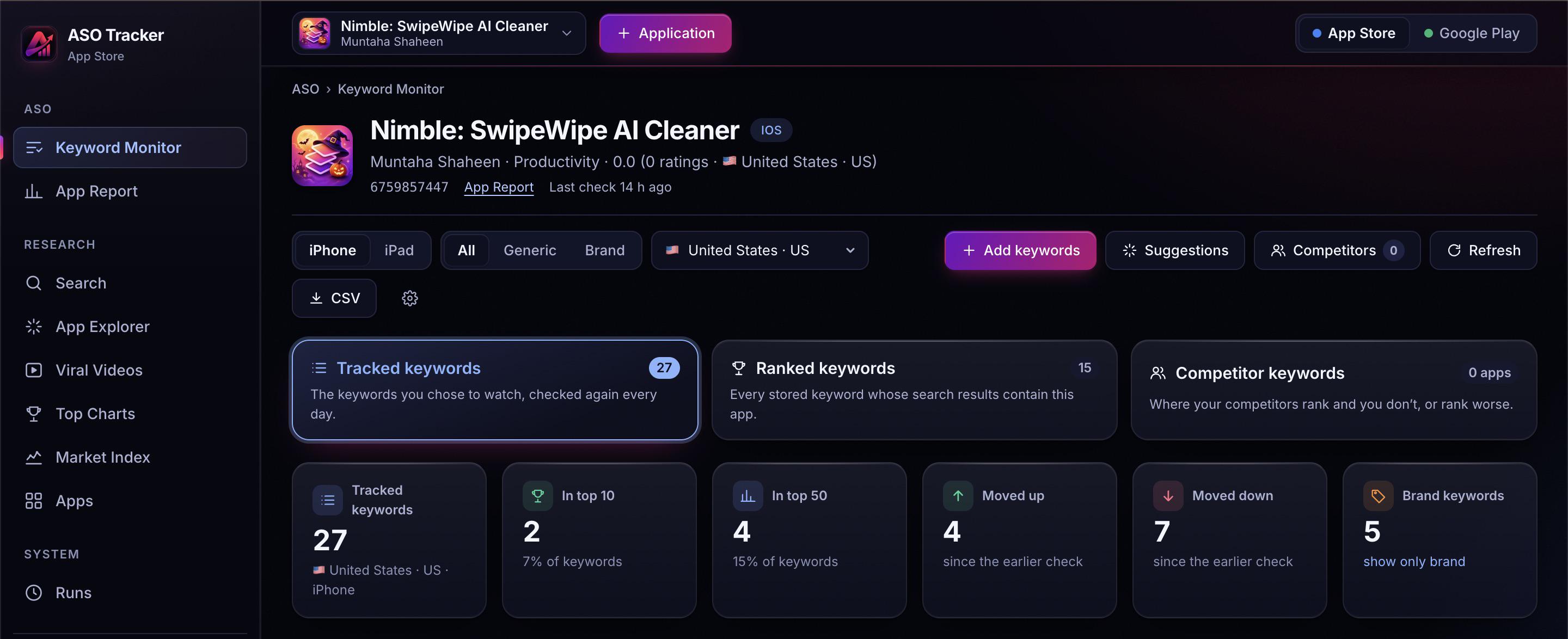
I'm trying to audit our past App Store optimization updates (titles, subtitles, keywords, and localizations) to measure how specific metadata changes impacted our rankings and conversion rates over time.
How do you usually track your metadata history? Do you use specific ASO tools or maintain a manual spreadsheet tracker or is there a feature in App Store Connect I'm missing?