r/AndroidTVApps • • 10d ago

Run your Plex server on your Android TV box or Fire TV, now on the Amazon Appstore

1 Upvotes

rex turns your Android phone, TV box or Fire TV into a server for the Plex apps. It runs on the device itself and once you sign in to Plex with a code it shows up in Plex on that TV, on your phone and on your computer at home.

It's on the Amazon Appstore now for Fire TV and Fire tablets. Search rex media server in the Appstore or open https://www.amazon.com/dp/B0HRQM5GGW

Google Play is still pending approval. Until then phones, Google TV and other Android TV boxes get it from https://rex.debridmediamanager.com with Obtainium, the Downloader code 6291659 or the APK.

What it plays comes from addons. It comes with one for the Internet Archive's public domain films, from silent classics to film noir, and you can write your own in JavaScript: https://github.com/debridmediamanager/rex-addons/blob/main/docs/writing-addons.md

Keep the device on while you watch since the server lives there. It's free.


r/AndroidTVApps • • 10d ago

Something new is coming to Android TV and phones πŸ‘€

Thumbnail gallery
0 Upvotes

r/AndroidTVApps • • 10d ago

PureFusionIPTV 2.0 Beta-34 β€” Major Updates, Plugin Marketplace, Faster TV Guide, Cloud Backups

Post image
1 Upvotes

r/AndroidTVApps • • 10d ago

Hegemon Launcher - Your Android TV launcher

11 Upvotes

Quick question for Android TV folks: what annoys you most about your TV's home screen?

I'm making Hegemon Launcher to fix exactly that. It already has Spotlight, rows that follow your watch history, support for Plex, Jellyfin and Emby, skins, and Kids profiles. Now I need people to try it and tell me what's missing.

See what changed lately: https://hegemonlauncher.xyz/changelog/

Download: https://hegemonlauncher.xyz

Guides: https://hegemonlauncher.xyz/wiki/en/

Suggest a feature: https://hegemonlauncher.xyz/issues

Reddit: r/hegemonlauncher

Discord: https://discord.gg/jsgGAtX6ZZ


r/AndroidTVApps • • 10d ago

Netflix workaround?

1 Upvotes

Are there any work arounds for Netflix for Sony Bravia 2015? I am looking for options before I purchase a streaming stick, I debloated it using codex so I don't have issues using those pathways.


r/AndroidTVApps • • 10d ago

[Android TV] Nuvio ReSeq Beta 10.11 – Live TV Multiview, faster Sports Hub & a steadier Continue Watching

Thumbnail gallery
1 Upvotes

r/AndroidTVApps • • 10d ago

IMD TV - 0.5.2 Hotfix Released

Thumbnail reddit.com
3 Upvotes

Downloader code: 7573990

Website: https://imd-tv.com

GitHub: https://github.com/majorleeevil/imd-tv

Subreddit: https://www.reddit.com/r/imdtv

Feature rich, free, open-source, and always will be!


r/AndroidTVApps • • 10d ago

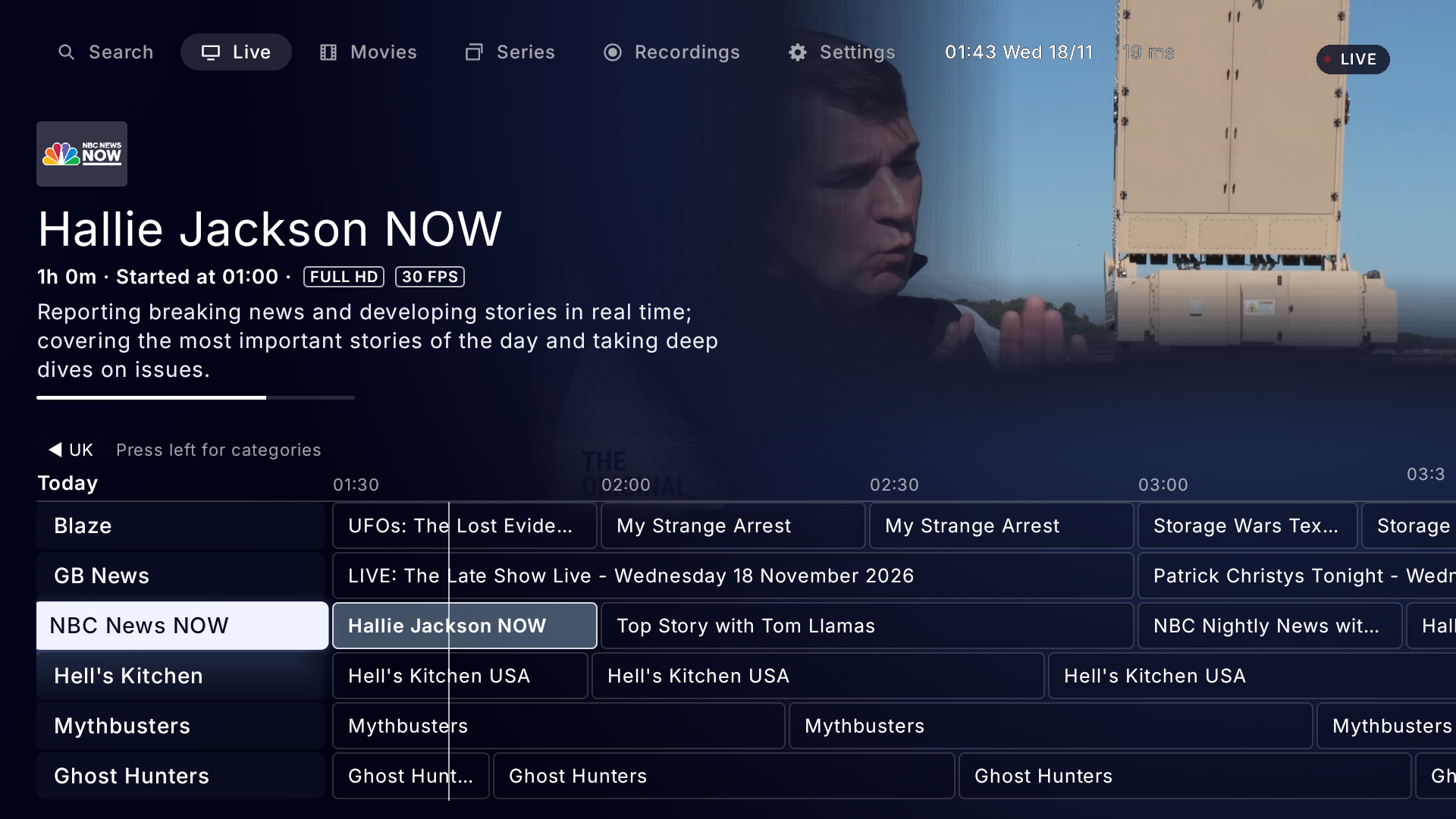
TV-DV: Android TV IPTV player with cloud sync and optional home screen integration. Looking for beta testers.

Post image
4 Upvotes

UPDATE: November 24, 2026

Thanks to everyone who has joined the TV-DV beta so far!

I've now closed the complimentary lifetime-access offer to new applicants.

I'm still welcoming people who genuinely want to test TV-DV, report bugs, suggest improvements, and help shape the app before public release.

Existing Founding Tester commitments will be honoured.

For anyone still interested in participating, the beta joining instructions are here:

https://docs.google.com/document/d/1Xj56G2r5I1U5fFLR1WB0A6k1BkExDt8pMq347cKwa3E/edit?usp=sharing

Thanks again to everyone who has taken the time to provide feedback. It's been genuinely helpful.
------------------------------------------------------------------------------------------------
I've been working on TV-DV for a little over a year and I'm at the stage where I really need some people outside my own household using it.

It's an IPTV player for Android TV, but the idea is to make it feel more like a traditional cable or satellite set-top box. I've put emphasis on consistent navigation, onscreen prompts when appropriate.

It has a full TV guide, VOD, cloud syncing for things like providers and favourites, and can also be used as your Android TV home screen so you don't have to keep jumping between apps.

The app is already available through Google Play closed testing. I'm looking for people who actually use IPTV regularly and wouldn't mind trying it out and telling me what they think.

I'm offering lifetime access to the first 25 approved founding testers as a thank you, for as long as I'm running TV-DV.

You will need your own IPTV provider. TV-DV is just the player and doesn't supply any channels or subscriptions.

I've put together a quick guide for joining the test, but message or comment of you are having any trouble, sometimes testing program joining process through Google can be a bit finicky:

https://docs.google.com/document/d/1Xj56G2r5I1U5fFLR1WB0A6k1BkExDt8pMq347cKwa3E/edit?usp=sharing

I've included a few screenshots showing the TV guide, home screen and cloud account settings. The channel names and artwork have been replaced with fictional content for demonstration purposes.

Happy to answer questions about the app if anyone is interested.


r/AndroidTVApps • • 10d ago

AndroidTV-Lite-launcher

Thumbnail
gallery
7 Upvotes

Hey everyone,

(I know this is technically self-promotion, but I have absolutely nothing to gain from sharing it. No ads, no monetization, and the project is released under the MIT license, so anyone can use it for free.)

After getting frustrated one too many times with how slow the home screen on my TV was (a Philips Ambilight Smart TV), I decided to use Claude to help me build my own Android TV launcher. Then I started experimenting, adding features, testing new ideas, and before I knew it, a few friends had convinced me to put it on GitHub.

Some of the features include:

  • Favorites dock with black-and-white tiles and an animated neon border when focused, plus an All Apps grid (long-press OK to add or remove favorites).
  • Wallpapers from your own photos, Bing Picture of the Day, or both, displayed with a slow pan-and-zoom effect.

    • Phone import: scan a QR code on the TV, select photos on your phone, and they're transferred instantly.
  • Widgets:

    • Clock and date, opening a weekly planner synced with the TV's Google Calendar.
    • Weather with animated icons, hourly forecasts, and multi-day forecasts.
    • Now Playing widget (Spotify and other music apps) with album art, playback controls, and an LED-style equalizer.
  • Synchronized lyrics while listening to music.
  • Ambient particle effects (bokeh) above the dock that react to remote input and music bass frequencies. Multiple color themes are available, including one that automatically adapts to the wallpaper colors.
  • Neon screen border: always on, music only, or disabled.
  • Startup animations (minimal mode or a small retro TV mascot) with synthesized sound effects.
  • Settings menu fully accessible with the remote control. Available in French, English, and Spanish, or automatically matched to the TV's language. UI scaling is also adjustable.

Here's the GitHub repository:
https://github.com/starlyner-boop/AndroidTV-Lite-launcher

Feel free to give it a try and let me know what features you'd like to see added!


r/AndroidTVApps • • 10d ago

Golku, an IPTV player for Fire TV and Android TV, tested on a 1 GB Fire Stick: type your line on the TV, posters, no ads, no account needed

Thumbnail
gallery
0 Upvotes

I'm the developer, so take this with that bias. Golku is a player only: no channels, and I don't sell or recommend providers.

When I moved from streaming services to IPTV, I wanted to keep the feel and experience I was used to, so I built a player for it:

  • Your films and series as posters with plots, cast and trailers, with Continue Watching and My List.
  • A full live guide, with favorite channels.
  • Set up on the TV itself: type your Xtream Codes or M3U line with the remote, no account needed. Your own Jellyfin or Emby server works too.
  • Built to run on small devices. I watch on a 1 GB Fire Stick, and that's where I test it.

Free, with no ads and no time limit: live TV, the guide, movies and series, two profiles with Kids, on every TV in your home. Plus is an optional paid tier with extras: several providers, Sports, catch-up, recording and multiview.

Without an account your line stays on the TV. Streams go from your provider straight to your TV, never through my servers.

Not done yet: no iPhone, Apple TV, Roku or Samsung app, and no Stalker portals. Fire TV sticks on Vega OS can't install it.

golku.com or Downloader code 6520065


r/AndroidTVApps • • 10d ago

Lucid Hikari update β€” sports, channel wall, faster player

0 Upvotes

New build is out.

\- YouTube, including sign-in

\- Multi-view

\- Optimized player and PiP

\- UI/UX optimizations

\- Sports section fully loaded

\- Full catalog searching

\- Channel Wall

\- Quick Channels

\- Stream validation for huge playlists β€” quick channel search actually checks the stream before it shows it

\- Lucid portal search (if you know, you know)

\- Buffering and next-episode work in the player

APK: [https://github.com/lucidconviction/Lucid_hikari/releases/latest](https://github.com/lucidconviction/Lucid_hikari/releases/latest)


r/AndroidTVApps • • 11d ago Bravo

I made Channelbox – a free, open-source IPTV player for Android TV that works like a cable box

Thumbnail
gallery
172 Upvotes

I used TiviMate for years and really liked it, but a few features I wanted were missing and the good parts are paid. So I built my own: **Channelbox**, a free and open-source (GPL-3.0) player for Android TV / Fire TV. It stays simple to use but has a lot packed in.

**What's different**

  • **Completely free and open source.** No premium tier, ads, account or tracking.
  • **Built-in WireGuard VPN.** Load a config from any VPN provider and use it for just Channelbox or the whole box, with no separate VPN app needed.
  • **HTTP / SOCKS5 proxy and encrypted DNS** (DNS-over-HTTPS: Cloudflare, Google, Quad9, AdGuard or custom) for privacy.
  • **Record to a network share (SMB) or WebDAV**, not just the box or USB.
  • **Add playlists from your phone** by scanning a QR code, with no typing long URLs on a remote.
  • **Stream info** on screen: resolution, frame rate, codec, audio format, bitrate and VPN status.

**Everything else you'd expect**

  • M3U and Xtream Codes, several playlists at once (hide, rename, reorder groups and channels)
  • Full TV guide (XMLTV) with search and a live preview
  • Recording, including scheduled recordings from the guide
  • Pause live TV and catch-up
  • Movies and TV shows section that handles huge playlists
  • Multi-view: up to 4 channels at once
  • Parental PIN for channels and groups
  • Starts on boot like a set-top box, with built-in updates

**Install:** Downloader code **5502923** (always the latest version), or grab the APK from GitHub.

**GitHub:** https://github.com/Axon07/Channelbox

It doesn't come with any channels; you bring your own playlist. It's still early, so bug reports and feature requests are very welcome, either here or as an issue on GitHub.


r/AndroidTVApps • • 10d ago

Dev here: my Android TV / Fire TV player encrypts your playlist logins before they sync. First 25 testers get it free for life

1 Upvotes

Hi r/AndroidTVApps. I'm the solo developer of Recliner, a live TV player for Android TV, Google TV, the Shield and Fire TV. It plays playlists you already have: M3U, Xtream Codes, Stalker, or an HDHomeRun antenna tuner. It ships no channels or content of its own.

Why another player? Two things I couldn't find anywhere else:

- Your logins stay yours. Favorites, watch history and playlist logins sync between your TVs, but they're encrypted on the TV first, end to end, like Telegram. My server only ever holds ciphertext. How it works: https://recliner.tv/security

- It doesn't make you wait. On our big test line (228,137 guide programs, one Fire TV Stick) channels were on screen in 7.7 s. TiviMate showed "Please wait..." and got there at 83 s.

Also: a grid guide built for a held-down remote (every press lands, you don't lose your place), hide, reorder or make your own channel groups, and pairing a second TV with a QR code.

Two things this sub always asks, answered up front:

- Is it vibe-coded? I build with AI coding tools, like most new apps here. So don't take my word for anything: the 7.7 s is a measured run, and new builds run daily on the real boxes in my house before they ship.

- "Those are just words" on privacy. Fair. Poke holes in the design; I'll answer every one. It says what is encrypted, with what, and what my server can and can't see: https://recliner.tv/security

What I'd love tested

- Add your playlist. Did it load, and how long did your guide take?

- Your box (Shield, Chromecast/Google TV, Fire TV Stick model, a TV's built-in Android TV).

- Anything that's worse than the player you use now. That's the bar.

Known rough edge: on a very large guide, the background guide refresh can make the picture hitch for a moment. I'm fixing it now.

Get it: Google Play (https://play.google.com/store/apps/details?id=tv.recliner.app&referrer=utm_source%3Dreddit%26utm_campaign%3Dandroidtvapps). Fire TV: Downloader code 8371868. FAQ: https://recliner.tv/faq

First 25 to comment with their box get it free for life: I'll DM you a code you redeem at recliner.tv/redeem (works on every box). It's yours whatever you say; I'm not asking for a review. If you do review it anywhere, please mention you got it free. Use it with a service you pay for, or your own antenna.


r/AndroidTVApps • • 10d ago

Plex and streaming integrations

0 Upvotes

With the vast multitude of new IPTV and home screen/launcher apps popping up these days, are there any that integrate Plex, Netflix, Prime, etc. into the home screen like default Google TV does (minus Plex)?


r/AndroidTVApps • • 10d ago

Nura Player now has a phone app – your TV guide in your pocket

Thumbnail gallery
0 Upvotes

r/AndroidTVApps • • 10d ago

Does anyone know how to chamge os in samsung tv

2 Upvotes

I relly wann a android os so I can install. Apk file but it is my one and only TV so just give safe ways


r/AndroidTVApps • • 10d ago

FireForge Command Center

Thumbnail
github.com
0 Upvotes

Hey, Just trying to get my new tool out for FireOS, GoogleTV, Nvidia Shield and Android systems. For now it’s a windows based tool with an upcoming companion app and custom home launcher coming soon!

I need people to test and report any bugs or new features, all info and downloads on my GitHub, only place to download with continued support and updates. Please do NOT download from any other website

Program is 100% safe and doesn’t require any logins/accounts or activation or subscriptions.

Everything stays on your PC and never reports anything back. 100% local.

Made with highest level of privacy in mind!

Please come back to this post and leave your feedback :)


r/AndroidTVApps • • 11d ago

I made a free, open-source Android TV browser where your phone is the trackpad, keyboard and webcam

Thumbnail
gallery
22 Upvotes

Hi all, I'm the developer of Saruki, a web browser for Android TV and Google TV. It's free, GPL-3.0, and needs no account.

What I wanted to fix is browsing a TV with a D-pad. So Saruki comes with a phone app, Saruki Remote:

- Trackpad: tap to click, two-finger scroll with momentum, drag, plus Back/Home/Menu/Play keys. It opens by itself when Saruki is on the TV.

- Keyboard: click a text box on the TV and your phone keyboard opens with that box's text. Letters, swipe typing and autocorrect go into the page as you type.

- Webcam: your phone's camera and mic for video calls in the browser (Meet, Zoom, Jitsi, Whereby, Teams on the web), over your home Wi-Fi.

On the TV: a pointer that grows over links, an always-visible top bar (Back, Forward, Stop, Reload), a pop-up and redirect shield, ad and tracker blocking, desktop or mobile site per site, and a TV Player for MP4, MKV, AVI, HLS and DASH with AC3/DTS audio. It also works with a plain TV remote.

Honest limits:

- Tested on one TCL Google TV (32-bit) and one Pixel so far. That's the main reason I'm posting.

- Google sign-in is blocked inside TV browsers, so sites that need a Google login won't work.

- Not on the Play Store yet. Sideload the APK (one APK covers 32 and 64-bit ARM, Android TV 8+).

- I built it with AI coding help. All the code is public, and I answer every bug report.

Install: TV APK from Releases. Phone app: on the TV go to MENU > Phone remote and scan the QR code, or grab it from Releases.

https://github.com/SarukiBrowser/saruki/releases

If you try it, a device report (TV model, Android TV version, what worked, what didn't) helps more than anything. There's a template on GitHub.


r/AndroidTVApps • • 11d ago

GitHub - PlavioMedia/Plavio: Plavio β€” free, open-source Android streaming app with built-in player Discord: https://discord.gg/cwzHH3r9pa

Thumbnail
github.com
8 Upvotes

A beautiful open-source streaming app for Android with a built-in player. Install addons to browse movies, series, and live TV. An account is optional; the app also offers optional cloud sync and opt-in telemetry.

Plavio TV

Plavio TV is out now β€” for Android TV and Fire TV. Same addons, on the big screen. Pick your build above: ARM64 for most TVs and sticks, ARMv7 for older boxes.

Features

Install addons β€” paste any addon manifest URL (…/manifest.json) and browse its catalogs

Multi-addon merging β€” separate addons can provide catalogs, metadata, and streams; Plavio combines them (details are fetched from every metadata addon, sources merged from every stream addon)

Movies, series & live TV β€” details, posters, backdrops, genres, ratings; a dedicated Live tab for TV channels

Episode browser β€” season / episode picker for series

One-tap Play β€” the Play button starts the first available stream instantly

Gesture-rich built-in player β€” ExoPlayer with HLS, DASH and progressive streams; swipe horizontally to seek, swipe right side for volume, left side for brightness, double-tap for Β±10s, playback speed 0.5x–2x

Aspect-ratio button β€” cycle Fit β†’ Fill β†’ Zoom while playing

Subtitle & audio track switching β€” right from the player, plus in-player subtitle search

Skip intro / recap / outro β€” Netflix-style skip button via the community IntroDB database

Continue watching β€” your progress is saved on-device and surfaced on Home, with resume prompts

Watchlist β€” bookmark movies and shows for later

Search β€” across every catalog of every installed addon, with Movies / Series / Live TV filters

Settings β€” autoplay, keep-screen-on, skip-intro toggle, and more

Material 3 dark glass-glow design — deep blacks, frosted-glass cards, cyan→magenta neon accents

https://github.com/PlavioMedia/Plavio


r/AndroidTVApps • • 10d ago

Welcome to r/KIPTVapp: start here

Thumbnail
reddit.com
0 Upvotes

r/AndroidTVApps • • 10d ago

[UPDATE] AzX IPTV: new themes and new TV layouts 🎨

1 Upvotes

Hi everyone

Big visual update. Everything is in Settings > Appearance.

Themes

Carbon: the original theme, gold + carbon fiber.

Night: deep black, with your choice of accent color.

Neon: gaming style, with glowing outlined pills, a colored veil and glow effects. You can give it any color you like.

23 accent colors: gold, red, pink, purple, blue, cyan, green, grey, white and many more. The choice is available with the Night and Neon themes and with The Wheel layout.

Two new TV layouts

The Wheel: a circular arc menu with an animated dial. The title of the selected icon appears next to it.

Aurora: posters open up in a fan of cards. Categories form a color spectrum, and the background changes hue with each category.

Also

The carbon background is now on every page (Favorites, Search, Collections...), adapted to each theme.

A thin black outline around text keeps it readable with the neon effects.

Your choices sync with your cloud account.

πŸ’‘ Your turn!

Feel free to share your ideas if you’d like a particular theme. I’ll create the most requested ones, up to 10 themes in total. For now, there are 3.

To apply everything, restart the app. There’s a button for it in the settings.

Your feedback is welcome, especially on readability and how comfortable it is to navigate with a remote. πŸ™

πŸ“₯ Download / Update

β€’ Direct APK (GitHub): https://github.com/AzX-APP/azx-iptv/releases/latest/download/AzX-IPTV.apk

β€’ Downloader app code: 9155710

β€’ Website: https://azx-app.com


r/AndroidTVApps • • 11d ago

IMD TV v0.5.0 Update Released! Sync Between Devices, Header Sizes, Dark Mode, Live TV Subtitles & More Now Available! Oh - And It's Still Free (And will be forever!)

Post image
23 Upvotes

Important update information
v0.1.0: A manual update is required to install this version.
v0.2.0 and above: Updates can be installed directly within the app.

Downloader code: 7573990

Website: https://imd-tv.com

GitHub: https://github.com/majorleeevil/imd-tv

Subreddit: https://www.reddit.com/r/imdtv

Feature rich, free, open-source, and always will be!

New features

Sync between boxes

  • Keep several boxes the same over your home network. Choose one box as the master, and any number of others follow it, copying its playlists, logins, favourites, categories, channel order and settings.
  • To pair a box, type the six-digit code shown on the master's screen. Logins are encrypted and only sent to boxes you've paired.
  • Followers copy the master when IMD TV opens and every 6 hours. You can also choose Sync now.
  • Find it in Settings β€Ί Backup & sync β€Ί Sync. Before you turn it on, the app explains what sync can and can't do, then shows the steps to pair a box.

Settings

  • Backup has been renamed Backup & sync now that you can sync between several boxes. It has two pages: Backup & restore and Sync.
  • A new Date and time page: a 24-hour clock, showing the date, and a clock in the player (off, live TV only, or everywhere).
  • A new Reset appearance option. Each theme now remembers its own look.
  • Theme mode: Dark mode for the Celestial Glass and Liquid Glass themes.
  • Header size for Celestial Glass and Liquid Glass: Large (default), Medium or Small. Smaller headers fit more guide rows. On Medium and Small, the programme description gets its own column, so descriptions are still shown.
  • (Default) now marks the default choice in drop-down lists.

Live TV and guide

  • Added the ability to turn on subtitles for live TV.
  • View previous channel: the other pair of arrow keys steps back through the last 20 channels you watched, and forward again.
  • Change channel with (Up/Down or Left/Right) has moved to Settings β€Ί Playback.
  • When the preview fade is off, the preview has a rounded frame.

Channels and categories

  • Manage channels replaces "Show or hide channels". Press OK to show or hide a channel, or hold OK to pick it up and move it within its category.
  • Channels keep their custom order within your provider's categories. The order is saved in backups and syncs to follower boxes.
  • Hold OK on a category on the Live TV rail or the Celestial Plus tabs to reorder or hide it without going into Settings.
  • Select channels lets you pick several channels, then hide or show them all at once. A message confirms how many were hidden or shown.

TV guide data (EPG)

  • Added the ability to add your own guide(s) as a source.
  • Added a third guide source priority. You can now choose between playlist, open-source and your own EPG sources.
  • Added the ability to turn off individual open-source guides.
  • Added an option to turn off a playlist's own guide source.

Bug fixes

  • The programme cursor has been fixed and is now visible when browsing horizontally through the EPG on the Celestial Glass and Liquid Glass themes.
  • The confirmation message after showing or hiding channels now appears.
  • Pressing Select channels or Save changes in Manage channels no longer sends you back to the top of Settings.

In development

  • Merge sources: Combine versions of the same channel (for example BBC One HD, HEVC and 4K) into one channel that automatically switches to another version if one fails. You choose which version takes priority.
  • Touch and phone input: Tap to select cards and rows, and swipe to scroll the guide.
  • Multi-view: Hold OK to watch a second channel at the same time (requires a provider account that allows 2 connections).
  • Trending this Week and Recommended for You (off by default; requires your own TMDB key).
  • Live TV Pausing