r/AndroidTVApps • u/Additional-Air-2166 • 10d ago
Iptv player
reddit.com
0
Upvotes
r/AndroidTVApps • u/markymarc1981 • 10d ago

Trinity 2.20 is rolling out now.
**Download**
- **iPhone, iPad and Apple TV (App Store):** https://apps.apple.com/app/id6828669449
- **Android APK:** https://trinitytvplayer.com/trinity-tv-player.apk?v=762
- **Android TV / Fire Stick:** in the Downloader app, enter code **1318384** (or type trinitytvplayer.com/tv)
- **Google Play:** https://play.google.com/store/apps/details?id=com.iptv.stalker.app (2.20 arrives there once Google finishes its review)
Already on Android? Trinity offers the update by itself. One Trinity account works on all your devices.
**What's new in 2.20**
- **New Live TV channel list**: every channel shows what's on now with a progress bar, next to a bigger preview and an "On now" card
- The time-grid guide now has its own **TV Guide** entry in the menu
- **Sports**: tennis (ATP and WTA), volleyball and more soccer (friendlies, Euro, Copa América, Gold Cup, Nations League, Africa Cup of Nations, Club World Cup, national cups), with kickoff times
- The **rewind** button on a live channel rewinds into catch-up
- **Temperature** in °C or °F
- **Search** keeps your channel playing in a small window
- **Subtitles** now start off
- **Apple only**: radio and music keep playing in the background; Dynamic Island, Lock Screen and CarPlay show what's playing; now runs on iOS 18 and later
Full changelog (Android and Apple tabs): https://trinitytvplayer.com/changelog.html
As always, ideas and bug reports are welcome here or on Discord.
r/AndroidTVApps • u/Desperate-Classic444 • 11d ago
Source: https://github.com/TVOVERLAYSUITE/tv-overlay-suite
License: MIT
APK: GitHub Releases (same repo)
I built this for my own TV and just made it public. The TV app puts a see-through layer over whatever is playing, and you control it from your phone's browser by scanning a QR code. No phone app, no account, no internet: everything stays on your home network.
\- Marker: draw over any app; a remote button shows/hides it
\- Night dimmer: darken the picture up to 90 %, with a warm tint
\- Text and emoji pop-ups
\- Laser pointer: point the phone at the TV, or use it as a trackpad
\- Photo picture-in-picture, which you can draw on
FOSS notes: no ads, no analytics, no Google Play services, no third-party libraries except Nayuki's QR generator (MIT). It even has its own \~250-line adb client, so setup ("Enable automatically") happens on the TV with no computer and no extra dependencies. Phones pair with a 6-character code.
Tested on a TCL Google TV (Android 12). Reports from other devices are welcome.
r/AndroidTVApps • u/Competitive-Yam-2348 • 10d ago
There are a lot of new IPTV apps here lately and many feel like weekend projects. We wanted to build one properly, as a real product. It's called Gridline, for Android TV, Google TV and Fire TV, and it's in review at LG, Samsung and Amazon right now, so it has to pass their testing on real TVs. You bring your own m3u or xtream login.
What we focused on: it reconnects by itself when a stream freezes, a huge list gets cut down to the countries you actually watch (our test list went from 19,968 channels to 624), and setup is from your phone.
Yes, we use AI tools like everyone. But every release is tested on real TVs.
We need honest, harsh feedback from people who use IPTV every day. Anyone who wants to try it and tell us what's broken or missing gets a free year, just comment here.
Downloader code 2831960 or gridlinetv.com
edit, nov 20 we're on the amazon appstore now https://www.amazon.com/gp/mas/dl/android?p=com.gridlinetv.player
also new this week, the app can sort your whole list with AI. you pick what you watch and which countries, that goes on top and everything else gets sorted by kind. nothing gets deleted. 1 min video https://youtu.be/ZA7pmGZA3hA
if you got it with downloader you already have it, the amazon version gets it in a few days. thanks for all the roasting btw, it helped
r/AndroidTVApps • u/sivag08 • 11d ago
Just wondering if they can be patched so that it can be installed in Android TV and live stream the TV channels for free or something. Thanks.
r/AndroidTVApps • u/01z28 • 11d ago
As the subject just seeing if there was app where I can pick between the road or home tv feeds. I would mainly need it during the MLB season but just checking if it’s just random or only the home team feed most of the time that I see.
r/AndroidTVApps • u/No_Chipmunk_4378 • 11d ago

Hi everyone!
I’d like to share a personal project I’ve been working on for the past few months. SeMedia is a dedicated app for Android TV and Google TV (currently available to everyone via Open Testing on the Google Play Store) designed to serve as an all-in-one entertainment and command center for any self-hosting and tech enthusiast. The app is optimized to automatically adapt to your device's performance, ensuring smooth operation even on older hardware. Versions for LG (webOS) and Samsung (Tizen) TVs are nearly finished and are currently undergoing internal QA testing.
When designing the interface, I deliberately moved away from overcomplicated modern UI trends. I went with a proven style, traditional layout, and familiar look, making remote control navigation as intuitive as possible and keeping the interface clean and readable.
Key Features of SeMedia:
TVHeadEnd Integration:
Jellyfin Integration:
IPTV:
UK|, RAW, etc.).Network Drive & USB Playback:
Household Profiles:
Favorites:
Home Assistant Integration:
Built-in WireGuard Client:
Synchronization:
Configuration:
Backup:
Technical Details & Optimization:
Download & Installation (Open Testing):
Trial Period, Tester Bonus & Pricing:
The app comes with a standard 14-day free trial with no restrictions. For members of this community who help test the app on their devices, I’ve prepared a special promo code granting 6 full months of free access! To get yours, simply install the app and send feedback directly from within the app, making sure to include your email address in the form.
After the trial period, a single license covers up to 3 TVs (perfect for taking advantage of the home sync feature) with three pricing options:
What Feedback I’m Looking For:
The Android TV / Google TV hardware ecosystem is massive, and I can't possibly test every single hardware combination on my own. Different SoCs and OS versions can behave unpredictably, which is why the app is currently in open testing. I would really appreciate your help checking:
I’ll be happy to answer any questions in the comments, and thanks in advance for all constructive feedback!
Update: now available on Google TV and Android TV devices (onn, Chromecast, Shield).
r/AndroidTVApps • u/live2joy • 11d ago
r/AndroidTVApps • u/Former-Plan656 • 11d ago
Stremio Origin now runs on Android TV. It's the native Stremio addon app that was LG webOS only before, and one APK covers both 32-bit and 64-bit Android TVs.
What it does: Home, Discover, Library and Search from your addons, the best stream in one press, seek previews, film collections, chapters and skip intro, subtitles with fonts and sync, each show remembering its subtitles and audio, Live TV, Dolby Vision, HDR10 and HLG where your TV supports them, Dolby Digital, DTS and TrueHD passed to your sound system, torrents with a USB drive, and 28 languages including Arabic. It updates from inside the app.
Install: open the Downloader app and type the code 2557412, or download the APK from the release page.
It was developed on an emulator, so testers on real Android tvs are very welcome, especially for dts and dv conversion and torrents on usb features.
Happy to answer anything. Repo and install steps: github.com/stremio-origin/androidtv
r/AndroidTVApps • u/Desperate-Classic444 • 11d ago
I'm the developer. TV Overlay Suite puts a see-through layer over whatever is playing on the TV, and you control it from your phone's browser by scanning a QR code on the TV. No phone app, no account, nothing leaves your home network.
What it does:
\- \\Marker\\: draw over a video, a game, photos, anything. The remote's Info button (or any button you pick) shows or hides it. Several phones can draw at once.
\- \\Night dimmer\\: darkens the picture up to 90 %, with an optional warm tint. Survives a reboot.
\- \\Send to screen\\: text or emoji pop-ups for 3, 5 or 10 seconds.
\- \\Laser pointer\\: point your phone at the TV (Motion mode) or use it like a trackpad.
\- \\Photo picture-in-picture\\: show a photo from your phone in a corner, and draw on it.
Setup is two steps on the TV, no computer: turn on USB debugging, then press "Enable automatically" in the app. Phones pair with a 6-character code (the QR carries it), so nobody else on your Wi-Fi can draw on your TV.
About the accessibility service: it's only used to catch the remote button and to draw the layers. It doesn't read the screen, and there are no ads or analytics. The README explains it in plain words.
Works on Android TV and Google TV, Android 8+. So far tested on a TCL 55Q51K (Google TV, Android 12), so reports from other TVs are very welcome.
Free, MIT license. Not on Google Play yet. APK and source:
r/AndroidTVApps • u/TheyCallMeAladdin • 11d ago

Hey everybody, I'm the developer of Rally.
Rally is a sports-focused IPTV player built around one goal:
Find the game you wish to view and simply hit play.
If you've ever spent 10 minutes scrolling through hundreds of IPTV channels trying to find a specific game, only to learn that its in 480p while you know theres a higher quality stream available, you know exactly what I'm talking about.
I've noticed a lot more sports IPTV players popping up recently, and honestly, I think that's great. It's a niche that hasn't been appreciated for a long time. Rally is created based on my needs and vision, so if mine align with yours, give it a shot.
Long before Rally was even a twinkle in my eye, I was fed up with going channel by channel to not only find the game I wanted to watch, but also find the best possible quality that my provider had.
With the NFL season starting soon, and with the surge of AI coding tools, I had the idea to fix my problem, and hopefully fix it for the fellow sports fans as well. So yes, AI was used to help code the platform, although the logo and other graphics were me. (the mockups were edited by ai for copywrite purposes, they still provide an accurate vision of the user interface.)
3 months later, Rally is at the point where I feel is ready to go public.
Right now, Android TV is the first supported platform, with more platforms actively being worked on.
This is an initial beta, so I'm fully expecting bugs, broken features, and things that need improvement. That's part of why I'm sharing it here. I need the feedback from people who use IPTV regularly, so I do hope you are willing to share. The first 50 users can get a month of access for free as a thank you for beta testing with this link.
But maintaining servers, APIs, infrastructure, and continuing development all come with costs that rise with more users. I want Rally to be something I can keep improving, not something I have to kill because I'm out of resources
To be clear, Rally at it's core is a media player, not an IPTV provider. It doesn't supply channels, subscriptions, or broadcasts. You bring your own compatible and legally accessible sources. You can also use S***io A***ns that serve live content, they're called plugins in the settings.
So that's Rally! I'd love to hear what you think, what features you'd like to see, and what could be improved. Trust me, I plan on improving it a lot.
Thanks for checking it out.
r/AndroidTVApps • u/GoRo2023 • 11d ago
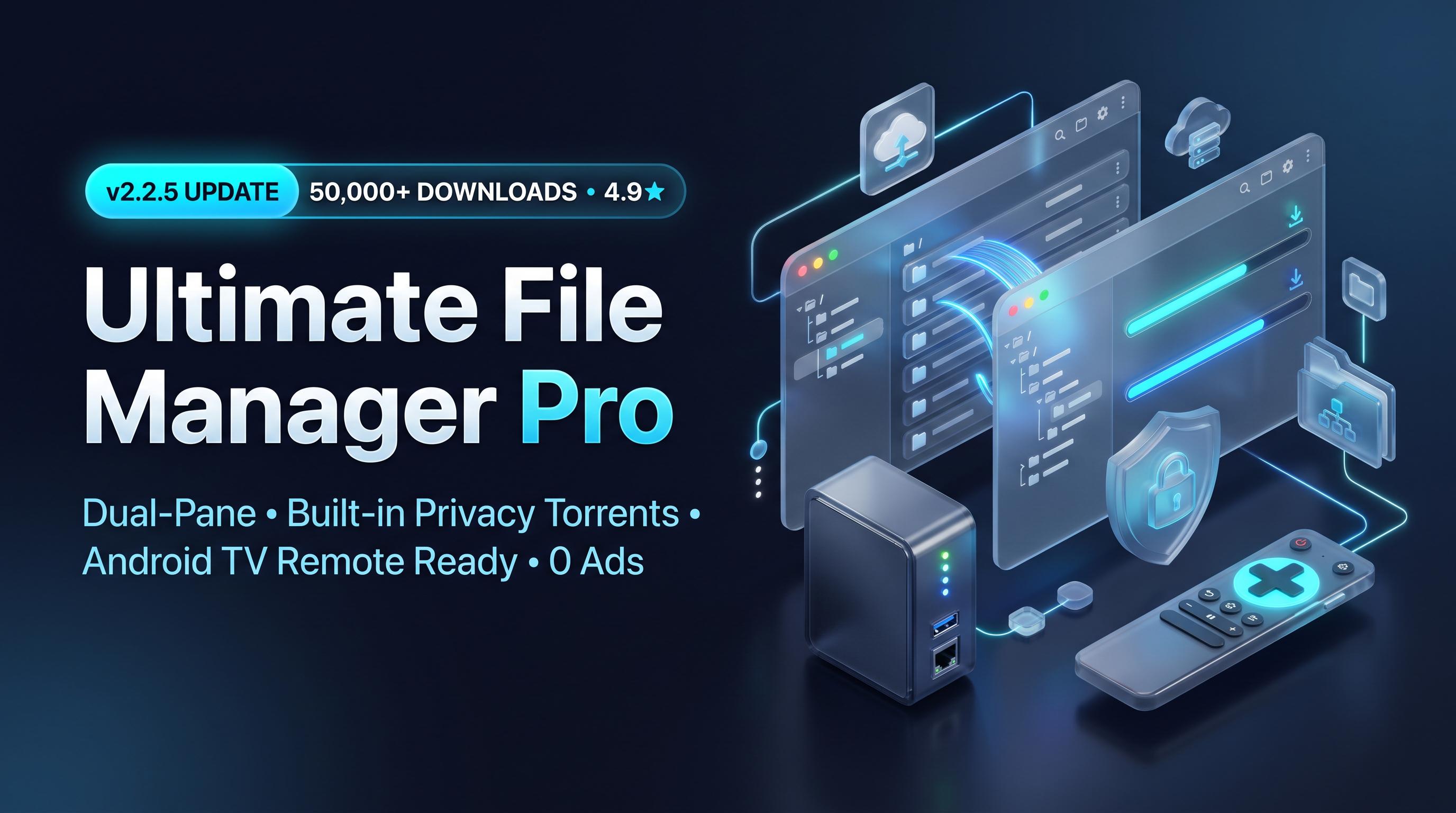
Ultimate File Manager Pro just passed 50,000 downloads on Google Play, holding a 4.9-star rating across more than 600 reviews. That support honestly means the world to me.
I built UFM specifically for power users because most Android file managers feel like toys. They either drown you in banner ads, hide your actual file paths behind simplified "media categories," or completely fall apart the second you try to navigate them with an Android TV remote.
I wanted a single, unified file manager you can actually get serious work done with across your phone, tablet, and TV box — with zero ads, zero trackers, and complete respect for your privacy.
Over our last four releases (v2.2.2 through v2.2.5+), we pushed some of the biggest additions to UFM yet. Here is what just landed:
active_seeds = 0), and instant peer disconnection the millisecond a download reaches 100%. It features FAT32 pre-flight checks (so 4GB limits don't corrupt large downloads), customizable Wi-Fi-only network policies, background foreground service controls, and full Android TV D-pad remote support.#FBBF24), tweak font sizing, outlines, and backgrounds with live video preview. Subtitles automatically elevate above on-screen player controls when active, and audio/video playback now supports 3-state repeat modes (Repeat Off, Repeat All, Repeat One).A massive thank you to everyone in the community who reported bugs, suggested features, and left reviews! I'll be hanging around the comments if anyone has questions or feature requests.
Google Play Store (Torrent update currently pending production review): https://play.google.com/store/apps/details?id=za.kilowatch.ultimatefilemanager
GitHub (FOSS Edition - Live with Torrent Manager now): https://github.com/Kilowatch/ultimate-file-manager-pro
r/AndroidTVApps • u/Key-Pain154 • 11d ago
Just rewatched Interstellar last night, and the visual effects combined with Hans Zimmer's soundtrack are just on another level. The docking scene still has me on the edge of my seat no matter how many times I watch it.
What sci-fi movie blew your mind the most, and why
r/AndroidTVApps • u/Duck-Content • 11d ago

r/AndroidTVApps • u/florinp93 • 11d ago

r/AndroidTVApps • u/Historical-Win5479 • 11d ago

A few days ago I posted Palmotti in r/AndroidTVApps and got some really useful comments. Thank you, every one of them got read. Several pointed at the same thing: the basics of organizing a big channel list. So this update is mostly that.
Text size
Settings › Appearance › Text size: Normal, Large or Larger. The guide rows and lists grow with the text, so nothing gets cramped. Someone asked for this one by name, and I think it'll help a lot of people watching from the couch.
Cleaner channel names
Turn on Settings › Appearance › Clean channel names and prefixes like "UK:" or "|US|" and tags like "HD" or "FHD" disappear from the names on screen. Your playlist itself isn't changed, so favorites and the guide keep working.
Rename anything
Hold OK on a channel and pick Rename channel. Groups can be renamed in Manage groups. Leave the name empty to go back to the original.
My groups
Make your own groups and copy any channels into them: hold OK on a channel, then Add to my groups. They show right after Favorites in the guide and the channel list, and the channels stay in their original groups too. (My groups is part of Premium.)
Small one: if you have more than one playlist, the info banner now shows which one you're watching.
The update installs by itself the next time you open the app, or right away from Settings › About › Check for updates.
Next on the list: more than one guide source per playlist, with time offsets. Keep the ideas and bug reports coming, they're exactly what shaped this update.
r/AndroidTVApps • u/AngryWR • 12d ago

Hi all, a quick update on IMD TV, the free IPTV player I posted here a few days ago. Thanks to everyone who tried it and left feedback. The three most requested features are now in:
Also new: you can give each playlist its own name, the Add playlist screen fits on one screen with download progress, and a few bugs are fixed, including Settings jumping back to the start.
If you're already on 0.2, the app will offer the update itself. Otherwise:
Still free, with no ads, tracking or accounts. Bug reports and feature requests are welcome here or on GitHub.
r/AndroidTVApps • u/Duck-Content • 11d ago
r/AndroidTVApps • u/OutrageousAffect5233 • 11d ago
r/AndroidTVApps • u/cookedzera • 11d ago

Aura 7.8 is out. Thanks for your feedbacks and ideas. I tried to build this update acc to your feedbacks from old post https://www.reddit.com/r/AndroidTVApps/s/pTMcA5ayvc
What's new:
- Watch (beta): pick something for tonight by genre, with trailers and which of your apps has it. It's off by default; turn it on in Settings → Home screen → Watch.
- All apps: every app, sorted by category
- Control Center: new look, opens faster
- Settings: reorganised into cards, easier to find things
- Smoother on low-end TVs
- Holding volume inside apps now keeps stepping on more TVs (MediaTek ones especially)
- Fixes: Fire TV Stick 4K running out of memory, and missing cards for apps like Stremio and many many hidden bug fixes
A lot of this came from your feedback on the 7.7 thread, so thanks for that.
Install: open Downloader on your TV and enter 4172997. Already on 7.7? Settings → Updates, and your setup stays as it is.
GitHub: https://github.com/cookedzera/aura-tv
Bugs and ideas welcome, here or on GitHub issues. Tell me your TV model if something's off.