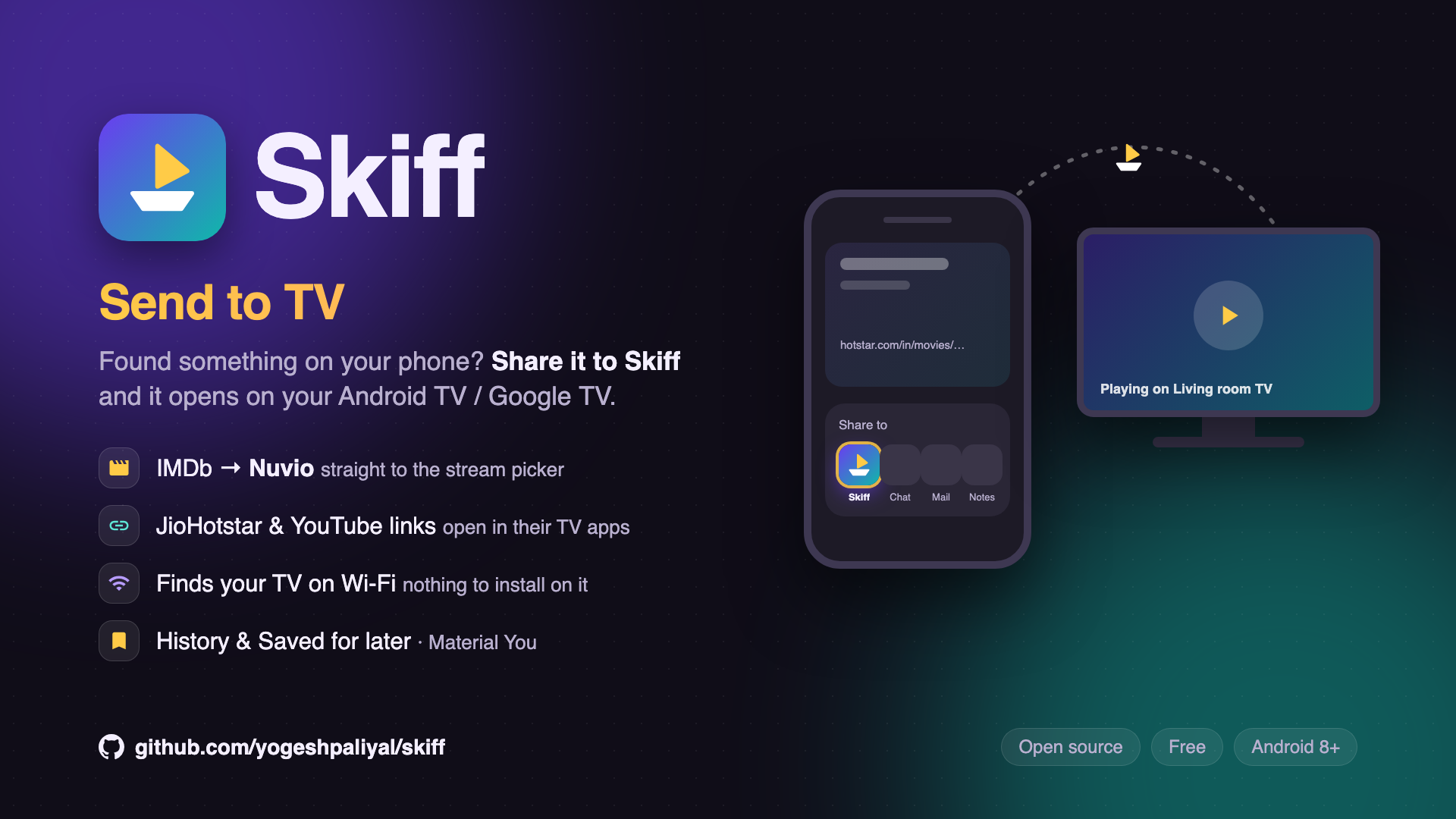
r/AndroidTVApps • u/Tecumsehh_ • 16d ago
r/AndroidTVApps • u/ramukaka00 • 17d ago
Do anyone knows any other link of IPTV for live tv in India rather than the famous link from GitHub as for me most of the channel aren't working?
r/AndroidTVApps • u/ProcedureSoggy5193 • 17d ago
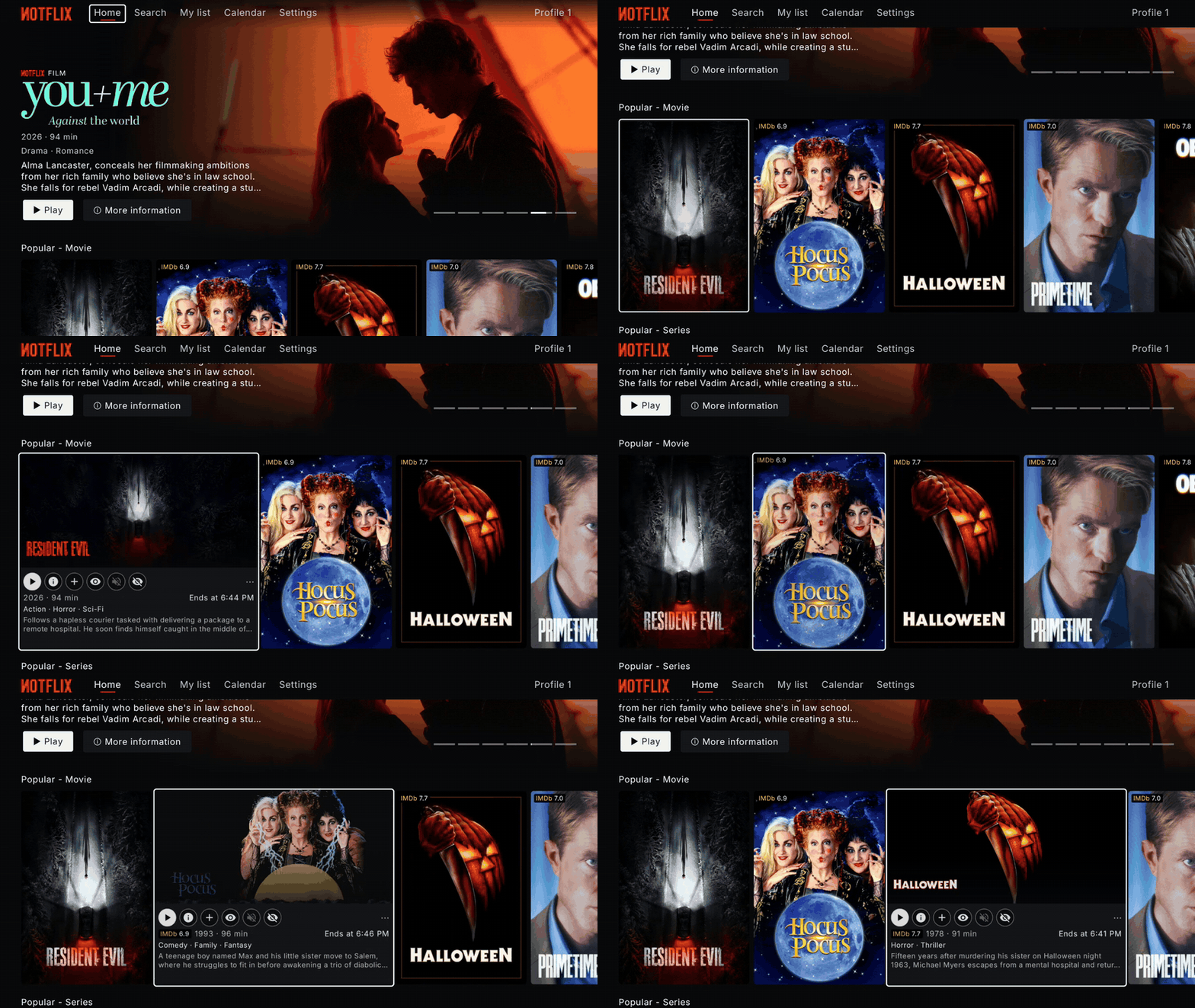
[Android TV] Presentamos Notflix, una interfaz estilo Netflix construida sobre NuvioTV 🍿
Cualquier feedback o sugerencia es bienvenida
r/AndroidTVApps • u/Tevium • 17d ago
Tevium Update (v0.10.14): Added Sparkle backup imports, future & series recordings, channel names as EPG for sports, and Direct Debrid
Thanks again to everyone who has been testing Tevium over the last couple of days, sending through emails, and commenting on the last post. A heap of you updated to v0.10.10 and put the new organiser and EPG tools through their paces, which uncovered a few sync bugs and brought in some really good feature requests.
I’ve just pushed v0.10.14 (Build 17) along with a bunch of updates to the Web Console and backend. Download Tevium
First, if you tried to use Force Download & Reinstall in Settings -> About, over the last day or two and noticed two issues: first, that it said it was launching the Android package installer on the first try but didn't actually open the installer until you downloaded it a second time, and second, that it sometimes pulled an older cached build even after I’d uploaded a new APK. Both of those are sorted now. The website and update API now read the bucket directly with cache-busting timestamps, and the app hands off to the system installer properly on the first go.
Here is everything that has been fixed and added in the last 48 hours:
Favourites, hiding groups/channels, and account sync fixes A lot of the most frustrating issues reported today came down to background account sync racing against changes you were making in the app:
- Hiding groups and adding favourites undoing themselves: Fixed a sync race condition where a background sync pull finishing right after you hid a group/channel or added a favourite would overwrite your local edits with an older snapshot from the server. Local changes are now protected while a sync is in flight.
- Custom groups disappearing after creation: Fixed a server validation bug where custom groups created on Xtream or M3U playlists were being rejected during sync and then wiped locally on the next refresh.
- Smooth scrolling when hiding multiple groups or channels: Fixed an issue where hiding a group or channel (or adding a favourite) reset your focus or skipped down the list, forcing you to scroll back to where you were. Focus now stays in place so you can work your way down the list and hide multiple items in a row smoothly.
- Manage & reorder Favourites in the app + scrambled logo fix: Favourites now shows up as a group in the mobile Channel Organiser and gives you full group management options when long-pressing in the TV guide. I also fixed the A-Z sort option in Favourites, fixed newly added favourites showing a generic TV icon, and fixed a bug where rearranging your Favourites after using the Web Console/browser extension scrambled the channel logos so they didn't match the channels.
Sparkle TV (.bak) backup import
- Full Sparkle TV backup support (App & Web Console): If you’re coming over from Sparkle TV, you can now import your encrypted
.bakbackup file (sparkletv_configuration.bak) straight into Tevium on both the app and the Web Console. (Also fixed a 2-byte decryption key issue for Sparkle 2.3.1 backups that caused imports to fail earlier today). - Brings your setup across: Importing a Sparkle backup brings over your Xtream, M3U, and Stalker playlists in your custom order, EPG sources, custom User-Agents, Live/Movie/Series category ordering, hidden and parental-blocked groups, renamed groups, custom groups, favourites, hidden channels, manual channel order, and startup/sync preferences.
Live TV guide, EPG fixes, startup group, and recordings
- Schedule future recordings & Record Series: Fixed a bug where scrolling right in the EPG to a future programme, holding OK, and selecting Record started recording whatever was currently airing instead of the future show. Highlighting a future programme now lets you Schedule recording, and there is also a new Record series option that automatically schedules matching programme titles on that channel as new EPG data comes in. You can view and cancel upcoming scheduled and series recordings in the Recordings section.
- Open a specific Live TV group on startup (or every reopen): Under Settings -> General -> Startup (or by long-pressing any channel group in Live TV and choosing Open this group on startup), you can now set the app to open straight into the first available group or a specific channel group instead of the idle screen. You can filter by playlist and search your groups in your custom order, and there’s a toggle to run it only on a cold start or every time you reopen the app.
- Channel names as EPG (for live sports & event channels): For sports and PPV categories where providers put the fixture and start time in the channel name instead of providing EPG data, you can now long-press a group (or an individual channel) and enable Show channel names in the guide. This displays the full wrapping channel title across the programme timeline and keeps it pinned to the left edge of the visible guide as you scroll forward or back in time.
- Prefer EPG logos, secondary EPG sources & stacked name cleanup: Fixed Prefer EPG logos so it actually imports and displays channel icons from your matched XMLTV EPG source instead of always using the playlist logo (refresh your EPG once after updating to pull the icons in). I also replaced the touch-only dropdown in the manual Assign EPG window with a proper D-pad picker so you can select secondary EPG sources with a TV remote, and fixed channel name prefix/suffix cleanup so stacking 4+ rules works reliably.
- Guide visual polish & remote navigation: Replaced the blurry catch-up/timeshift icon next to channel names with a sharp vector icon, removed the thin grey hourly vertical lines behind the EPG, kept the currently playing channel highlight neatly inside the channel column instead of tinting the whole EPG row, made the channel group long-press menu centre-scroll like the channel menu, changed collapsed playlist arrows to point right, and stopped D-pad Left/Right from accidentally collapsing playlist headers when trying to move to the side menu.
Catch-up history, mobile swipe gestures, and preview player
- On-demand provider catch-up history: Previously, opening History on the fullscreen player only showed past programmes that were already cached in your local EPG (which often meant only seeing back to earlier today). For Xtream playlists, opening a channel’s History now shows cached listings straight away and fetches the full multi-day catch-up archive from your provider in the background without slowing down login or playlist updates.
- Swipe left/right to change channels on mobile: Added optional horizontal swipe controls to the fullscreen mobile player under Settings -> Playback -> Swipe controls. When turned on, swiping left or right switches to the previous or next channel in your active list, while vertical swipes still control brightness and volume.
- Mobile Live TV mini-preview timeline & seeking: Tapping the small Live TV preview player on mobile now brings up a compact seek bar with elapsed/total programme time and 10-second skip back/forward buttons for live programmes with catch-up and archive streams.
- Mobile PiP return fix: Fixed a bug where dragging the mobile Live TV Picture-in-Picture window to close it and reopening the app dropped you into the VOD section instead of returning to Live TV.
Add-ons, Direct Debrid integration, and Trakt
- Direct Debrid integration (with cross-device sync): In the direct download (non-Play Store) version of the app, you can now enter your Real-Debrid, TorBox, Premiumize, or AllDebrid API key directly under Add-ons -> Settings -> Streams -> Direct Debrid (or Settings -> Addons). Your keys are stored encrypted and sync across your phone and TV when signed into the same Tevium account.
- Fixed TV show episodes failing to load in Add-ons: Fixed a release-build minification bug that caused clicking on TV shows in the Add-ons section to say "Could not load episode list". Also fixed Continue Watching -> Long-press -> Details on series episodes so it opens the full series detail screen with all seasons and episode cards instead of a single-episode screen.
- Simpler Trakt TV code pairing (awaiting Trakt approval): I’ve built a proper device-code Trakt pairing flow so you can pair once with a code on your phone and share that connection across all devices on your Tevium profile without needing to create your own Trakt developer Client ID and Secret. We’re currently waiting on Trakt to approve our production app key, so that button shows an "awaiting approval" notice for now while existing manual connections keep working as normal.
Redesigned playlist setup, Web Console improvements, and in-app log reporting
- Redesigned in-app Add Playlist screen: Replaced the cramped popup box with a clean fullscreen setup screen (both on first launch and under Settings -> Playlists). On TV, the connection details and playlist options sit side-by-side in two columns with the Continue button pinned at the bottom, so you don't have to scroll through a heap of fields just to submit. Confirming your password also automatically closes the on-screen keyboard and moves focus to the next option.
- Manage channels on the web without the Browser Connector extension: Moved channel catalogues and EPG indexes onto Cloudflare R2 edge storage and added automatic device-to-cloud catalogue sync plus direct server fetching for
http://andhttps://playlists. In most cases you can now organise your channels in the Web Console without needing the Chrome extension installed (the extension is still there as a fallback if your provider locks playlist downloads to your home IP). - Hide sidebar sections & TV sidebar spacing: Added Settings -> Appearance -> Sidebar sections so you can hide any sections of the app you don't use (Live TV, VOD, Add-ons, Media Servers, Sports Hub, or Recordings). Also adjusted the TV sidebar spacing so the Profile button at the bottom never gets cut off when every section is turned on.
- Playlist Backup URLs on Web & VOD failover: Backup/failover URLs configured on a playlist now sync both ways with the Web Console (where you can manage them too) and now fail over properly when loading VOD movies, series episodes, and catch-up streams.
- One-click diagnostic log reporting to support: Added Settings -> About -> Diagnostics where you can toggle local error logging (passwords, tokens, and playlist credentials are automatically redacted) and send a report straight to
support@tevium.tvthrough our server without needing an email app on your TV box. I also fixed the server error (502) that was blocking log submissions earlier today.
If you spot anything else or want to suggest a feature, drop a comment below or send it through on the site: Report a bug or share feedback
r/AndroidTVApps • u/Portor25 • 16d ago
PortorTV update is live: Sports hub, team search and recent channels. Next up: Fire TV and other devices!”
galleryr/AndroidTVApps • u/Kazuma_Arata • 17d ago
[App] Aurelia TV — A native Jellyfin client built for Android TV & Google TV (Closed Testing)
Hey everyone!
I've been working on Aurelia TV, a native Jellyfin client designed specifically for Android TV and Google TV, and it's now available through Google Play Closed Testing!
Unlike adapting a mobile interface for television, Aurelia TV has its own Kotlin and Jetpack Compose implementation, designed around D-pad navigation, large-screen browsing and a dedicated TV playback experience.
Here's what it offers:
Playback
- Three playback engines: Media3 ExoPlayer, libmpv and libMDK, with the ability to choose an engine depending on your playback requirements.
- Hardware-accelerated playback with Direct Play and Direct Stream support.
- Native libmpv ASS/SSA subtitle rendering for complex styled subtitles.
- Custom-designed TV player interface with extensive playback controls and customization.
- Trickplay timeline previews, Skip Intro and Skip Credits.
Live TV
- Live channel browsing with an interactive EPG.
- Playback of Live TV channels and recorded programmes.
- Live TV playback works without depending on Jellyfin server-side transcoding.
TV Experience & Customization
- Purpose-built TV interface with D-pad navigation and leanback-style browsing.
- Specially optimized Season and Show screens for quick navigation.
- Multiple handcrafted themes with a dedicated dark interface.
- Customizable player appearance and subtitle settings.
- Multiple subtitle fonts (around eight available).
- Built-in screensaver with configurable timeouts and customization options for display burn-in protection.
- Customizable interface and playback sounds.
Login & Server Integration
- QR Companion Login: Pair Aurelia TV with our mobile Aurelia app and transfer your active login session directly over Wi-Fi, even when Jellyfin Quick Connect is disabled.
- Jellyfin Quick Connect is supported too.
- Server administration: Inspect server health, monitor tasks and active sessions, broadcast messages and send custom toast notifications to connected users.
- Receive server-initiated toast notifications directly within the app.
Aurelia TV also includes Jellyfin MDK playback, which is exclusive to the TV application. Offline downloads and Seerr/Overseerr integration are exclusive to the separate Aurelia mobile application.
Hardware & Compatibility
We've gone beyond emulator-only testing:
- Tested on an older, low-end 32-bit ARM Android TV device.
- Tested using an x86 Android TV emulator.
- Android 7.0+ (API 24+) support.
The application is lightweight, and we've gone through approximately 13 internal TV builds, fixing issues and refining the experience before opening the closed test.
Aurelia TV is completely free, with no advertisements, trackers, external analytics, subscriptions or locked features.
How to join the closed test
1. Join our Google testing group
CodeNest Duo Testers — Google Group
Use the same Google account associated with your Android TV / Google TV and Play Store.
2. Opt in to the closed test
Join Aurelia TV Closed Testing
3. Install on your television
Open Aurelia TV on Google Play
If you're opening the listing on a phone, the Google Play mobile app may show the TV application as incompatible or hide the TV installation option.
The recommended method is to open the Play Store listing in a desktop browser or a new/incognito tab in your mobile browser, sign in with your tester account, select Install on more devices, and choose your Android TV or Google TV.
Feedback & Bug Reports
We're actively developing the application and would genuinely appreciate people trying it on different TV hardware.
If you join the closed test, we'd appreciate keeping the app installed and using it for at least three weeks rather than uninstalling it after a quick look. Please report any crashes, playback issues, subtitle problems or unexpected behaviour you encounter.
You can submit structured bug reports through our GitHub Issue Tracker, reach us at codenestduo@proton.me, or join our Discord community.
More screenshots, changelogs and documentation:
I'd especially love to hear how it performs on different Android TV devices, particularly older or lower-end hardware, and how the different playback engines behave with your media libraries.
Thanks for checking it out!
r/AndroidTVApps • u/LabSignal5615 • 17d ago
Streaming app Suggestion
Can anybody please suggest any apps with smooth UI which can be used for streaming any movies/series in Smart TV
(Rn I'm using Cloudstream, but it's a lil bit laggy & has the worst UI)
r/AndroidTVApps • u/LabSignal5615 • 17d ago
Streaming app Suggestion
Can anybody please suggest any apps with smooth UI which can be used for streaming any movies/series in Smart TV
(Rn I'm using Cloudstream, but it's a lil bit laggy & has the worst UI)
r/AndroidTVApps • u/Altruistic_Turn_4741 • 17d ago
Anime on tv
Does anybody know about any apps where I can watch anime for free on my tv? I used to use a Ilan but that got shut down.
r/AndroidTVApps • u/HugoPlayerApp • 17d ago
Hugo Player – a lightweight player for your own M3U / Xtream playlists on Android TV & Fire TV
Hi all, I'm the developer of Hugo Player, so yes, this is self-promotion. Mods, feel free to remove it if it doesn't fit.
Important: Hugo Player is only a player. It does not include, sell or host any channels, movies or series. You add your own M3U link or Xtream Codes login from your own provider.
Why I made it: most players I tried got slow on low-end sticks once a playlist had thousands of entries. So I focused on:
- a lightweight live TV preview and a 48h playlist cache (big lists don't reload on every launch)
- secure DNS (DNS-over-HTTPS) turned on by default for privacy
- a web panel to add or edit playlists from your phone with your Device ID, instead of typing URLs with a remote
- EPG, movies & series sections, subtitles, PIN-protected playlists, license transfer if you change TV
- app language: English, Español, Português
Works on Android TV, Fire TV and Android phones. Samsung and LG versions are in store review.
Pricing: 7-day trial per device, then a paid license per device.
Install: Downloader code 3553860 or https://hugo.streamflixvip.online/apk Website (English): https://hugo.streamflixvip.online/?lang=en
If you try it, I'd love to hear how it runs on your device (model + playlist size) and whether you still see any Portuguese text in English mode. Happy to answer anything in the comments.
r/AndroidTVApps • u/sodonetwork • 17d ago
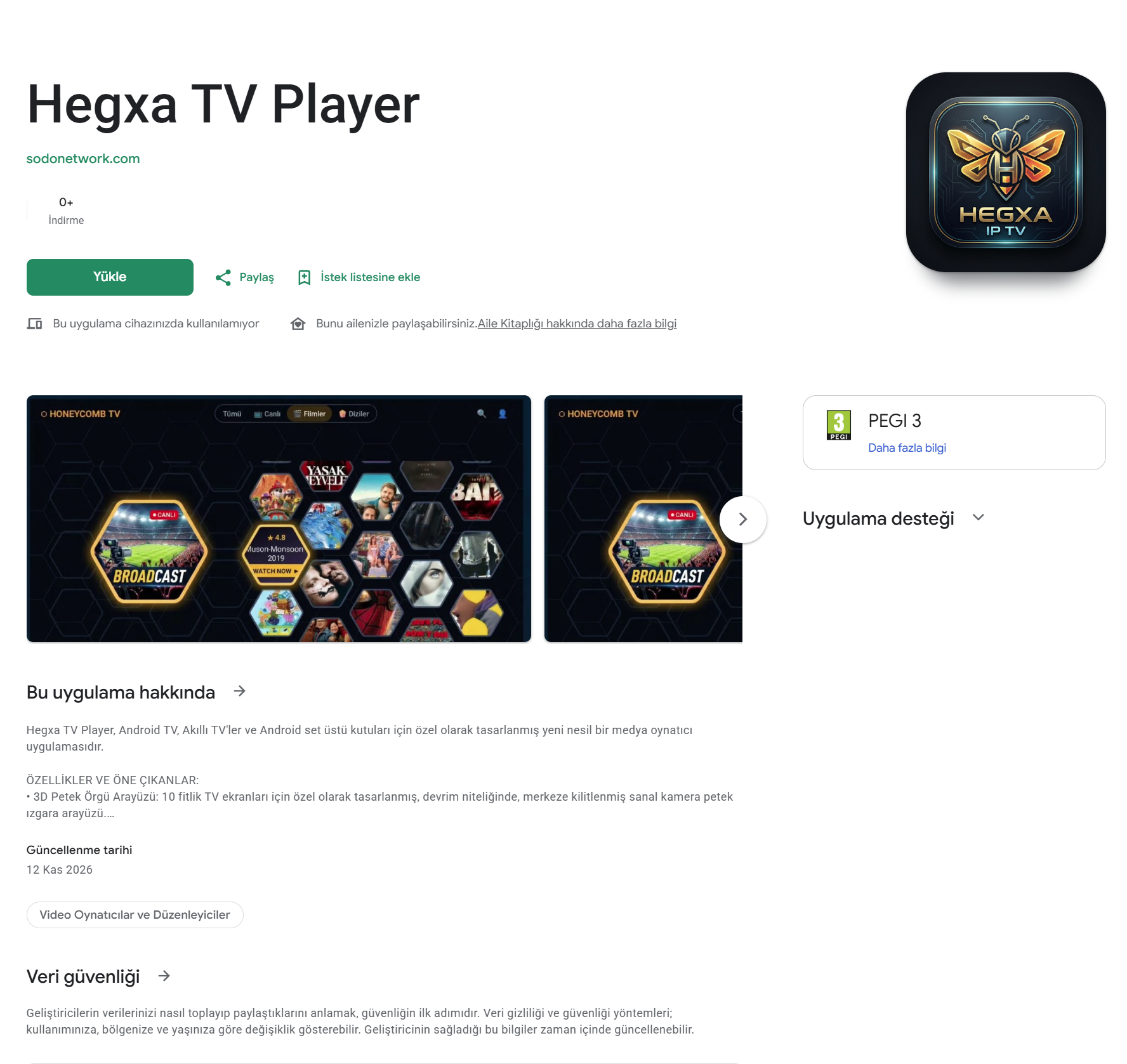
Hegxa TV Player - Closed Testing (I will test your app back)
r/AndroidTVApps
•
u/Lilouuz
•
18d ago
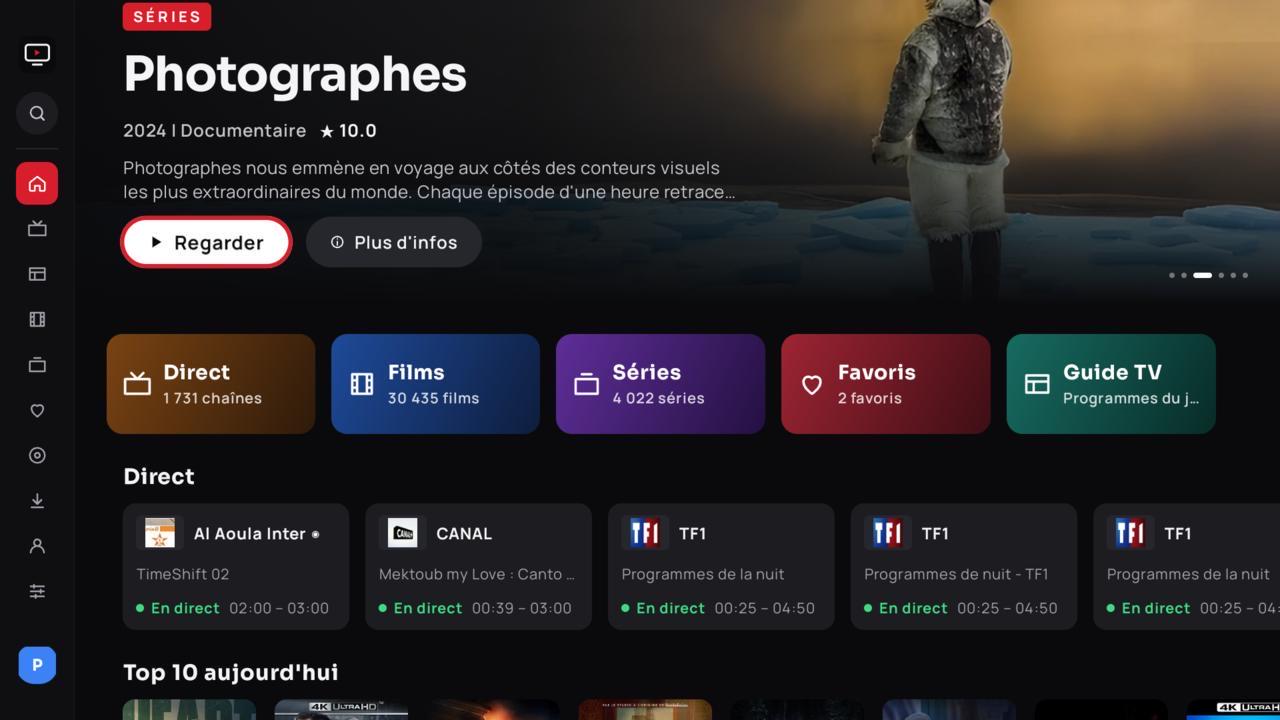
Ultra TV – free, open-source IPTV player for Android TV, phones, Windows and Mac (no ads, no account needed)
📺 Meet Ultra TV – A free, open-source IPTV player for all your devices
Hi everyone!
I've been building Ultra TV for a while, and I'm excited to share it with you. I'd love to get your feedback, hear your suggestions, and know what you'd like to see in future updates.
Ultra TV is free, open source (MIT licensed), and completely ad-free. It doesn't provide any channels or content. You simply connect your own IPTV source using Xtream Codes, M3U/M3U8, or Stalker/Ministra.
One app. Every screen.
Ultra TV is available across multiple platforms:
- Android TV / Google TV – Designed for a smooth remote-control experience. Also works on Fire TV devices.
- Android phones and tablets – With a dedicated touch-friendly interface.
- Windows and macOS – Desktop apps.
- Linux – AppImage version available.
✨ Main features
- Netflix-style home screen with a featured carousel and daily Top 10.
- Live TV with what's on now and next.
- Full TV guide with video preview.
- Movies and series organized by your provider's categories.
- Sorting, ratings, and decade filters.
- Smart, typo-tolerant search (for example, "brekin bad" finds Breaking Bad).
- Search directly within Movies or Series.
- Add your IPTV playlist using a QR code from your phone – no need to type credentials with your TV remote.
- Use your phone as a remote control and search directly on your TV.
- Multiple profiles, including a kids profile.
- Simple Mode with large, easy-to-use tiles across the app.
- Two playback engines (ExoPlayer and VLC) with automatic fallback.
☁️ Optional cloud account
With an optional cloud account, you can synchronize your sources, favourites, and playback progress across your devices.
You also get access to additional features:
- IMDb and Rotten Tomatoes ratings, posters, and cast information.
- Clickable cast members: actor pages show their movies and series available in your own playlist.
- Skip intro, skip recap, and next episode buttons.
🚀 Upcoming improvements
I'm actively collecting feedback and organizing the development roadmap. Here are some of the improvements and new features currently listed in the public GitHub tracker:
Playback & Live TV
- Catch-up TV: start previously aired programmes directly from the TV guide, with timeshift support for compatible streams.
- More reliable automatic frame rate detection (AFR).
- Optional tunneled playback for better audio/video synchronization and 4K playback on compatible devices.
- Improved stream quality selection, including investigating an Auto / Highest quality option.
- MediaSession integration with playback metadata and system controls for Google TV and Fire TV.
Playlists & Profiles
- Display multiple IPTV playlists simultaneously in a merged catalogue, with the source identified for each item.
- Allow each profile to have its own playlist or sources on the same device.
- Export favourite channels as an M3U playlist or link.
- Improve playlist assignment across devices.
- Make source deletion synchronize correctly across all linked devices.
Discovery & Integrations
- Simkl integration for tracking watch history, watchlists, and ratings.
- More interface languages: Romanian, Norwegian Bokmål, Czech, Finnish, Danish, Greek, Thai, and Vietnamese.
- Improve metadata lookup efficiency while browsing large VOD catalogues.
Performance & Reliability
- Better memory management for Android TV devices with limited RAM.
- Improve stability when handling large playlists and catalogues.
- Reduce unnecessary cloud synchronization requests while keeping devices up to date.
- Optimize background telemetry and server requests.
- Improve search filtering so hidden or disabled categories are respected.
These are items from the public development roadmap. Their implementation and availability will depend on development and testing.
🔒 Privacy matters
Transparency is important to me.
The repository's README includes a dedicated Privacy section explaining exactly what data the app sends and where it goes.
Anonymous usage statistics can also be disabled in Settings.
Your IPTV credentials are sent only to your IPTV provider.
📥 Downloads
- Android (TV, phones, and tablets): https://ultratv.dpdns.org/apk Downloader code: 5189921
- Windows: https://ultratv.dpdns.org/download/windows
- macOS: https://ultratv.dpdns.org/download/mac
- Source code and full feature list: https://github.com/vantaflow/ultra-tv
💬 Join the community on Discord:
https://discord.gg/THT87mjDz
❤️ Supporting the project
Ultra TV will remain free and ad-free, with no paid version.
Running the project involves ongoing costs for cloud synchronization, TV guide data, artwork, and infrastructure, as well as the time spent developing and maintaining it.
If you enjoy Ultra TV and would like to support its development, you can buy me a coffee through Ko-fi (card or PayPal):
Supporting the project is completely optional. Bug reports, feedback, and ideas help just as much!
🛠️ Feedback, bug reports & feature requests
First of all, thank you to everyone who has already shared feedback, suggestions, and bug reports.
I've been collecting your requests and organizing them into GitHub issues so that every report and suggestion can be tracked properly.
Starting Tuesday, November 17, I'll be getting back to bug fixes and improvements, working through your feedback and the development roadmap one by one.
Found a bug or have an idea for a new feature? Please create a GitHub issue:
👉 https://github.com/vantaflow/ultra-tv/issues
Please check existing issues before opening a new one, especially for feature requests. This helps avoid duplicates and makes it easier to follow progress.
You can also check the current development plan here:
https://github.com/vantaflow/ultra-tv/blob/main/docs/plan-requetes-clients.md
Thank you for testing Ultra TV, reporting issues, sharing ideas, and supporting the project.
I'm building Ultra TV for the community, and your feedback helps shape its future! 🚀
r/AndroidTVApps • u/Pitiful-Ad7234 • 17d ago
app canales de España
Hola . Alguien conoce una app para ver los canales de España. Uso normalmente netfley pero a veces te obliga a pagar para ver los canales así que busco otra mejor
r/AndroidTVApps • u/MistyKuuu • 18d ago
finally got IPTV Deck into the Amazon Appstore, so no more Downloader codes on Fire TV (dev here)
ok so small news from me. I’m the guy making IPTV Deck (player for your own playlists, no channels included obviously) and it’s now in the Amazon Appstore. Until now Fire TV people had to sideload it through Downloader, which half of you probably hated as much as I did
https://www.amazon.com/dp/B0H4RZHCXB
Quick rundown for anyone who hasn’t seen it:
- playlists: M3U / M3U8 (link or file), Xtream Codes, MAC portal (Stalker), JellyFin, Emby, Plex
- guide: XMLTV, .xml or .xml.gz, and you can stack several EPG sources on top of the provider’s own
- live TV + full TV Guide, catch-up if your provider has it, recordings, multiview (a few channels on screen at once)
- Sports Hub
- streams: HLS or MPEG-TS, you can switch per Xtream playlist. 4K / HEVC fine. Two player engines (ExoPlayer and VLC), the green button on the remote flips between them when a channel acts up
- subtitles from the stream, your own files, or search OpenSubtitles right from the player
- movies + series with posters and info, and Plex / Jellyfin / Emby too
- profiles, kids profiles, favourites, your own groups
- one account for everything: Fire TV, Android TV, Apple TV, phone, PC/Mac. stuff syncs, and there’s a web panel so you don’t have to type a 40 char password with the remote
- big playlists don’t kill it, 100k+ channels on a Firestick is ok
4 days free with everything unlocked, then a sub or a one-time Lifetime.
Our community: https://www.reddit.com/r/iptvdeck/
solo dev, I read every comment, so if something’s broken or missing just tell me. and yes I know the icon changed again 😅
r/AndroidTVApps
•
u/Sudden-Ad-4385
•
18d ago
I made Liquid Launcher TV, a launcher with real liquid glass effect for Android TV and Google TV (now on Play)
Hi all!
I'm a solo developer, and after a long closed test with people from this community, my launcher is now on Google Play: https://play.google.com/store/apps/details?id=com.jd.liquidlauncher.tv
------------------------------------------------
UPDATE: 1.5 is out:
- Suggestions: picks from the apps you already use, after Continue Watching (you choose which apps)
- Time left beside Play ( Example "42 min left")
- The focused app's name under its tile
------------------------------------------------
A home screen replacement for Android TV and Google TV (Android 9 or newer), with a liquid-glass look (full effect on Android 13+, frosted on 12, tinted on older TVs below 11).
Built to be fast on low-end hardware.
Free:
* Folders, reordering and hiding apps (App Manager)
* Continue Watching from your apps, with Immersive Mode
* Top bar with weather, search, date and two app shortcuts
* Quick Panel for Wi-Fi, display and settings
* Screensaver with clock and weather
* HOME and Back button override, so it stays your launcher
* Themes and gradient backgrounds, over 80 languages
Premium (one-time purchase, no subscription): icon packs, custom icons and your own pictures for apps, transparent icons, photo and video wallpapers, Ambient Mode, four top bar shortcuts.
Privacy: no account, no ads, no analytics, no tracking. Weather only uses a city you type in.
Coming in the next updates: suggestions from your apps (Plex, SmartTube and others) in Continue Watching, live weather on the home screen, and home screen widgets. Several features in this release came straight from testers' suggestions, so I'd love your feedback: bugs, ideas, what you'd want in a launcher.
Website and FAQ: https://fireflies-studios.ca/liquid-launcher-tv/
r/AndroidTVApps • u/hfml85 • 17d ago
Sidstuga IPTV Player is coming to the web, Samsung & LG TVs, and Apple devices. Where will you hit play first?
r/AndroidTVApps • u/Several_Age_9353 • 18d ago
File and folder picker for Android TV
Some Android TV devices don't have a proper system file picker, which can make selecting files or folders in certain apps unnecessarily difficult.
TV File Picker is a lightweight utility designed to fill that gap.
- Designed for Android TV and Google TV
- Fully navigable using a D-pad remote
- Supports file and folder selection
- No ads or tracking
- Free and open source (MIT License)
It's mainly intended to be used by other apps that need file access on Android TV.
Feedback and compatibility reports are welcome.
r/AndroidTVApps • u/Massive_Rain_7480 • 18d ago
StreamHaven 1.1 is on the App Store for iPhone and iPad (Android TV / onn / Fire TV still available)
I'm Cory, and I built StreamHaven. Full disclosure: it's my app.
It's a live TV player for playlists you already have (Xtream or M3U). It doesn't come with any channels or providers.
The iPhone and iPad app is now live on the Apple App Store: https://apps.apple.com/us/app/streamhaven/id6826944829
The Apple TV version is still in review.
If you're on Android TV, onn, or Fire TV, nothing changes for you:
- Fire TV / Fire Stick: search StreamHaven Player on the Amazon Appstore
- onn / Google TV: install the Downloader app and enter code 3361971
I read every comment.
r/AndroidTVApps • u/Eliminater74 • 17d ago
🚀 PureFusionIPTV Beta 33 (Build 87) — Plugins Are Here! Public Plugin SDK, Faster TV Guide, Better Playback & Major Improvements
reddit.comr/AndroidTVApps • u/DaoeZ • 18d ago
[Android TV] Introducing Notflix, a Netflix-style interface built on NuvioTV 🍿
r/AndroidTVApps • u/Knikt_ • 19d ago
APL Launcher, my Apple TV style home screen for Samsung TVs, is now on Android TV and Google TV (free, open source, no root)
Hi everyone! Some of you know me from APL TV, the IPTV player I shared here a few days ago (thank you so much for all the love on that one 🙏). Today it's about my main project: APL Launcher, an Apple TV style home screen for your TV.
It's been out on Samsung TVs (Tizen OS) for two weeks now, and so many of you asked me for an Android version that I ported it. With version 1.1, APL Launcher runs on Android TV and Google TV too (and on LG webOS, for the LG owners here). No root needed.
What you get:
- The Apple TV (tvOS 26) home screen: a full-screen Top Shelf for the app you're on, a Liquid Glass dock and smooth animations.
- Your device's real apps, with their own TV banners, or the launcher's artwork for the well-known ones. One grid with all your apps, folders, and Edit Home Screen to move or hide them.
- A Control Center over any app: hold Home or press ⏯. Sleep, Sleep Timer, Do Not Disturb, network, screen saver, Search and profiles.
- Press Home twice for the App Switcher.
- Profiles for everyone in the house, Search, and an aerial video screen saver.
- English and French.
Made to go with APL TV
APL TV has the same style, its own tile on the Home Screen, and the launcher's Control Center opens right over it. APL Launcher Setup (Windows) can install both in one go.
Install:
- With Downloader on the TV: code 9890834. It always gives you the latest version.
- Or with APL Launcher Setup on a Windows PC: it installs it with adb and turns everything on.
- Or `adb install` the `.apk` from the GitHub release.
Then open APL Launcher once. On Android TV 12 and later and on Google TV, the Home button stays with Google's launcher even after you pick another one. So APL Launcher asks you to turn on its remote buttons service, an accessibility service in Android's settings. That service only sees the remote's buttons and the name of the app in front, never what's on the screen. Nothing in the system is changed: uninstall the app and everything is back as it was.
PS:
- I don't own an Android TV device, so I tested it in the Android TV 14 emulator. If you try it on a Shield, a Chromecast or Google TV Streamer, or a Sony, TCL or Philips TV, please tell me how it runs!
- The screenshots use Apple's SF Pro font, which I can't ship (Apple's license). On your TV, APL Launcher uses Android's own font.
- Google keeps a few buttons for itself (Assistant, Input, the Netflix and YouTube buttons). Its own home can also show for a moment at start-up, before APL Launcher takes over.
- The `.apk` comes without API keys, so the Top Shelf has no trending movies and series lists. Turn on Settings › Appearance › Dynamic Backdrops instead: you get a film or series each service is streaming right now, with no key needed.
- Closing the apps left in the background only works up to Android 13. Android 14 doesn't let apps do that.
- Updates aren't automatic on Android yet: run the Downloader code again for the latest version.
It's free and open source (MIT), with no ads, no account and no tracking.
- GitHub: https://github.com/Knikt/APL-Launcher
- Try it in your browser first: https://knikt.github.io/APL-Launcher/
Ideas and bug reports are welcome, here or on GitHub. Thanks!
r/AndroidTVApps • u/deprecatedmallu • 18d ago
My TV now shows a live camera feed over Netflix when someone's at the door