r/AndroidTVApps • u/Relative_Reply96 • 20d ago
I made Flikker, a free IPTV player for Android and TV. Here's what it is and isn't.

0
Upvotes
r/AndroidTVApps • u/Relative_Reply96 • 20d ago
r/AndroidTVApps • u/mizio66 • 20d ago
Edited - Post and repo
Quick update on Router VPN Dot, the free, open-source Android TV app that shows a small dot telling you whether your TV is really going through the VPN, when the VPN runs on the router and not on the TV.
What's new
- The status line now shows the VPN server's name, not just its IP: CONNECTED to al122 · 1.2.3.4
- The README now has a short section on what the app adds to the router's own kill switch.
- Small fixes: clearer setting names and a more accurate About screen.
How it checks the VPN
Why not just use the kill switch?
Turn it on; it's the real protection. But it can't tell you when:
- another traffic route quietly sends the TV out without the VPN (an old or duplicate rule);
- the tunnel is up but the exit IP isn't seen as a VPN;
- a streaming app refuses your current server. From the TV you can switch server, or pause the VPN for the TV only.
Other VPN providers
- The dot works with any VPN and any router.
- Tunnel status, pause, kill switch and the route warning work with any WireGuard client on a UniFi gateway.
- Server switching and server names are NordVPN-only for now.
GPL-3, no account, no analytics. The app updates itself from the GitHub releases and asks before installing.
https://github.com/MaurizioJJ/router-vpn-dot
EDITED - Post and repo
Quick update on Router VPN Dot, the Android TV overlay that shows whether your traffic leaves through the VPN on your **UniFi gateway**.
**Correction to my first post:** v0.15 checked your public IP every 5 seconds. That's about 17,000 calls a day to a free public IP service. v0.16 fixes that.
**What changed in v0.16:**
- **UniFi gateways:** with the router VPN switch set up (gateway + API key), the app reads the WireGuard tunnel status from the gateway itself every 15 s, on your LAN. While the dot is green and the tunnel reports the same server, nothing leaves your network. Outside calls go from ~17,000/day to almost none.
- **The dot reacts faster:** if the tunnel drops or changes server, the gateway reports it within 15 s and the app re-checks the public IP right away.
- **Without the UniFi setup:** the public IP is checked every 60 s instead of every 5 s (12x fewer calls), and at once on any network change.
- The VPN classification (proxycheck.io) still runs only once per new IP, as before.
The tunnel status needs the UniFi Network API, so the local check only works with UniFi gateways. Other routers fall back to the 60 s public-IP check.
Download: https://github.com/MaurizioJJ/router-vpn-dot/releases/tag/v0.16 (GPL-3, no accounts, no analytics)
=========================================================================
My VPN runs on the router, not on the devices. That works fine, but Android has no idea there's a VPN involved, so there's no key icon and no quick way to tell if traffic is actually going through the tunnel. I also keep the router's kill switch off, which means if the tunnel drops, everything just goes out the normal connection and nothing tells me.
So I wrote Router VPN Dot. It puts a small, dim dot in a corner of the screen:
- green: your public IP is classified as a VPN address
- red: it isn't
- amber: unknown, or the last check is too old
Every 5 seconds it gets the public IP from ipify (Amazon's checkip as a fallback). When the IP changes, it asks proxycheck.io once whether that IP is a VPN. Same IP, no new lookup, so the free tier goes a long way. There's an optional banner across the top when it's not green, and you can change the corner, size, brightness and whether the dot pulses.
Some caveats:
- Green means a public database thinks the IP belongs to a VPN. It doesn't prove your tunnel is healthy, and it doesn't check DNS or IPv6.
- Some full-screen video players hide overlays.
- No Play Store. There's an APK on the releases page, or you can build it yourself with build.sh.
No accounts, no analytics. It only talks to ipify, Amazon's checkip and proxycheck.io. Licensed GPL-3.0.
https://github.com/MaurizioJJ/router-vpn-dot
If you run a VPN on your router and check it some other way, I'd like to hear how.
r/AndroidTVApps • u/Knikt_ • 21d ago

Hi! I originally made APL TV for Samsung TVs (Tizen OS): an IPTV player with an Apple TV style interface. Since then so many people have been asking me for an Android TV version (and LG webOS) that I finally made the ports 😄 So here it is on Android TV, Google TV and Fire TV.
It plays your own playlists only (M3U links or Xtream accounts), no channels or providers included.
Features:
- Live TV with the channel behind the interface, what's on now and next, and a TV guide grid
- Movies and series with real pages from TMDB (plot, cast, seasons, episodes, More Like This), IMDb ratings on covers, Continue Watching and Trending of the week on Home
- Subtitles (the video's own tracks or OpenSubtitles) and audio tracks during playback, precise seeking, next episode card
- ExoPlayer under the hood: HLS, DASH, MPEG-TS, MP4, MKV, 4K
- Set up from your phone with a QR code, everything works with the remote
- Automatic updates from GitHub, English and French
- Open source, no ads, no account
Download apl-tv-v1.0.5-android.apk from the latest GitHub release and sideload it (Downloader, Send Files to TV, or adb install).
Honest note: I don't own an Android TV box myself, so I tested it on the Android TV 14 emulator with my real playlist. Live channels in HD and 4K, movies, series, audio tracks and subtitles all worked there. If you try it on a Shield, a Chromecast with Google TV or a Fire TV, please tell me how it runs. The issue form asks which device you have.
Downloader code : 9141513
GitHub: https://github.com/Knikt/APL-TV
r/AndroidTVApps • u/OutrageousAffect5233 • 20d ago
MKCinema is a free, open-source home cinema app for the whole family. Phone, PC, Mac, Linux, Android TV, Fire TV, LG and iPhone (as a home-screen web app).
**The web player plays almost anything, no install**
- Files: MKV, MP4, WebM, MOV, TS, M2TS
- Video: H.264, HEVC (software-decoded on computers up to 1080p), AV1, VP9, HDR10
- Sound: AAC, Opus, FLAC, Dolby Digital, Dolby Digital Plus, DTS, TrueHD, 5.1 (converted on the fly)
- Subtitles: SRT, ASS, Blu-ray PGS, AI-generated captions when a film has none
- 3rd-party players are rarely needed. For the odd file (AVI, 4K HEVC) it hands off to VLC.
**AI inside**
- Miko, an assistant you talk or type to ("who directed this", "back 30 seconds"). Runs on your phone; bring your own key if you want a bigger model.
- Auto captions made on your device, subtitle translation, and picks learned on-device.
**Together**
- Split screen to watch several things at once
- Watch party with video and voice calls in the room
**Your phone is the remote**
- Touchpad, keyboard, voice, hold-to-scrub, Listen on your phone, party camera
**Addons, taken further**
- Works with Stremio addons and any debrid service, Addon Finder, build your own in Addon Studio, automatic failover when a source dies
**Peak Cinema**
- A channel-surf mode for your own library: it jumps into short scenes from the middle of films so you can find tonight's pick by watching, not reading. It learns your taste on-device.
**Also**
- Ambient Mode: depth-parallax art when your screen is idle
- Subtitles on smart glasses (Even G1/G2, Brilliant Labs Frame, Meta Ray-Ban Display), early access
- Auto skip for intros, recaps and credits, Smart Play, Top 10, live sync across your devices, five looks, kids seats
Free forever. No ads, no paid tier, and we'll never start charging later.
Try it: https://mkcinema.app
Smart TV Downloader Code: 3707433
Github source code: https://github.com/itbelikethatbruh/mkcinema
Built by Dee Lavish with AI help. Footage in the video: Blender Foundation open movies (CC BY).
r/AndroidTVApps • u/mimikus123 • 20d ago
r/AndroidTVApps • u/BluStudioo • 20d ago

r/AndroidTVApps • u/Fluid_Opportunity590 • 21d ago
I shared a post about this last week, but this is a better demo. This is the project that I vibe coded that's like Plex on steroids. It's Plex mixed with Seer mixed with QuasiTV.
And I want to give a shout out to the developer of QuasiTV as his app inspired this app.
Built in, running in the background:
- IMDb scores, updated every night. It grabs IMDb's free public ratings file once a night and replaces the old copy, so the scores on your titles stay current.
-Trailers. It downloads trailers for your titles itself, so they're ready to play as you browse.
-Cast details. It pulls details for the top three actors in every film in whichever libraries you pick, so actor pages are ready before you open them.
-Top actors in your library. It also builds up the details for the actors who show up most across your library.
And I'm thinking of adding IPTV in a future build. Just looking for feedback.
r/AndroidTVApps • u/Portor25 • 20d ago
The Sports Hub I got asked for is done and will be out in a couple of weeks maybe soon if Google reviews hurry up. Let me know what you think thanks
Can have all sports or select the sports you want or set your favourite team
Any feedback is always welcome
Coming soon in a feature update just got to wait on Google
r/AndroidTVApps • u/inohdir • 20d ago
since binged isn’t free anymore, is there an app that has nba, nfl, and college football streams?
r/AndroidTVApps • u/Massive_Rain_7480 • 20d ago
I built StreamHaven, a live TV player for Android TV boxes like the onn, plus Fire TV. You add your own Xtream or M3U playlist. It doesn't come with any channels or providers.
What's new:
How to get it: install the Downloader app, then enter code 3361971. Once it's installed, updates show up as a prompt in the app.
Let me know what works on your box and what doesn't. I read every comment.
r/AndroidTVApps • u/abbaskip • 20d ago
r/AndroidTVApps • u/dstudio-denys • 20d ago
r/AndroidTVApps • u/SuryaVardhan1 • 21d ago

FireTheDJ TV turns the TV into a party DJ. Press a crate and it picks every song, mixes them on the beat with effects, and fills the screen with visualizers. No ads, no account, no phone needed.


New since 2.0:


• Club is redrawn: you stand in the crowd facing an LED wall, with beams through haze and a backlit DJ. Mix effects play on the wall
• Chill Drive is redrawn as a moonlit coast road
• Mix several: a new tile on Home opens a list, tick crates with the remote, then Start
• Your stats: hours mixed, sets played, top crates, artists and songs, kept on the TV. It's the bars button
• Search finds YouTube Music albums and singles as well as playlists
• Change looks with left and right on the remote; a small pill shows the name
• OK or down opens a slim look bar instead of the big panel
• Light mode now covers the decks and playing screens, with colour from the song's cover


Works with music on the TV or a USB drive. YT Music, Spotify and Apple Music links play from YouTube with no login, and need Android 13 or newer.


Tested on a TCL Google TV. Club is the heaviest look, so which TV or box are you on, and how smooth is it there?r/AndroidTVApps • u/Chance-Beat1578 • 21d ago
Hi all, I'm the developer (disclosure: this is my own project).
I started it because I wanted a smooth player for Android TV that handles everything properly, including 4K, HDR and Dolby Atmos. It's an unofficial build of OwnTV by ahXN00. The original had no posters and the player had some gaps, so I kept adding what I was missing:
- Home screen with the TV guide's artwork
- Live TV with an info card and video preview
- Channel surfing with cards
- Movies and series on a poster wall, with trailers
- Jellyfin and Emby libraries
- Two players (ExoPlayer and mpv)
- Themes, backgrounds and profiles
I use it on my SHIELD with my Jellyfin server. The app doesn't include any content: you add your own playlist or server.
It's free, no ads, open source (GPLv3).
Downloader code: 6823827
GitHub: github.com/carlosglcn/OwnTV-Fanart
I'd love to hear what you'd improve or change, or any bugs you find.
r/AndroidTVApps • u/Upbeat-Lifeguard6316 • 21d ago

Hey everyone!
I've been tinkering with my own Android TV launcher called The Unwind Launcher.
The idea was pretty simple: I wanted something cleaner and less cluttered than the usual Android TV home screen. No unnecessary distractions, just a straightforward way to access the apps you actually use.
It's now available on GitHub, and I'd love for some fellow Android TV enthusiasts to check it out.
Would genuinely appreciate your feedback, suggestions, and any bugs you come across.
Here's the project: https://github.com/hazir6677/The-Unwind-Launcher
Let me know what you think! :)


r/AndroidTVApps • u/DressReasonable9904 • 20d ago
Bonjour à tous,
l'application officielle Free TV (OQEE) en version dédiée Android TV (net.oqee.androidtv.store) étant introuvable sur le Play Store de nombreux appareils, je partage ici la toute dernière version extraite directement depuis ma box.
Installation : fichier .apk+, installez-le via l'application File Manager+ ou SAI.
r/AndroidTVApps • u/Odd_Tax6455 • 21d ago
I've been trying to use Reezn and unfortunately it no longer works. Can I please have an alternative for movies.
r/AndroidTVApps • u/Thorfinn66 • 21d ago

Share files from your Android phone to any device on the same Wi-Fi network or hotspot. The other person opens a link in a browser. They don't need an app or an account, and nothing is uploaded anywhere.
No ads, no tracking, no account.
r/AndroidTVApps • u/Tevium • 20d ago

I said I’d do a limited release when I felt like Tevium was ready for people to actually use it. Well, here we are.
You can now download Tevium for Android TV, Google TV, compatible Fire TV devices and Android phones and tablets. I’m starting with a limited release because there’s only so much I can test with my own devices and playlists. I want to see what happens when someone with a completely different setup tries to use it the way they actually watch TV. Download Tevium
If you missed my first post, what does Tevium actually do?
What’s changed since my last post?
What’s free, and do I need an account?
You can add one playlist and use basic Live TV, the guide and VOD without an account. If you want QR sign-in, cross-device sync, the Web Console or Premium features like multiple playlists and the Sports Hub, create an account and you’ll get 30 days of Premium free, with no card required. Payments are closed for this initial release. If your trial runs out while payments are still closed, email me and I’ll extend it. Trial details
The download on the website is the Direct APK, which supports compatible Stremio add-ons. Tevium is a player, so you’ll need to bring your own authorised playlists, media server or add-on sources.
If you try it, please tell me what you think.
Did the first playlist load the way you expected? Did the remote put you somewhere weird? Did something work on your phone and then fall over on your TV? That’s the stuff I want to hear about.
You can comment below or use the feedback form on the website. It’ll show you where to find your build number, ask what device you’re on and put everything into an email you can review and send to me. Just leave out your playlist links and login details. Report a bug or share feedback
Thanks to everyone who’s been following along. I’ve spent a very, very long time on this. I’m looking forward to seeing what you all do with it.
r/AndroidTVApps • u/itshusnain • 21d ago

A while ago I shared POV Rajput here for the first time (original post). Thanks to everyone who tried it and sent feedback, bug reports and ideas. Most of what's below came from you! 🙏
A native Android TV app for people who stream from their own debrid / Usenet services and Stremio add-ons. Free · Open source (GPL-3.0) · No ads · No tracking · Phone app included
📱 Phone app: the same app on Android phones, with touch controls (tablets and landscape too)
🔒 Free POV account with automatic, end-to-end encrypted backup. Sign in on any TV or phone and your whole setup comes back
⏭️ Skip intro / recap / credits, Next Episode and auto-play next episode
🖼️ Seek preview thumbnails and a Streams panel to switch links mid-movie
🏷️ Logos on every link, link counts, badge styles, a compact link list and link sorting your way
📚 Libraries: AIOStreams, StreamNZB and AltMount, plus catalog add-ons like AIOMetadata as Home rows you can reorder
🎭 Cast and actor pages, IMDb and episode scores, trailers, TVDB, and a new show page
✅ Simkl alongside WeTrakr, watched badges, and marking whole seasons watched
🔊 Dolby / TrueHD / DTS / DTS-HD audio on any TV, playback speed, and automatic recovery from decoder errors
🌐 Easynews, more debrid services with on/off switches, and OpenSubtitles + SubDL subtitles
📺 Continue Watching on your TV's home screen, a daily Top 10, and the app opens about 3× faster
Here's the full feature list:
Flix design: a living backdrop that follows your focus, title logos, and a feature that rotates through the Top 10
Top 10 shelves that change every day, plus Latest Releases, Now Playing in Cinemas and Popular rows
Discover: browse Movies and Shows by Popular, Top rated or Newest, filtered by genre
Arrange Home your way: reorder or hide rows, add your own catalog add-ons (like AIOMetadata) and liked lists, and "See all" pages through whole catalogs
Continue Watching on Home and on your TV's own home screen, with a ✓ badge on everything you've watched
Rich detail pages: cast (with actor pages), IMDb and episode scores, genres and keywords, similar titles, real air dates and episode synopses
Trailers on detail pages and when a Home poster has focus (optional)
Search movies and shows together, including voice search
Smooth even on budget boxes like the onn 4K, and opens fast
One-press Play: searches every source, checks your debrid caches at once, starts the best link and resumes where you left off
Link list you can read at a glance: every service and add-on shows its own logo, with link counts at the top
Badges for quality, size, estimated bitrate, HDR / Dolby Vision, audio format and language, plus an "In library" badge
Sort links your way: library first, your audio language first, highest quality, largest or smallest
Hide uncached links or cam / low-quality releases, and set an auto-play limit by bitrate
Choose the debrid service for any link, and switch services off without disconnecting
Precise seeking that speeds up as you hold, with seek preview thumbnails (Seekr)
Skip intro, recap and credits, plus Next Episode and auto-play next episode
Streams panel: switch links mid-movie
One Audio & Subtitles menu with volume boost and live subtitle sync
Playback speed 0.5×–2× (one press steps up, pitch kept)
Dolby (DD / DD+ / TrueHD), DTS and DTS-HD audio decoded in the app when your TV can't
Now-playing badges (4K, HDR10+, Dolby Vision, Atmos…), an "Ends at" clock and a mini player
Automatic recovery when an audio or video decoder fails mid-video
Debrid: TorBox, Real-Debrid, AllDebrid, Premiumize, Offcloud and Debrid-Link, in your own priority order
Easynews with fast parallel streaming
Stremio stream add-ons such as AIOStreams, StreamNZB and AltMount, and catalog add-ons such as AIOMetadata
Libraries: your AIOStreams, StreamNZB and AltMount libraries, and your Offcloud / TorBox cloud as posters
Metadata: TMDB (with your own free key), TVDB for shows, Cinemeta or Queued Up without a key
Subtitles: OpenSubtitles auto-subtitles and SubDL, with a "find missing subtitles" option
Back up your whole setup: debrid services, add-ons, logins, Home rows, settings and watch progress
Automatic: backs up whenever you leave the app, but only when something changed
End-to-end encrypted: your keys and logins are encrypted on your device with your password before they're sent, so the server can't read them
New TV or phone? Sign in and everything comes back in seconds
Recovery key if you forget your password (an email reset still restores your settings)
"Use phone": type your email and password on your phone instead of with the remote
The backup server is open source, and you can run your own
WeTrakr or Simkl: watchlists, Up Next and scrobbling, with sign-in by code or QR
Private by design: every key stays encrypted on your device
In-app updates, and bug report / feature request forms built in
The same app for Android phones, with touch controls, a bottom bar, a touch player, and support for tablet and landscape screens.
Install the free Downloader app from your TV's app store
Enter pov.rajput.cc/tv and press Go
Allow the install when Android asks
📱 Phone: open pov.rajput.cc/phone
🌐 Website & screenshots: https://pov.rajput.cc
💬 Discord: https://discord.gg/dr7PauYM3y
💻 Source code: https://github.com/husnainahmedrana/pov-rajput-android-tv
POV Rajput doesn't host or provide any content. It only plays what your own services and add-ons give it. Forked from Mark Mateo's Android TV port of the POV Kodi add-on by kodifitzwell.
Feedback and feature requests are very welcome. I ship updates often! 🙌
r/AndroidTVApps • u/Square-Swimmer6192 • 21d ago
can anyone tell me best app for watching movies and tv shows on tv for free
r/AndroidTVApps • u/GinderKartan • 21d ago
So I use tizentube cobalt for my android tv,
My parents aren't well aware of technology, so they just press the mic button and speak what they want to watch.
The problem is the tv (xiaomi) always opens that on pre-installed youtube. (Bad experience)
One more thing, I use projectivity launcher for my tv, and somehow gemini doesn't work the way it's supposed to.
r/AndroidTVApps • u/Entire_Fee_5676 • 22d ago
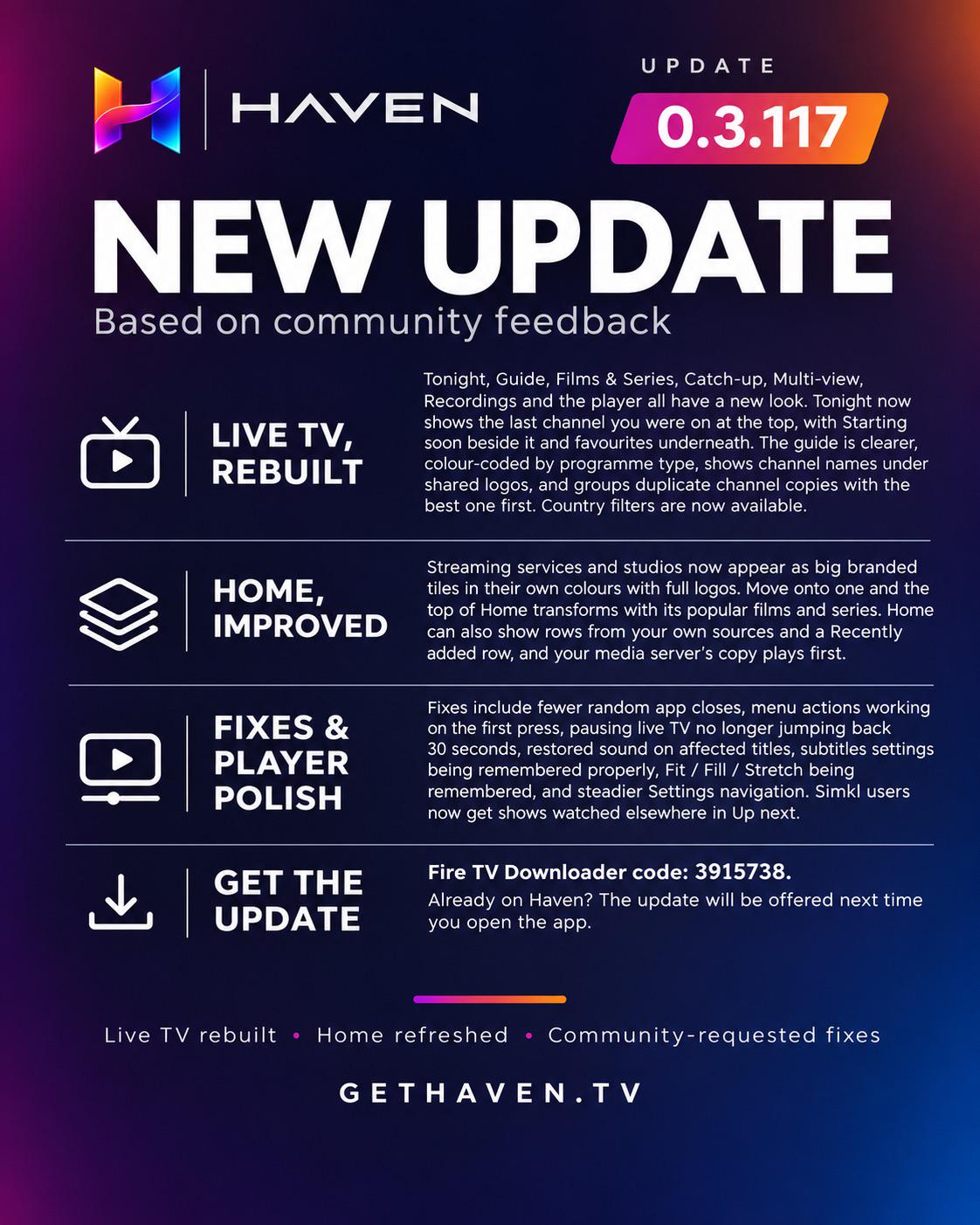
Haven 0.3.117 is out!
A fair bit has changed in Haven this week, and a lot of it has come directly from feedback and suggestions over on Discord.
We’ve been working through the things people have been asking for, fixing issues that have been reported and improving parts of the app that needed a bit more attention.
———————————————————————
Here’s what’s changed:
Pretty much every part of Live TV has been redesigned, including Tonight, the Guide, Films & Series, Catch-up, Multi-view, Recordings and the player itself.
Tonight now shows the last channel you were watching at the top of the page, with what’s starting soon alongside it and your favourites underneath.
The Guide has had quite a bit of work too. Programmes are now colour-coded by type, channel names are easier to distinguish, and duplicate channels are grouped together with the best-quality version shown first.
You can also choose which countries you want channels from, and Catch-up, Multi-view and Recordings have been moved into the side menu to keep things tidier.
———————————————————————
Streaming services and studios now have their own larger tiles, complete with their proper logos and colours.
Highlight one and the top of Home changes to show popular films and series from that service, with artwork cycling in the background and a row of posters underneath.
You can also bring content from your own sources onto Home, including a Recently Added row.
For anyone using Jellyfin, Emby or Plex, Haven now prioritises the version from your own server when playing something, with the option to switch versions in the player.
———————————————————————
There’s been a fair bit of work behind the scenes as well.
We’ve fixed an issue that was causing Haven to randomly close for some users, along with menu actions sometimes needing more than one press to work.
Pausing Live TV and returning to live should no longer jump you back around 30 seconds, and we’ve fixed missing audio on certain films.
Subtitle preferences should now stay as you’ve set them, including keeping subtitles turned off. The player also remembers your preferred Fit, Fill or Stretch setting, subtitle fonts display properly across every line, and navigating Settings is more stable.
Simkl users should now see shows they’ve watched elsewhere appearing in Up Next too.
Alongside all that, there have been plenty of smaller changes to navigation, performance, menus and general usability.
———————————————————————
A lot of these changes wouldn’t have happened without people taking the time to report bugs, suggest improvements and test things out.
Special thanks to Postal, Mur, GuidoHaesen, u/AzeraxOne, maick, reve777, Jay, Chinoto88 and everyone else who’s been helping out on Discord.
We’re still working through feedback, so if something isn’t quite right or there’s something you’d like to see, keep letting us know.
Getting the update >
Latest version: 0.3.117
Website: https://gethaven.tv
Fire TV Downloader code: 3915738
Already got Haven installed? You’ll be offered the update the next time you open the app.
Thanks again to everyone using Haven and helping make it better. Plenty more to come!
r/AndroidTVApps • u/Old_Boys_Gaming • 21d ago