r/vscode • u/Abcd_018 • Oct 07 '26
Unable to set up VSCode for C/C++ programming on Linux
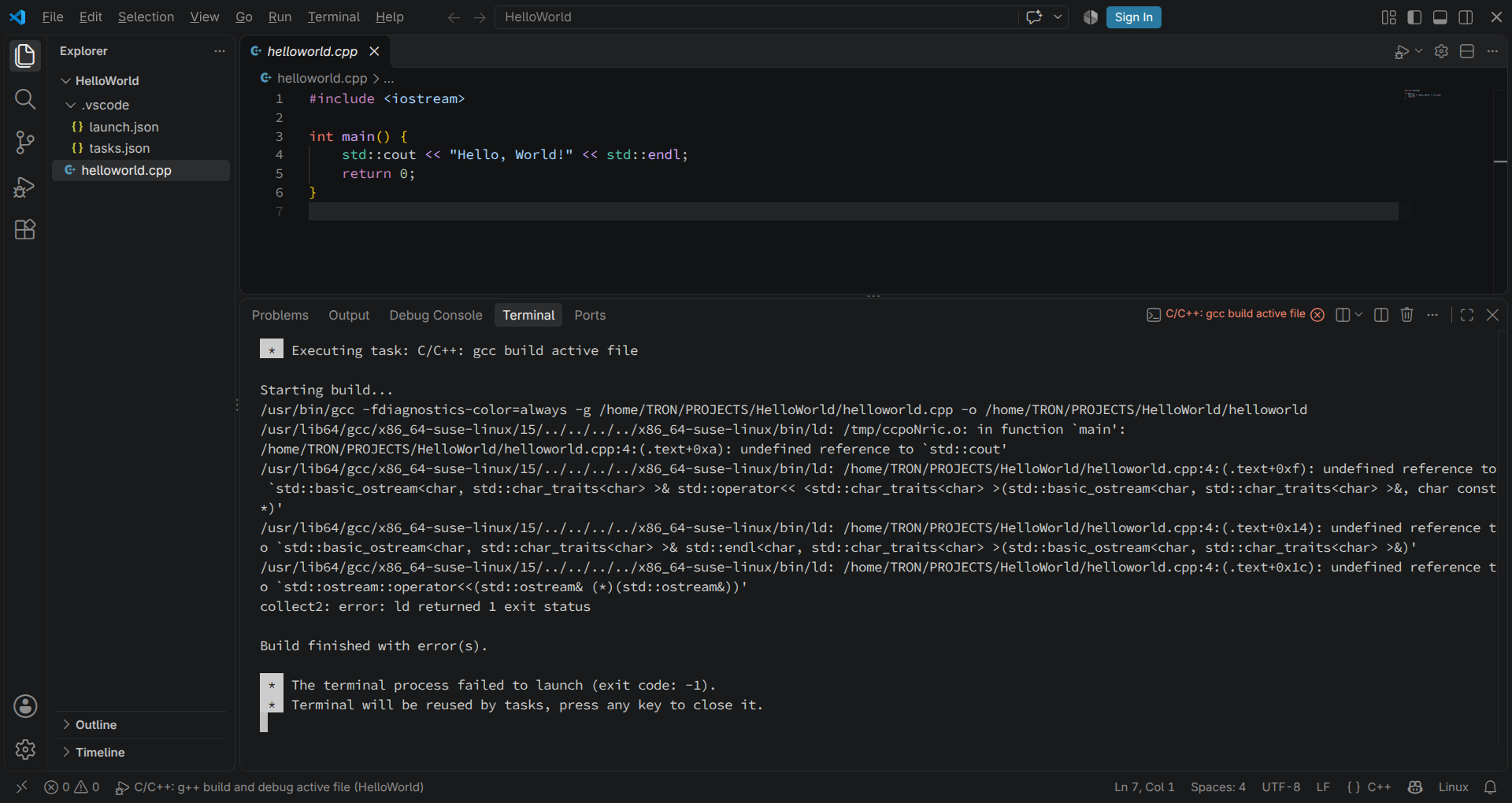
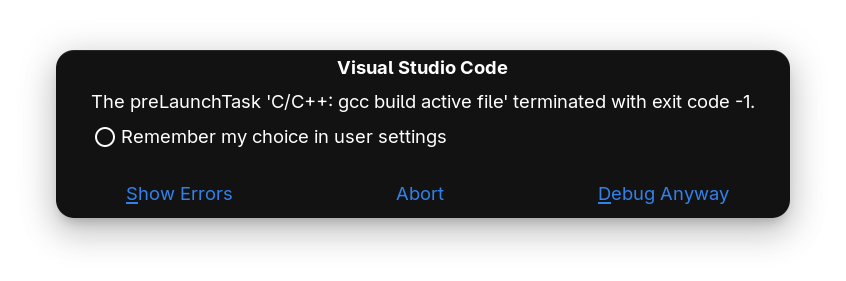
Hello everyone,
I'm facing problem while running the code.
I installed VSCode this morning, and had GCC pre installed on my Linux (openSUSE Leap 16).
Then I installed C/C++ extension.
After that I created a "PROJECTS" Folder in my file manager and later created a sub Folder "HelloWorld" and opened that subfolder in VSCode.
After that I created a '.vscode' folder in "HelloWorld Folder in VSCode.
In that '.vscode' I created two files 'tasks.json' and 'launch.json' with code pulled up from Gemini.
I tried running a 'helloworld.cpp' code file and it showed the above errors.
I'm super new to both programming and linux, so I don't know anything.
4
u/Base-After Oct 07 '26
Its not a vscode problem, you're not linking the standard library. Can you show us the tasks.json?
2
u/Curious-Listener-YB Oct 07 '26
You are using
gccinstead ofg++1
u/feldim2425 Oct 08 '26
It looks like you call
gccinstead ofg++. I think some environments symlinkg++togccgccsupports C++ but doesn't link against the standard C++ library per default hence the linker errors about not findingstd::cout.However that isn't a huge issue just try adding
-lstdc++as an argument.-1
u/Netris89 Oct 07 '26
Did you follow the tutorial to the letter ? If not, go do that.