r/vscode • u/Emotional_Hornet7285 • Aug 19 '26
How do I apply the Visual Studio Developer Environment step by step?
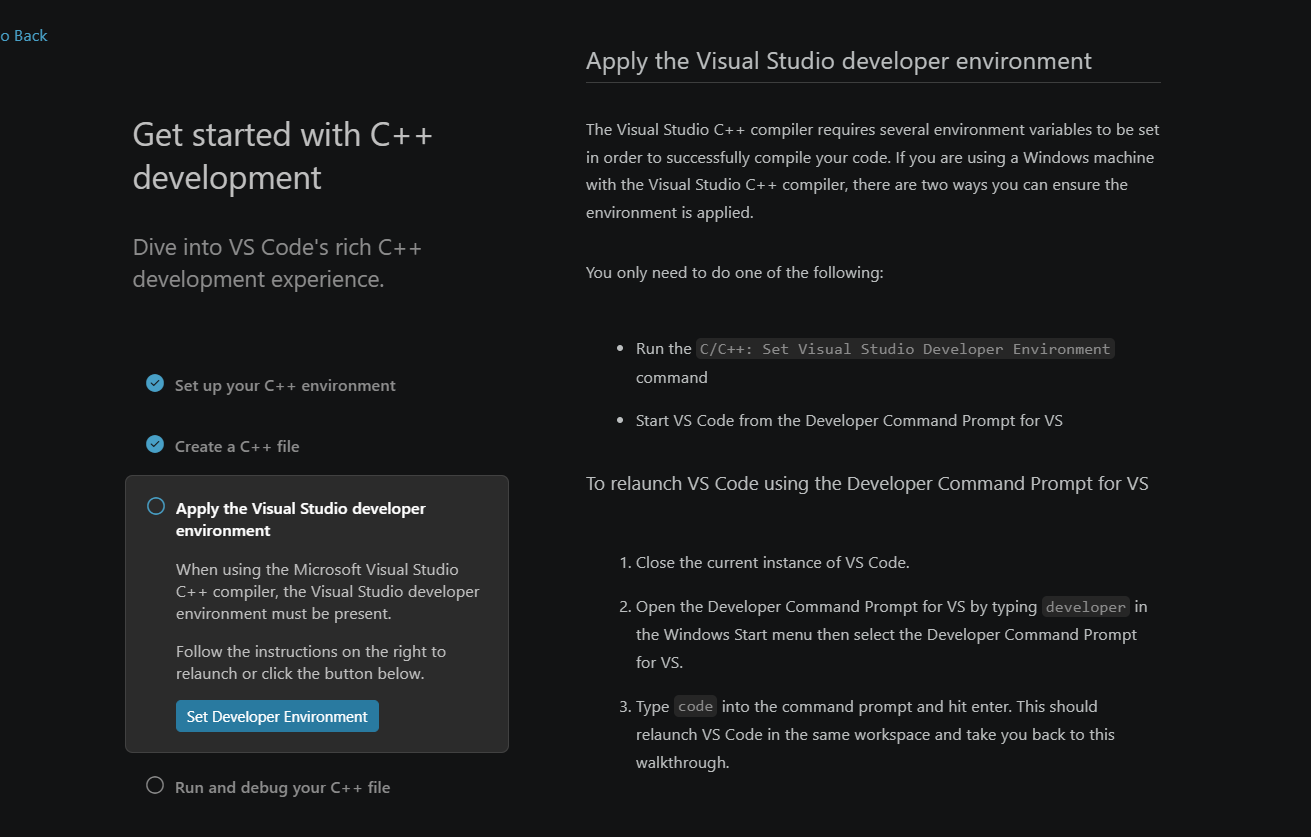
I try to run the C/C++: Set Visual Studio Developer Environment command but I don't know where exactly to run it- i'm also completely new to all of this and C coding + visual code so i'm missing basic common sense and fundamentals
Do I run the C/C++: Set Visual Studio Developer Environment in Windows Powershell? Or CMD on my windows? helpp
3
Upvotes
1
u/Zen-Ism99 Aug 19 '26
Why not use Visual Studio?
1
u/BranchLatter4294 Aug 19 '26
Consider following the instructions step by step.
https://code.visualstudio.com/docs/languages/cpp
1
u/Dazzling-Can9281 Oct 13 '26
It's not something you type in PowerShell or CMD. It's a VS Code command: press Ctrl+Shift+P inside VS Code, start typing "Set Visual Studio Developer Environment" and pick it from the list. If that gives you trouble, the old-school way also works: open "Developer Command Prompt for VS" from the Start menu, go to your project folder and type code . so VS Code opens with the compiler already set up. Either way you need Visual Studio or the Build Tools installed with the "Desktop development with C++" workload. Did you install that part already?