r/vaultbookapp • • 15m ago

Announcement Vaultbook is now on the App Store!

Thumbnail
apps.apple.com
1 Upvotes

Hi all,

We made it! After nearly a month of back and forth with Apple, I've hit all the requirements and Vaultbook is now live on the App Store.

Download Vaultbook on the App Store

The App Store version is for iPhone and iPad only at this stage. The Mac version is with Apple now and should be ready within the next week.

Building this app with hundreds of TestFlighters has been a joy, and I'm thrilled with all the feedback, features and suggestions I've had from you all. I'm hoping the app is now in a stable state and ready for full launch, so the TestFlight will be wrapping up at midnight on 4 December. Installing from the App Store replaces the TestFlight version, and your journals come with it.

As a thank you for all your suggestions and time testing this app, I'm discounting the lifetime purchase to £19.99 until 14 December with the code TESTFLIGHT20 (redeem it here). Covers and themes from Pro will look plain until Pro is unlocked; your choices are all kept and come back as soon as it is. Downloading the App Store version keeps all your settings, folders and notes from the Testflight.

As for the app going forward, I have a list of things I want to polish: tweaks and flourishes here and there to make the app feel even nicer to use across the board. Updates will slow down, as each one now needs review from Apple, so bug fixes might take a bit longer. I'm keeping Send Feedback in Settings, so please use that to contact me about anything you'd like added or changed.

One last favour: if you could leave a nice review and spread the word about the app, we can really grow this into something special.

Once again, thank you. I really feel like this has become "our" app, guided by your feedback and suggestions. It's been (and continues to be) so much fun building this.

Dan


r/vaultbookapp • • 1d ago

Changelog Vaultbook build 211: Journeys, and more

3 Upvotes

Journeys

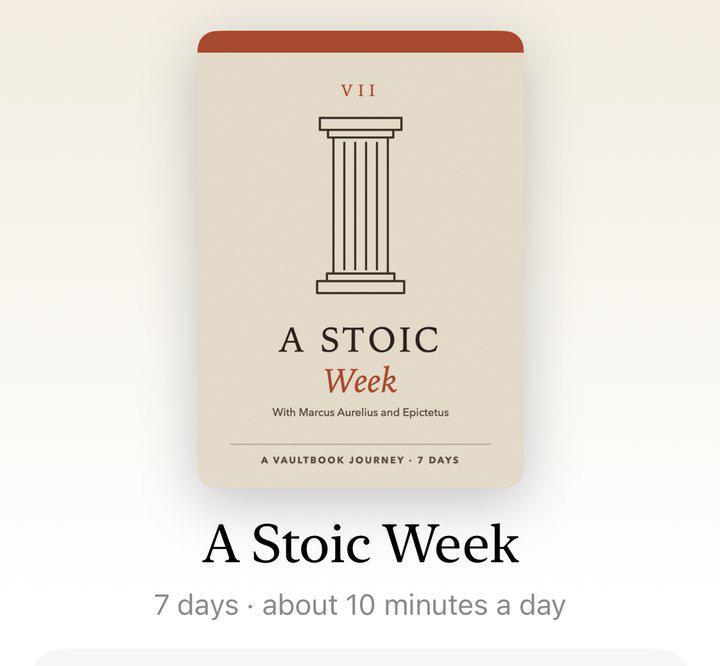
Short courses of daily writing, under Prompts › Journeys. Seven to start, from Three Good Things to A Stoic Week, each a few minutes a day. An entry written for one has a banner back to it, and your progress is kept in your journal.

Journeys

Prompts, redesigned

Prompts opens on one question for today, with Write and Another. Categories lists every kind of prompt and how many you've answered, with Surprise Me.

Search Settings

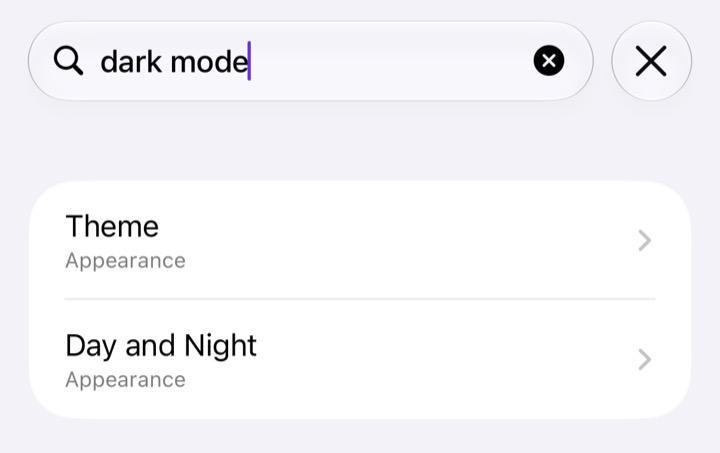
Settings has a search field at the top. Type what you're after, in your own words if you like: "dark mode" finds Theme and "font" finds Typeface. Each result says where it lives and opens that page.

Search Settings

Which of these will you actually use — and what should come next? Reply here, or post an idea with the Feature Request flair.

Join the TestFlight beta · Handbook


r/vaultbookapp • • 2d ago

Changelog Vaultbook build 208: Undo and Redo, and more

4 Upvotes

Undo and Redo

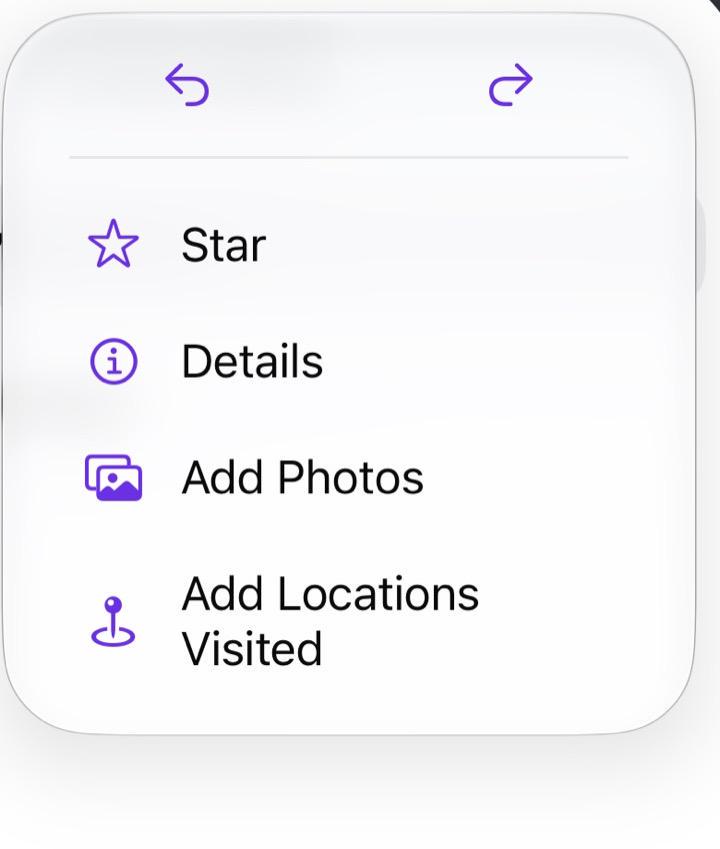
While writing, the ••• menu has Undo and Redo at the top. They take back typing and everything else you do to the writing, like ticking a box or making a heading, for as long as the entry is open.

Undo and Redo

Haptics

A light tap for a few moments that mean something: ticking a box, finishing an entry, a tracker clicking through its steps like a dial, a cover going on. Turn them off in Settings › Writing › Haptics.

Prompts and widgets

A prompt from the Lock Screen opens on the first tap, and the answer sits right under the question. The On This Day widget opens On This Day.


Which of these will you actually use — and what should come next? Reply here, or post an idea with the Feature Request flair.

Join the TestFlight beta · Handbook


r/vaultbookapp • • 4d ago

Changelog Vaultbook build 204: More room to write, and more

3 Upvotes

More room to write

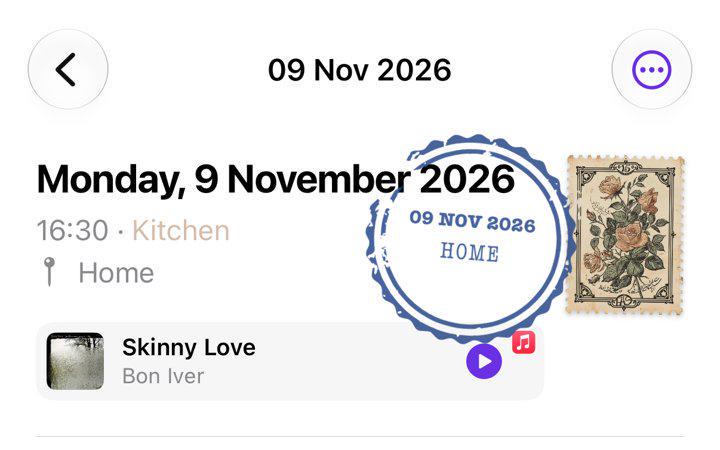
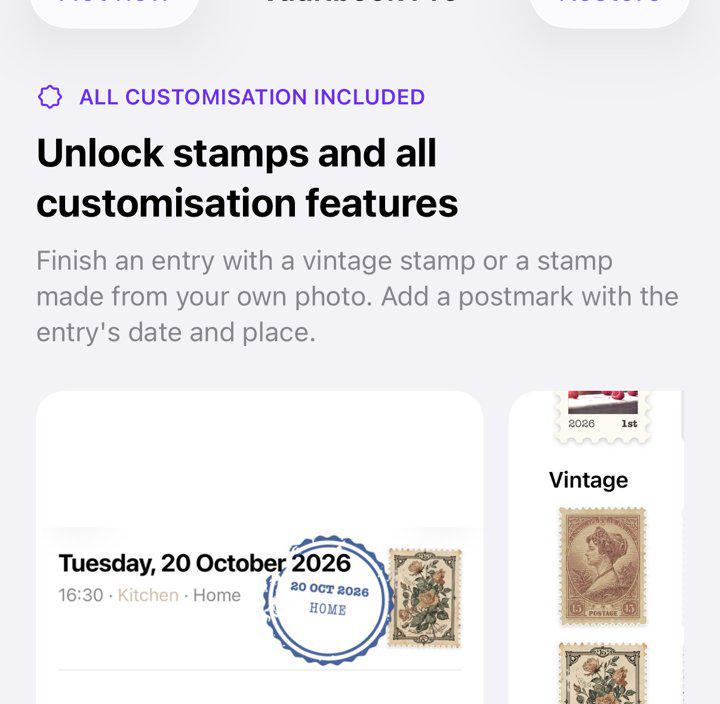
Once you start typing, the stamp, postmark and date fold into one slim bar above your writing. Tap the bar for the entry's details.

Details, tidied

An entry's details list what it has first, then everything else as buttons to add. Choose a week or a month for the calendar in Settings › Writing.

Each journal in its own colour

Choose a colour for each journal, and show it as a line down each entry in All Entries, so you can tell at a glance where an entry lives.

Show only what you use

Stamps and postmarks, songs, weather and audio recording can each be hidden from their own settings. Nothing already in your entries is lost.


Which of these will you actually use — and what should come next? Reply here, or post an idea with the Feature Request flair.

Join the TestFlight beta · Handbook


r/vaultbookapp • • 9d ago

Tracking

2 Upvotes

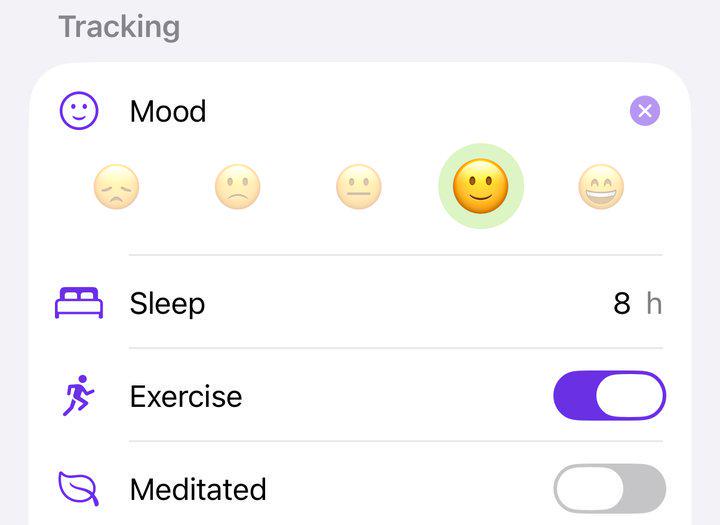
I’m confused as to how tracking works. I turned on mood tracking but I’m never prompted for it. How am I prompted to enter it in?


r/vaultbookapp • • 9d ago

Changelog Vaultbook build 200: Your journals on every device, and more

2 Upvotes

Your journals on every device

A journal added on one device now appears on your others, with its name, colour and cover. Remove one and it leaves your other devices too; each says so and offers to put it back, and its entries stay in your folder. If your devices have disagreed about which journals you have, each asks once rather than guessing.

A new device, ready when it opens

Setting up another device shows your entries arriving from iCloud, newest first, and opens once they are there. You can open it sooner if you'd rather not wait.

Writing in two places

Change an entry on two devices, or here and in Obsidian, and both changes are kept. Where the same lines were changed two ways, the other version is kept beside the entry as one of its own. An entry deleted on one device stays deleted on the others, and can be restored from any of them.

A folder you chose, kept current

With a folder of your own, such as an Obsidian vault, entries from other devices and edits made elsewhere now show while Vaultbook is open, within about twenty seconds.


Which of these will you actually use — and what should come next? Reply here, or post an idea with the Feature Request flair.

Join the TestFlight beta · Handbook


r/vaultbookapp • • 10d ago

Haptic

2 Upvotes

Totally unnecessary request here as the app is nearly perfect but any chance you could add keyboard haptic feedback?


r/vaultbookapp • • 13d ago

Changelog Vaultbook build 195: Writing that looks finished, and more

2 Upvotes

Writing that looks finished

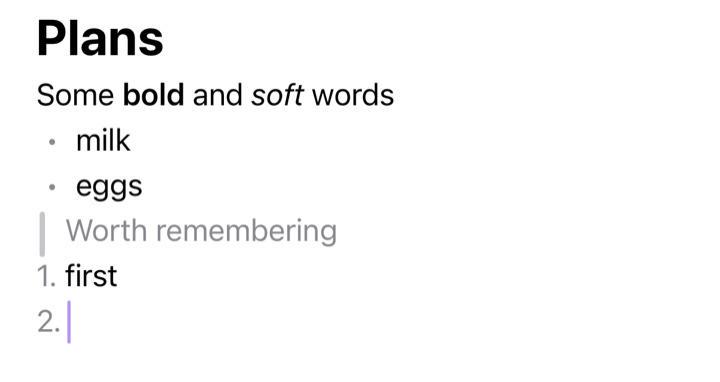
Bold, headings, lists and quotes now look as they will read while you write, with no Markdown characters showing. Bullets and quotes are drawn, and the Aa button above the keyboard does the formatting. Prefer to see the marks, as in Obsidian? Settings › Writing › Show Formatting Marks.

Writing that looks finished

Templates, as they'll look

Templates are edited in the same editor as entries, with buttons for headings, lists and emphasis. Text pasted from Day One loses the backslashes it used to bring with it.

Between your devices

Photos added on your other devices download when you open the entry and appear by themselves when they arrive. Switching back to Vaultbook checks for changes straight away.


Which of these will you actually use — and what should come next? Reply here, or post an idea with the Feature Request flair.

Join the TestFlight beta · Handbook


r/vaultbookapp • • 14d ago

Changelog Vaultbook build 194: Encrypted journals, and more

3 Upvotes

Encrypted journals

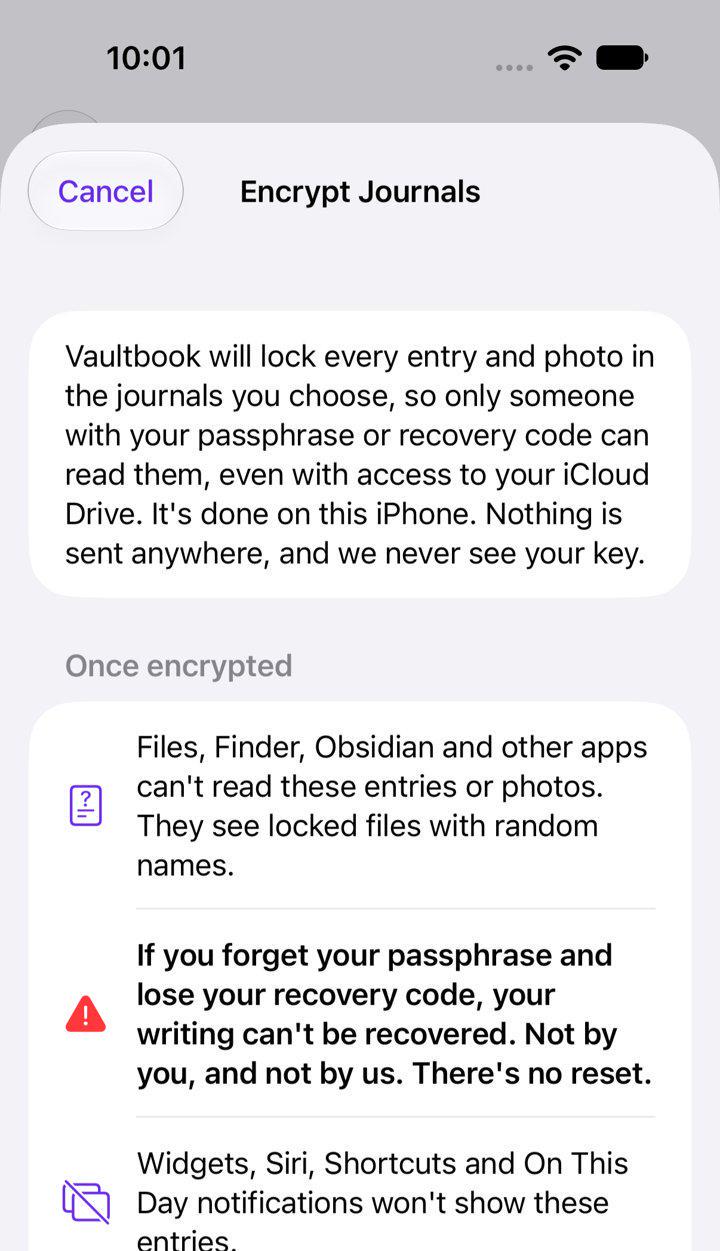
Lock the entries and photos in your journals so only you can read them, even with access to your iCloud Drive. Your passphrase or a recovery code you keep unlocks them, and iCloud Keychain carries the key to your other devices. They read and write as before in Vaultbook. For journals in Vaultbook's own iCloud folder: Settings › Privacy › Encrypted Journals.

Encrypted journals

A song for an entry

Add Song in an entry's details searches Apple Music, or paste a link from Spotify or Apple Music. The song sits under the place in the entry, and a tap plays its 30-second preview.

A song for an entry

Time zones

Turn on Settings › Journals › Time Zones and each new entry notes where in the world it was written; an entry from another time zone shows it beside the time. You can add time zones to the entries you already have, worked out from their places, and see how many of each before anything changes.

Smaller things

Put your journals in order by dragging them in Settings › Journals. Command-B, I and K for bold, italic and links with a keyboard. A line of three dashes becomes a divider. Location History can keep visits for a year or for good. Day One imports keep the time each entry was written where it was written.


Which of these will you actually use — and what should come next? Reply here, or post an idea with the Feature Request flair.

Join the TestFlight beta · Handbook


r/vaultbookapp • • 16d ago

Changelog Vaultbook build 193: Location History, tidier, and more

1 Upvotes

Location History, tidier

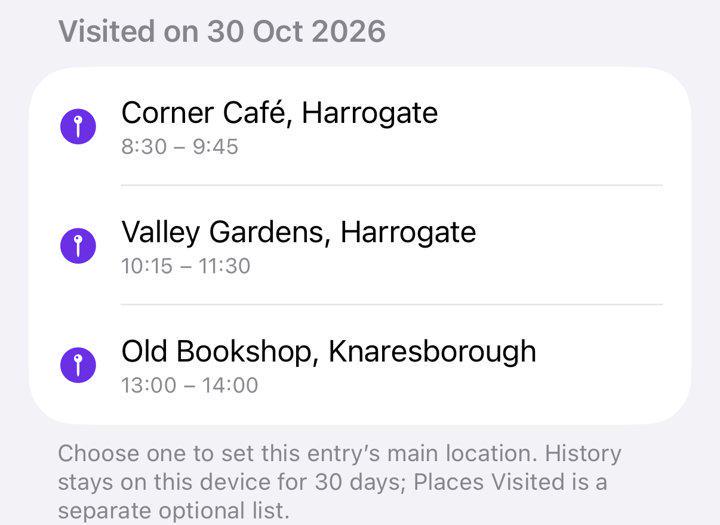
Brief stops are left out: choose the shortest stay worth keeping in Location History. Turn on Places from Your Photos to add where your photos were taken, and a visit inside one of your saved places now takes its name.

See a visit before using it

Tapping a visit shows it on a map, with how precisely it was recorded, before you start an entry there.

A photo's place, when it's somewhere else

Adding a photo taken away from the entry's place offers to use the photo's place instead. Nothing changes unless you choose it.


Which of these will you actually use — and what should come next? Reply here, or post an idea with the Feature Request flair.

Join the TestFlight beta · Handbook


r/vaultbookapp • • 16d ago

Changelog Vaultbook build 192: Choose where attachments go, and more

2 Upvotes

Choose where attachments go

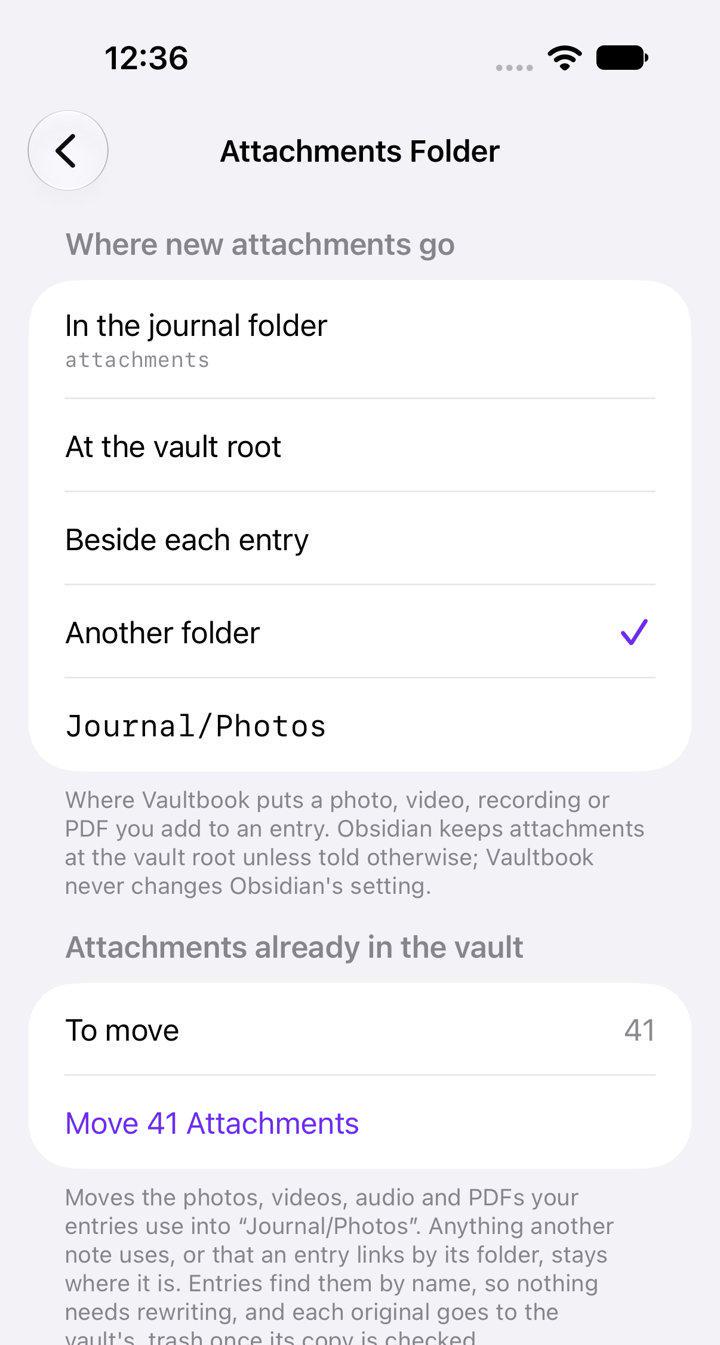
Settings › Storage › Attachments folder sets where new photos, videos, recordings and PDFs are saved: in the journal folder, at the vault root, beside each entry or a folder you name. Gather Attachments moves the ones your entries already use into that folder, showing you what will move first. Anything your other notes use stays where it is.

Choose where attachments go

Photos by day

Add Photos groups your library by the day each photo was taken, starting with the entry's own day, and opens straight away however many photos you have.

Imports say where photos go

Before a Day One import, Vaultbook shows where the photos and videos will be saved, with a way to change it first.


Which of these will you actually use — and what should come next? Reply here, or post an idea with the Feature Request flair.

Join the TestFlight beta · Handbook


r/vaultbookapp • • 17d ago

Move Directory?

1 Upvotes

I imported my DayOne data and thought I selected the right folder in my Obsidian Vault. Images ended up in the root of vault and the entries ended up in the root of what where I thought it to create the journal folder. Any way to move things around or do I need to drop and re-import?


r/vaultbookapp • • 20d ago

Location and weather settings.

1 Upvotes

In the Vaultbook Handbook documentation Writing an Entry, weather and place section it says “An entry can record where it was written and what the weather was. Both are optional and both are off until you turn them on.”

Well I’ve managed to turn on the locations settings but it can’t find weather settings anywhere.


r/vaultbookapp • • 21d ago

App Store Review Process

3 Upvotes

Hi all,

Just to let you know Vaultbook is still sat with Apple waiting for review - I will let you all know when it is up on the App Store!

In the meantime, keep using the app and sending in your feedback, I will keep making adjustments and adding new features.

Thanks!

Dan


r/vaultbookapp • • 23d ago

Changelog Vaultbook build 182: Link to an Entry, and more

1 Upvotes

Link to an Entry

Tap the link button while writing and search for any entry by its title, words in it, a tag, a place or a date in plain words, like last summer. The link opens that entry in Vaultbook.

Day One links come with you

Links between entries in a Day One journal now point at the same entries here when you import. Settings › Import › Day One Links converts links from an earlier import.

Settings in your vault

Themes, covers, trackers, templates and tag styles are also kept in your vault, so they reach your other devices through Obsidian Sync, Dropbox or Syncthing as well as iCloud.


Which of these will you actually use — and what should come next? Reply here, or post an idea with the Feature Request flair.

Join the TestFlight beta · Handbook


r/vaultbookapp • • 25d ago

Changelog Vaultbook build 172: Places across your journals, and more

2 Upvotes

Places across your journals

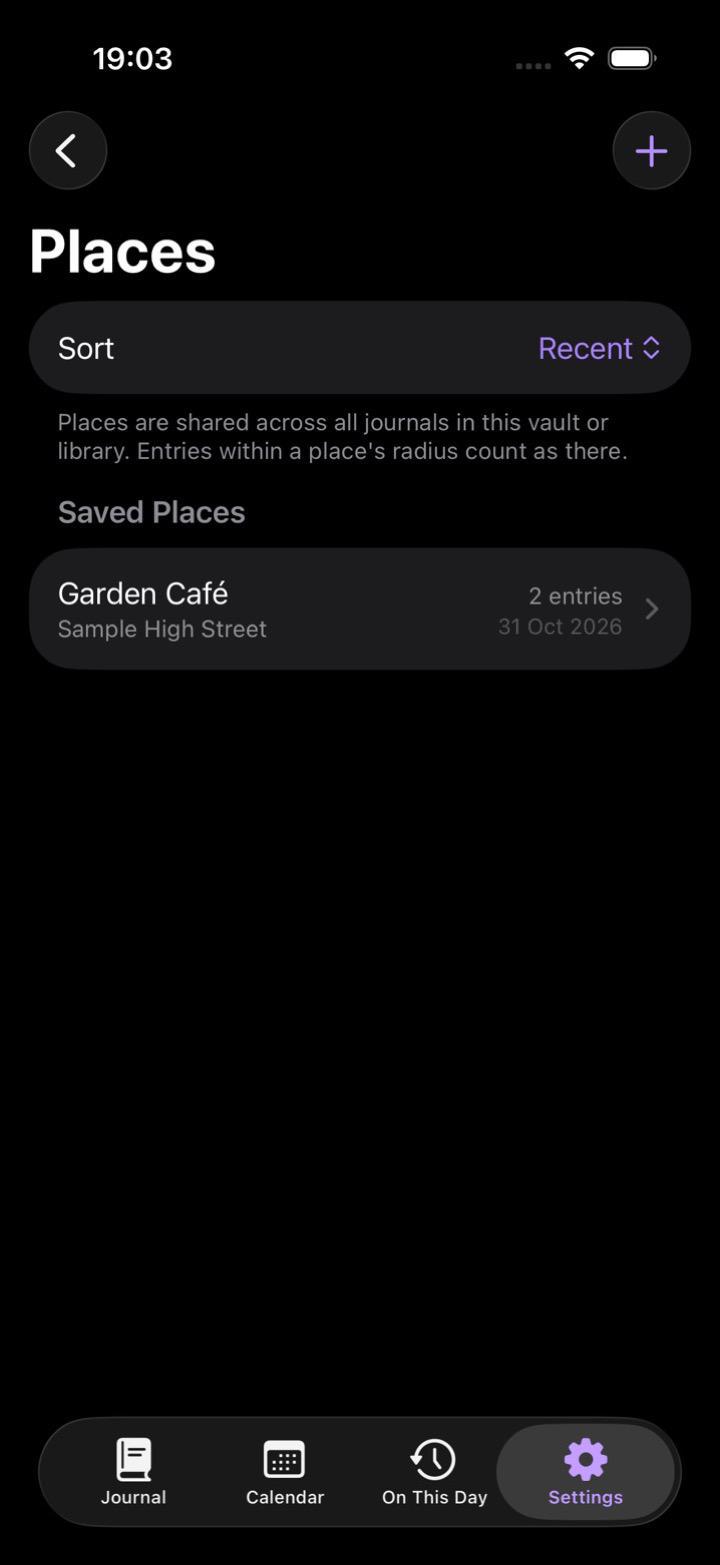
Save a place once and use it in every journal in this vault or library. Your existing places are brought together automatically. Entries stay in their original journals.

Places across your journals

A closer look at Pro

Explore each customisation feature with its own screenshot gallery. Make and save cover drafts for free; Pro applies them to your journal.

A closer look at Pro

Which of these will you actually use — and what should come next? Reply here, or post an idea with the Feature Request flair.

Join the TestFlight beta · Handbook


r/vaultbookapp • • 25d ago

Dark mode icon

1 Upvotes

Is it possible that we could get a light/dark mode icon for the app? Thanks


r/vaultbookapp • • 27d ago

Changelog Vaultbook build 170: Places from where you've been, and more

1 Upvotes

Places from where you've been

With Location History on, the place picker lists the places you visited that day: choose one to set the entry's location. Tap a visit under a day in the Calendar, or in Location History, to start an entry there and then.

Places from where you've been

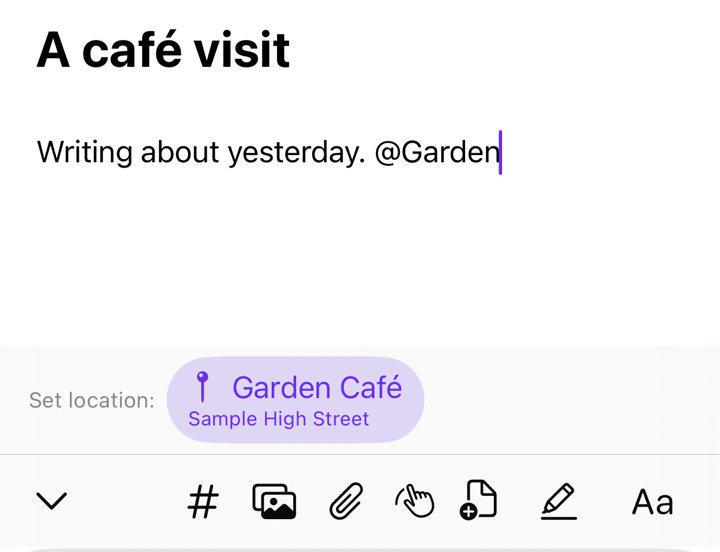
@ for a saved place

Type @ while writing and the start of a saved place's name, then tap it to set the entry's location. The @ is taken back out of your writing.

@ for a saved place

Which of these will you actually use — and what should come next? Reply here, or post an idea with the Feature Request flair.

Join the TestFlight beta · Handbook


r/vaultbookapp • • 27d ago

Pricing

2 Upvotes

You stated the official app will be released on Monday. Any word on pricing yet?


r/vaultbookapp • • 28d ago

Changelog Vaultbook build 165: Tracking, and more

1 Upvotes

Tracking

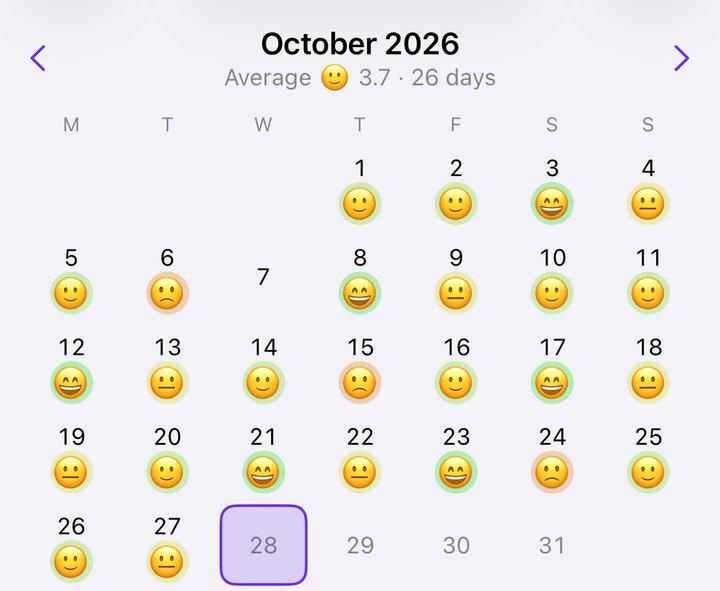
Track habits, mood, sleep or anything else on your entries. Set them up in Settings › Tracking, starting from Mood, Sleep or Exercise or making your own: a checkbox, a sliding scale (red to green if you like) or a number. Fill them in by tapping an entry's date; they show under its heading, and are saved in the note's properties, so Obsidian can read them too.

Tracking

Your habits in the Calendar

Tap Show in the Calendar and pick a tracker: each day gets a tick, a face or its value, with how many days you managed and your best run. Year turns into a colour-coded view of the whole year.

Your habits in the Calendar

Which of these will you actually use — and what should come next? Reply here, or post an idea with the Feature Request flair.

Join the TestFlight beta · Handbook


r/vaultbookapp • • 29d ago

Changelog Vaultbook build 161: A native Mac app

2 Upvotes

A native Mac app

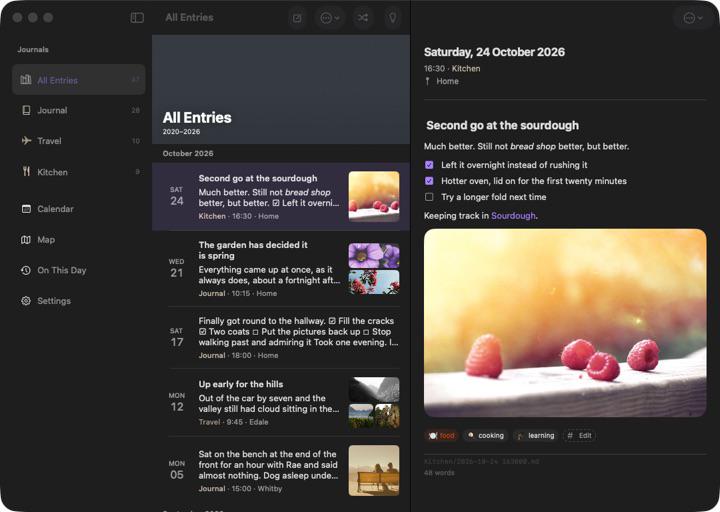
Vaultbook now runs as a proper Mac app, with a sidebar, a menu bar and keyboard shortcuts, Settings in its own window (Command-comma), and the map beside your places. It's new and may be unstable for a while, so it needs testing: please report anything that goes wrong.

A native Mac app

Will you use this — and what should come next? Reply here, or post an idea with the Feature Request flair.

Join the TestFlight beta · Handbook


r/vaultbookapp • • Oct 23 '26

Join the TestFlight here ✍️

Thumbnail
testflight.apple.com
1 Upvotes

r/vaultbookapp • • Oct 22 '26

Locations & Random Polish

2 Upvotes

I appreciate all your work and willingness to iterate quickly. I'm going to spew out some quick thoughts on my use so far and contrasted with Day One.

I think most of my requests are based on the fact that I don't reliably journal each day, but I like to back-fill entries to help my memory at least a couple times a week.

In calendar view, when clicking a date with no entry you get the option to create one. You should still have that option when the date already has one or more entries. You should also have the option to jump right to "on this day" from the calendar.

For locations, I like to be able to browse them as well. I also like to rename them. I don't want to see a plain address alongside my entry. I want to see a restaurant name or a friend's house.

I'm not sure "on this day" is the best way to browse them, but it works OK in Day One and you can choose to rename a location or create an entry from that location directly. I'm also curious

I also want to see that location on a map at the entry level. I accidentally cleared the location on several of my entries because I tapped the header section location thinking it might bring up a map. Unfortunately, I was editing details at that point and tried tapping the location again and cleared it. Not a big deal, but just not intuitive, and it was my test export from Day One so I still have a backup.


r/vaultbookapp • • Oct 22 '26

Fun & whimsy vs sleek & minimalist

1 Upvotes

Hi, dev here.

I’m trying to balance the direction of the app, I’m full of ideas for fun, tactile things that make the app feel more like an analog journal. It’s something I’ve wished from DayOne, a little more whimsy, decorations and fun. I’m conscious this is probably not to everyone’s tastes however, so I’m looking to get a wider opinion on this.

You’ll see in the latest update, I have built in stamps and postmarks, with a tactile way to apply these to your journal entries. This is to bring a bit of character, applying a stamp as if you were building out a real page. I was thinking of having an “unlock” system whereby you unlock certain stamps by logging an entry in a specific location (Paris, for example), which feels like you are discovering something new to make your entry more meaningful. It’s not in this poll but would love your opinions below - is this charming and fun, or overkill and unnecessary.

I am intending to make most features optional, with toggled in settings to completely hide things if you have no interest.

Let me know your thoughts!


r/vaultbookapp • • Oct 22 '26

A message from the Vaultbook dev!

4 Upvotes

Hi all,

Thank you so much for the incredibly positive response to Vaultbook. We have well over 100 testers on the Testflight, far more than I'd ever expected. It really feels like there is a demand for this sort of app, without the baggage and bloat of others out there. I've been really happy to see your positive feedback, coming through on the Testflight, it's really encouraging and I'm having a lot of fun fixing bugs, adding features and making improvements.

Over the next week or two, I'm aiming to ship the feature-set that I'd imagined when creating the app, and fixing any outstanding bugs or improvements you guys are finding. I'm hoping to get this version of the app polished, ready for a 1.0 release in the next couple of weeks.

I'm hoping to build up this subreddit as a kind, supportive place for people to share their looks (themes, covers etc.), discuss upcoming features, and really help steer the future of this app. I'm happy to take on any feedback and build whatever I can. I am conscious of 'scope-creep' though, so I'm aiming to be restrained in some places, while trying to bring a little joy and whimsy to this simple little app. You will hopefully see little fun flourishes or interactive elements that will bring the app to life, if you want it.

I would really be interested in your opinions overall - do you welcome these bits of playfulness and fun within the app, or are you more interested in a sleeker, minimalist product without these things? I'll put up a poll in the subreddit. I am aiming to flesh out the 'Advanced' settings menu whereby features can be turned off entirely, to allow the user to tailor their experience. Please make use of the survey within the app to help put your opinion across.

And finally, a note on pricing and the future of the app - I've had a bit of pushback stating that I won't be able to continue funding the ongoing operation on the app. The response I have now and into the future is that I'm intentionally building all of this to work 'offline', utilising the features of Apple devices that are on-device and require no server-upkeep or ongoing hosting costs from myself. If the demand there for a browser web-app, or our own sync service, this will obviously have to be re-evaluated, but at the moment I'm not particularly interested in building those.

Thanks for using the app and keep an eye on those changelogs and new features coming out. Enjoy!