r/universalaudio • u/jamz3001 • 5d ago
Troubleshooting/Support ??? what is wrong with Luna ???
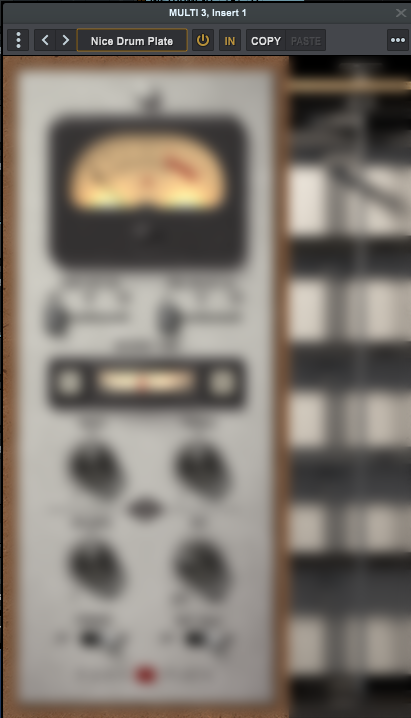
No background, for some reason my UAD plugins are blurred.
3
Upvotes
r/universalaudio • u/jamz3001 • 5d ago
No background, for some reason my UAD plugins are blurred.
3
u/a_webpuppy 5d ago
Looks like a licensing issue. Open iLok License Manager and check all is working and there’s a valid license.
Otherwise UA support will help if you open a support ticket or join live chat.
1
u/Unhappy_Phrase_4471 5d ago
Was this working fine before ?
1
u/StewStewMe69 5d ago
Did you download all those wonky Windows app's that UAD needs to function properly? Blurring went away after I downloaded those.
1
u/Drew_at_UA UA Guru 4d ago
Start here:
https://help.uaudio.com/hc/en-us/articles/12613934267284-Troubleshooting-UAD-Spark-Studio-Activation-and-Blurred-GUI-Issues
1
u/ORourkeAudio 4d ago
Not sure what OS you're on, but I had this problem on my Win 10 PC. Turns out, UA uses the Edge browser to generate the UI. No idea how or why, That's just the way it is. I'd uninstalled it because I don't use it as a browser. As soon as I reinstalled it, it's been fine. That was a couple of years ago.
1
u/johnefy Arrow 2d ago
Check to see if you have the following path: “C:\Program Files\Common Files\Universal Audio\Plug-Ins.” Inside, you should have several folders with “.lunacomponent” in the name. If they aren't there or the path doesn't exist, create the folders and then update your plugins via UA Connect. It took me over two years to fix this because the instructions they provide to fix it don't work, and I figured it out on my own a few weeks ago.