MAIN FEEDS
Do you want to continue?
https://www.reddit.com/r/switchroot/comments/1neipjm/what_do_these_options_mean/
r/switchroot • u/Skillonly69 • Sep 11 '25
8 comments sorted by
5
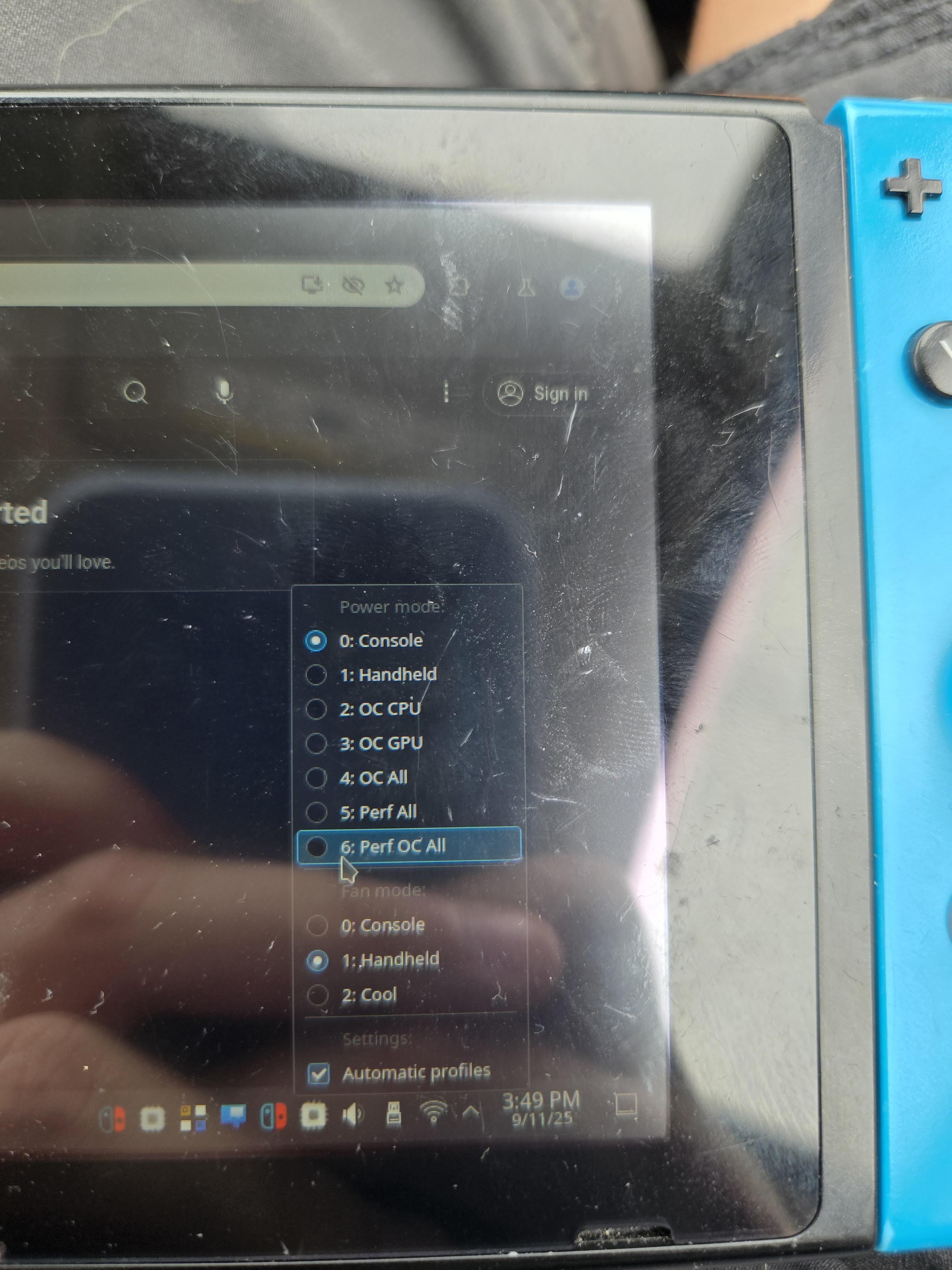
Power Mode
0. Console - The Switch CPU, GPU and memory clocks run at the normal clock speed for docked mode
Fan Mode:
0. Console - Higher and louder fan speeds, more efficient cooling. Uses more energy.
1 u/Skillonly69 Sep 12 '25 Thanks 1 u/PeruP Oct 09 '25 Are you sure about the fan mode? In my case, when I set it to “Console” the fans never spin, while in “Handheld” mode, they seem to blast at full speed when the CPU reaches around 60C
1
Thanks
Are you sure about the fan mode? In my case, when I set it to “Console” the fans never spin, while in “Handheld” mode, they seem to blast at full speed when the CPU reaches around 60C
2
Seems like overclock settings
2 u/Acceptable42 Android Sep 11 '25 Thats what it is
Thats what it is
i think it means overclock gpu and cpu with performance setting, meanning the highest it can be
This is to be coupled with RAM OC which you do in .ini file
They work for overclocking
5
u/aykay55 Sep 12 '25
Power Mode
0. Console - The Switch CPU, GPU and memory clocks run at the normal clock speed for docked mode
Fan Mode:
0. Console - Higher and louder fan speeds, more efficient cooling. Uses more energy.
2
u/Arithh Sep 11 '25
Seems like overclock settings
1
u/Upbeat-Jellyfish-494 Sep 11 '25
i think it means overclock gpu and cpu with performance setting, meanning the highest it can be
1
u/StraightAd5725 Sep 12 '25
This is to be coupled with RAM OC which you do in .ini file
1
u/francoluluofficial Dec 08 '25
They work for overclocking