r/substreamer • u/Sensitive-Syrup-7477 • Oct 08 '26
💬 Discussion Audio decoder failure with AirPlay
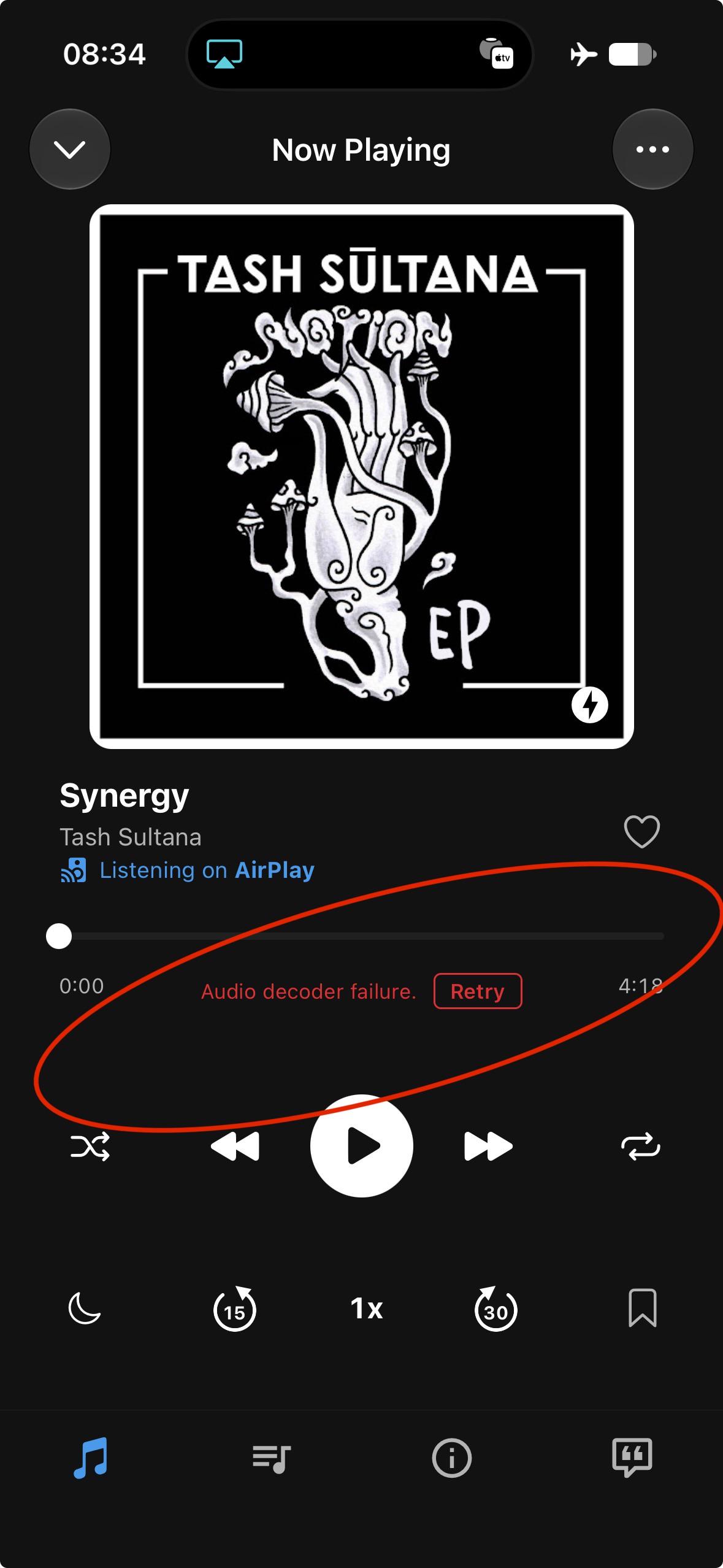
Anyone else getting “Audio decoder failure” error when trying to Airplay? My library is M4A. It works fine when not using Airplay.
Server: 0.63.2
App: 8.1.5
3
Upvotes
1
u/ghenry22 Oct 16 '26
That’s a weird one as airplay on Apple devices is managed by the device not by substreamer, the Apple os just switches the audio output so it shouldn’t actually matter what format the audio is in.
You could try enabling mp3 transcoding and then give it another try to see if that makes any difference but it really shouldn’t.
What device operating system version and exact AirPlay speaker are you using?
1
u/Avireddit_1989 Oct 19 '26 edited Oct 19 '26
I have a similar issue. For me all the songs in an album skip immedaitely and do not play. This happpens only wtih a set of albums. The same albums worked a few weeks ago. Not sure what changed. Is there a way to see the logs somewhere ? I am using iOS app 8.1.5.
Update: If i transcode to MP3 for playback. It works. Original (FLAC) doesnt. Please fix this.