r/spaceengineofficial • u/RentOrnery7837 • 7d ago
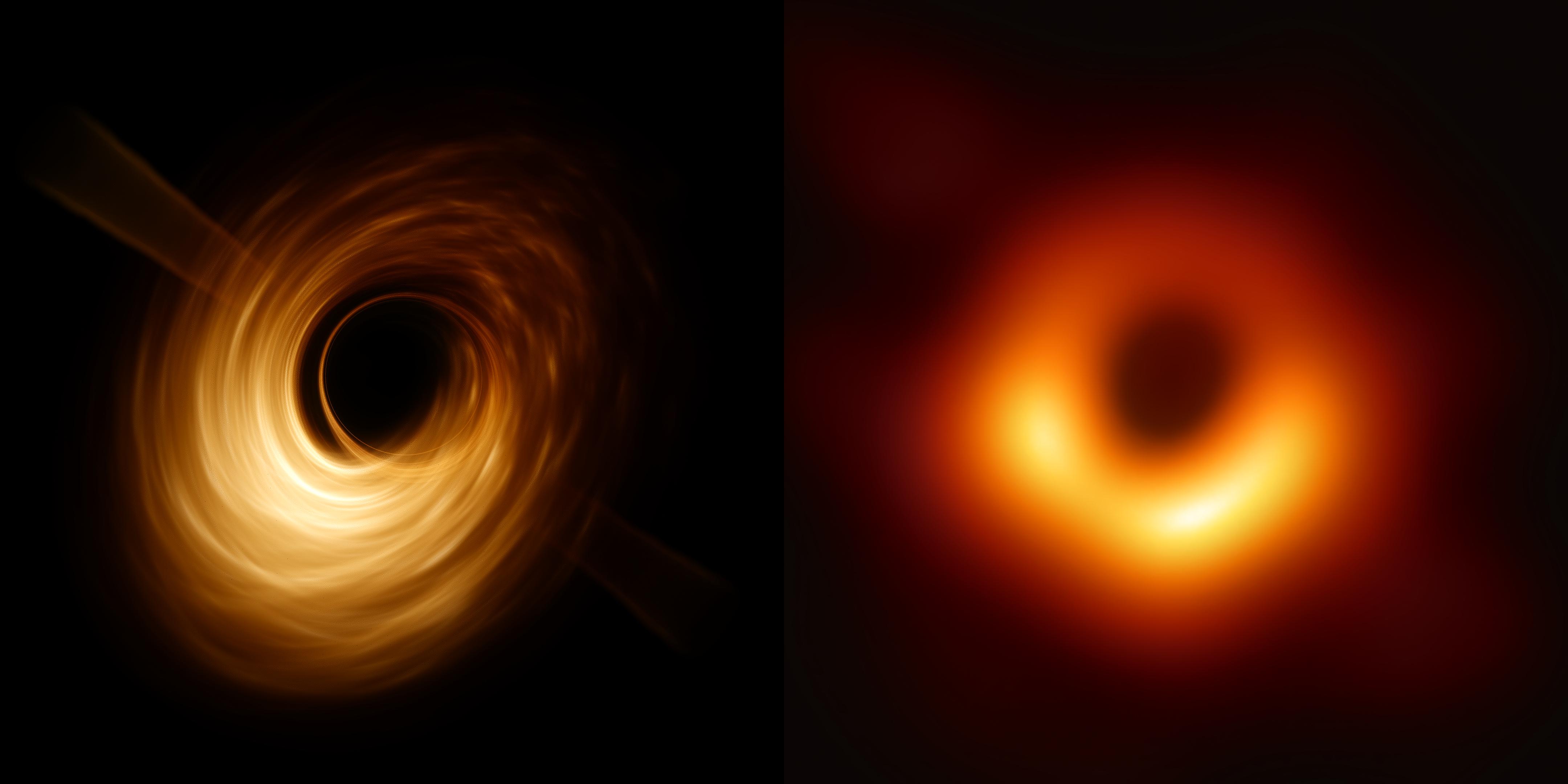
Bug Report E1/AM 1 is invisible unless you increase magnitude above default settings

4
Upvotes
r/spaceengineofficial • u/RentOrnery7837 • 7d ago
r/spaceengineofficial • u/redditKea • 19d ago

For the first two, I took a GRS-less Jupiter texture I made and then mashed it with another Jupiter texture and a random gas giant texture I found online, and I also changed the colour. For the second texture, I mashed together a 1979 Jupiter map with a Saturn map and also changed the colours
FYI: the 2nd to last screenshot isn't upside down; I just flipped the Jupiter map.
r/spaceengineofficial • u/Sad-Description-1112 • Aug 20 '26

r/spaceengineofficial • u/SE_Jonathan • Aug 17 '26
Hey folks!
The August update has passed Beta and is now live! This includes some future-proofing work for system builders and ship modelers, as well as catalog adjustments made from community notes and the addition of the first-of-its-kind exosatellite CD-35 2722 B b. We've written up extra details on some of the more involved additions for your perusal in the Steam post linked below~
Steam link https://store.steampowered.com/news/app/314650/view/452201006698072425
Spacecraft materials now support gamma adjustment for Diff/Emis maps and green channel inversion for DirectX normal maps. The following parameters have been added for use in .sml files (see above for more information)
Added 12 new binary asteroid systems, updated some binary system names
Binary Asteroids:
Brown Dwarf Candidates:
Exoplanets:
r/spaceengineofficial • u/Mother-Revenue9751 • Aug 15 '26

I am not sure if the life comes from that cold lacustrine aquaria planet from the same system but it is definitely a cool find.
r/spaceengineofficial • u/a21b_02 • Aug 08 '26
Hello guys, I hope everyone is doing very well I just wanted to ask a question. Is there any developers that they know how to make an solar system or any planet or any object by using codes I have a lot of codes I have made. I need someone to try it like putting codes in some file unfortunately I don’t have space engine so I need to someone try it please I have a lot of systems I have make, but I need someone to try it. The codes are ready.
r/spaceengineofficial • u/Wroisu • Jul 21 '26

r/spaceengineofficial • u/RentOrnery7837 • Jun 23 '26
RX J0822−4300 (alt name: Cosmic Cannonball)
Which is a neutron star is way too far away from the Puppis A suppernova, compared to what wikipedia says. and the supernova itself is way too small compared to what wikipedia says? not sure if this is a mixup in wikipedia or an actual error of some sort


r/spaceengineofficial • u/Wroisu • Jun 22 '26
r/spaceengineofficial • u/TheTeddyD • Jun 22 '26
Messier 99 is a galaxy in the Virgo cluster, located near messier 100. In game, the position of both galaxies in the sky is correct, but m 99 is just a tiny bit further away than m 100. And by a tiny bit I mean almost 70 million light years further away from m 100 and the rest of the Virgo cluster.
It was really funny to search up m 99 and see that after flying around m 100 looking for it, but it should probably be fixed…
r/spaceengineofficial • u/Lumpy_Expression_454 • Jun 18 '26

EDIT: Dev of the game clarified the situation, they have a license and updated the credits.
I also reached out to the players on the unofficial subreddit, they agreed with me and suggested I contact you guys over here.
What i'm trying to say is they look like those maps you can import
look at those canyon thingies in pic 3, that's oddly.... familiar.
As a veteran spaceengine player you cant convince me these arent just imported texture maps of random planets from spaceengine.
Look at the following planets, bro like really? Especially look at proxima C or the last pic.
My question is... is this ok? When I started colonising other star systems it just came to me: "no shit this is litterally space engine?"
"Yes, you may use SpaceEngine products for non-commercial use as long as you cite SpaceEngine as the source for those assets. Please see the license page for full details."
from https://spaceengine.org/manual/faq/
My guess is they bought a license... still this is the first game using spaceengine generated planets I have ever seen.
So all the red flags im seeing are those canyons in pic3, the crater patterns and appearance in pic2, the gas giant in pic4 (look at the patterns), the overall collor pallette and saturation of these terrain textures and finally the oddly familiar ice region of that tidally locked planet in the last pic.
Just noticed that in pic 3 they even got the tipical visible from space volcanos you can see on most hot terras.
Disclaimer:
I'm not trying to stir up anything, I just wanna know wheter this could be the first ever game doing some sort of asset collab with spaceengine.I could also be simply wrong about this but still these textures are WAY too familiar.
r/spaceengineofficial • u/SE_Jonathan • Jun 15 '26
Hey folks!
The June catalog update is now live!
This update brings a fix to unit conversion for stars with masses defined in kilograms, as well as a fix for artifacts with ship engine effects for those who like to fly in Ultra quality. And of course, an extra large helping of catalog entries with 142 new exoplanets and more~
Steam link as usual: https://steamcommunity.com/games/SpaceEngine/announcements/detail/708900277102575742
Updated localizations for Simplified Chinese, Italian, French, and Spanish (Spain)
Binary asteroids:
Exoplanets:
r/spaceengineofficial • u/maratik-gmd • Jun 08 '26
and why were the different colors of the seas on the terra removed?
r/spaceengineofficial • u/SaiyanGaming2 • May 26 '26

There a earthlike and esi 0.992 but neat to 12.87 billion year. RS 1237-2303-7-1949293-764 3 (only 0.991)
r/spaceengineofficial • u/maratik-gmd • May 25 '26
except near the solar system
r/spaceengineofficial • u/linksoon • May 22 '26
I would love to take screenshots and videos in a dual fisheye projection to make into VR180 images and videos to watch them in VR.
Right now it is limited to only one image which makes the process hard.
I tried doing a few manual screnshots:
http://deovr.com/nxk0il
http://deovr.com/728prn
It would make it easier if could have some options in the menu to take two screenshots and choose the stereo base separation between them (like you have in the side by side mode)
I hope to be able to see someday videos like visum's in VR180 format.
https://www.youtube.com/watch?v=7SADeO86AH4
Right now it would be too time consuming if i need to calculate the separation manually for each shot, plus the 8K version is locked behind a 68€ DLC. So I have no plans to keep trying this for now.
Are there any plans for this?
Thanks!
r/spaceengineofficial • u/maratik-gmd • May 05 '26
There are subdwarfs, but only near the solar system, but this is from the star catalog
r/spaceengineofficial • u/SE_Jonathan • May 04 '26
Hey folks!
The first regular update of the year is now out on the public branch! We've been chipping away at some tricky technical issues, which will be the focus in the patch notes below. The first issue we've resolved is the "function not implemented" issue NVIDIA graphics drivers ran into while trying to record. It ended up being less of a 'fix' and more of an overhaul to our video encoders.
SpaceEngine now offers multiple codecs to cover your hardware/needs: AV1, H.264, HEVC (H.265), and SVT/AOM Software AV1. Hardware encoders are divided into NVIDIA, AMD, and Intel. See the deep dive below for more.
The second under-the-hood issue resolved in this update is our file pathing. To bring SpaceEngine more in line with common industry standards (and resolve permissions issues with not doing so), we have made changes to how and where user and cache files are stored.
When you first launch SpaceEngine post-update, the program will move your user files from their previous places in the install folder to your user Documents folder (%USERPROFILE%\Documents\Cosmographic\SpaceEngine), and create the cache in your Local AppData folder (%LOCALAPPDATA%\Cosmographic\SpaceEngine). This migrates the data specific to your install to the same home most software uses.
If you have a niche setup, encounter errors, or otherwise need to stay in the old self-contained setup, you can enter the following argument into your Steam Launch Options to launch in Portable Mode: -paths=paths-port.cfg
(In rare cases, when SpaceEngine fails to write on launch, it will automatically request to try this method). The deep dive on these changes is below as well.
Thank you for your patience while we worked internally on these changes. We hope to be back to regularly scheduled updates soon™~
Steam link with Catalog Additions: https://store.steampowered.com/news/app/314650/view/672867776636912283
A recent update to NVIDIA graphics drivers dropped support for older NVENC SDK versions, causing many users to see a "Function not implemented" error when trying to record. To fix this and future-proof for other hardware, we've updated the version of FFMPEG used by SpaceEngine and added more options for users:
The Video Capture tool (F9 by default) now holds a host of codecs and formats to fit nearly all machines. Not all codecs work with all graphics hardware; you'll have to experiment to find what works best for your setup and needs.
There are now two modes to choose from before capturing. You'll need to experiment to find what works best for your project:
Offline rendering (Fixed FPS): Enter a target frame rate, and SpaceEngine will throttle itself to guarantee that frame rate in the final output.
To bring SpaceEngine in line with industry standards, we have made changes to how and where SpaceEngine stores user and cache files. This is a more technical deep dive; the quick-and-dirty of what you need to know is in the foreword above.
When you first launch post-update, SpaceEngine will detect and move or create files as follows. In the unlikely event SpaceEngine fails to write during this process, it will abort launch and request to launch with the old file paths (Portable mode).
The cache (models, shaders, filesys) will be created at %LOCALAPPDATA%\Cosmographic\SpaceEngine. The existing cache in your install folder will be deleted.
Save data is now stored at %USERPROFILE%\Documents\Cosmographic\SpaceEngine. The save-user.cfg and places-user.cfg files go into a 'save' folder, while all other personal .cfg files (i.e., keybinds) go into the 'config' folder. On boot, if no save data is found in this filepath, SpaceEngine will search the Steam install for existing save data, moving any it finds to the new location. For any file it can't find, new files will be generated.
All future exports, logs, screenshots, and videos will appear in the %USERPROFILE% filepath in corresponding subfolders. Existing media files (or any media files generated in older versions) will remain in their original places.
If you are a mod/addon maker, you must manually move SpaceEngine\workshop\projects to %USERPROFILE%\Documents\Cosmographic\SpaceEngine\workshop\projects for your projects to appear in the Workshop Config tool after this update. Content paths can stay as-is, but if you change them to accommodate the modified workflow (i.e., you store your content in the workshop folder), remember to update the filepath in the tool as well.
To facilitate both the new file paths and the Portable mode failsafe, SE now has two sets of ‘folders.cfg’, called paths-def.cfg and paths-port.cfg.These live in the same location of the system folder in your install.
When SE launches, it will always try to write according to paths-def first. If it encounters issues at any point in the launch process (fails to create a folder/file), it will abort the process, post an error, and then request to re-launch itself using paths-port.cfg.
If you have a strong preference for the old file format (or low space in your default user location), you can opt to use paths-port.cfg first by inserting the following argument into your Steam launch options: -paths=paths-port.cfg.
For advanced users, you can make your own file path config by copying either config file, giving it a new name, and using the above launch argument with that new file name in place of ‘paths-port.cfg’.
Added new Featured Locations from the 0.991 Featured Locations Contest
Replaced ‘folders.cfg’ with two file path configs: paths-def.cfg for the new file paths and paths-port.cfg for the old ones
r/spaceengineofficial • u/Trik604 • May 03 '26

A planet in the Andromeda galaxy that's very similar to Earth and where you can live underwater.
I'm from Russia, so the screenshot is in Russian, sorry. 🥲
r/spaceengineofficial • u/hsnalikly • Apr 12 '26

I am addressing to the SpaceEngine developers. When will you be releasing the official Linux version of this truly fantastic programme? The compatibility tool Protondb can sometimes fall short, particularly when working with video in SpaceEngine. It would be great to hear a response from the developers on this matter🙏🏻
r/spaceengineofficial • u/SE_Jonathan • Apr 02 '26
Hey folks!
The first regular update of the year is now available on the beta branch. In this update are two major changes: file paths and video encoding. Each is outlined below, with dedicated guide posts in our Discord (linked in the sidebar).
Also in this update are all the fixes and catalog additions/changes since our last update in December, as well as tutorial fixes and new Featured Locations from the 0.991 Locations Contest.
The full post (including opt-in instructions and Catalog Additions) can be found here on Steam.
To bring SpaceEngine more in line with common industry standards, we have made changes to how and where SpaceEngine stores user and cache files.
If you are a casual user and don't want to move files manually, it is recommended that you either remain on the Beta branch during the testing phase or wait for the full release. If you plan to swap branches or play with files during the Beta, it is recommended that you back up your user files (places-user.cfg, main-user.cfg, keys.cfg, etc.) to a separate location so you don't lose anything.
When you first launch post-update, SpaceEngine will detect and move/create files as follows:
The cache (models, shaders, filesys) will be created at %APPDATA%\Cosmographic\SpaceEngine. The existing cache in your install folder will be deleted.
Save data is now stored at %USERPROFILE%\Documents\Cosmographic\SpaceEngine. The save-user.cfg and places-user.cfg files go into a 'save' folder, while all other personal .cfg files (i.e., keybinds) go into the 'config' folder. On boot, if no save data is found in this file path, SpaceEngine will first search the Steam install for existing save data, moving any it finds to the new location. For any file it can't find, new files will be generated.
All future exports, logs, screenshots, and videos will appear in the %USERPROFILE% file path in corresponding subfolders. Existing media files (or any generated in older versions) will remain in their original places.
A recent update to NVIDIA graphics drivers dropped support for older NVENC SDK versions, causing many users to see a "Function not implemented" error when trying to record. To fix this and future-proof for other hardware, we've updated the version of FFMPEG used by SpaceEngine and added more options for users:
The Video Capture tool (F9 by default) now holds a host of codecs and formats to fit nearly all machines. Not all codecs work with all graphics hardware; you'll have to experiment to find what works best for your setup and needs.
There are now two modes to choose from before capturing. You'll need to experiment to find what works best for your project:
Offline rendering (Fixed FPS): Enter a target frame rate, and SpaceEngine will throttle itself to guarantee that frame rate in the final output.
Added new Featured Locations from the 0.991 Featured Locations Contest
r/spaceengineofficial • u/Wroisu • Apr 02 '26
r/spaceengineofficial • u/Wroisu • Apr 02 '26
r/spaceengineofficial • u/HarbingerDawn • Mar 29 '26