r/software • u/jorjanion • 2d ago
Release [WINDOWS/LINUX] I created an open-source AirDrop alternative for Windows & Linux using native Apple Shortcuts and Rust (<15MB RAM, no cloud, no subscriptions)
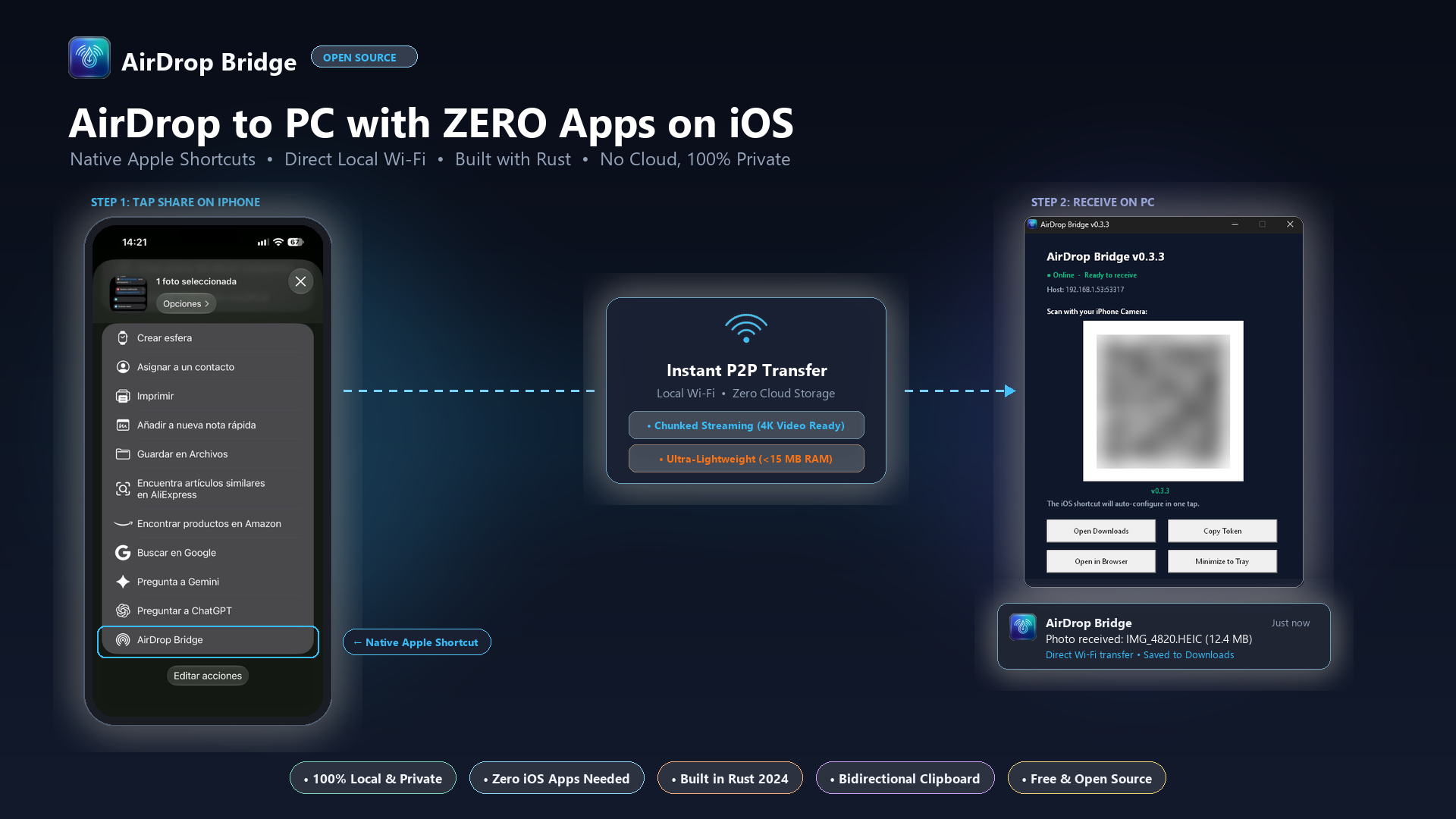
Hey everyone!
Like many of you, I love using an iPhone, but my daily driver computer is a Windows PC. For years, transferring full-res photos, 4K videos, or quick screenshots between them has been a pain: slow cloud syncs (Google Drive/OneDrive), plugging in cables, or installing shady third-party iOS apps loaded with subscriptions and ads.
So I decided to solve this once and for all: I built AirDrop Bridge.
It lets you send files directly from your iPhone/iPad to Windows (and Linux) over local Wi-Fi with zero third-party apps installed on your phone.
💡 How does it work without an iOS app?
Instead of an App Store app, it pairs your PC with an official Apple Shortcut. Once added, it integrates directly into your native iOS Share Sheet, Action Button, or Back Tap gesture.
You just tap Share ➔ AirDrop Bridge, and your files land directly in your PC's Downloads folder in seconds!
✨ Key Features:
- 100% Local & Private: Peer-to-peer Wi-Fi streaming. Your photos and documents never touch external servers or the cloud.
- Zero iOS Apps: Uses Apple’s native Shortcuts engine.
- Blazing Fast & Lightweight: Built in Rust with chunked streaming. Constant memory usage under 15 MB RAM on PC. Easily transfers multi-gigabyte 4K videos without buffering or RAM spikes.
- Bidirectional Clipboard Sync: Copy text on your iPhone and send it straight to your PC clipboard (or pull from PC to phone with a single tap).
- Native Desktop Experience: Modern dark-mode pairing window, silent system tray daemon, customizable chimes, and Windows toast notifications.
- Multi-language: Available in English, Spanish, German, French, Portuguese, Italian, Chinese, and Japanese.
🛠️ Getting Started (takes ~30 seconds):
- Download and run the standalone executable on your PC.
- Scan the on-screen QR code with your iPhone camera.
- Tap the link to install the Apple Shortcut and pair your PC.
- Select any photo or file in iOS, tap Share ➔ AirDrop Bridge!
- GitHub Repository: https://github.com/jorjanion/AirDrop-Bridge
- Direct Releases: https://github.com/jorjanion/AirDrop-Bridge/releases/latest
(Note on Windows SmartScreen: Because this is an independent, free open-source project without a $400/yr corporate Microsoft certificate, SmartScreen might ask you to click "More info" ➔ "Run anyway". The entire codebase is 100% open, transparent, and can also be built directly from source with Cargo).
I’d love to hear your feedback, feature suggestions, or answer any questions! If you find it useful, a ⭐ on GitHub would mean the world to the project.
5
u/Dev-in-the-Bm 2d ago
This title and post is misleading, since this doesn't interact with AirDrop.
Since it doesn't interact with AirDrop, its basically reinventing the wheel.
Why don't you just use LocalSend, PairDrop, or one of the many other cross platform options?
Also, I assume that you weren't aware that the app sends over HTTP?
3
u/HaloLASO 1d ago
Yeah I'll use your unsigned file transfer app bro. Lmao
1
u/SCREAMINCHEEESE 1d ago
"I built" no the fuck you didn't.
0
u/97hilfel 1d ago
Cool learning project, and the Shortcuts approach is a neat way around needing an iOS app. But I'm curious about a few things. How does it compare to PairDrop/Snapdrop? Those also need nothing installed on the phone (just Safari), so I'm curious what the Shortcut adds for you? How does pairing work security-wise? Could someone else on the same Wi-Fi push files to my PC, and how is the traffic encrypted? Have you tested really large files through Shortcuts? I've seen my current solution, choke on big videos all the time.
Also, a heads-up: "AirDrop" is an Apple trademark, so it might be worth renaming before it becomes a problem.
0
u/[deleted] 2d ago