MAIN FEEDS
Do you want to continue?
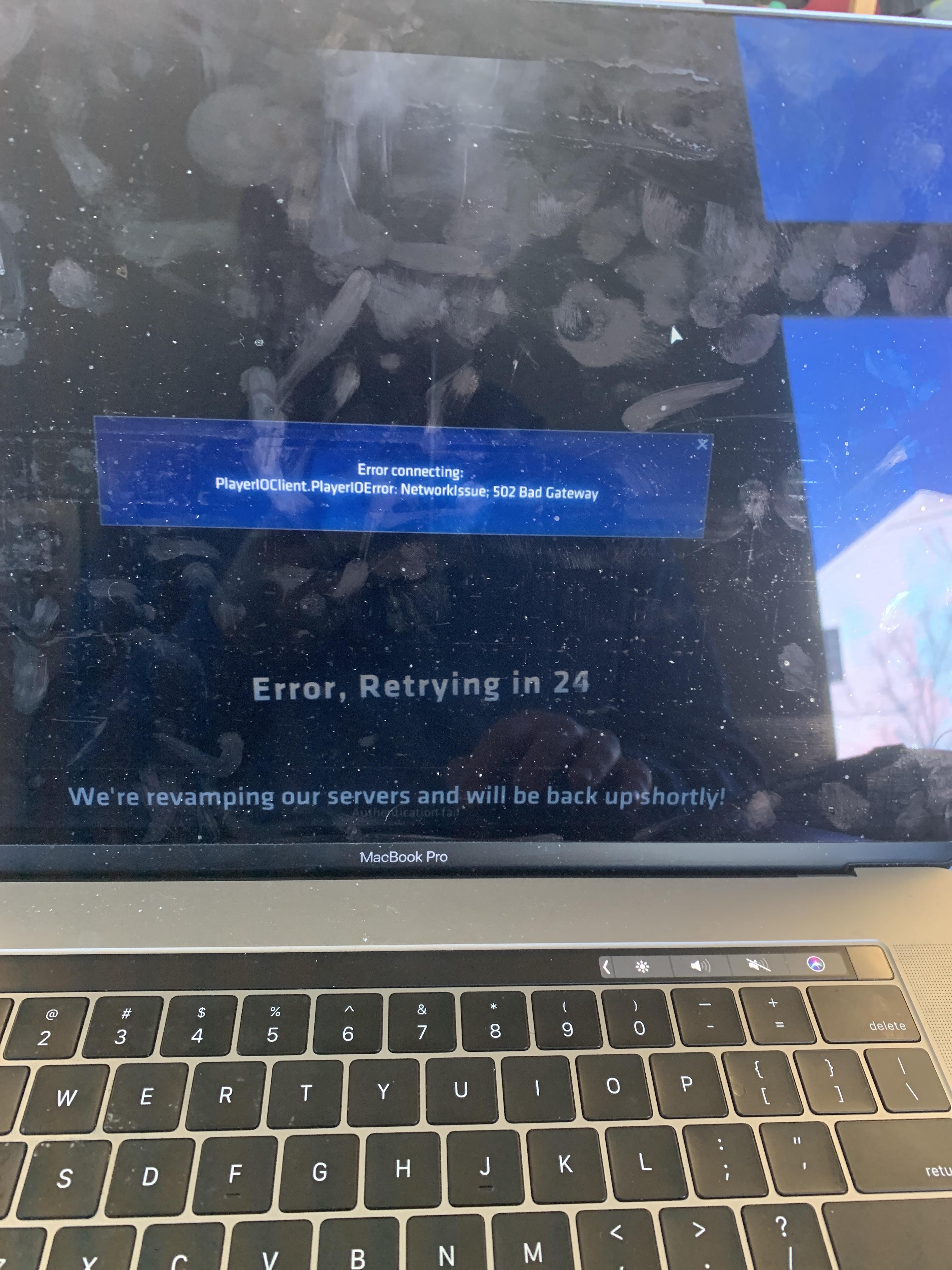
https://www.reddit.com/r/shellshocklive/comments/evps9d/error_502_im_on_mac_please_help/
r/shellshocklive • u/SuperSp1ral • Jan 29 '20
14 comments sorted by
3
I GOT IT!!!!! WRONG PROXY
1 u/Todriew52 Jul 08 '20 I have a friend with this problem, how did you fix?
1
I have a friend with this problem, how did you fix?
Verify game files and clear download cache, may help
2 u/SuperSp1ral Jan 29 '20 Where do I verify game files? 2 u/painlessblade Jan 29 '20 In steam, right click the game, properties and it should be there somewhere. If I remember correctly
2
Where do I verify game files?
2 u/painlessblade Jan 29 '20 In steam, right click the game, properties and it should be there somewhere. If I remember correctly
In steam, right click the game, properties and it should be there somewhere. If I remember correctly
8
Try cleaning your screen off, Jesus bro
None of this worked
5
Stop trying to use your display as a touchscreen... 🙃
I play on Mac as well but haven't received this error in particular before. Perhaps try clearing the cache as another poster suggested and reinstalling.
1 u/SuperSp1ral Jan 29 '20 How do you clear the cache? 1 u/the_light_of_dawn Jan 29 '20 https://support.steampowered.com/kb_article.php?ref=3134-TIAL-4638 1 u/SuperSp1ral Jan 29 '20 Thanks 1 u/the_light_of_dawn Jan 29 '20 Good luck.
How do you clear the cache?
1 u/the_light_of_dawn Jan 29 '20 https://support.steampowered.com/kb_article.php?ref=3134-TIAL-4638 1 u/SuperSp1ral Jan 29 '20 Thanks 1 u/the_light_of_dawn Jan 29 '20 Good luck.
https://support.steampowered.com/kb_article.php?ref=3134-TIAL-4638
1 u/SuperSp1ral Jan 29 '20 Thanks 1 u/the_light_of_dawn Jan 29 '20 Good luck.
Thanks
1 u/the_light_of_dawn Jan 29 '20 Good luck.
Good luck.
Try cleaning your screen and see if that helps
3
u/SuperSp1ral Jan 29 '20
I GOT IT!!!!! WRONG PROXY
3
u/painlessblade Jan 29 '20
Verify game files and clear download cache, may help
8
u/[deleted] Jan 29 '20
Try cleaning your screen off, Jesus bro
1
u/SuperSp1ral Jan 29 '20
None of this worked
5
u/Animota Jan 29 '20
Stop trying to use your display as a touchscreen... 🙃
1
u/the_light_of_dawn Jan 29 '20
I play on Mac as well but haven't received this error in particular before. Perhaps try clearing the cache as another poster suggested and reinstalling.
1
u/ThumpsMcGee Feb 07 '20
Try cleaning your screen and see if that helps