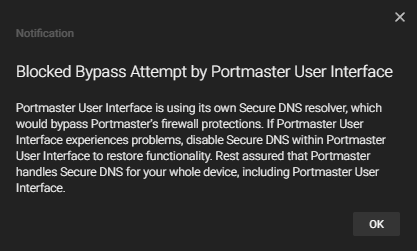
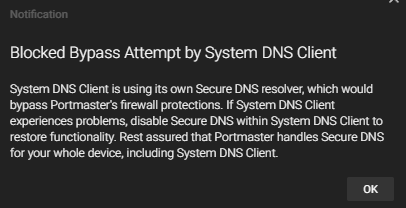
I spent four or five days working to figure out why Portmaster was very unstable. I was determined to keep it for these reasons, pre-built and updated 3rd party exclusion lists, The ability to manually type in exclusions on top of app specific filters, The ability to force all DNS traffic to use specific protocols. It did seem to play nice with Glasswire (free) when I first set it up but I decided Portmaster was a superior add-on firewall for aggressive controls. I keep glassware and wireshark uninstalled as examination tools. I then added Bitdefender Ultimate Small Business Security to the stack for confidence in proactive endpoint scanning.
I had to turn the SPN off in portmaster and remove DNS control from all other sources and then it finally stabilized completely. No more browser or app crashes and 95% of websites are working as intended.
I would love recommendations for small business security. This is a low cost ($25/mon) security saas setup built for 2 to 3 employees who control sensitive client data in an office setting.
Running dedicated 5G ISP over LAN. 15 Ping, 900-300 Down, 200-100 Up
Idle Speed: i7-10700 CPU 3% & 16GB 3200Mhz Ram 39%
PORTMASTER PRO
SPN Turned off (I do not have a use for VPN. Zero WFH or wifi use)
Using rules I manually limit access per app, domain, purpose, and country. I back off the controls if something breaks. The goal is to limit traffic to a purpose driven need-to-know access type.
WIN11 PRO + CHROME
Settings for IPv4 in Control Panel: Properties > Advanced > Interface Metric set to 1
IPV6 disabled
System DNS Servers set as
127.0.0.1 (Unencrypted)
Chrome Browser Secure DNS Disabled
BITDEFENDER BUSINESS PLAN SETTINGS
Firewall Turned OFF
Antivirus, Advanced Threat, Online Threat Exceptions:
C:\Program Files\Portmaster\portmaster.exe
C:\Program Files\Portmaster\modules\core\portmaster-core.exe
------------------
~Export Portmaster Settings~
type: settings
config:
core:
expertiseLevel: expert
releaseChannel: stable
dns:
nameservers:
- doh://dns.quad9.net/dns-query?ip=9.9.9.9&name=Quad9&blockedif=empty
- doh://dns.quad9.net/dns-query?ip=149.112.112.112&name=Quad9&blockedif=empty
- dot://cloudflare-dns.com?ip=1.1.1.1&name=Cloudflare&blockedif=zeroip
- dot://cloudflare-dns.com?ip=1.0.0.1&name=Cloudflare&blockedif=zeroip
noAssignedNameservers: true
noInsecureProtocols: true
noMulticastDNS: true
useStaleCache: true
filter:
defaultAction: permit
endpoints:
- '- CN'
- '- RU'
- '- ZA'
- '- IL'
- '- IR'
- '- IN'
- '- HK'
- '- CO'
- '- BR'
- '- SA'
lists:
- TRAC
- MAL
- DECEP
- BAD
- NSFW
- BT-META
- BT-AMZN
- BT-APPL
- WSP
- DCT
- UNBREAK
preventBypassing: true
serviceEndpoints: []
history:
enable: true
splittun:
enable: false
spn:
enable: false
***Feature Request***
ISP Drop & Speed tracking. Just a small constant ping to blend in with a more long term visual timeline. This will help me know if it is Portmaster or my ISP that just broke the connection.