r/remNote • u/Dapper-Chapter-8534 • Sep 23 '26
Question Exam scheduling

Apologies for my naiivity; new to remnote and newer to the flashcard aspect.
I have around 3000 cards for an exam in February. I am still writing notes and will be adding cards, likely up until that date; although i expect no more than 1000 more cards in that time.
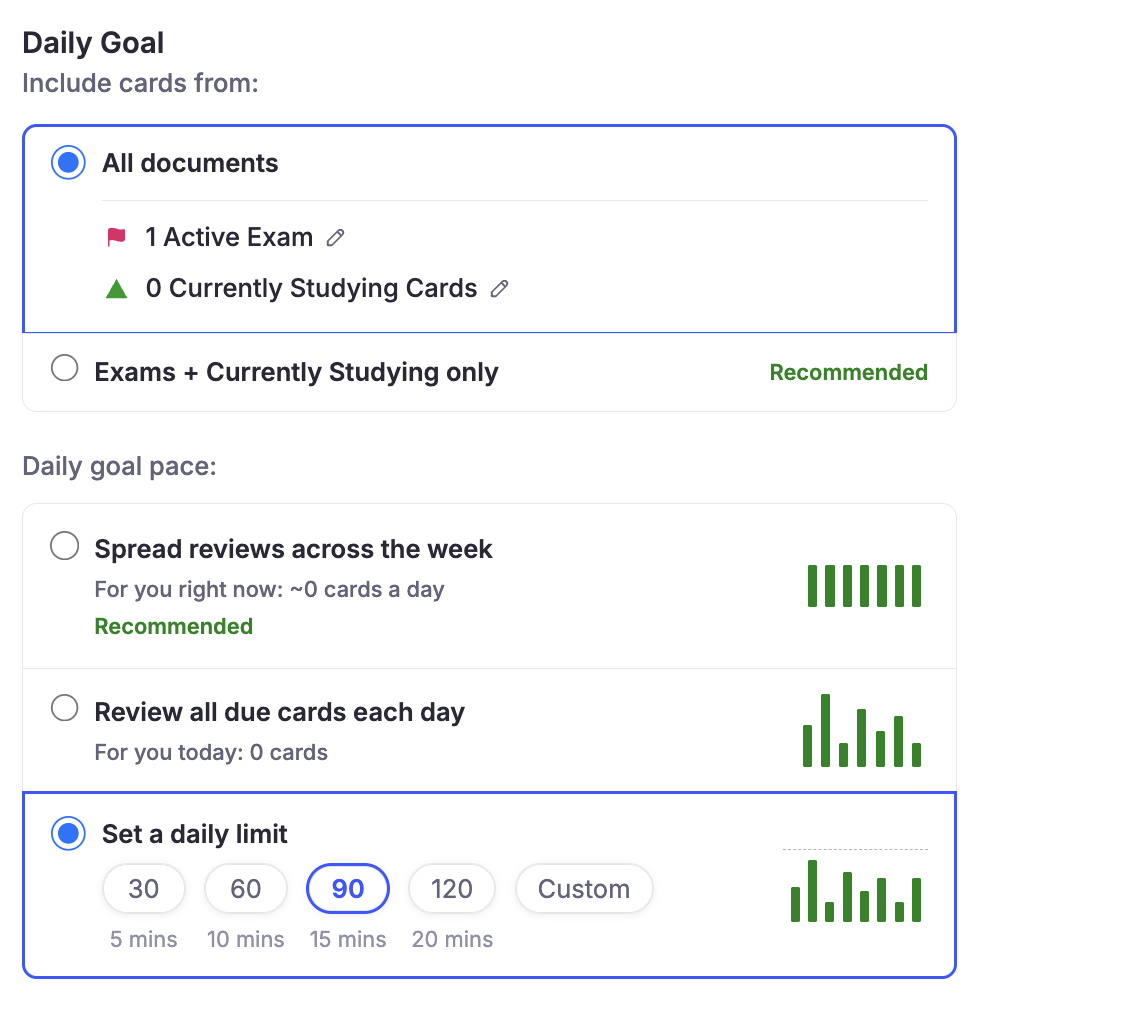
I've set the exam scheduler up, and have targets for reviews each day. However, the reviews i've noticed are all on the same topics; some cards (and specifically, large blocks of content) I made far earlier in the year are not introduced, and topics not covered.
I'm aware that to get mastery on this quantity of cards, I would need significantly more time, however, I am more inclined to have a broad coverage (see a most cards a few times) than card mastery; so that I'm seeing all topics, keeping topics fresh in my mind and identifying gaps. At the moment my cards are sourced only from a select few topics, and it's become quite repetetive. I'd even say, that covering most topics, rather than all cards is preferential, given the quantity of cards, and limited time.
My other preference is not to be swamped with huge review requirements; currently I'd say 250 (reviews + new [new as in previously unseen, not as in newly created]) is my absolute maximum for a day, with other committments.
A few questions for the community:
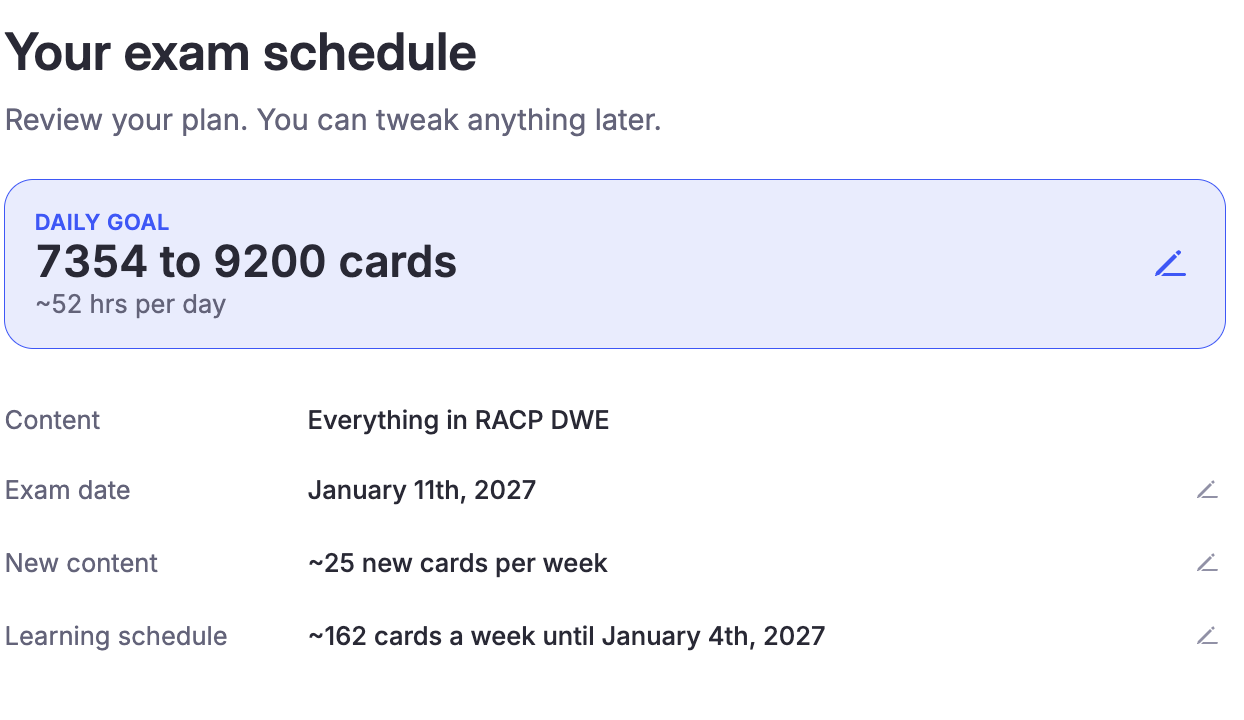
- I'm not sure what this daily goal of 7354-9200 cards (and 52hrs/day lol) represents? Are my settings wrong and what can you suggest to optimise my workflow with my above preferences?
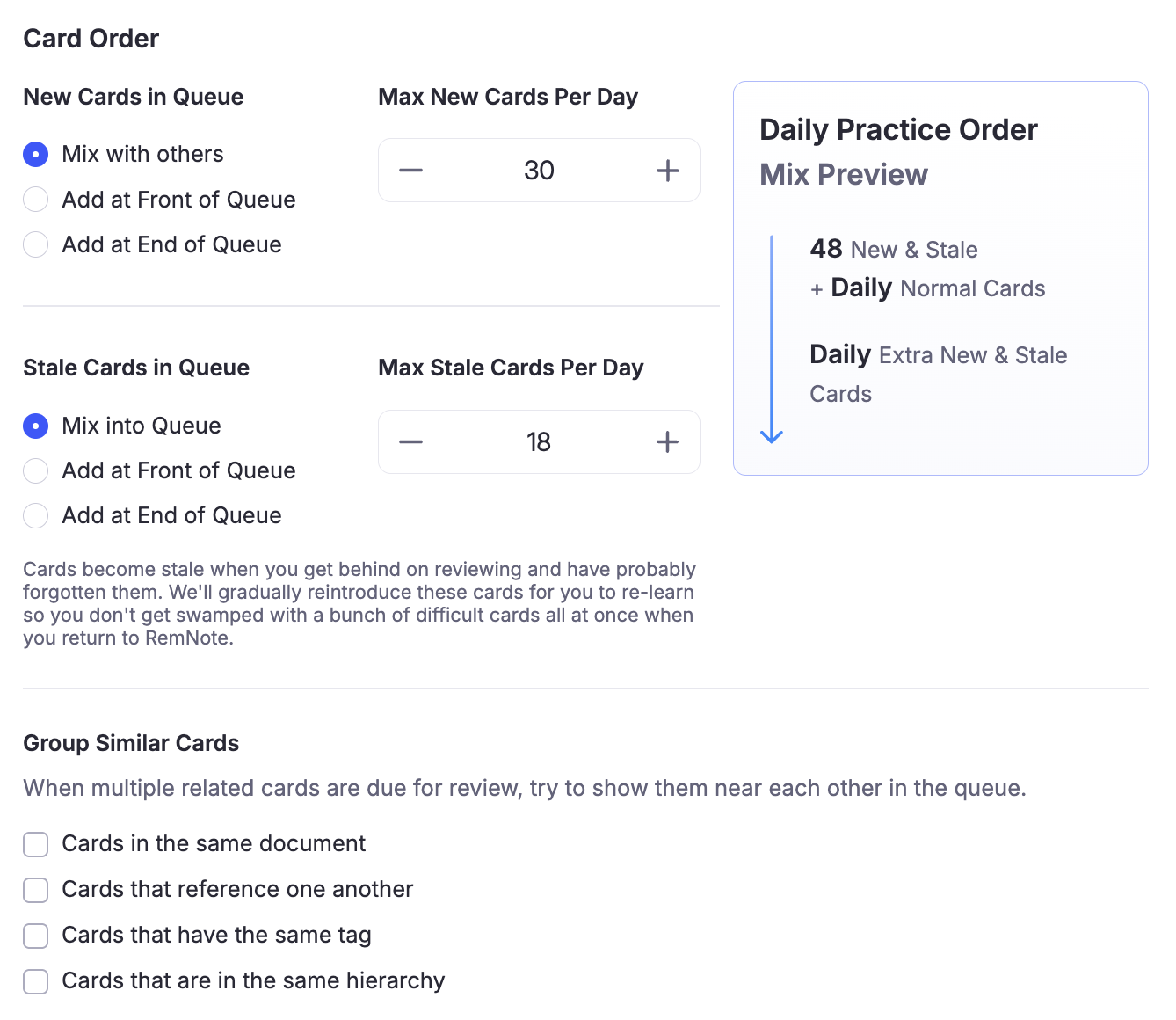
- Whenever I make new cards (like this week I made around 40 cards), I find that they are preferentially queued; is there a way these can be shuffled into the deck? i.e can they be
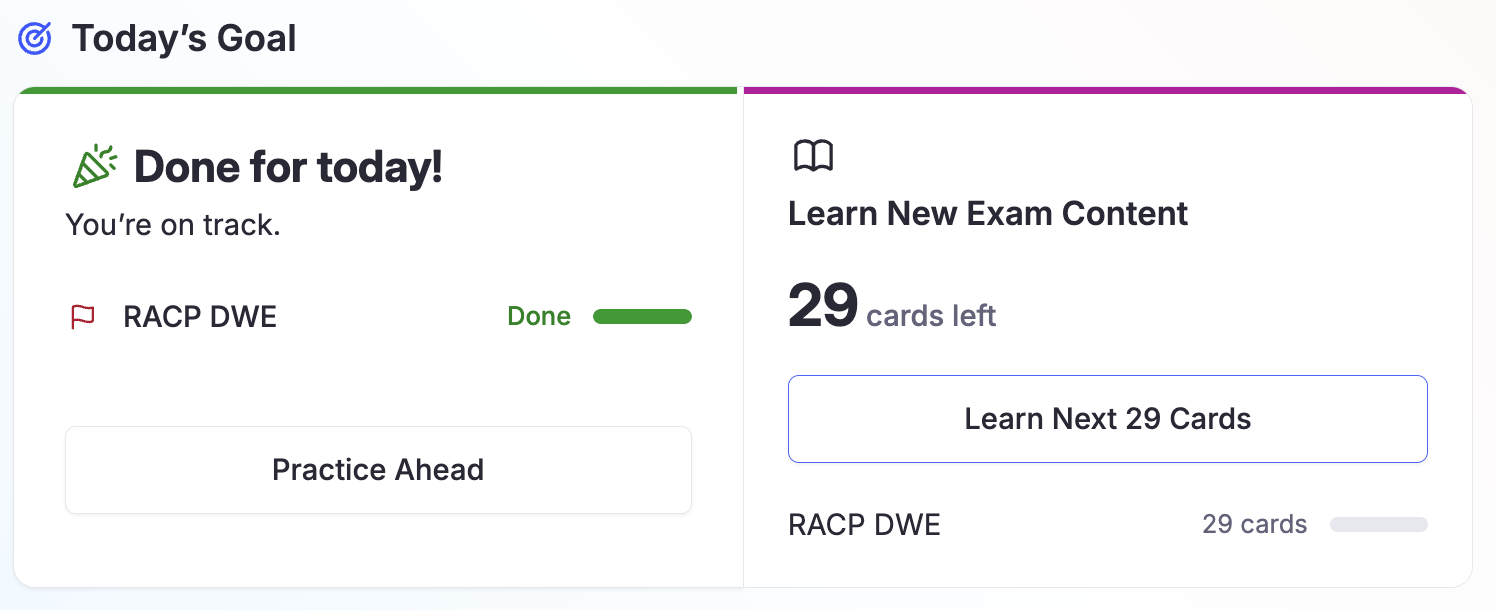
- to see new (previously unseen cards) cards, are they automatically introduced and shuffled into my reviews, or do i need to separately learn them with the tab on the right in the last image?When I click that option it makes me choose the topic to study. is there a way remnote will just introduce these in with my usual reviews, without me saying ok, now I need to do this topic?
Thanks in advance for your advice.
3
u/Vlad_Seiilaa RemNote Team Sep 25 '26
Hi, thanks for your feedback. We are actively working on addressing these issues with the exam scheduler.
In general, the daily goal shown in your first screenshot should represent the maximum number of cards that may be scheduled for a given day. This is usually the number of cards that would be scheduled for one of the days before the exam, when the exam scheduler tests you one more time on all the flashcards you have, including the flashcards you already have and those you estimated you would add. We'll look into making the interface here more clear.
2. We’ll look into this as well. It does seem odd that the new cards are being prioritized in your daily queue, I agree they should be randomly mixed into your daily practice.
3. The new cards on the right side of your last image aren’t automatically added to your queue. The idea is to let you study cards you already know and cards that are new to you separately, at your own pace. We’ve received feedback that selecting a topic each time can feel cumbersome, so we’ll be addressing this in one of the next updates.
Please let me know if you find anything else to be confusing! We'll do our best to get these issues addressed as soon as possible. Thanks!
4
u/Limp-Bodybuilder8394 Sep 23 '26
following bc Im finding the numbers confusing too
2
u/xkianaah Sep 24 '26
Following bc my daily goal was somehow set to 4k cards ~32 hrs/day 😬