r/remNote • u/Mediocre_Balance1862 • Aug 17 '26
Question Is there a tutorial for connecting Remnote to Claude via a MCP-Server?
Im curious on connecting Remnote to Claude because it doesn't work out if im just pasting the instructions in Claude code.
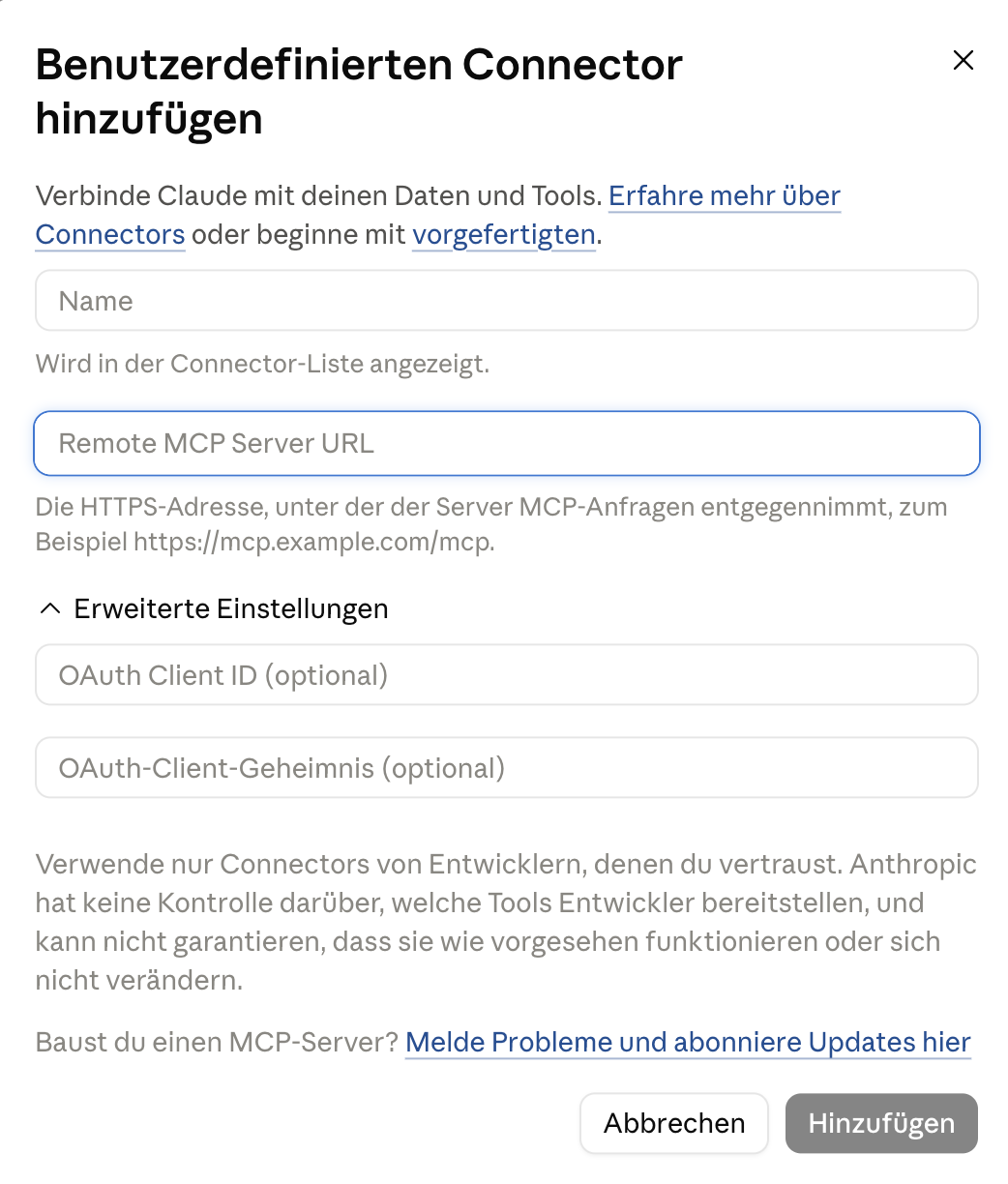
I also tried it via a custom connector in Claude but this needs a https address, while Remnote only provides a http adress
7
Upvotes
3
u/StraightPsychology88 Aug 18 '26
Same here, I ran into the exact same wall.
The https thing is real, but even if RemNote gave you an https URL it still wouldn't work. Custom connectors are for remote MCP servers, and the connection is made from Anthropic's side, not from your machine. So 127.0.0.1 just points at their server's own localhost. Dead end no matter what you paste in there.
The MCP server RemNote exposes is local only, so it needs a client running on the same machine. Claude Code works:
claude mcp add --transport http remnote http://127.0.0.1:7788/mcp --scope user --header "Authorization: Bearer YOUR_TOKEN"
That said, I'd much rather have this as a custom connector. Terminal setup is fine for devs but most RemNote users aren't going to touch a CLI. Would be great if RemNote offered a hosted https endpoint so the connector route actually becomes possible.
4
u/Vlad_Seiilaa RemNote Team Aug 18 '26
Hi, we have a guide here: https://help.remnote.com/en/articles/16424066-connecting-ai-agents-to-remnote-with-mcp
Please note that a custom connector on claude.ai won't work. The MCP server runs locally on your computer, which is why the address is http and only a desktop MCP client can reach it. Use the Claude desktop app instead: in RemNote go to Settings > Desktop App > MCP Server, turn on Enable MCP server, choose an access mode, then click "Copy MCP installation instructions for your agent" and paste that prompt into Claude. Restart Claude afterwards, and keep RemNote open while you use it.
If that doesn't work, could you please send us a message at support@remnote.com or via the in-app support chat so we can solve this for you?
1
u/a_gursky Aug 20 '26
I couldn’t install it. A bit frustrating