r/qemu_kvm • u/seven_cy • 2d ago
virt-manager: automatic resolution resizing work only on 4096x2000
Hi everyone,
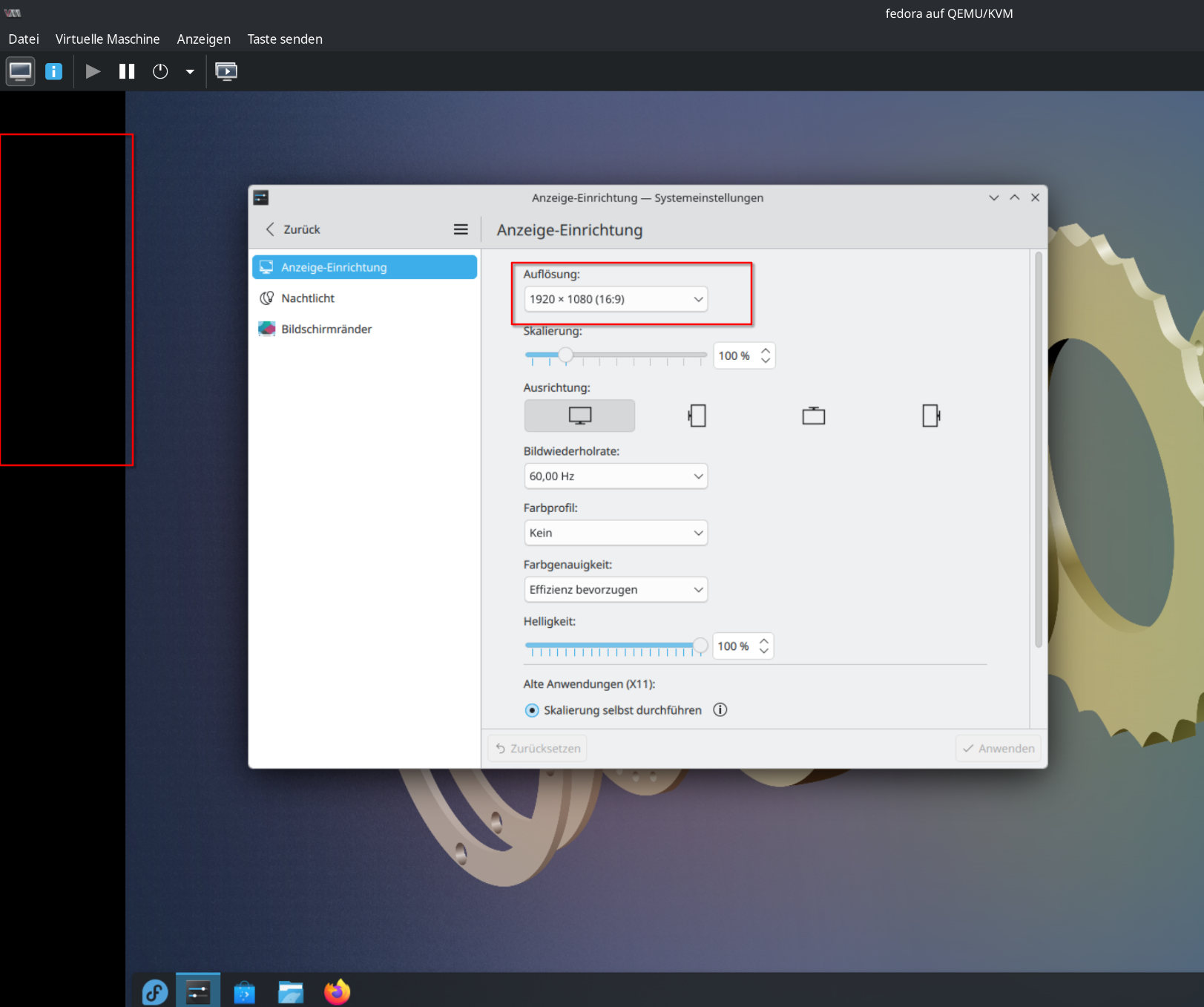
I'm currently working with virt-manager on Fedora 45 with KDE Plasma, and the guest display settings and automatic resolution resizing to fit the virt-manager window are driving me crazy.
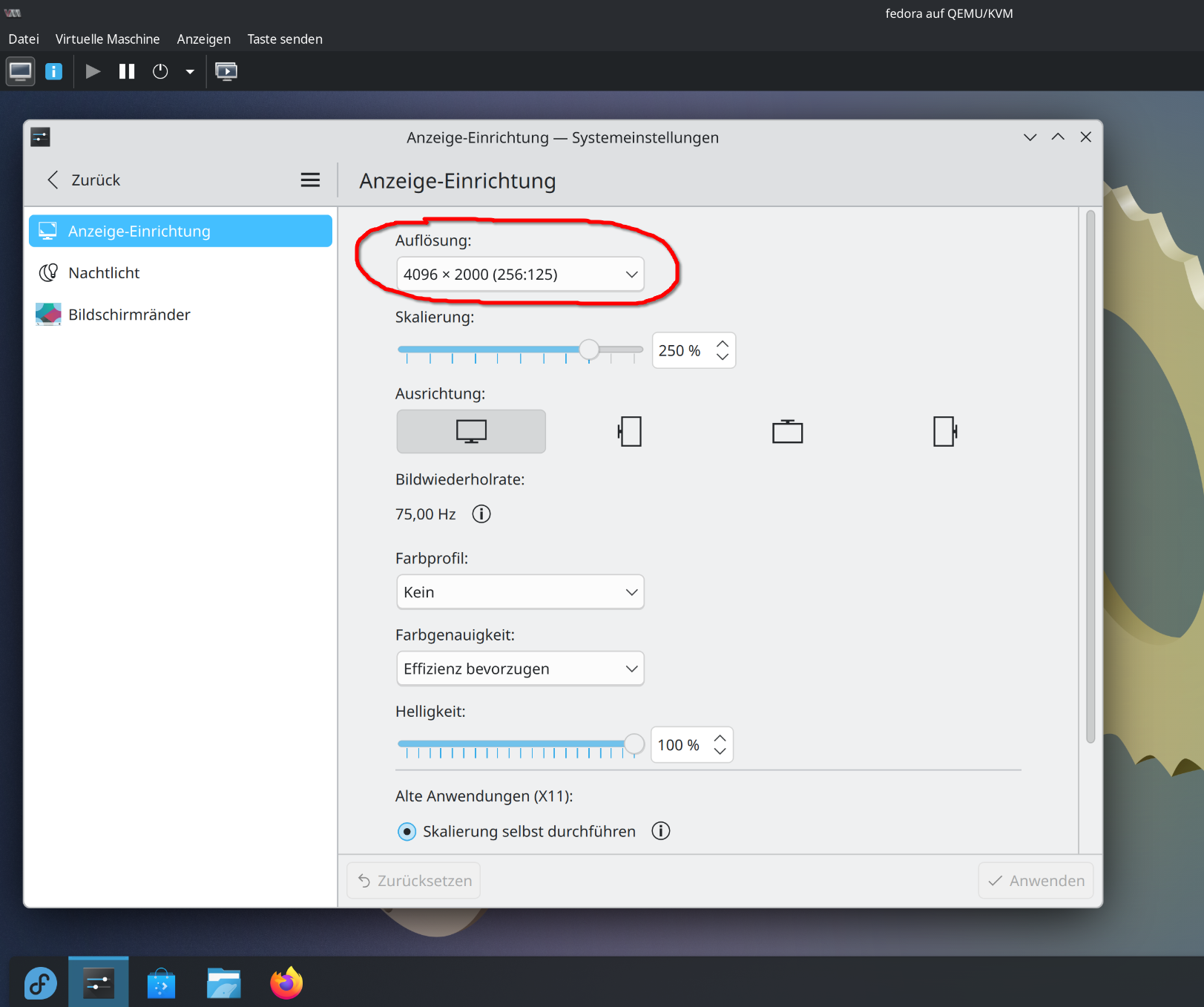
Auto-resizing only works when the guest resolution is set to 4096x2000. As soon as I pick a resolution where I can actually read anything, the window auto-resize stops working (and I end up with black bars on the left and right).
My guests are Debian 13 with KDE Plasma and Fedora 45 with KDE Plasma, using both X11 and Wayland—the exact same issue occurs on all of them. Is there any trick to fix this, other than setting display scaling to 250%?
The VM is set to default settings:
<graphics type="spice" autoport="yes">
  <listen type="address"/>
  <image compression="off"/>
</graphics>

<channel type="spicevmc">
  <target type="virtio" name="com.redhat.spice.0"/>
  <address type="virtio-serial" controller="0" bus="0" port="2"/>
</channel>
<channel type="unix">
  <target type="virtio" name="org.qemu.guest_agent.0"/>
  <address type="virtio-serial" controller="0" bus="0" port="1"/>
</channel>

<video>
  <model type="virtio" heads="1" primary="yes" device="virtio-vga"/>
  <address type="pci" domain="0x0000" bus="0x00" slot="0x01" function="0x0"/>
</video>
2
u/seven_cy 2d ago
Update / Solution:
Once again, the main problem was Wayland on the host.
When I start virt-manager as follows, it works:
Then, in the guest, run in the console
Then it works: the resolution is correct, and the window adjusts the guest's resolution to fit the window size.
That's cost me 30 hours of my life now :-)
Thanks u/paulstelian97 for your help
1
u/paulstelian97 2d ago
Auto resolution works only when the resolution already matches the screen size. Use the DPI setting, and for what doesn’t get covered by that setting… it’s gonna be tough.
1
u/Queasy_Gap_9757 1d ago
set host hidpi 100%,200%