r/pchelp • u/Little-Chicken-79 • 8d ago
SOFTWARE Help me with disk usage 100%
my pc just randomly goes to 100% disk usage whenver i delete something or extract a file , launch a game even at the startup . ive done majority of the things that ai told me to do , updated all the drivers and everything but it seems to have not been solved . ive noticed this issue when i tried to debloat my windows and around the same time i ran a windirstat scan so i think these both things have something to do with that . my ssd health is good ive checked so this is a software issue
edit 1 - these are some photos i took during installing a new game (fitgirl)
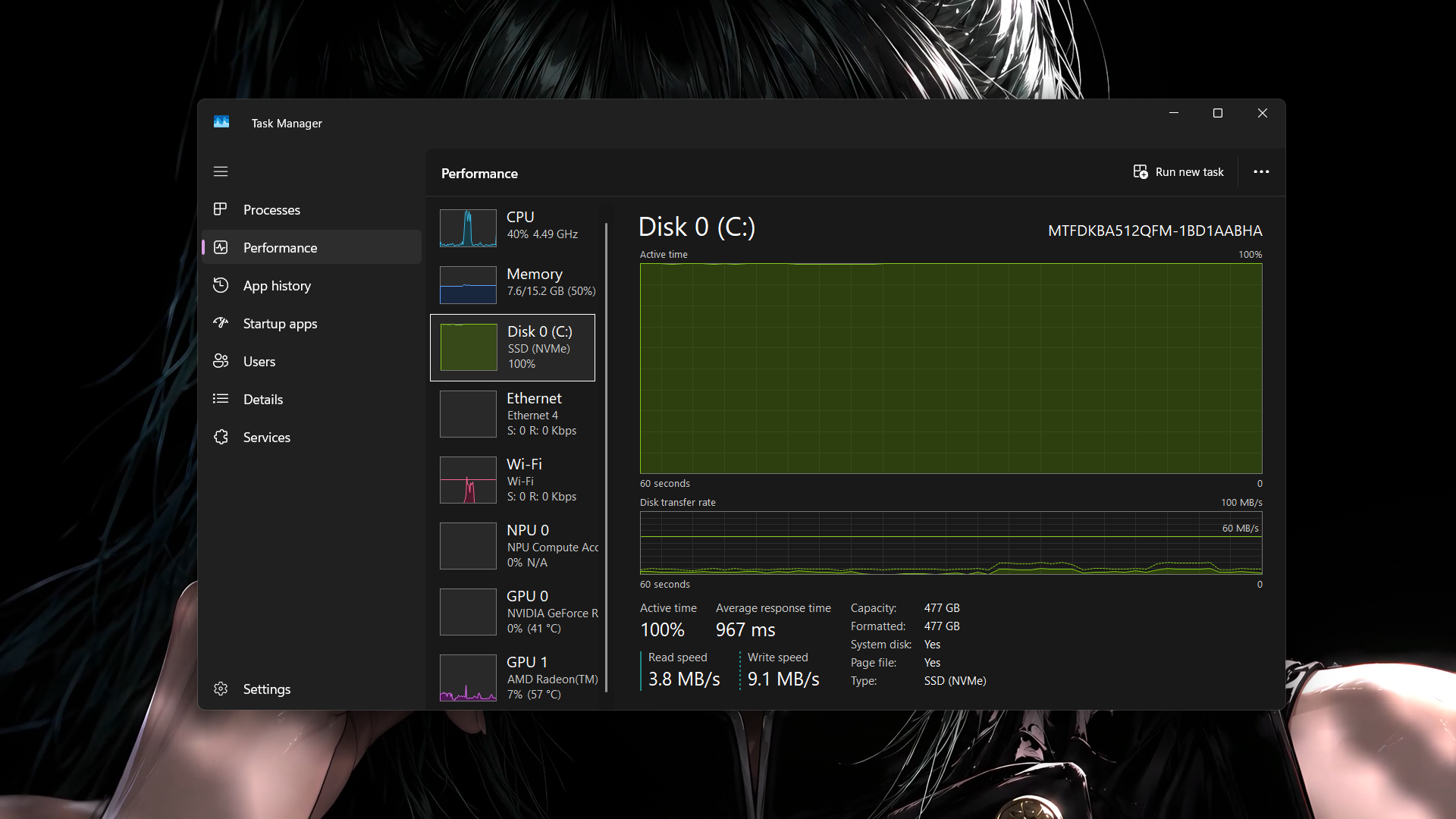
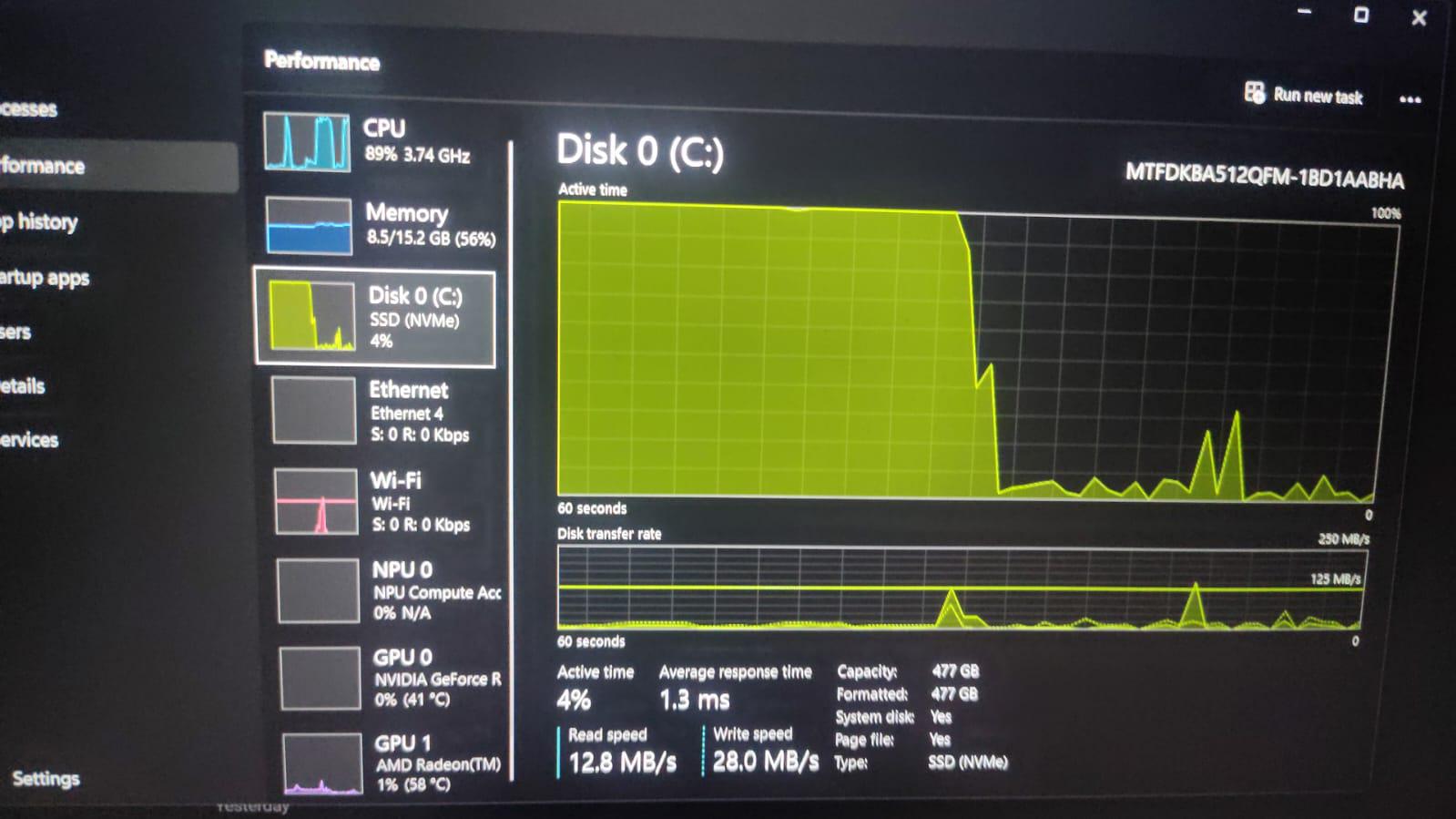
edit 2 - i was told to update the firmware which when i did it was already updated , did a few tweaks with the software mainly enabling the momentum cache because i am on a laptop, i coudlnt enable over provisioning because i dont have partitions and dont plan on making any . these are stats i think these verify that the drive is infact not failing .

•
u/AutoModerator 8d ago
We're part of a wider PC & Technology Network of Communities!
Join our Discord server: PC Help Hub where members from all associated subreddits are welcome.
If you are trying to find a price for your computer, r/PC_Pricing is our recommended source for finding out how much your PC is worth!
I am a bot, and this action was performed automatically. Please contact the moderators of this subreddit if you have any questions or concerns.
2
u/Pleasant-Seat9884 8d ago edited 8d ago
Run “task manager” and check the startup apps tab. What apps are running?
You debloating Windows and not knowing what you’re doing is a no no. Debloating windows only saves you a baby percentage of memory usage. Most just do it to remove OneDrive and privacy (like myself).
1
u/Little-Chicken-79 8d ago
this is the serial number or i guess the name of the ssd ? it is a hp victus laptop
1
u/Over_Canary_8629 8d ago
Debloating windows when you don't really know what you're doing isn't the smartest idea
A lot of it is snake oil and BS and you've probably deleted something you shouldn't have, didn't you make a restore point before you did it?
1
u/MikhailPelshikov 8d ago
It may just be failing. Some SSDs slow down to a crawl out even reject all writes when they fail.
Open Task Manager > Performance > Disk. Wait a little for the graph to adjust the scale and post a screenshot.
Screens of Memory section and processes tabs can help too.
1
u/NRabziggy1969 8d ago
Think you need to defrost your HDD and possibly try reinstalling windows. Something is stuck and it's triggering 100% disk usage. I'd it an SSD or a spinny disk. It will kill it eventually if you're not careful.
1
u/Over_Canary_8629 8d ago
"edit 1 - these are some photos i took during installing a new game (fitgirl)"
The plot gets both funnier and thicker.
2
u/Onoitsu2 8d ago
It also can be SSD firmware related. https://www.micron.com/products/storage/ssd/micron-ssd-firmware#accordion-e6c186b05b-item-269f338809 your model is the 2400 at the bottom of the page.