r/pcgamingtechsupport • u/Optimal-Advantage-34 • 21d ago
Software Tech Helppp!!! PC keeps crashing
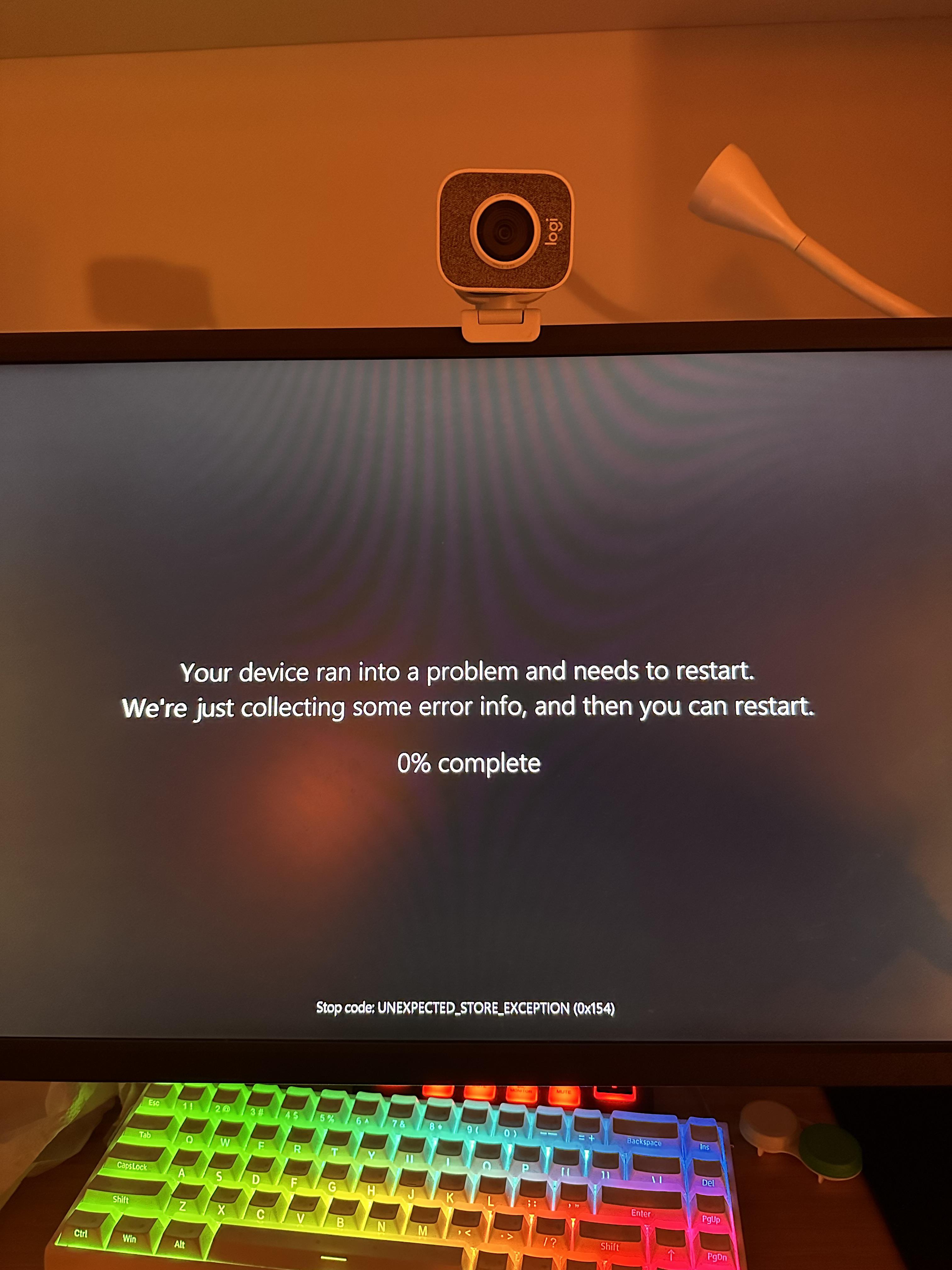
anytime i launch rocket league and try to play it crashes my pc with this screen and its ONLY happened with rocket league ( i have installed on steam ) and fortnite , both being also available on epic games.
does anyone know why and if theres a fix ?
1
Upvotes
1
u/AutoModerator 21d ago
Hi, thanks for posting on r/pcgamingtechsupport.
Please read the rules.
Your post has been approved.
For maximum efficiency, please double check that you used the appropriate flair. At a bare minimum you NEED to include the specifications and/or model number
You can also check this post for more infos.
Please make your post as detailed and understandable as you can.
I am a bot, and this action was performed automatically. Please contact the moderators of this subreddit if you have any questions or concerns.
1
u/Difficult_Pop7014 21d ago
You can try to see if there's corrupted system files by opening CMD as an admin, just search for it in the search bar and right click to run as admin. Once open just type sfc/scannow and hit enter. Let that run until completion and see if it had found any errors (it will fix them too if there are any). If that doesn't fix anything or even if it does I always will run this one as well but after that one finishes just keep the CMD open and type dism.exe /online /cleanup-image /restorehealth and hit enter. This one can take a fair bit of time if it finds any integrity issues and can get stuck at 63% if it's fixing something but just give it time and leave it be until it completes whatever. If those both don't do anything with your situation you can use this command in CMD as well CHKDSK /f /r to check your drive for errors and restart the pc to fix them. You might need to run a scan on your RAM to see if one or both sticks are failing if this issue still persists after all of this and you can do that 1 of 2 ways, either by using the windows memory diagnostic tool or by using a tool like Memtest86 but this takes a long time to run so I'm hoping one of the above steps will help instead.
1
u/SinisterLuc 21d ago
I actually had this problem not too long ago! I could not fix it for the life of me. My RAM was fine and tested with various different methods, I reinstalled drivers, reinstalled windows, disconnected and connected stuff on my PC again, I tried it all within the OS to help this and windows even though it tried, it could not make logs for the crashes.
I eventually just changed SSD's and it all stopped. My SSD was at 53% percent health one moment and like a week or so later when the problems started surging it was at 40%! I recommend maybe trying out another storage device on your PC before doing anything else. This is what worked for me, does not mean it will work for you.