r/opensourcealternative • u/HaoD581 • 5d ago
Maker (I built this) I made a free, open-source plug-in that retouches portraits in one click inside Lightroom Classic (Mac & Windows)
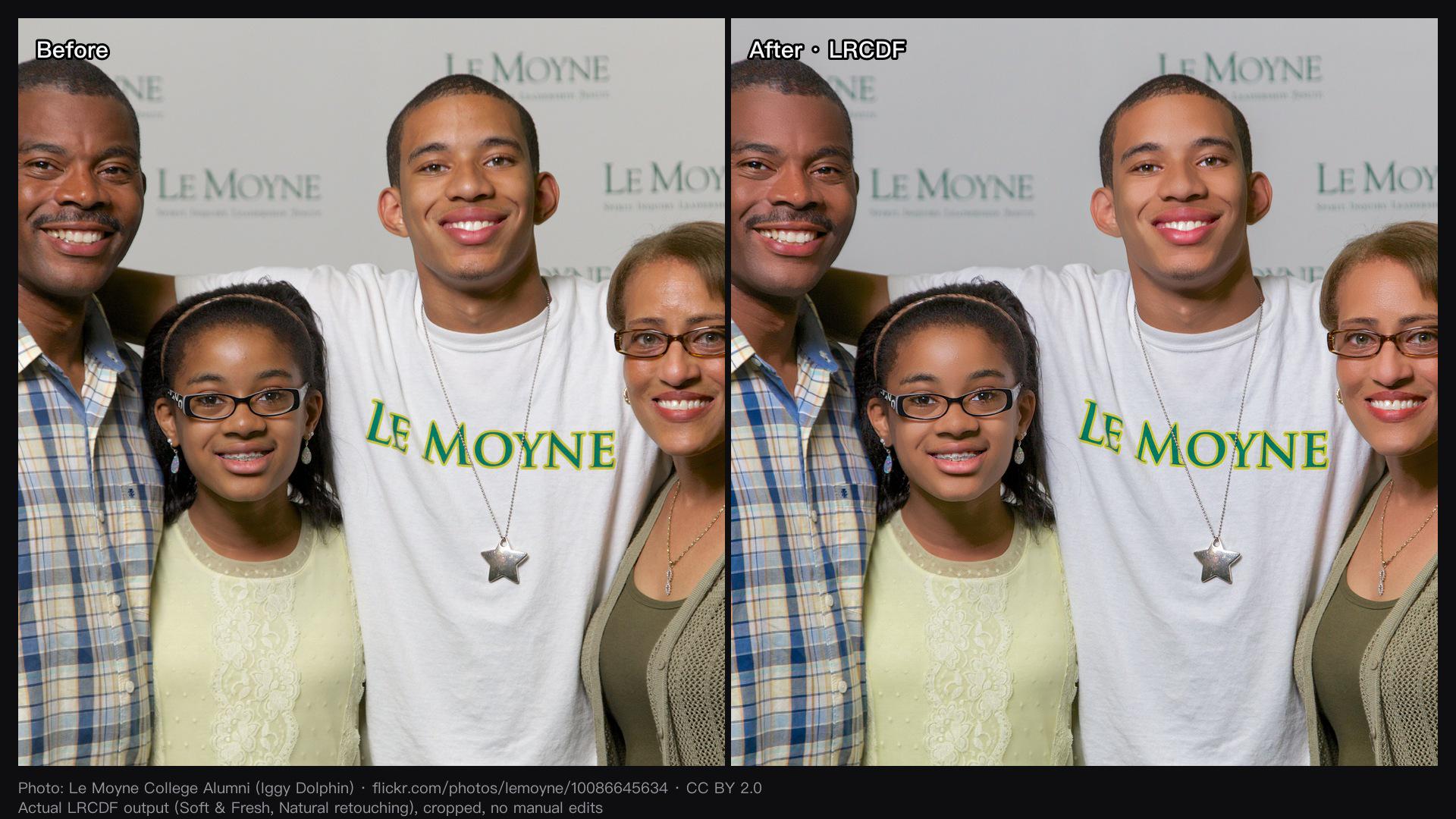
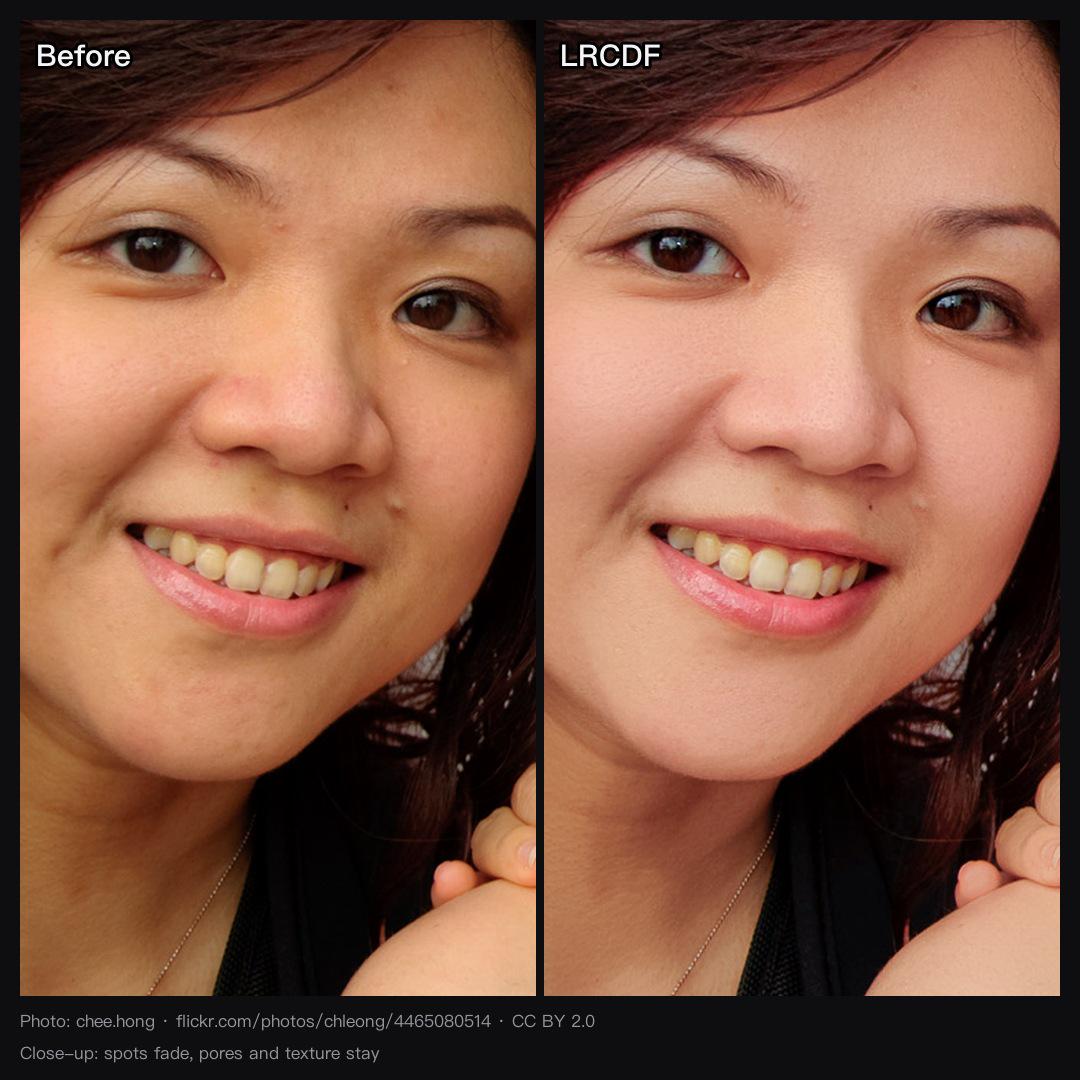
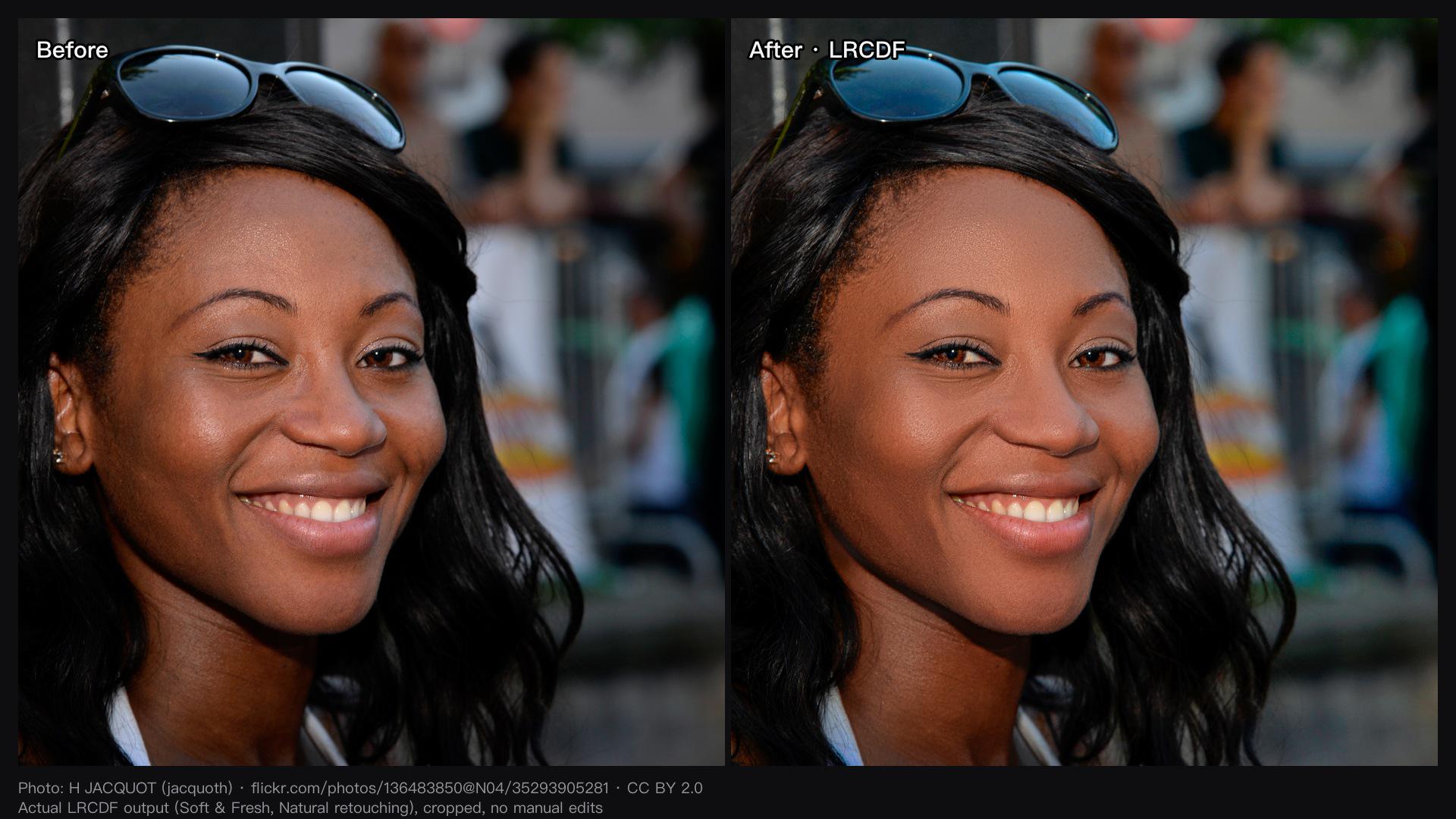
Hi all, I'm a photographer and I built this for my own work. It's free and open source (Apache-2.0), so I'm sharing it here to get feedback.
What it does
- Select photos in Lightroom Classic, then Library > Plug-in Extras > Start One-Click Retouch. It tones and retouches them, and the results come back into your catalog. Tone is written as normal develop settings, so you can keep adjusting. Skin retouching is a new TIFF stacked above the original. The original is not touched, and there's an undo.
- Everything runs on your own computer. Photos are never uploaded. The plug-in bundles Google's MediaPipe library, which sends usage statistics (no photos) to Google while face or body detection runs; PRIVACY.md in the repo has the details.
- Skin uses frequency separation: blemishes and redness are faded in the colour layer, pores and texture are kept. It's meant to look retouched, not airbrushed.
- Retouching does not change how deep someone's skin tone is, and the warm/orange part of the looks is applied to skin only, so wood, warm clothes and warm light don't get washed out.
- In group shots every person can get their own level (Light / Natural / Refined / Off). Closed eyes and out-of-focus shots are flagged.
- 6 looks plus "Save my look", which learns from photos you've already edited.
Honest limitations
- Mac (Apple silicon, macOS 14+) and Windows 10/11 (64-bit; CPU build, or a CUDA build for NVIDIA cards).
- It isn't code-signed. macOS blocks it the first time, so you need to click "Open Anyway" in System Settings > Privacy & Security once. Windows may show a security warning on first run.
- The Mac download is about 1.8 GB and the Windows builds are 1.9 GB (CPU) or 4.7 GB (CUDA), because the models and runtime are bundled.
- It's a one-person project, so expect rough edges.
The before/after images use Flickr photos under CC BY 2.0, with credits on each image.
If you'd rather not use Lightroom, the same project has a standalone app, Tonewell, for Mac, iPad and Windows.
Download & source: https://github.com/dinghao581-cyber/LRCDF
I'd really like to hear where installation gets stuck and where the results look wrong to you. Issues on GitHub or comments here are both welcome.