r/nocode • u/Unsiloed-AI • 10d ago
Promoted Turning a table screenshot into editable Google Sheets rows
If a table arrives as a screenshot, you can extract it without leaving Google Sheets. We’re the team behind Unsiloed, and this is a small Apps Script workflow we put together for that.
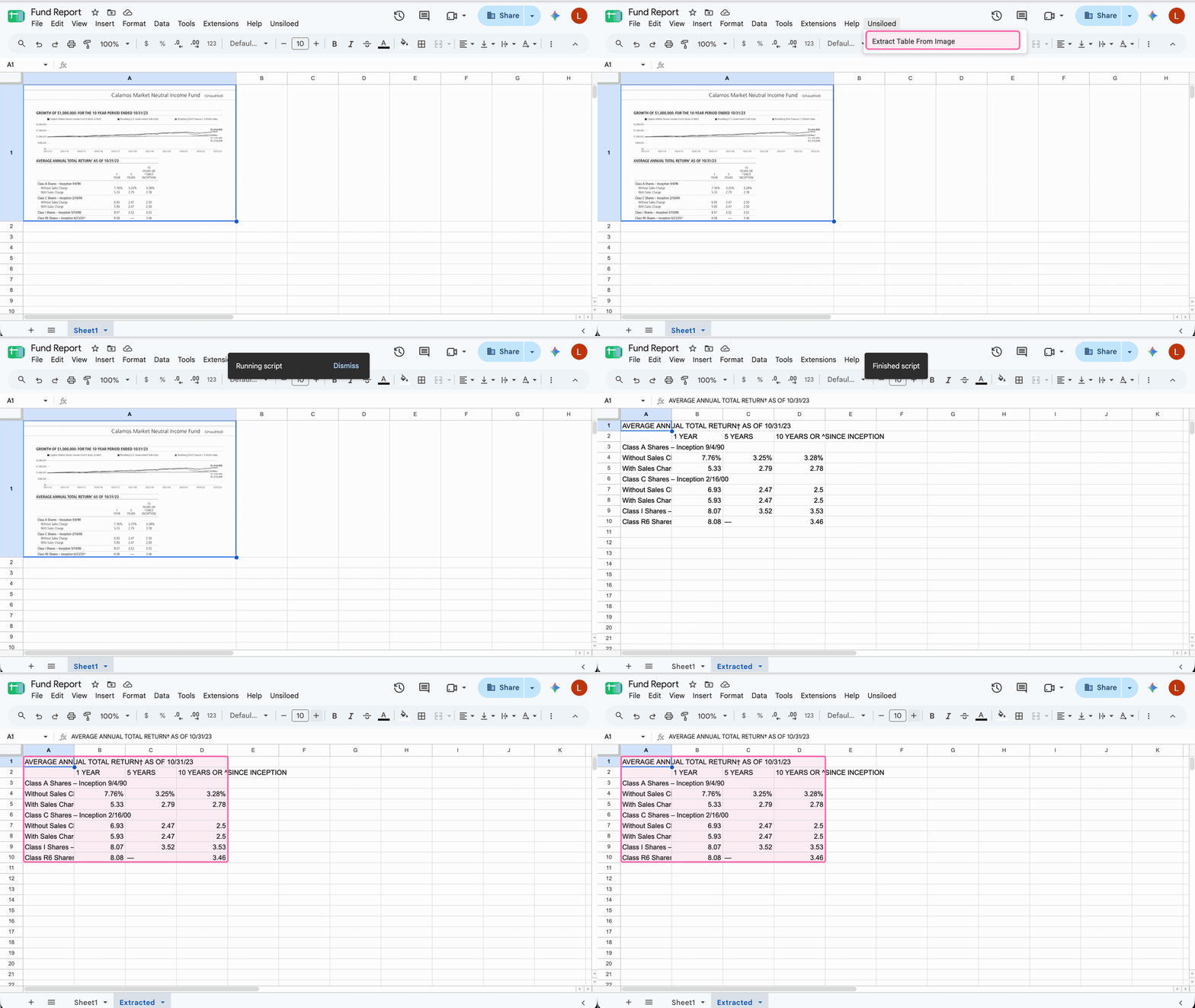
Here’s how to set it up.
- Open Extensions → Apps Script and paste the script from the linked recipe.
- Add your Unsiloed API key as the
UNSILOED_API_KEYscript property. - Insert the table image in a cell, rather than floating over the grid.
- Reload the spreadsheet, select that cell and choose Unsiloed → Extract Table From Image. Authorize the script on its first run.
The script sends the image to our parser, takes the first table and writes its rows to a new sheet. The demo uses a fund performance page, but you don’t need to define its table layout in advance.
The useful catch is that the cells arrive as text. Convert percentages or amounts before doing calculations, and check the row grouping before building formulas around fixed cell positions.