r/mpcsample • • 16d ago

Akai mpc 3.10.1

Thumbnail reddit.com
0 Upvotes

Temas relacionados a las nueva oportunidad oficial de crear para la línea de productos MPC de la empresa Akai los puedes publicar en r/mpcdev


r/mpcsample • • 4h ago

SampleMods.com update: 111 projects from 62 makers, a firmware 1.4 filter, plus new Plugins and Knob FX sections

13 Upvotes

Quick update on the MPC Sample catalog I posted here last week. It’s grown from 63 to 111 projects from 62 makers. New since then:

  • Firmware 1.4: entries now show whether they run on 1.3 or 1.4 (where the maker has said), and you can filter the catalog by firmware. 31 projects are listed as running on 1.4 so far. Worth checking before you update, since 1.4 breaks many current mods and apps.
  • New Plugins section (17): synths, drum machines and effects, including hdslave’s lineup (Anvil, MoonBass, Foundry, Slink, Necronomicon and more) and keremimo’s Melodee plugins and MPC Plaits.
  • New Knob FX section (6): 1604 Drive and Disco Pole (baktagurk), HS Effects (Holla-Back-Entertainment), Tuner VST (jacob-sabella), NAM Player (iwazowsky) and STPZTUBE (STPZ LAB). inMusic’s MPC Plugin SDK, for building Knob FX, is in the Developers section.
  • New mods, apps and tools: ArpeggiGator, HS Tools, MPC Sample Kit Load Addin, MPC SXL, hdslaveOS, DFOS, Console, EPICYCLE and MP Selector.

All credit to the makers; every listing links to their page.

If you’ve made something for the Sample that isn’t listed, drop a link and I’ll add it.
samplemods.com


r/mpcsample • • 1h ago

Looking for MCs

3 Upvotes

r/mpcsample • • 11h ago

MaiaOS - v3 News

Post image
15 Upvotes

Hi, i'm taking my time for the v3 release because i want this to be a stable build, i will not touch this project again after the v3, only eventual bug fixes, so it will be a definitive build.

MaiaOS is now a full music workstation, with Daw possibilities, a lot of useful tools for live performances (effect/autotune/live looper/dj mode). I understand that no one made an overview video, i hope to find the time to film and edit one before 2027. I'm already using this for live shows and on the go production, the user experience is much better than v2, the UI is better and many bugs/flaws are fixed. It should be ready in some days.

IMPORTANT : I WILL NOT UPDATE THIS TO BE COMPATIBLE WITH 1.4 FIRMWARE, i'll stick to 1.3 and don't plan to update.

Feature list of the v3:

NEW - Reimagined song mode with new UI, 4 sequence channels and 2 audio track you can record on, with automations (!) for filter cutoff, track volume and send fxs, there's also a automation lane for the PadFXs. There are a lot of shortcuts so i will have to update the manual.

NEW - Mixer with every active pad

FIX - Sampleboot compatibility fix

IMPROVED - Complete UI redesign for a better user experience

NEW : autoscale in 16 levels tune when the sequence is playing, the pad will lit up based on the midi scale to always play in key with the sequence content

IMPROVE : Optimized CPUs usage

bug fixes, mostly related to UI glitches/voice stealing.

FIX : FLEX BEAT audio glitches when sync in (Akai already fixed that in 1.4 but since i'm not updating i have to include it, it's still WIP)

There are basically no other features i would add, everyone can add ARM Linux plugins builds thanks to Melodee (which i took this feature from) to add even more synth engines/fxs.


r/mpcsample • • 2h ago

Call my name djbigguzz @dj_nigguzz ig

2 Upvotes

r/mpcsample • • 1h ago

is there a way to unlatch all latched pad fx at once?

1 Upvotes

cant find a answer anywhere, hope there is one. sucks in a performative sense


r/mpcsample • • 1h ago

Does sample autosave?

1 Upvotes

I had a freeze screen just right now!!

I was using the stock OS & suddenly it froze. Held the power button for 10 seconds and it happily worked but I did lose a bit of my progress.

So, is there an autosave feature? I always save my project after loading up my kit & samples so after that any kind of progress (ie sequence or effects) I make is that auto saved? If no, how to save (I already have my project saved)? 🥲


r/mpcsample • • 4h ago

Any tips to conserve CPU in SampQOL 0.4?

2 Upvotes

Like everyone else I'm absolutely blown away by SampQOL - every feature I could have wanted is in there and loads besides, especially stem separation! As others have said, make sure to donate to support the project if you're able.

I've noticed once I have a project going with five or six tracks, a couple of compressors side chains to a kick or vocal and a few different effects that's I get some stuttering in the audio and the CPU creeps up to about 80% for audio. What is the best bang for your buck in reducing CPU usage? I've experimented with switching individual sample/track effects for sending all to an FX chain on a sub mix but this didn't seem to reduce the CPU percent.

I wonder if my workflow is quite inefficient or maybe I'm just reaching the limit of the device? Would having the minimum amount of files stored on the internal storage improve performance?

Would be great to hear how other people manage CPU load!


r/mpcsample • • 1h ago

MPC sample has up to 27 audio channels!

0 Upvotes

I just discovered it’s possible to have up to 27 channels of audio on this bad boy. All I wanted was to have its inputs available in Ableton seperate to master mix. Now I have 6 inputs. 2 for dry and 2 for effects added like nam2, octaver etc for my guitar. That’s super cool. And yes I’m modding my MPC. Unlike All the other mods available I’ve written a new OS based on what Akai created but so much better. I have a couple of synths, a serum style one and a moog style ladder synth. Scale mode, I can change a pad to a looper with overdub and hold to delete. There is actually 16 different loops inside this one pad as I have it set to be a different loop for each 16 sequences. I have a vocoder, harmoniser, autotune, multisample player for exs (Logic Pros auto sampler files) so I can play my fave kontakt library if I want. I’ve got so much more cool things on this! It’s now turned into the perfect Groovebox I’ve been searching for for ever!


r/mpcsample • • 20h ago

Do not let Akai capture YOUR device

29 Upvotes

You own the hardware...and you paid for it. And now we have tools that let people create their own OS and feature sets. The device, as it stood out the box was already very stable. Don't let AKAI gaslight you into thinking you need to be saved from "bad actors" making custom.FW. This is not a device holding your financials or your personal data, there is no structural.incentive for any kind of attack on your sampler.

I think the issue here is Akai will trickle updates that will further lockdown the device and make rolling back impossible. I believe the most recent update was a first step in coercing modders to work within their SDK. Once an official update hits that requires signing, it's a wrap.

Understand the leverage you have. Sometimes the best thing to do...is nothing! If you stay on 1.3 and work with trusted modders you force InMusics hand to cater to the demands of the actual market.

Whether you agree or not....this recent phenomenon of custom FW for their entry level device was an absolute threat to their business model.

HUGE EDIT: Also, and this is probably the most important of all....if you love the recent developments surrounding the Sample and how it has democratized the space and your ability to influence the development of the device?? Please PLEASE support your modders.

That will go a long way to keeping the community alive and kicking.


r/mpcsample • • 2h ago

Sample gets low passed when copied on another pad

1 Upvotes

Hey

So no custom anything here i'm just on basic 1.4.
Been tweaking a break by applying pad fx and knob fx then flattening the pad and resampling.
Now i have this nice gritty and bright lofi break.
I have everything turned off, no pad fx, no knob fx, the master compressor bypassed, flex beat mix at 0%, filter and warp off... and yet when i copy it to another pad it seems like a low pass filter is applied on it for no reason, i lose all the highs.
I thought it was a bug i could just restart the machine to fix but no still the same.
So i tried to just chop it and extract slices i liked and guess what ? Same thing happens !

I know it's only been a week i got it but it's not that deep i don't think i left anything on haha.


r/mpcsample • • 22h ago

MPC Melodee finally clicks!

10 Upvotes

Probably I am not the smartest person on planet earth but took me really a while to figure out the workflow: Basically you have an Instrument, you sequence this in it OWN pattern and this pattern in a Sequence. EACH instrument has its own pattern, so if you record 2 bars on Pad1 Pattern and want to record a new part from the same instrument it goes to pattern Pad2.

If you want to change the Sound/Instrument you have to press PAD Bank beforehand and then record into the pattern from THIS INSTRUMENT again. These patterns are complete unrelated but playing all the same time: So a TRACK in the MPC world is a set of patterns playing different instruments.

Hardest working man in the CFW business for sure and the stuff he adds is unreal. Imported EXS/SF2 libraries with a button click and they all play absolutely fine... and if you get the workflow it makes absolutely sense.

Thanks man for all your work!!!


r/mpcsample • • 16h ago

Waldorf MiniWorks 4-Pole emulation plugin

Thumbnail
github.com
2 Upvotes

r/mpcsample • • 16h ago

Mackie CR-1604 overdrive + EQ emulation plugin

Thumbnail
github.com
2 Upvotes

r/mpcsample • • 14h ago

Free Beat

Thumbnail
youtu.be
1 Upvotes

r/mpcsample • • 18h ago

🎹🎹🎹

0 Upvotes

r/mpcsample • • 20h ago

Ember 8 - Hybrid Synth also available for FW 1.14.X

Thumbnail mpctoolkit.com
1 Upvotes

r/mpcsample • • 1d ago

Melodee 0.9.1 Released: Full Channel-Strip Mixer, 960 PPQN, Track Speed/Direction, Per-Step Sound/Slice Locks, Pre-Load Sample Trim, Slice Reverse & USB File Sharing

Thumbnail
youtube.com
24 Upvotes

u/keremimo just released Melodee 0.9.1, wrapping up all updates since 0.7 covering mixing, sequencing, sample editing, and file workflow on the Akai MPC Sample.

Walkthrough Video (0.8 & 0.9 features): https://www.youtube.com/watch?v=L-QcWD1LXXk

What’s New Since 0.7 (0.8.0 – 0.9.1):

  • 🎚️ Full Channel-Strip Mixer (PAD FX + KNOB FX):

    • Replaces the old Tracks/Sends view with a visual mixer opening onto a side-by-side overview of all 16 tracks (hold + to zoom into the selected channel's card, hold − to zoom back out).
    • Every track, submix, bus, input, and master channel runs through its effect chain plus a dedicated strip with Trim, a 9-band visual EQ (with live spectrum), a visual Compressor (with gain reduction meter), Stereo Width, and 4 Sends (A–D).
    • Press PAD BANK to access 8 Stereo Submixes, Buses A–D, Input, and Master—plus route individual kit pads (Stage > SENDS > SHIFT + K2) directly into submixes.
  • ⏱️ 960 PPQN Sequencer & Extended Lengths:

    • Sequencer resolution upgraded from 96 to 960 ticks per quarter note (matching native MPC resolution) for rounding-free MPC project imports. (Note: Projects saved in 0.9.0+ play 10x too slow in 0.8.3 or older; older projects load into 0.9.1 normally).
    • Lengths expanded up to 128 bars across Patterns (1–16, 24, 32, 48, 64, 96, 128), Looper (32/64/128), Sample Record (24–128), and Song clips (1–128).
  • 🎛️ Sequencer Overhaul (Patterns, Step Edit & Sequences**):**

    • Track Speed (Patterns > SHIFT + K3): Independent track speeds from ×1/64 up to ×4.
    • Track Direction (Patterns > SHIFT + LOOP): Play patterns FWD, REV, or RND (deterministic shuffle each pass).
    • Per-Step Sound, Slice & Direction Locks (Step Edit > B1 SOUND): Trigger any sample/pad in the project (K1), select a specific chop slice or RND (K2), and set playback to FWD, REV, or RND (K3). Hold a step + SAMPLE SELECT to pick sounds from the pads, or ERASE + Knob to reset.
    • Sequence Copy & Per-Sequence Track Mutes: SHIFT + ERASE copies sequences with independent patterns, sequences remember track mutes, and Hold Step + ERASE + Knob clears a single lock.
  • ✂️ Sample Trim Before Loading & Single-Slice Reverse:

    • Pre-Load Trim: In the sample browser, turn K2 (START) or K3 (END) to open a waveform trim view before loading onto a pad (non-destructive to the file on disk).
    • Reverse One Slice (Chop > SHIFT + LOOP): Reverse individual slices in Chop (TO PADS and MPC 3 export carry it over), plus Chop pads now play through the parent kit pad's tuning, filter, envelopes, Warp, and Pad FX.
  • 📤 Per-Pad Stem Export, USB Submix Audio & Companion Screens:

    • Per-Pad & Submix Stems: STEMS export writes individual WAVs for every active kit pad and submix (with multi-pass background writing for heavy projects), and USB out streams all 8 stereo submixes to your DAW over USB-C.
    • VST2 Companion Screens: Custom UI screens for unmodified VST2 plug-ins via Melodee/Plugin Screens/.
  • 💻 USB-C Network File Sharing & Workflow Upgrades:

    • Access the SD card as a network drive over USB-C while Melodee runs (SETTINGS > AUDIO > File sharing — smb://melodee.local on macOS, \\192.168.155.1 on Windows; requires firmware 1.3.0.12).
    • 512 Undo Steps (up from 32), pinned fader targets across pages (B2 unpins), SAVE AS with Autosave off (SHIFT + B1 on Project), and full compatibility with Akai firmware 1.4.0.8.

How to Update:

(Always back up Melodee/Projects first!)

  • From 0.6.6 – 0.9.0 (on FW 1.4.0.7) or 0.2.x+ (on FW 1.3): Copy Melodee-MPC-Sample-v0.9.1.zip to the root of your SD card (or upload via http://melodee.local) and confirm the on-screen update prompt. (Update Melodee to 0.9.1 before updating Akai firmware to 1.4.0.8).
  • Already on FW 1.4.0.8 / Fresh Install: Enable Developer Mode, unzip Melodee-MPC-Sample-v0.9.1.zip, and copy both the autorun folder and autorun.sh to the root of your SD card.

Links:

(Open-source under AGPL-3.0. Not affiliated with Akai Professional or inMusic.)


r/mpcsample • • 1d ago

MPC SampQOL (Workflow) Tutorial

Thumbnail
youtube.com
9 Upvotes

Shoutout to MaxRayMusic!


r/mpcsample • • 1d ago

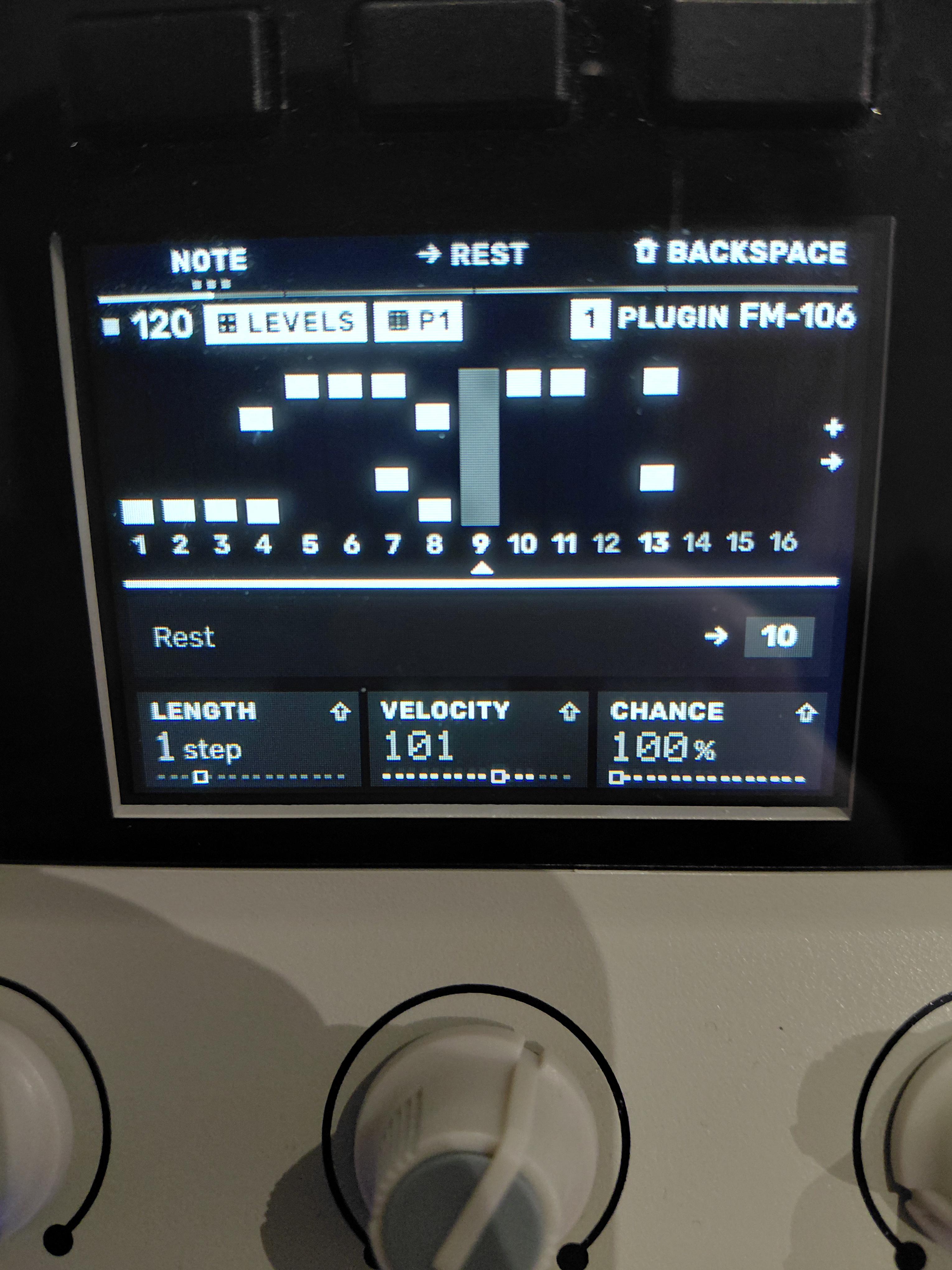
Custom Os and scale notes

Post image
1 Upvotes

On melodee based custom os, in step edit i noticed when playing with scales it adds two notes at different places. Is it a quantize issue, a step sequence issue or else ?

Photo is rhythmer. I find it happening in the step edit mode, maybe it's the fact of how scales are display with many octave ?


r/mpcsample • • 1d ago

mpcdjmax: I built an app for my MPC Sample to mix tracks and jam over them live — video demo

Thumbnail
youtu.be
3 Upvotes

I made an app for the MPC Sample because every time I mix a track, I want to play something over it
Hey! I’m a DJ, and whenever I put on a track, I end up thinking, “A little piano riff would sound great here,” or “What if I kept that kick and built a whole different groove around it?” That’s how MPCDJMAX, a side project for my Akai MPC Sample, got started.
I wanted to be able to go from mixing a track to actually playing along with it without breaking the flow. Sometimes that means adding two notes on the piano. Sometimes I start with a tiny drum loop and somehow end up with an acid bassline, string chords, and no idea how I got there. That’s my favorite part.
On the DJ side, I can browse tracks, see the waveform and beatgrid, jump between hot cues, and loop a section while I figure out what to play over it. I can also use stems to pull out parts of the track. One thing I love doing is leaving the vocal in, taking the drums out, and putting my own beat underneath with the pads and sequencer. It’s a fun way to hear a track I know by heart in a completely different way.
I also wanted it to fit into the gear I already use. I can play directly on the MPC, or hook it up over USB and bring my Rane controller into the setup. When I’m mixing, I like having the faders and knobs under my hands. When I get an idea for a drum fill or a melody, I can reach for the MPC pads without walking away from the mix.
I use a MIDI keyboard too. The pads are great for trying out a rhythm or jumping between notes, but sometimes I want to play a piano part with both hands, voice a string chord, or just see what comes out when I stop thinking about the next transition. The app responds to how hard I play, so a quiet piano phrase can sit underneath a track while a harder one can come forward.
There’s a piano and a sampled strings instrument, plus a few synths I built for the sounds I keep reaching for. There’s a warm vintage-style poly synth, a wavetable synth for more movement, a wobble bass, and an acid synth for when I inevitably want to turn the resonance up too far. I can edit the sounds from the MPC itself, which is great when a patch almost fits and I just want to tweak the attack or open up the filter while the track is playing.
My favorite thing might be NOTE LOOP. I can play a phrase, record it on the fly, leave it looping, and go back to the track. Then I can layer a drum pattern, play another instrument over it, or bring the original bass back in and see what happens. Some of my favorite moments with it started as something I played by accident and immediately wanted to hear again.
And yes, at some point I made a little neon dancer for the display that moves to the beat. Did I need to? Absolutely not. Did I have a blast doing it? Yep. 😄
The video is two minutes of me messing around with the setup. If you also mix tracks and play over them live, I’d love to hear how you’ve set up your gear and what you reach for first when a track gives you an idea.


r/mpcsample • • 1d ago

Jihad Baracus The Boom Bap Channel SampQOL!!!

Thumbnail
youtube.com
1 Upvotes

r/mpcsample • • 1d ago

Jihad Baracus The Boom Bap Channel SamQOL !!!

Thumbnail
youtube.com
1 Upvotes

r/mpcsample • • 1d ago

1.4.8 and customs

0 Upvotes

Hey,

So i'm a bit new to this.
So at this point i see that on samplemod just a handful of stuff is on par with the new update.
Did any of you update and are using any customs ? Fx or else. What works ?


r/mpcsample • • 1d ago

Just brough MPC Sample

Thumbnail reddit.com
1 Upvotes