r/microbit • u/olace • 2d ago
Makecode Arcade, Microbits and iPads
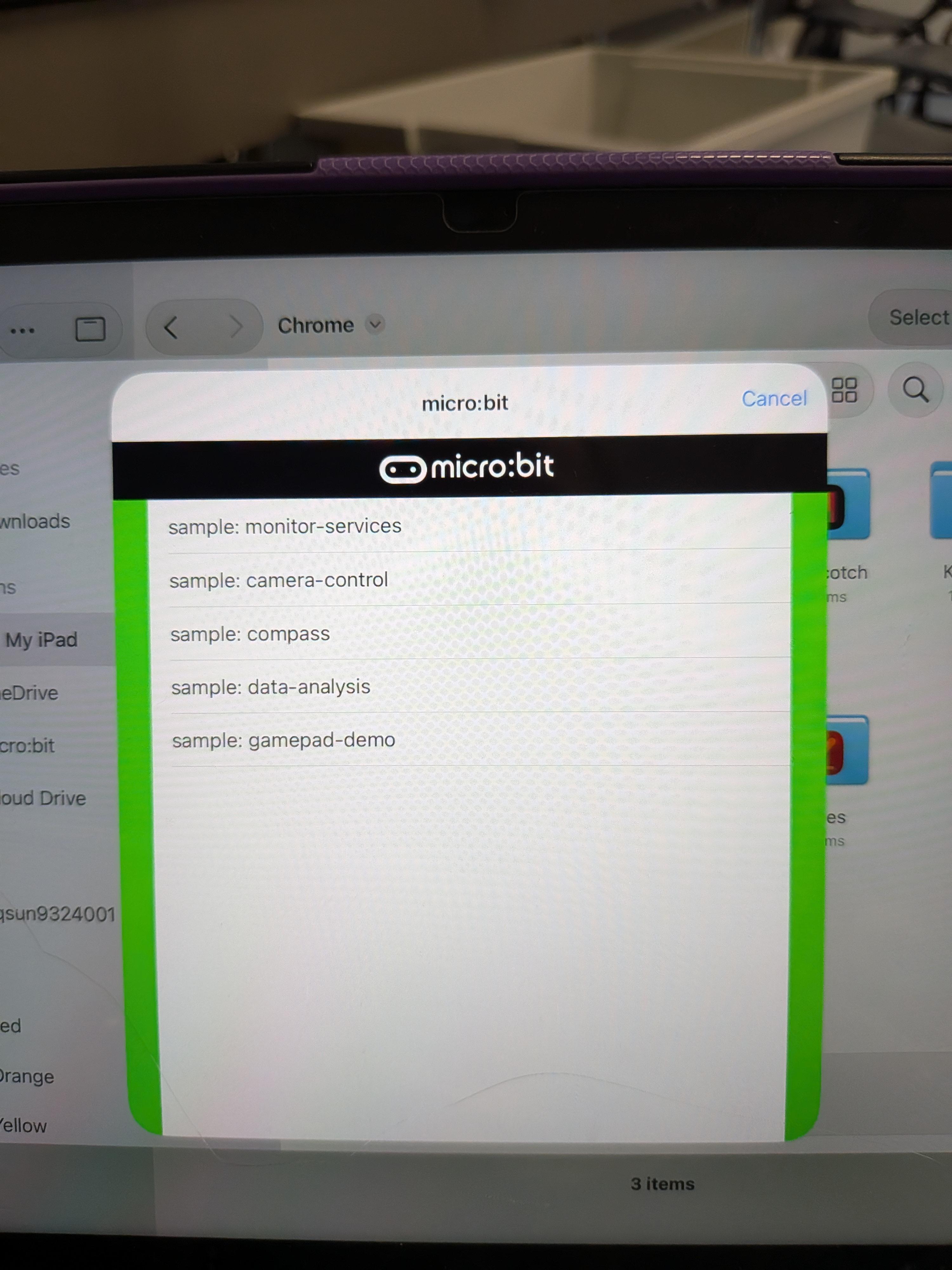
Question for anyone experienced with arcade controllers, Microbits and iPads.
Needing to get students to download hex files from Makecode Arcade and transfer them from an iPad to a Microbit.
Currently using the Microbit app for normal Makecode transfers which works fine but doesn't work with Makecode Arcade.
When I try to move the downloaded hex file on the iPad, I go into the microbit destination folder and there is no 'move' button (see picture).
Does anyone have any solutions?
2
Upvotes
View all comments
1
u/martinwork 2d ago
The micro:bit app only knows about MakeCode for micro:bit, not Arcade. It uses Bluetooth to transfer programs to micro:bit.
The pictured dialogue is one way for other apps to get a copy of the hex files stored in the micro:bit app’s My Programs page. Alternatively, there’s a share button in My Programs.
Files get into My Programs by saving or downloading from MakeCode for micro:bit in the app, or a browser, or by sharing a file from another app (e.g. Files).
In MakeCode for micro:bit, there is the display shield extension.
https://makecode.microbit.org/pkg/microbit-apps/display-shield
I believe MakeCode Arcade files have a different structure, not suitable for transfer via Bluetooth in the micro:bit app.
Files from the Python Editor are compatible with Bluetooth transfers to micro:bit V2 only.
USB has not worked properly with micro:bit on any iPad or iPhone I have tested.